Easy Clock - Calendar Widgets
Analog & digital desk clock
Designed for iPhone, iPad
Free
- Age rating4+
- CategoryUtilities
- DeveloperJONG CHAN BAE
- LanguagesEnglish+ 5 more
- Size1.3 MB
Links to the official App Store page
Download.org hosts no file of Easy Clock - Calendar Widgets. The button opens its official App Store page, published by JONG CHAN BAE. Listing last checked on Nov 17, 2026.
Screenshots

About
Easy Clock is the simplest way to check the time and today's date.
Only what you need, nothing more. Put a widget on your Home Screen and see the time and today's date without opening the app.
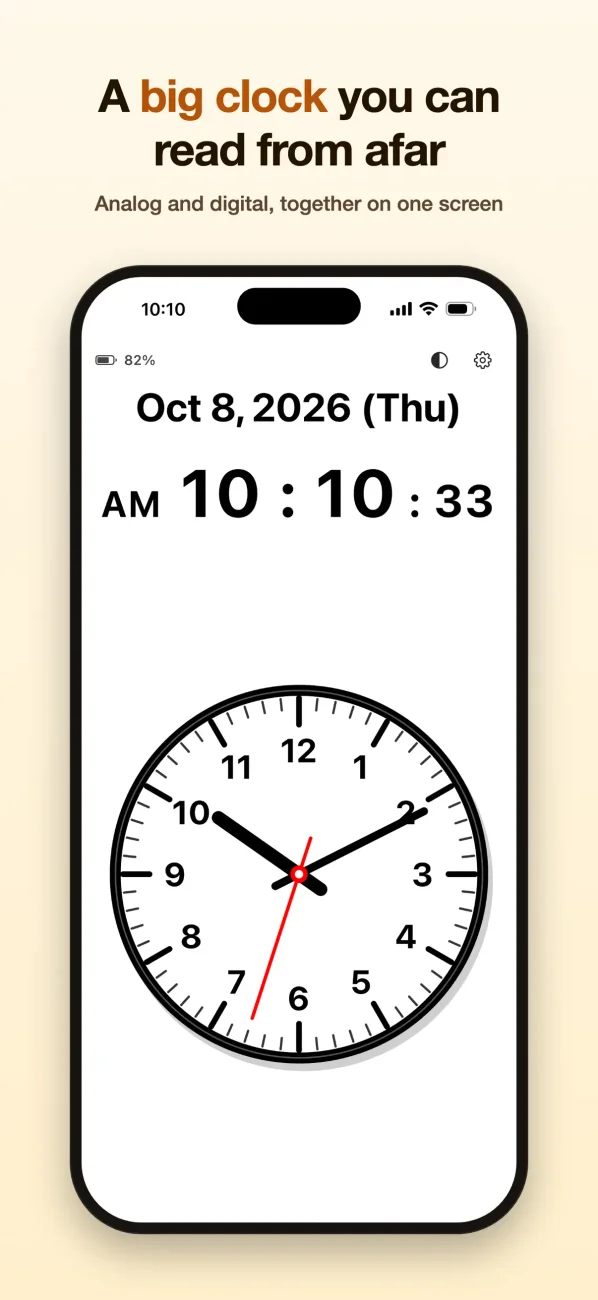
■ A big clock
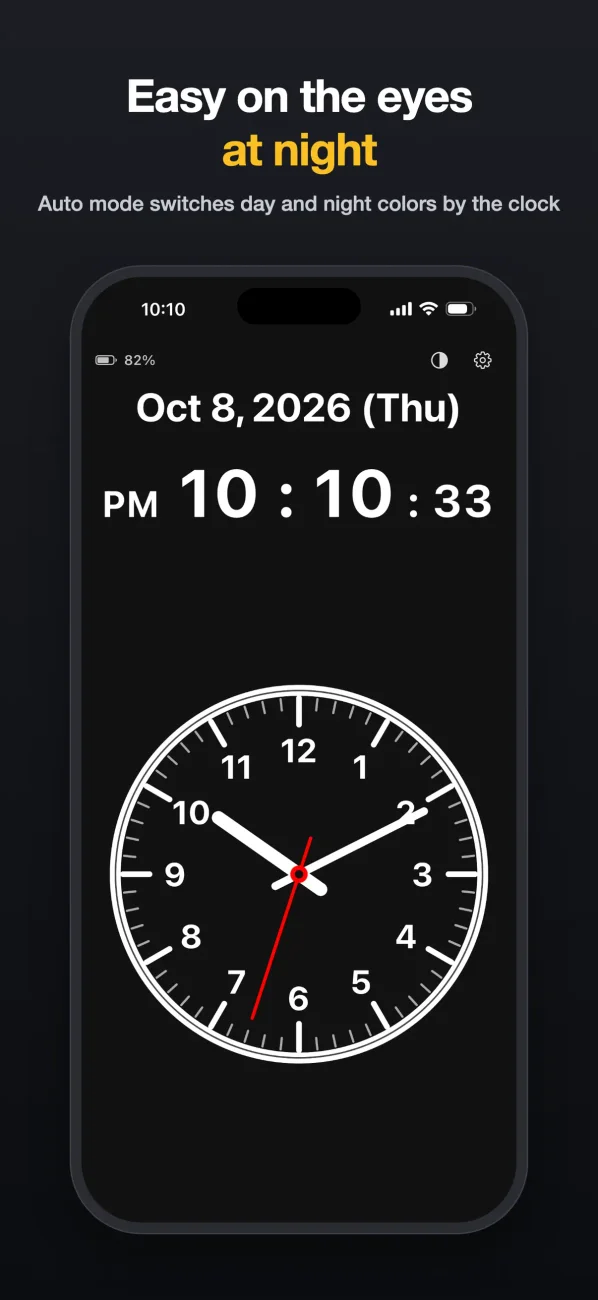
· Analog and digital clocks together on one screen
· Date, weekday and seconds in large type — easy to read from across the room
· Battery level shown at the top of the screen
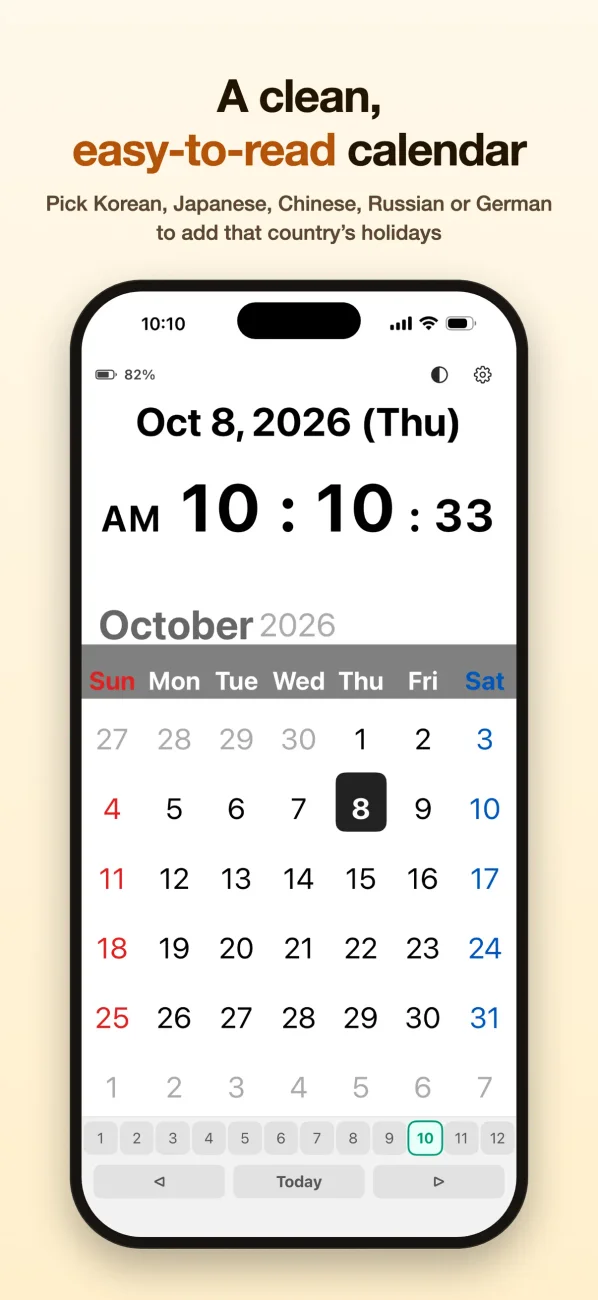
■ A calendar with holidays
· English shows a plain calendar. Choose another language and that country's calendar comes with it — Korean adds public and substitute holidays, lunar dates and the 24 solar terms; Japanese adds Japan's national holidays; Chinese adds statutory holidays, lunar dates and solar terms; Russian adds Russia's public holidays; German adds Germany's nationwide holidays
· Days off in red, solar terms in gray, lunar dates in olive
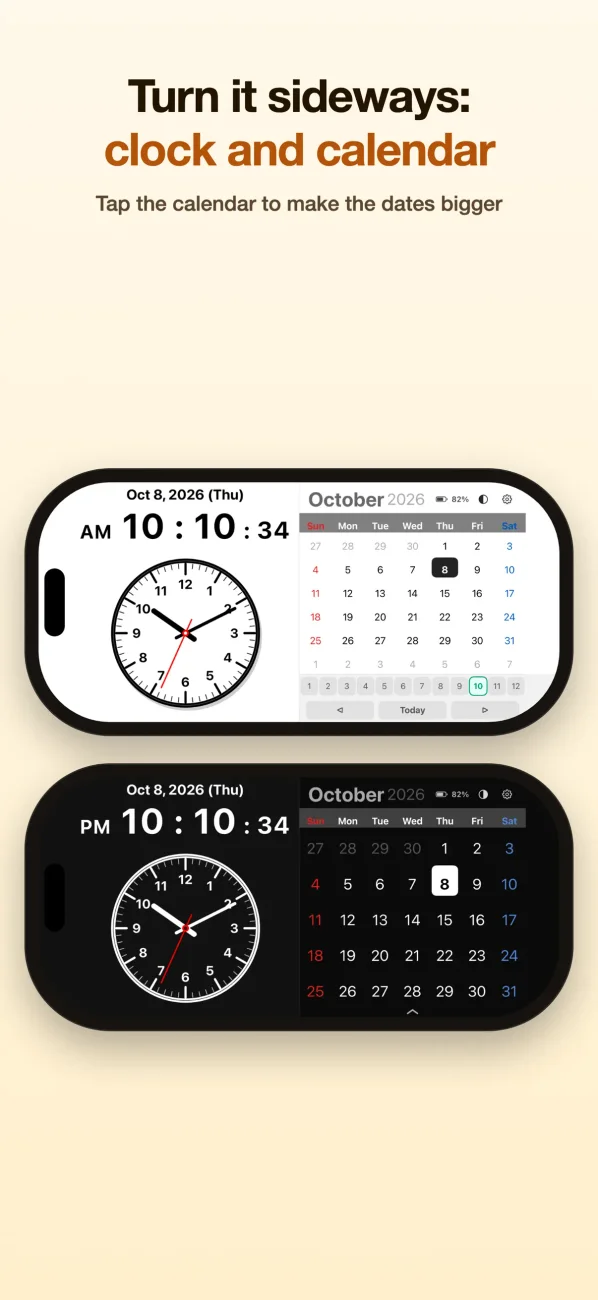
· Jump to any month with the 1–12 buttons, or back to today with one tap
· Swipe the clock sideways for the calendar — the date and time stay on screen
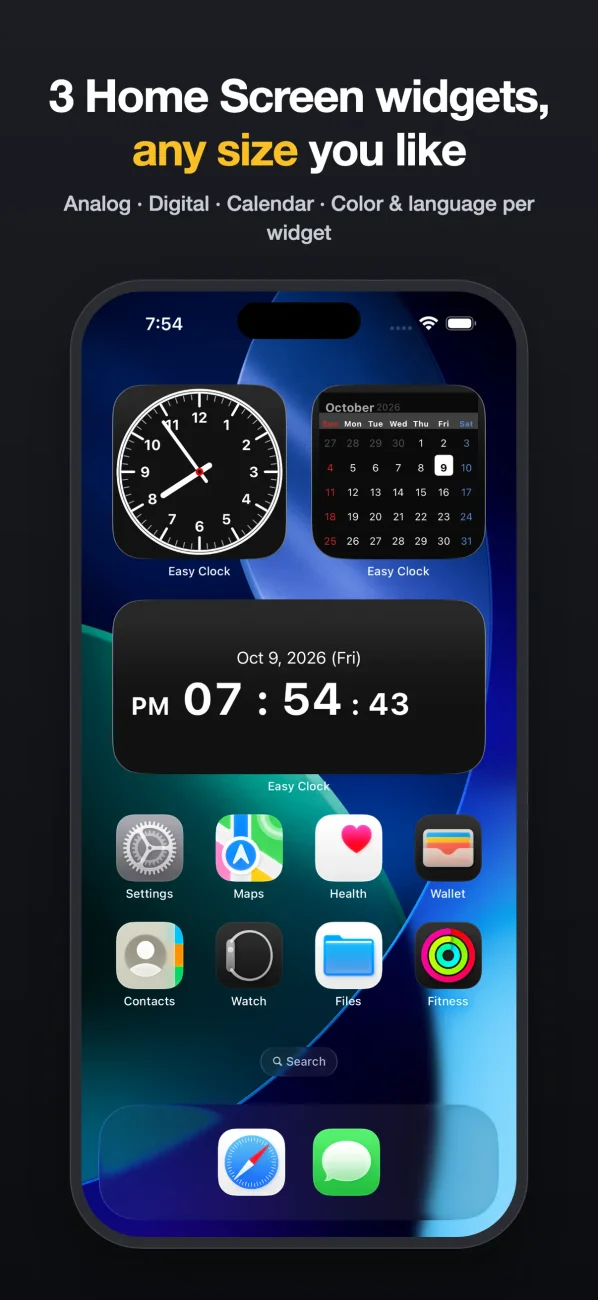
■ 3 Home Screen widgets
· Analog clock (small, large), date and digital clock (medium), calendar (small, large)
· The digital clock widget ticks every second
· The large calendar widget also shows holiday names, and lunar dates and solar terms in Korean and Chinese
· Choose the appearance (Automatic, Light, Dark) and the language for each widget
■ Day and night colors
· One button cycles Auto → Light → Dark
· Auto switches between day (6 AM–6 PM) and night colors by the clock
■ A desk clock
· Turn it sideways and the clock and calendar sit side by side, like a desk clock
· In landscape, tap the calendar to fold away its buttons and enlarge the dates
· Keep Screen On lets it stay on your desk or nightstand
■ 6 languages
English · 한국어 · 日本語 · 中文 · Русский · Deutsch
Follows your device language at first (English for any other language); change it anytime in Settings.
■ Privacy
· The app has no internet features and collects or sends no information
· No ads, no analytics
· No sign-up required
Holidays are for reference. Adjustments that governments set separately each year (temporary holidays in Korea, tiaoxiu in China, moved days off in Russia) cannot be calculated by rule and are not shown.
App privacy
What JONG CHAN BAE declares on the App Store about how this app handles data.
-
Data not collected
The developer does not collect any data from this app.
Privacy practices may vary, for example with the features you use or your age.
Information
- Seller
- JONG CHAN BAE
- Category
- Utilities
- Version
- 1.0.1
- Updated
- Oct 23, 2026
- Released
- Oct 23, 2026
- Size
- 1.3 MB
- Requires
- iOS 18.0 or later
- Age rating
- 4+
- Price
- Free
- Languages
- English, German, Japanese, Korean, Russian, Simplified Chinese
- Copyright
- © 2026 ONECONNECT
You might also like
-
 Clock Widgets - デザイン時計ウィジェットUtilities
-
 Date & Time - WidgetsDigital & analog clock widgets
-
 Dialshade: Clock WidgetsAesthetic Analog & Digital
-
 QRリーダー PlusUtilities
-
 알람톡: 목소리 알람 시계Utilities
-
 Auto ArchitectUtilities
-
 SimpleSkipAlarmSkip Just the Next Alarm
-
 Silkoon: Safe Private BrowserSite trust score & link check
-
 Shiba QR Code Reader & ScannerNo Ads, Barcode Scan & History
-
 Car Auto Play: Widgets & MusicDashboard Themes, Maps & Radio