EK Crew Rest
Inflight Break & Rest Planner
iPhone, iPad için tasarlandı
Ücretsiz · Uygulama içi satın alma
- Yaş sınırı4+
- KategoriÜretkenlik
- GeliştiriciAyman Maklad
- Dillerİngilizce
- Boyut7,8 MB
Resmi App Store sayfasına bağlanır
Download.org, EK Crew Rest için hiçbir dosya barındırmaz. Düğme, uygulamanın App Store üzerindeki sayfasını açar; uygulamayı orada Ayman Maklad yayınlar. Sayfanın son kontrolü: 28.11.2026.
Ekran görüntüleri


Hakkında
Geliştirici bu metni dilinizde sunmamış.
Plan fair, accurate crew rest in seconds, then let the app run it for you on the flight.
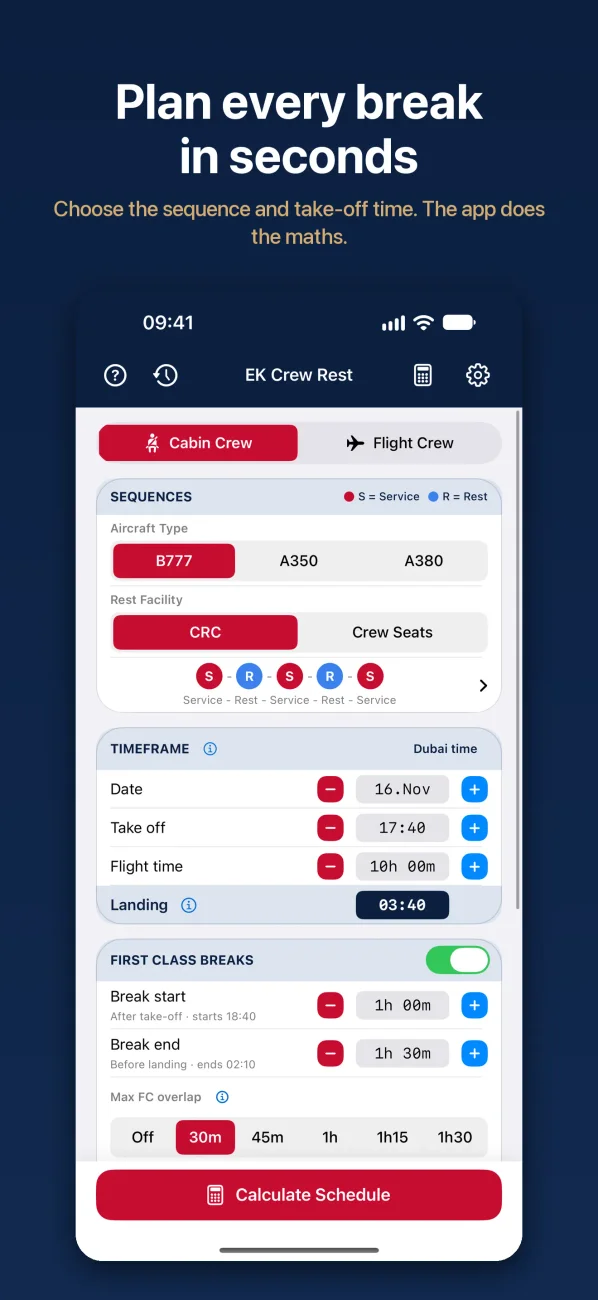
EK Crew Rest is built for long-haul cabin and flight crew. Enter the take-off time and flight time, pick your rest–service sequence, and get equal break times for everyone, worked out to the minute. No spreadsheets, no mental arithmetic, no arguments about who got the short break.
WHY CREW USE IT
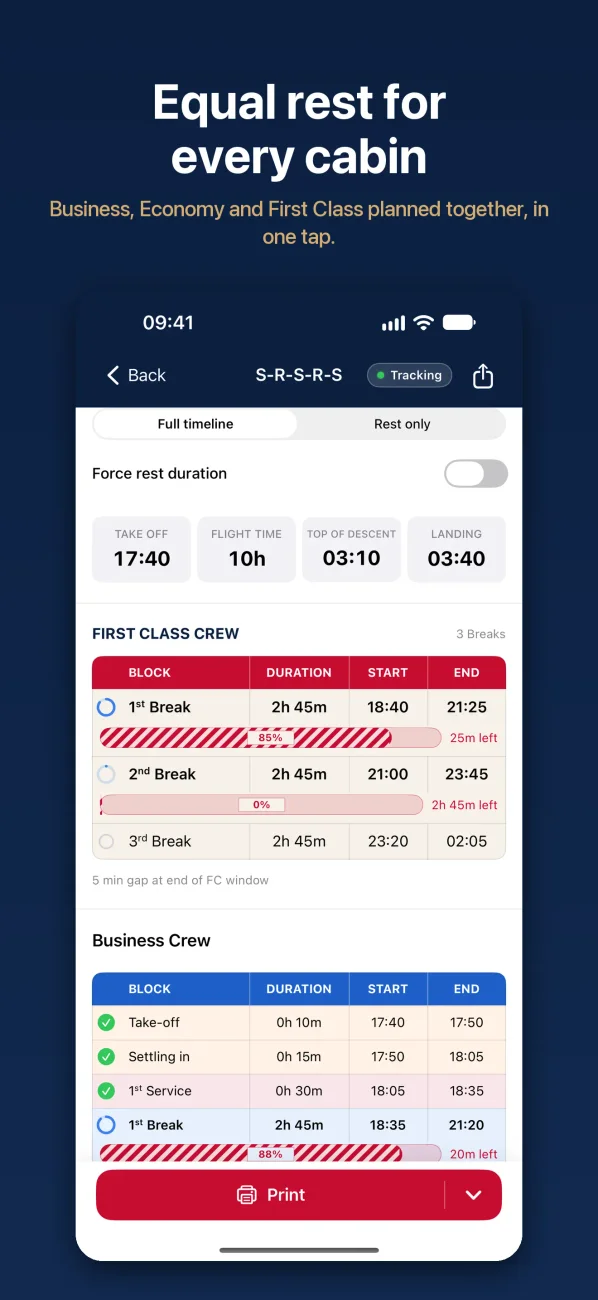
· Equal rest, every time: every cabin and every crew member rests the same length
· Done in seconds: choose the sequence, set take-off, tap Calculate
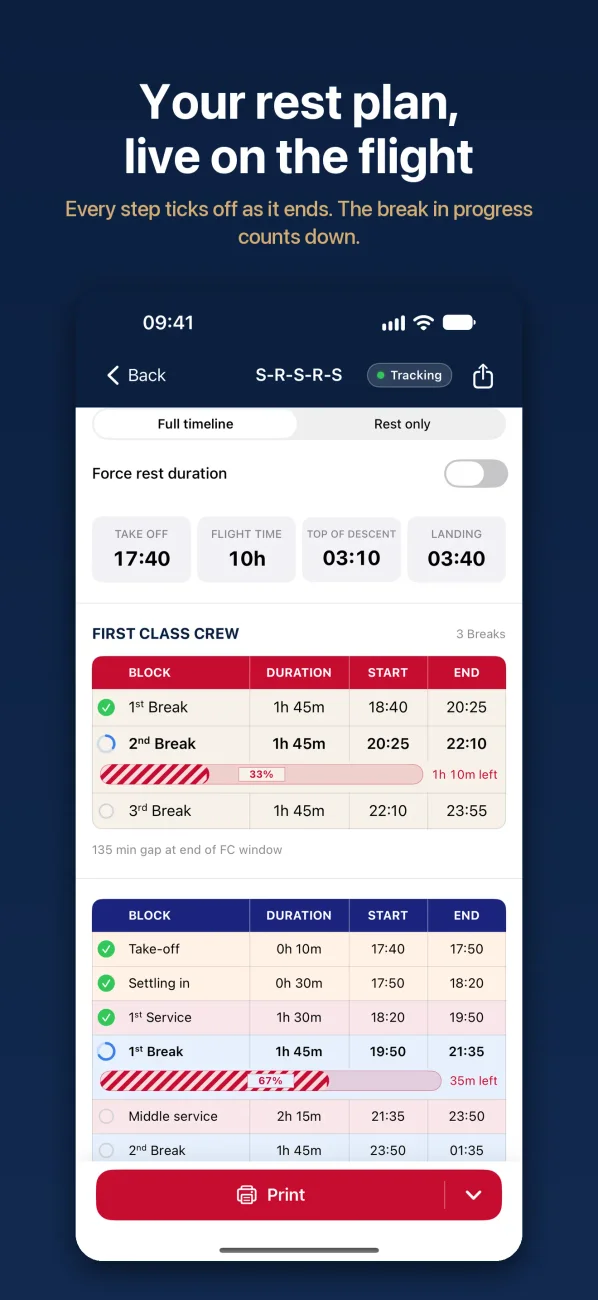
· Runs itself in flight: steps tick off as they finish and the break in progress counts down
· Wakes the crew quietly: 15 minutes before each rest ends in the CRC, at the end of a crew-seat rest
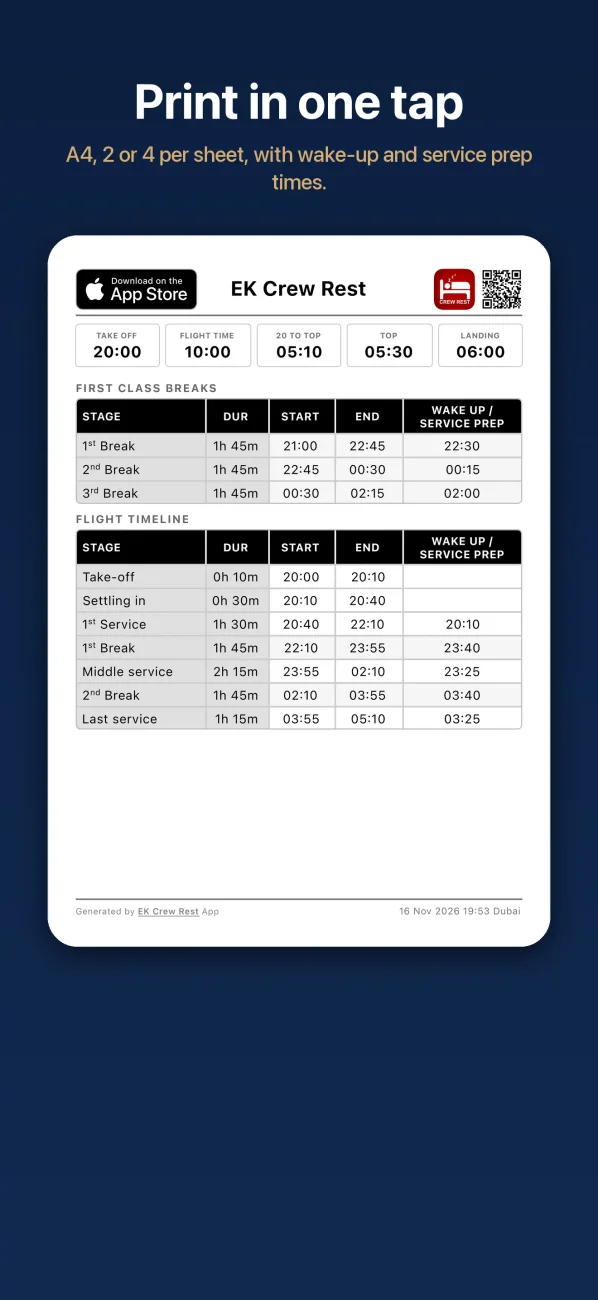
· Ready for the briefing: print the plan in one tap, with wake-up and service prep times
CABIN CREW
· 10 rest–service sequences for 2, 3 and 4 rests, filtered by aircraft (B777, A350, A380) and rest facility (CRC, LD-CRC, MD-CRC, crew seats)
· Business and Economy planned separately, with everyone resting the same duration
· First Class breaks on 2-rest sequences, with controlled break overlap so no one loses rest
· Force a target rest duration and watch the plan update live
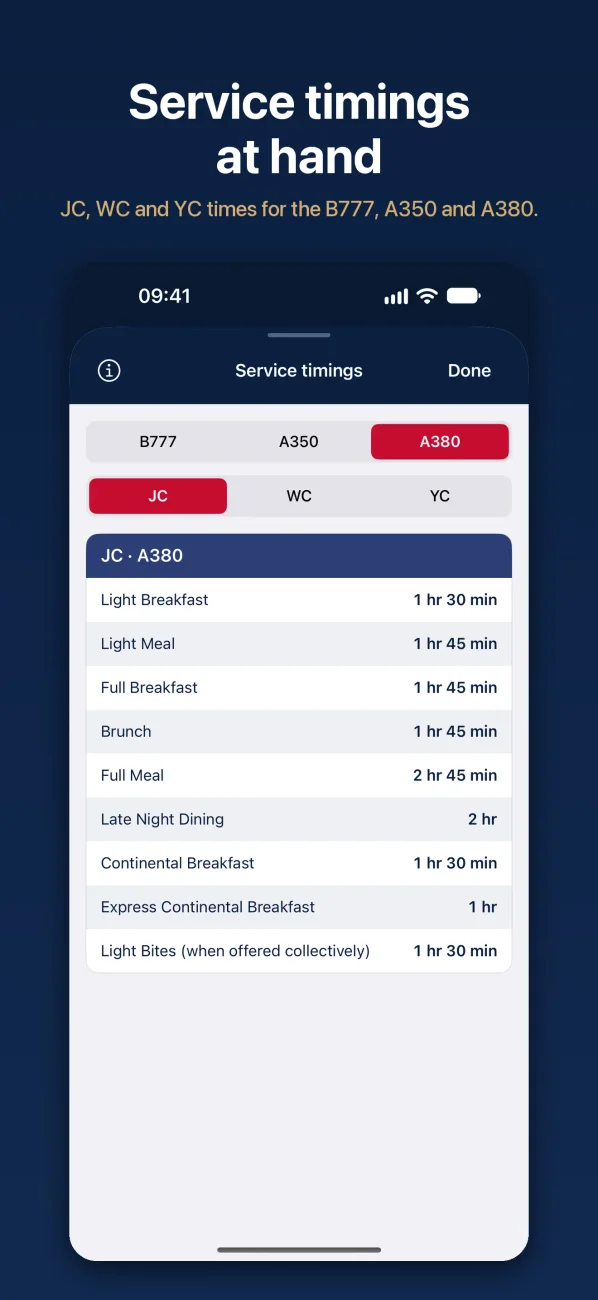
· Service timings reference: JC, WC and YC times for the B777, A350 and A380
· Buffers and rounding to the 5-minute grid
FLIGHT CREW
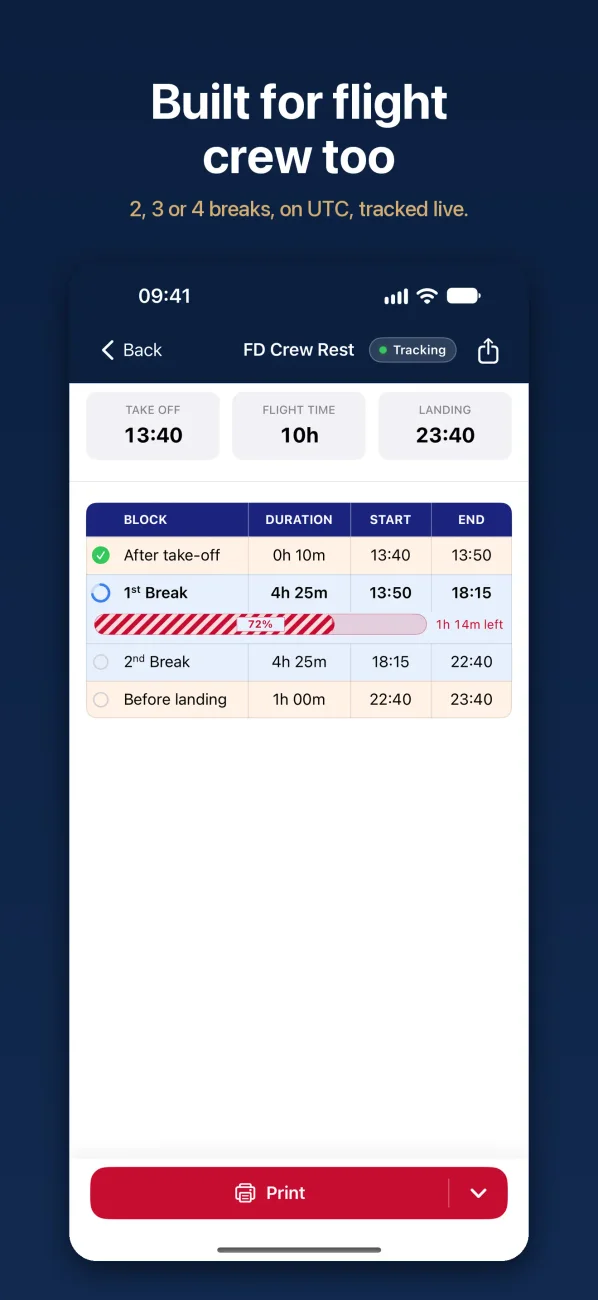
· 2, 3 or 4 equal breaks across your break window
· Flight crew times in UTC, cabin crew in Dubai time; switching crew converts the times for you
LIVE ON THE FLIGHT
· Every calculated plan is tracked automatically: finished steps tick green, the running step shows its progress and time left
· Lock screen and Dynamic Island timer counting down the rest
· Departure date picked for you from the take-off time
WAKE ALARMS
· Silent, Vibration or Sound: 8 calm alarm tones or your iPhone ringtone, at Soft, Medium or Strong
· Alarms get through Focus modes such as Sleep; services never ring
PRINT AND SHARE
· One tap prints A4, or 2 or 4 copies per sheet with cut lines
· Wake up / Service prep column: each break's wake-up time and each service's prep time, 30 minutes before it starts (switch it off in Settings)
· Optional crew table showing who rests in which break
· Step-by-step guide to connect to the onboard printer
· Share a full-colour card with the crew
ALSO INCLUDED
· Time Calculator for HH:MM maths across midnight
· iPad: inputs and results side by side in landscape
· Works fully offline. No account. No data collected.
SEQUENCES SUPPORTED
SRR · SRRS · SRSRS · SRRR · SRRRS · SRRRR · SRRRRS · SRRSRRS · SRSRRS · SRRSRS
TRY IT FREE
Your first 10 calculations are free. Then unlock unlimited calculations with a single one-time purchase. No subscription, ever.
EK Crew Rest is an independent app and is not affiliated with or endorsed by any airline. Always follow your company's procedures.
Yenilikler
Sürüm 5 · 24.11.2026
Live rest plan
Your schedule now tracks the flight on its own. Finished steps get a green tick, the running step fills up with a countdown, and services show 25%, 50% and 75% complete. Calculate halfway through the service and everything already done is ticked off.
Departure date
The date is picked for you from the take-off time — step it a day either way if you need to.
Quiet wake alarms
One alarm to wake the crew: 15 minutes before each rest ends in the CRC, LD-CRC and MD-CRC, so there's time to change into uniform, and as the rest ends in crew seats. Choose Silent, Vibration or Sound — pick from 8 alarm tones or your iPhone ringtone, set Soft, Medium or Strong, and test it right in Settings.
Print in one tap
A Print button under every rest plan: A4 with one tap, or choose 2 per sheet or 4 per sheet. The Wake up / Service prep column shows each break's wake-up time and each service's prep time, 30 minutes before it starts (switch it off in Settings). Add a crew table to note who rests in each break, and follow the built-in guide to connect to the onboard printer.
Uygulama gizliliği
Bu uygulamanın verileri nasıl işlediği hakkında Ayman Maklad tarafından App Store üzerinde yapılan beyan.
-
Veri toplanmıyor
Geliştirici bu uygulamadan hiçbir veri toplamıyor.
Gizlilik uygulamaları, örneğin kullandığınız özelliklere veya yaşınıza göre değişiklik gösterebilir.
Bilgiler
- Satıcı
- Ayman Maklad
- Kategori
- Üretkenlik
- Sürüm
- 5
- Güncellendi
- 24.11.2026
- Yayın tarihi
- 14.04.2026
- Boyut
- 7,8 MB
- Gereksinim
- iOS 17.6 veya sonrası
- Yaş sınırı
- 4+
- Fiyat
- Ücretsiz
- Uygulama içi satın alma
- Evet
- Diller
- İngilizce
- Telif hakkı
- © 2026 Gulflens Studio