
Emm AI
Your AI collaboration center
iPhone, iPad, iPod touch için tasarlandı
Ücretsiz · Uygulama içi satın alma
- Yaş sınırı4+
- KategoriÜretkenlik
- GeliştiriciGreger Teigre Wedel
- Dillerİngilizce
- Boyut48,1 MB
Resmi App Store sayfasına bağlanır
Download.org, Emm AI için hiçbir dosya barındırmaz. Düğme, uygulamanın App Store üzerindeki sayfasını açar; uygulamayı orada Greger Teigre Wedel yayınlar. Sayfanın son kontrolü: 22.11.2026.
Ekran görüntüleri



Hakkında
Geliştirici bu metni dilinizde sunmamış.
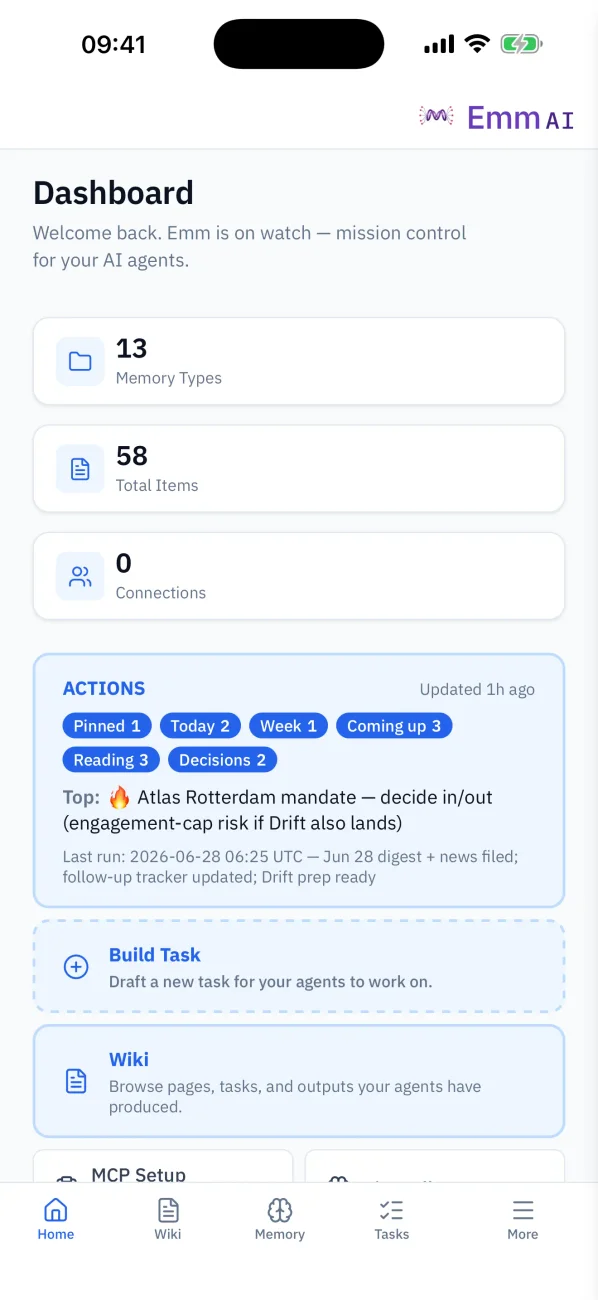
Emm AI is the collaboration center you and your AI agents use to work together. It pulls your scattered AI work — research, drafts, decisions, follow-ups — into one shared space you both build in, instead of losing it across chat sessions and tools.
Your AI is powerful in the moment but forgets between sessions, can't follow standing orders, and its output vanishes when the window closes. Emm fixes the whole problem, not one symptom at a time.
FOUR CAPABILITIES, ONE WORKSPACE
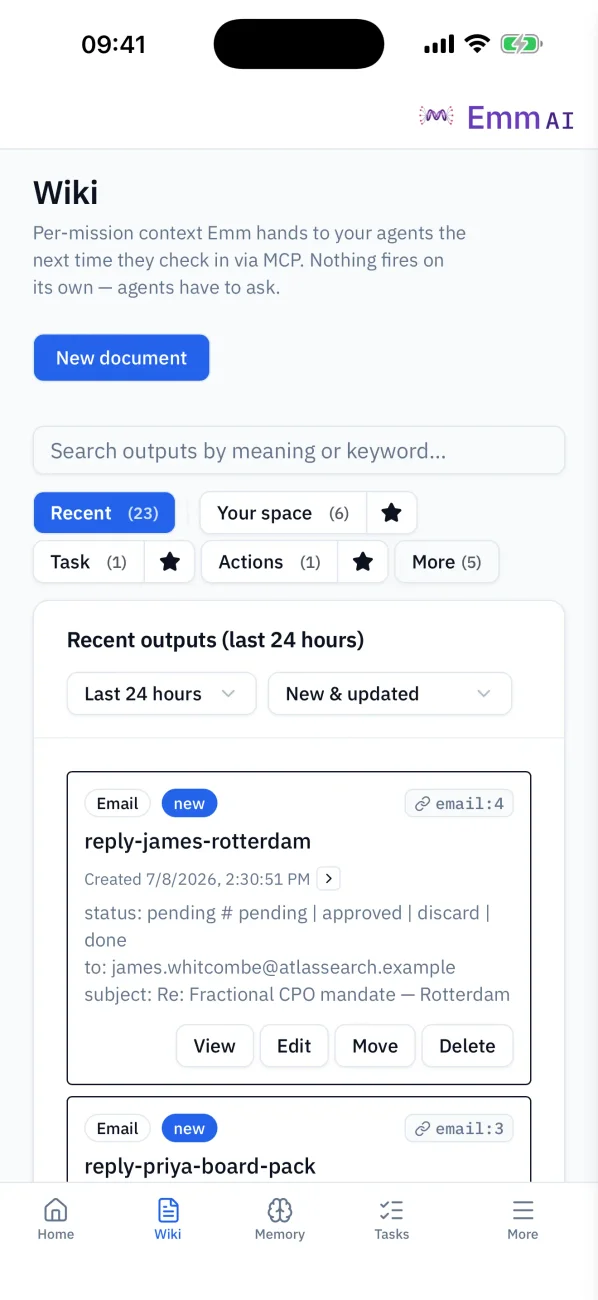
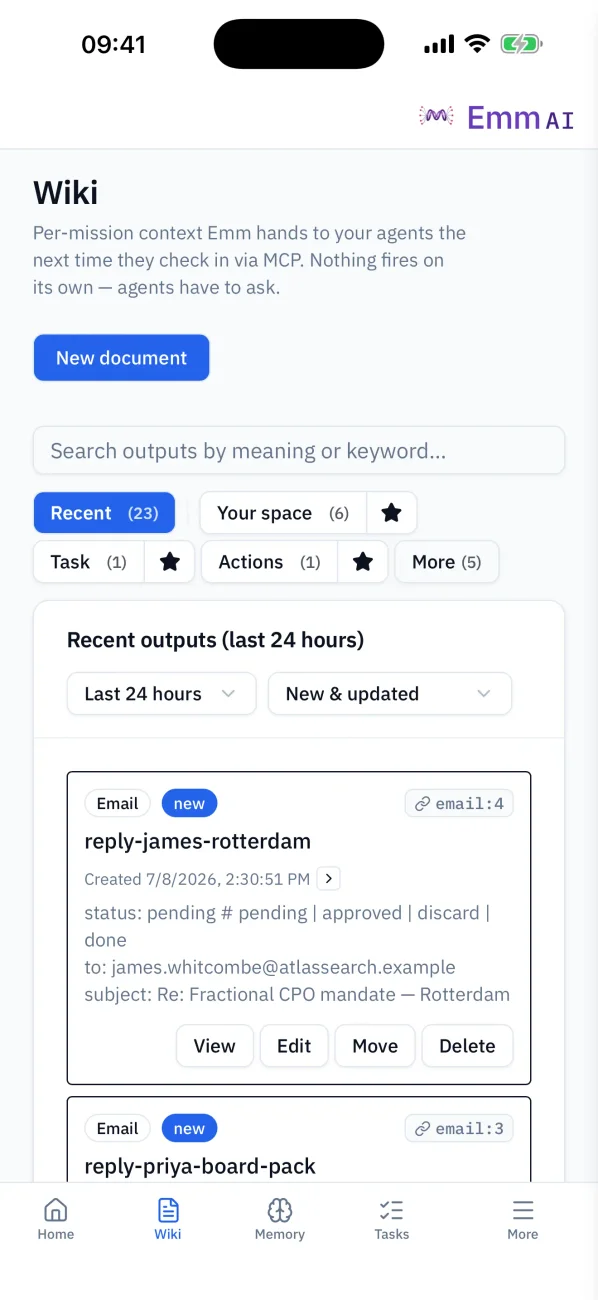
• A wiki you co-author — not a drop-box where agents dump results, but a living document space. Your agents create documents from research, email triage, and tasks; you read, edit, and comment; your comments become instructions the agent picks up on its next run.
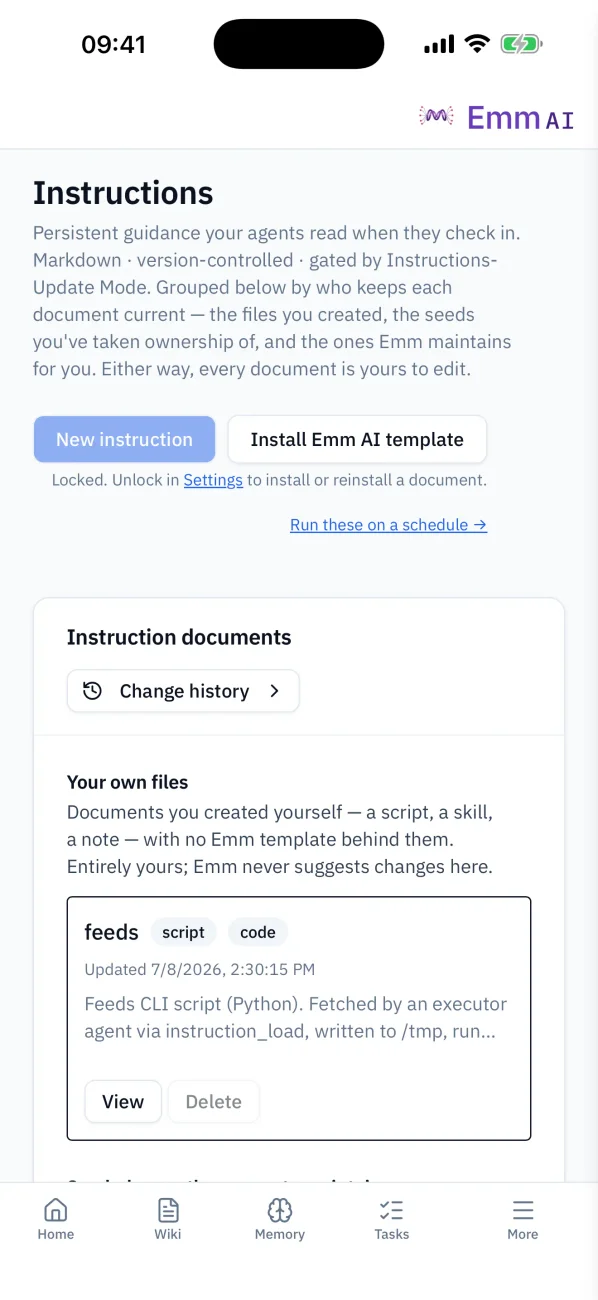
• Standing instructions — the brief your agents read at the start of every run: what to do, how to behave, your rules. After each run the AI suggests improvements, so the brief gets sharper over time.
• Durable memory — facts, decisions, and learnings that persist across every session and every AI tool. Insights from one task inform the next. You decide what's worth keeping; nothing is dumped in automatically.
• Scheduled tasks — your AI checks in on its own, picks up the brief, does the work, and posts results to the wiki for you to review and redirect.
WHY IT'S DIFFERENT
The wiki is where the work actually happens. Comment on a document and your agent acts on it. Forward an email and it becomes a research task. This is genuine collaboration across days and weeks — not chatbot Q&A. You stay in control: agents propose, you approve, and nothing leaves Emm without your say-so.
WORKS WITH EVERY AI
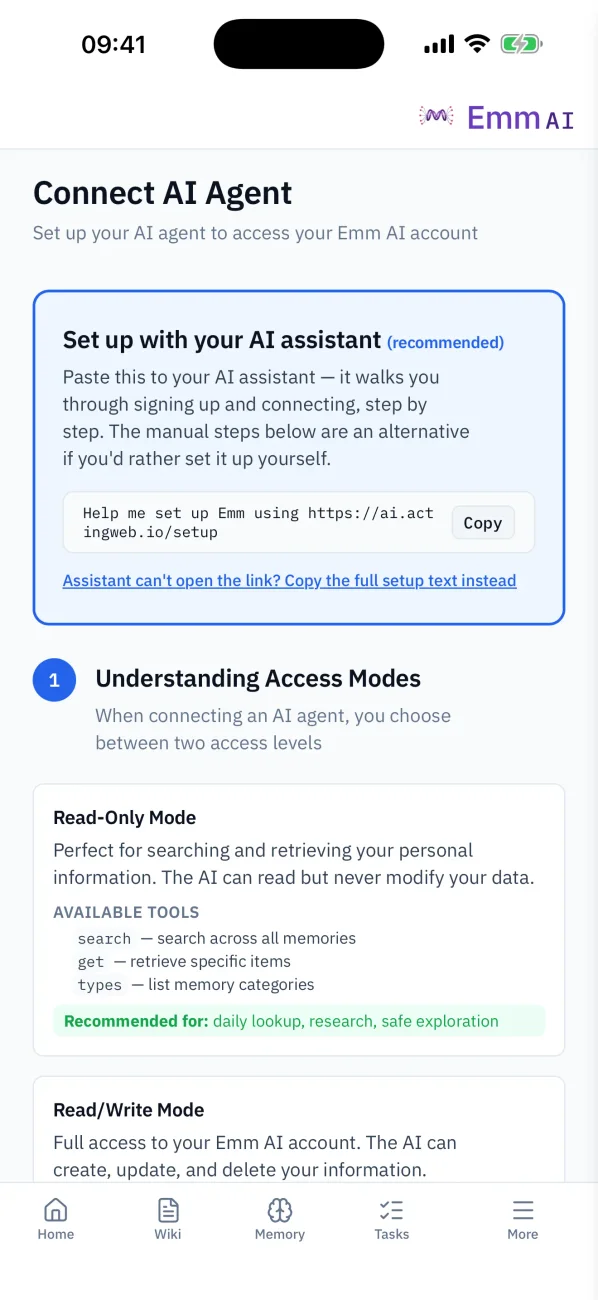
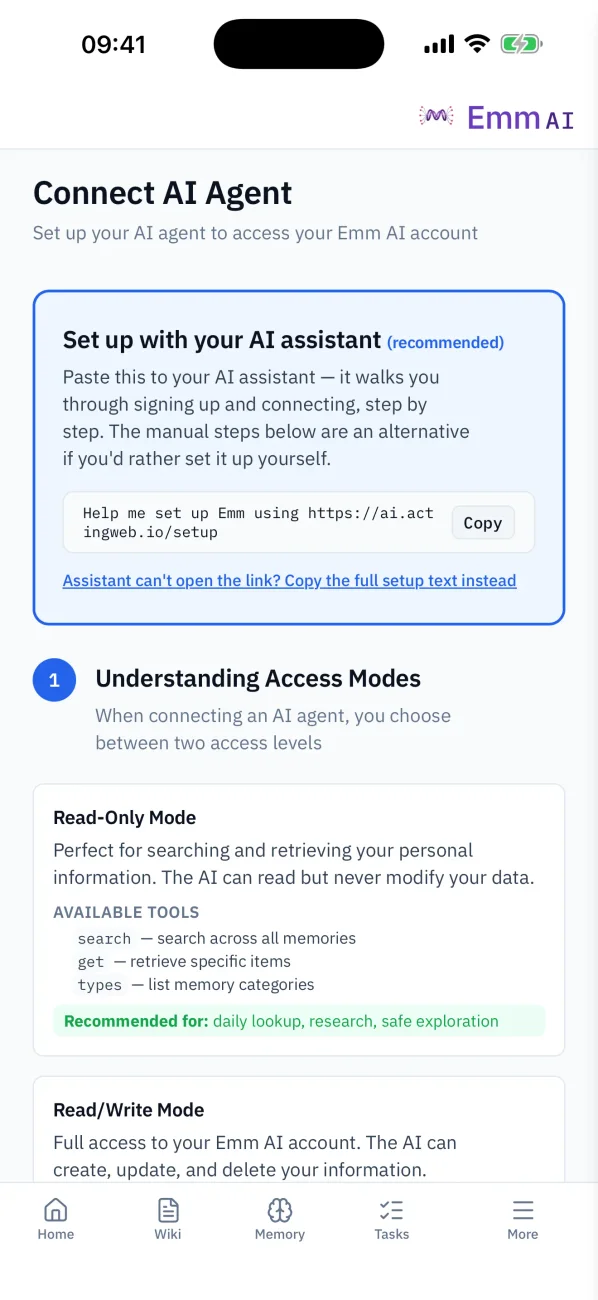
Emm connects over MCP (Model Context Protocol). Set it up with Claude, pick it up with ChatGPT — your wiki, instructions, and memory carry across Gemini, Grok, and any MCP-compatible agent, untouched. The workspace belongs to you, not any vendor.
PRIVATE BY DESIGN
Encrypted in transit and at rest, stored in a European AWS data center under GDPR. View, edit, export, or delete anything — including full account deletion — from the dashboard at any time.
Emm AI is built on the open ActingWeb framework.
Services offered under:
https://www.apple.com/legal/internet-services/itunes/dev/stdeula/
Terms of Use (EULA): https://ai.actingweb.io/terms
Privacy Policy: https://ai.actingweb.io/privacy
Yenilikler
Sürüm 2026.11.10 · 10.11.2026
What’s new in this update:
• Your space, Agent created, Agent logs — The Wiki now has three areas: Your space for the documents you work on, Agent created for what your agent writes on its own, and Agent logs for run logs and reflections.
• Your own categories — Add categories for the topics you care about and file documents under them, in Your space or Agent created, from the category chip next to each document.
• Know what your agent wrote — Documents your agent wrote or edited carry a badge, and Agent created shows how many you have not seen yet.
• No more sideways drift when zoomed — In the Mac app, when you zoom in on a web-page document whose text still fits the window, it now stays put instead of sliding sideways over empty margins while you scroll.
• Steadier pinch zoom on iPhone — Pinch-zooming a document on an iPhone no longer jumps or glides when you lift your fingers, and text keeps its normal size after you zoom back out.
• Pop-ups in the right place when zoomed — In the Mac app, pop-ups in an interactive document, such as a chart's labels, open next to the pointer again when you are zoomed in, and scrolling a zoomed document no longer moves the page behind it.
• Pinch zoom follows your fingers — Pinching a document on an iPhone or iPad now zooms smoothly and only as far as your fingers move, instead of jumping ahead.
• Zoom keys enlarge the open document — With a document open, Command-plus and Command-minus now make the document itself larger or smaller, and Command-0 sets it back.
• Larger text in the Mac app — The Mac app now shows text at a comfortable size from the start, and the text size in Settings goes up and down in even steps.
• Zoomed web-page documents scroll on the Mac — Scrolling a zoomed web-page document with two fingers in the Mac app now moves the document.
Uygulama gizliliği
Bu uygulamanın verileri nasıl işlediği hakkında Greger Teigre Wedel tarafından App Store üzerinde yapılan beyan.
-
Sizinle ilişkilendirilen veriler
Toplanabilir ve kimliğinizle ilişkilendirilebilir.
- Satın alımlar
- İletişim bilgileri
- Kullanıcı içeriği
- Tanımlayıcılar
- Kullanım verileri
Gizlilik uygulamaları, örneğin kullandığınız özelliklere veya yaşınıza göre değişiklik gösterebilir.
Bilgiler
- Satıcı
- Greger Teigre Wedel
- Kategori
- Üretkenlik
- Sürüm
- 2026.11.10
- Güncellendi
- 10.11.2026
- Yayın tarihi
- 22.07.2026
- Boyut
- 48,1 MB
- Gereksinim
- iOS 15.0 veya sonrası
- Yaş sınırı
- 4+
- Fiyat
- Ücretsiz
- Uygulama içi satın alma
- Evet
- Diller
- İngilizce
- Telif hakkı
- © 2026 Greger Teigre Wedel
Bunları da beğenebilirsiniz
-
 KlinikkFlowÜretkenlik
-
 Heimgard ConnectÜretkenlik
-
 Cliq - IntuneÜretkenlik
-
 Zoho TeamInboxÜretkenlik
-
 Clara: Yapay Zeka OtomasyonGörev ve iş akışı otomasyonu
-
 FiloMail - AI Email & TodoÜretkenlik
-
 JottacloudÜretkenlik
-
 Klang.ai: Yapay Zeka ToplantıKaydet, yazıya dök, özetle
-
 AppFlowyÜretkenlik
-
 AI Pro: Özel AI AsistanıSor, Araştır, Kodla & Oluştur