
Focus Easy
Minimal home screen launcher
iPhone, iPad için tasarlandı
Ücretsiz · Uygulama içi satın alma
- Yaş sınırı4+
- KategoriÜretkenlik
- GeliştiriciMatthew Strickland
- Dillerİngilizce
- Boyut4,1 MB
Resmi App Store sayfasına bağlanır
Download.org, Focus Easy için hiçbir dosya barındırmaz. Düğme, uygulamanın App Store üzerindeki sayfasını açar; uygulamayı orada Matthew Strickland yayınlar. Sayfanın son kontrolü: 23.11.2026.
Ekran görüntüleri


Hakkında
Geliştirici bu metni dilinizde sunmamış.
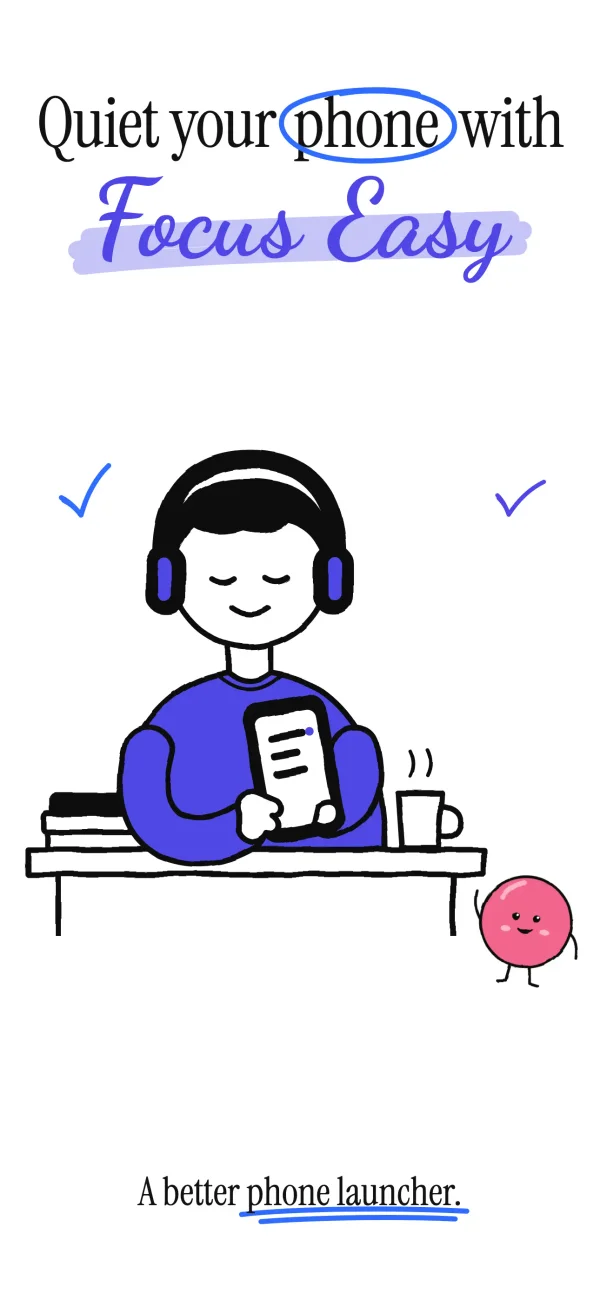
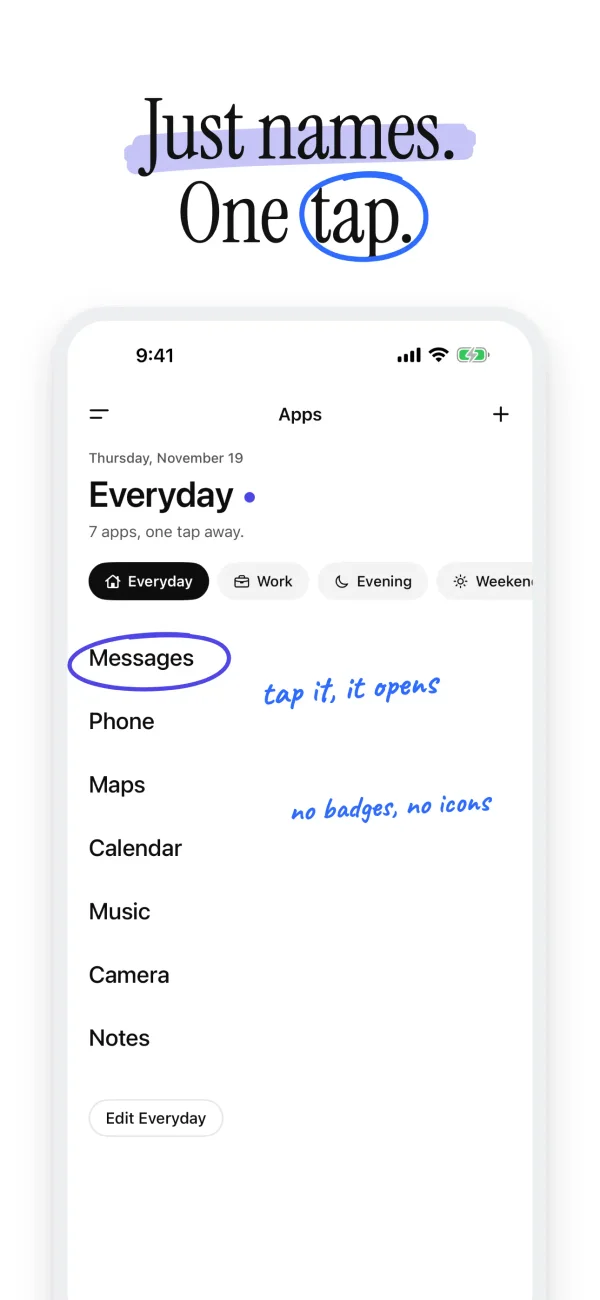
Focus Easy is a quiet launcher for iPhone and iPad. Pick the few apps you need, give them a page of their own, and open each with one tap. No badges, no icons calling for you, no account.
Your apps in plain type
The launcher shows your apps as big, plain names. Tap one and it opens. That's the whole idea.
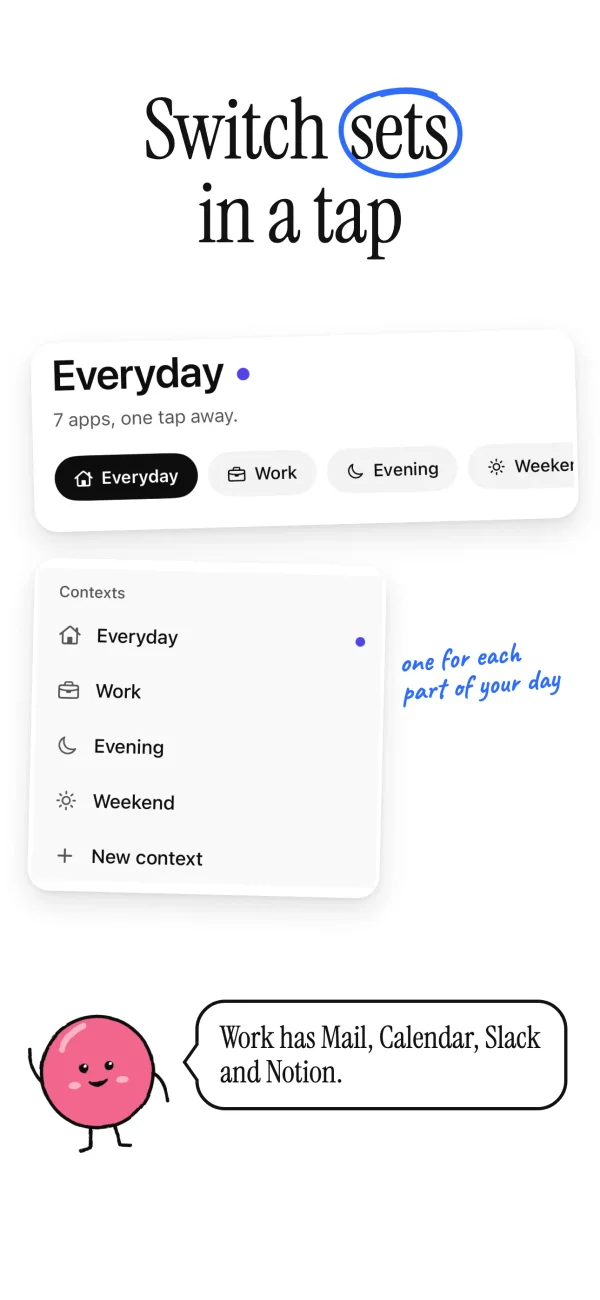
Contexts for your day
Make a set of apps for each part of your day, such as Everyday, Work and Evening, and switch between them in a tap. Focus Easy can suggest the one that fits the time of day.
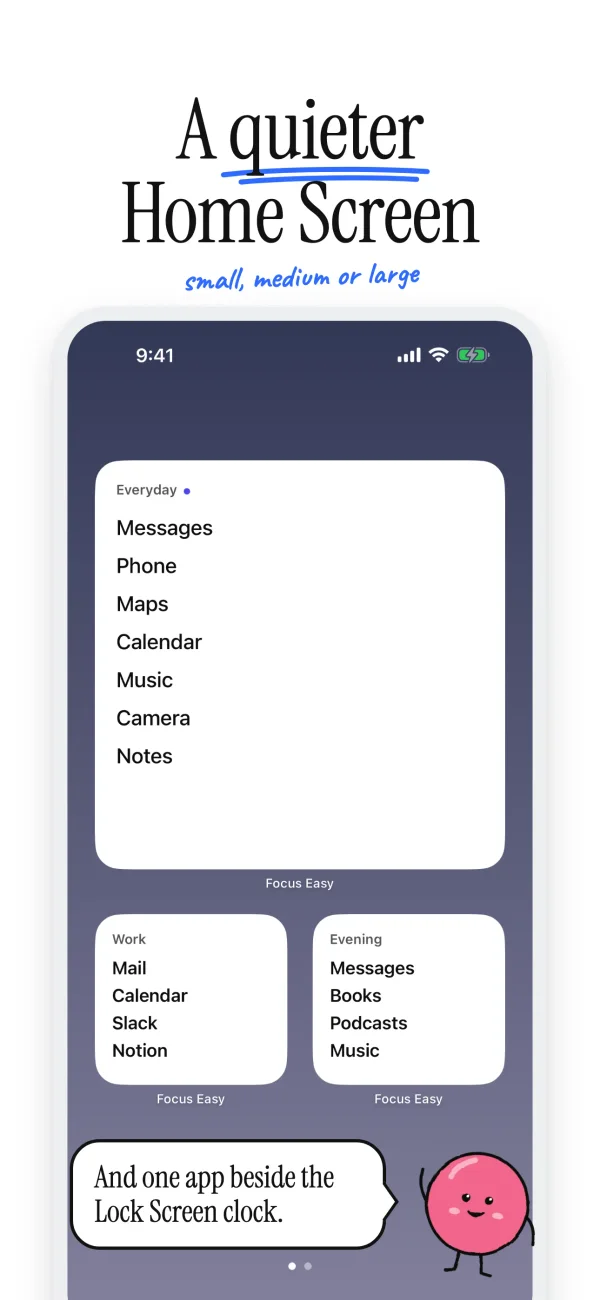
A widget for a quieter Home Screen
Put the Focus Easy widget on a Home Screen page of its own, in small, medium or large, or extra large on iPad. Each widget follows your current context or shows one you pick.
One app on the Lock Screen
Add the One app widget beside the clock and reach the app you use most without hunting for it. Pick the app, or let it follow the first app of your current context.
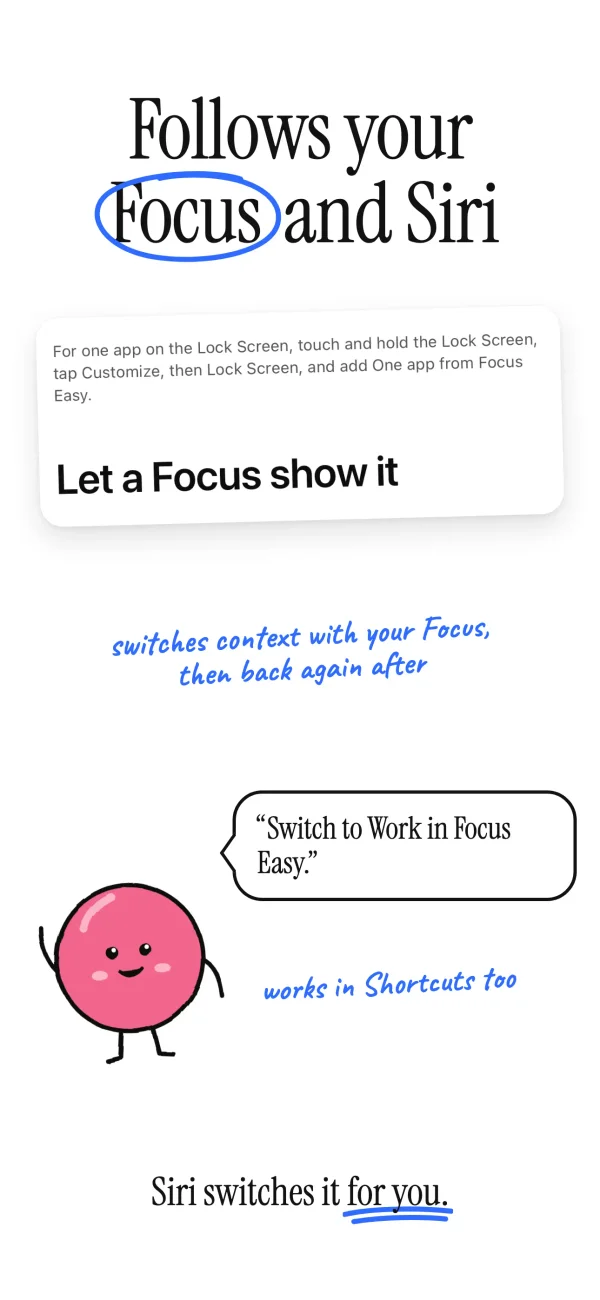
Works with Focus and Siri
Pair the widget's page with an iOS Focus, and it's the only page you see while that Focus is on. Add the Focus Easy filter to a Focus, and Focus Easy switches to the right context, then back again after. Or say "Switch to Work in Focus Easy", and use the same action in Shortcuts automations.
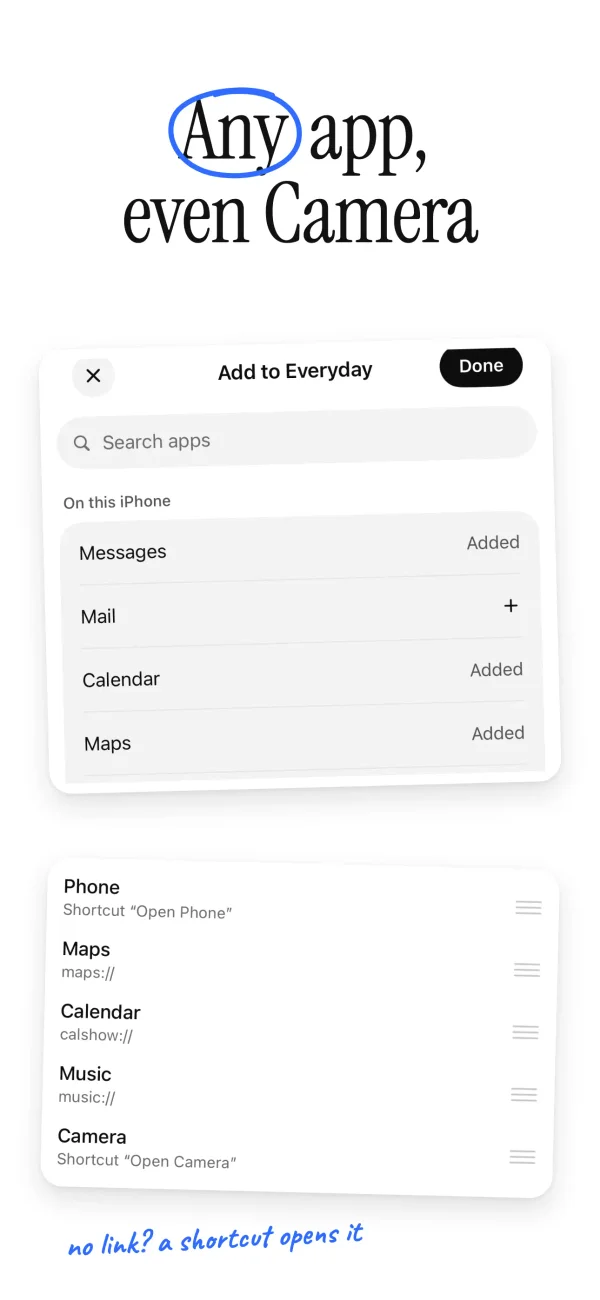
Any app
Add the apps on your iPhone or iPad in a tap. Apps with no link, such as Camera or Clock, open through a shortcut you make once in the Shortcuts app, and Focus Easy shows you how.
On iPad
Your menu of contexts stays beside your apps. On a larger iPad, the launcher sits beside this week's opens for the current context and a preview of its widget, and Usage puts the week's chart beside what you opened most. Works in Split View and Stage Manager, in any orientation, and with a keyboard.
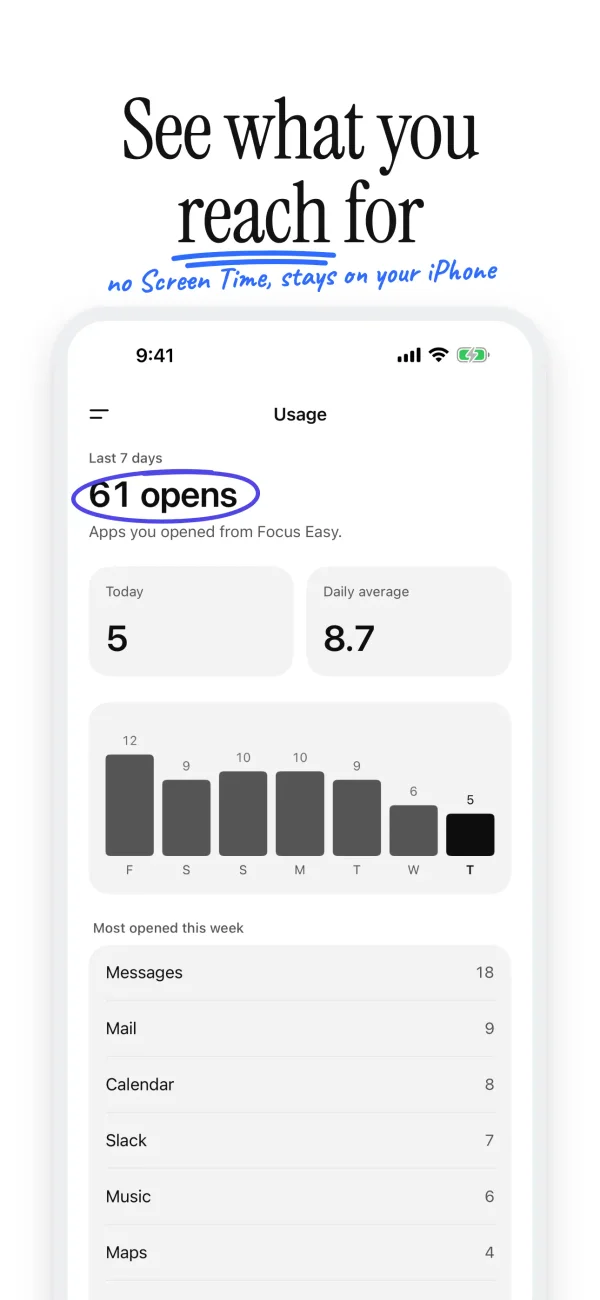
See what you reach for
Usage counts the apps you open through Focus Easy over the last week. It doesn't read Screen Time, and the counts stay on your device.
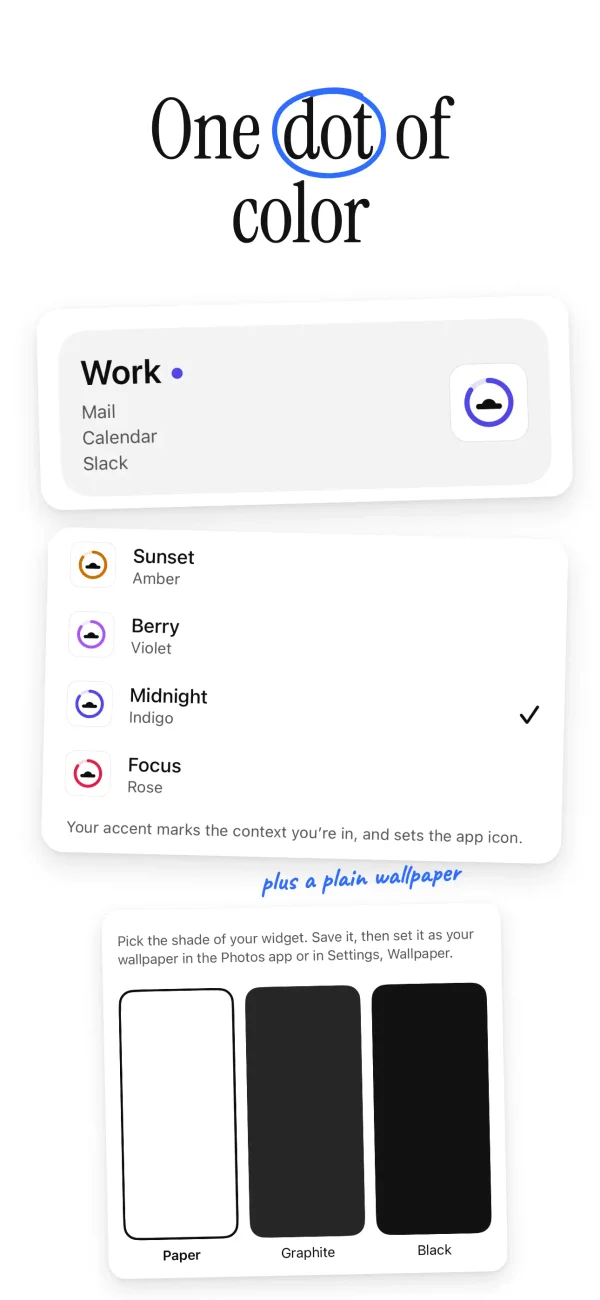
Plain to look at
Black type on a pale page, or pale type in Graphite or Black after dark. A single colored dot marks the context you're in, and the icon on your Home Screen takes the same color. A plain wallpaper in the widget's shade lets the list sit straight on the page.
Private
No account and no ads. Your apps, contexts and counts stay on your device. To help fix problems, Focus Easy sends anonymous diagnostics, like crash reports and which screens you open. They never include your apps, contexts or counts, and you can turn them off in Settings.
A tip, if you like
Focus Easy is free and has nothing to unlock. If it helps you keep your Home Screen quiet, you can leave a one-time tip in Settings: a Dawn, a Morning, a Noon or a Summer. A tip is paid through the App Store and leaves the launcher exactly as it was.
Yenilikler
Sürüm 1.6 · 20.11.2026
Now on iPad, with layouts made for it: your contexts stay in the menu beside your apps, and on a larger iPad the launcher sits beside this week's opens for the current context and a preview of its widget. Usage puts the week's chart beside what you opened most, and by context.
• An extra large widget for the iPad Home Screen.
• Add apps knows what iPad has: no Phone or Wallet, and Camera, Clock or FaceTime through a shortcut.
• Works in Split View and Stage Manager, in any orientation, and with a keyboard: ⌘N adds an app, ⇧⌘N makes a context, ⌘S saves.
Uygulama gizliliği
Bu uygulamanın verileri nasıl işlediği hakkında Matthew Strickland tarafından App Store üzerinde yapılan beyan.
-
Sizinle ilişkilendirilmeyen veriler
Toplanabilir ancak kimliğinizle ilişkilendirilmez.
- Kullanım verileri
- Tanılama
Gizlilik uygulamaları, örneğin kullandığınız özelliklere veya yaşınıza göre değişiklik gösterebilir.
Bilgiler
- Satıcı
- Matthew Strickland
- Kategori
- Üretkenlik
- Sürüm
- 1.6
- Güncellendi
- 20.11.2026
- Yayın tarihi
- 19.02.2026
- Boyut
- 4,1 MB
- Gereksinim
- iOS 17.0 veya sonrası
- Yaş sınırı
- 4+
- Fiyat
- Ücretsiz
- Uygulama içi satın alma
- Evet
- Diller
- İngilizce
- Telif hakkı
- © 2026 Idle Fusion
Bunları da beğenebilirsiniz
-
 Focus Fence: App BlockerÜretkenlik
-
 Quiet: App BlockerÜretkenlik
-
 Lusco ®Üretkenlik
-
 Bare Phone: Sade başlatıcıMinimal Basit Telefon Deneyimi
-
 Focus HomeÜretkenlik
-
 Scribe Note - Ses Metne ÇevirToplantı notu ve transkript
-
 ClearScan by ZeroDriftÜretkenlik
-
 LogMyLifeÜretkenlik
-
 seed: Notes, Tasks & AI AgentÜretkenlik
-
 Rowtr - Yapay Zekâ Oyun AlanıKendi anahtarınla yapay zekâ