
Foldleaf Reader
PDF & EPUB, pages that turn
iPhone, iPad için tasarlandı
Ücretsiz · Uygulama içi satın alma
- Yaş sınırı17+
- KategoriÜretkenlik
- GeliştiriciTiann-Tevong You
- Dillerİngilizce
- Boyut37,9 MB
Resmi App Store sayfasına bağlanır
Download.org, Foldleaf Reader için hiçbir dosya barındırmaz. Düğme, uygulamanın App Store üzerindeki sayfasını açar; uygulamayı orada Tiann-Tevong You yayınlar. Sayfanın son kontrolü: 17.11.2026.
Ekran görüntüleri



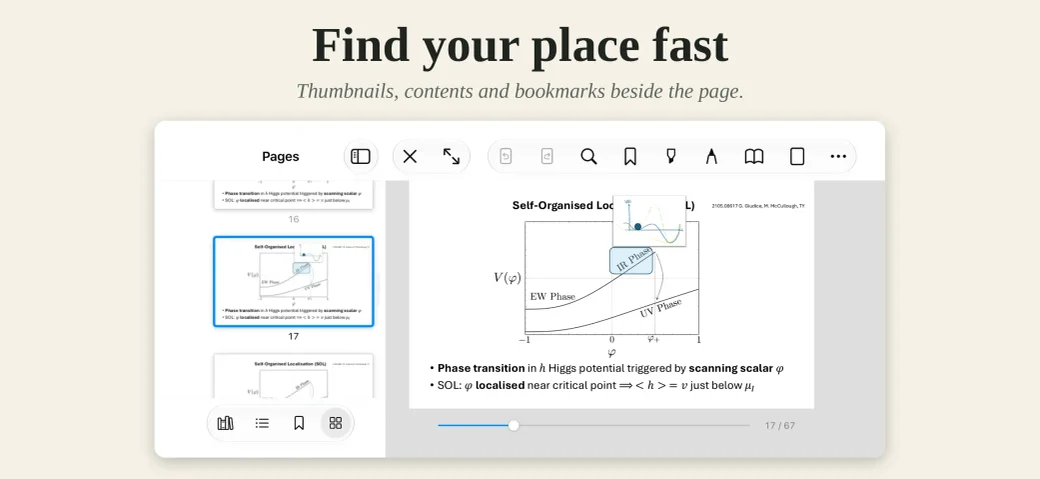

Hakkında
Geliştirici bu metni dilinizde sunmamış.
Foldleaf Reader is a reader and notetaker for PDFs and EPUBs that turns pages like paper, trims the margins off every page, and lets you write and highlight with the Apple Pencil — on iPad, iPhone and iPhone Duo.
PAGES THAT TURN
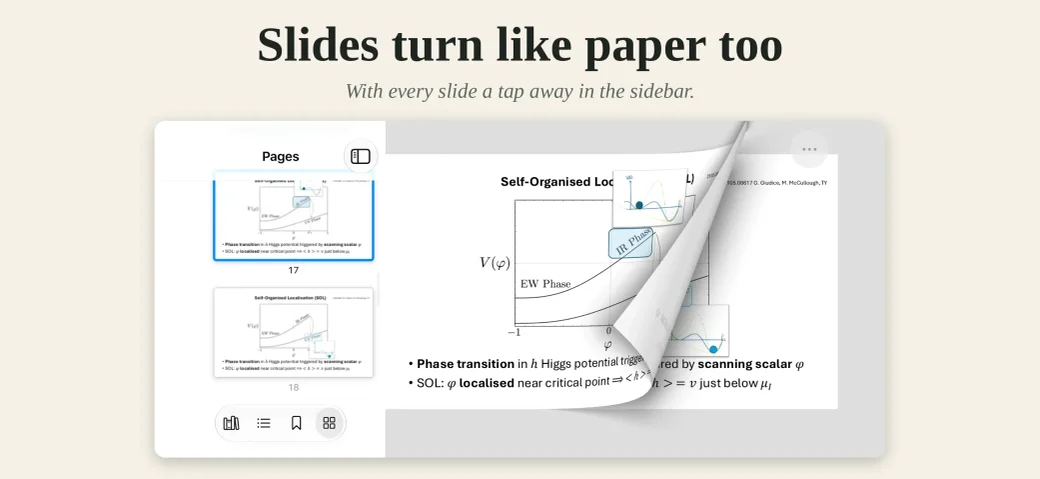
• Page Curl: drag a page from its edge and it follows your finger, the next one waiting underneath.
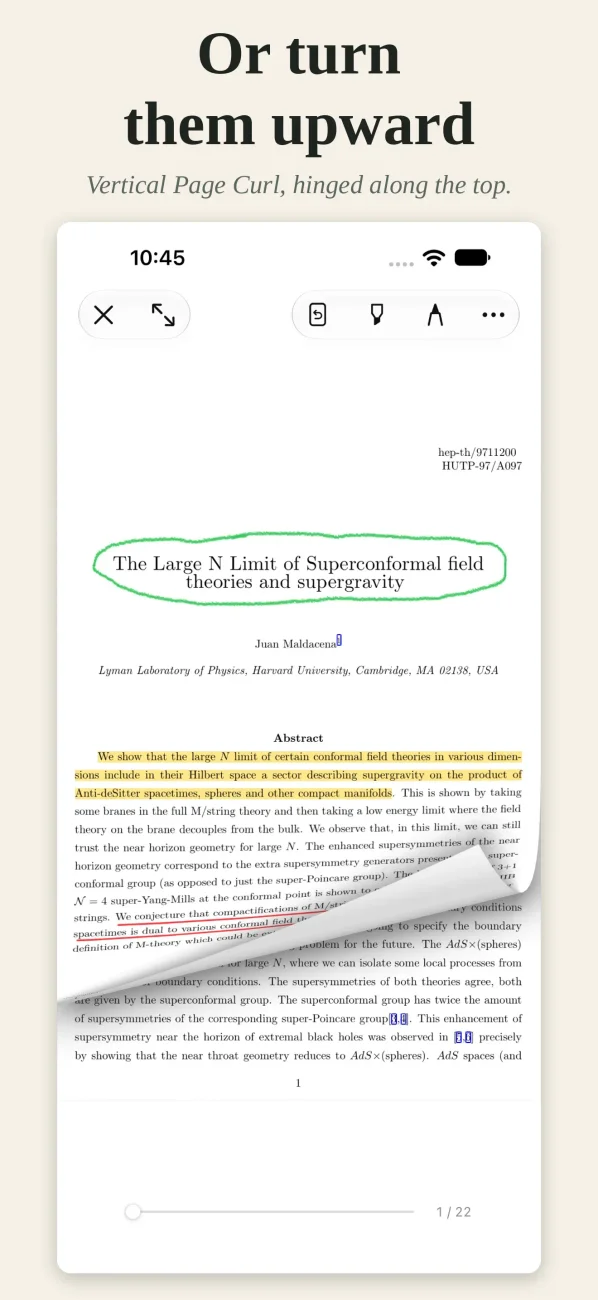
• Vertical Page Curl: a page hinged along its top, turned upward like a wall calendar.
• Or flick through pages, scroll down one long column, or scroll across the pages side by side.
• One page or two side by side, chosen for you whenever the window is wide enough.
MARGINS GONE
• Crop View trims every page of a PDF once — drag a rectangle round what matters, and the whole document opens that way from then on.
• Most papers waste a third of each page on white space. Crop it, and every page is bigger.
• Zoom Lock holds your framing from page to page; Horizontal and Vertical Zoom Lock keep a zoomed-in column steady as you scroll.
WRITE AND HIGHLIGHT
• Four pens — Pen, Fountain Pen, Pencil and Marker — with six colours and six nib widths, each responding to the Pencil's pressure and tilt in its own way.
• Hold the pen still at the end of a line and it snaps straight.
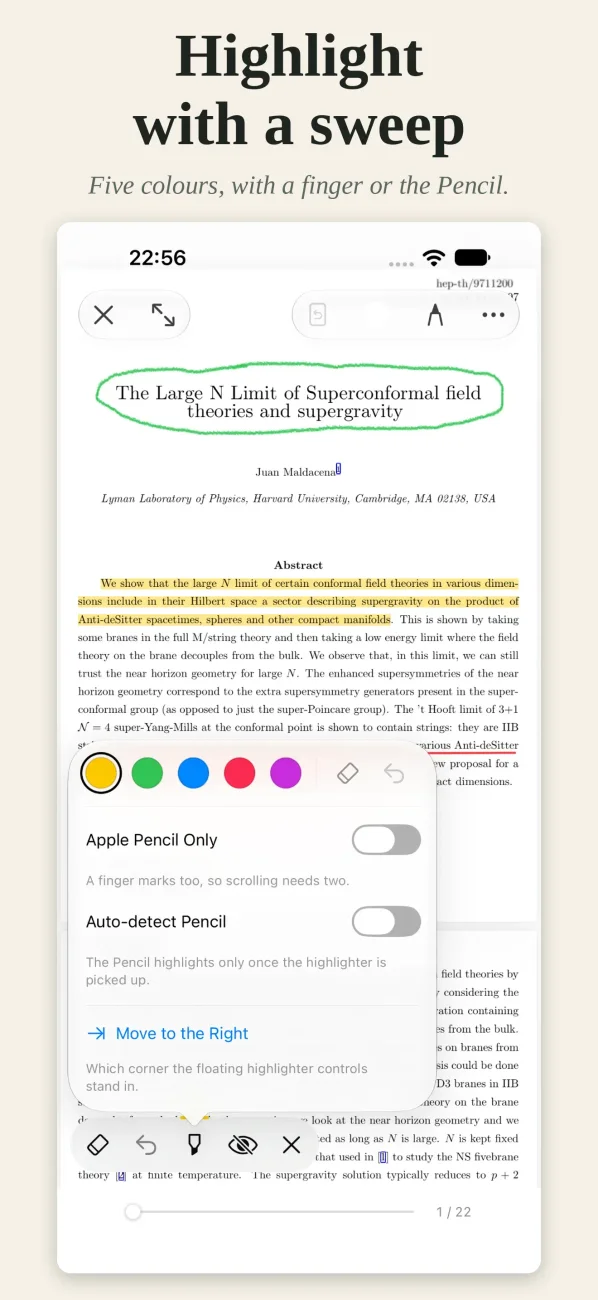
• A highlighter in five colours: select text, or simply sweep across the lines, in PDFs and EPUBs alike.
• Double-tap the Apple Pencil for the rubber. Pick up the pen or highlighter just by bringing the Pencil to the page.
• Share a PDF with your ink and highlights written in as standard annotations, readable in Preview, Acrobat and other apps.
PAPERS AND BOOKS, BUILT IN
• Browse arXiv inside the app and save a paper in one tap — it arrives named for its number, authors and title.
• Project Gutenberg's tens of thousands of free books, saved as EPUBs with their illustrations.
• A web browser that keeps any PDF or EPUB you tap.
• Or add files from Files and iCloud Drive. Edit a PDF in place, and your annotations are saved into the original wherever it lives.
A LIBRARY THAT STAYS TIDY
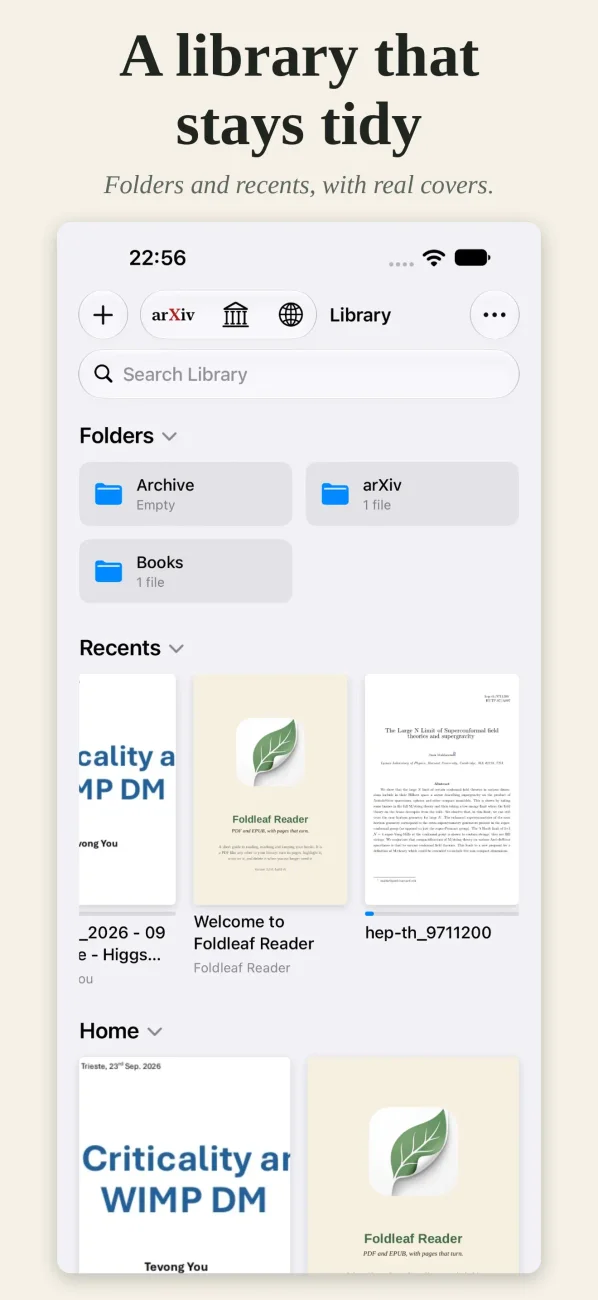
• Folders, favourites and recents, sorted and viewed the way each folder likes.
• Search titles and authors, search inside a book, and name your bookmarks.
• Deleted books wait in the Bin for a week, in case you change your mind.
MADE FOR READING
• Controls along the top, or in a column down the side so a tall page keeps its height.
• Paper colours from white to beige to black, and an appearance that follows the system or doesn't.
• Fullscreen with a small corner cluster, keyboard shortcuts, and trackpad and mouse support.
• Left-handed layout, Keep Screen On, and support for VoiceOver.
PRIVATE BY DESIGN
No account, no sign-in, no tracking and no analytics. Your library stays on your device.
TRY EVERYTHING FREE
Every feature is free for 14 days. After that, reading, your library, paged view and the plain backgrounds stay free — and so does everything you have already marked or cropped. Page curl, scrolling, the zoom locks, paper colours, Crop View, the pen, the highlighter, side controls and Back and Forward unlock with a single purchase: once, not a subscription, and on your iPhone and iPad alike.
Questions and suggestions: foldleafreader@gmail.com
Yenilikler
Sürüm 1.1 · 21.10.2026
Colourful icons, tags, notebooks for note-taking, editing PDFs, proper multiple windows support, improved inking experience, ink selection tools, textbox, and much more.
Uygulama gizliliği
Bu uygulamanın verileri nasıl işlediği hakkında Tiann-Tevong You tarafından App Store üzerinde yapılan beyan.
-
Veri toplanmıyor
Geliştirici bu uygulamadan hiçbir veri toplamıyor.
Gizlilik uygulamaları, örneğin kullandığınız özelliklere veya yaşınıza göre değişiklik gösterebilir.
Bilgiler
- Satıcı
- Tiann-Tevong You
- Kategori
- Üretkenlik
- Sürüm
- 1.1
- Güncellendi
- 21.10.2026
- Yayın tarihi
- 07.10.2026
- Boyut
- 37,9 MB
- Gereksinim
- iOS 18.0 veya sonrası
- Yaş sınırı
- 17+
- Fiyat
- Ücretsiz
- Uygulama içi satın alma
- Evet
- Diller
- İngilizce
- Telif hakkı
- © 2026 Tevong You
Bunları da beğenebilirsiniz
-
 SMSReader - PDF/EPUB ReaderÜretkenlik
-
 Bookil - PDF Library & ReaderÜretkenlik
-
 PDF Duo: Düzenleyici ve İmzaZarif okuyucu, kitap gibi oku
-
 Voice Planner - AI ToDoリストÜretkenlik
-
 PDF Studio – Editör & OkuyucuTara, Dönüştür, İmzala, Doldur
-
 iReadr — Speed ReaderÜretkenlik
-
 MyJobFlow: Interview TrackerÜretkenlik
-
 Root - Notes, Diary & BoardsÜretkenlik
-
 DeepFlow - Focus TimerÜretkenlik
-
 Discooper: Kariyer TakipçisiTüm iş başvuru sürecini yönet