Foma
Touch-First Layout Editor
iPhone, iPad için tasarlandı
Ücretsiz · Uygulama içi satın alma
- Yaş sınırı4+
- KategoriGrafik ve Tasarım
- Geliştirici恒笑 吴
- Dillerİngilizce+ 2 dil daha
- Boyut64,8 MB
Resmi App Store sayfasına bağlanır
Download.org, Foma için hiçbir dosya barındırmaz. Düğme, uygulamanın App Store üzerindeki sayfasını açar; uygulamayı orada 恒笑 吴 yayınlar. Sayfanın son kontrolü: 24.11.2026.
Ekran görüntüleri

Hakkında
Geliştirici bu metni dilinizde sunmamış.
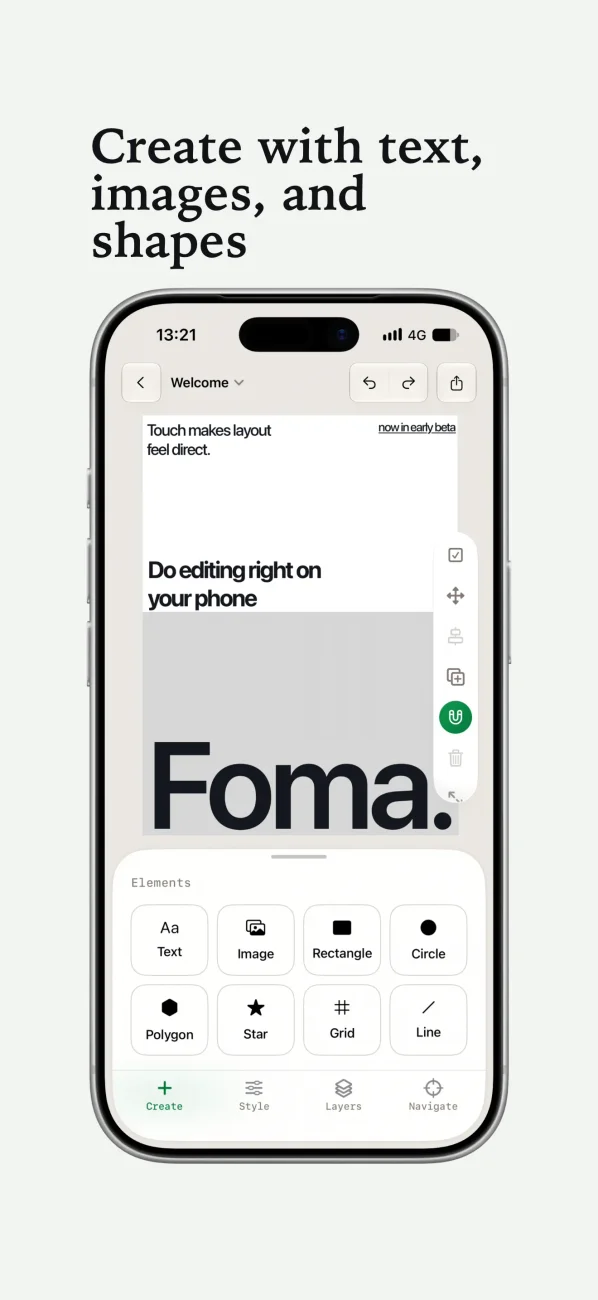
Foma is a touch-first graphic design and typography editor for iPhone and iPad. Create posters, social graphics, typographic compositions, and precise visual layouts in a workspace designed for direct manipulation.
DESIGN WITH PRECISION
• Add and edit text, photos, rectangles, circles, polygons, stars, grids, and lines.
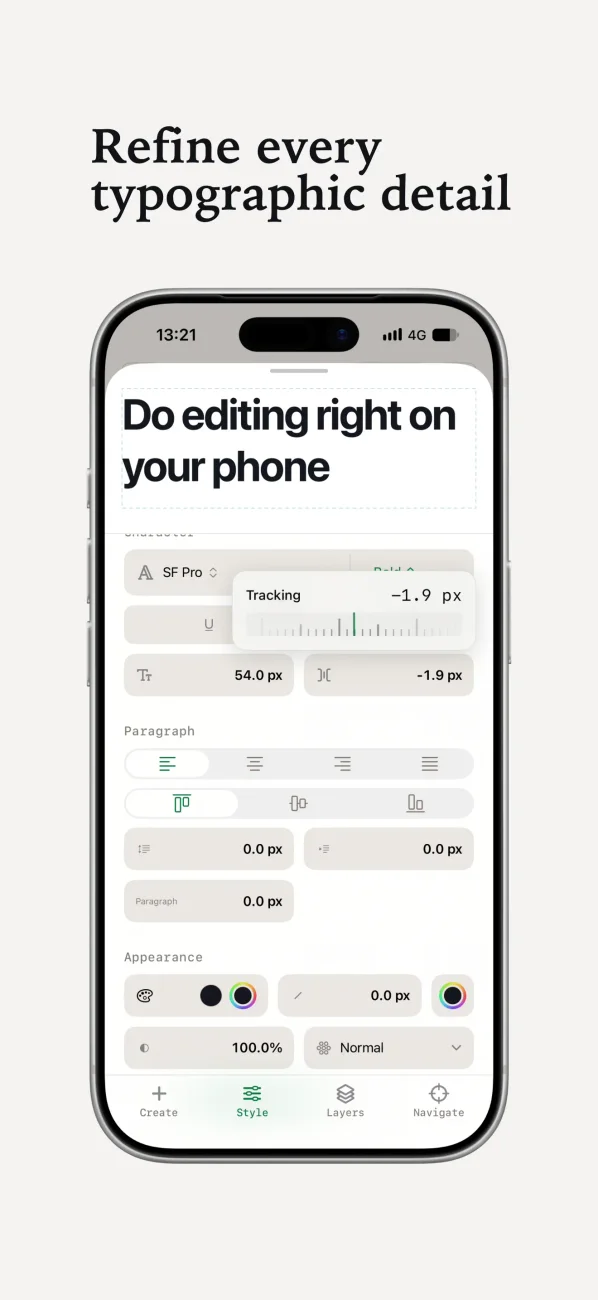
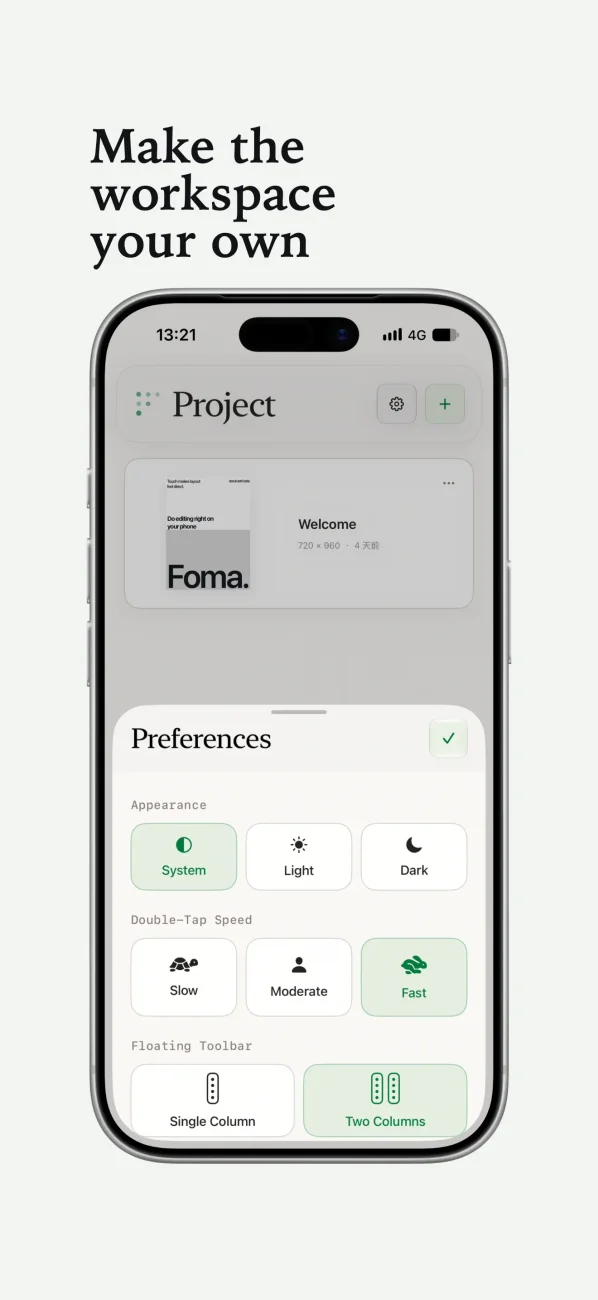
• Import custom fonts and fine-tune weight, size, tracking, line spacing, paragraph spacing, alignment, and decoration.
• Control fill, stroke, opacity, blend modes, position, size, rotation, and shape-specific settings.
• Create linear, mirrored, radial, and multi-point gradients. Add effects including Color Key, blur, shadow, and outline.
WORK NATURALLY
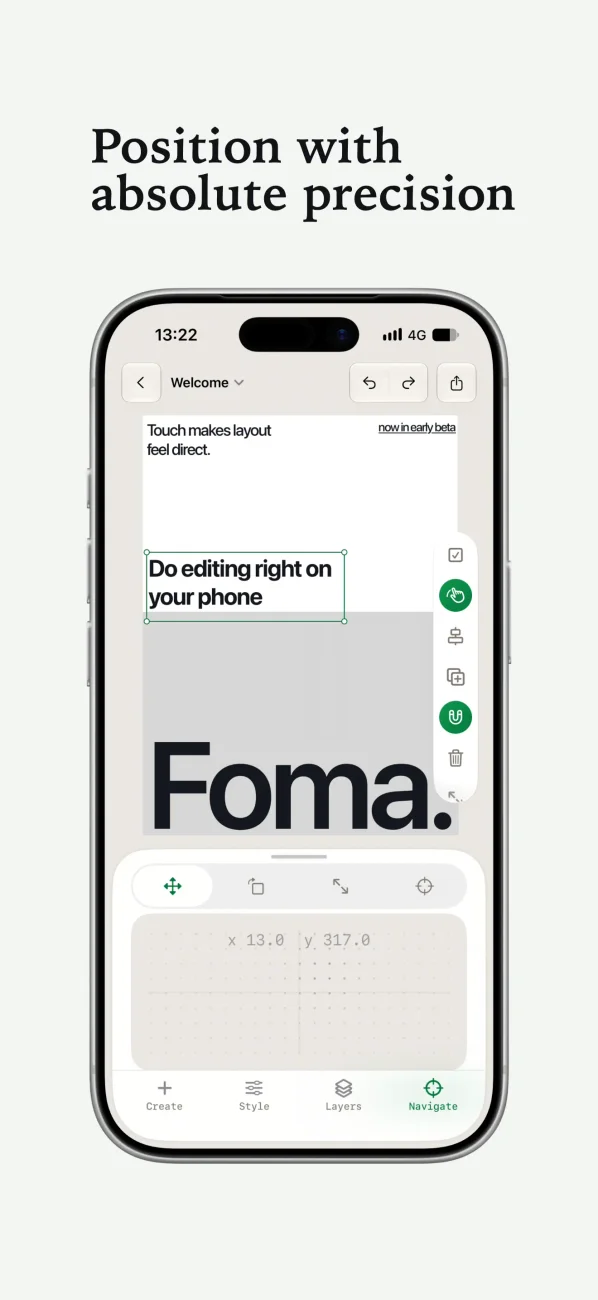
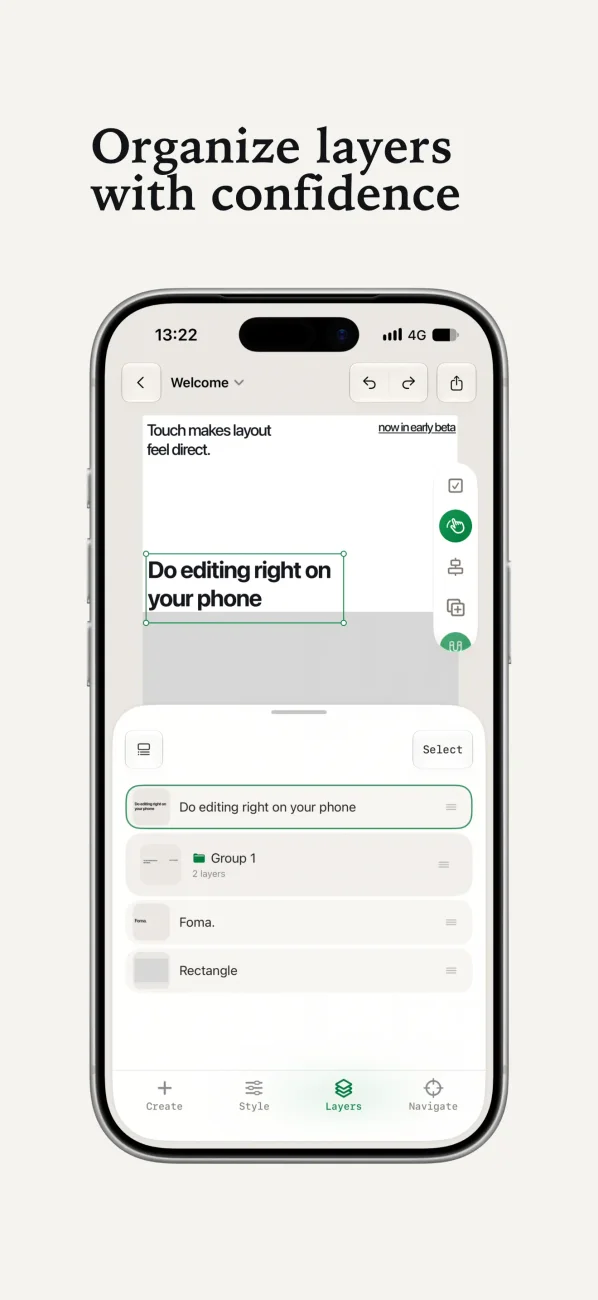
• Move, scale, rotate, duplicate, align, distribute, and group elements directly on the canvas.
• Use snapping, marquee selection, precision rulers, crop controls, cutout edges, and opacity masks.
• Save elements or groups to Hub, organize them, and reuse them across local projects.
• Learn gestures and workflows with interactive onboarding and the visual Foma Guidebook.
CREATE FOR SCREEN OR PRINT
• Start from presets or set custom dimensions in pixels, millimeters, inches, or points.
• Configure DPI, bleed, background color, transparency, and grids.
• Import Illustrator, PDF, or Foma project files.
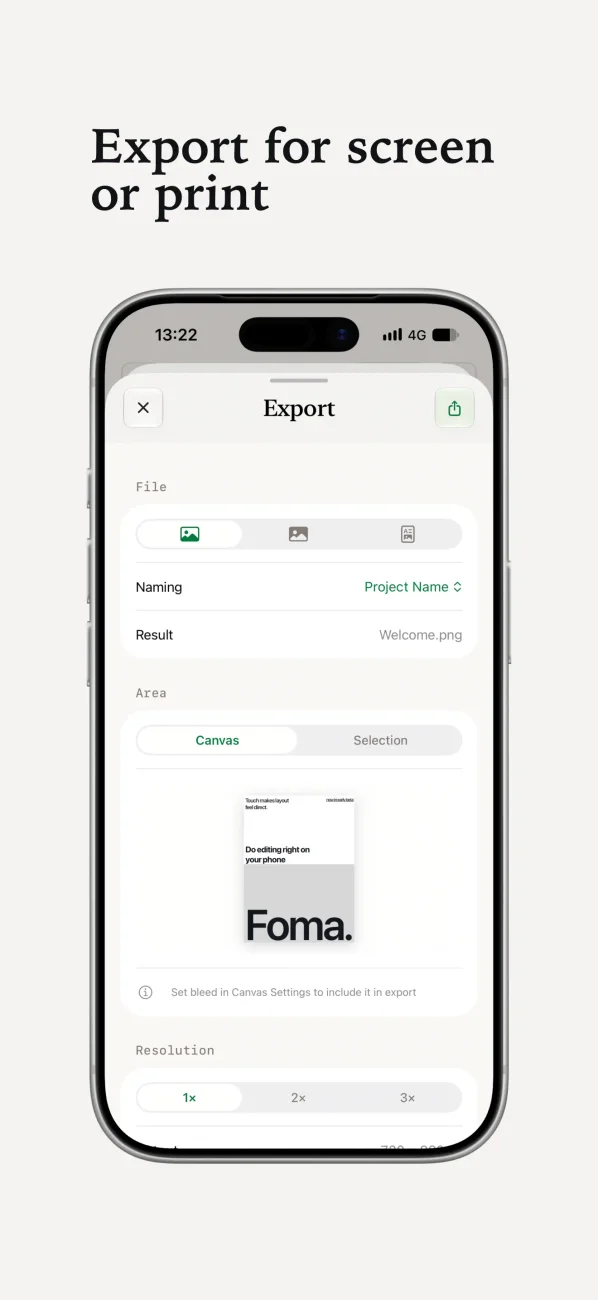
• Export a full canvas or selection as PNG, JPEG, PDF, or SVG; selected layers can also be exported as a combined image or separate files.
Foma adapts to iPhone, iPhone Duo, and iPad. Editing and rendering take place on your device. No account is required. Projects can be stored on the device or in an iCloud Drive folder you choose.
Foma Pro offers a 14-day free trial, monthly and annual subscriptions, and a one-time purchase. Start the trial when you’re ready. It ends without automatically renewing or charging you.
Terms of Use (EULA): https://www.apple.com/legal/internet-services/itunes/dev/stdeula/
Yenilikler
Sürüm 1.2.1 · 24.11.2026
• Layouts for iPhone Duo, including the outer display, unfolded canvas, and partially folded positions.
• Improved iPad panels, toolbars, keyboard handling, and transitions between screen sizes.
• A new Color Key effect, with color sampling, tolerance, and soft edges.
• Refined gradient controls, effect cards, and effect reordering.
• Open projects while the library refreshes, and queue multiple quick exports.
• Clearer trial export allowances and updated onboarding and purchase screens.
• Improved canvas and inspector transitions when rotating iPhone.
• Artwork stays sharp while dragging at high zoom and after release.
• Turning off Multi Select clears the entire selection.
• Smoother project opening and a cleaner export menu. SVG can convert text to paths, and options for grids, guides, and hidden layers appear when the canvas contains them.
Uygulama gizliliği
Bu uygulamanın verileri nasıl işlediği hakkında 恒笑 吴 tarafından App Store üzerinde yapılan beyan.
-
Veri toplanmıyor
Geliştirici bu uygulamadan hiçbir veri toplamıyor.
Gizlilik uygulamaları, örneğin kullandığınız özelliklere veya yaşınıza göre değişiklik gösterebilir.
Bilgiler
- Satıcı
- 恒笑 吴
- Kategori
- Grafik ve Tasarım
- Sürüm
- 1.2.1
- Güncellendi
- 24.11.2026
- Yayın tarihi
- 17.09.2026
- Boyut
- 64,8 MB
- Gereksinim
- iOS 17.0 veya sonrası
- Yaş sınırı
- 4+
- Fiyat
- Ücretsiz
- Uygulama içi satın alma
- Evet
- Diller
- İngilizce, Basitleştirilmiş Çince, Geleneksel Çince
- Telif hakkı
- © 2026 Glucos
Bunları da beğenebilirsiniz
-
 MedalsmithGrafik ve Tasarım
-
 MotMark - 3D Mockup VideoApp Store Ekran Görüntüleri
-
 AnyPiece: Collage & Zine makerGrafik ve Tasarım
-
 BentosGrafik ve Tasarım
-
 Peelo - 贴纸 · 拼贴 · 时光日历Grafik ve Tasarım
-
 Flipin - 3分钟做成一本zineGrafik ve Tasarım
-
 CMSHTGrafik ve Tasarım
-
 Wiggle TogetherGrafik ve Tasarım
-
 ArtDraw: Sketch & Paint StudioGrafik ve Tasarım
-
 FinelinerGrafik ve Tasarım