FreeTimer: Study & Focus Timer
One-tap task & time tracker
iPhone, iPad, Mac için tasarlandı
Ücretsiz · Uygulama içi satın alma
- Yaş sınırı4+
- KategoriÜretkenlik
- GeliştiriciJihyun Choi
- DillerFransızca+ 8 dil daha
- Boyut78,4 MB
Resmi App Store sayfasına bağlanır
Download.org, FreeTimer: Study & Focus Timer için hiçbir dosya barındırmaz. Düğme, uygulamanın App Store üzerindeki sayfasını açar; uygulamayı orada Jihyun Choi yayınlar. Sayfanın son kontrolü: 23.11.2026.
Ekran görüntüleri
Hakkında
Geliştirici bu metni dilinizde sunmamış.
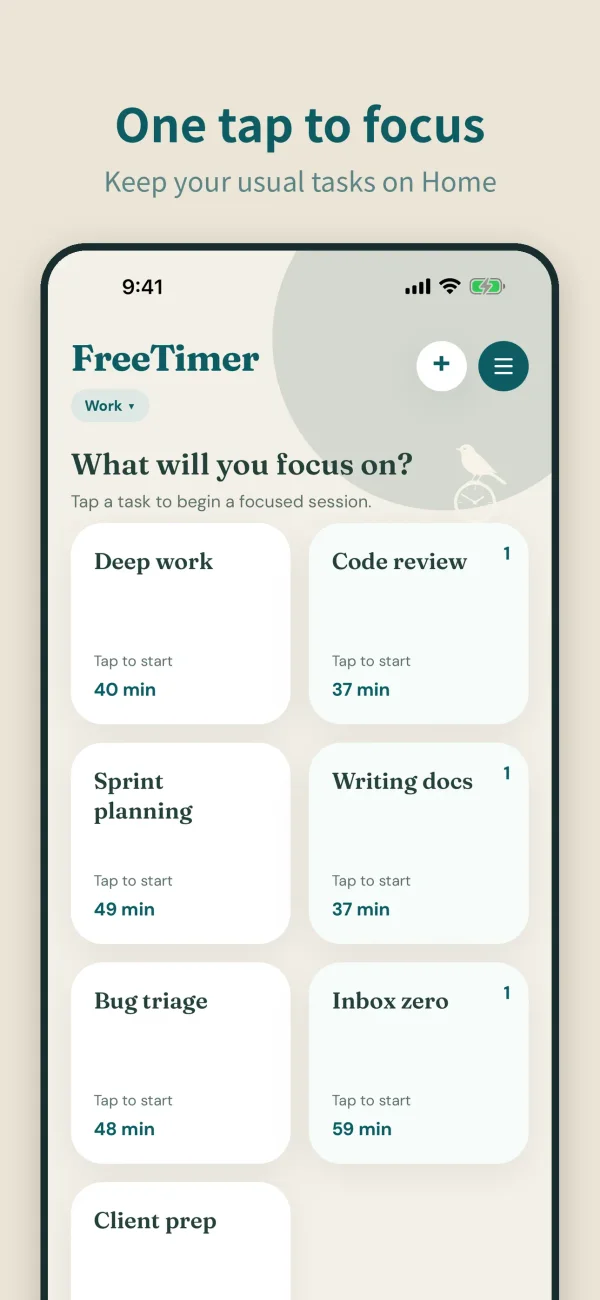
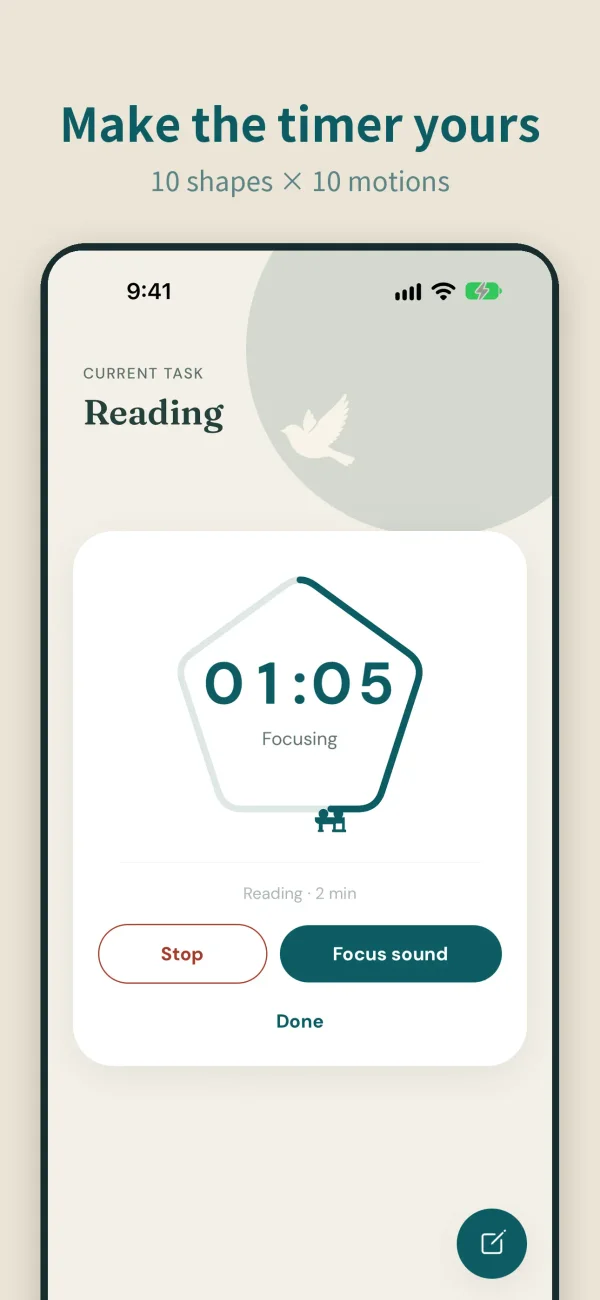
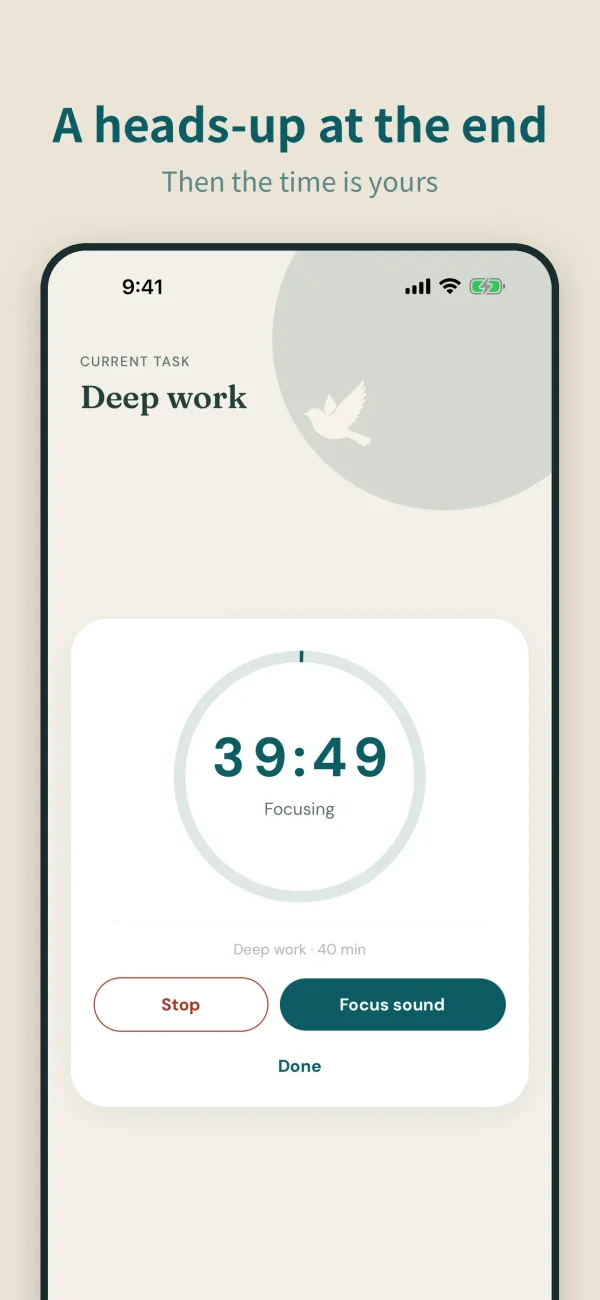
FreeTimer is a study timer and focus timer you start with one button. Work or study, just tap start. That's it.
It tells you when time's up, and after that it doesn't care what you do. Your time is yours. Starting again is one more tap.
Later you can see how much you did, and back up your records to your Google account.
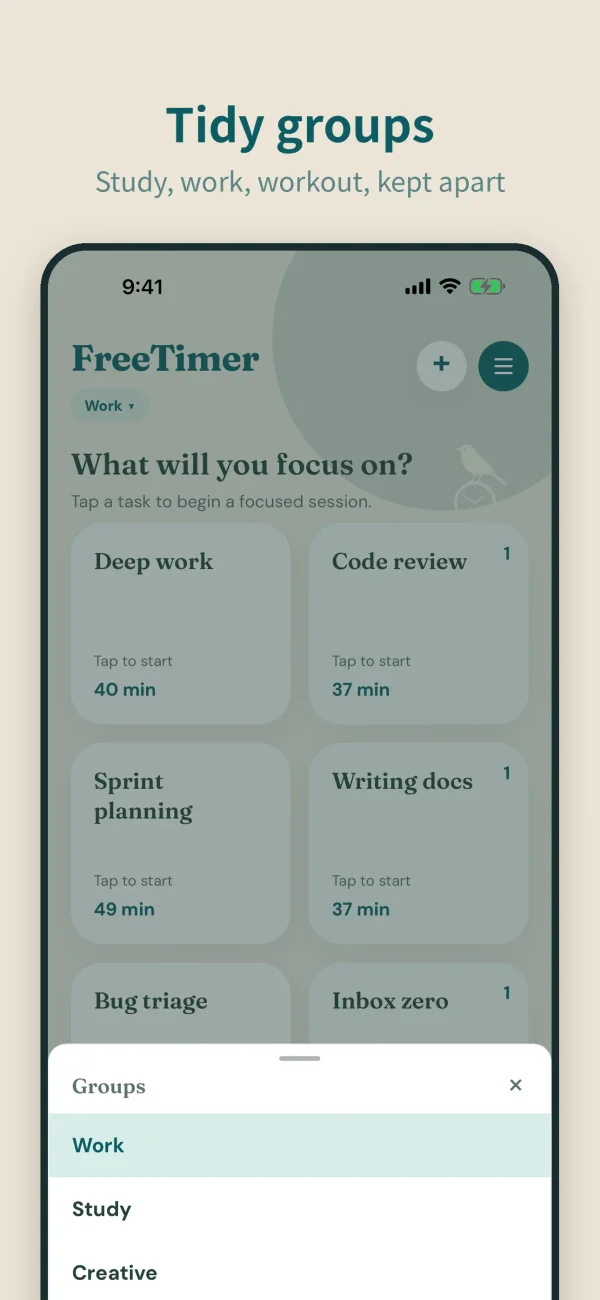
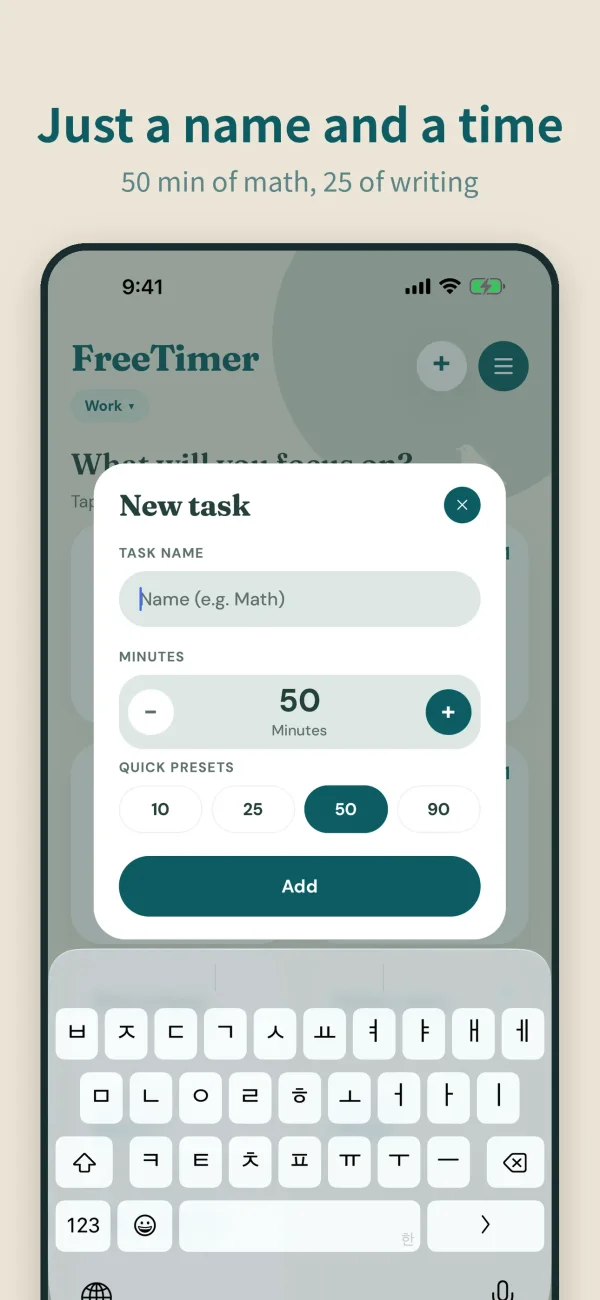
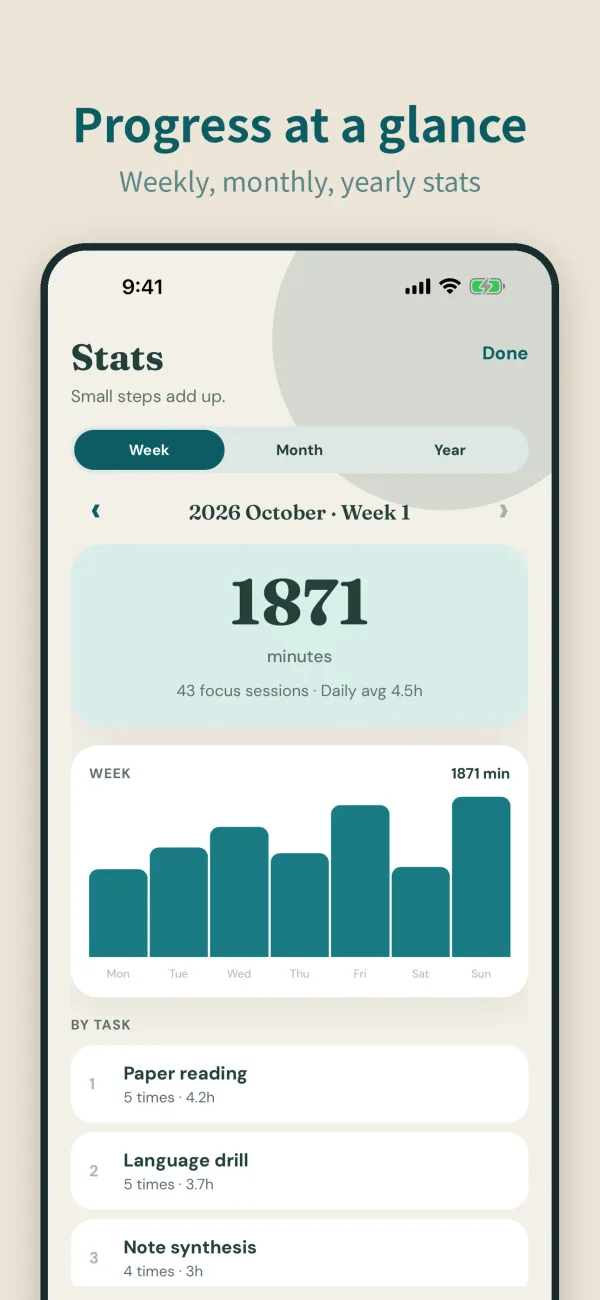
Just give a task a name and a length. Keep the ones you use often, like Math 50 min, English 25 min, right on the home screen. Sort them into groups and see your study log and completions by week, month and year.
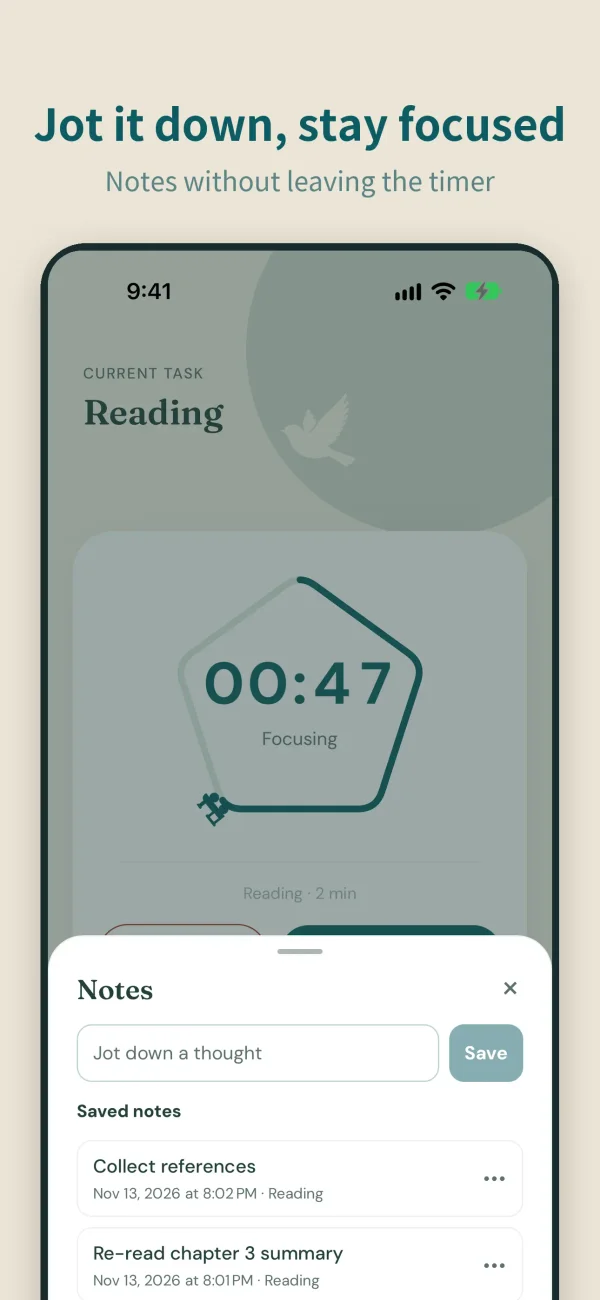
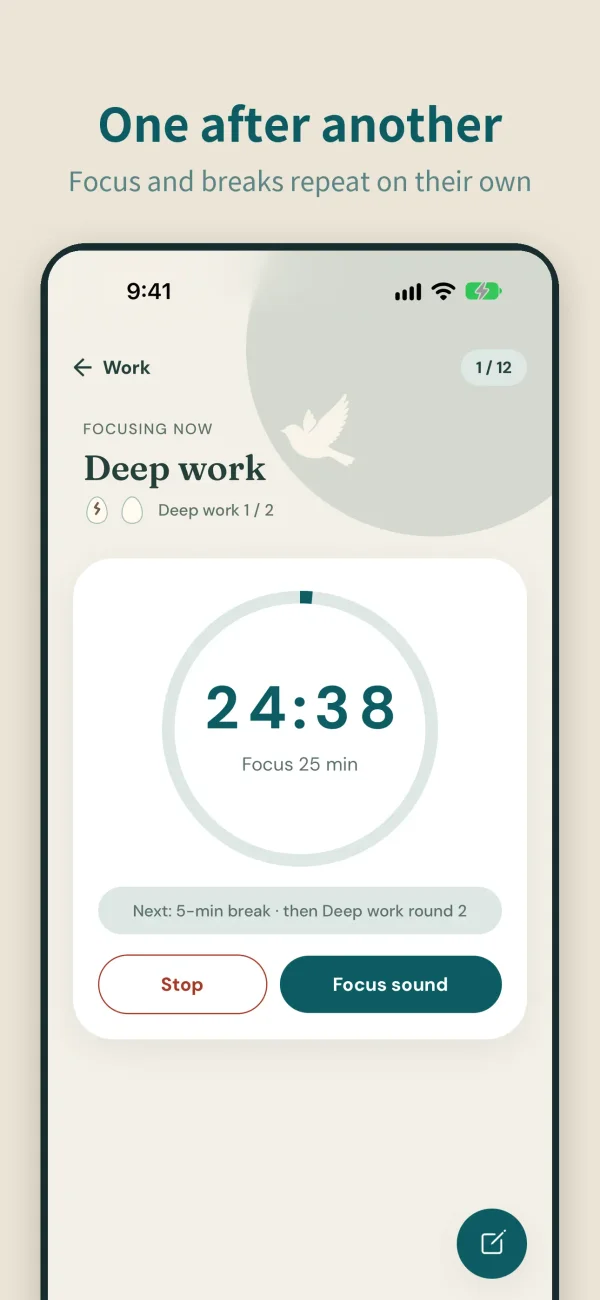
Want to alternate focus and rest? Turn on Cycle mode (Pomodoro technique): focus for 25 minutes, take a short break, and take a long break every 4 rounds. You can change the times and the number of rounds. If a distraction pops up, jot it down as a quick note and turn it into a task later.
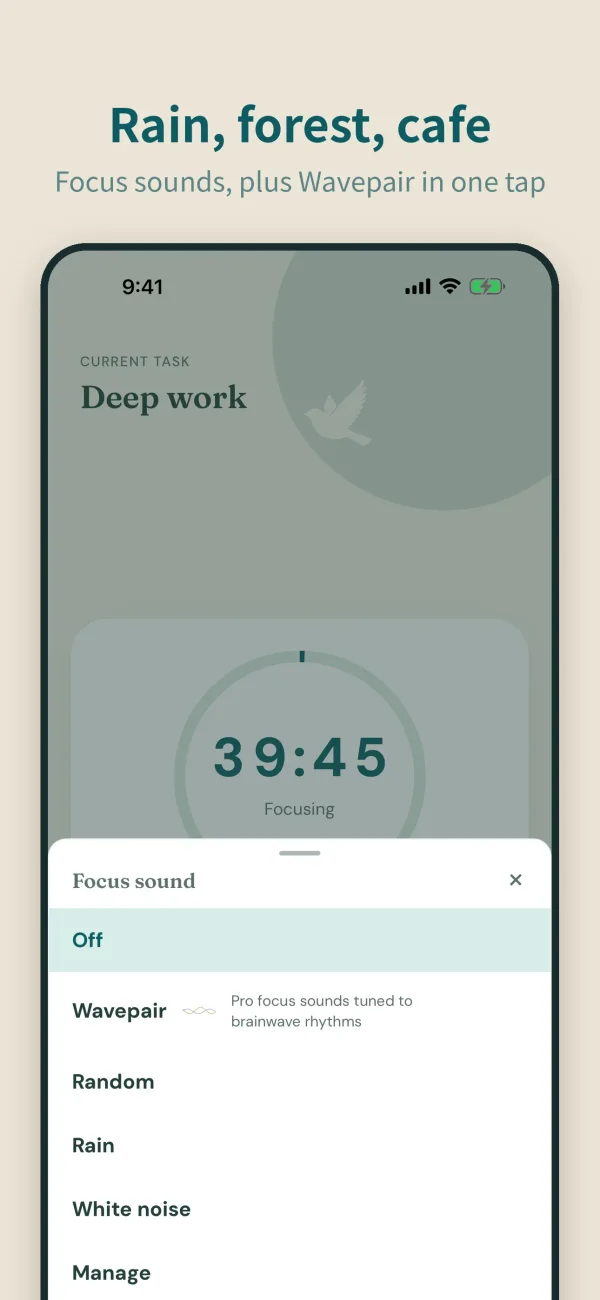
While the focus timer runs, play focus sounds like rain, forest or café. Extra sounds download only when you need them. You can also show a line of the day on the home screen.
No ads, and every core feature is free. Leaving a tip is optional, only if you feel like it.
• Per-task study & focus timer that starts with one tap
• Cycle mode (Pomodoro technique): automatic focus/break rounds with a summary
• Organize tasks into groups
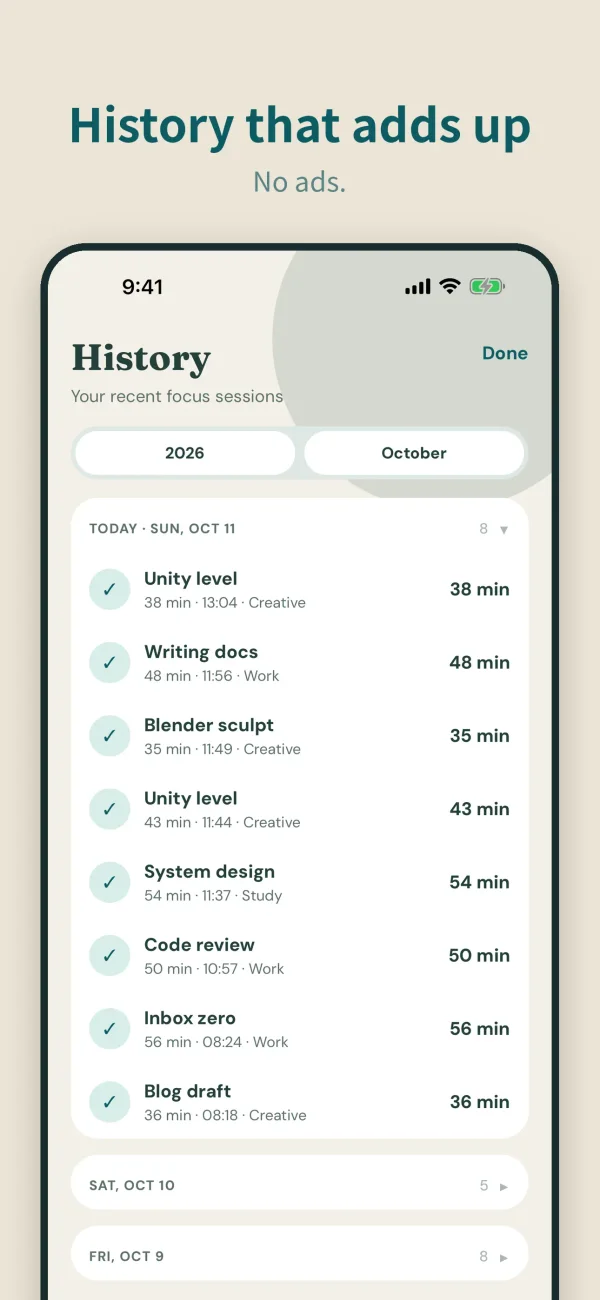
• Study log, completion stats and history
• Focus sounds (rain, forest, café and more)
• Open Wavepair right from focus sounds
• Line of the day on the home screen
• Light/dark and several skins
• End-of-timer sound and vibration
• Local backup and auto backup
• Backup and sync with your Google account
• Korean, English, Japanese, Chinese, Spanish, French, German, Portuguese
Icon designed by Freepik from Flaticon
https://www.flaticon.com/free-icon/early-bird_7337970
Yenilikler
Sürüm 1.2.13 · 17.11.2026
• Cleaner focus screen in cycle mode: the memo count is gone so you can keep your eyes on the timer.
• Stability improvements and minor fixes.
Uygulama gizliliği
Bu uygulamanın verileri nasıl işlediği hakkında Jihyun Choi tarafından App Store üzerinde yapılan beyan.
-
Sizinle ilişkilendirilen veriler
Toplanabilir ve kimliğinizle ilişkilendirilebilir.
- İletişim bilgileri
- Kullanıcı içeriği
-
Sizinle ilişkilendirilmeyen veriler
Toplanabilir ancak kimliğinizle ilişkilendirilmez.
- Tanımlayıcılar
- Kullanım verileri
- Tanılama
Gizlilik uygulamaları, örneğin kullandığınız özelliklere veya yaşınıza göre değişiklik gösterebilir.
Bilgiler
- Satıcı
- Jihyun Choi
- Kategori
- Üretkenlik
- Sürüm
- 1.2.13
- Güncellendi
- 17.11.2026
- Yayın tarihi
- 21.09.2026
- Boyut
- 78,4 MB
- Gereksinim
- iOS 16.4 veya sonrası
- Yaş sınırı
- 4+
- Fiyat
- Ücretsiz
- Uygulama içi satın alma
- Evet
- Diller
- Fransızca, Almanca, İngilizce, Basitleştirilmiş Çince, Geleneksel Çince, Korece, İspanyolca, Japonca, Portekizce
- Telif hakkı
- © 2026 Jihyun Choi
Bunları da beğenebilirsiniz
-
 Focus & HoldÜretkenlik
-
 ScrollOff: Reward Your TimeÜretkenlik
-
 Pomodoro Sayacı - FocuseraOdaklan, Hatırlat, Takip Et
-
 Espresso Despesas CorporativasÜretkenlik
-
 Detox: Digital DetoxÜretkenlik
-
 Focado: Focus TimerÜretkenlik
-
 eDocPersoÜretkenlik
-
 Daum Mail - 다음 메일Üretkenlik
-
 Habitica: Gamified TaskmanagerÜretkenlik
-
 Digital Planner – Task JournalÜretkenlik