
iCPainter: Photo to Painting
Oil & Watercolor Brushwork
iPhone, iPad için tasarlandı
Ücretsiz · Uygulama içi satın alma
- Yaş sınırı4+
- KategoriFotoğraf ve Video
- Geliştiricitalonsodev
- Dillerİngilizce+ 13 dil daha
- Boyut69,5 MB
Resmi App Store sayfasına bağlanır
Download.org, iCPainter: Photo to Painting için hiçbir dosya barındırmaz. Düğme, uygulamanın App Store üzerindeki sayfasını açar; uygulamayı orada talonsodev yayınlar. Sayfanın son kontrolü: 23.11.2026.
Ekran görüntüleri


Hakkında
Geliştirici bu metni dilinizde sunmamış.
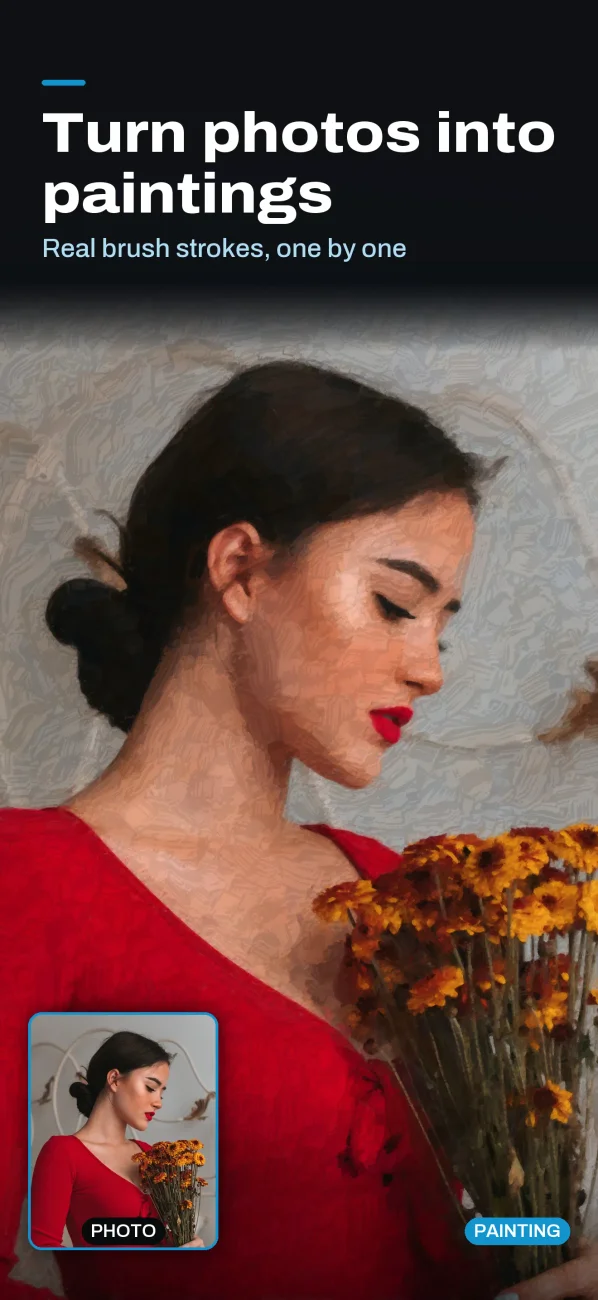
Turn your photos into paintings and watch every brush stroke appear. Or paint the picture yourself, with your finger.
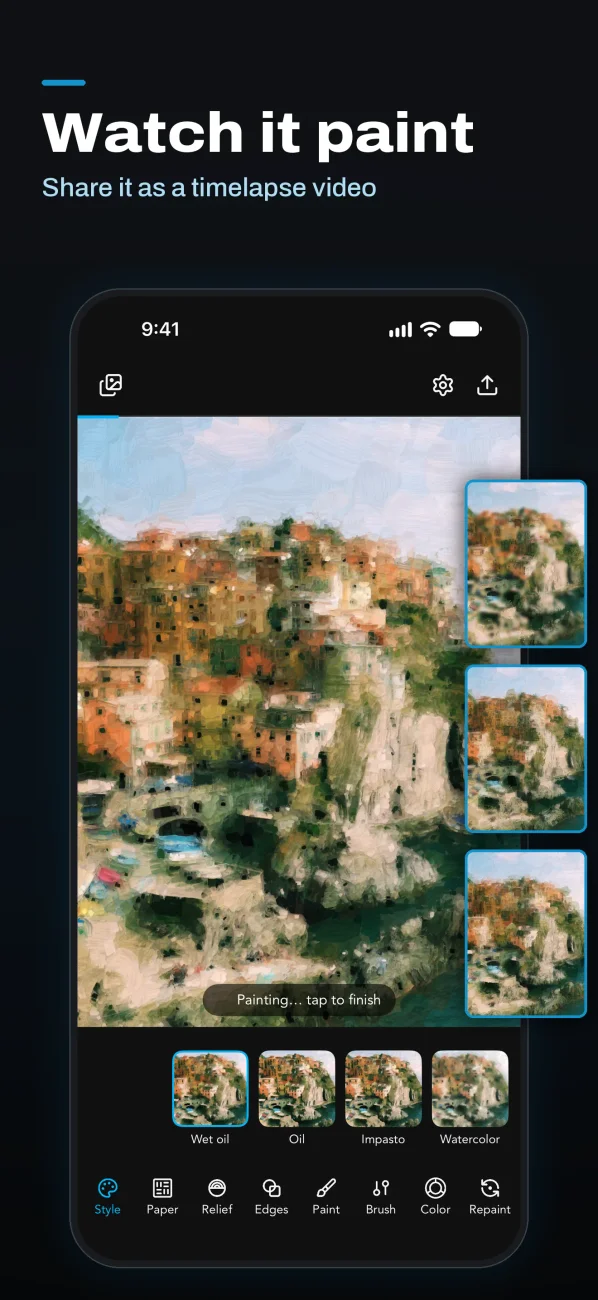
iCPainter is not an AI image generator. It paints your photo the way a painter does: one brush stroke at a time, on paper. The strokes follow the forms in your photo, small strokes go where the detail is, and you see the painting grow on the screen.
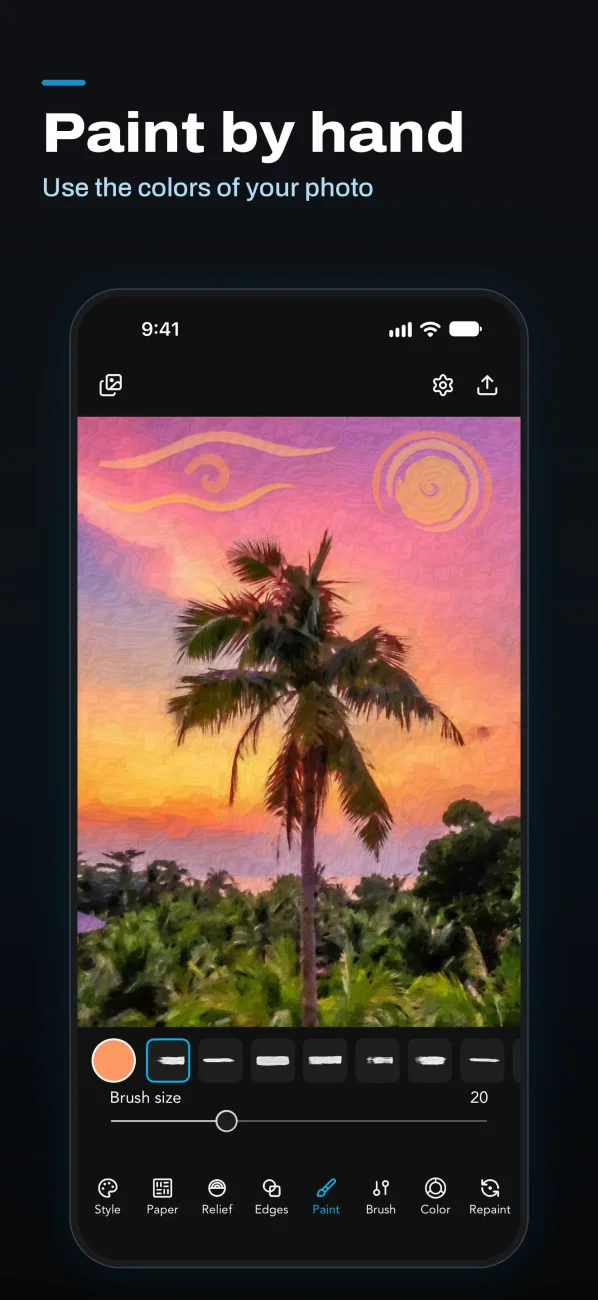
NEW: PAINT BY HAND
• Hand: drag your finger over the picture. Guided strokes take their color from the photo and follow its forms
• Stroke size: large strokes for the background, small strokes for the details
• The paint smudges a little in the direction of your finger
• Empty canvas: start from bare paper and paint the whole picture yourself
• Undo takes back your last drag
• Your hand strokes are part of the timelapse video
PAINTING STYLES
• Classic and Impressionist: the original iCPainter styles
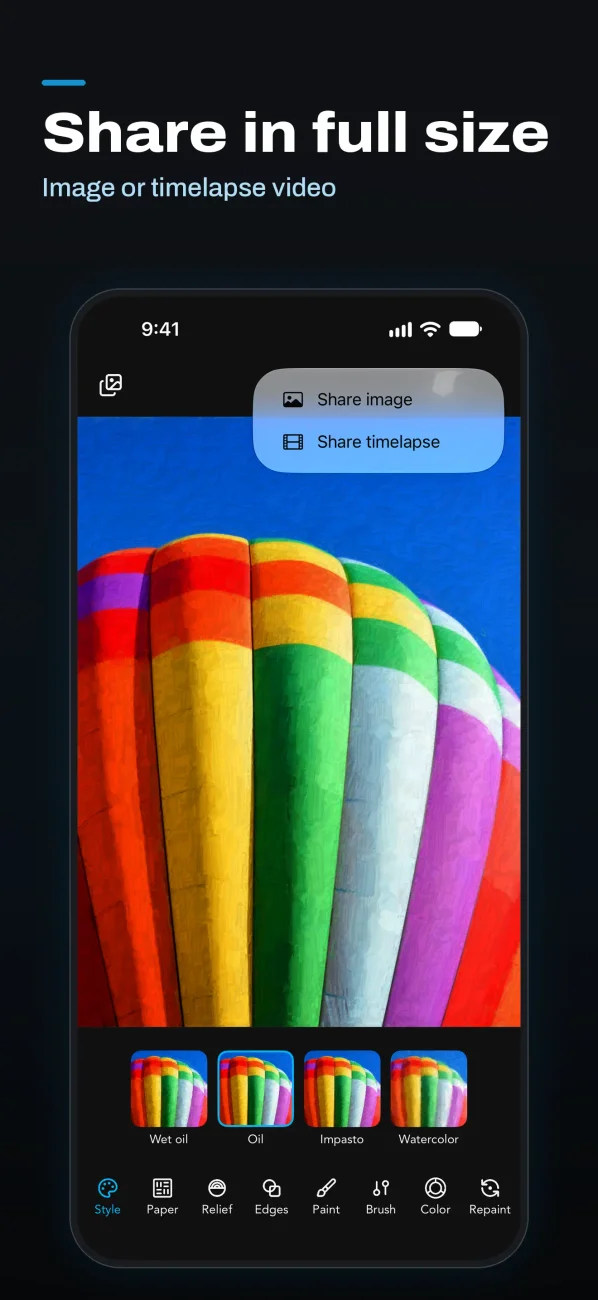
• Oil: bristle strokes that follow the forms
• Impasto: broad strokes of thick paint
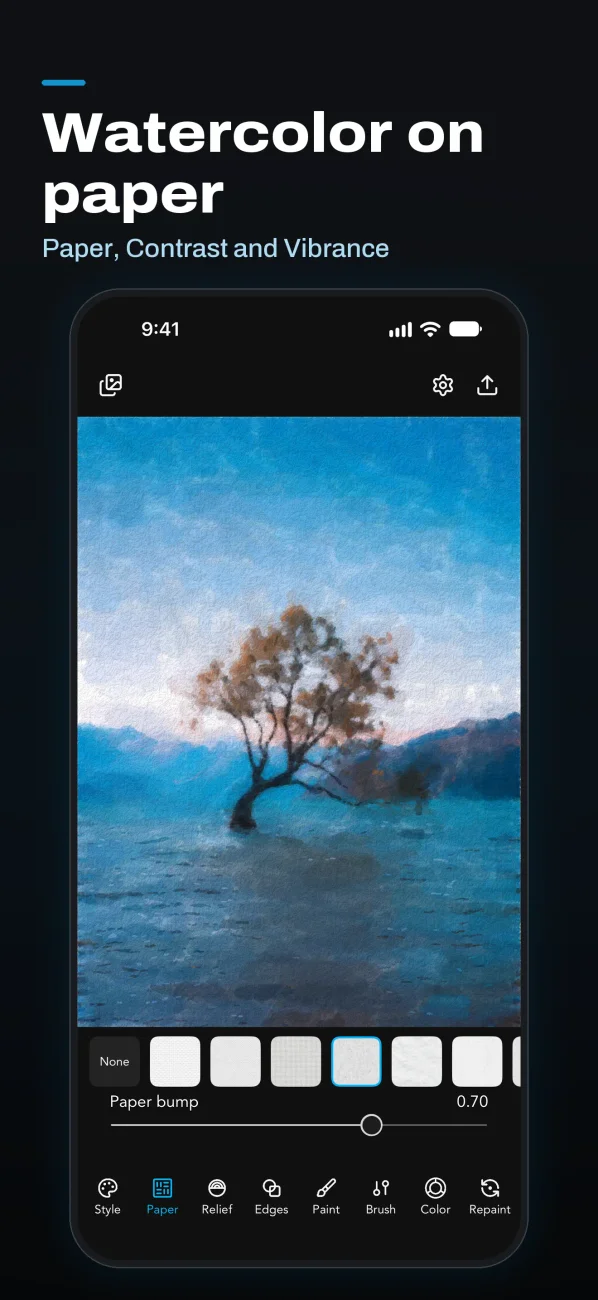
• Watercolor: transparent washes on white paper
• Swirl: long, flowing strokes
• Repaint: a new version of the same painting with one tap
• Tap the picture to pause the painting, tap again to continue
CONTROL THE DETAIL
• Simplify: calmer shapes before the painting starts
• Detail and Stroke size: finer or broader painting
• Mask: paint in red where you want more detail. Auto finds the subject, the face and the eyes; you can also start from Depth or Lines
• Brush (Classic and Impressionist): brush groups with thumbnails
• Paint and Angle (Classic and Impressionist): Steps, Opacity, Raise and the direction of the strokes
LINES, PAPER AND COLOR
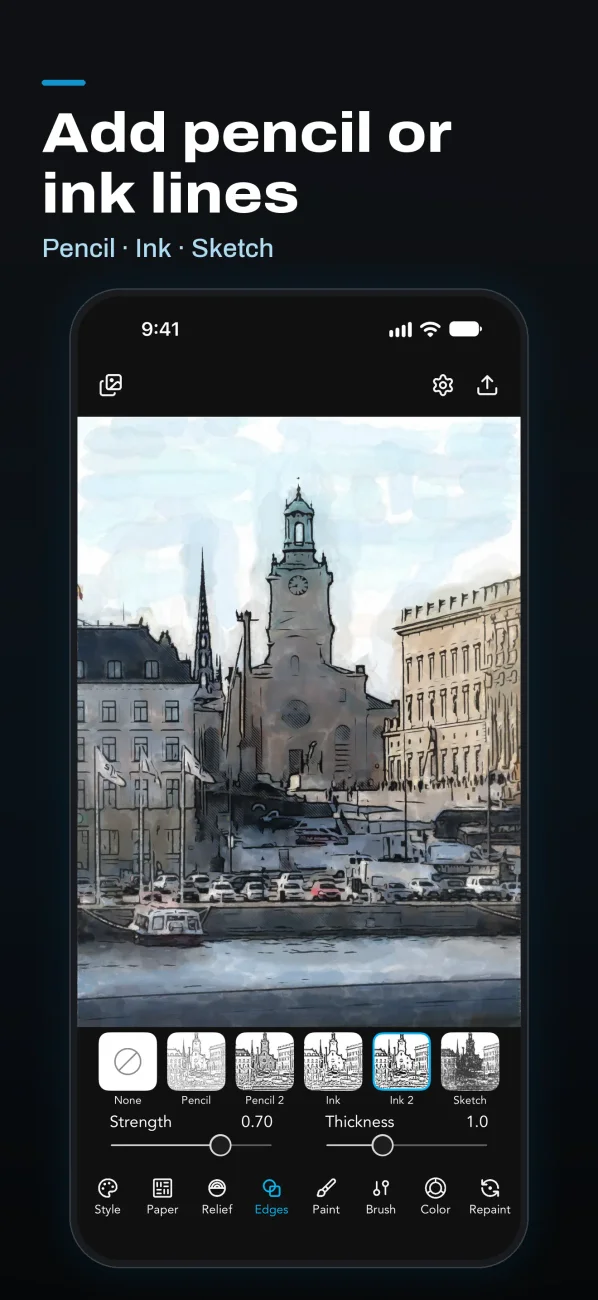
• Edges: Pencil, Pencil 2, Ink or Sketch lines over the painting, with Strength and Thickness
• Paper: paper textures with Paper bump and size
• Effect: Relief, Sharpen, Texture and Clarity
• Color: 256 color palettes
• Adjust: Contrast and Vibrance
SHARE
• Share image: your painting in full resolution, up to 4096 pixels on the long side
• Share timelapse: an MP4 video of your painting being made
IPHONE AND IPAD
• Made for iPhone and iPad
• 15 languages
• No account, no sign-in, no ads
PRIVACY
Your photos are painted on your device. iCPainter does not upload them.
You can try every tool before you buy. iCPainter Pro, as a weekly or yearly subscription or as a one-time purchase, removes the limit on image saves and unlocks the timelapse video.
Payment is charged to your Apple Account when you confirm the purchase. A subscription renews automatically unless auto-renew is turned off at least 24 hours before the end of the current period. Your account is charged for the renewal within 24 hours before the end of the current period. You can manage and cancel your subscriptions in your App Store account settings.
Privacy Policy: https://xcstudio.com/privacy/
Terms of Use (EULA): https://www.apple.com/legal/internet-services/itunes/dev/stdeula/
Yenilikler
Sürüm 2.14 · 22.11.2026
New: paint by hand.
• Open Hand and drag your finger over the picture: guided strokes take the colors of the photo and follow its forms
• Stroke size for large or fine strokes, Empty canvas to paint from bare paper, Undo for the last drag
• Your hand strokes are also in the timelapse video
Uygulama gizliliği
Bu uygulamanın verileri nasıl işlediği hakkında talonsodev tarafından App Store üzerinde yapılan beyan.
-
Sizinle ilişkilendirilmeyen veriler
Toplanabilir ancak kimliğinizle ilişkilendirilmez.
- Tanımlayıcılar
- Kullanım verileri
- Tanılama
Gizlilik uygulamaları, örneğin kullandığınız özelliklere veya yaşınıza göre değişiklik gösterebilir.
Bilgiler
- Satıcı
- Teresa Alonso
- Kategori
- Fotoğraf ve Video
- Sürüm
- 2.14
- Güncellendi
- 22.11.2026
- Yayın tarihi
- 23.03.2017
- Boyut
- 69,5 MB
- Gereksinim
- iOS 17.0 veya sonrası
- Yaş sınırı
- 4+
- Fiyat
- Ücretsiz
- Uygulama içi satın alma
- Evet
- Diller
- İngilizce, Fransızca, Almanca, İtalyanca, Japonca, Korece, Lehçe, Portekizce, Rusça, Basitleştirilmiş Çince, İspanyolca, İsveççe + 2 dil daha
- Telif hakkı
- © Teresita Alonso
Bunları da beğenebilirsiniz
-
 Twovio: Dual Camera VideoFotoğraf ve Video
-
 StackShot: Photo Video CleanerFotoğraf ve Video
-
 GPS Photo Camera: Map LocationFotoğraf ve Video
-
 Edit Text on Photos: GlyphswapFotoğraf ve Video
-
 StampCam - Site CameraFotoğraf ve Video
-
 Photo Editor & ID Photo MakerFotoğraf ve Video
-
 KAIM Kamera: AI Kadraj ve FilmAkıllı Kompozisyon ve Filtre
-
 InsPanoramaVideo fotoğraflarını dönüştür
-
 Digicam Retro Y2K · FlashpixDijital Kamera, Tarih Damgası
-
 AaronSynthFotoğraf ve Video