
iCPainter: Photo to Painting
Oil & Watercolor Brushwork
Được thiết kế cho iPhone, iPad
Miễn phí · Mua hàng trong ứng dụng
- Độ tuổi4+
- Danh mụcẢnh & Video
- Nhà phát triểntalonsodev
- Ngôn ngữTiếng Anh+ 13 ngôn ngữ khác
- Kích thước69,5 MB
Liên kết đến trang App Store chính thức
Download.org không lưu trữ tệp nào của iCPainter: Photo to Painting. Nút này mở trang ứng dụng trên App Store, nơi talonsodev phát hành ứng dụng. Trang được kiểm tra lần cuối: 23/11/2026.
Ảnh chụp màn hình


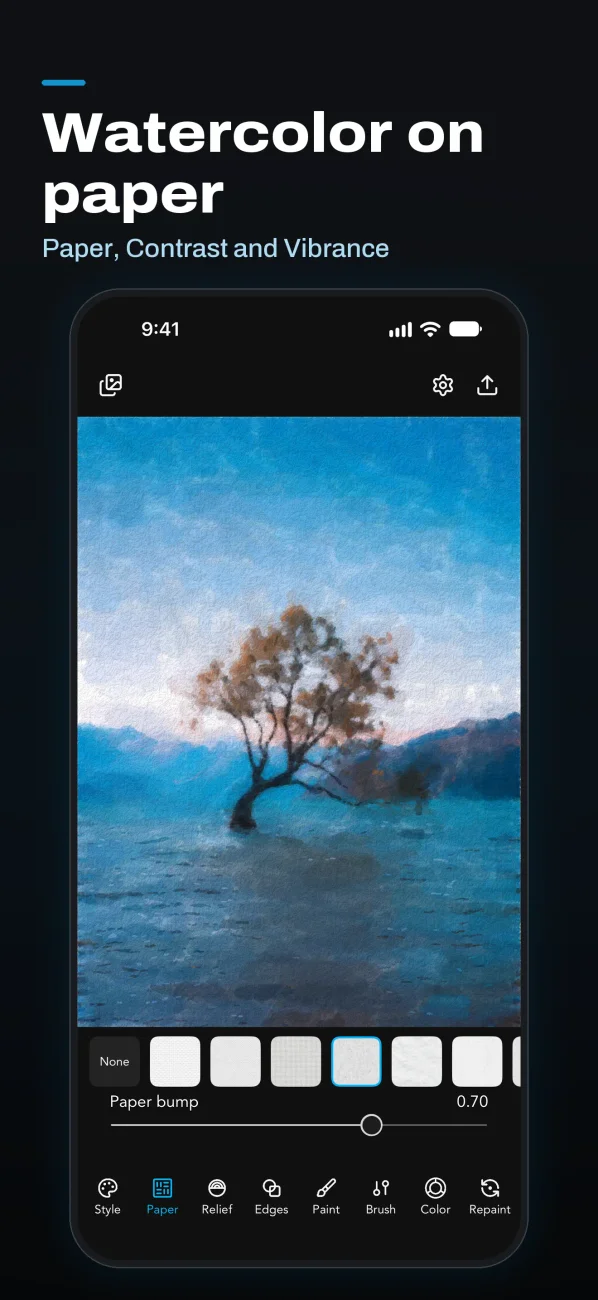
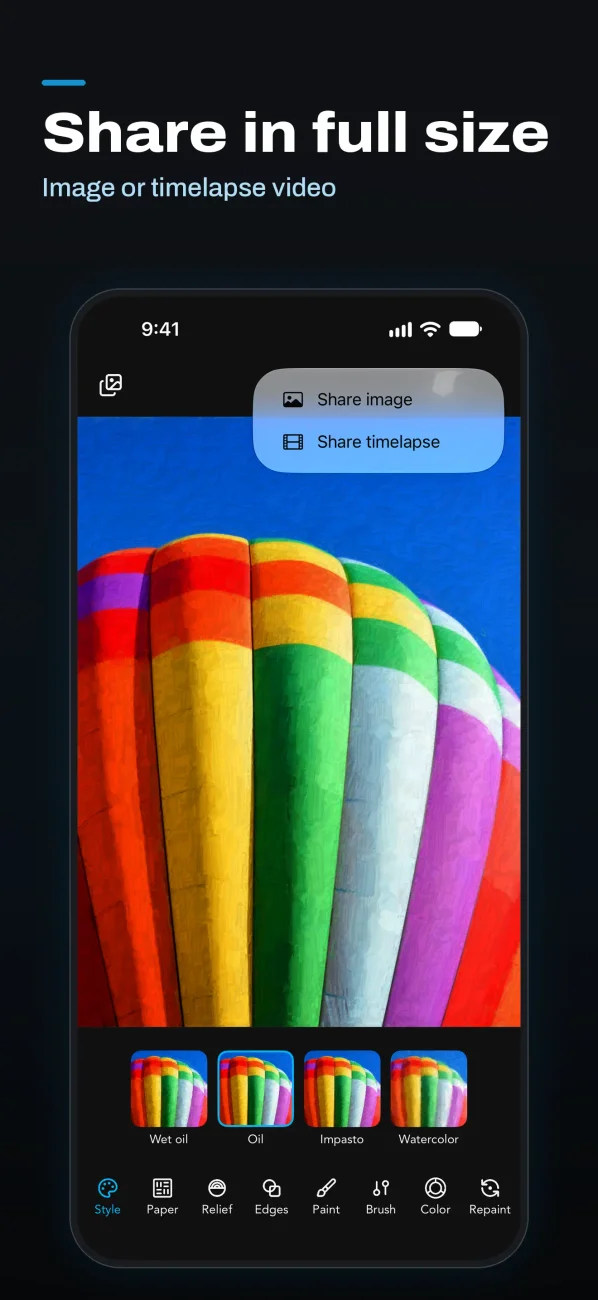
Giới thiệu
Nhà phát triển chưa cung cấp nội dung này bằng ngôn ngữ của bạn.
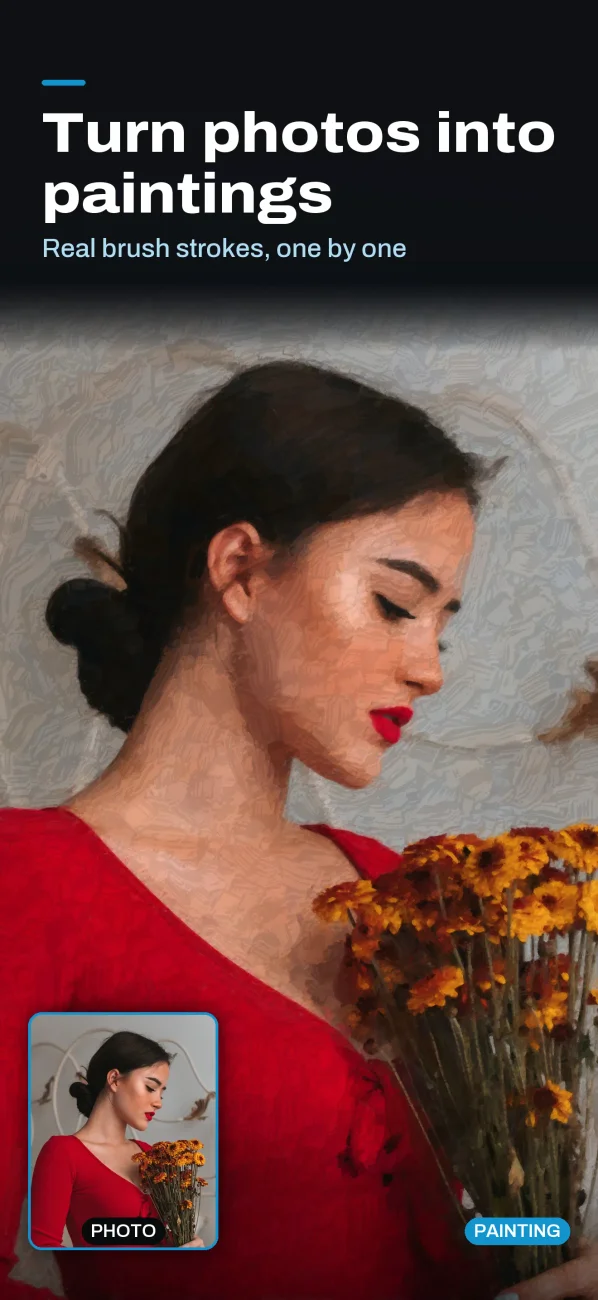
Turn your photos into paintings and watch every brush stroke appear. Or paint the picture yourself, with your finger.
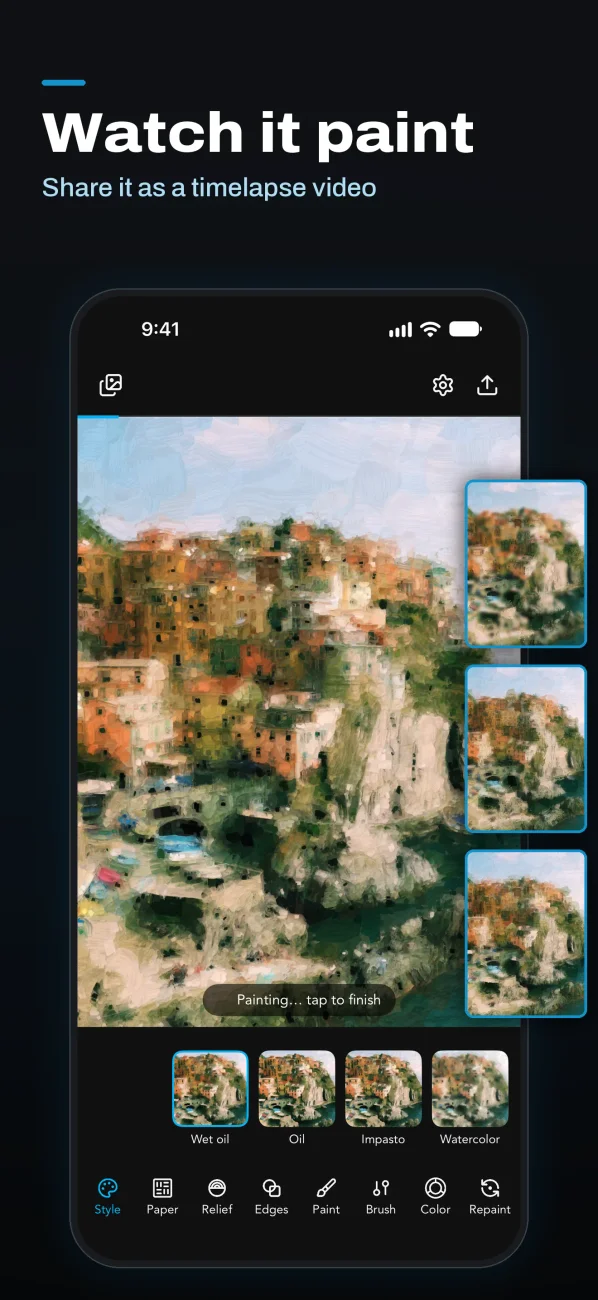
iCPainter is not an AI image generator. It paints your photo the way a painter does: one brush stroke at a time, on paper. The strokes follow the forms in your photo, small strokes go where the detail is, and you see the painting grow on the screen.
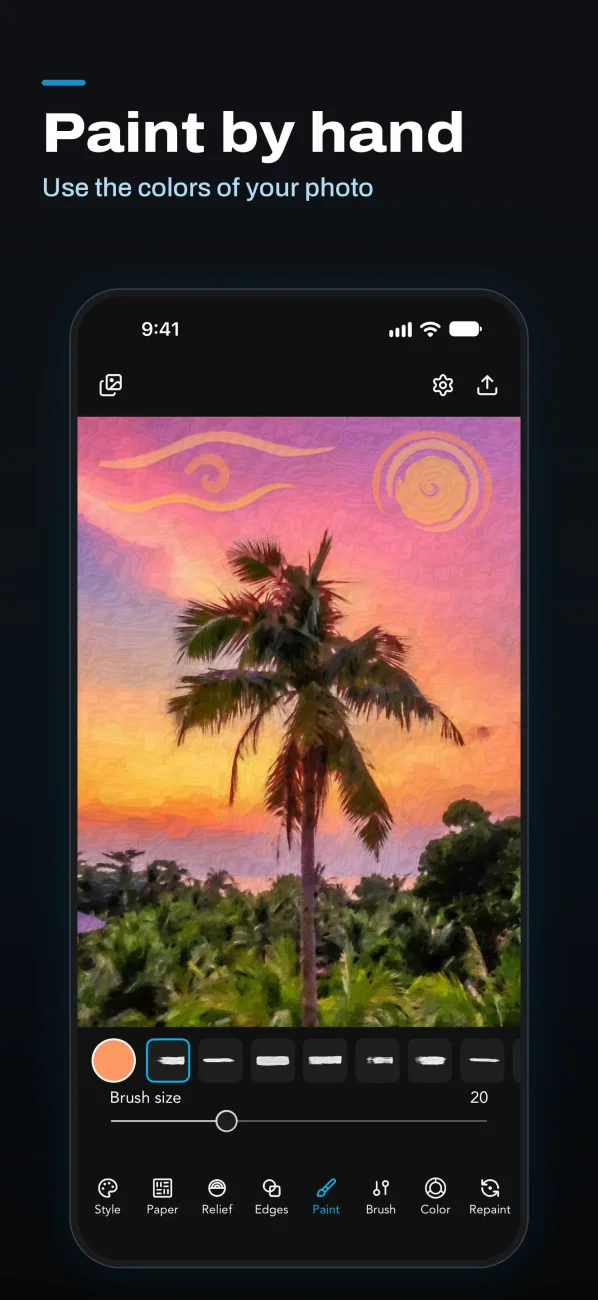
NEW: PAINT BY HAND
• Hand: drag your finger over the picture. Guided strokes take their color from the photo and follow its forms
• Stroke size: large strokes for the background, small strokes for the details
• The paint smudges a little in the direction of your finger
• Empty canvas: start from bare paper and paint the whole picture yourself
• Undo takes back your last drag
• Your hand strokes are part of the timelapse video
PAINTING STYLES
• Classic and Impressionist: the original iCPainter styles
• Oil: bristle strokes that follow the forms
• Impasto: broad strokes of thick paint
• Watercolor: transparent washes on white paper
• Swirl: long, flowing strokes
• Repaint: a new version of the same painting with one tap
• Tap the picture to pause the painting, tap again to continue
CONTROL THE DETAIL
• Simplify: calmer shapes before the painting starts
• Detail and Stroke size: finer or broader painting
• Mask: paint in red where you want more detail. Auto finds the subject, the face and the eyes; you can also start from Depth or Lines
• Brush (Classic and Impressionist): brush groups with thumbnails
• Paint and Angle (Classic and Impressionist): Steps, Opacity, Raise and the direction of the strokes
LINES, PAPER AND COLOR
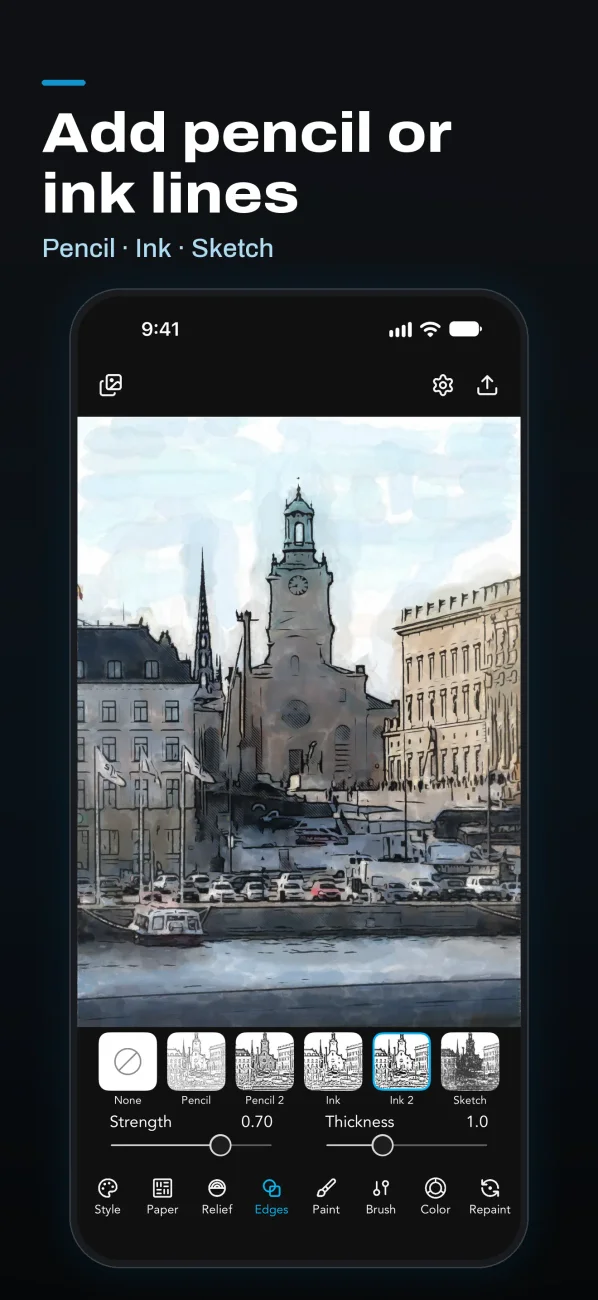
• Edges: Pencil, Pencil 2, Ink or Sketch lines over the painting, with Strength and Thickness
• Paper: paper textures with Paper bump and size
• Effect: Relief, Sharpen, Texture and Clarity
• Color: 256 color palettes
• Adjust: Contrast and Vibrance
SHARE
• Share image: your painting in full resolution, up to 4096 pixels on the long side
• Share timelapse: an MP4 video of your painting being made
IPHONE AND IPAD
• Made for iPhone and iPad
• 15 languages
• No account, no sign-in, no ads
PRIVACY
Your photos are painted on your device. iCPainter does not upload them.
You can try every tool before you buy. iCPainter Pro, as a weekly or yearly subscription or as a one-time purchase, removes the limit on image saves and unlocks the timelapse video.
Payment is charged to your Apple Account when you confirm the purchase. A subscription renews automatically unless auto-renew is turned off at least 24 hours before the end of the current period. Your account is charged for the renewal within 24 hours before the end of the current period. You can manage and cancel your subscriptions in your App Store account settings.
Privacy Policy: https://xcstudio.com/privacy/
Terms of Use (EULA): https://www.apple.com/legal/internet-services/itunes/dev/stdeula/
Có gì mới
Phiên bản 2.14 · 22/11/2026
New: paint by hand.
• Open Hand and drag your finger over the picture: guided strokes take the colors of the photo and follow its forms
• Stroke size for large or fine strokes, Empty canvas to paint from bare paper, Undo for the last drag
• Your hand strokes are also in the timelapse video
Quyền riêng tư của ứng dụng
Những gì talonsodev khai báo trên App Store về cách ứng dụng này xử lý dữ liệu.
-
Dữ liệu không liên kết với bạn
Có thể được thu thập nhưng không liên kết với danh tính của bạn.
- Mã định danh
- Dữ liệu sử dụng
- Chẩn đoán
Phương thức đảm bảo quyền riêng tư có thể khác nhau, chẳng hạn như tuỳ theo các tính năng bạn sử dụng hoặc độ tuổi của bạn.
Thông tin
- Người bán
- Teresa Alonso
- Danh mục
- Ảnh & Video
- Phiên bản
- 2.14
- Cập nhật
- 22/11/2026
- Phát hành
- 23/03/2017
- Kích thước
- 69,5 MB
- Yêu cầu
- iOS 17.0 trở lên
- Độ tuổi
- 4+
- Giá
- Miễn phí
- Mua hàng trong ứng dụng
- Có
- Ngôn ngữ
- Tiếng Anh, Tiếng Pháp, Tiếng Đức, Tiếng Ý, Tiếng Nhật, Tiếng Hàn, Tiếng Ba Lan, Tiếng Bồ Đào Nha, Tiếng Nga, Tiếng Trung Giản thể, Tiếng Tây Ban Nha, Tiếng Thụy Điển + 2 ngôn ngữ khác
- Bản quyền
- © Teresita Alonso
Có thể bạn cũng thích
-
 Twovio: Dual Camera VideoẢnh & Video
-
 StackShot: Photo Video CleanerẢnh & Video
-
 Chụp Ảnh Có Ngày Giờ Vị TríChụp Ảnh Có Thời Gian Địa Điểm
-
 Edit Text on Photos: GlyphswapẢnh & Video
-
 StampCam - Site CameraẢnh & Video
-
 Photo Editor & ID Photo MakerẢnh & Video
-
 KAIM Máy ảnh: Bố cục AI & FilmGợi ý góc chụp & Bộ lọc màu cổ
-
 Toàn cảnhChuyển đổi ảnh thành video
-
 Máy ảnh kỹ thuật số · FlashpixDigicam, Camera Retro Ngày
-
 AaronSynthẢnh & Video