
Image to Vector
Convert Images into Clean SVG
iPhone, iPad için tasarlandı
Ücretsiz · Uygulama içi satın alma
- Yaş sınırı4+
- KategoriGrafik ve Tasarım
- GeliştiriciCengiz Bodur
- Dillerİngilizce
- Boyut3,8 MB
Resmi App Store sayfasına bağlanır
Download.org, Image to Vector için hiçbir dosya barındırmaz. Düğme, uygulamanın App Store üzerindeki sayfasını açar; uygulamayı orada Cengiz Bodur yayınlar. Sayfanın son kontrolü: 13.11.2026.
Ekran görüntüleri

Hakkında
Geliştirici bu metni dilinizde sunmamış.
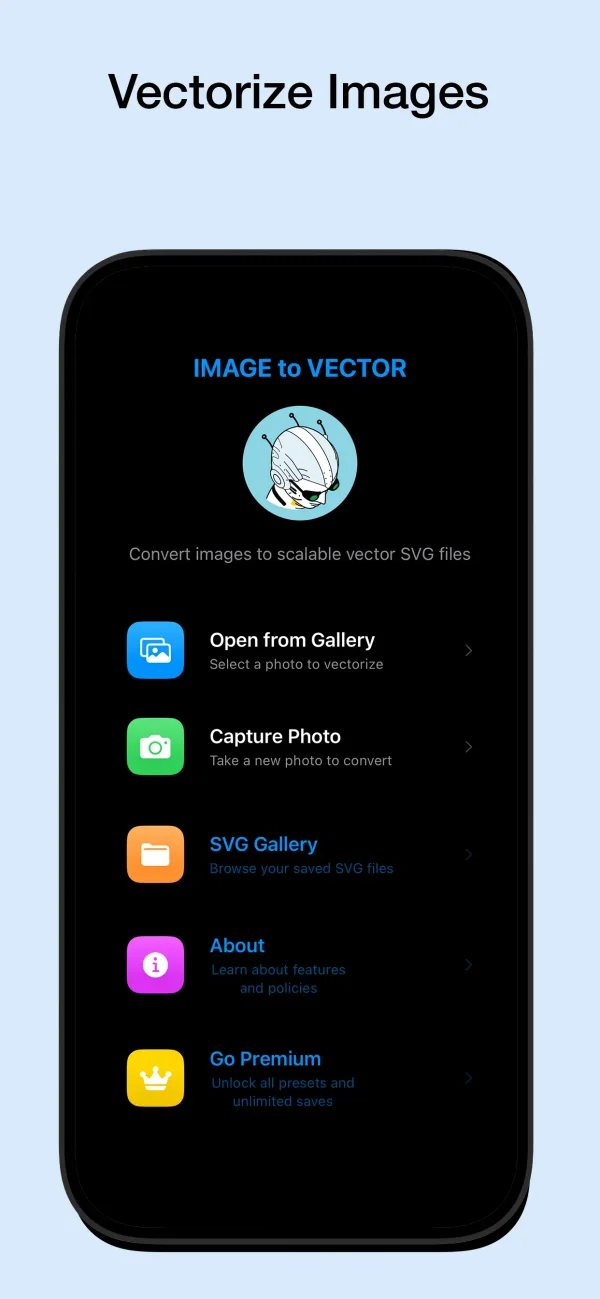
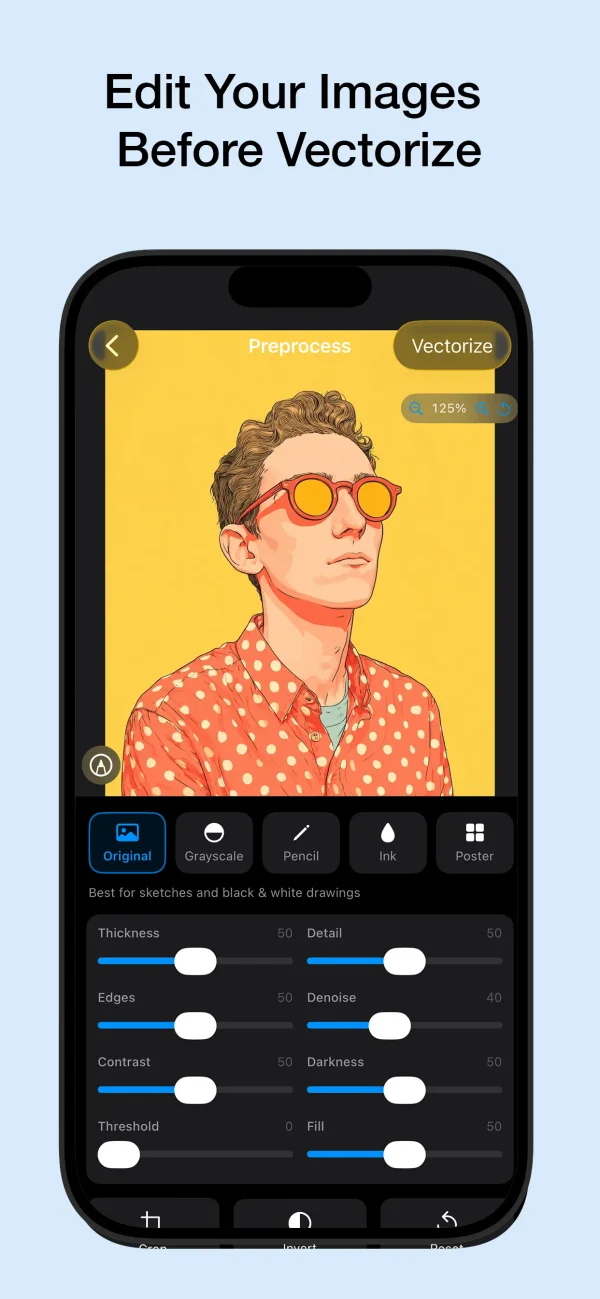
SVG Vector Converter helps you transform your sketches, drawings, photos, and artwork into professional SVG vector graphics in just seconds.
With powerful tools and presets, SVG Vectorizer makes it simple for designers, artists, and creatives to generate scalable vector images ready for use in logos, icons, illustrations, and digital projects.
Why Use SVG Vectorizer?
Unlike online converters, this app works 100% offline—all processing happens locally on your device, keeping your artwork private, secure, and fast. Perfect for professionals and hobbyists who need instant vector graphics anywhere.
Key Features
Instant SVG Conversion – Convert images, photos, or drawings into clean vector graphics instantly
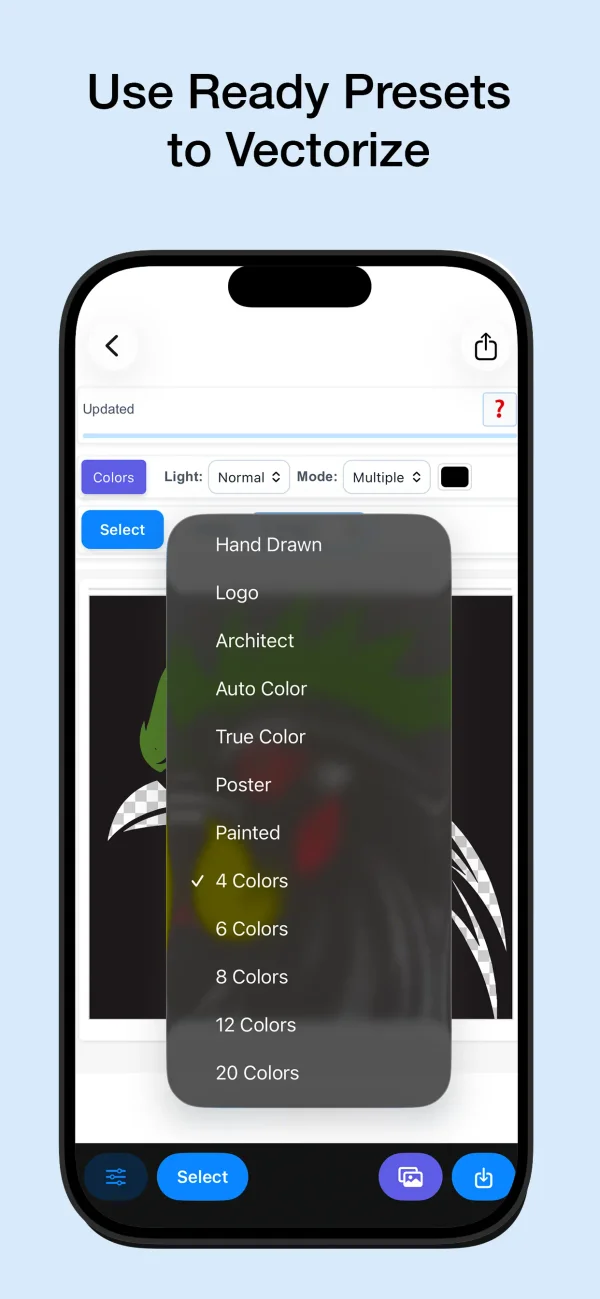
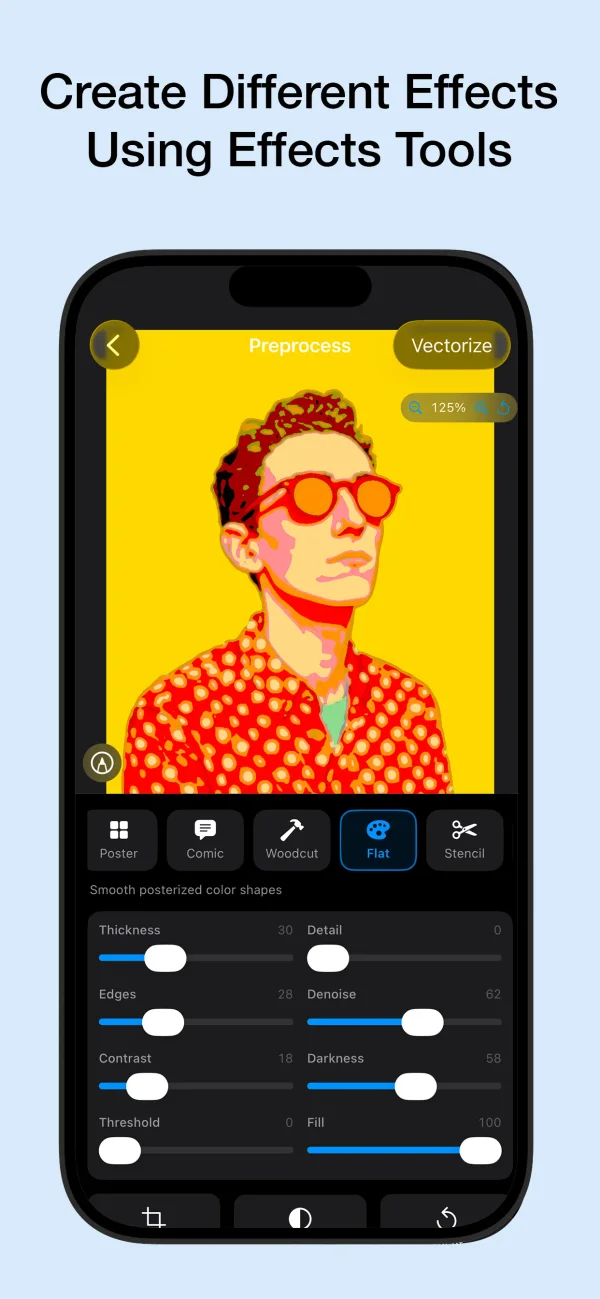
Multiple Artistic Presets – Choose from:
• Smooth & Ultra-smooth (for crisp line art)
• Hand-drawn style (natural sketch feel)
• Posterized & Artistic effects (bold design styles)
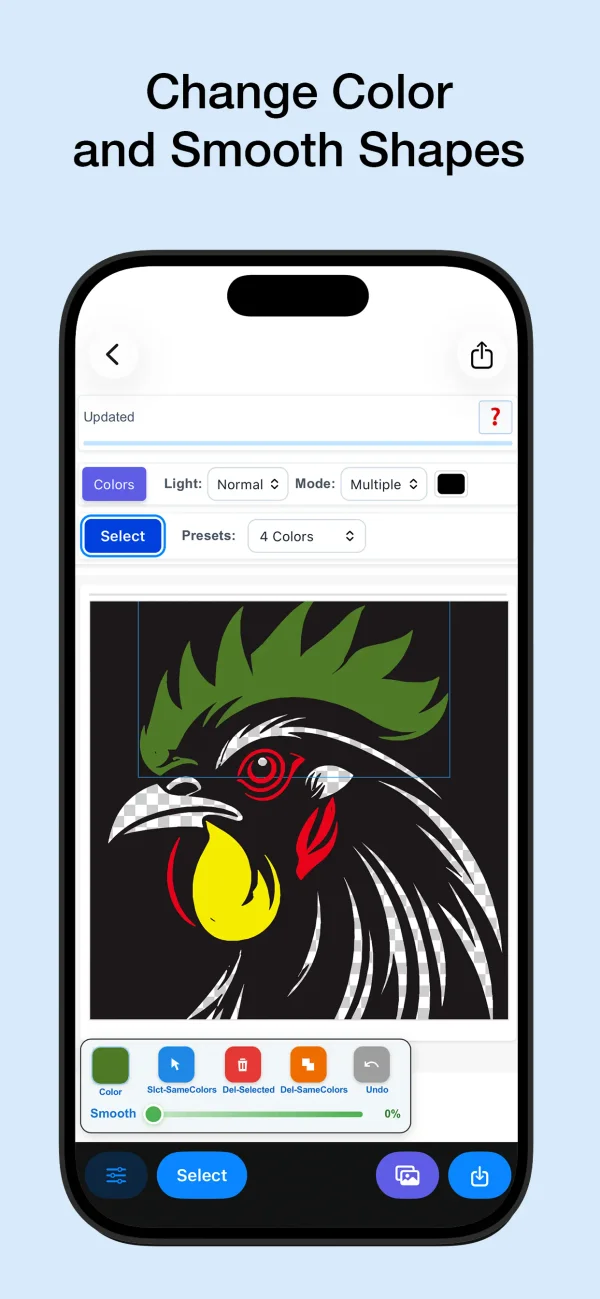
• Color preservation (4, 8, or 20 colors for flexible output)
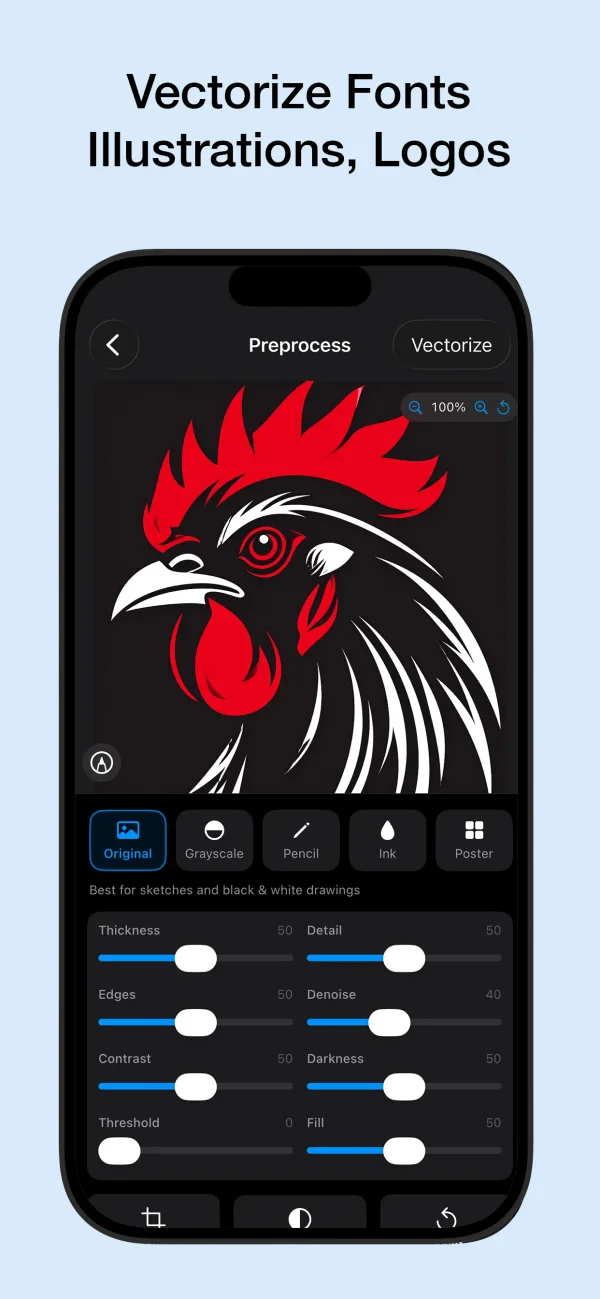
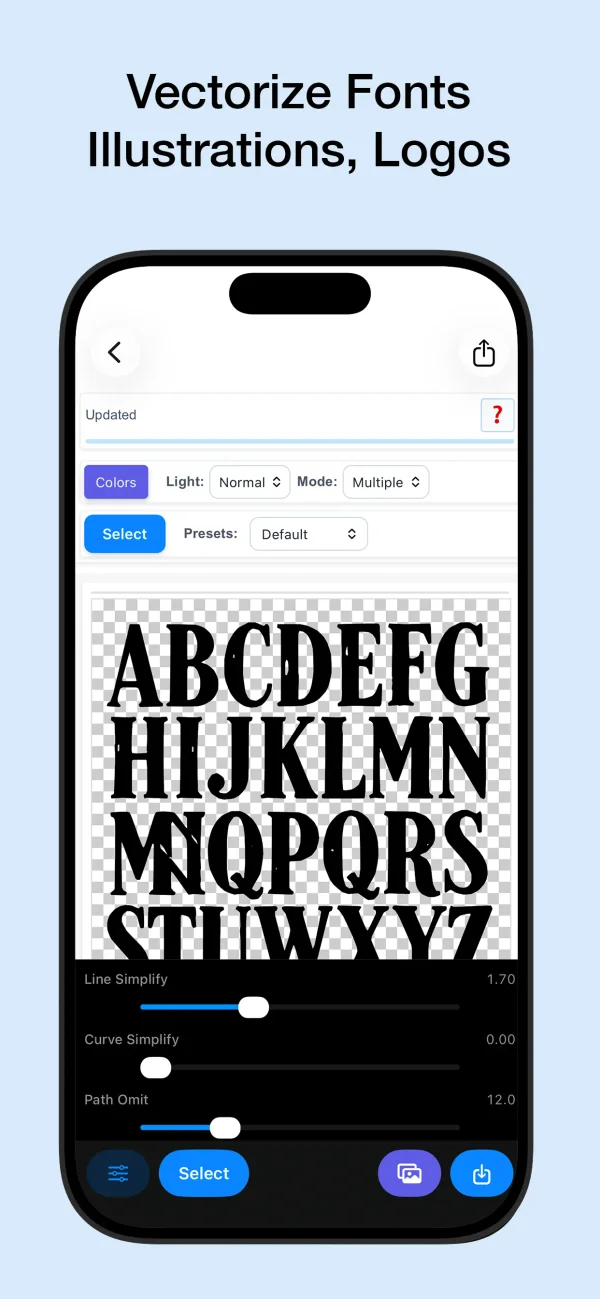
Advanced Vector Controls – Fine-tune every detail:
• Adjustable line smoothness
• Curve precision & path simplification
• Stroke width customization
• Edge detection sensitivity
Professional Vector Output
• High-quality SVG files
• Transparent background support
• Optimized file size
• Maintains aspect ratio
• Ready for print, web, or app design
User-Friendly Experience
• Real-time preview of vectorized results
• Pinch-to-zoom for detailed editing
• Quick preset selection
• Progress tracking
• Simple, intuitive interface
Perfect For
• Graphic designers creating logos & icons
• Illustrators and digital artists
• UI/UX designers working with scalable assets
• Logo creators and branding professionals
• Anyone needing a vector graphics converter
Use Your Vector Files In
• Logo design & branding projects
• Digital illustrations & sketches
• Web & app graphics
• Print-ready designs
• Scalable icons & UI assets
• Animation & motion graphics
Private & Secure
All images are processed offline on your device. Your sketches, photos, and designs never leave your phone—ensuring your work remains private and secure.
Privacy Policy
https://sites.google.com/view/imagevector
Terms of Use
https://sites.google.com/view/imagestovectorterms
Yenilikler
Sürüm 1.0.9 · 10.11.2026
Significant improvement in color vectorization.
After uploading your color image, please try all the color presets to find the best match.
Uygulama gizliliği
Bu uygulamanın verileri nasıl işlediği hakkında Cengiz Bodur tarafından App Store üzerinde yapılan beyan.
-
Veri toplanmıyor
Geliştirici bu uygulamadan hiçbir veri toplamıyor.
Gizlilik uygulamaları, örneğin kullandığınız özelliklere veya yaşınıza göre değişiklik gösterebilir.
Bilgiler
- Satıcı
- Cengiz Bodur
- Kategori
- Grafik ve Tasarım
- Sürüm
- 1.0.9
- Güncellendi
- 10.11.2026
- Yayın tarihi
- 08.04.2026
- Boyut
- 3,8 MB
- Gereksinim
- iOS 17.6 veya sonrası
- Yaş sınırı
- 4+
- Fiyat
- Ücretsiz
- Uygulama içi satın alma
- Evet
- Diller
- İngilizce
- Telif hakkı
- © @SvgVector 2026
Bunları da beğenebilirsiniz
-
 PicSvg: Logo & Image TracerGrafik ve Tasarım
-
 SVG Converter: Image to SVGGrafik ve Tasarım
-
 AI SVG Oluşturucu: DönüştürücüPNG JPG'yi Vektöre Dönüştür
-
 Boxy SVG for iOSGrafik ve Tasarım
-
 SVGRGrafik ve Tasarım
-
 Image to SVGGrafik ve Tasarım
-
 Yapay Zeka SVG dönüştürücüFotoğrafı SVG yapın
-
 SVG Dönüştürücü: TrueSVGYapay Zeka ile Vektörleştir
-
 SVG Viewer EditorGrafik ve Tasarım
-
 SVG Converter : AI SVG MakerGrafik ve Tasarım