iPocketRemote: Mac Trackpad
Remote Mouse, Media & Volume
iPhone, iPad için tasarlandı
Ücretsiz · Uygulama içi satın alma
- Yaş sınırı4+
- KategoriYardımcılar
- Geliştirici胜天 何
- Dillerİngilizce+ 11 dil daha
- Boyut15,8 MB
Resmi App Store sayfasına bağlanır
Download.org, iPocketRemote: Mac Trackpad için hiçbir dosya barındırmaz. Düğme, uygulamanın App Store üzerindeki sayfasını açar; uygulamayı orada 胜天 何 yayınlar. Sayfanın son kontrolü: 17.11.2026.
Ekran görüntüleri
Hakkında
Geliştirici bu metni dilinizde sunmamış.
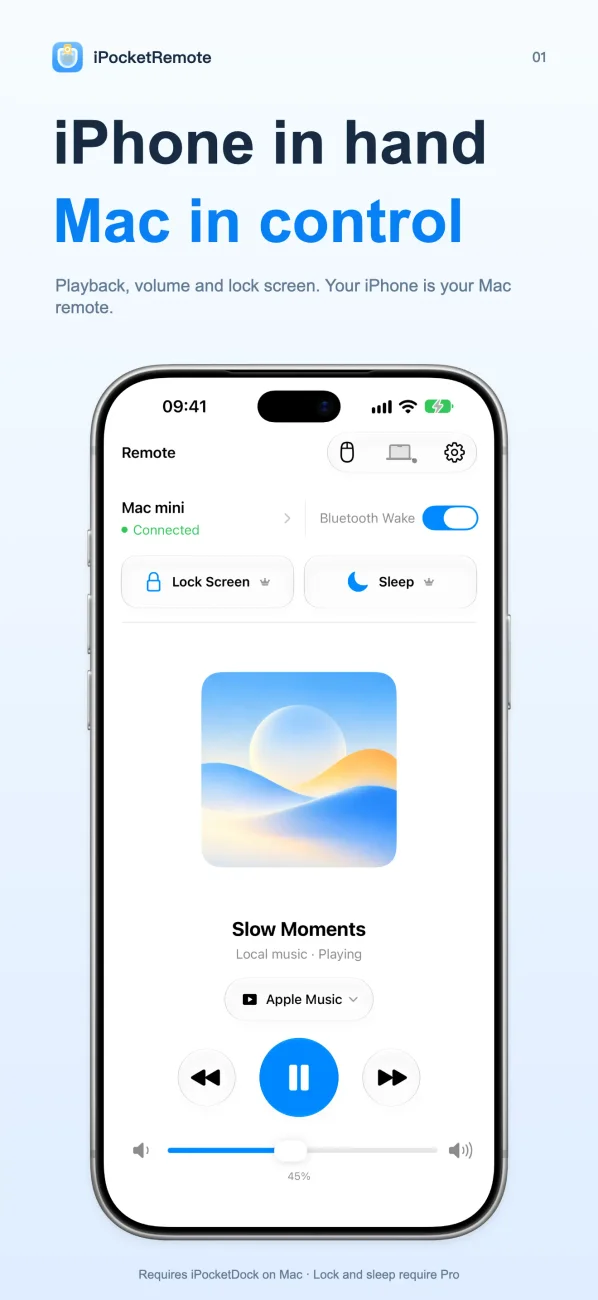
Turn your iPhone into a wireless trackpad and remote control for your Mac.
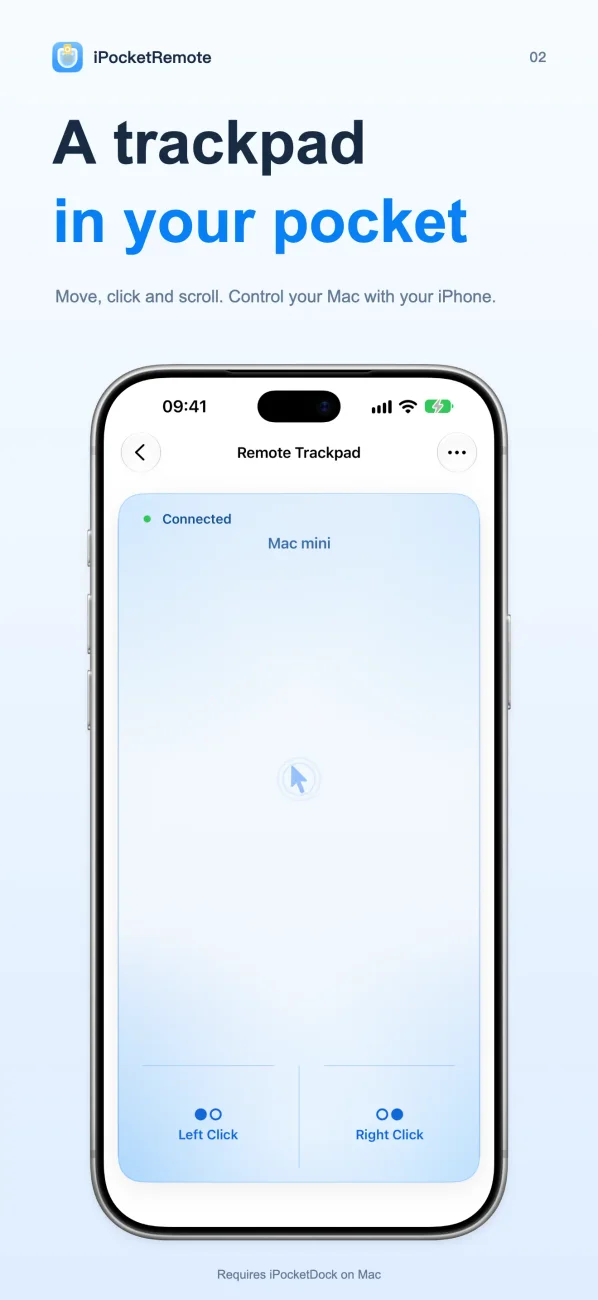
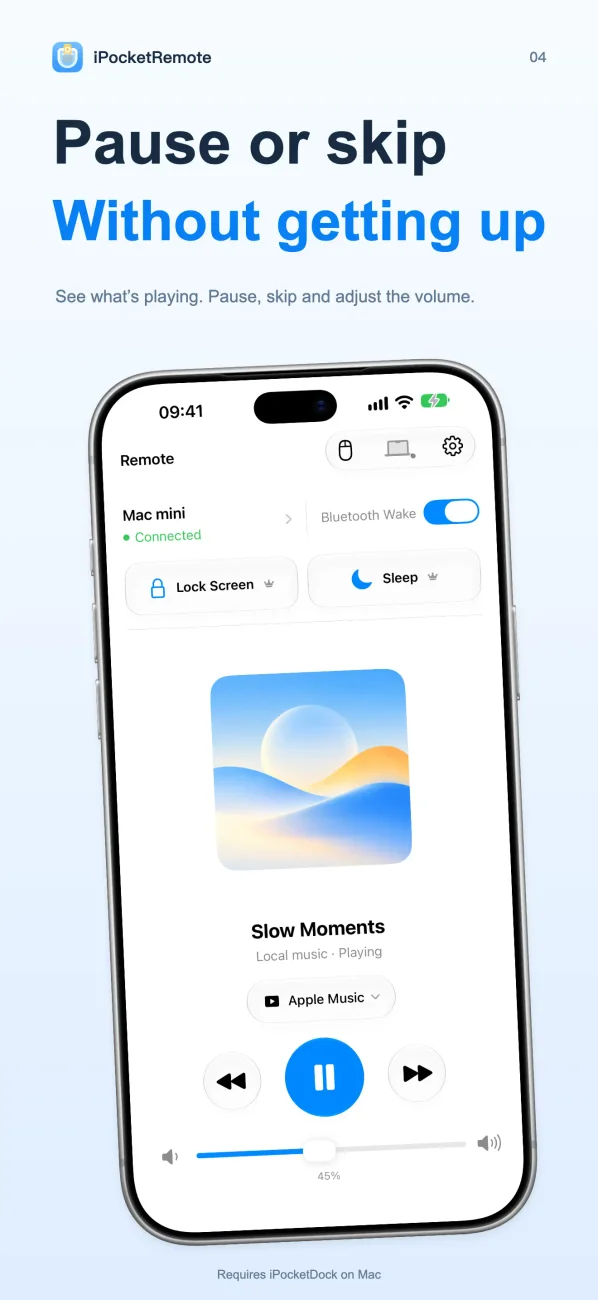
Move the pointer, click, right-click, scroll, and drag from your phone. You can also control media and volume, lock the screen, or put your Mac to sleep—all over your local network.
iPocketRemote works with the companion Mac app iPocketDock. In iPocketRemote, open Settings and tap Download Mac App to install it.
REMOTE TRACKPAD
• Move the Mac pointer with one finger
• Tap to click and double-tap to double-click
• Two-finger tap for right-click
• Scroll with two fingers or along either trackpad edge
• Press and move to drag
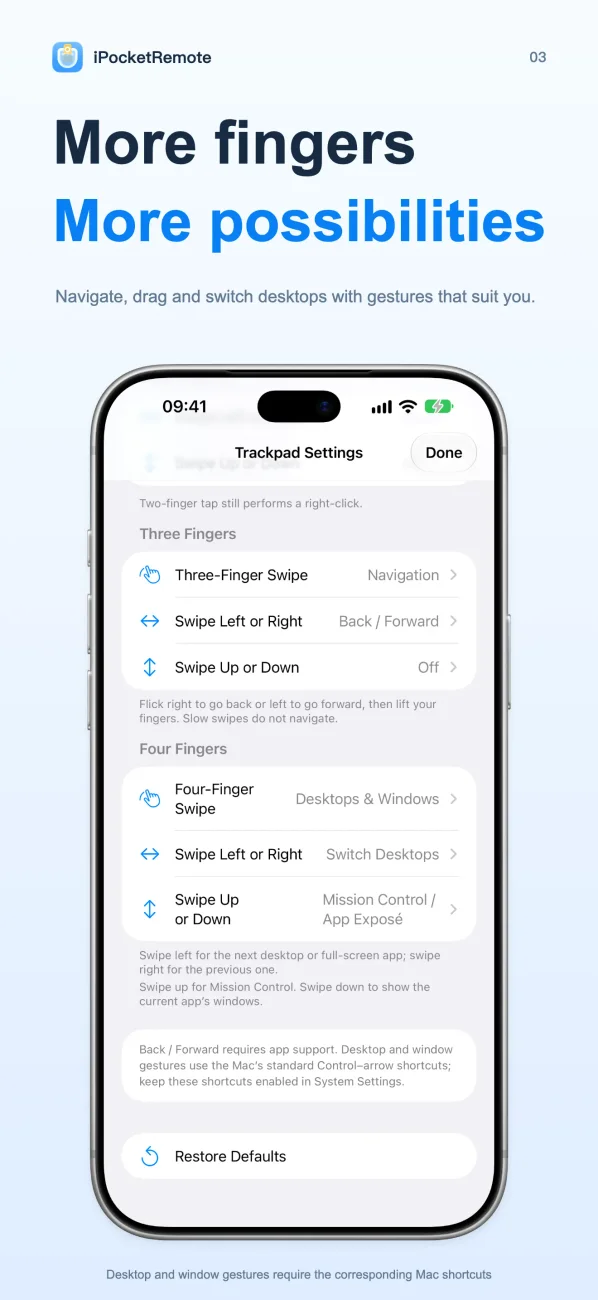
• Adjust pointer sensitivity and edge scrolling
• Choose from multiple trackpad styles
MEDIA & SYSTEM CONTROLS
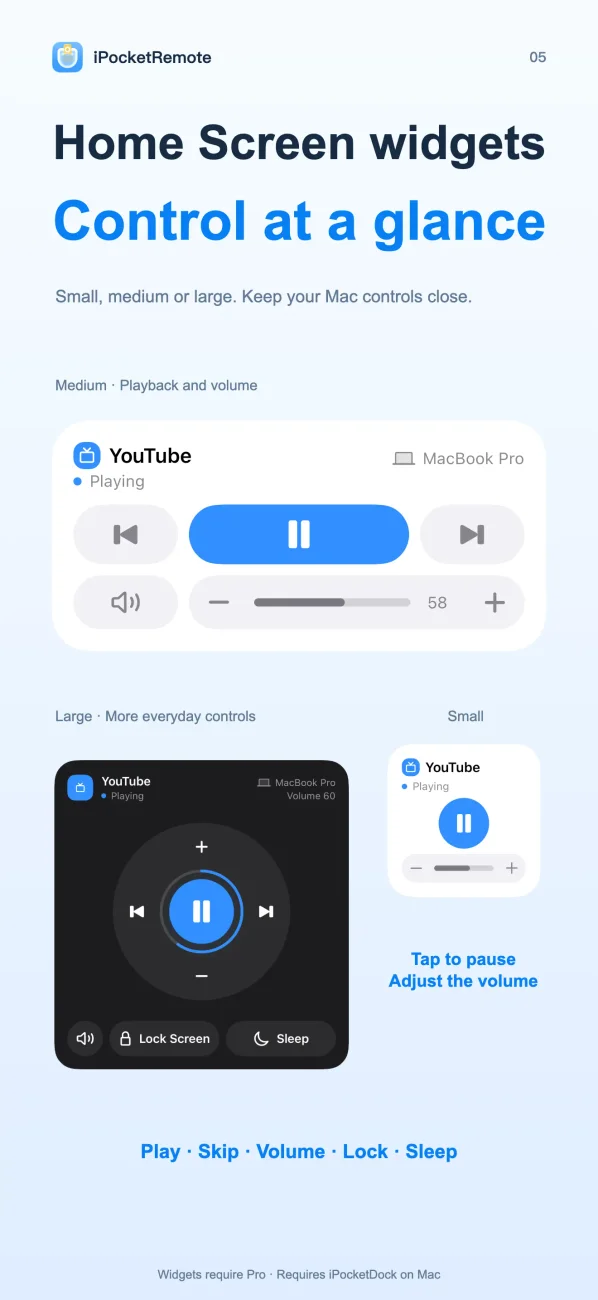
• Play or pause media
• Go to the previous or next track
• Adjust volume from 0–100 or mute instantly
• Lock your Mac or put it to sleep
• Manage multiple Macs and choose a preferred device
QUICK, PRIVATE CONNECTION
• Pair by scanning a QR code or entering a pairing code
• Automatically reconnect to paired Macs
• Communicates directly over your local network
• No cloud service or account required
• Pairing credentials are stored securely in the iOS Keychain
REQUIREMENTS
• iPhone running iOS 17.0 or later
• Mac running the latest iPocketDock
• iPhone and Mac connected to the same local network
• Camera permission is used only for QR-code pairing
• Local Network permission is used to find and connect to your Mac
Terms of Use: https://www.apple.com/legal/internet-services/itunes/dev/stdeula/
Yenilikler
Sürüm 2026.10330 · 27.10.2026
• Control Keep Awake for your Mac from iPhone Settings, including the lid-closed option and automatic activation when iPocketDock starts.
• Added Natural Scrolling in Mouse Mode. Choose the direction of two-finger and edge scrolling in Trackpad Settings; your preference is saved automatically.
• Improved physical volume-button responsiveness and handling of repeated presses, with support for the native macOS volume indicator.
• Fixed layout jumps when changing Keep Awake settings and improved state synchronization.
• Simplified version information in Settings.
Volume-button control requires iOS 27 or later. Keep Awake controls and the native volume indicator require a compatible iPocketDock version. The lid-closed mode requires authorization on your Mac.
Uygulama gizliliği
Bu uygulamanın verileri nasıl işlediği hakkında 胜天 何 tarafından App Store üzerinde yapılan beyan.
-
Veri toplanmıyor
Geliştirici bu uygulamadan hiçbir veri toplamıyor.
Gizlilik uygulamaları, örneğin kullandığınız özelliklere veya yaşınıza göre değişiklik gösterebilir.
Bilgiler
- Satıcı
- 胜天 何
- Kategori
- Yardımcılar
- Sürüm
- 2026.10330
- Güncellendi
- 27.10.2026
- Yayın tarihi
- 17.10.2025
- Boyut
- 15,8 MB
- Gereksinim
- iOS 17.0 veya sonrası
- Yaş sınırı
- 4+
- Fiyat
- Ücretsiz
- Uygulama içi satın alma
- Evet
- Diller
- İngilizce, Arapça, Fransızca, Almanca, İtalyanca, Japonca, Korece, Portekizce, Rusça, Basitleştirilmiş Çince, İspanyolca, Geleneksel Çince
- Telif hakkı
- © 2025-2026 iPocket Studio