iPocketRemote: Mac Trackpad
Remote Mouse, Media & Volume
Được thiết kế cho iPhone, iPad
Miễn phí · Mua hàng trong ứng dụng
- Độ tuổi4+
- Danh mụcTiện Ích
- Nhà phát triển胜天 何
- Ngôn ngữTiếng Anh+ 11 ngôn ngữ khác
- Kích thước15,8 MB
Liên kết đến trang App Store chính thức
Download.org không lưu trữ tệp nào của iPocketRemote: Mac Trackpad. Nút này mở trang ứng dụng trên App Store, nơi 胜天 何 phát hành ứng dụng. Trang được kiểm tra lần cuối: 17/11/2026.
Ảnh chụp màn hình
Giới thiệu
Nhà phát triển chưa cung cấp nội dung này bằng ngôn ngữ của bạn.
Turn your iPhone into a wireless trackpad and remote control for your Mac.
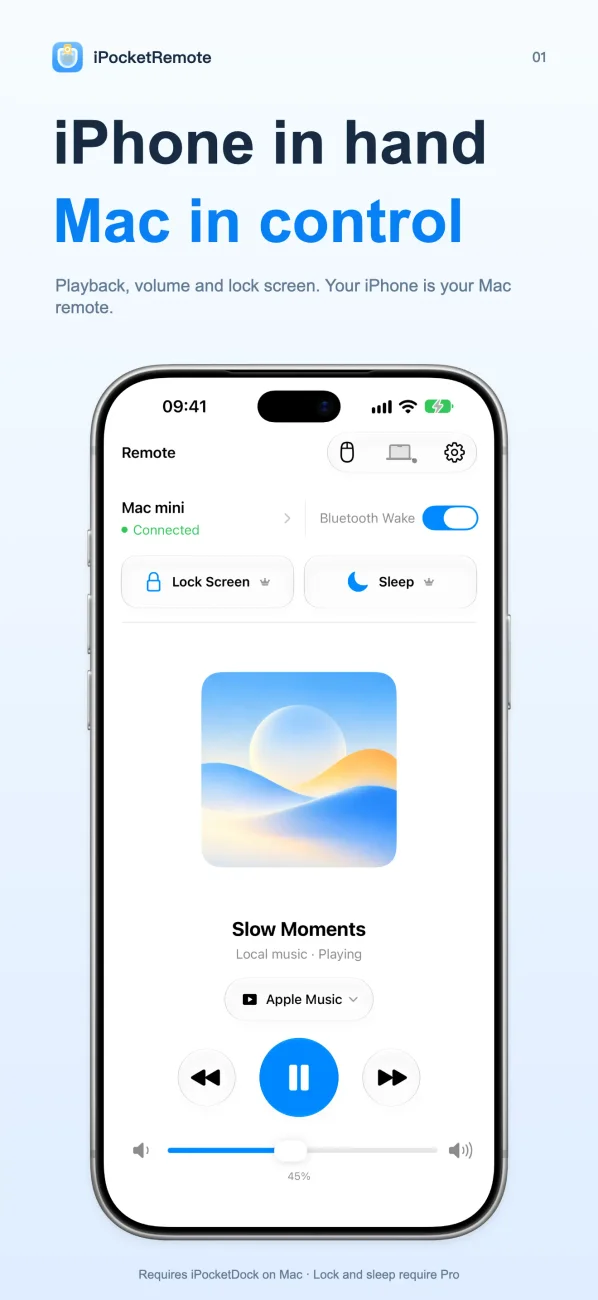
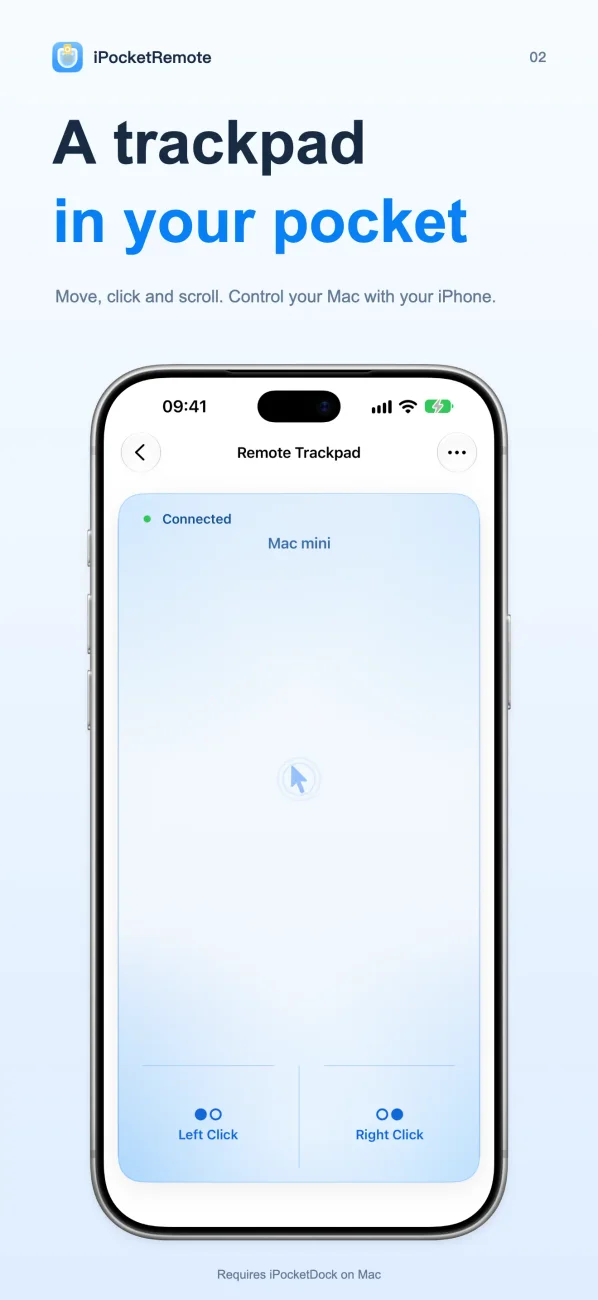
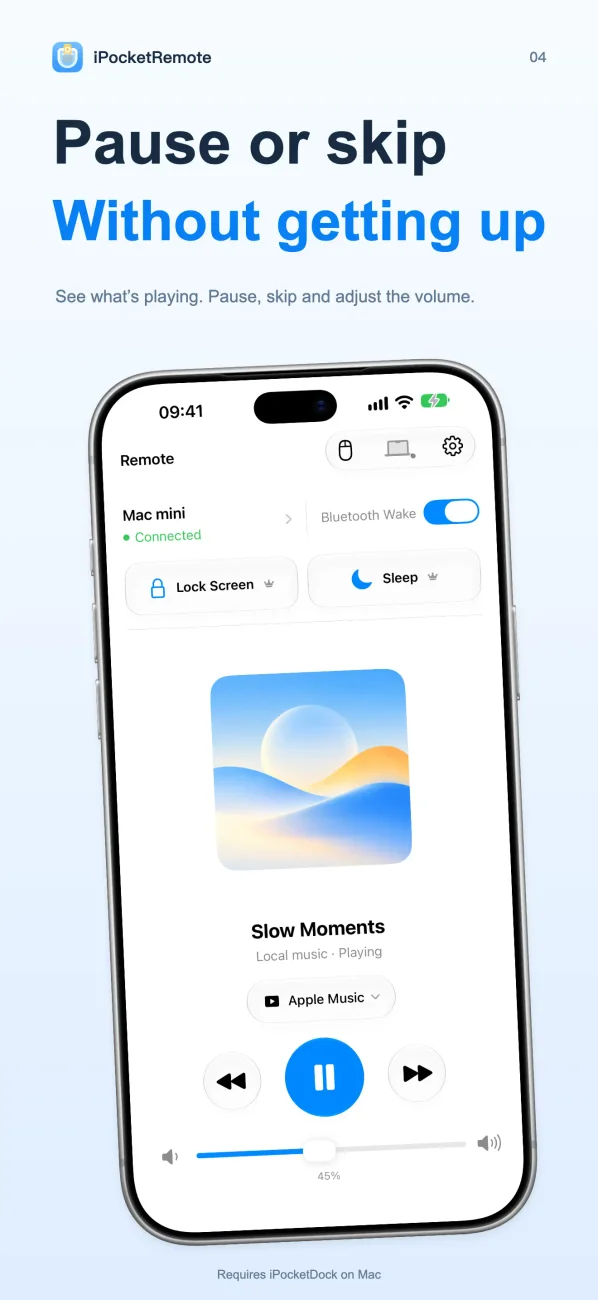
Move the pointer, click, right-click, scroll, and drag from your phone. You can also control media and volume, lock the screen, or put your Mac to sleep—all over your local network.
iPocketRemote works with the companion Mac app iPocketDock. In iPocketRemote, open Settings and tap Download Mac App to install it.
REMOTE TRACKPAD
• Move the Mac pointer with one finger
• Tap to click and double-tap to double-click
• Two-finger tap for right-click
• Scroll with two fingers or along either trackpad edge
• Press and move to drag
• Adjust pointer sensitivity and edge scrolling
• Choose from multiple trackpad styles
MEDIA & SYSTEM CONTROLS
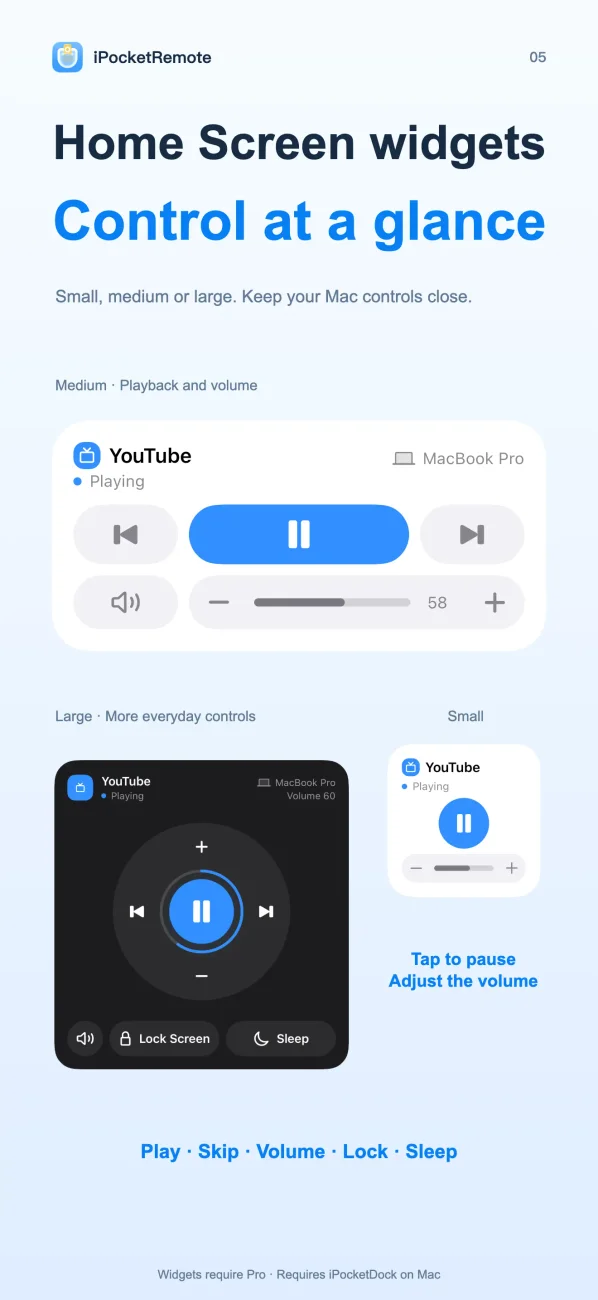
• Play or pause media
• Go to the previous or next track
• Adjust volume from 0–100 or mute instantly
• Lock your Mac or put it to sleep
• Manage multiple Macs and choose a preferred device
QUICK, PRIVATE CONNECTION
• Pair by scanning a QR code or entering a pairing code
• Automatically reconnect to paired Macs
• Communicates directly over your local network
• No cloud service or account required
• Pairing credentials are stored securely in the iOS Keychain
REQUIREMENTS
• iPhone running iOS 17.0 or later
• Mac running the latest iPocketDock
• iPhone and Mac connected to the same local network
• Camera permission is used only for QR-code pairing
• Local Network permission is used to find and connect to your Mac
Terms of Use: https://www.apple.com/legal/internet-services/itunes/dev/stdeula/
Có gì mới
Phiên bản 2026.10330 · 27/10/2026
• Control Keep Awake for your Mac from iPhone Settings, including the lid-closed option and automatic activation when iPocketDock starts.
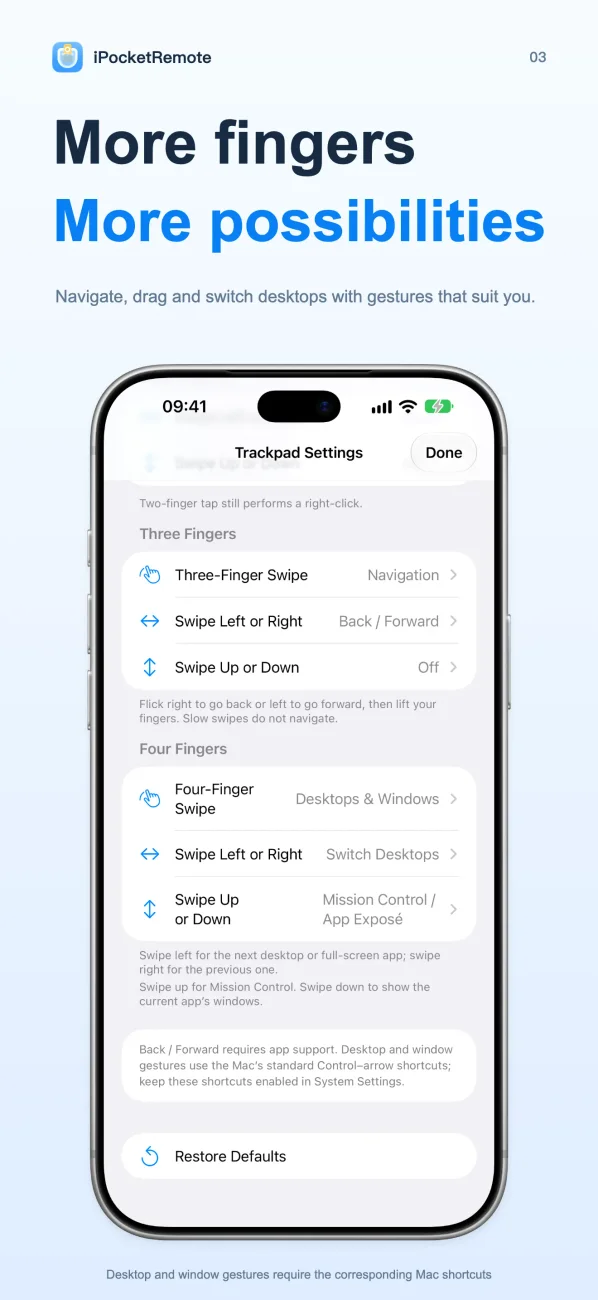
• Added Natural Scrolling in Mouse Mode. Choose the direction of two-finger and edge scrolling in Trackpad Settings; your preference is saved automatically.
• Improved physical volume-button responsiveness and handling of repeated presses, with support for the native macOS volume indicator.
• Fixed layout jumps when changing Keep Awake settings and improved state synchronization.
• Simplified version information in Settings.
Volume-button control requires iOS 27 or later. Keep Awake controls and the native volume indicator require a compatible iPocketDock version. The lid-closed mode requires authorization on your Mac.
Quyền riêng tư của ứng dụng
Những gì 胜天 何 khai báo trên App Store về cách ứng dụng này xử lý dữ liệu.
-
Dữ liệu không được thu thập
Nhà phát triển không thu thập bất kỳ dữ liệu nào từ ứng dụng này.
Phương thức đảm bảo quyền riêng tư có thể khác nhau, chẳng hạn như tuỳ theo các tính năng bạn sử dụng hoặc độ tuổi của bạn.
Thông tin
- Người bán
- 胜天 何
- Danh mục
- Tiện Ích
- Phiên bản
- 2026.10330
- Cập nhật
- 27/10/2026
- Phát hành
- 17/10/2025
- Kích thước
- 15,8 MB
- Yêu cầu
- iOS 17.0 trở lên
- Độ tuổi
- 4+
- Giá
- Miễn phí
- Mua hàng trong ứng dụng
- Có
- Ngôn ngữ
- Tiếng Anh, Tiếng Ả Rập, Tiếng Pháp, Tiếng Đức, Tiếng Ý, Tiếng Nhật, Tiếng Hàn, Tiếng Bồ Đào Nha, Tiếng Nga, Tiếng Trung Giản thể, Tiếng Tây Ban Nha, Tiếng Trung Phồn thể
- Bản quyền
- © 2025-2026 iPocket Studio