
Markory
Sign, annotate and edit PDFs
iPhone, iPad, iPod touch için tasarlandı
Ücretsiz
- Yaş sınırı4+
- KategoriÜretkenlik
- GeliştiriciPLM CAD UTILITIES AS
- Dillerİngilizce
- Boyut54,5 MB
Resmi App Store sayfasına bağlanır
Download.org, Markory için hiçbir dosya barındırmaz. Düğme, uygulamanın App Store üzerindeki sayfasını açar; uygulamayı orada PLM CAD UTILITIES AS yayınlar. Sayfanın son kontrolü: 18.11.2026.
Ekran görüntüleri
Hakkında
Geliştirici bu metni dilinizde sunmamış.
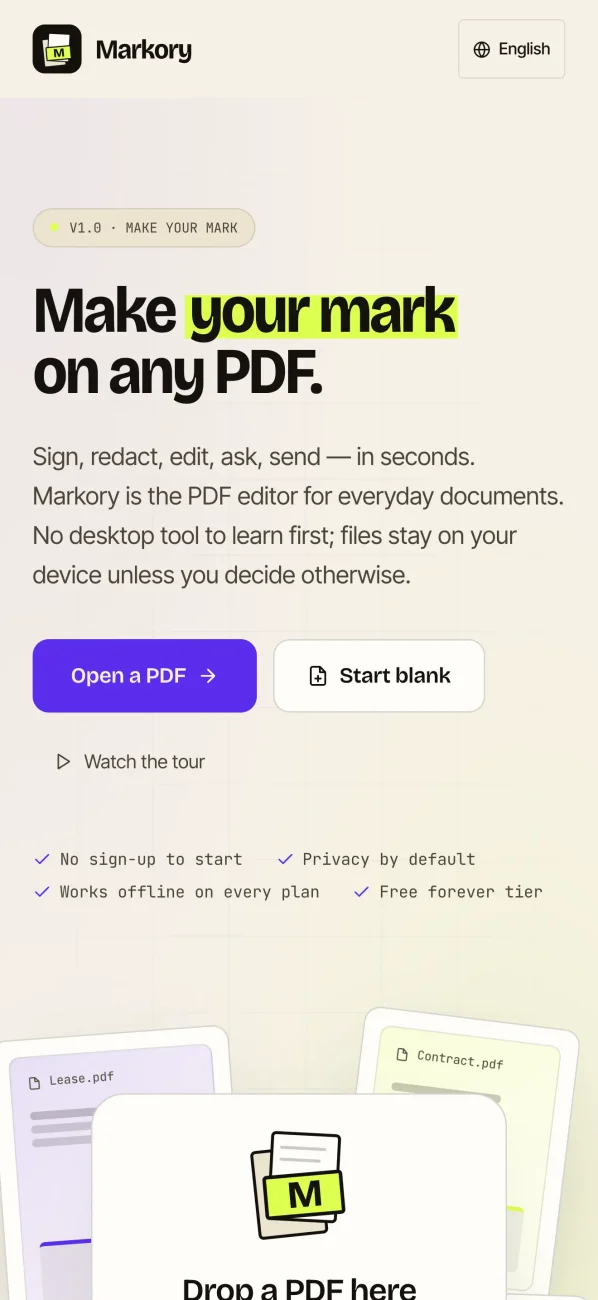
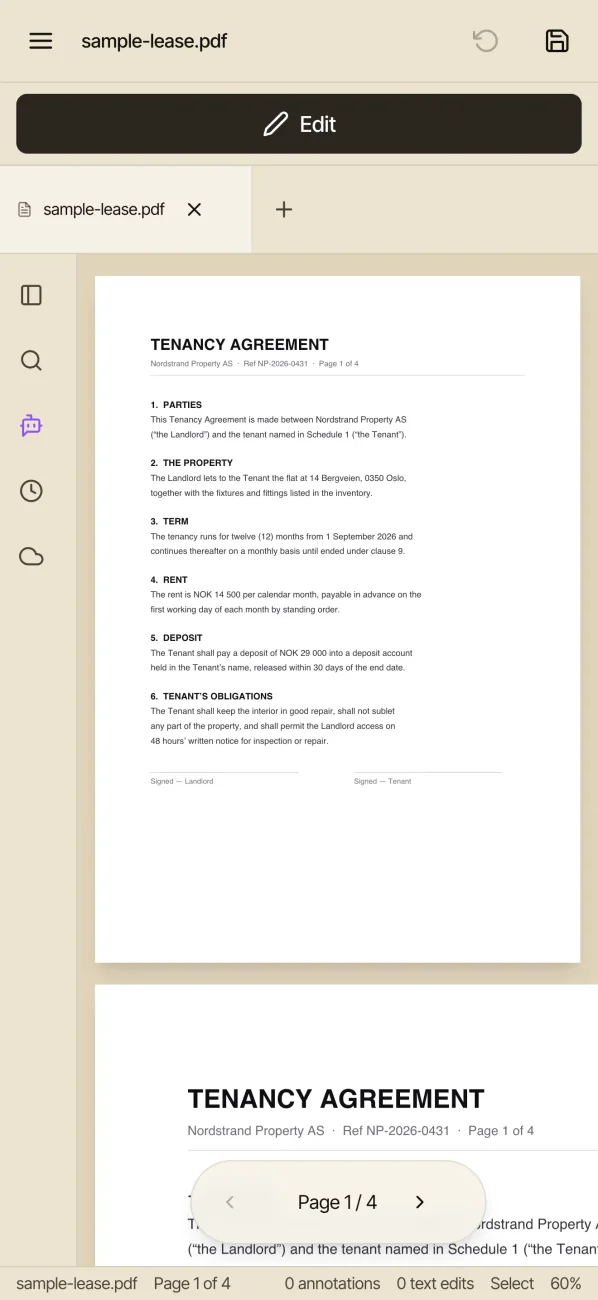
Markory is a PDF editor for everyday documents — the kind you need to sign, fix a typo in, black out a line on, and send back before lunch.
Open a PDF and start working on it. There is no account to create first, and nothing has to be uploaded for the editor to work — your document is opened and edited on your iPhone.
WHAT YOU CAN DO
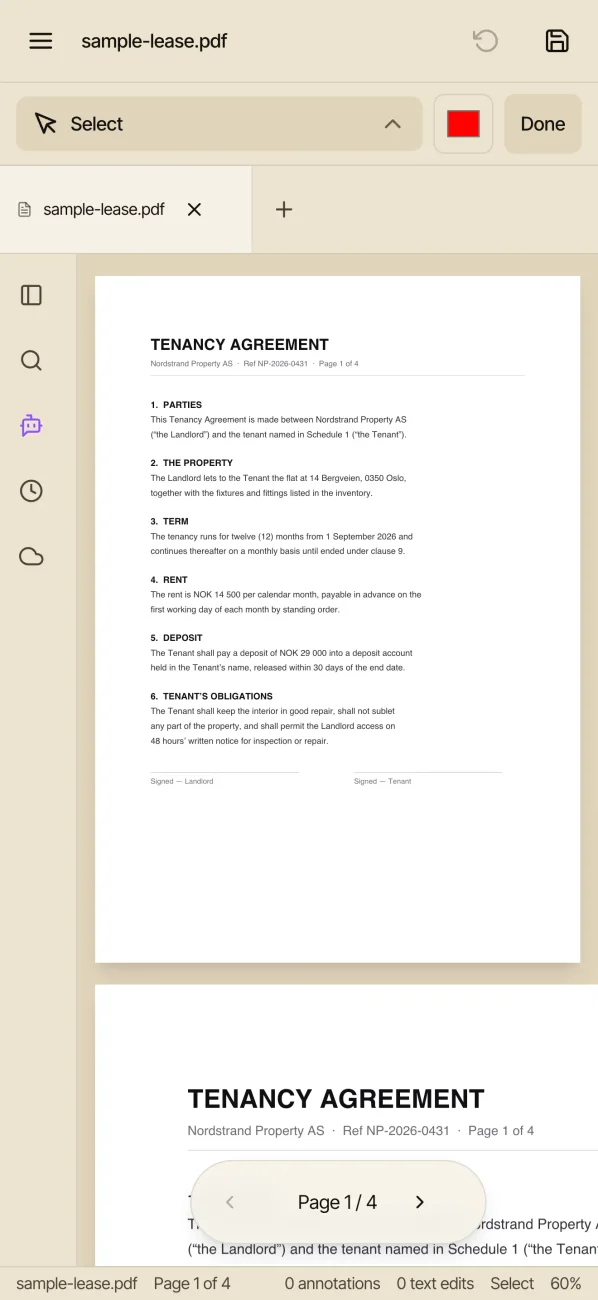
• Annotate — highlight, underline, strike through, draw freehand, add sticky notes
• Sign — draw or type a signature and place it anywhere on the page
• Edit text — tap a line to replace, restyle or delete it, keeping the font and size
• Fill in forms — type into fields and flatten them when you are done
• Rearrange pages — reorder, rotate, duplicate and delete
• Merge and split — combine several PDFs in any order, or break one long file into separate documents
• Watermarks and stamps — across the whole document or just the pages you choose
• Page numbers, headers and footers
• Share the finished file through the iOS share sheet
WORKS OFFLINE
The document tools do not need a connection. On a plane, on the underground, or with the network switched off, the editor behaves exactly the same as it does at your desk.
PRIVACY BY DEFAULT
Your file is not sent anywhere in order to be edited. No forced upload, and no account required for local editing.
Made by PLM CAD UTILITIES AS, Norway.
Questions: support@plmcadutilities.com
Yenilikler
Sürüm 1.0.3 · 25.09.2026
Typing in a text field no longer zooms the page. Tapping a box used to enlarge everything and never zoom back, which pushed whatever you were filling in half off the screen. That affected every field in the app, not just one.
In Ask this PDF, the message box and the send button now line up and match in height.
Uygulama gizliliği
Bu uygulamanın verileri nasıl işlediği hakkında PLM CAD UTILITIES AS tarafından App Store üzerinde yapılan beyan.
-
Veri toplanmıyor
Geliştirici bu uygulamadan hiçbir veri toplamıyor.
Gizlilik uygulamaları, örneğin kullandığınız özelliklere veya yaşınıza göre değişiklik gösterebilir.
Bilgiler
- Satıcı
- PLM CAD UTILITIES AS
- Kategori
- Üretkenlik
- Sürüm
- 1.0.3
- Güncellendi
- 25.09.2026
- Yayın tarihi
- 23.09.2026
- Boyut
- 54,5 MB
- Gereksinim
- iOS 15.0 veya sonrası
- Yaş sınırı
- 4+
- Fiyat
- Ücretsiz
- Diller
- İngilizce
- Telif hakkı
- © 2026 PLM CAD UTILITIES AS
Bunları da beğenebilirsiniz
-
 Trial Alert: Avoid Auto BillsÜretkenlik
-
 Penned: Private NotesÜretkenlik
-
 Data Drop: QR File TransferÜretkenlik
-
 Zoho Mail AdminÜretkenlik
-
 Bitly: Link ShortenerÜretkenlik
-
 Zoho Cliq - Team CommunicationÜretkenlik
-
 Fireflies: AI Note TakerÜretkenlik
-
 RealVNC Viewer: Remote DesktopÜretkenlik
-
 PocketPal AIÜretkenlik
-
 µBrowser: Fast, Safe & PrivateÜretkenlik