
MemCut
On-Device Video Stories
iPhone, iPad için tasarlandı
Ücretsiz · Uygulama içi satın alma
- Yaş sınırı12+
- KategoriFotoğraf ve Video
- GeliştiriciBenoForge e.U.
- Dillerİngilizce
- Boyut50,4 MB
Resmi App Store sayfasına bağlanır
Download.org, MemCut için hiçbir dosya barındırmaz. Düğme, uygulamanın App Store üzerindeki sayfasını açar; uygulamayı orada BenoForge e.U. yayınlar. Sayfanın son kontrolü: 25.11.2026.
Ekran görüntüleri


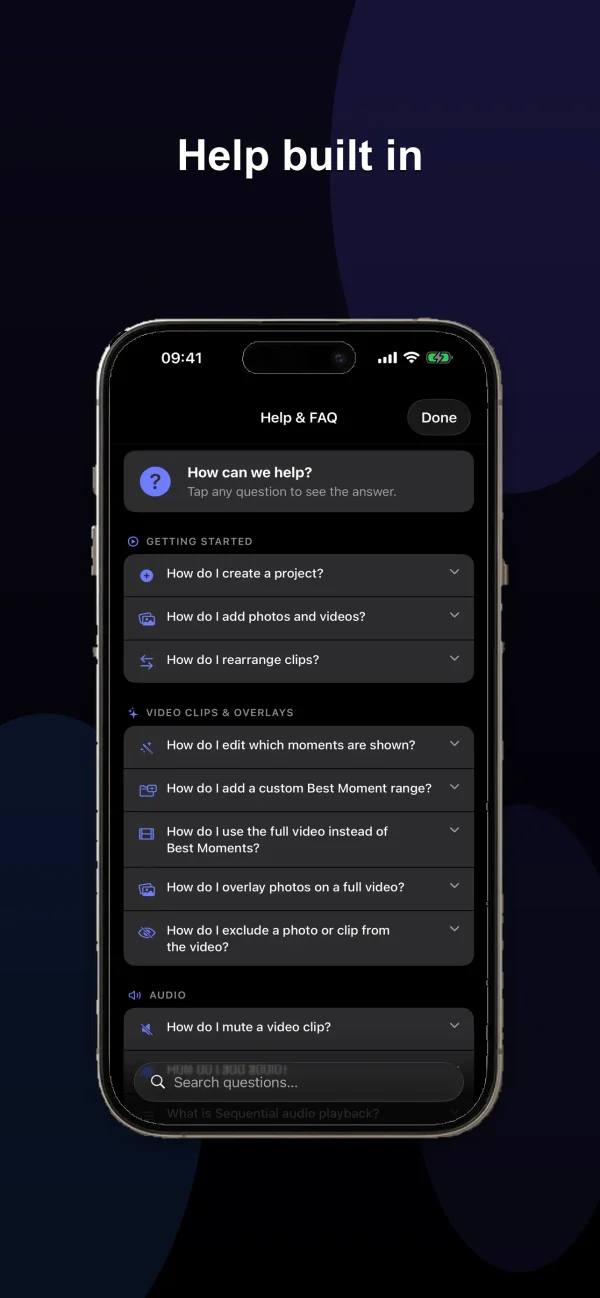




Hakkında
Geliştirici bu metni dilinizde sunmamış.
Turn your photos and videos into polished on-device video stories — sports reels, travel stories, birthday tributes, and Best Moments — for Instagram, TikTok, YouTube, Stories, and more. MemCut runs entirely on your device: no account, no cloud upload, no waiting on servers.
WHY MEMCUT
• Cinematic video stories from clips and photos already on your phone
• On-device AI finds your best shots — you stay in control of every cut
• Optional Auto Captions — on-device speech-to-text you edit before export
• Beat-synced edits that snap to your music automatically
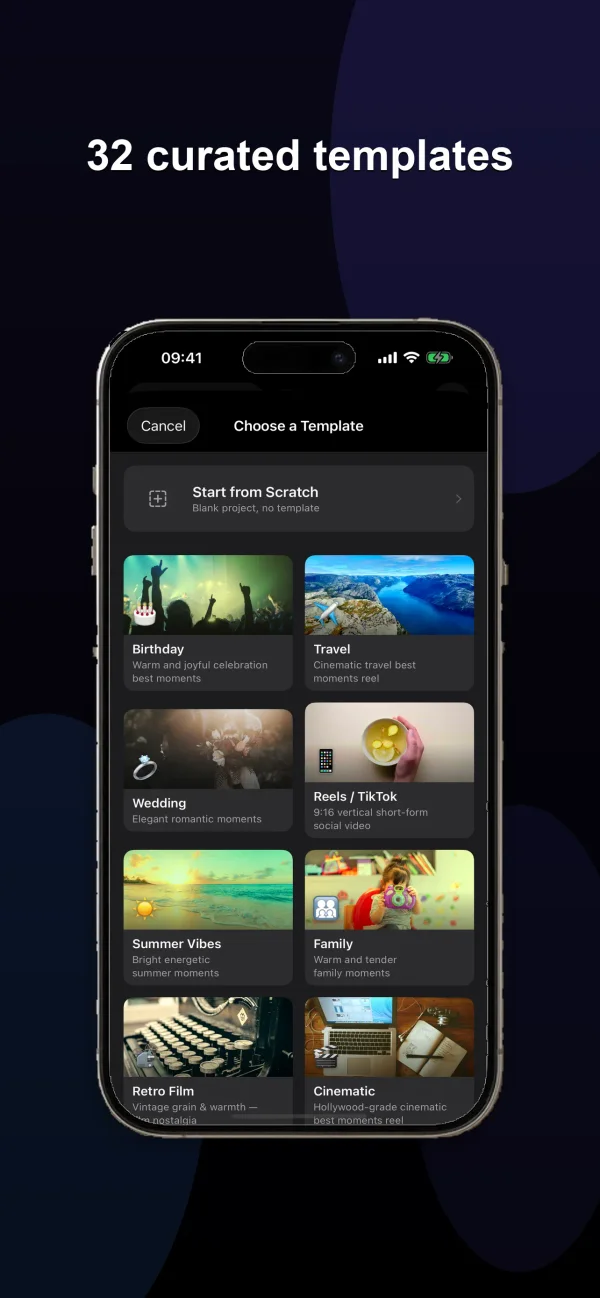
• 32 ready-made templates for holidays, travel, sports, weddings, and more — all free
• Photo Tools: cutout, blur, crop, erase, text erase, and enhance — on-device
• Import custom LUT (.cube) colour grades
• Export HD, Full HD, 4K, or 4K HDR at 30 or 60 fps
• Save finished exports to your Photos library
START FAST WITH TEMPLATES
Pick a blank project or choose from 32 curated templates — Birthday, Travel, Wedding, Reels/TikTok, Sports Best Moments, VHS Throwback, and more. Each ships with the right aspect ratio, look, and title style. Live previews show the effect before you commit.
IMPORT & ARRANGE
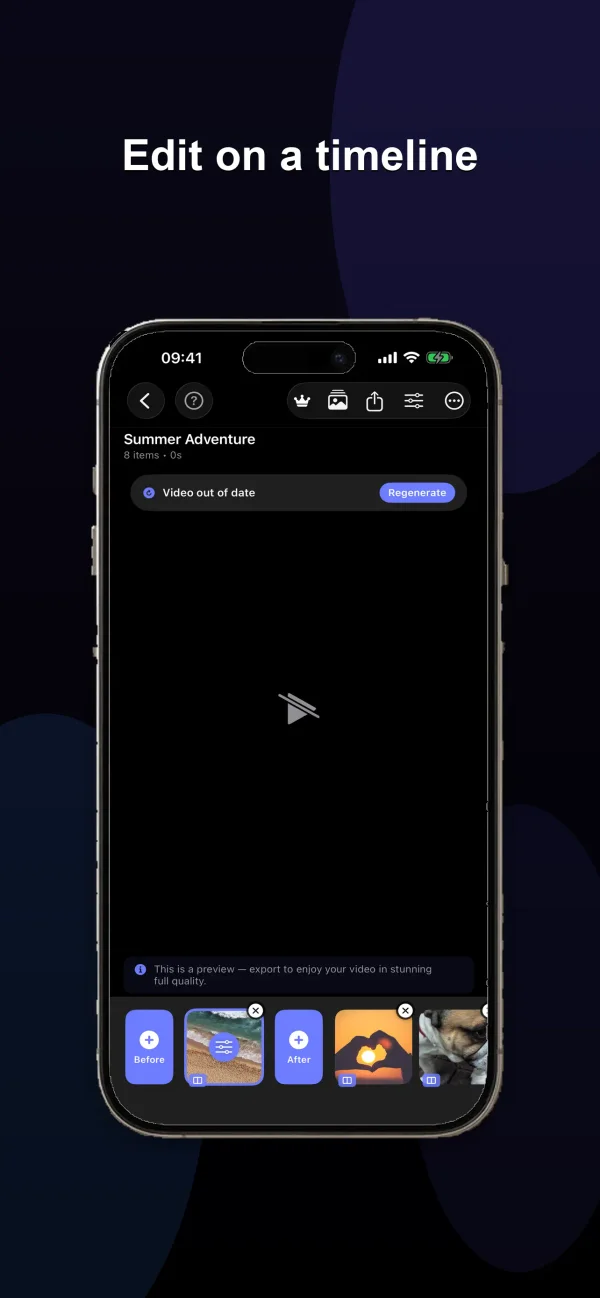
Add photos and videos from your library. Drag clips in the timeline to reorder. Trim clips, use the full clip, or let AI pick the strongest moments.
AI BEST MOMENTS
On-device AI scores your footage and detects the strongest video moments — perfect for action clips, game day, concerts, and family events. Review every suggestion, adjust trims, or turn suggestions off. Nothing exports until you approve it.
AUTO CAPTIONS
Optional on-device speech-to-text from your clip audio. Download an open speech model once (~1.5 GB), generate captions, then edit text and timing. Recognition stays on device — audio is not uploaded. Captions may be inaccurate; you review and approve them. Exporting with Auto Captions requires MemCut Premium (or clear captions to export free).
PHOTO TOOLS
Edit any photo with on-device Photo Tools — no upload required. Cut out subjects, blur backgrounds, crop, brush-erase, erase text, and auto enhance. Changes stay in your project and export with your video.
PHOTO OVERLAYS ON FULL VIDEO
Keep a full video playing underneath and drop in photos at exact moments. Video and audio keep rolling while overlays appear on top — great for reaction shots or stills over action footage.
MUSIC, BEAT SYNC & MIXED AUDIO
Import music, narration, or voiceover. Cuts can snap to the beat. Chain tracks or use Mixed mode to layer music under voiceover, with per-track trim, volume, and start time.
60+ EFFECTS & 27 TRANSITIONS
Cinematic colour grades, vintage film, VHS, neon, noir, golden hour, and more. Pair clips with fades, zooms, film burns, glitches, and other transitions. Add Ken Burns zoom, animated captions, title text, and date stamps.
COLLAGE & LAYOUT
Pair portrait photos side-by-side. Choose from 8 aspect ratios — 16:9, 9:16, 1:1, 4:5, 21:9, and more — so every export fits Reels, TikTok, YouTube, Instagram, and Stories.
EXPORT TO YOUR LIBRARY
Choose HD (720p), Full HD (1080p), 4K (2160p), or 4K HDR with real 10-bit HEVC. Pick 30 or 60 fps. Save to Photos — MemCut does not post for you.
PRIVATE BY DESIGN
Your media never leaves your device. All AI, Auto Captions speech recognition, Photo Tools, beat analysis, colour grading, and rendering run locally. No accounts. No cloud storage. No developer access to your projects.
PREMIUM (OPTIONAL)
Core editing is free — templates, effects, Photo Tools, LUT import, Auto Captions setup, and full export quality. Free exports include a small watermark and brief branding card. MemCut Premium removes ads, lets you optionally hide the watermark and ending card, and unlocks exporting videos with Auto Captions.
You are responsible for the content you import, generate (including captions), and share.
Terms of Use (EULA): https://www.apple.com/legal/internet-services/itunes/dev/stdeula/
Privacy Policy: https://memcut-video.web.app/privacy
Yenilikler
Sürüm 1.06 · 24.11.2026
What’s new in MemCut
• Auto Captions — on-device speech-to-text subtitles from your clip audio
• Optional ~1.5 GB speech model download; recognition stays on device
• Edit cue text and timing; captions may be inaccurate — you approve before export
• Exporting a video with Auto Captions requires MemCut Premium
• Photo Tools, AI Best Moments, beat sync, 32 templates, custom LUT import
• Export HD, Full HD, 4K, or 4K HDR at 30 or 60 fps
• Optional MemCut Premium: ad-free, watermark/card removal, caption export
Uygulama gizliliği
Bu uygulamanın verileri nasıl işlediği hakkında BenoForge e.U. tarafından App Store üzerinde yapılan beyan.
-
Sizi izlemek için kullanılan veriler
Başka şirketlere ait uygulamalarda ve web sitelerinde sizi izlemek için kullanılabilir.
- Tanımlayıcılar
- Kullanım verileri
-
Sizinle ilişkilendirilmeyen veriler
Toplanabilir ancak kimliğinizle ilişkilendirilmez.
- Konum
- Tanımlayıcılar
- Kullanım verileri
Gizlilik uygulamaları, örneğin kullandığınız özelliklere veya yaşınıza göre değişiklik gösterebilir.
Bilgiler
- Satıcı
- BenoForge e.U.
- Kategori
- Fotoğraf ve Video
- Sürüm
- 1.06
- Güncellendi
- 24.11.2026
- Yayın tarihi
- 11.09.2026
- Boyut
- 50,4 MB
- Gereksinim
- iOS 17.0 veya sonrası
- Yaş sınırı
- 12+
- Fiyat
- Ücretsiz
- Uygulama içi satın alma
- Evet
- Diller
- İngilizce
- Telif hakkı
- © 2026 BenoForge e.U.
Bunları da beğenebilirsiniz
-
 MITO EDIT - Video KurguSessizliği kes, oto altyazı
-
 VideoBro: Shared VHS CamcorderFotoğraf ve Video
-
 FitCam: Workout OverlaysFotoğraf ve Video
-
 Eazy Video: Auto Video EditorFotoğraf ve Video
-
 Life2FilmGünün, bir dakikada video
-
 KwikMemoriesFotoğraf ve Video
-
 AI Video Editor: MonitoFotoğraf ve Video
-
 Silverlight StudiosFotoğraf ve Video
-
 AI Bebek Tahmini: Yüz ÜreticiBebeğiniz kime benzeyecek?
-
 Visavo: AI Fotoğraf OluşturucuYaratıcı AI profil çekimi