Music Calculator: Notation
A sketchpad to write music
iPhone, iPad için tasarlandı
Ücretsiz · Uygulama içi satın alma
- Yaş sınırı4+
- KategoriMüzik
- GeliştiriciJET Powered Apps Ltd.
- Dillerİngilizce+ 10 dil daha
- Boyut53,4 MB
Resmi App Store sayfasına bağlanır
Download.org, Music Calculator: Notation için hiçbir dosya barındırmaz. Düğme, uygulamanın App Store üzerindeki sayfasını açar; uygulamayı orada JET Powered Apps Ltd. yayınlar. Sayfanın son kontrolü: 12.11.2026.
Ekran görüntüleri


Hakkında
Geliştirici bu metni dilinizde sunmamış.
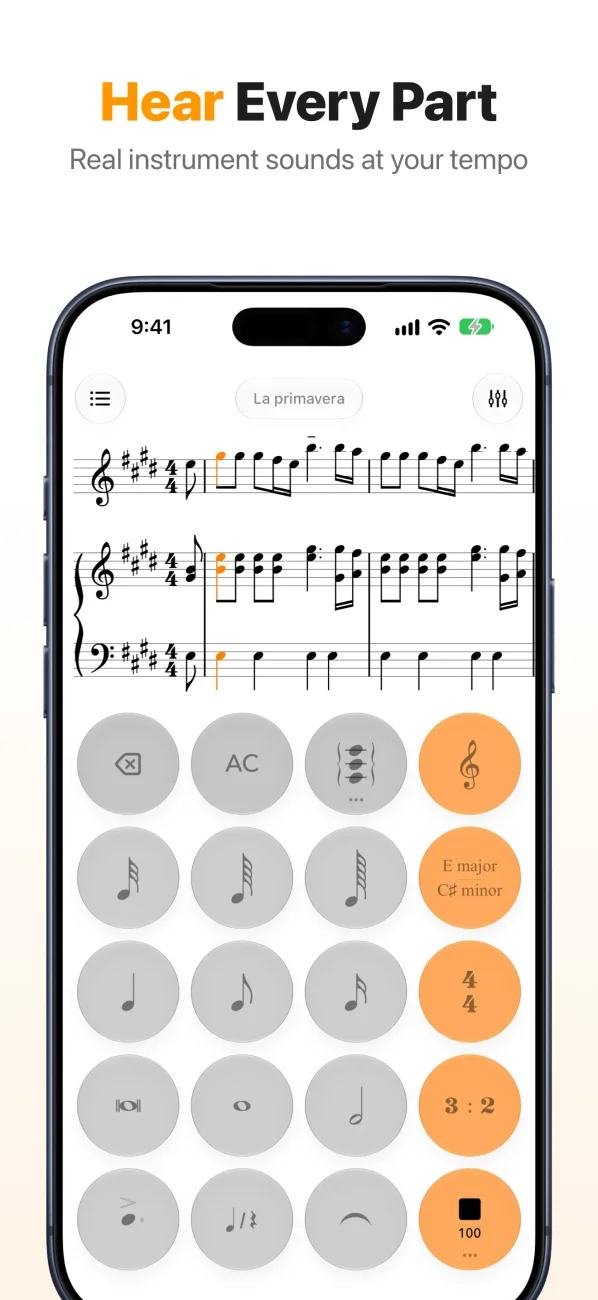
A sketchpad for music, for practice and for composing. Notes go in on a keypad as quick as a calculator, and play back exactly as written.
FOR PRACTICE
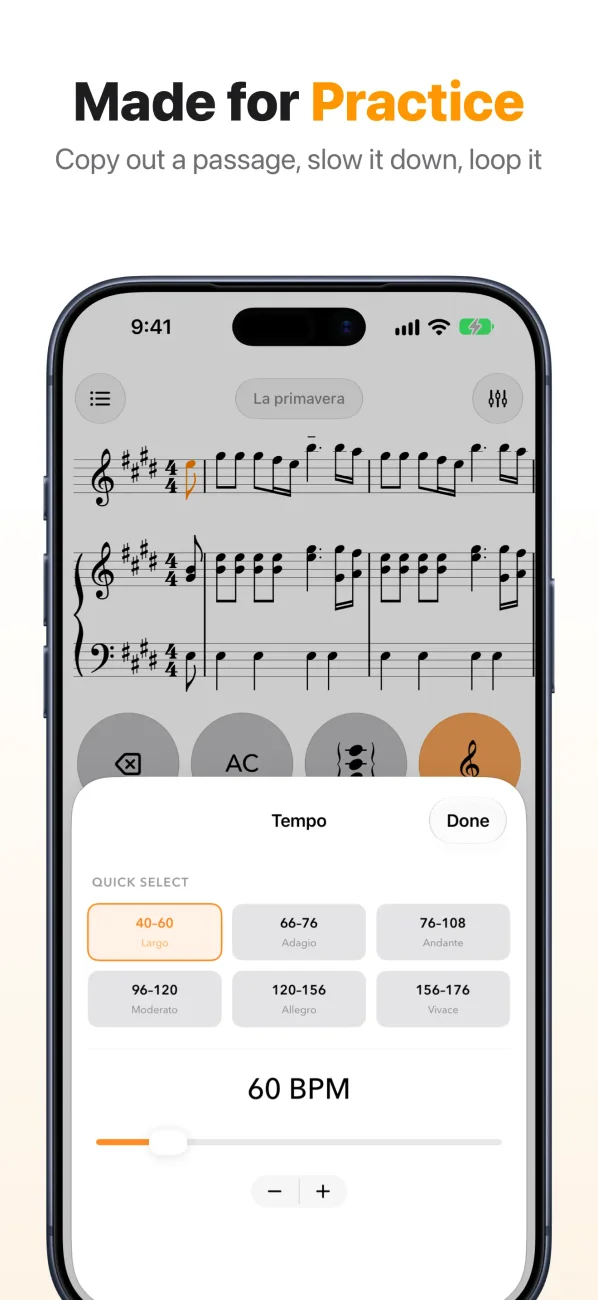
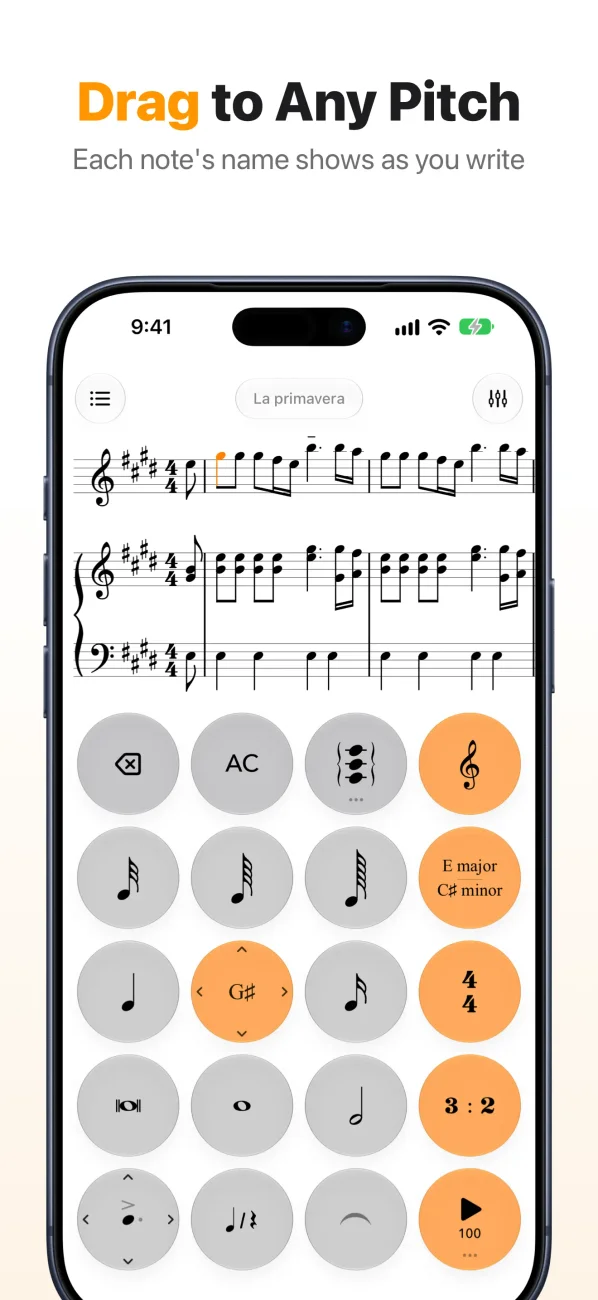
Copy out what you're learning: an exercise, a few difficult measures, the piece your teacher assigned. Hear how it should sound, then slow it down, loop it, and raise the tempo as you improve. Pianists can write both hands on a grand staff, and choirs can write out all four parts and hear them together. Check your rhythm counting or your harmony homework by ear. The keypad is simple enough for children to use, and the selected note's name, such as F#, shows on its key as you write.
FOR COMPOSING
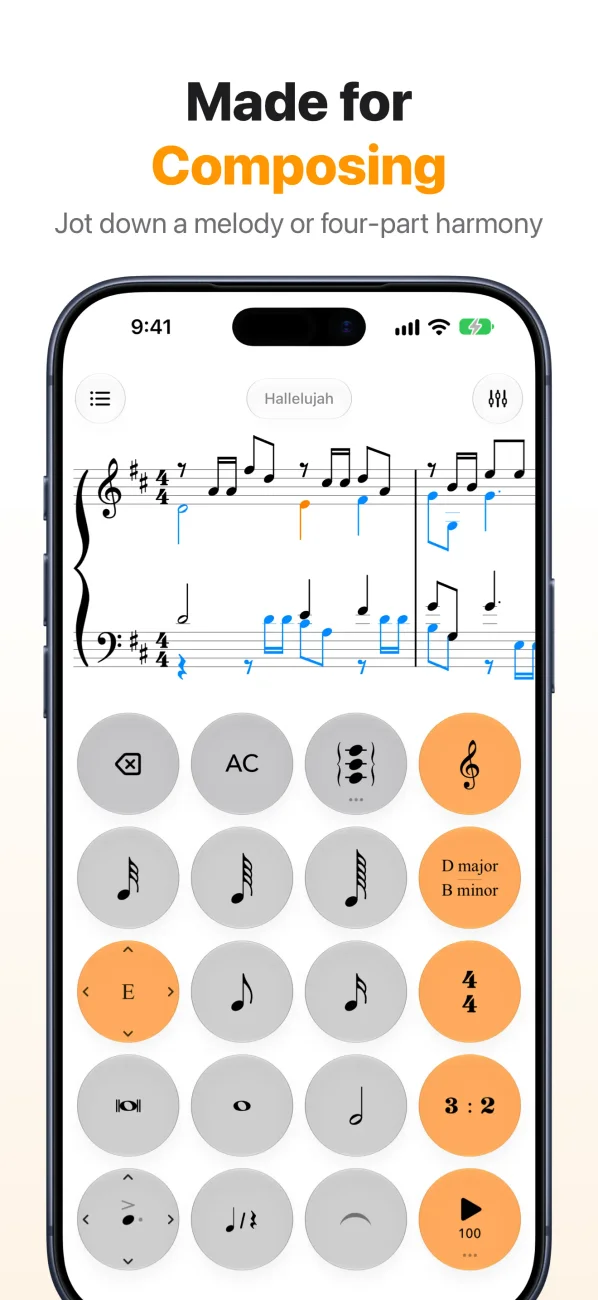
Write down a melody, a chord progression or a four-part harmony before you forget it, and hear every part played back with real instrument sounds. Use one instrument or several, with up to four voices on each staff, and keep every idea in your library.
HOW IT WORKS
Tap a note value to add a note, drag up or down to set its pitch, and drag sideways for sharps and flats. The keys are large, so there are no toolbars of tiny icons and no stylus.
WRITE IT
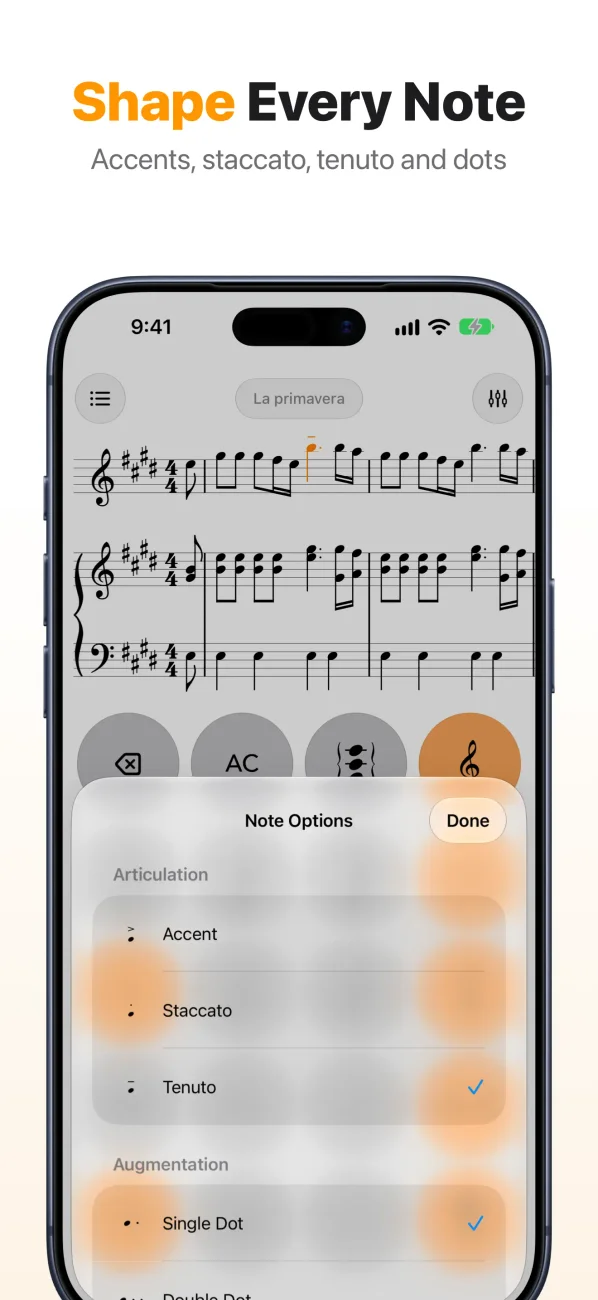
• Notes and rests from double whole notes to 128th notes, with up to three dots
• Chords, and up to four voices per staff, each in its own color with stems placed for you
• Several parts, each with as many staves as it needs: a piano grand staff, SATB on two staves, a duet, a small group
• Treble, bass, alto and tenor clefs, with clef changes anywhere
• Every key signature, chosen from an interactive circle of fifths, with key changes anywhere
• Simple and compound time signatures, and a pickup measure where a piece starts with one
• Ties, accidentals, staccato, accents and tenuto
• Triplets, quintuplets and nested tuplets
• Automatic beaming
HEAR IT
• Precise playback in pitch, rhythm and tempo, looping continuously
• Long-press play to set the tempo, from 30 to 240 BPM, even while the music plays: slow a passage down as far as you need, then raise the tempo as your playing improves
• 25 instrument sounds, from grand piano and harpsichord to strings, brass, woodwinds, harp and guitar
• Two metronome channels and a volume for every part
• The score glides along as it plays and each note lights up as it sounds
KEEP AND SHARE IT
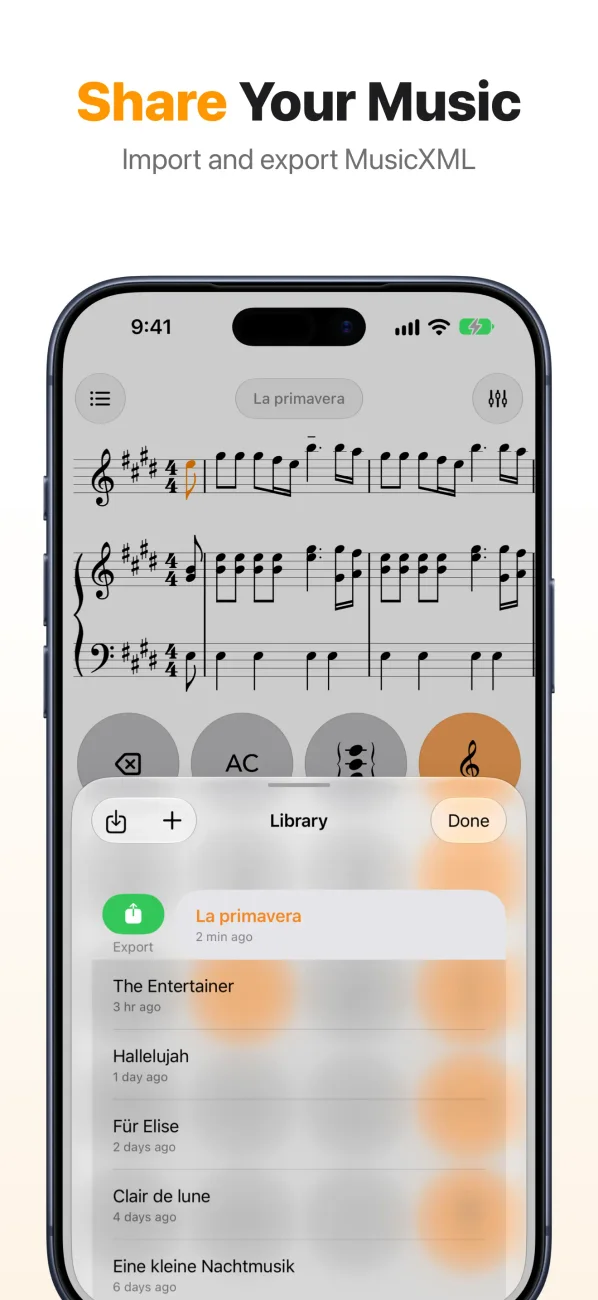
Every passage is saved to your library and named for you. Import MusicXML (.musicxml, .xml, .mxl) from other notation apps, with its notes, rhythms, keys and clefs, and export MusicXML to finish a piece in desktop notation software.
Built for iPhone, one-handed, and for iPad, with a full-width keypad and a library sidebar. Pinch or double-tap to zoom. There are no ads and no account to create, and your music stays on your device.
WHAT IT ISN'T
Music Calculator is built for short passages and ideas, not symphonies. It doesn't do dynamics, slurs, lyrics or chord symbols, print or export PDFs, export audio or MIDI, or scan sheet music. If you need those, a desktop engraving program is the right tool. If you want to write a passage down and hear it in seconds, this is.
TRY IT FREE
To use Music Calculator, choose a monthly or annual subscription, each with a 7-day free trial for new subscribers, or a one-time lifetime purchase. The subscription is called Music Calculator Pro on Apple's purchase sheet and in your Apple Account settings.
Payment is charged to your Apple Account at confirmation of purchase, or at the end of the free trial. Subscriptions renew automatically unless canceled at least 24 hours before the end of the current period, and your account is charged for renewal within 24 hours before the period ends. You can manage or cancel subscriptions in your Apple Account settings. Any unused portion of a free trial is forfeited when you buy a subscription.
Privacy Policy: https://music-calculator.app/privacy
Terms of Use (EULA): https://www.apple.com/legal/internet-services/itunes/dev/stdeula/
Yenilikler
Sürüm 4.0.2 · 05.11.2026
Two fixes for writing in more than one voice:
• When another voice fills a pickup measure, the next note now goes into the first full measure, instead of making the pickup longer.
• If you choose a tuplet while starting a new voice, the voice now begins with that tuplet, instead of the tuplet going into voice 1.
Uygulama gizliliği
Bu uygulamanın verileri nasıl işlediği hakkında JET Powered Apps Ltd. tarafından App Store üzerinde yapılan beyan.
-
Sizinle ilişkilendirilmeyen veriler
Toplanabilir ancak kimliğinizle ilişkilendirilmez.
- Satın alımlar
- Konum
- Tanımlayıcılar
- Kullanım verileri
- Tanılama
Gizlilik uygulamaları, örneğin kullandığınız özelliklere veya yaşınıza göre değişiklik gösterebilir.
Bilgiler
- Satıcı
- JET Powered Apps Ltd.
- Kategori
- Müzik
- Sürüm
- 4.0.2
- Güncellendi
- 05.11.2026
- Yayın tarihi
- 24.03.2026
- Boyut
- 53,4 MB
- Gereksinim
- iOS 18.0 veya sonrası
- Yaş sınırı
- 4+
- Fiyat
- Ücretsiz
- Uygulama içi satın alma
- Evet
- Diller
- İngilizce, Fransızca, Almanca, Hindi, İtalyanca, Japonca, Korece, Portekizce, Basitleştirilmiş Çince, İspanyolca, Geleneksel Çince
- Telif hakkı
- © 2026 JET Powered Apps Ltd