Music Calculator: Notation
A sketchpad to write music
Designed for iPhone, iPad
Free · In-app purchases
- Age rating4+
- CategoryMusic
- DeveloperJET Powered Apps Ltd.
- LanguagesEnglish+ 10 more
- Size53.4 MB
Links to the official App Store page
Download.org hosts no file of Music Calculator: Notation. The button opens its official App Store page, published by JET Powered Apps Ltd. Listing last checked on Nov 12, 2026.
Screenshots


About
A sketchpad for music, for practice and for composing. Notes go in on a keypad as quick as a calculator, and play back exactly as written.
FOR PRACTICE
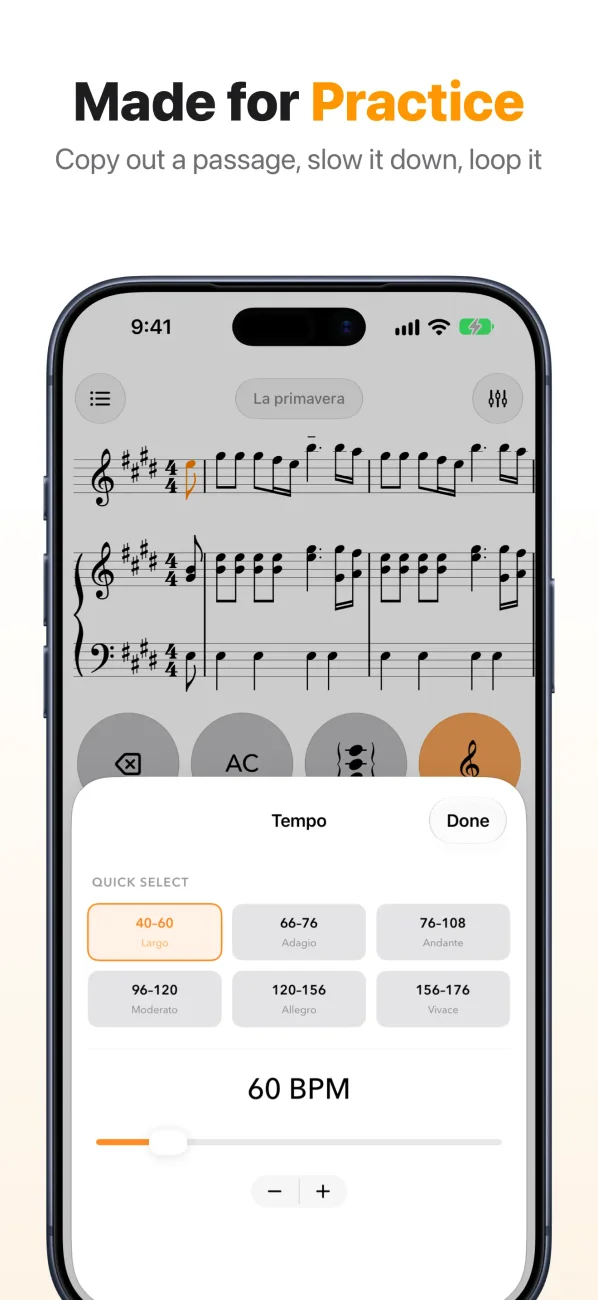
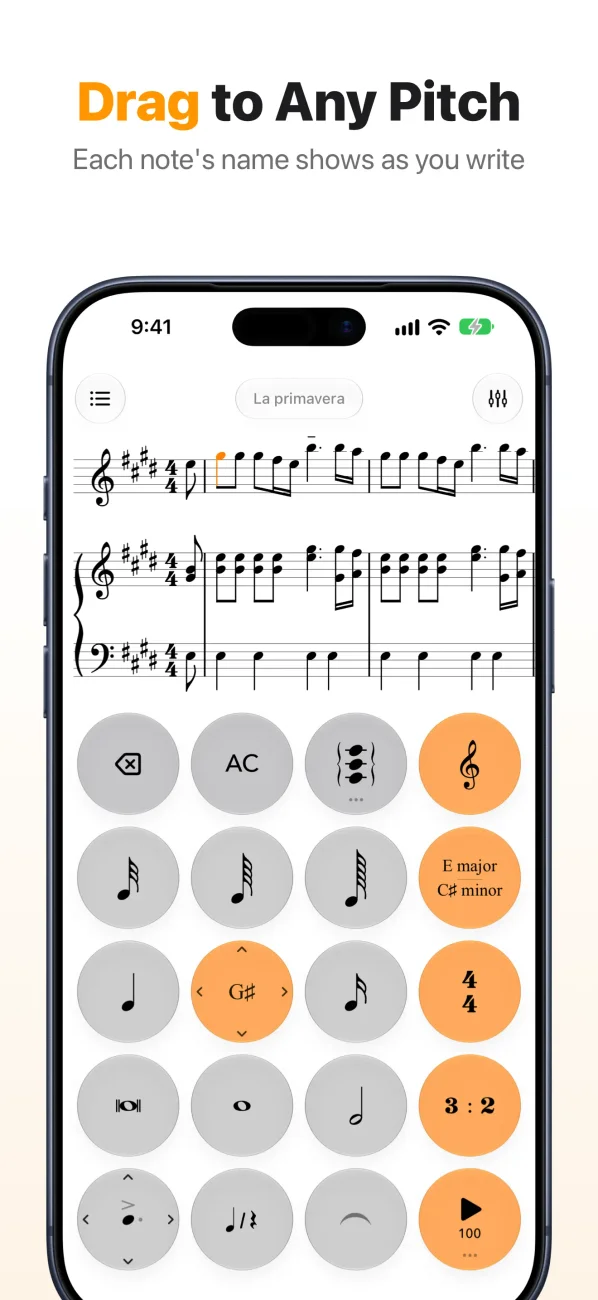
Copy out what you're learning: an exercise, a few difficult measures, the piece your teacher assigned. Hear how it should sound, then slow it down, loop it, and raise the tempo as you improve. Pianists can write both hands on a grand staff, and choirs can write out all four parts and hear them together. Check your rhythm counting or your harmony homework by ear. The keypad is simple enough for children to use, and the selected note's name, such as F#, shows on its key as you write.
FOR COMPOSING
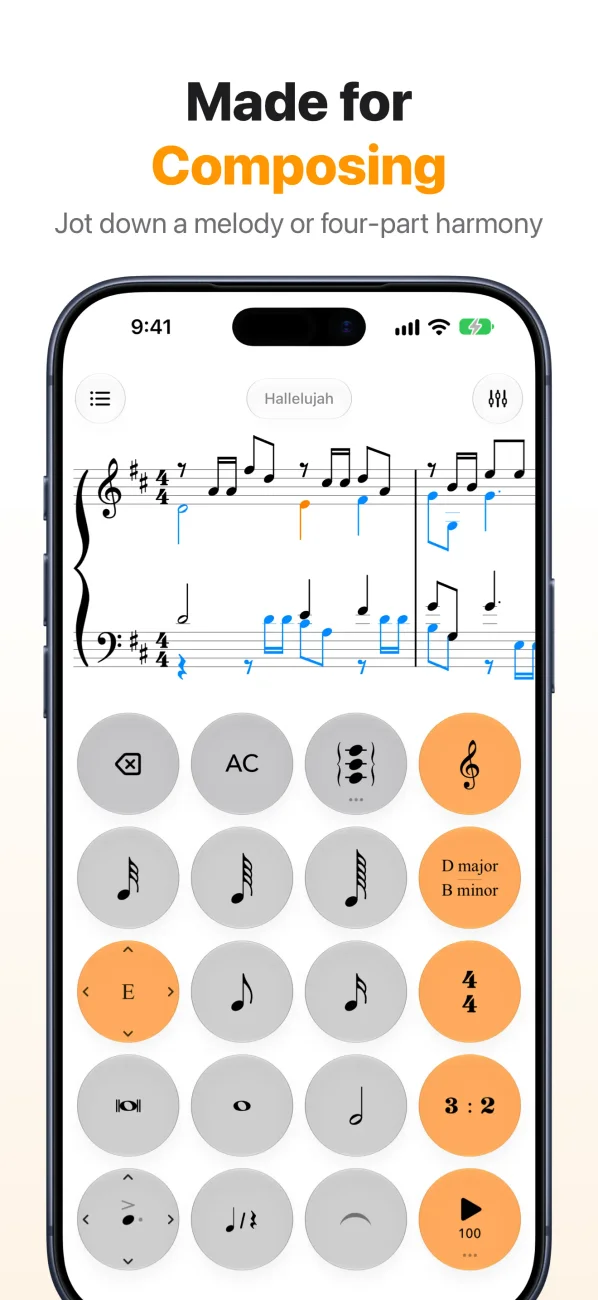
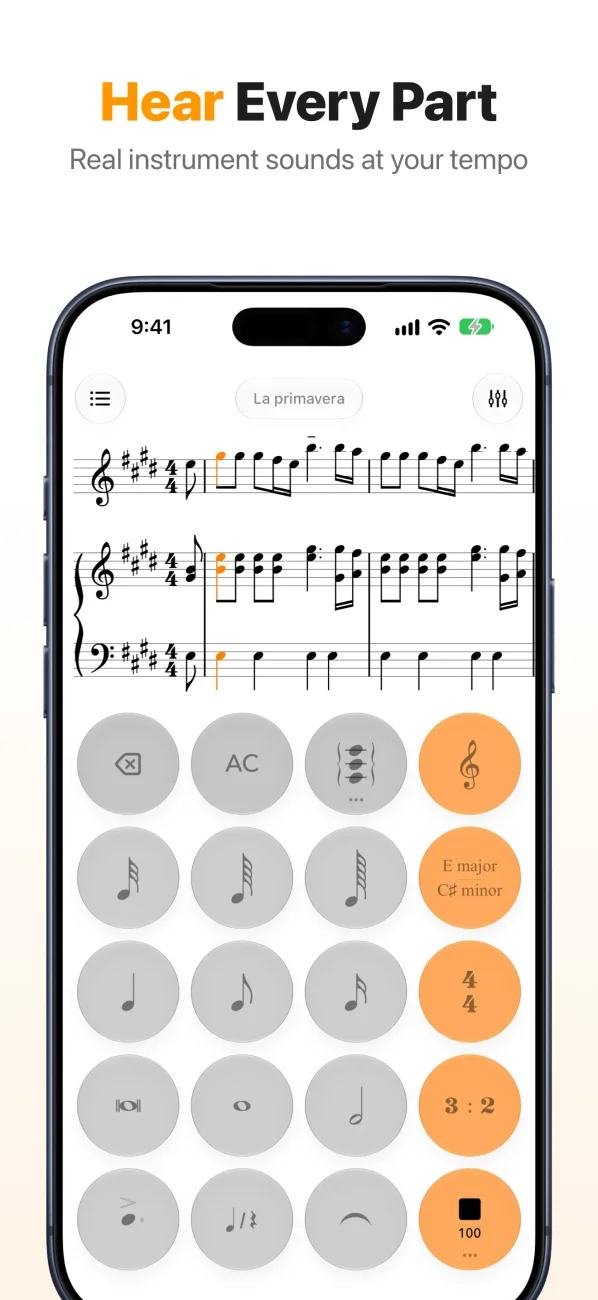
Write down a melody, a chord progression or a four-part harmony before you forget it, and hear every part played back with real instrument sounds. Use one instrument or several, with up to four voices on each staff, and keep every idea in your library.
HOW IT WORKS
Tap a note value to add a note, drag up or down to set its pitch, and drag sideways for sharps and flats. The keys are large, so there are no toolbars of tiny icons and no stylus.
WRITE IT
• Notes and rests from double whole notes to 128th notes, with up to three dots
• Chords, and up to four voices per staff, each in its own color with stems placed for you
• Several parts, each with as many staves as it needs: a piano grand staff, SATB on two staves, a duet, a small group
• Treble, bass, alto and tenor clefs, with clef changes anywhere
• Every key signature, chosen from an interactive circle of fifths, with key changes anywhere
• Simple and compound time signatures, and a pickup measure where a piece starts with one
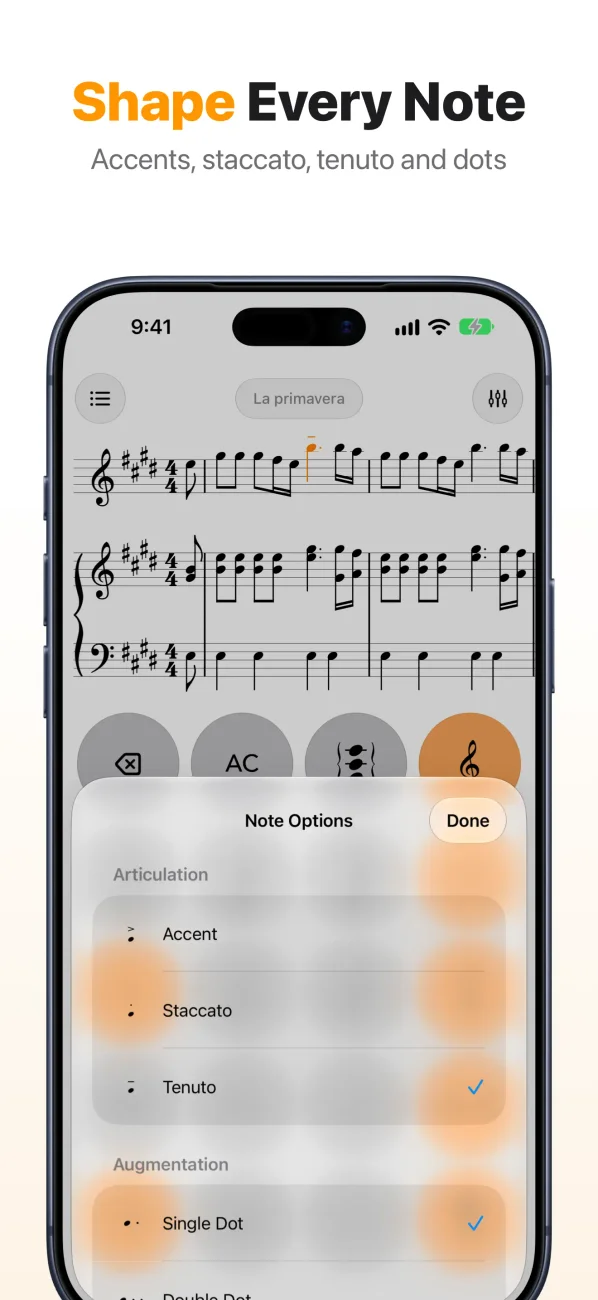
• Ties, accidentals, staccato, accents and tenuto
• Triplets, quintuplets and nested tuplets
• Automatic beaming
HEAR IT
• Precise playback in pitch, rhythm and tempo, looping continuously
• Long-press play to set the tempo, from 30 to 240 BPM, even while the music plays: slow a passage down as far as you need, then raise the tempo as your playing improves
• 25 instrument sounds, from grand piano and harpsichord to strings, brass, woodwinds, harp and guitar
• Two metronome channels and a volume for every part
• The score glides along as it plays and each note lights up as it sounds
KEEP AND SHARE IT
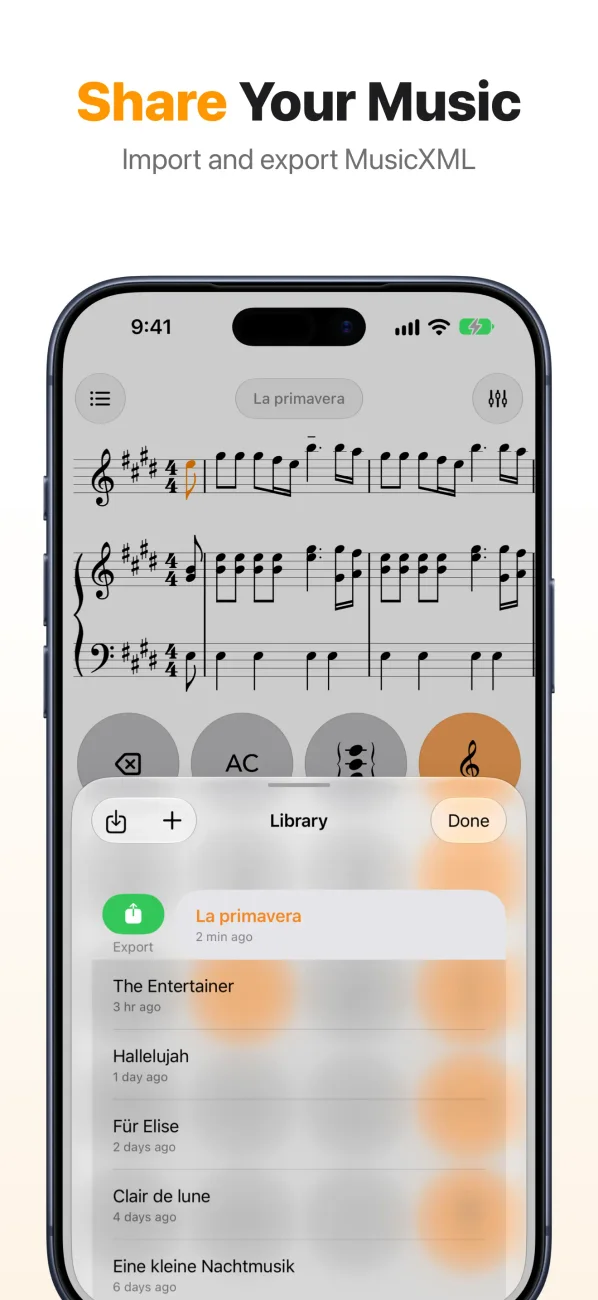
Every passage is saved to your library and named for you. Import MusicXML (.musicxml, .xml, .mxl) from other notation apps, with its notes, rhythms, keys and clefs, and export MusicXML to finish a piece in desktop notation software.
Built for iPhone, one-handed, and for iPad, with a full-width keypad and a library sidebar. Pinch or double-tap to zoom. There are no ads and no account to create, and your music stays on your device.
WHAT IT ISN'T
Music Calculator is built for short passages and ideas, not symphonies. It doesn't do dynamics, slurs, lyrics or chord symbols, print or export PDFs, export audio or MIDI, or scan sheet music. If you need those, a desktop engraving program is the right tool. If you want to write a passage down and hear it in seconds, this is.
TRY IT FREE
To use Music Calculator, choose a monthly or annual subscription, each with a 7-day free trial for new subscribers, or a one-time lifetime purchase. The subscription is called Music Calculator Pro on Apple's purchase sheet and in your Apple Account settings.
Payment is charged to your Apple Account at confirmation of purchase, or at the end of the free trial. Subscriptions renew automatically unless canceled at least 24 hours before the end of the current period, and your account is charged for renewal within 24 hours before the period ends. You can manage or cancel subscriptions in your Apple Account settings. Any unused portion of a free trial is forfeited when you buy a subscription.
Privacy Policy: https://music-calculator.app/privacy
Terms of Use (EULA): https://www.apple.com/legal/internet-services/itunes/dev/stdeula/
What’s new
Version 4.0.2 · Nov 5, 2026
Two fixes for writing in more than one voice:
• When another voice fills a pickup measure, the next note now goes into the first full measure, instead of making the pickup longer.
• If you choose a tuplet while starting a new voice, the voice now begins with that tuplet, instead of the tuplet going into voice 1.
App privacy
What JET Powered Apps Ltd. declares on the App Store about how this app handles data.
-
Data not linked to you
May be collected but is not linked to your identity.
- Purchases
- Location
- Identifiers
- Usage data
- Diagnostics
Privacy practices may vary, for example with the features you use or your age.
Information
- Seller
- JET Powered Apps Ltd.
- Category
- Music
- Version
- 4.0.2
- Updated
- Nov 5, 2026
- Released
- Mar 24, 2026
- Size
- 53.4 MB
- Requires
- iOS 18.0 or later
- Age rating
- 4+
- Price
- Free
- In-app purchases
- Yes
- Languages
- English, French, German, Hindi, Italian, Japanese, Korean, Portuguese, Simplified Chinese, Spanish, Traditional Chinese
- Copyright
- © 2026 JET Powered Apps Ltd
You might also like
-
 Rhythm TrainingDictation, Reading, Notation
-
 Music Reader -Sheet Music NoteSmart Music Score Player
-
 LASIDO: learn to read musicimprove your sight-reading
-
 TenutoTheory exercises and tools
-
 Dorico - Compose MusicMusic Notation & Composer App
-
 Score Creator: Sheet MusicAccompaniment & PDF/Photo Scan
-
 iReal ProMusic Book & Backing Tracks
-
 Music Rhythm TrainerSight reading & ear training
-
 Notion: Music Notation & TabCompose anywhere
-
 EarMaster - Music TheoryEar training & sight-singing