NanoKeycap
Mechanical Keyboard Themes
iPhone, iPad için tasarlandı
Ücretsiz · Uygulama içi satın alma
- Yaş sınırı4+
- KategoriÜretkenlik
- Geliştirici恒俭 董
- Dillerİngilizce+ 7 dil daha
- Boyut42,0 MB
Resmi App Store sayfasına bağlanır
Download.org, NanoKeycap için hiçbir dosya barındırmaz. Düğme, uygulamanın App Store üzerindeki sayfasını açar; uygulamayı orada 恒俭 董 yayınlar. Sayfanın son kontrolü: 23.11.2026.
Ekran görüntüleri

Hakkında
Geliştirici bu metni dilinizde sunmamış.
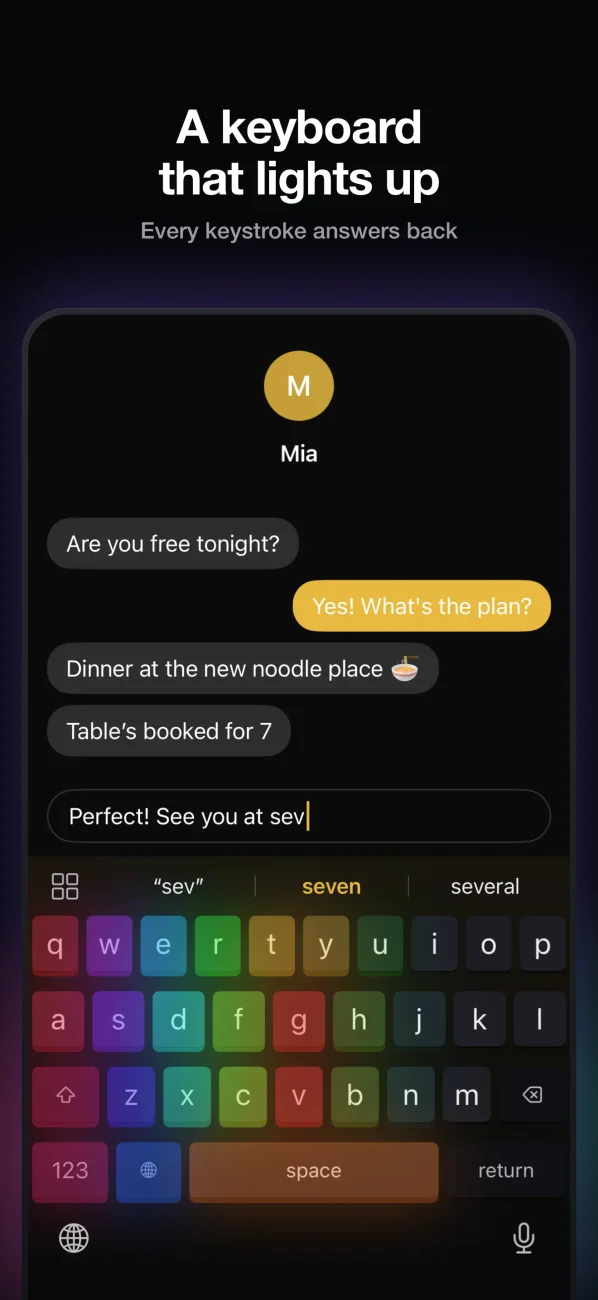
Watch your keyboard light up. NanoKeycap turns the keyboard on your iPhone and iPad into a mechanical one: keycaps you can see, switch sounds you can hear, lighting that answers every keystroke — and nothing you type ever leaves your device.
Typing languages: English, Spanish, German, French, Chinese (Pinyin, simplified or traditional), Japanese (flick or romaji) and Korean (2-Set).
LOOK
• 18 themes in four families — solid, gradient, 3D keycaps and glass — including two high-contrast themes
• 7 lighting effects that react as you type, from a soft bloom to a full RGB wave
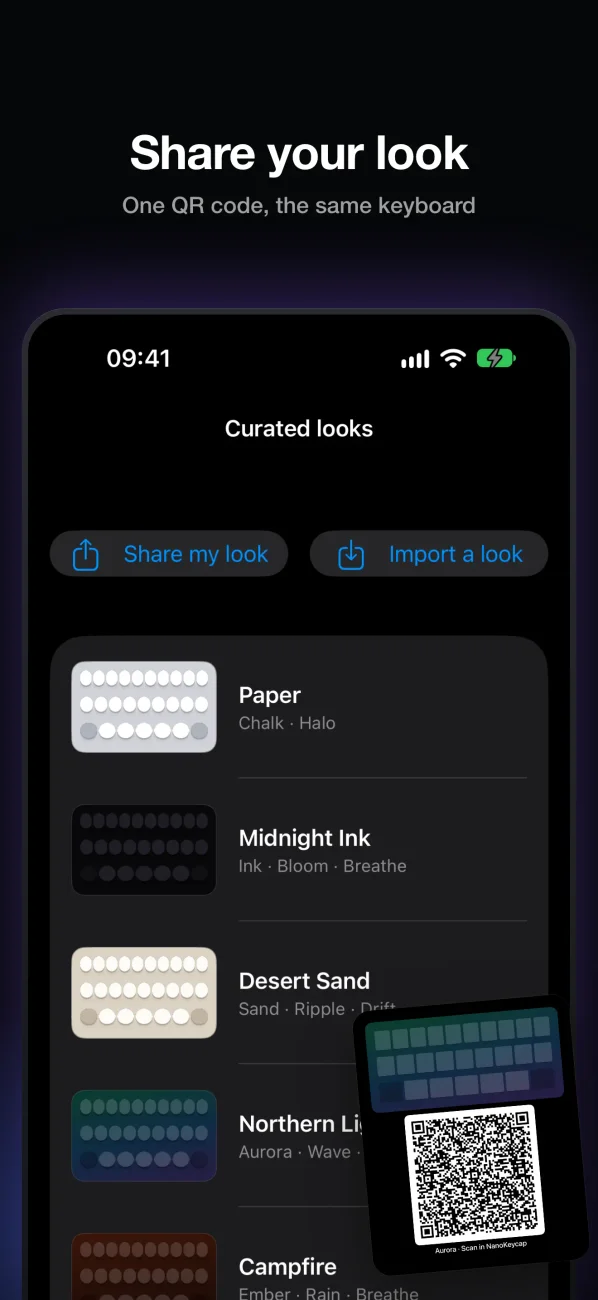
• 12 curated looks that set theme, lighting and background in one tap
• Share your look as a QR card: a friend scans it and gets the same keyboard
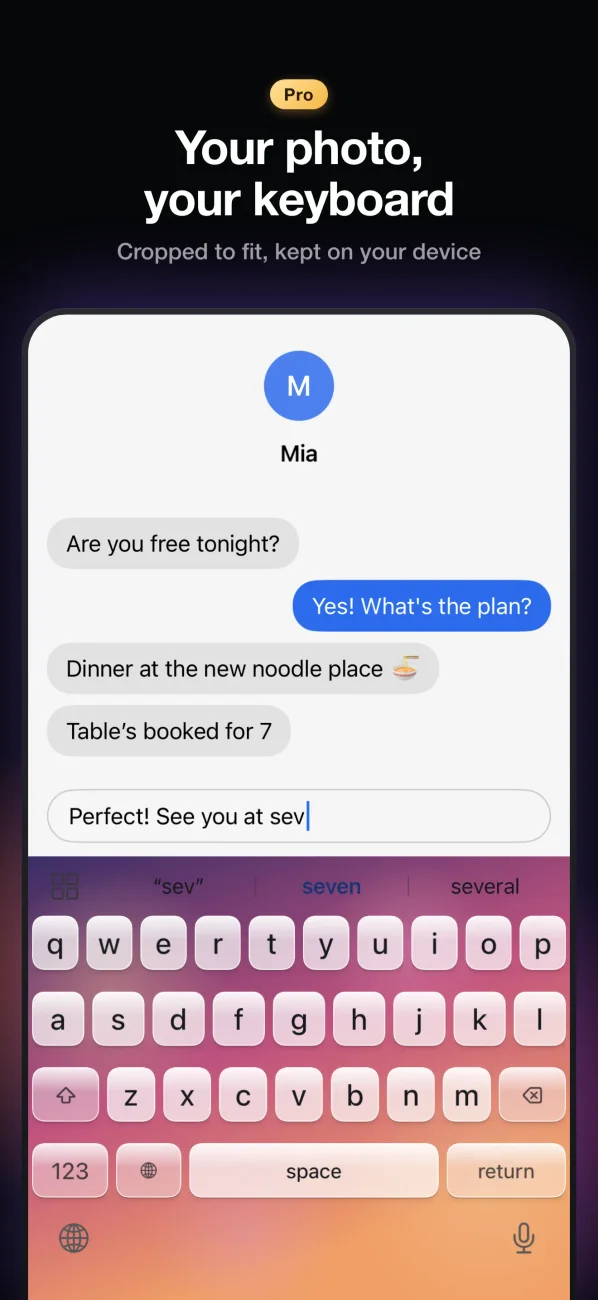
• Your own photo as the keyboard background (Pro)
• Light and dark mode, adjustable height and key corners, optional number row
FEEL
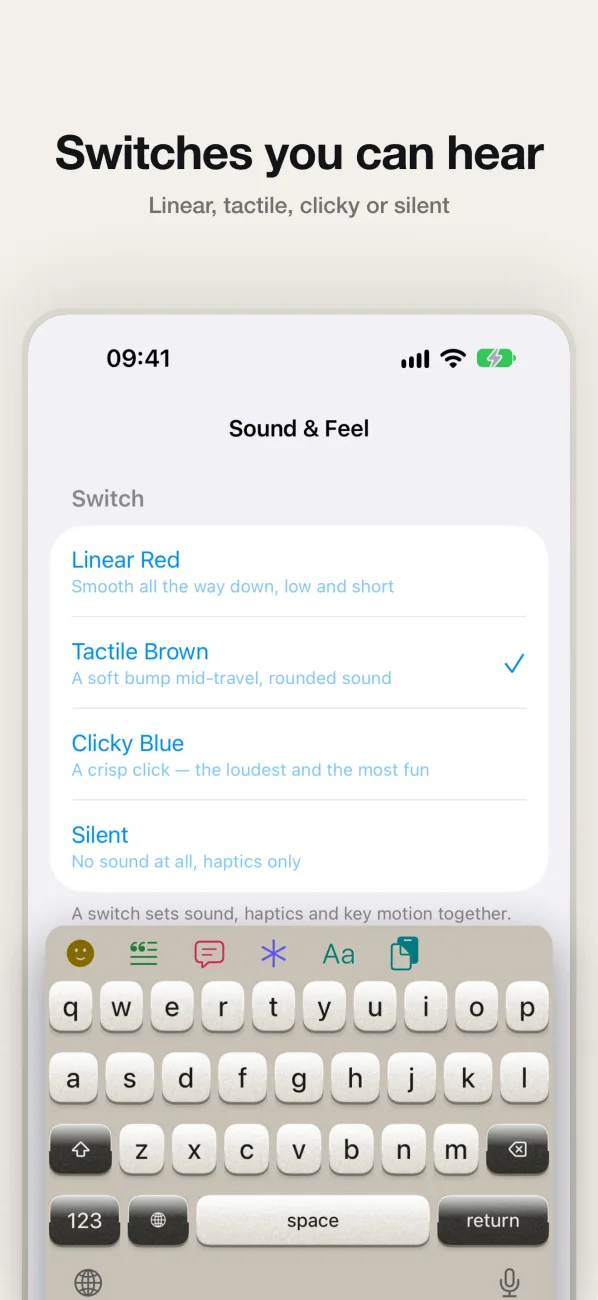
• 4 switch presets with their own sounds: Linear Red, Tactile Brown, Clicky Blue and Silent
• Haptic feedback on every key
TYPE
• Chinese Pinyin input on a full keyboard or 9-key; fuzzy pinyin and traditional characters are optional
• Japanese input with flick or romaji, and kana-to-kanji conversion
• Korean input on the standard 2-Set layout
• One language key switches between the languages you turn on; everything is converted and learned on your device
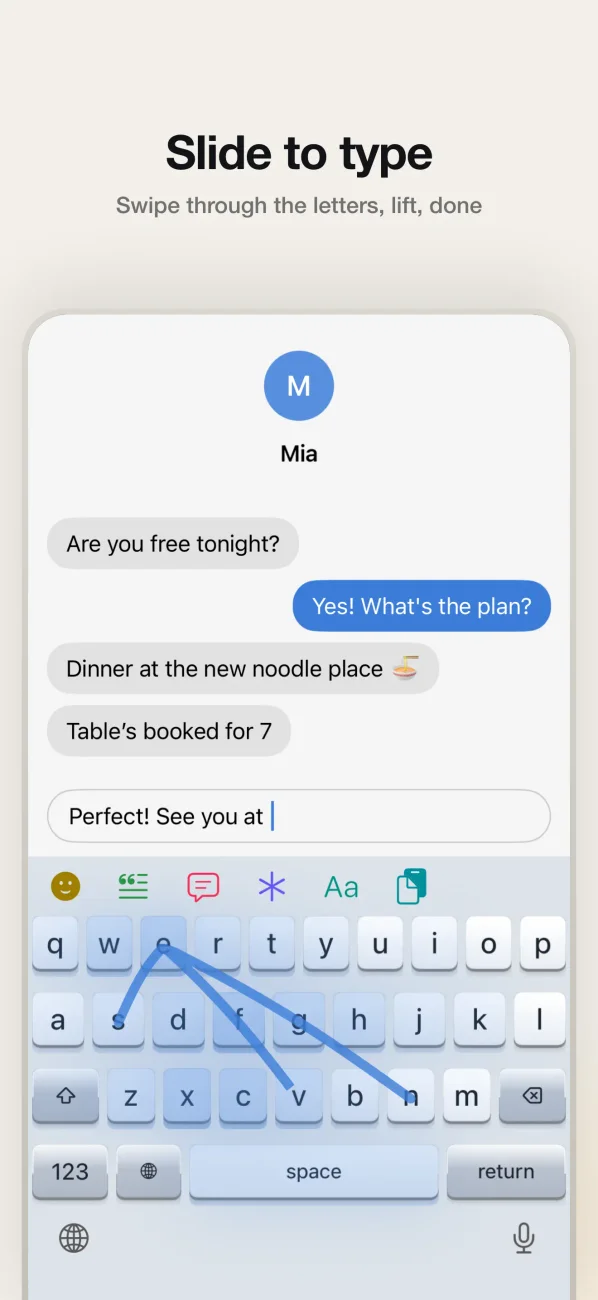
• Swipe typing: slide through the letters of a word and lift — the word is typed for you
• Autocorrect, word suggestions and next-word prediction
• Learns your words from what you type — on your device only
• Follows along when you switch between your typing languages
• Phrases: your own ready-made sentences, one tap to send
• Fancy text: pick one of 17 styles and type, or restyle a sentence you already typed
• Emoji with skin tones, kaomoji and 360+ symbols such as ⌘ → ≈ €: circled numbers, checkmarks, units, Greek letters
• Hold the space bar to move the cursor like a trackpad
• Custom dictionaries for names and jargon — from a link, a file or pasted text
• Portrait and landscape, iPhone and iPad; VoiceOver support; respects Reduce Motion
EASY MODE
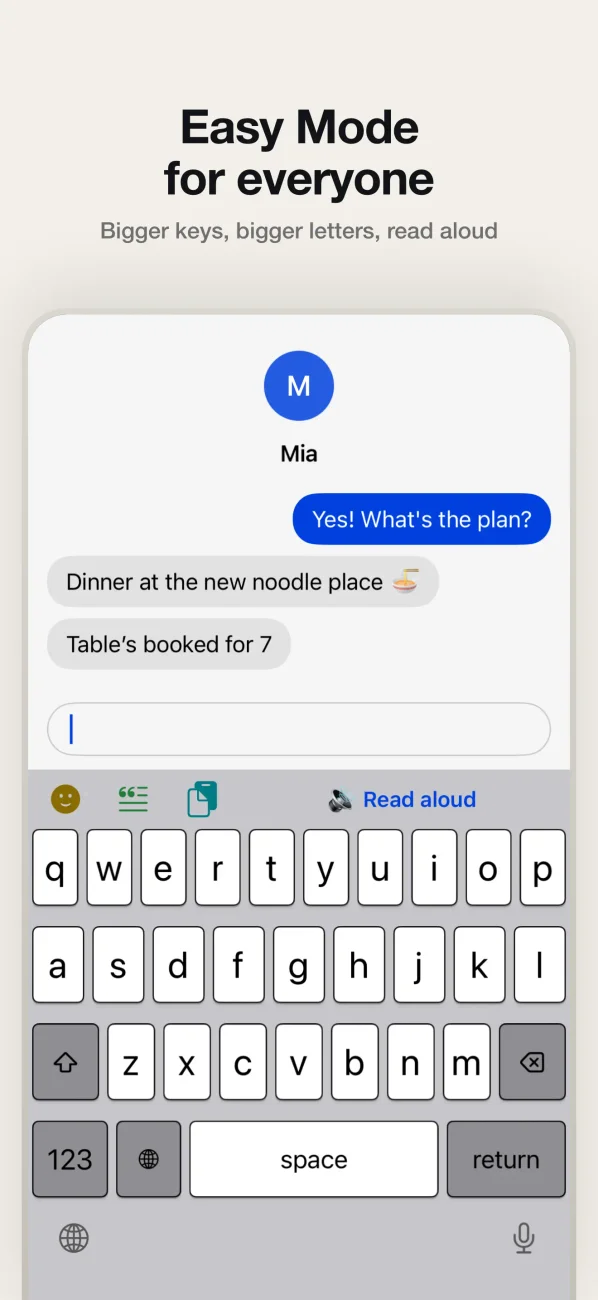
• One switch for bigger keys, bigger letters and high contrast, with the extras tucked away
• Read aloud: hear the sentence you just typed (needs Full Access)
• Switch it off and every setting goes back to how it was
TYPING STATS
• Keystrokes this week, words and your streak, with a card to share
• Numbers only — never what you type, which app you're in, or when
PRIVACY FIRST
• The keyboard contains no networking code. What you type stays on your device.
• Chinese, Japanese and Korean input work fully offline: no cloud suggestions, nothing to upload.
• No account, no analytics, no ads, no tracking.
• Full Access is optional. The keyboard works fully without it; it is only needed for clipboard history, haptics, the switch sound packs, Easy Mode's read aloud, and showing your typing stats in the app.
NANOKEYCAP PRO — ONE-TIME PURCHASE
Everything above is included unless marked Pro. Pro is a single purchase, not a subscription, and adds:
• Your own lighting effects
• Symbols or emoji on any keycap
• Your own key layout
• Haptic strength and sharpness tuning
• Your own photo as the keyboard background
• Clipboard history, kept on your device; unpinned items clear after 7 days
Yenilikler
Sürüm 1.4.0 · 14.11.2026
New in 1.4:
• Make your own theme: start from any theme and change the background, keys, text and accent color (Pro — try it free, save with Pro)
• Keycap fonts: Default, Rounded, Serif or Mono, for every theme
• Swipe trails: Accent, Neon, Rainbow, Comet and Stardust
• Easter eggs: type "happy birthday", "good night" or "love you" and the keyboard plays a small effect
• Emoji suggestions after a word, and search in the emoji panel
• Chinese: sentences that read right, using common word pairs (你睡了吗, not 你谁了吗), plus next-word suggestions
• One-tap paste: copy something and a Paste button waits in the suggestion bar (Full Access)
• One-handed keyboard: hold 123 to move the keys left or right
• Your Text Replacement shortcuts from Settings now work here
• The language key now shows where you are and where it goes next, e.g. 中/EN
• Year in review: from December, your typing year as a card to share
• Lower memory use and steadier first launch
Uygulama gizliliği
Bu uygulamanın verileri nasıl işlediği hakkında 恒俭 董 tarafından App Store üzerinde yapılan beyan.
-
Veri toplanmıyor
Geliştirici bu uygulamadan hiçbir veri toplamıyor.
Gizlilik uygulamaları, örneğin kullandığınız özelliklere veya yaşınıza göre değişiklik gösterebilir.
Bilgiler
- Satıcı
- 恒俭 董
- Kategori
- Üretkenlik
- Sürüm
- 1.4.0
- Güncellendi
- 14.11.2026
- Yayın tarihi
- 07.10.2026
- Boyut
- 42,0 MB
- Gereksinim
- iOS 18.0 veya sonrası
- Yaş sınırı
- 4+
- Fiyat
- Ücretsiz
- Uygulama içi satın alma
- Evet
- Diller
- İngilizce, Fransızca, Almanca, Japonca, Korece, Basitleştirilmiş Çince, İspanyolca, Geleneksel Çince
- Telif hakkı
- © 2026 levi