NanoKeycap
Mechanical Keyboard Themes
Được thiết kế cho iPhone, iPad
Miễn phí · Mua hàng trong ứng dụng
- Độ tuổi4+
- Danh mụcHiệu Suất
- Nhà phát triển恒俭 董
- Ngôn ngữTiếng Anh+ 7 ngôn ngữ khác
- Kích thước42,0 MB
Liên kết đến trang App Store chính thức
Download.org không lưu trữ tệp nào của NanoKeycap. Nút này mở trang ứng dụng trên App Store, nơi 恒俭 董 phát hành ứng dụng. Trang được kiểm tra lần cuối: 23/11/2026.
Ảnh chụp màn hình

Giới thiệu
Nhà phát triển chưa cung cấp nội dung này bằng ngôn ngữ của bạn.
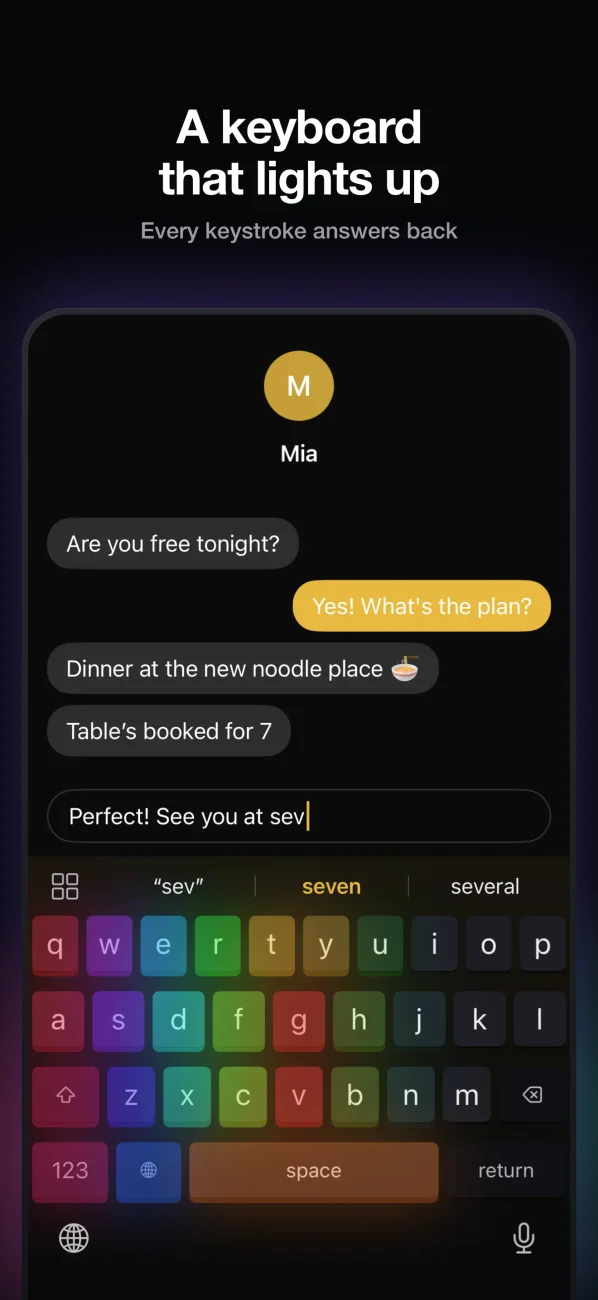
Watch your keyboard light up. NanoKeycap turns the keyboard on your iPhone and iPad into a mechanical one: keycaps you can see, switch sounds you can hear, lighting that answers every keystroke — and nothing you type ever leaves your device.
Typing languages: English, Spanish, German, French, Chinese (Pinyin, simplified or traditional), Japanese (flick or romaji) and Korean (2-Set).
LOOK
• 18 themes in four families — solid, gradient, 3D keycaps and glass — including two high-contrast themes
• 7 lighting effects that react as you type, from a soft bloom to a full RGB wave
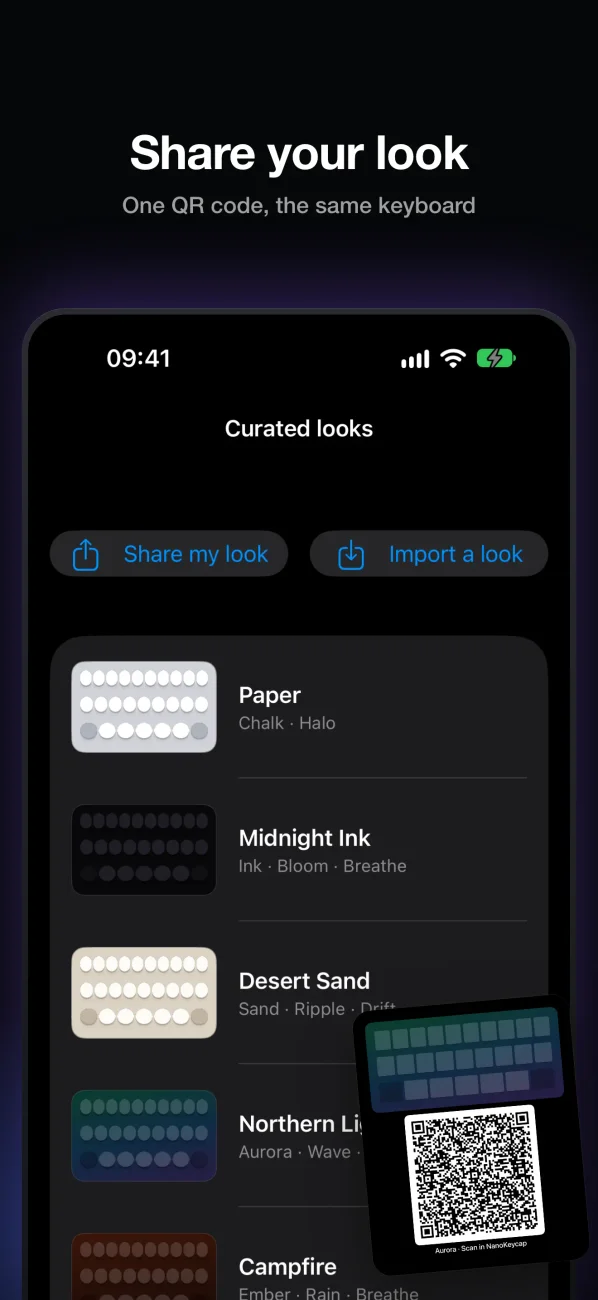
• 12 curated looks that set theme, lighting and background in one tap
• Share your look as a QR card: a friend scans it and gets the same keyboard
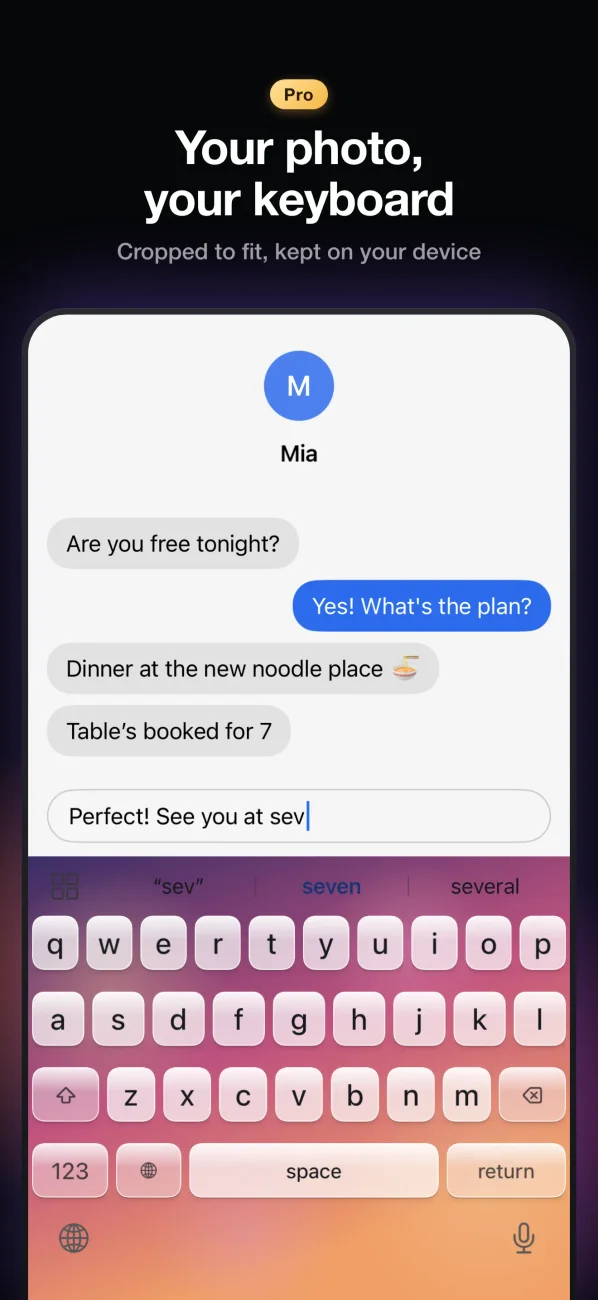
• Your own photo as the keyboard background (Pro)
• Light and dark mode, adjustable height and key corners, optional number row
FEEL
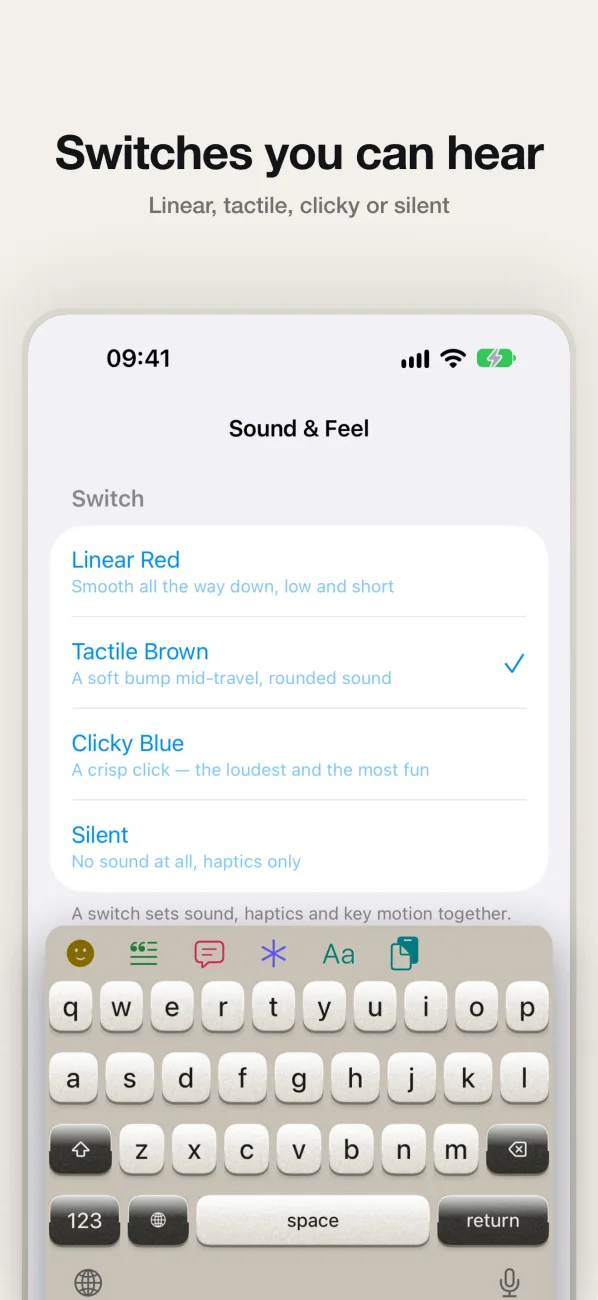
• 4 switch presets with their own sounds: Linear Red, Tactile Brown, Clicky Blue and Silent
• Haptic feedback on every key
TYPE
• Chinese Pinyin input on a full keyboard or 9-key; fuzzy pinyin and traditional characters are optional
• Japanese input with flick or romaji, and kana-to-kanji conversion
• Korean input on the standard 2-Set layout
• One language key switches between the languages you turn on; everything is converted and learned on your device
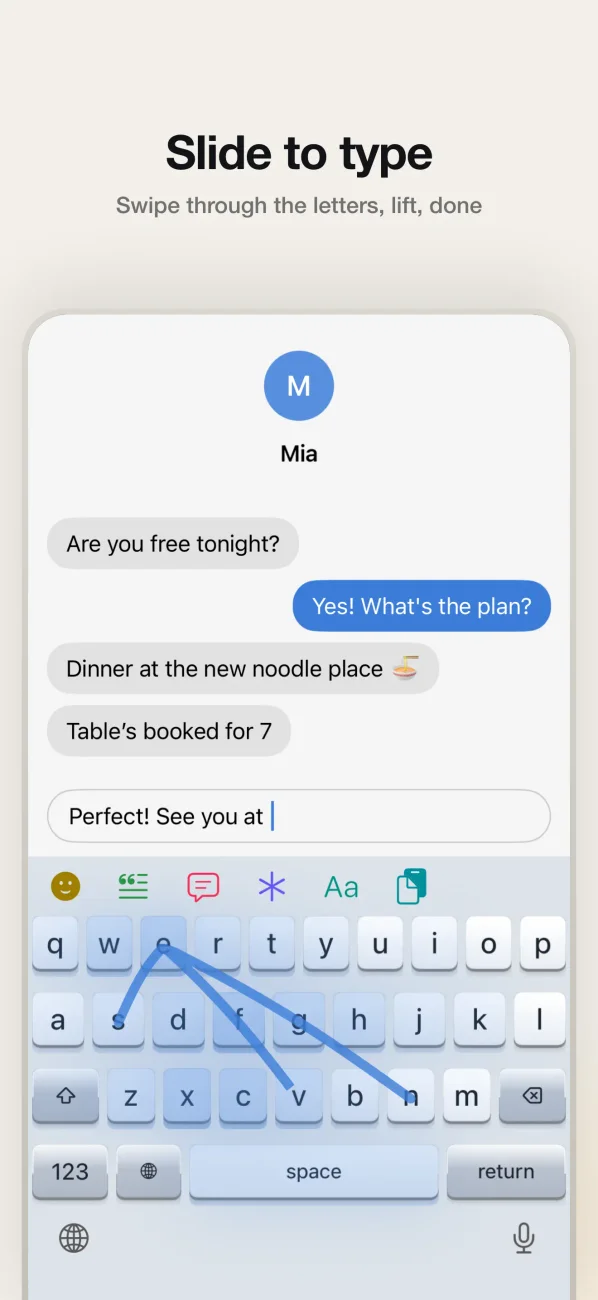
• Swipe typing: slide through the letters of a word and lift — the word is typed for you
• Autocorrect, word suggestions and next-word prediction
• Learns your words from what you type — on your device only
• Follows along when you switch between your typing languages
• Phrases: your own ready-made sentences, one tap to send
• Fancy text: pick one of 17 styles and type, or restyle a sentence you already typed
• Emoji with skin tones, kaomoji and 360+ symbols such as ⌘ → ≈ €: circled numbers, checkmarks, units, Greek letters
• Hold the space bar to move the cursor like a trackpad
• Custom dictionaries for names and jargon — from a link, a file or pasted text
• Portrait and landscape, iPhone and iPad; VoiceOver support; respects Reduce Motion
EASY MODE
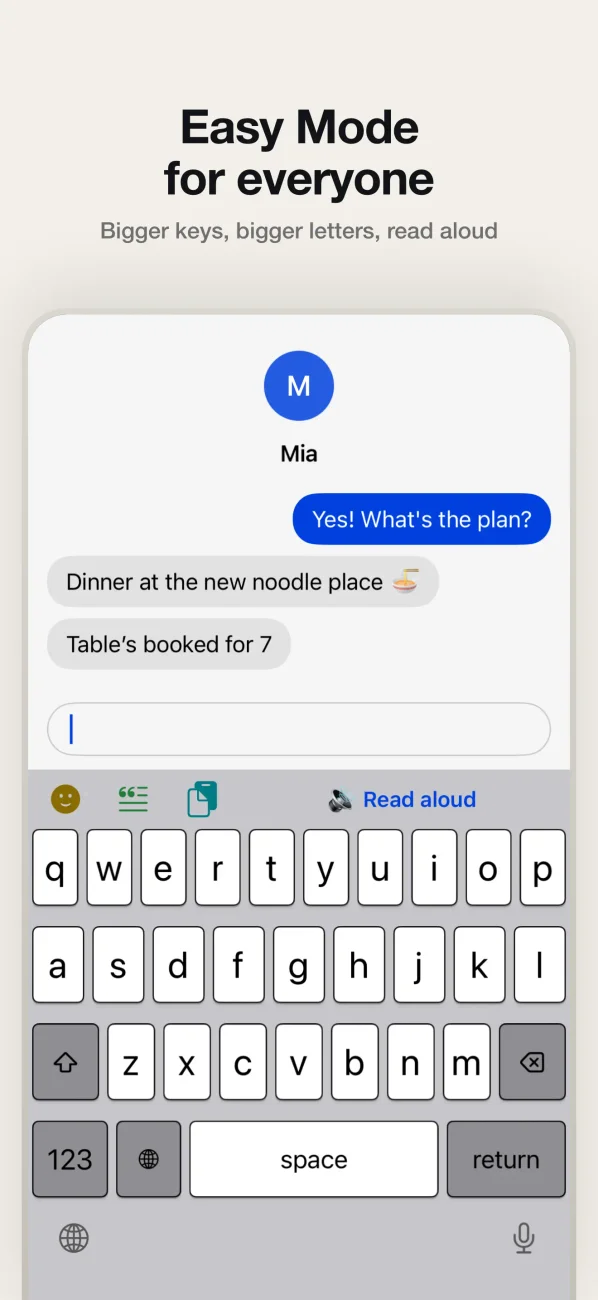
• One switch for bigger keys, bigger letters and high contrast, with the extras tucked away
• Read aloud: hear the sentence you just typed (needs Full Access)
• Switch it off and every setting goes back to how it was
TYPING STATS
• Keystrokes this week, words and your streak, with a card to share
• Numbers only — never what you type, which app you're in, or when
PRIVACY FIRST
• The keyboard contains no networking code. What you type stays on your device.
• Chinese, Japanese and Korean input work fully offline: no cloud suggestions, nothing to upload.
• No account, no analytics, no ads, no tracking.
• Full Access is optional. The keyboard works fully without it; it is only needed for clipboard history, haptics, the switch sound packs, Easy Mode's read aloud, and showing your typing stats in the app.
NANOKEYCAP PRO — ONE-TIME PURCHASE
Everything above is included unless marked Pro. Pro is a single purchase, not a subscription, and adds:
• Your own lighting effects
• Symbols or emoji on any keycap
• Your own key layout
• Haptic strength and sharpness tuning
• Your own photo as the keyboard background
• Clipboard history, kept on your device; unpinned items clear after 7 days
Có gì mới
Phiên bản 1.4.0 · 14/11/2026
New in 1.4:
• Make your own theme: start from any theme and change the background, keys, text and accent color (Pro — try it free, save with Pro)
• Keycap fonts: Default, Rounded, Serif or Mono, for every theme
• Swipe trails: Accent, Neon, Rainbow, Comet and Stardust
• Easter eggs: type "happy birthday", "good night" or "love you" and the keyboard plays a small effect
• Emoji suggestions after a word, and search in the emoji panel
• Chinese: sentences that read right, using common word pairs (你睡了吗, not 你谁了吗), plus next-word suggestions
• One-tap paste: copy something and a Paste button waits in the suggestion bar (Full Access)
• One-handed keyboard: hold 123 to move the keys left or right
• Your Text Replacement shortcuts from Settings now work here
• The language key now shows where you are and where it goes next, e.g. 中/EN
• Year in review: from December, your typing year as a card to share
• Lower memory use and steadier first launch
Quyền riêng tư của ứng dụng
Những gì 恒俭 董 khai báo trên App Store về cách ứng dụng này xử lý dữ liệu.
-
Dữ liệu không được thu thập
Nhà phát triển không thu thập bất kỳ dữ liệu nào từ ứng dụng này.
Phương thức đảm bảo quyền riêng tư có thể khác nhau, chẳng hạn như tuỳ theo các tính năng bạn sử dụng hoặc độ tuổi của bạn.
Thông tin
- Người bán
- 恒俭 董
- Danh mục
- Hiệu Suất
- Phiên bản
- 1.4.0
- Cập nhật
- 14/11/2026
- Phát hành
- 07/10/2026
- Kích thước
- 42,0 MB
- Yêu cầu
- iOS 18.0 trở lên
- Độ tuổi
- 4+
- Giá
- Miễn phí
- Mua hàng trong ứng dụng
- Có
- Ngôn ngữ
- Tiếng Anh, Tiếng Pháp, Tiếng Đức, Tiếng Nhật, Tiếng Hàn, Tiếng Trung Giản thể, Tiếng Tây Ban Nha, Tiếng Trung Phồn thể
- Bản quyền
- © 2026 levi