
NetScanPro: Network Scanner
Private Wi-Fi device finder
iPhone, iPad, Mac için tasarlandı
Ücretsiz · Uygulama içi satın alma
- Yaş sınırı4+
- KategoriYardımcılar
- GeliştiriciFogarty Holdings LLC
- Dillerİngilizce
- Boyut14,0 MB
Resmi App Store sayfasına bağlanır
Download.org, NetScanPro: Network Scanner için hiçbir dosya barındırmaz. Düğme, uygulamanın App Store üzerindeki sayfasını açar; uygulamayı orada Fogarty Holdings LLC yayınlar. Sayfanın son kontrolü: 13.11.2026.
Ekran görüntüleri
Hakkında
Geliştirici bu metni dilinizde sunmamış.
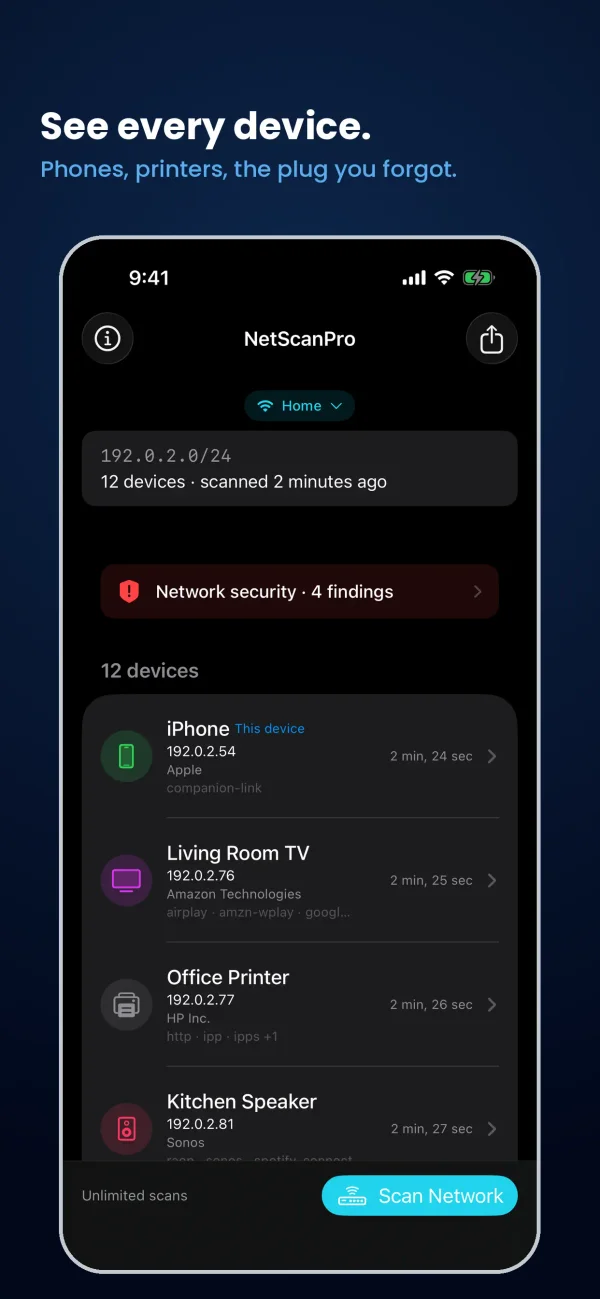
NetScanPro turns your iPhone or iPad into a professional-grade Wi-Fi network scanner. Discover what's on your network, identify what each device actually is, see which services are exposed, and understand what might be at risk — with all scanning and identification happening on your device.
FEATURES
Device Discovery
- Finds devices on your local Wi-Fi network using four discovery methods working in parallel: TCP probing, Bonjour/mDNS, SSDP/UPnP, and ICMP ping
- Shows IP and IPv6 addresses, MAC addresses where available, hostnames, and device categories
- Search by name, IP, vendor, model, MAC address or service, and group devices by type
- Works with Macs, PCs, smart TVs, printers, speakers, Fire TVs, Apple TVs, routers, smart-home and Matter devices, and more
Device Identification
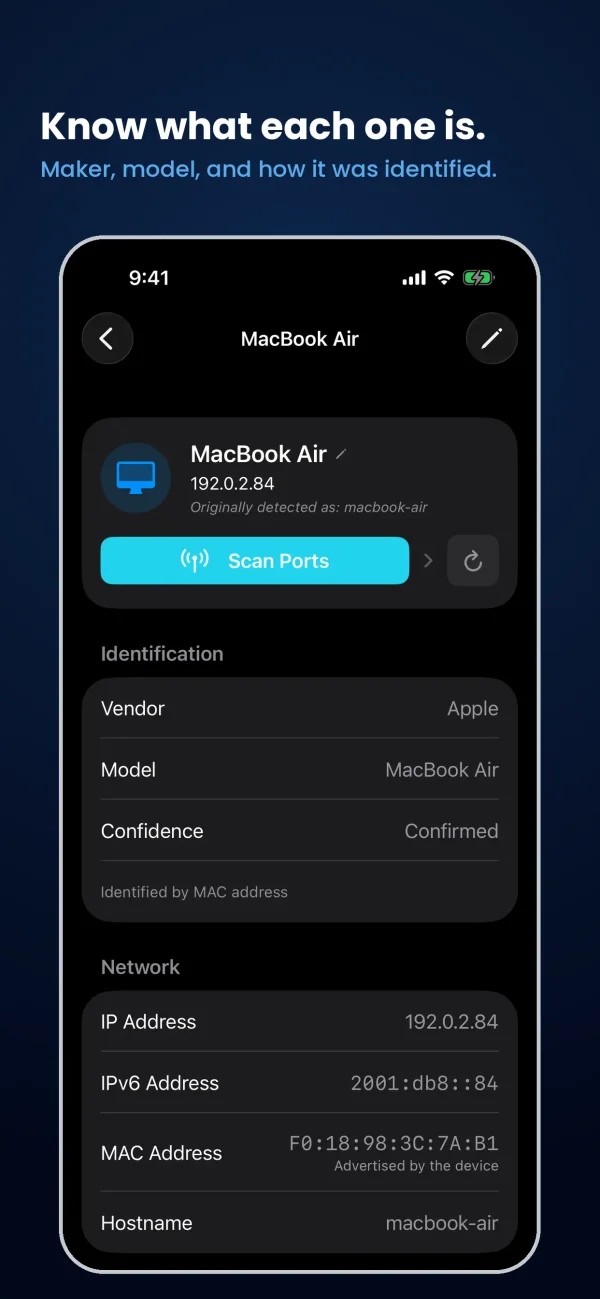
- Identifies devices from Bonjour records, UPnP announcements, open-port patterns, and — for devices that broadcast one, such as AirPlay and Chromecast hardware — MAC vendor prefixes matched against the full IEEE manufacturer database, bundled offline
- Recognizes your router from its UPnP announcement, a known router hostname, or your network's gateway address
- Every identification carries a confidence level, so you can tell a confirmed match from a best guess
- The device you're scanning from identifies itself
- Devices that share nothing identifiable stay unlabeled rather than mislabeled
Port Scanning with Plain-Language Descriptions (Pro)
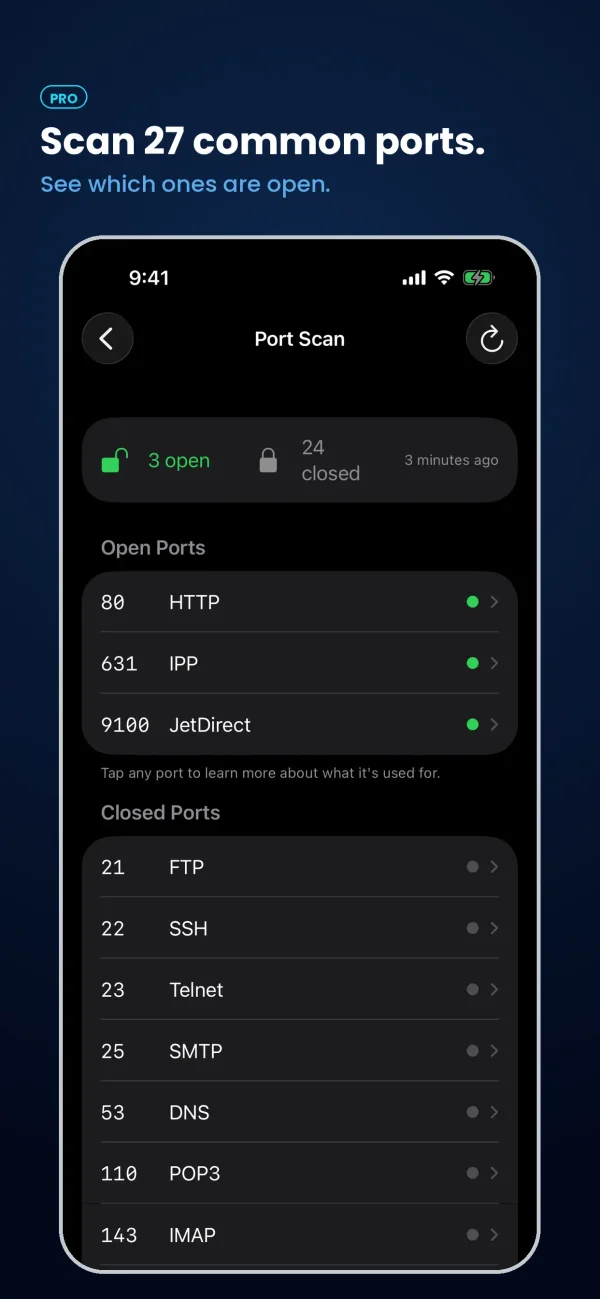
- Tap any device to scan 27 common TCP ports
- Identifies HTTP, HTTPS, SSH, FTP, SMB, IPP, RDP, VNC, and more
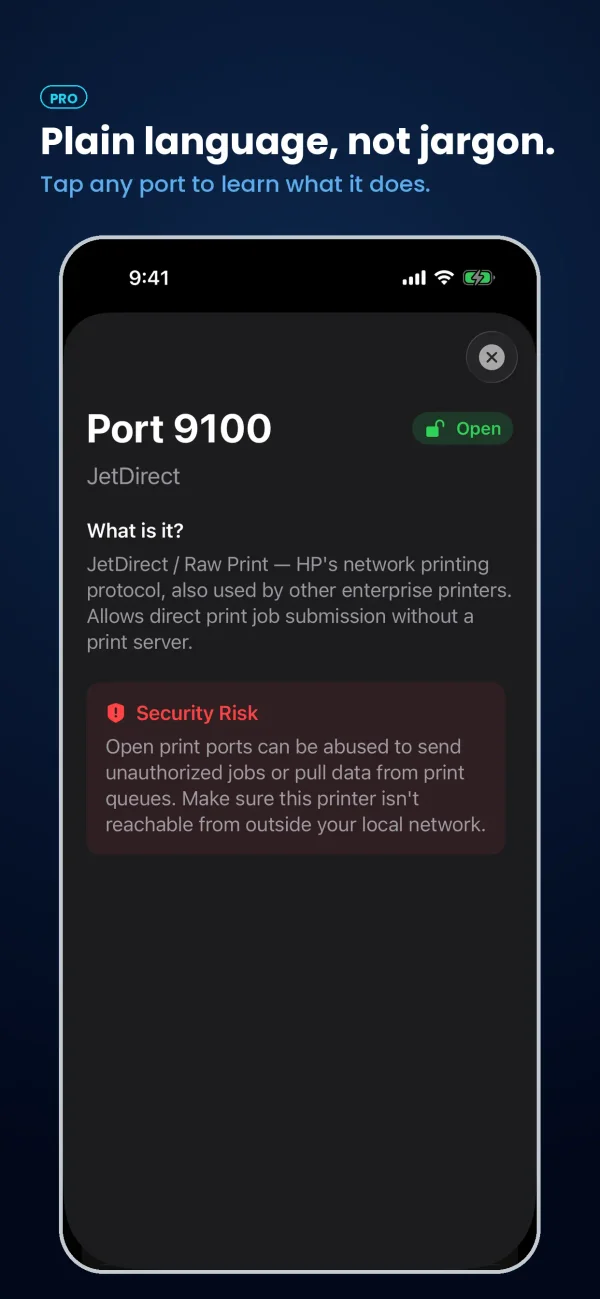
- Tap any port to learn what it actually does — no networking degree required
- Security guidance for sensitive ports explains real-world risks like WannaCry, credential exposure, and exposed cameras and printers, with severity tiers so you know what needs attention
- Devices with a web port open get a one-tap link into Safari — the fastest way to identify something that won't tell you its name
Network Security Summary (Pro)
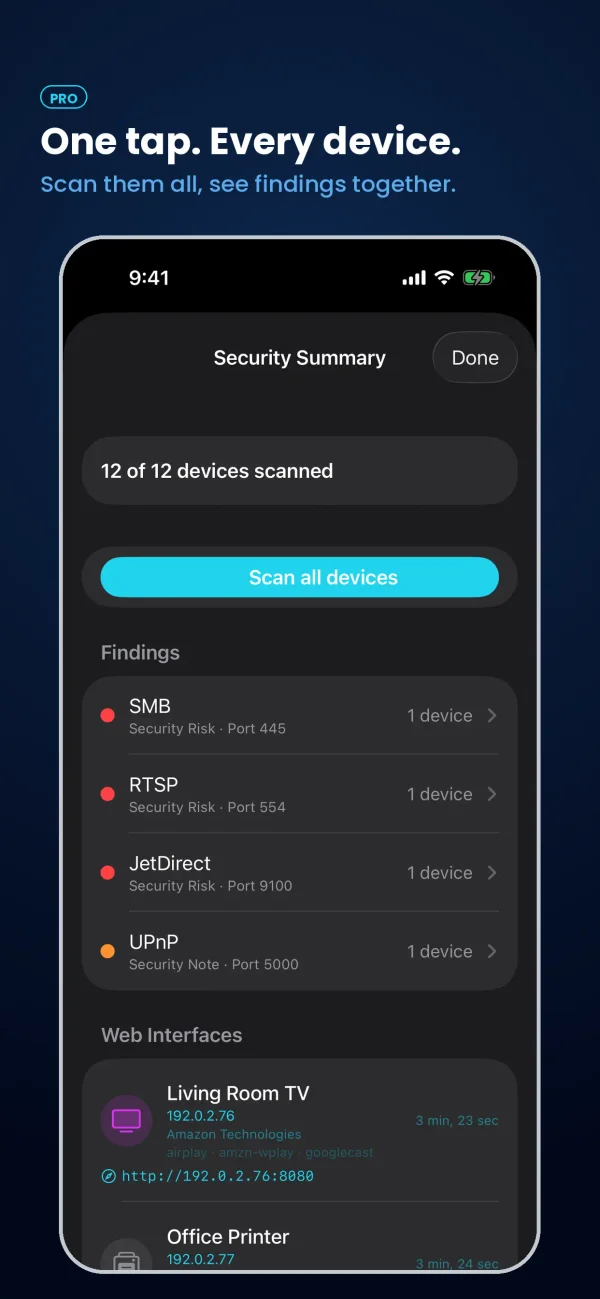
- Scan every device on your network at once and see all your security findings in one place
- Findings grouped by service and ordered worst-first, so you can spot patterns across your whole network at a glance
- Tap any finding to see exactly which devices are affected
Network-Aware Scanning
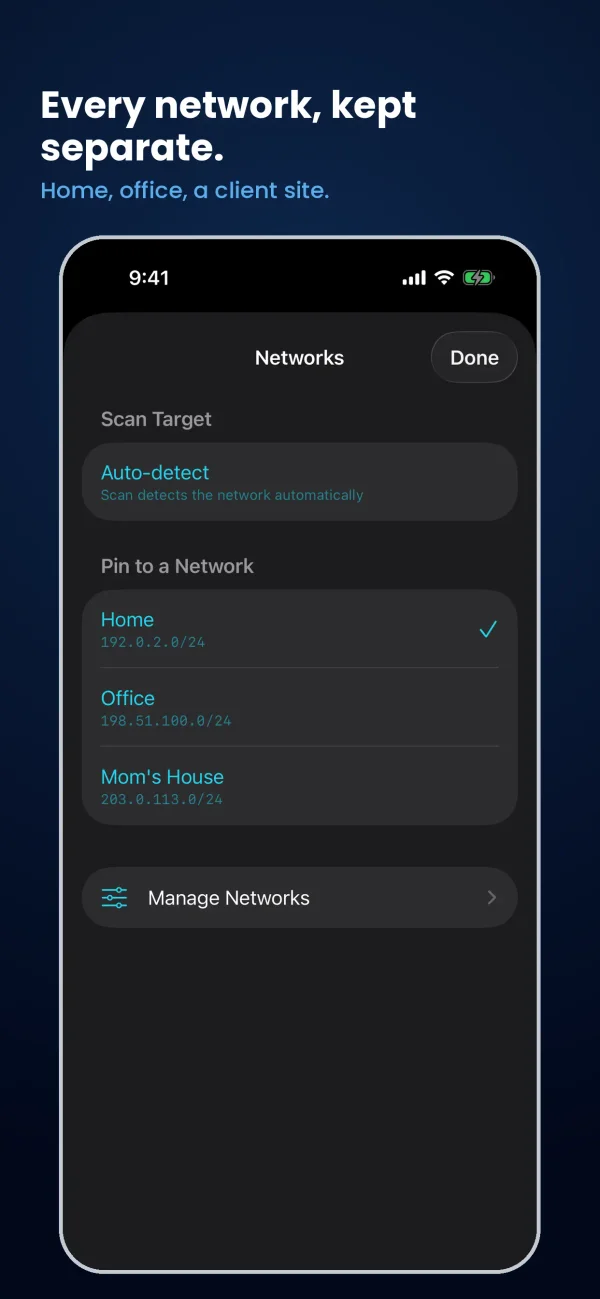
- Each Wi-Fi network keeps its own separate device list
- Switch between networks (home, work, anywhere) with a tap
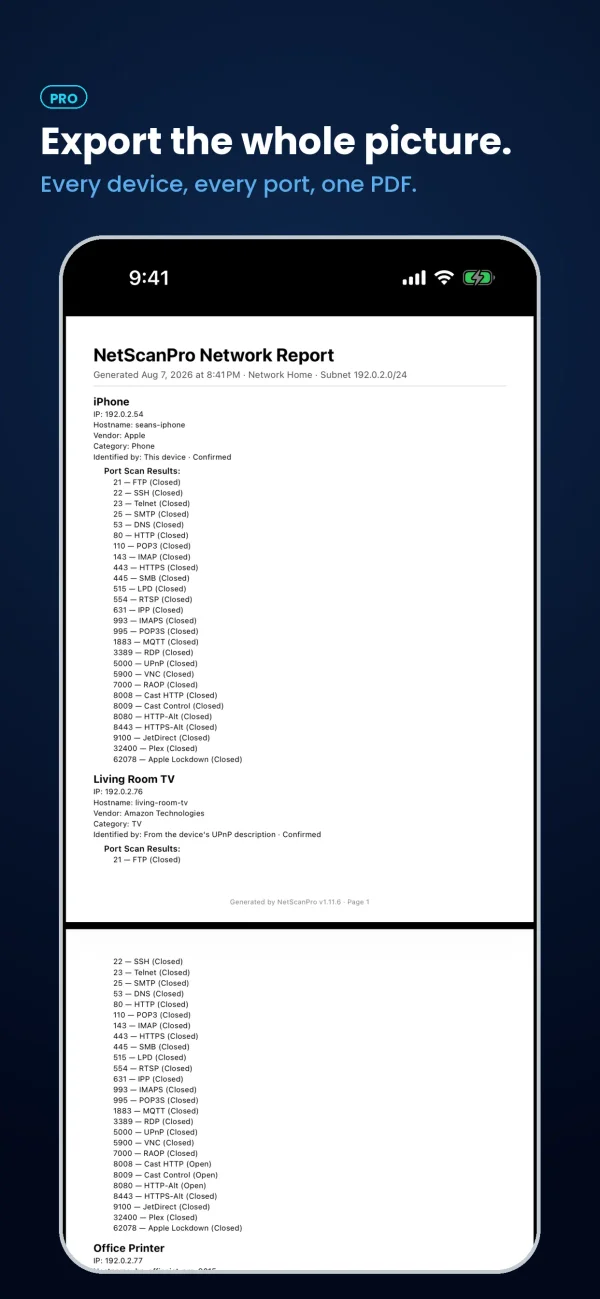
- Per-network scan history, device renaming, and PDF reports that open with a summary of what the scan found
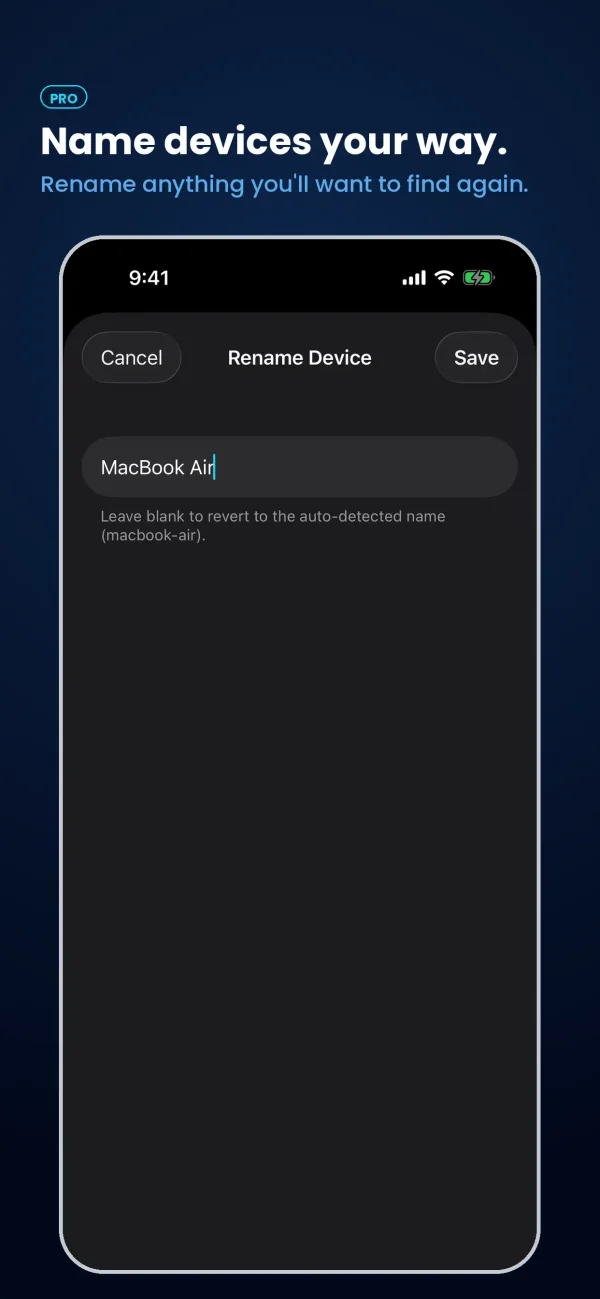
- Rename a device and the name sticks, even after your router hands its address to something else. When NetScanPro can't tell whether a device moved, it asks instead of guessing, and the answer can be undone for two weeks
- Create networks manually and pin a scan to one, so two sites that look identical (same subnet, same gateway) stay separate
On iPad
- A sidebar for your networks, Security and Scan History, with device details beside the list
- Scan History shows which devices were new or missing in each scan
- Keyboard shortcuts: ⌘R to scan, ⌘F to search
Privacy First
- Face ID, Touch ID or passcode locks the app — optional in Settings
- All scanning and identification happen on-device, with no cloud lookup — nothing leaves your local network
- No accounts, no analytics, no tracking SDKs
- Your scan history stays on your device
Freemium
- Free: unlimited device discovery, 3 network scans per day
- Pro ($9.99 one-time): unlimited scans + port scanning on every device + network security summary + PDF report export + device renaming. No subscriptions.
The help screen in Settings explains how device discovery works and which devices may not appear (some IoT and privacy-mode phones don't expose themselves to any iOS scanner).
Feedback or feature requests? I'm a solo developer and I read every message — contact@fogartyholdings.com
Note: NetScanPro is designed for use on networks you own, administer, or have explicit permission to inspect.
Yenilikler
Sürüm 1.13.1 · 04.11.2026
Fixed: some devices, such as a TV that runs more than one AirPlay receiver, could appear twice in your list. Your next scan combines them into one.
Check Now now says so when another entry with the same name is at the address it checked.
Uygulama gizliliği
Bu uygulamanın verileri nasıl işlediği hakkında Fogarty Holdings LLC tarafından App Store üzerinde yapılan beyan.
-
Veri toplanmıyor
Geliştirici bu uygulamadan hiçbir veri toplamıyor.
Gizlilik uygulamaları, örneğin kullandığınız özelliklere veya yaşınıza göre değişiklik gösterebilir.
Bilgiler
- Satıcı
- Fogarty Holdings LLC
- Kategori
- Yardımcılar
- Sürüm
- 1.13.1
- Güncellendi
- 04.11.2026
- Yayın tarihi
- 24.04.2026
- Boyut
- 14,0 MB
- Gereksinim
- iOS 17.0 veya sonrası
- Yaş sınırı
- 4+
- Fiyat
- Ücretsiz
- Uygulama içi satın alma
- Evet
- Diller
- İngilizce
- Telif hakkı
- © 2026 Fogarty Holdings LLC
Bunları da beğenebilirsiniz
-
 Coddiq - Network ScannerYardımcılar
-
 Network Intrusion DetectionYardımcılar
-
 WiFi Device FinderWi-Fi cihazlarını bulun
-
 Network Scanner & IP,PORT,WİFİYardımcılar
-
 Network Scanner ProYardımcılar
-
 LANScannerYardımcılar
-
 mDNSShark: Network ScannerYardımcılar
-
 NetScan - Ping Testip scanner & wifi analyzer
-
 Nearby Device Scanner - FinderYardımcılar
-
 ScanNet - Network ScannerYardımcılar