NOWDO - Do It Now
Eisenhower Matrix To-Do List
iPhone için tasarlandı
Ücretsiz
- Yaş sınırı4+
- KategoriÜretkenlik
- GeliştiriciIL WON NAM
- Dillerİngilizce+ 1 dil daha
- Boyut3,2 MB
Resmi App Store sayfasına bağlanır
Download.org, NOWDO - Do It Now için hiçbir dosya barındırmaz. Düğme, uygulamanın App Store üzerindeki sayfasını açar; uygulamayı orada IL WON NAM yayınlar. Sayfanın son kontrolü: 07.11.2026.
Ekran görüntüleri
Hakkında
Geliştirici bu metni dilinizde sunmamış.
When tasks pile up, the important ones get buried.
The longer the list, the harder it is to choose. Every new task asks "Is this urgent? Is it important?"—and once you're done writing things down, you scan the list again and again, afraid you missed something.
NOWDO does the choosing for you. And it checks one more thing: whether you have the time to do it.
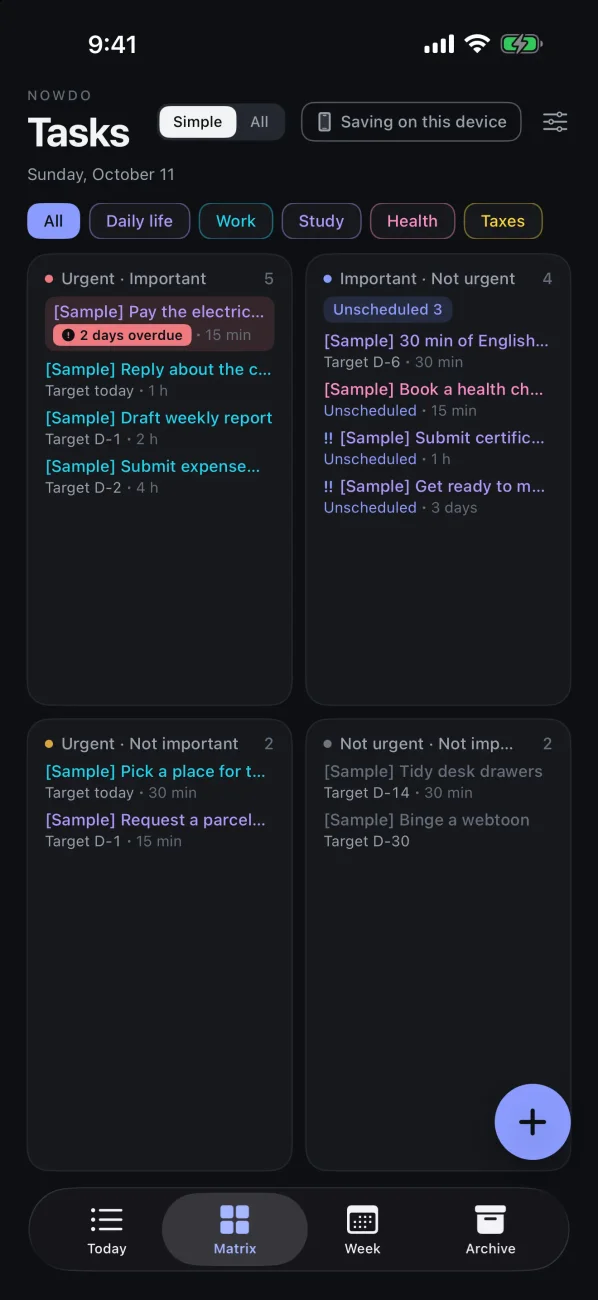
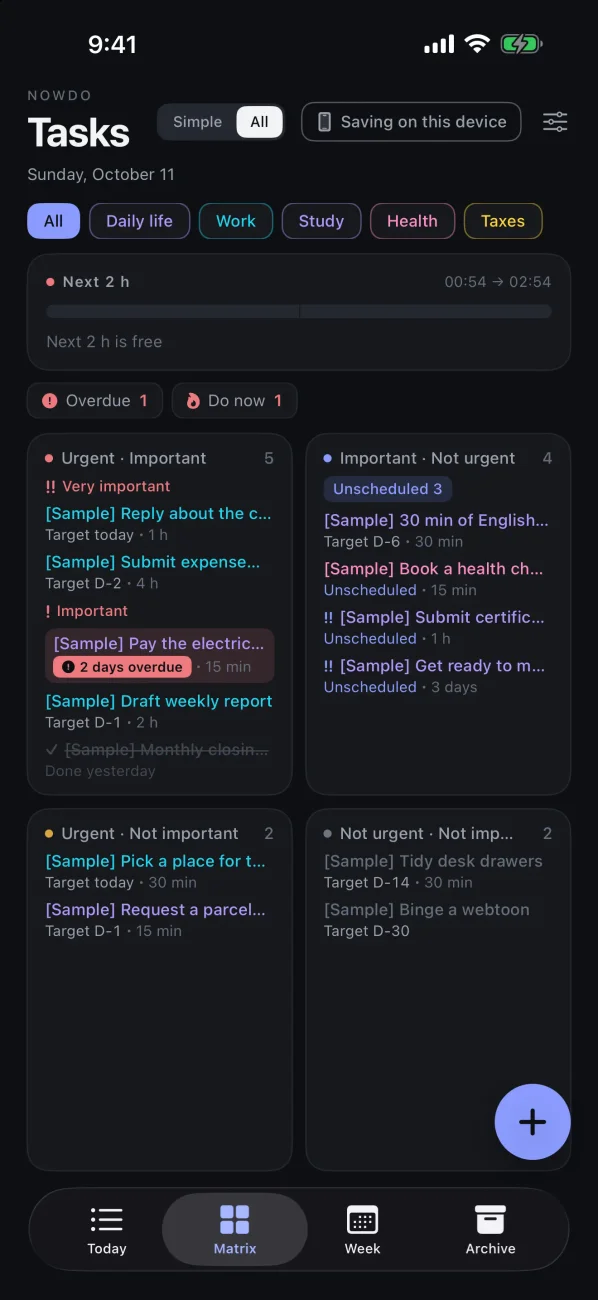
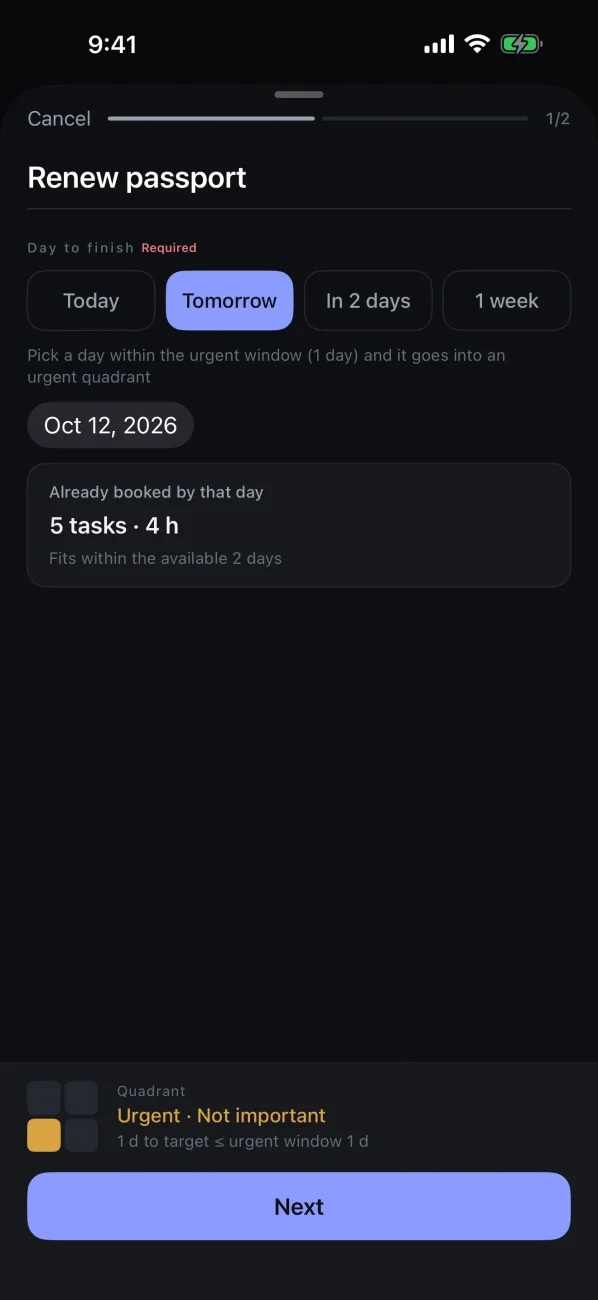
■ No more sorting by hand You don't decide which quadrant a task belongs in. Just set the day you want it done and how important it is—NOWDO places it in the Eisenhower matrix. As the target date gets close, the task moves up to Urgent on its own. You decide how many days ahead "urgent" starts, task by task.
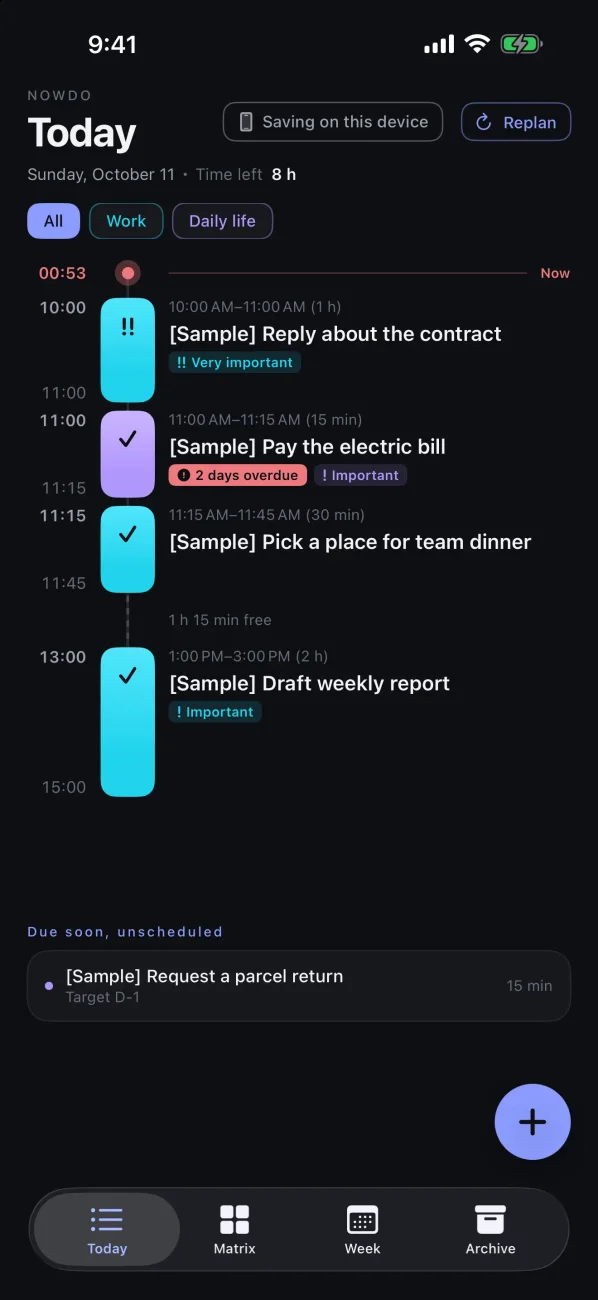
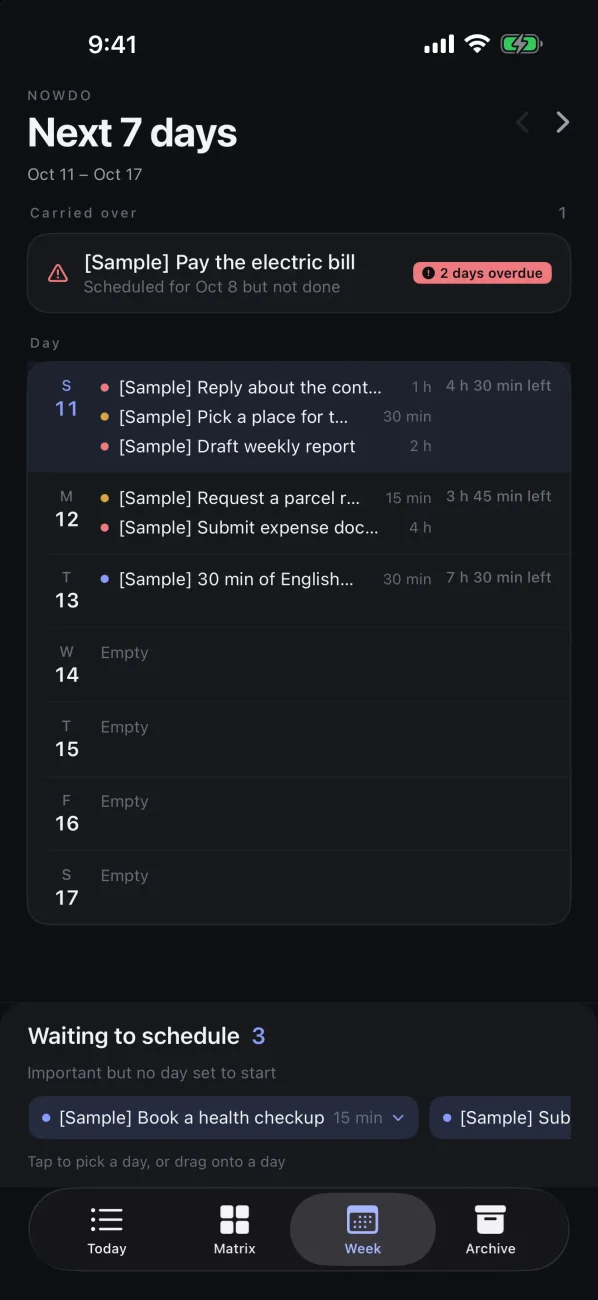
■ Overdue tasks don't quietly disappear A task past its target date shows a red "2 days overdue" tag and comes back to Today. At the top of the Week view, everything you haven't finished and has slipped past its day is gathered in one place. Nothing sinks to the bottom of the list and gets forgotten.
■ Know if you have the time NOWDO subtracts the meetings on your iPhone calendar and counts the time left within your work hours. Right as you add a task, it tells you something like "3 tasks, 1 h 45 min already booked by then—3 h 14 min available." Finding out you're overbooked after you've saved is too late.
■ Your day, laid out in time Meetings and tasks share one timeline. Press and drag to move a start time. Turn off a meeting you'll skip, and that time comes back.
■ What's next, on your Lock Screen A Live Activity shows tasks and meetings in the next two hours. Look ahead anywhere from one to eight hours in Settings. Quiet like a glance, not loud like an alert.
■ Look back on what you did Turn finished tasks into a report by day, week, or month. Pick a tag to see "How many hours did I spend on work this month?" Completed tasks, total time, days worked, daily average, busiest day, and share by tag—laid out in tables. Export to Markdown or CSV, or send it straight to a Notion page.
■ Ask Siri "What should I do now in NOWDO", "Today's tasks in NOWDO", "Can I get it all done in NOWDO"
■ Keep your tasks in Notion Store your tasks in a Notion database. Edit in the app or in Notion—NOWDO keeps both in sync. Create a ready-made database right from the app, with column names in your language. Not using Notion? Everything stays on your device.
■ Also · Home Screen widget · Repeating tasks (weekly / monthly on the same weekday / monthly on the same date) · Filter by tag, with a color for every tag · See each day's load in the Week view · English and Korean
Yenilikler
Sürüm 1.0.2 · 12.10.2026
• NOWDO has a new app icon.
Uygulama gizliliği
Bu uygulamanın verileri nasıl işlediği hakkında IL WON NAM tarafından App Store üzerinde yapılan beyan.
-
Veri toplanmıyor
Geliştirici bu uygulamadan hiçbir veri toplamıyor.
Gizlilik uygulamaları, örneğin kullandığınız özelliklere veya yaşınıza göre değişiklik gösterebilir.
Bilgiler
- Satıcı
- IL WON NAM
- Kategori
- Üretkenlik
- Sürüm
- 1.0.2
- Güncellendi
- 12.10.2026
- Yayın tarihi
- 08.10.2026
- Boyut
- 3,2 MB
- Gereksinim
- iOS 17.0 veya sonrası
- Yaş sınırı
- 4+
- Fiyat
- Ücretsiz
- Diller
- İngilizce, Korece
- Telif hakkı
- © 2026 IL WON NAM
Bunları da beğenebilirsiniz
-
 카리투두Üretkenlik
-
 NowDo.AIÜretkenlik
-
 BrainCenter AIÜretkenlik
-
 Urgent or Important - MatrixÜretkenlik
-
 Kalida: Save Ideas InstantlyÜretkenlik
-
 Reflecta - AI Voice JournalÜretkenlik
-
 WhatToDo: Focus Timer & TasksÜretkenlik
-
 Voice To Do: TaskTalkÜretkenlik
-
 Tarte - Daily Time TrackerÜretkenlik
-
 Stickit: Sticky Notes WidgetÜretkenlik