
- Độ tuổi4+
- Danh mụcHiệu Suất
- Nhà phát triểnIL WON NAM
- Ngôn ngữTiếng Anh+ 1 ngôn ngữ khác
- Kích thước3,2 MB
Liên kết đến trang App Store chính thức
Download.org không lưu trữ tệp nào của NOWDO - Do It Now. Nút này mở trang ứng dụng trên App Store, nơi IL WON NAM phát hành ứng dụng. Trang được kiểm tra lần cuối: 07/11/2026.
Ảnh chụp màn hình
Giới thiệu
Nhà phát triển chưa cung cấp nội dung này bằng ngôn ngữ của bạn.
When tasks pile up, the important ones get buried.
The longer the list, the harder it is to choose. Every new task asks "Is this urgent? Is it important?"—and once you're done writing things down, you scan the list again and again, afraid you missed something.
NOWDO does the choosing for you. And it checks one more thing: whether you have the time to do it.
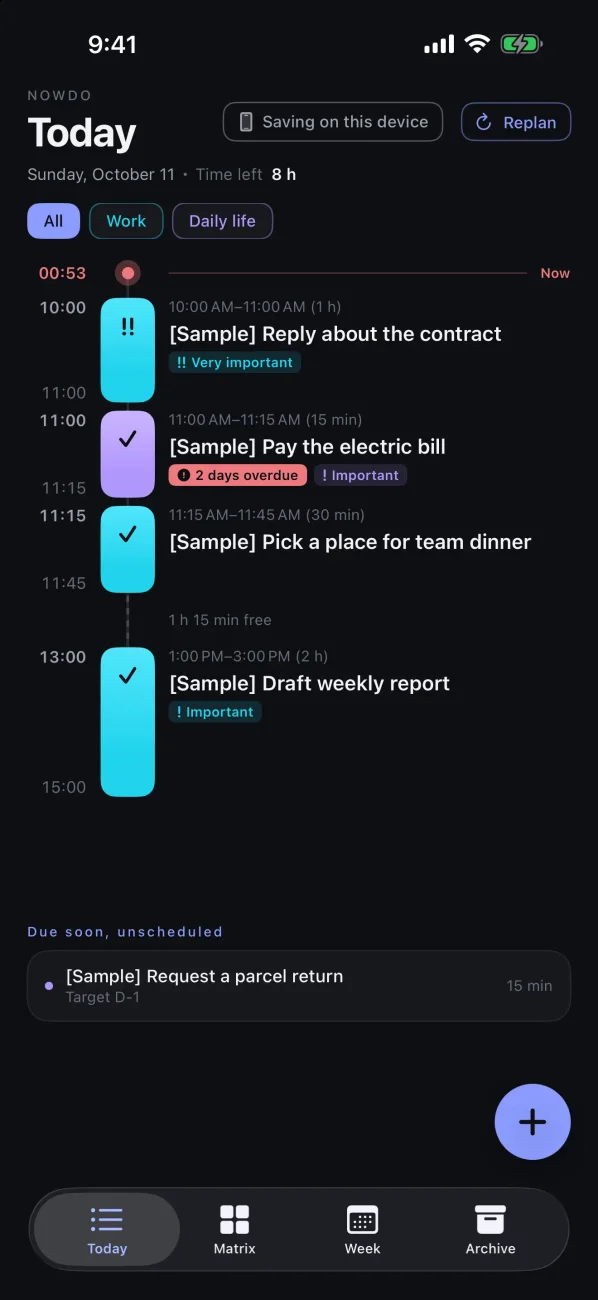
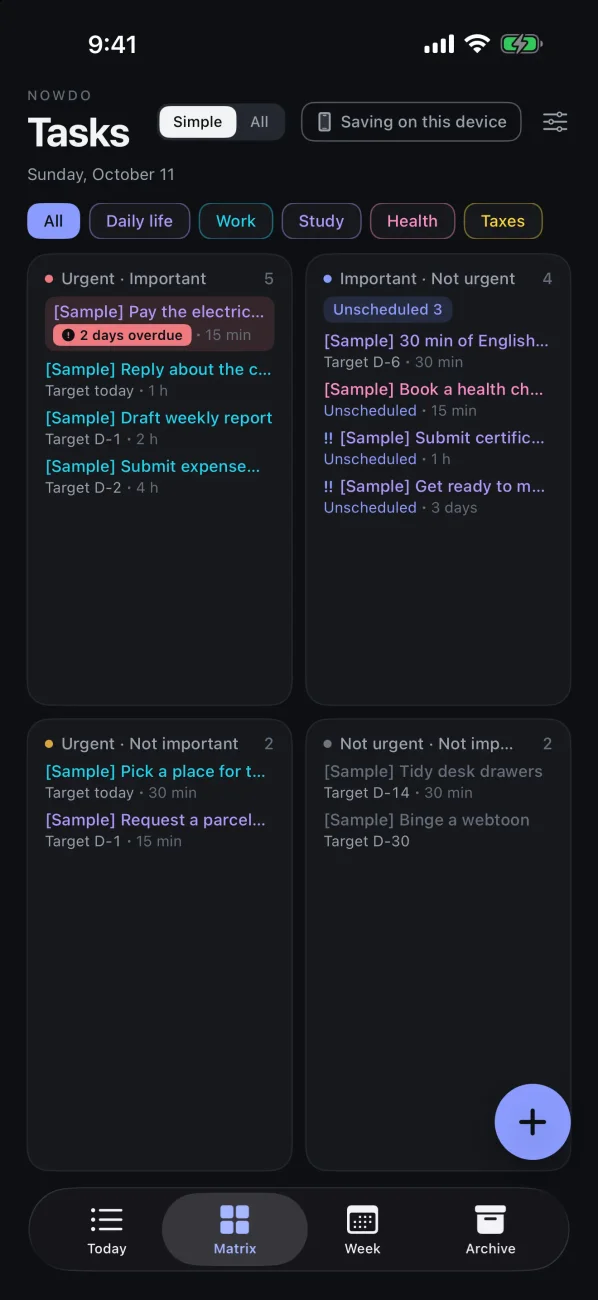
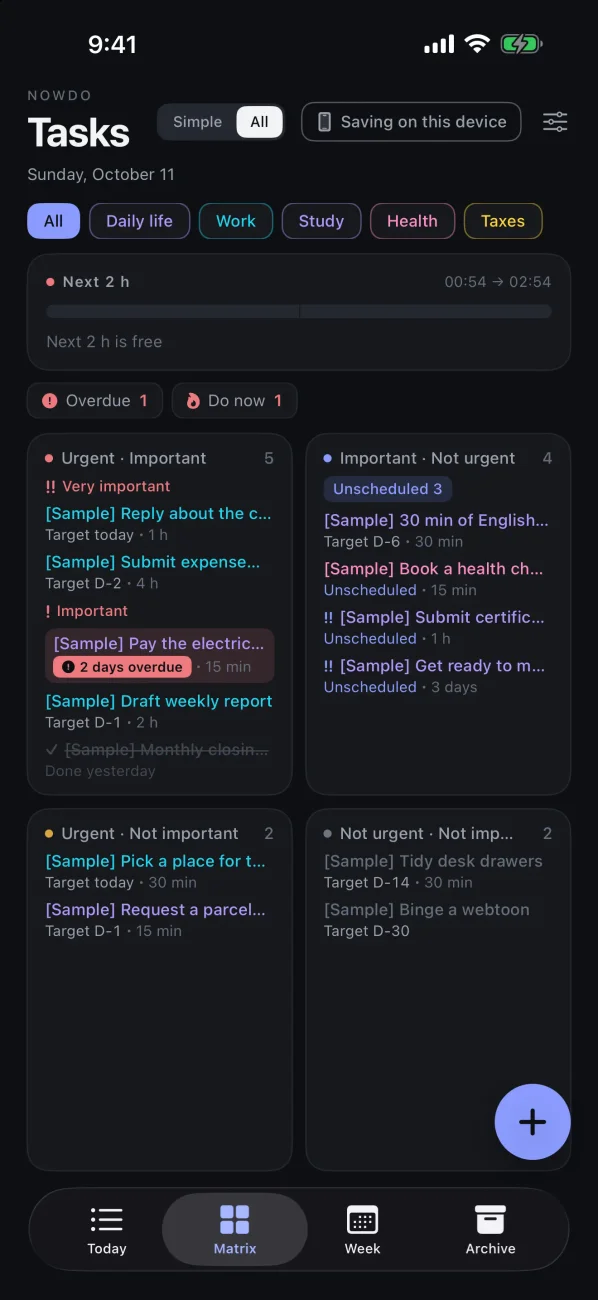
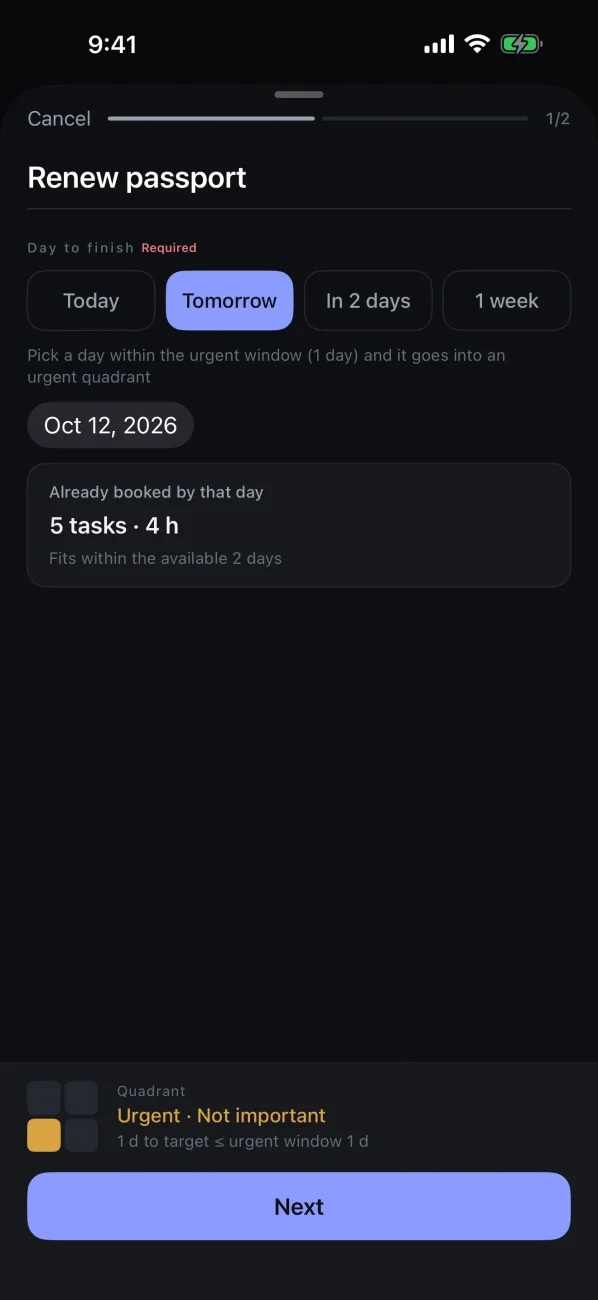
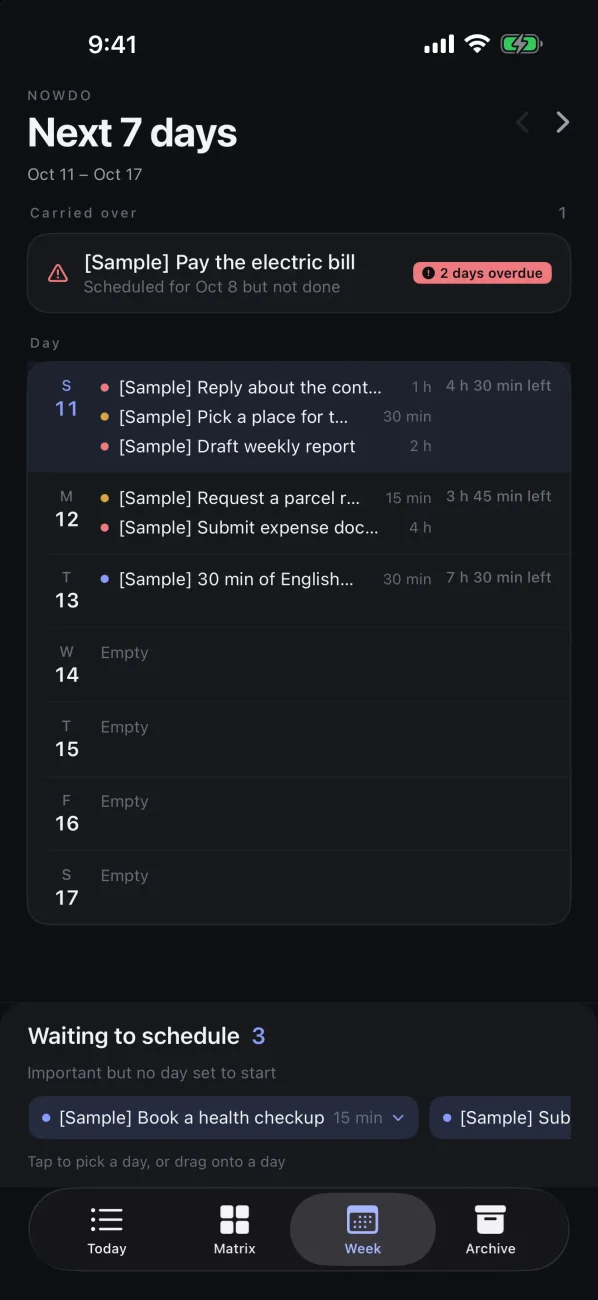
■ No more sorting by hand You don't decide which quadrant a task belongs in. Just set the day you want it done and how important it is—NOWDO places it in the Eisenhower matrix. As the target date gets close, the task moves up to Urgent on its own. You decide how many days ahead "urgent" starts, task by task.
■ Overdue tasks don't quietly disappear A task past its target date shows a red "2 days overdue" tag and comes back to Today. At the top of the Week view, everything you haven't finished and has slipped past its day is gathered in one place. Nothing sinks to the bottom of the list and gets forgotten.
■ Know if you have the time NOWDO subtracts the meetings on your iPhone calendar and counts the time left within your work hours. Right as you add a task, it tells you something like "3 tasks, 1 h 45 min already booked by then—3 h 14 min available." Finding out you're overbooked after you've saved is too late.
■ Your day, laid out in time Meetings and tasks share one timeline. Press and drag to move a start time. Turn off a meeting you'll skip, and that time comes back.
■ What's next, on your Lock Screen A Live Activity shows tasks and meetings in the next two hours. Look ahead anywhere from one to eight hours in Settings. Quiet like a glance, not loud like an alert.
■ Look back on what you did Turn finished tasks into a report by day, week, or month. Pick a tag to see "How many hours did I spend on work this month?" Completed tasks, total time, days worked, daily average, busiest day, and share by tag—laid out in tables. Export to Markdown or CSV, or send it straight to a Notion page.
■ Ask Siri "What should I do now in NOWDO", "Today's tasks in NOWDO", "Can I get it all done in NOWDO"
■ Keep your tasks in Notion Store your tasks in a Notion database. Edit in the app or in Notion—NOWDO keeps both in sync. Create a ready-made database right from the app, with column names in your language. Not using Notion? Everything stays on your device.
■ Also · Home Screen widget · Repeating tasks (weekly / monthly on the same weekday / monthly on the same date) · Filter by tag, with a color for every tag · See each day's load in the Week view · English and Korean
Có gì mới
Phiên bản 1.0.2 · 12/10/2026
• NOWDO has a new app icon.
Quyền riêng tư của ứng dụng
Những gì IL WON NAM khai báo trên App Store về cách ứng dụng này xử lý dữ liệu.
-
Dữ liệu không được thu thập
Nhà phát triển không thu thập bất kỳ dữ liệu nào từ ứng dụng này.
Phương thức đảm bảo quyền riêng tư có thể khác nhau, chẳng hạn như tuỳ theo các tính năng bạn sử dụng hoặc độ tuổi của bạn.
Thông tin
- Người bán
- IL WON NAM
- Danh mục
- Hiệu Suất
- Phiên bản
- 1.0.2
- Cập nhật
- 12/10/2026
- Phát hành
- 08/10/2026
- Kích thước
- 3,2 MB
- Yêu cầu
- iOS 17.0 trở lên
- Độ tuổi
- 4+
- Giá
- Miễn phí
- Ngôn ngữ
- Tiếng Anh, Tiếng Hàn
- Bản quyền
- © 2026 IL WON NAM
Có thể bạn cũng thích
-
 카리투두Hiệu Suất
-
 NowDo.AIHiệu Suất
-
 BrainCenter AIHiệu Suất
-
 Urgent or Important - MatrixHiệu Suất
-
 Kalida: Save Ideas InstantlyHiệu Suất
-
 Reflecta - AI Voice JournalHiệu Suất
-
 WhatToDo: Focus Timer & TasksHiệu Suất
-
 Voice To Do: TaskTalkHiệu Suất
-
 Tarte - Daily Time TrackerHiệu Suất
-
 Stickit: Sticky Notes WidgetHiệu Suất