
- Yaş sınırı4+
- KategoriGeliştirici Araçları
- GeliştiriciLorenzo Dard
- Dillerİngilizce+ 1 dil daha
- Boyut176,8 MB
Resmi App Store sayfasına bağlanır
Download.org, PCBPad için hiçbir dosya barındırmaz. Düğme, uygulamanın App Store üzerindeki sayfasını açar; uygulamayı orada Lorenzo Dard yayınlar. Sayfanın son kontrolü: 23.11.2026.
Ekran görüntüleri


Hakkında
Geliştirici bu metni dilinizde sunmamış.
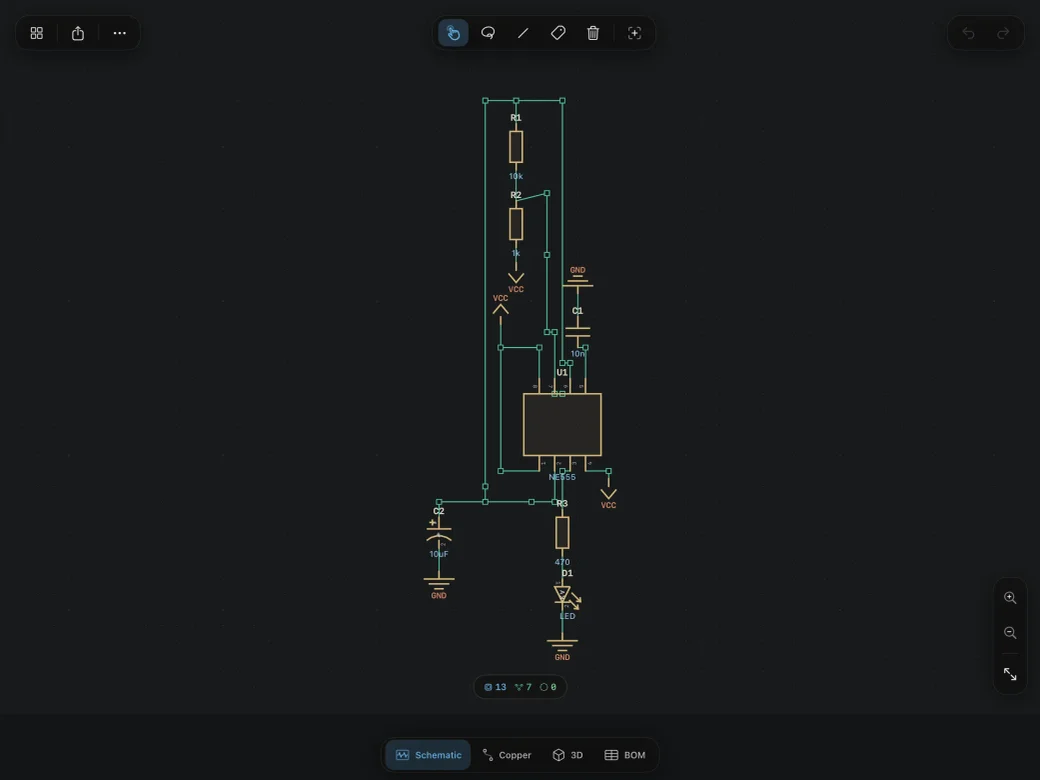
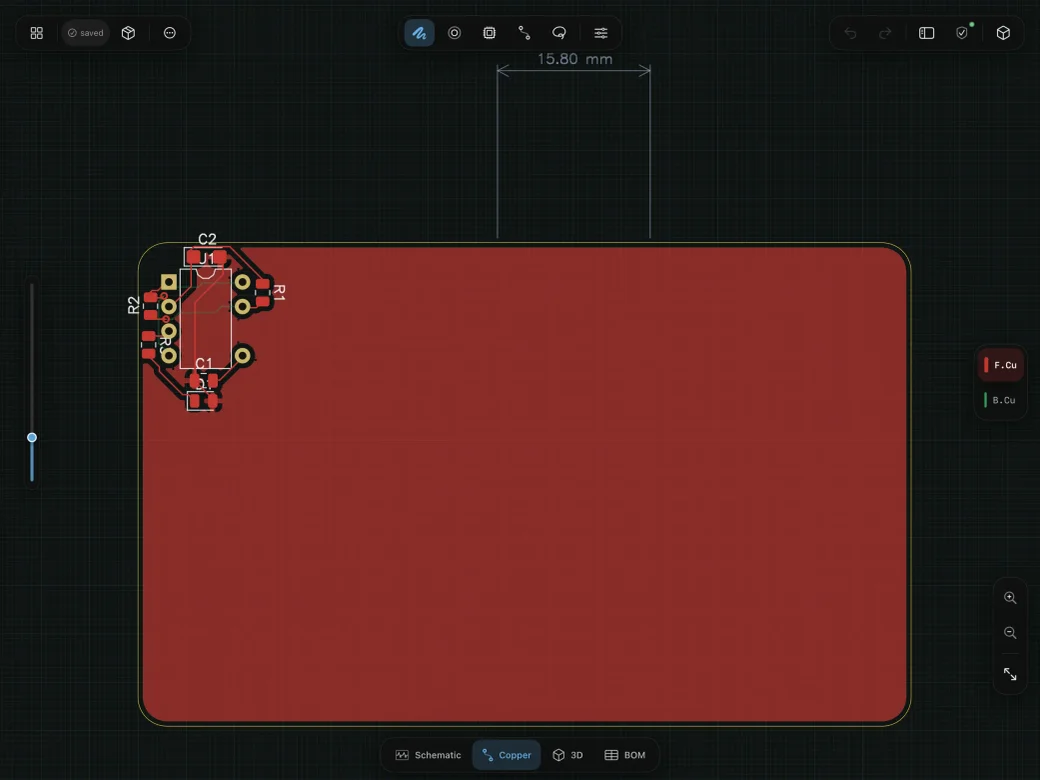
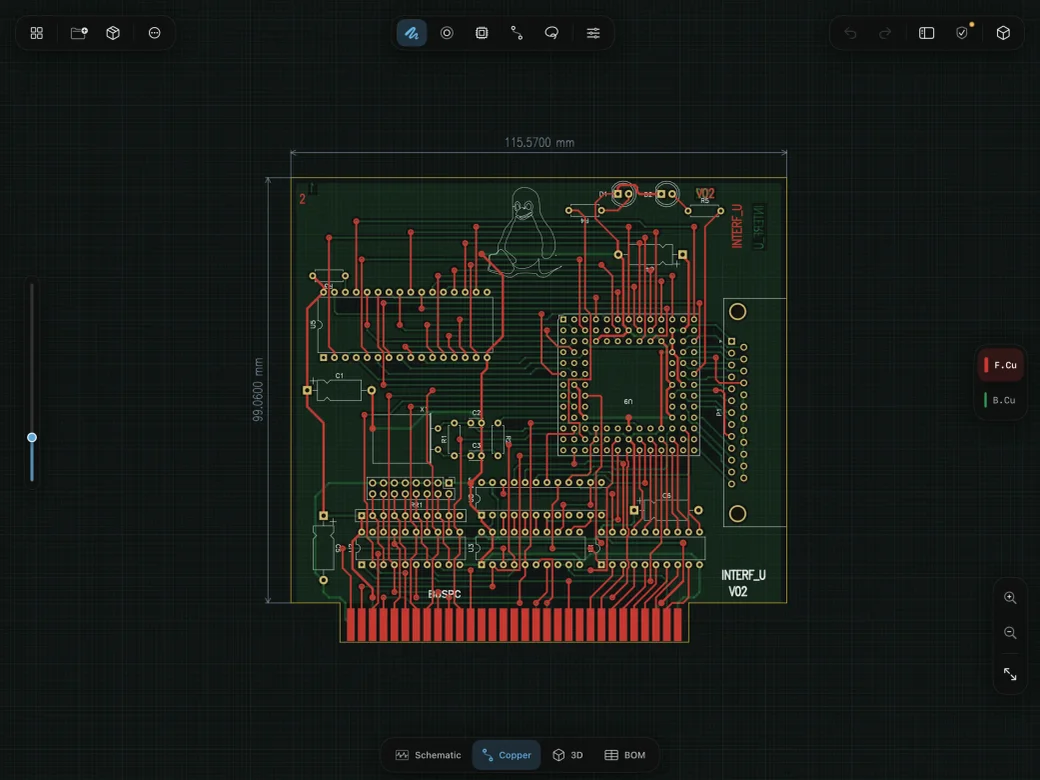
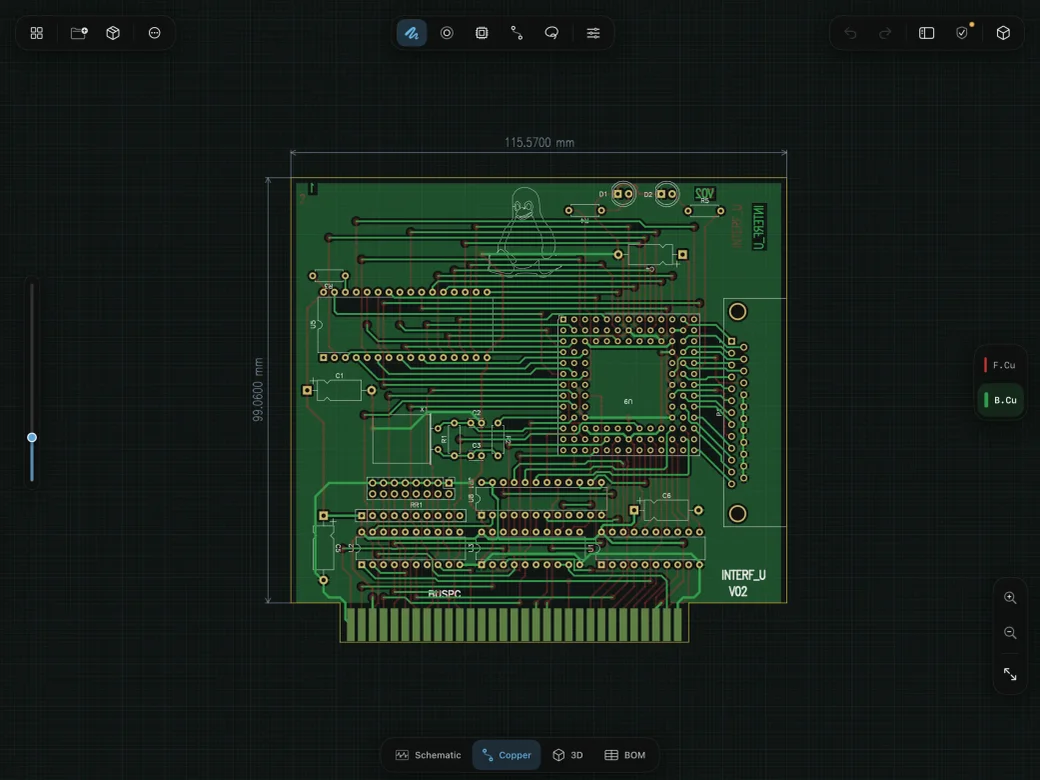
PCBPad is a circuit board editor built for Apple Pencil. You route copper by drawing it: the stroke you make becomes a clean track, and the board makes room for it. It runs natively on iPad and Mac, works fully offline, and needs no account.
ROUTE WITH APPLE PENCIL
• Draw from pad to pad: the stroke becomes a copper track with 45° corners, snapped to the grid, and it ends up where your hand went.
• Tracks in the way move aside (push and shove). Copper that cannot move is routed around.
• The clean-up is checked against pads, holes and keepouts. If the track still touches one, the app tells you which.
• One stroke draws a differential pair. A serpentine adds the length a pair is missing.
• No Apple Pencil? One finger draws and two fingers navigate. On Mac, drag to draw.
• Two-finger tap undoes, three-finger tap redoes, hold one finger for the radial menu.
PRIVATE BY DESIGN
• No account, no login, no server, no analytics, no ads.
• Your boards stay on your device, or wherever you keep them in the Files app. PCBPad never uploads them.
OPENS AND SAVES KICAD FILES
• PCBPad opens and saves .kicad_pcb and .kicad_sch files directly. There is no import step and no conversion.
• Only the bytes you change are rewritten. The file goes back to KiCad as it was, plus your edits.
• Tested on real projects, including the KiCad 10 file format.
START A BOARD HERE
• Draw the board outline, then correct it with numbers. Constrain a sketch, or import an outline from DXF.
• 1,901 footprints and 15,123 symbols from the official libraries, bundled and available offline.
• Tap two pads to declare a net. The ratsnest shows what is left to connect.
• Copper planes with a real fill, via stitching, keepouts, blind and buried vias.
• Text, logos and dimensions on the silkscreen.
• A footprint editor for the part that no library has.
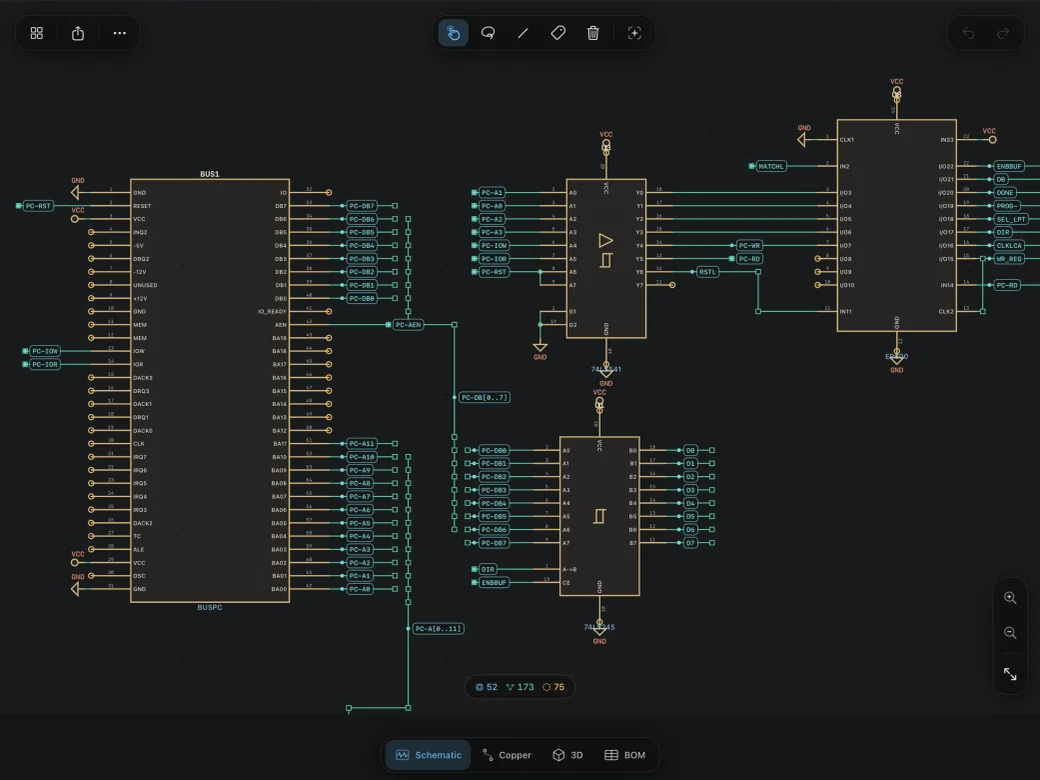
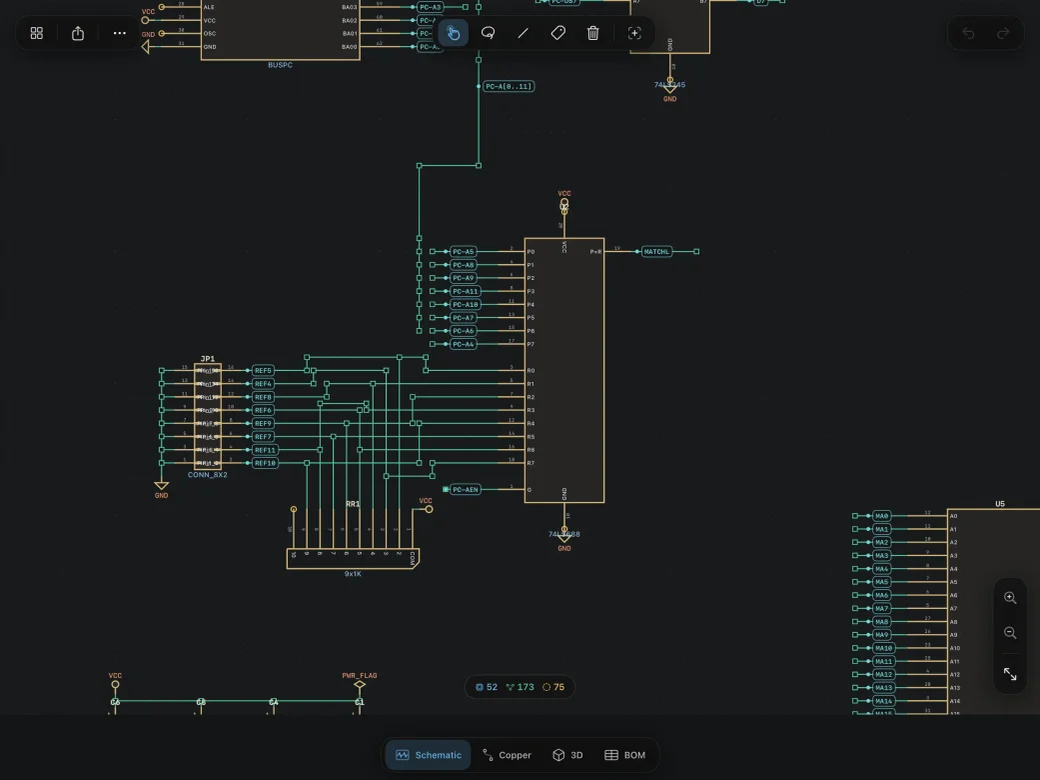
SCHEMATIC
• Place parts, wire them, move them: wires stay attached.
• Multi-unit parts, hierarchical sheets, and a symbol editor.
• Compare the schematic with the board and apply the differences after a preview.
CHECK BEFORE YOU ORDER
• Design rules written as formulas: clearance, track width, annular ring, hole-to-hole, unconnected nets.
• Limits taken from the published capabilities of three board fabricators, with the source and the date they were read.
• See what changed between two versions of the same board.
SEE IT, THEN MAKE IT
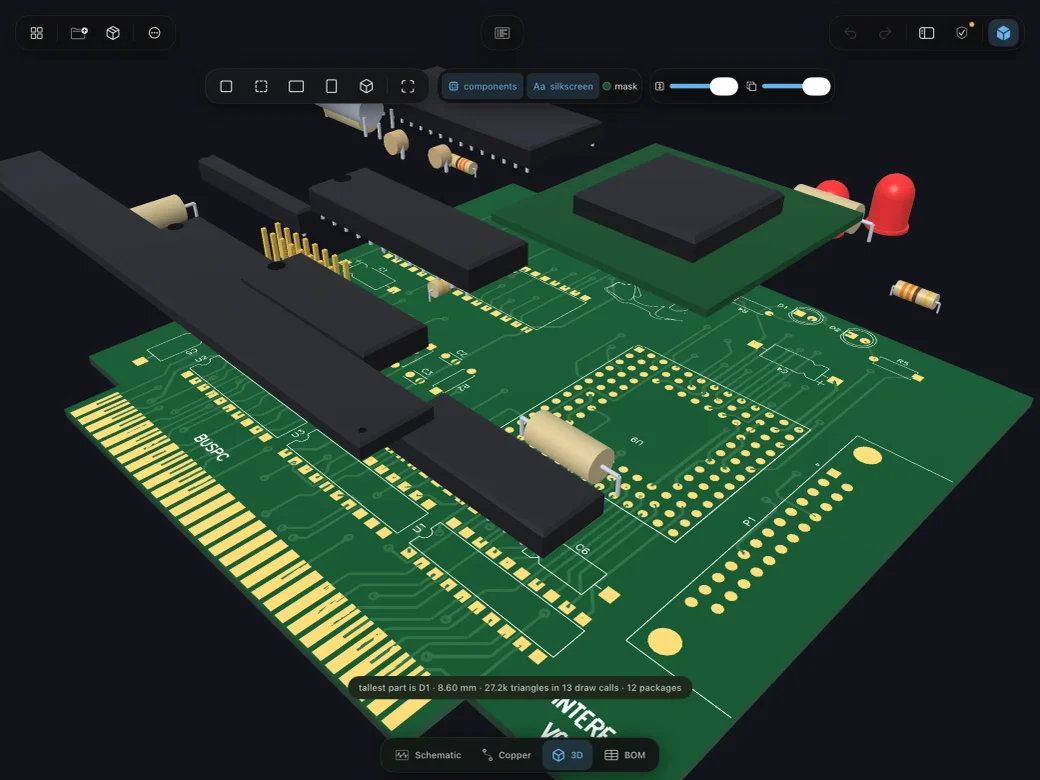
• A 3D view of the board, with component bodies sized from their package names.
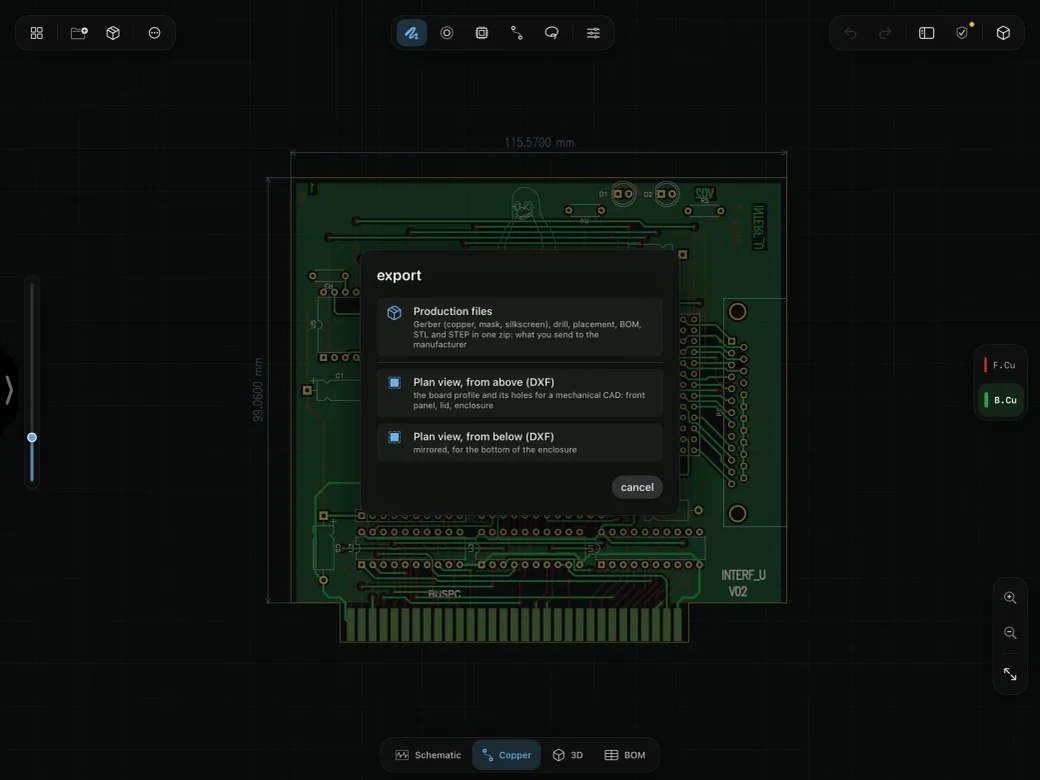
• Gerber X2 with a job file, Excellon drill, bill of materials and pick-and-place, in one ZIP.
• The package is read back and shown layer by layer before you send it.
• STEP and STL for your enclosure, and panels of several boards.
In English and Italian. Requires iPadOS 18 or later, or a Mac with Apple silicon.
KiCad is a trademark of the Linux Foundation. PCBPad is an independent app. It is not made by, endorsed by or affiliated with the KiCad project.
Questions and bug reports: pcbpad.app@gmail.com
Yenilikler
Sürüm 1.9 · 20.11.2026
THE SCHEMATIC CHECKS ITSELF
• No-connect flags are read and written, with a new tool to place them.
• Electrical rules check: unconnected pins, undriven power, output conflicts, missing footprints and duplicate references, right in the rules sheet.
• Start a new board from one of ten KiCad project templates.
• Opening a .kicad_pro or .kicad_sch now brings the schematic along.
• Two new lessons: "From a blank sheet", a schematic drawn from nothing and checked, and "Find the five mistakes", a routed board broken five times for you to fix.
Uygulama gizliliği
Bu uygulamanın verileri nasıl işlediği hakkında Lorenzo Dard tarafından App Store üzerinde yapılan beyan.
-
Veri toplanmıyor
Geliştirici bu uygulamadan hiçbir veri toplamıyor.
Gizlilik uygulamaları, örneğin kullandığınız özelliklere veya yaşınıza göre değişiklik gösterebilir.
Bilgiler
- Satıcı
- Lorenzo Dard
- Kategori
- Geliştirici Araçları
- Sürüm
- 1.9
- Güncellendi
- 20.11.2026
- Yayın tarihi
- 05.10.2026
- Boyut
- 176,8 MB
- Gereksinim
- iOS 18.0 veya sonrası
- Yaş sınırı
- 4+
- Fiyat
- Ücretsiz
- Diller
- İngilizce, İtalyanca
- Telif hakkı
- © 2026 Lorenzo Dard
Bunları da beğenebilirsiniz
-
 DiagramAIGeliştirici Araçları
-
 Electronics SMD CodesGeliştirici Araçları
-
 RemoteIDE : Code From AnywhereGeliştirici Araçları
-
 Tersa: Circuit SimulatorGeliştirici Araçları
-
 CUStats Go - AI Usage TrackerGeliştirici Araçları
-
 AgentShellGeliştirici Araçları
-
 MCU BLE TerminalGeliştirici Araçları
-
 GitFlow for GitHub ActionsGeliştirici Araçları
-
 Python Code App - IDE & EditorGeliştirici Araçları
-
 LiteWingGeliştirici Araçları