
PDF Splitter - Split & Extract
Separate PDF pages by range
iPhone, iPad için tasarlandı
Ücretsiz
- Yaş sınırı4+
- KategoriÜretkenlik
- GeliştiriciBokeria
- Dillerİngilizce+ 11 dil daha
- Boyut14,3 MB
Resmi App Store sayfasına bağlanır
Download.org, PDF Splitter - Split & Extract için hiçbir dosya barındırmaz. Düğme, uygulamanın App Store üzerindeki sayfasını açar; uygulamayı orada Bokeria yayınlar. Sayfanın son kontrolü: 14.11.2026.
Ekran görüntüleri

Hakkında
Geliştirici bu metni dilinizde sunmamış.
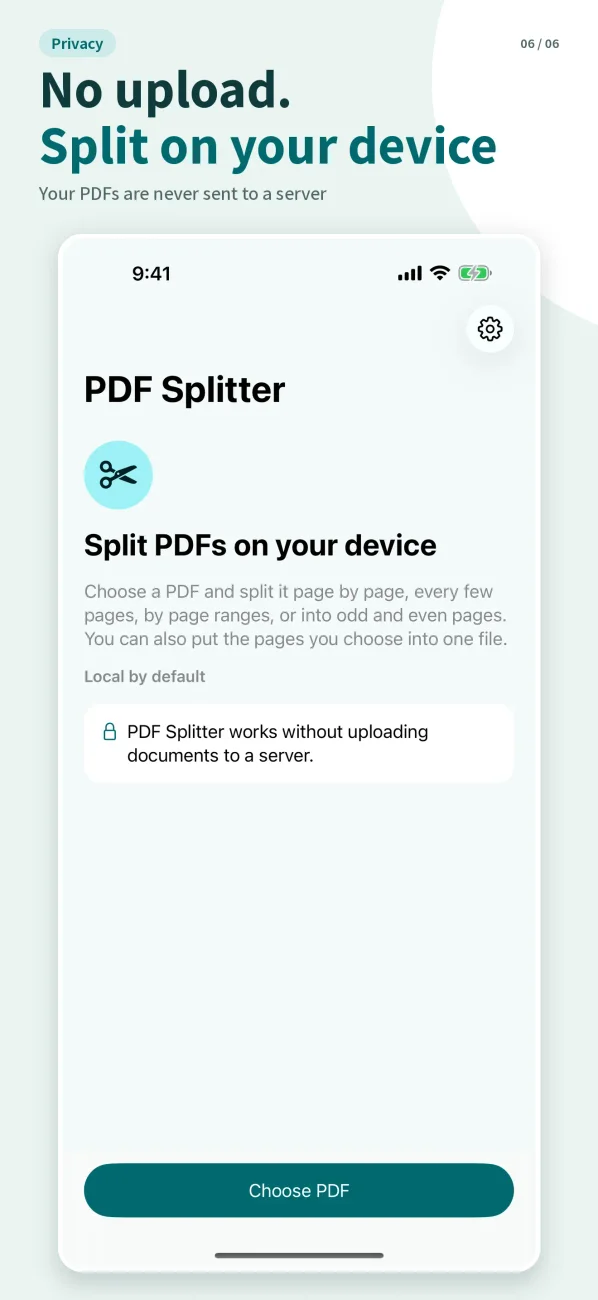
PDF Splitter splits PDF files the way you need and extracts only the pages you want. Your original PDF stays unchanged, and you can share the results as separate PDFs or one ZIP file. Everything runs on your device, and your PDFs are never uploaded to a server.
■ 5 ways to split a PDF
• Every page: separate every page into its own PDF
• Every N pages: split a PDF every 2, 3 or more pages
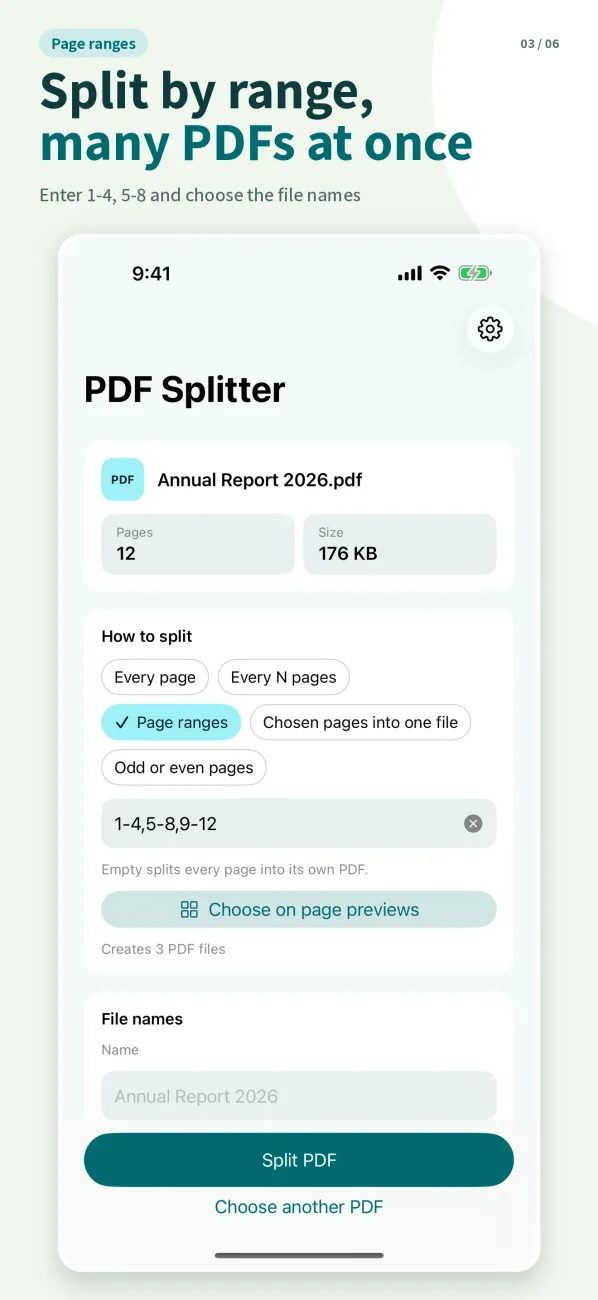
• Page ranges: one PDF for each range, such as 1-4, 5-8
• Chosen pages into one file: extract pages such as 1, 3, 7-9 and save them as one PDF
• Odd or even pages: odd pages only, even pages only, or both as two files
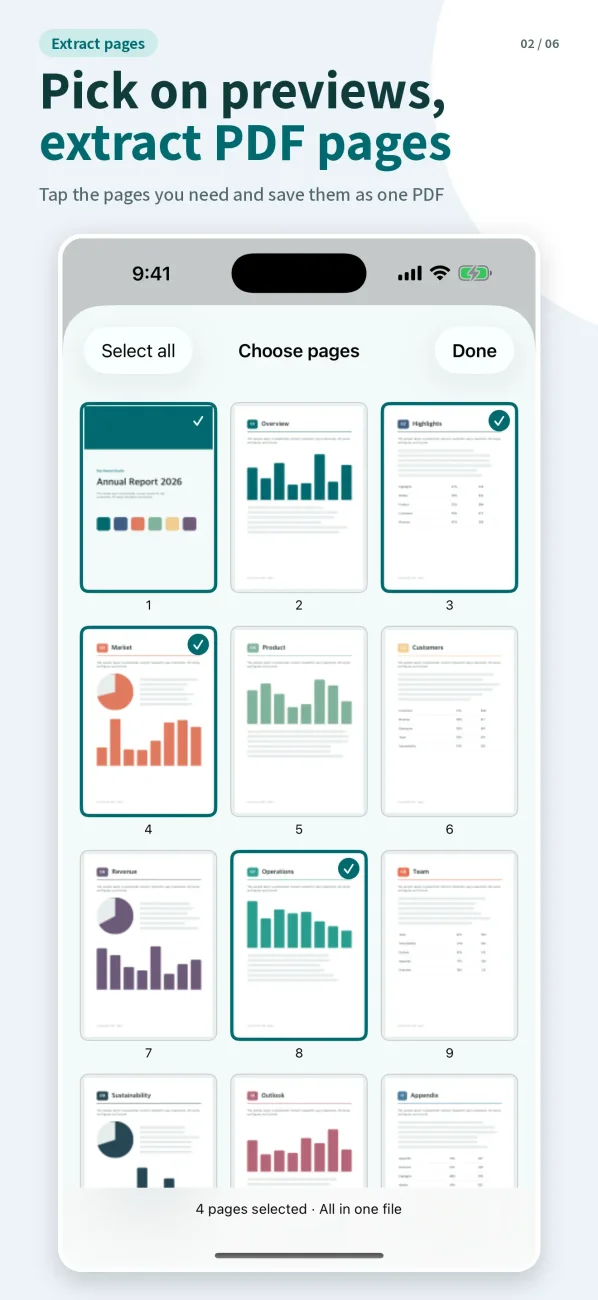
■ Pick pages on previews
Tap page thumbnails to choose pages, and the ranges are filled in for you. Quickly extract the pages you need from scans and reports.
■ File naming
Set the start of the file names and number them by page (pages-001-004) or in order (part-01). An example name is shown before you split.
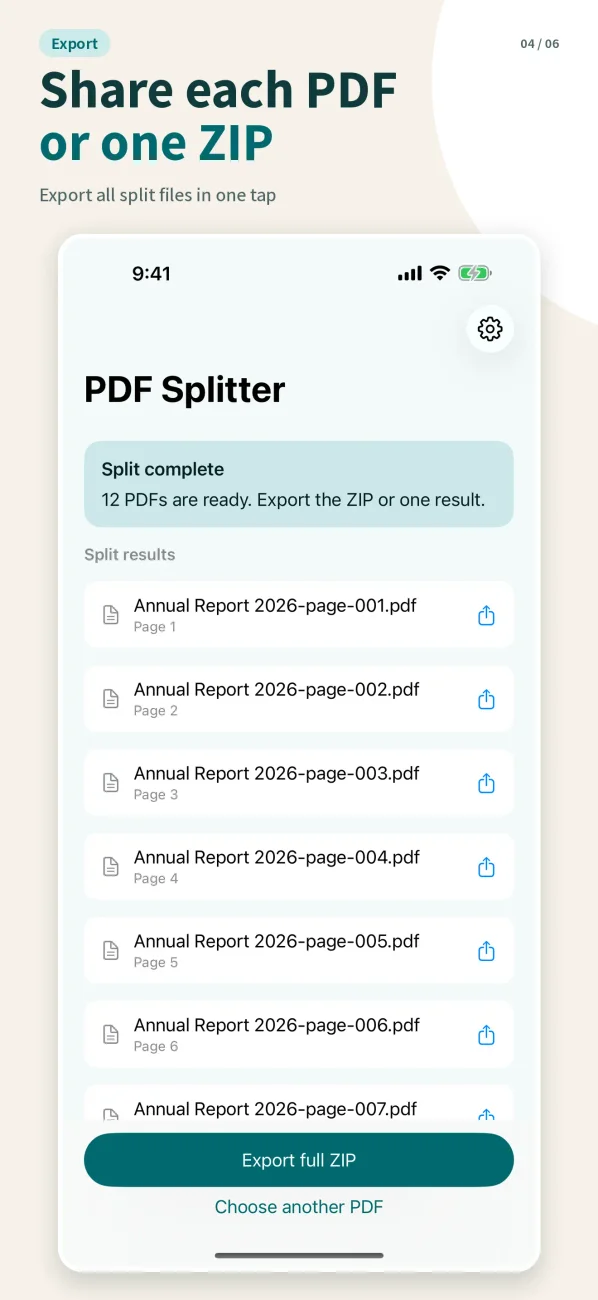
■ Share and export
Share split PDFs one by one or export them all as a ZIP file. You can also open a PDF from another app and split it right away.
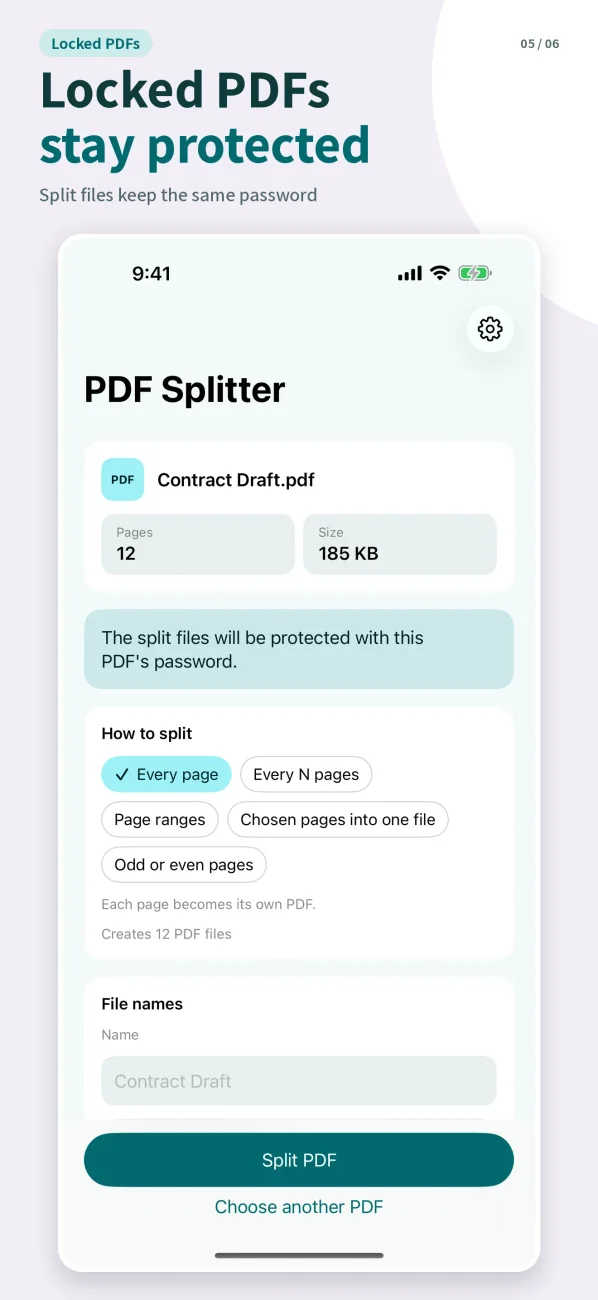
■ Password-protected PDFs
Enter the password to open a locked PDF, and the split files keep the same password. The password is not saved.
■ Privacy
PDF contents, file names and passwords are not sent to a server. Ads and optional usage statistics and diagnostics may communicate online as described in the privacy policy, and you can turn usage statistics and diagnostics off in Settings.
Large or complex documents may take longer, and some PDFs may not be supported.
Yenilikler
Sürüm 2.0.0 · 10.11.2026
PDF Splitter 2.0 is rebuilt for Android and iPhone.
• Five ways to split: every page, every N pages, page ranges, chosen pages into one file, or odd and even pages
• Pick pages from page previews
• Choose the file name and numbering
• Turn usage statistics and diagnostics on or off in Settings
Uygulama gizliliği
Bu uygulamanın verileri nasıl işlediği hakkında Bokeria tarafından App Store üzerinde yapılan beyan.
-
Sizinle ilişkilendirilen veriler
Toplanabilir ve kimliğinizle ilişkilendirilebilir.
- Konum
- Tanımlayıcılar
- Kullanım verileri
-
Sizinle ilişkilendirilmeyen veriler
Toplanabilir ancak kimliğinizle ilişkilendirilmez.
- Tanılama
Gizlilik uygulamaları, örneğin kullandığınız özelliklere veya yaşınıza göre değişiklik gösterebilir.
Bilgiler
- Satıcı
- Bokeria
- Kategori
- Üretkenlik
- Sürüm
- 2.0.0
- Güncellendi
- 10.11.2026
- Yayın tarihi
- 30.06.2026
- Boyut
- 14,3 MB
- Gereksinim
- iOS 17.0 veya sonrası
- Yaş sınırı
- 4+
- Fiyat
- Ücretsiz
- Diller
- İngilizce, Fransızca, Almanca, Hindi, Endonezce, Japonca, Korece, Portekizce, Basitleştirilmiş Çince, İspanyolca, Geleneksel Çince, Vietnamese
- Telif hakkı
- © 2026 Bokeria Studio
Bunları da beğenebilirsiniz
-
 PDF Splitter by OpenSquareÜretkenlik
-
 Split PDF: Extract PagesÜretkenlik
-
 SplitPDF -iReadPDFÜretkenlik
-
 Split PDF - Extract PDF Pages,Üretkenlik
-
 PDF Splitter 2025Üretkenlik
-
 PDF MergerBöl, Sıkıştır, Tara, İmzala
-
 Pagimio: Two-Sided PrintingÜretkenlik
-
 Scan & Organize: PDF ScanÜretkenlik
-
 Split & Merge PDFÜretkenlik
-
 PageKit: Merge & Split PDFÜretkenlik