
PhotoBorder+
No Crop Social Media Posts
iPhone, iPad, Mac için tasarlandı
Ücretsiz
- Yaş sınırı4+
- KategoriFotoğraf ve Video
- GeliştiriciCraig Stubing
- Dillerİngilizce
- Boyut1,1 MB
Resmi App Store sayfasına bağlanır
Download.org, PhotoBorder+ için hiçbir dosya barındırmaz. Düğme, uygulamanın App Store üzerindeki sayfasını açar; uygulamayı orada Craig Stubing yayınlar. Sayfanın son kontrolü: 13.11.2026.
Ekran görüntüleri



Hakkında
Geliştirici bu metni dilinizde sunmamış.
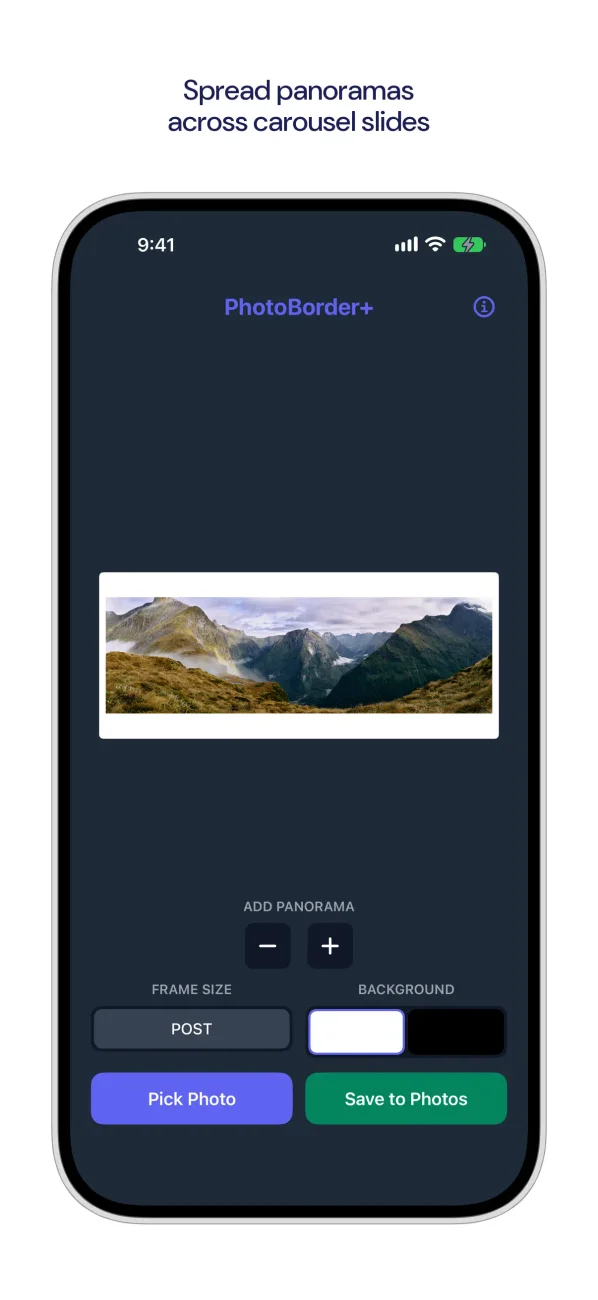
PhotoBorder+ is fast, focused, and private. Frame your photos for Instagram posts or stories, or spread a panoramic shot across a swipeable carousel. Just open, frame, and save.
Two frame sizes. Two backgrounds. Done.
Choose POST (4:5) or STORY (9:16), pick white or black, and save. Your bordered photo exports at full 1080px width with original EXIF metadata preserved for social media.
Panorama Carousels
Spread a panoramic photo across up to 10 Instagram carousel slides. Each slide exports at 1080 x 1350 — perfectly aligned so your photo flows seamlessly as viewers swipe. Photos save in order, ready to upload.
Add borders right from the Photos app
Select a photo, tap Share, choose PhotoBorder+. Pick your frame and background, then save — all without leaving the Photos app. No app switching needed.
Tiny app. Big results.
PhotoBorder+ is under 1 MB. It loads instantly, does its job, and gets out of the way.
Built for photographers
No bloated feature lists. No color wheels, stickers, or text tools. Just clean, consistent borders for photographers who want their work presented simply.
100% private. No exceptions.
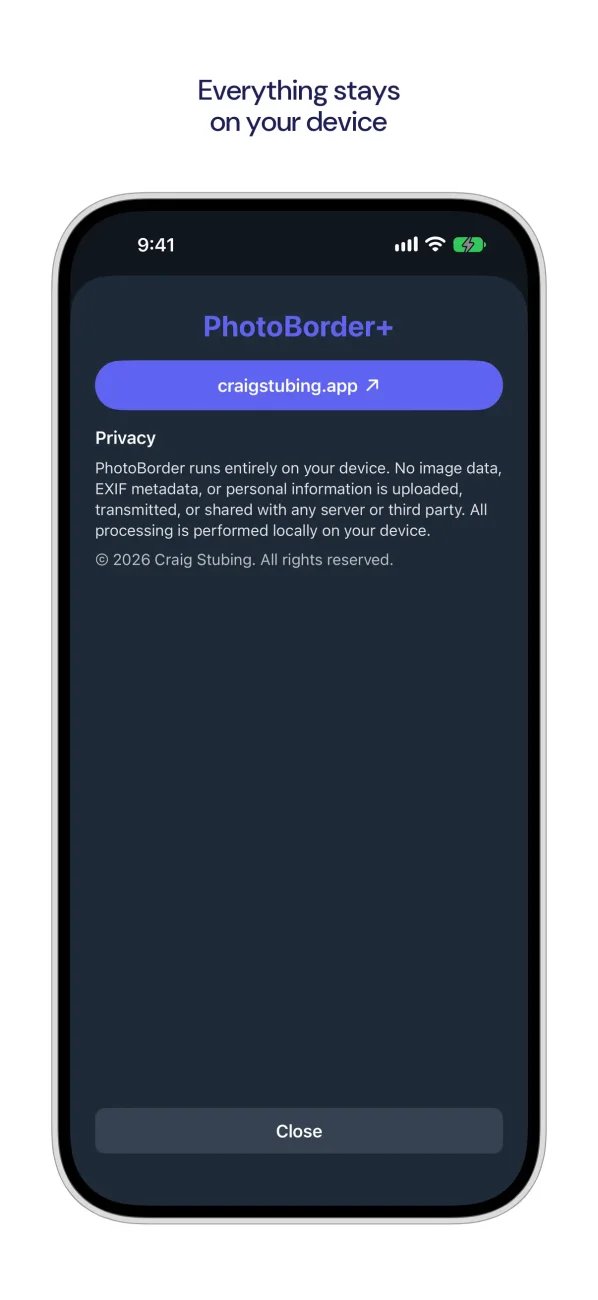
PhotoBorder+ runs entirely on your device. No cloud, no uploads, no accounts, no analytics, no tracking. Your photos never leave your phone.
Buy once. Own forever.
No subscriptions. No ads. No in-app purchases. One payment, every feature, every update.
Universal app
One purchase works on iPhone, iPad, and Mac. The interface adapts to each screen — thumb-friendly on iPhone, spacious on iPad and Mac.
Yenilikler
Sürüm 3.1 · 08.11.2026
• Menu commands and keyboard shortcuts: Open Photo (⌘O), Save (⌘S), About PhotoBorder+, and Help, which opens craigstubing.app.
• Refreshed design with hover highlights, clearer selected states, and a sidebar that scrolls when the window is small.
• Better accessibility: improved VoiceOver labels, larger text support, and better contrast.
• Under-the-hood improvements for faster, more reliable saving.
Uygulama gizliliği
Bu uygulamanın verileri nasıl işlediği hakkında Craig Stubing tarafından App Store üzerinde yapılan beyan.
-
Veri toplanmıyor
Geliştirici bu uygulamadan hiçbir veri toplamıyor.
Gizlilik uygulamaları, örneğin kullandığınız özelliklere veya yaşınıza göre değişiklik gösterebilir.
Bilgiler
- Satıcı
- Craig Stubing
- Kategori
- Fotoğraf ve Video
- Sürüm
- 3.1
- Güncellendi
- 08.11.2026
- Yayın tarihi
- 08.04.2026
- Boyut
- 1,1 MB
- Gereksinim
- iOS 16.0 veya sonrası
- Yaş sınırı
- 4+
- Fiyat
- Ücretsiz
- Diller
- İngilizce
- Telif hakkı
- © 2026 Craig Stubing
Bunları da beğenebilirsiniz
-
 PixmoFotoğraf ve Video
-
 Lumen - DualShot RecordFotoğraf ve Video
-
 Double Cam: Front&Back in OneFotoğraf ve Video
-
 LumyraFotoğraf ve Video
-
 ShareClean-Photo Privacy ToolFotoğraf ve Video
-
 FaceLock: Arka Kamera SelfieVideo için Haptik Çerçeveleme
-
 Twiice : Split CameraFotoğraf ve Video
-
 Framera - Frame CaptureFotoğraf ve Video
-
 Clip Cradle: Shot List PlannerFotoğraf ve Video
-
 Lensgrade: Photo CullingFotoğraf ve Video