Pocket Note - Handwritten note
Notepad for handwriting
iPhone, iPad, iPod touch için tasarlandı
Ücretsiz · Uygulama içi satın alma
- Yaş sınırı4+
- KategoriÜretkenlik
- GeliştiriciNAOAKI SEKIGUCHI
- Dillerİngilizce+ 10 dil daha
- Boyut25,0 MB
Resmi App Store sayfasına bağlanır
Download.org, Pocket Note - Handwritten note için hiçbir dosya barındırmaz. Düğme, uygulamanın App Store üzerindeki sayfasını açar; uygulamayı orada NAOAKI SEKIGUCHI yayınlar. Sayfanın son kontrolü: 18.11.2026.
Ekran görüntüleri
Hakkında
Geliştirici bu metni dilinizde sunmamış.
Would you like to make your smartphone or tablet PC into a useful business tool?
Pocket Note is a notepad application specially designed for the business scene.
With Pocket Note, you can quickly put your ideas together by a straightforward, simple operation.
[Major functions]
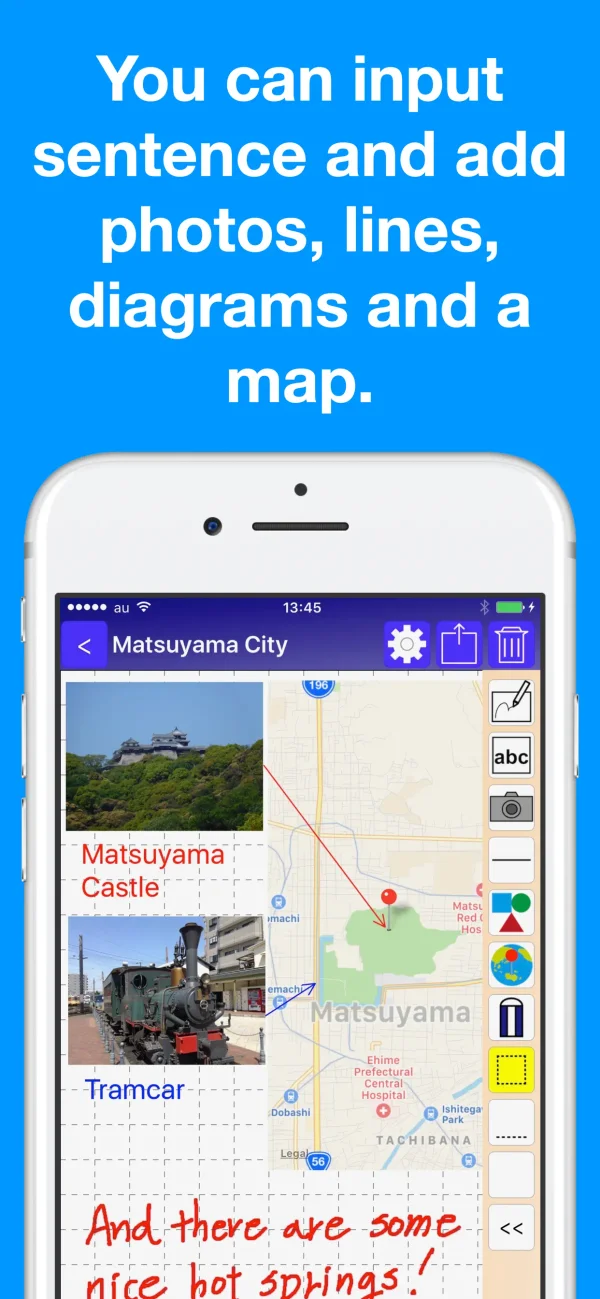
- We provided grid lines and horizontal ruled lines on the notepad to make it easier to organize what you write down.And when you don't need a grid or horizontal lines, you can choose "blank".
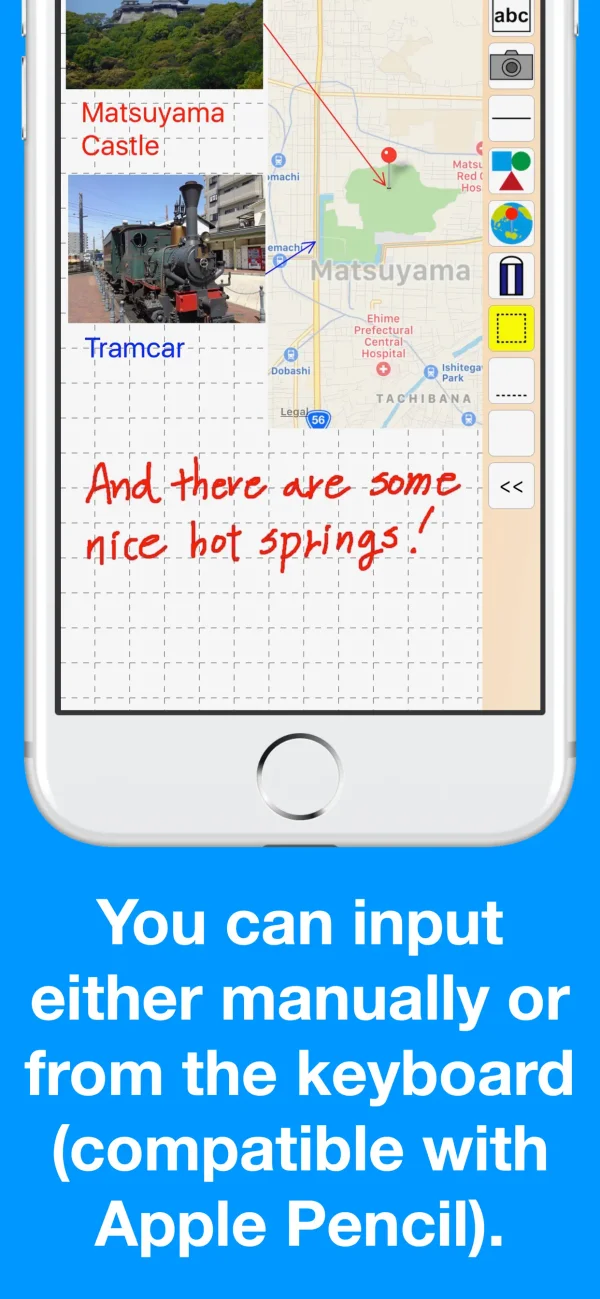
- You can input either manually or from the keyboard (compatible with Apple Pencil).
For manual input, choose from 2 pens, "regular" or "thick", and an eraser.
For pen size and color, choose from 20 sizes and 25 colors.
- You can paste up to 20 photos on each page.
- You can paste maps.
With a map, you can do the following:
You can display your current position on the map using GPS.
By continuously pressing down at a given location on the map, you can place a pin at the location.
By inputting a name or address, you can place a pin at that location.
You can also specify the zoom factor as you wish.
- By pasting figures and lines, you can display your notes graphically.
For figures, choose from rectangles, triangles or circles.
You can specify their size and shape freely.
Lines may be with or without arrows.
For figures and lines, choose from 25 different colors.
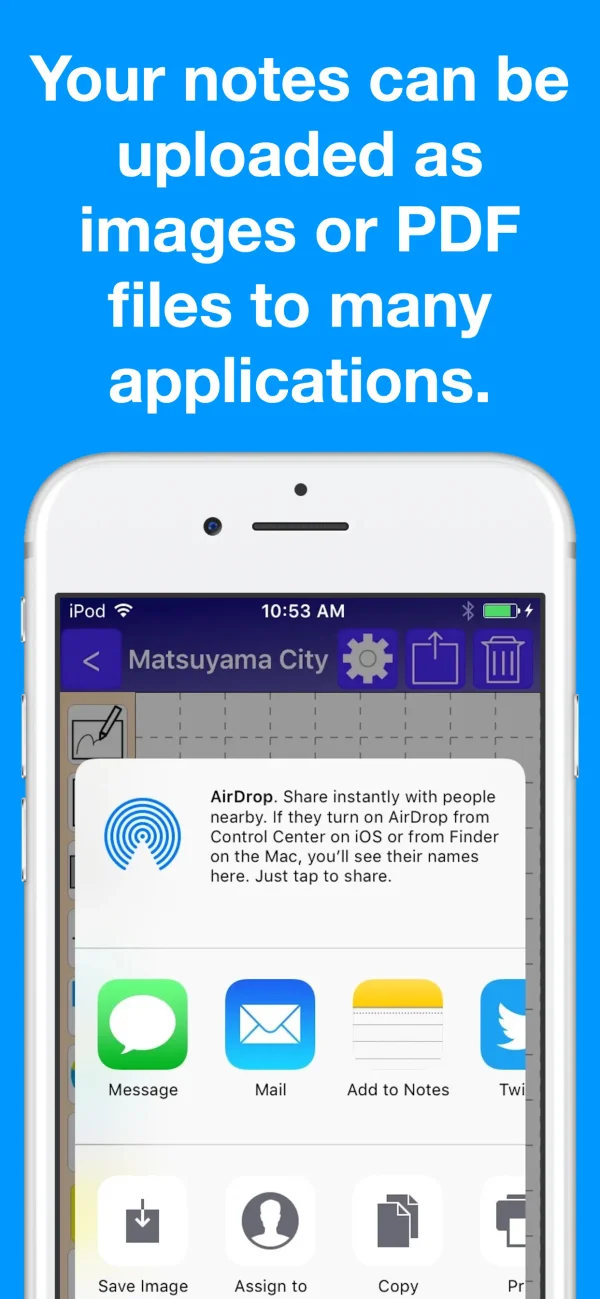
- You can save your notes as an image or a PDF file. You can do the following:
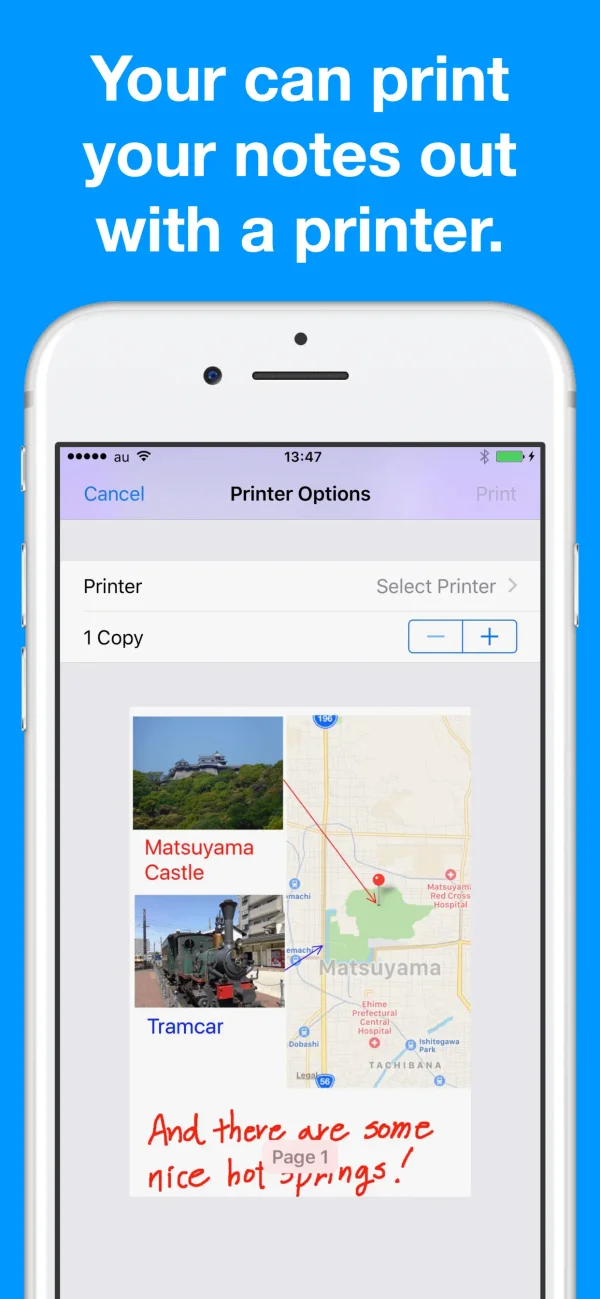
Print them out with a printer.
Save them as images in iOS "Photos".
Attach them to emails as images or PDF files.
Share them as images with iCloud Photo Sharing.
Paste them as images in iOS standard "Notes".
Save them as PDF files in iOS standard "iBooks".
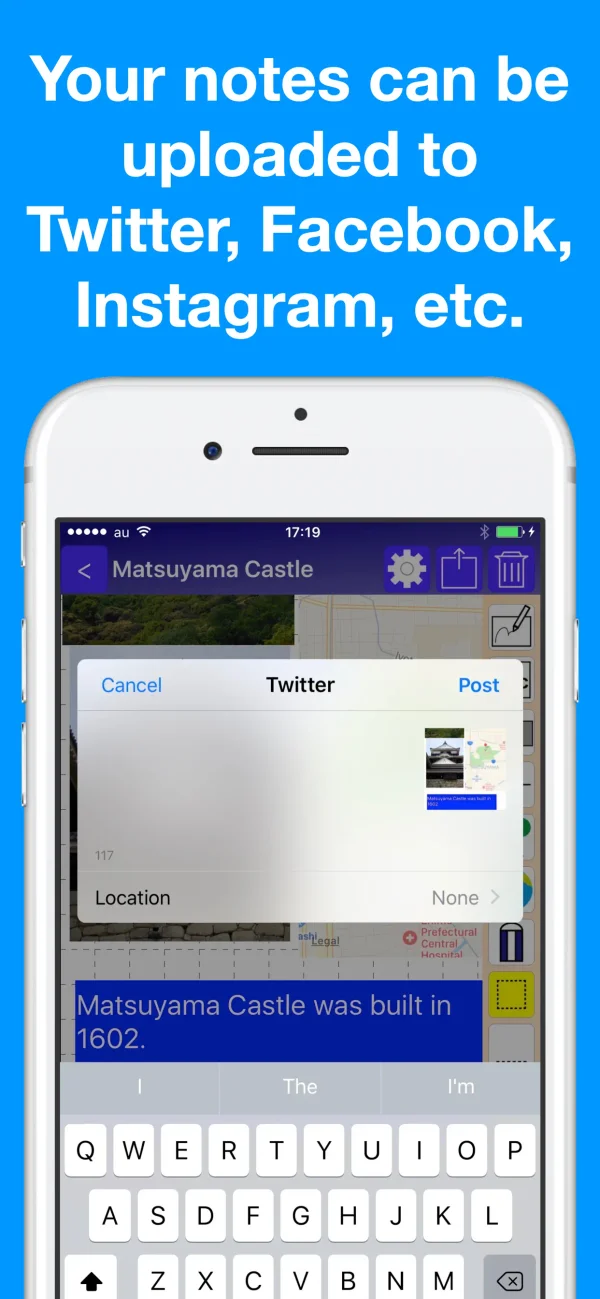
They can be uploaded as images to Twitter, Facebook, Google+, Instagram, Evernote, Flickr, Line, etc.
(If these applications are installed. Also, if the application is compatible with iOS App Extensions, they can be uploaded as images.)
- Notes can be organized into groups.
Several groups can be set for each note.
Notes can be displayed by group, or by modified date.
- It's compatible with iCloud, so you can share your notes on your iPhone or iPad.
- Compatible with Siri Shortcuts.
You can use this application for free for 30 days.
If you want to use this app from the 31th day onward, please watch the advertisement movie or make In-App Purchase.
[Contact us]
https://www.studioks.net/en/contact-us/
[Studio K's - Business Applications Maker]
https://www.studioks.net/en/
Yenilikler
Sürüm 16.1 · 28.12.2024
This update contains stability and performance improvements.
Uygulama gizliliği
Bu uygulamanın verileri nasıl işlediği hakkında NAOAKI SEKIGUCHI tarafından App Store üzerinde yapılan beyan.
-
Sizi izlemek için kullanılan veriler
Başka şirketlere ait uygulamalarda ve web sitelerinde sizi izlemek için kullanılabilir.
- Konum
- Kullanım verileri
-
Sizinle ilişkilendirilmeyen veriler
Toplanabilir ancak kimliğinizle ilişkilendirilmez.
- Konum
- Kullanıcı içeriği
- Kullanım verileri
- Tanılama
Gizlilik uygulamaları, örneğin kullandığınız özelliklere veya yaşınıza göre değişiklik gösterebilir.
Bilgiler
- Satıcı
- NAOAKI SEKIGUCHI
- Kategori
- Üretkenlik
- Sürüm
- 16.1
- Güncellendi
- 28.12.2024
- Yayın tarihi
- 20.02.2020
- Boyut
- 25,0 MB
- Gereksinim
- iOS 13.0 veya sonrası
- Yaş sınırı
- 4+
- Fiyat
- Ücretsiz
- Uygulama içi satın alma
- Evet
- Diller
- İngilizce, Fransızca, Almanca, İtalyanca, Japonca, Korece, Portekizce, Rusça, Basitleştirilmiş Çince, İspanyolca, Geleneksel Çince
- Telif hakkı
- © 2020 - 2024 Naoaki Sekiguchi and Studio K's
Bunları da beğenebilirsiniz
-
 AI Chatbot & Assistant: MinvoÜretkenlik
-
 Task Writer - Touch or StylusÜretkenlik
-
 Fikir NotlarıFikirlerinizi hızla yazın!
-
 Notestudio: note taking, pdfÜretkenlik
-
 Note X - NotepadÜretkenlik
-
 Notator | Annotate DocumentsÜretkenlik
-
 PhotoNote: Foto notlarKamerayla not alın
-
 AxNote: Note TakingÜretkenlik
-
 Carbo › Kalemle ÇizimKalemle çiz, karala
-
 Pen and PaperÜretkenlik