PosterSplit
Tile-print posters & patterns
iPhone, iPad, Mac için tasarlandı
Ücretsiz · Uygulama içi satın alma
- Yaş sınırı4+
- KategoriGrafik ve Tasarım
- GeliştiriciKojiro Fujisaka
- Dillerİngilizce+ 10 dil daha
- Boyut18,0 MB
Resmi App Store sayfasına bağlanır
Download.org, PosterSplit için hiçbir dosya barındırmaz. Düğme, uygulamanın App Store üzerindeki sayfasını açar; uygulamayı orada Kojiro Fujisaka yayınlar. Sayfanın son kontrolü: 25.11.2026.
Ekran görüntüleri


Hakkında
Geliştirici bu metni dilinizde sunmamış.
Print bigger with an everyday printer.
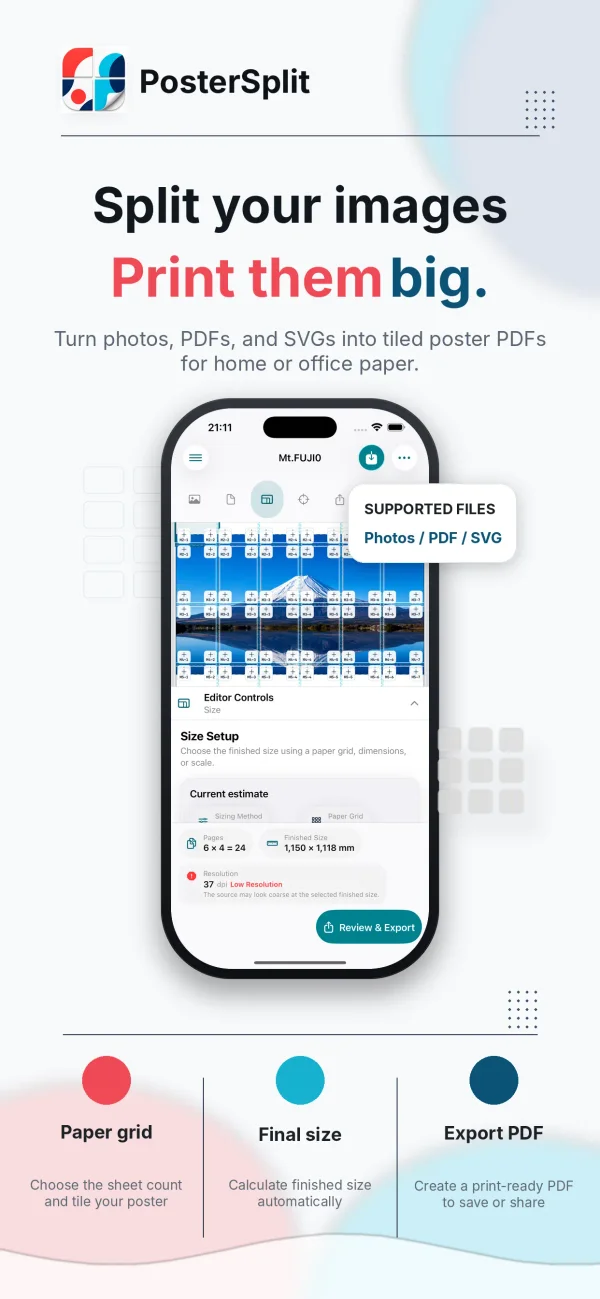
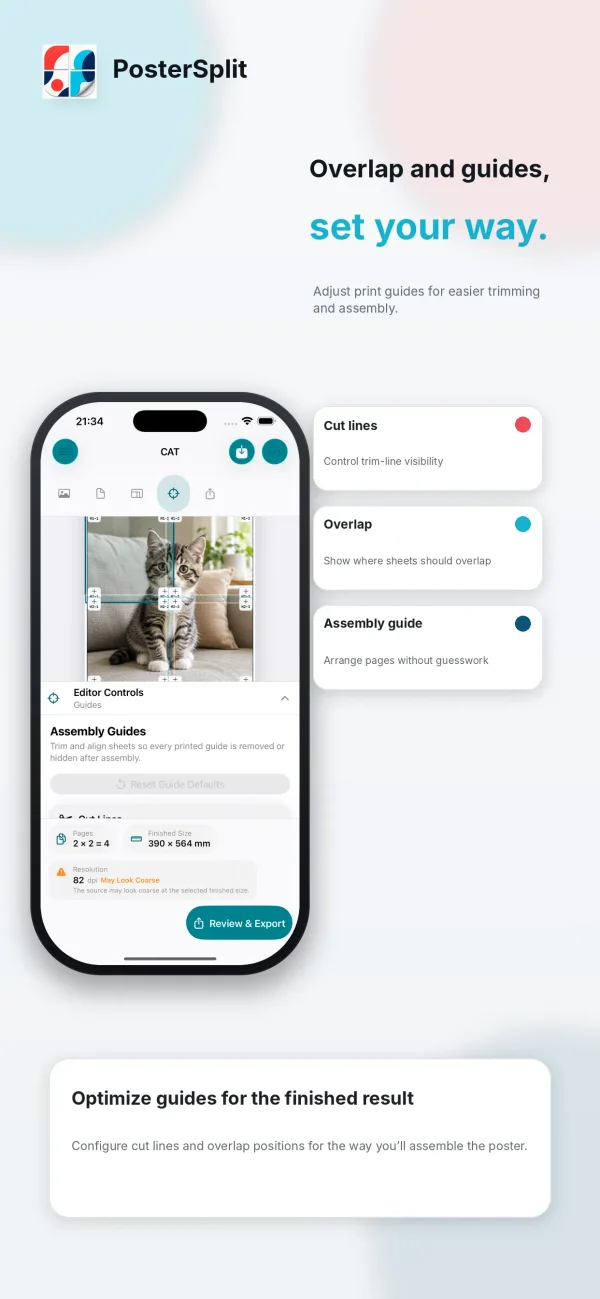
PosterSplit is an iPhone and iPad app that splits photos, PDFs, and SVG files across multiple sheets to create poster PDFs that are ready to print and assemble.
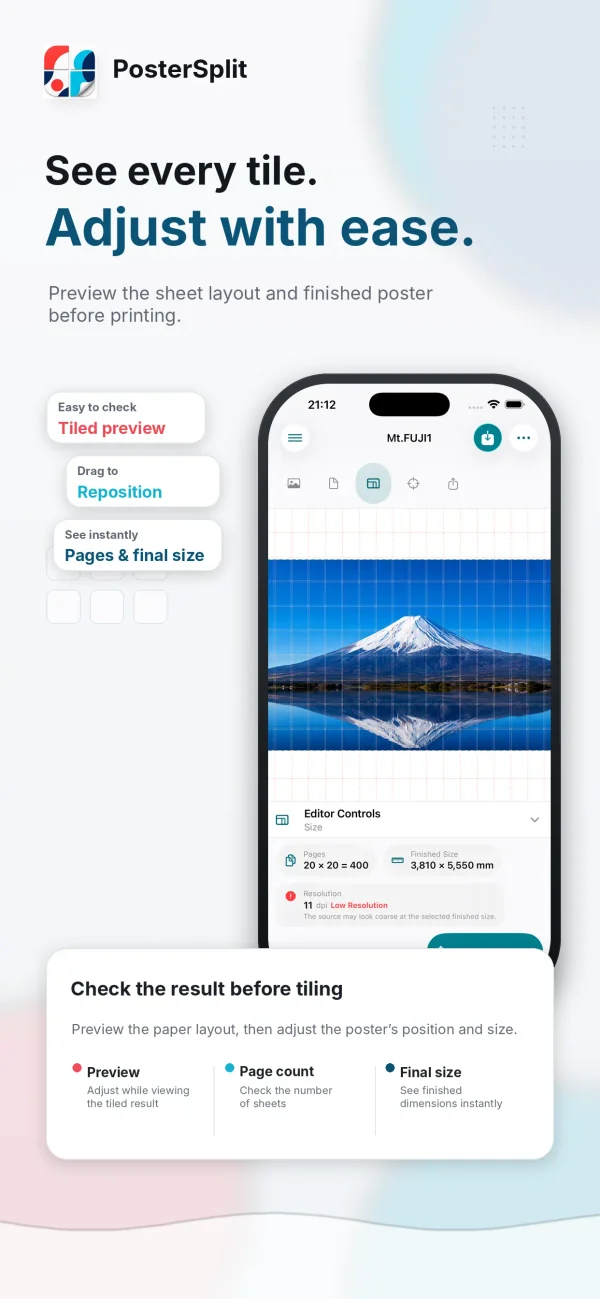
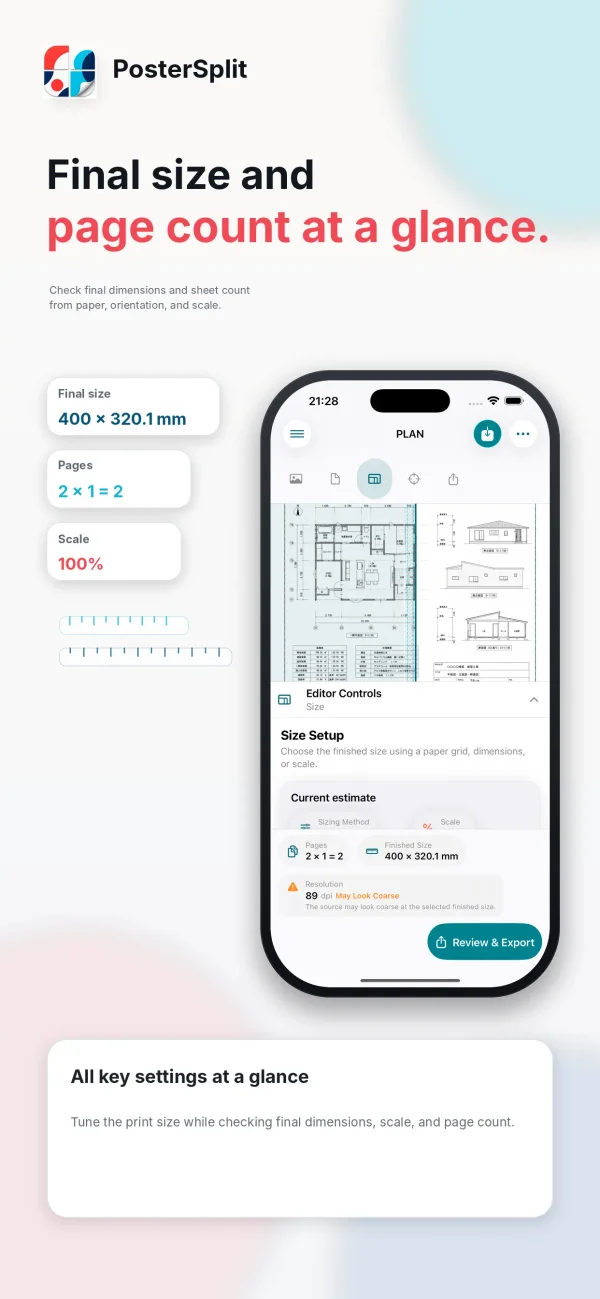
Use it for large posters, full-size patterns, drawings, life-size displays, banners, and more. Choose your source, set the paper, finished size, or scale, preview the page count and layout, then save, share, or print the PDF with AirPrint.
【Key features】
• Import photos, PDFs, SVG files, camera shots, or a built-in sample
• Support for A4, US Letter, A3, Legal, Tabloid, B4, A5, B5, A6, and B6 paper
• Set the layout by grid, finished size, or scale
• Page placement that accounts for margins and overlap
• Crop marks, page labels, check lines, and an assembly instruction sheet
• Standard and high-quality PDF output
• Modes for full-size patterns, drawing PDFs, life-size displays, and banners
• Calibration profiles to correct horizontal and vertical printer scaling
• Save, duplicate, rename, and revisit projects and export history
• Native layouts for both iPhone and iPad
• Interface available in 11 languages
【How it works】
1. Choose a photo, PDF, SVG, camera shot, or sample.
2. Select the paper, finished size, and scale.
3. Preview the page count, overlap, and guides.
4. Generate the PDF, then save it to Files, share it, or print with AirPrint.
【PosterSplit Pro】
The free version supports A4 and US Letter. PosterSplit Pro also lets you select A3, Legal, Tabloid, B4, A5, B5, A6, and B6.
PosterSplit Pro is a one-time purchase. The actual price is shown by the App Store.
【Privacy】
Source processing and PDF generation happen on your device. There are no uploads to a proprietary server, no ads, and no account registration.
Adjust the paper and size for your project, then turn an everyday printer into a way to create something much larger.
Yenilikler
Sürüm 1.0.7 · 24.11.2026
Fixed actual-size and scaled PDF output. The 100% option now uses the selected page and page box. SVG output now handles dimensions, colors, hidden layers, and dashed lines correctly.
Projects can be saved after renaming. Large source files are stored with the project, and you can reconnect the original file if an older project loses access to it. Improved backups for projects that use printer calibration profiles.
Uygulama gizliliği
Bu uygulamanın verileri nasıl işlediği hakkında Kojiro Fujisaka tarafından App Store üzerinde yapılan beyan.
-
Veri toplanmıyor
Geliştirici bu uygulamadan hiçbir veri toplamıyor.
Gizlilik uygulamaları, örneğin kullandığınız özelliklere veya yaşınıza göre değişiklik gösterebilir.
Bilgiler
- Satıcı
- Kojiro Fujisaka
- Kategori
- Grafik ve Tasarım
- Sürüm
- 1.0.7
- Güncellendi
- 24.11.2026
- Yayın tarihi
- 13.08.2026
- Boyut
- 18,0 MB
- Gereksinim
- iOS 18.0 veya sonrası
- Yaş sınırı
- 4+
- Fiyat
- Ücretsiz
- Uygulama içi satın alma
- Evet
- Diller
- İngilizce, Fransızca, Almanca, İtalyanca, Japonca, Korece, Portekizce, Rusça, Basitleştirilmiş Çince, İspanyolca, Geleneksel Çince
- Telif hakkı
- © 2026 ZeroPeaks
Bunları da beğenebilirsiniz
-
 ScalePrintGrafik ve Tasarım
-
 Tileray: Poster PrintingGrafik ve Tasarım
-
 Tattoo Print SystemGrafik ve Tasarım
-
 Docuslice - Poster BaskısıKaro Baskı | Blok Poster
-
 ImgSplitter -Image Split-Grafik ve Tasarım
-
 SiluetteGrafik ve Tasarım
-
 TraceIt: fotoğraftan çizgiFotoğrafın çizgiye dönüşür
-
 CutContourGrafik ve Tasarım
-
 もじる / MOJIRUGrafik ve Tasarım
-
 Grid Drawing Tool - ArtGrideGrafik ve Tasarım