PosterSplit
Tile-print posters & patterns
Được thiết kế cho iPhone, iPad, Mac
Miễn phí · Mua hàng trong ứng dụng
- Độ tuổi4+
- Danh mụcĐồ Họa & Thiết Kế
- Nhà phát triểnKojiro Fujisaka
- Ngôn ngữTiếng Anh+ 10 ngôn ngữ khác
- Kích thước18,0 MB
Liên kết đến trang App Store chính thức
Download.org không lưu trữ tệp nào của PosterSplit. Nút này mở trang ứng dụng trên App Store, nơi Kojiro Fujisaka phát hành ứng dụng. Trang được kiểm tra lần cuối: 25/11/2026.
Ảnh chụp màn hình
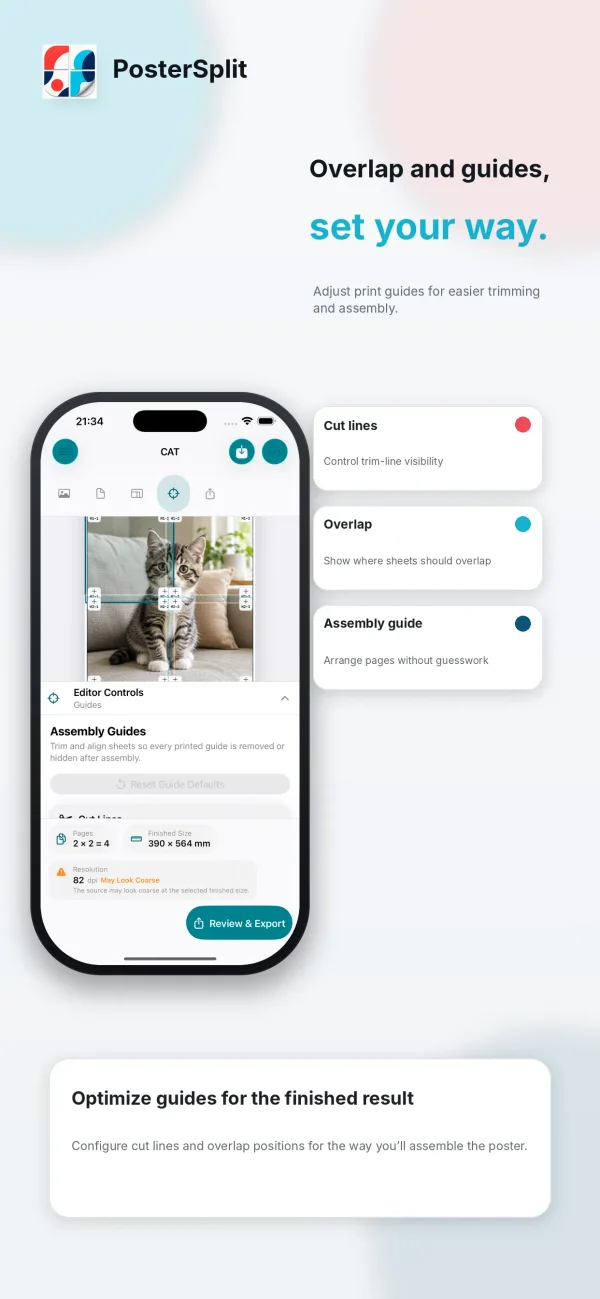


Giới thiệu
Nhà phát triển chưa cung cấp nội dung này bằng ngôn ngữ của bạn.
Print bigger with an everyday printer.
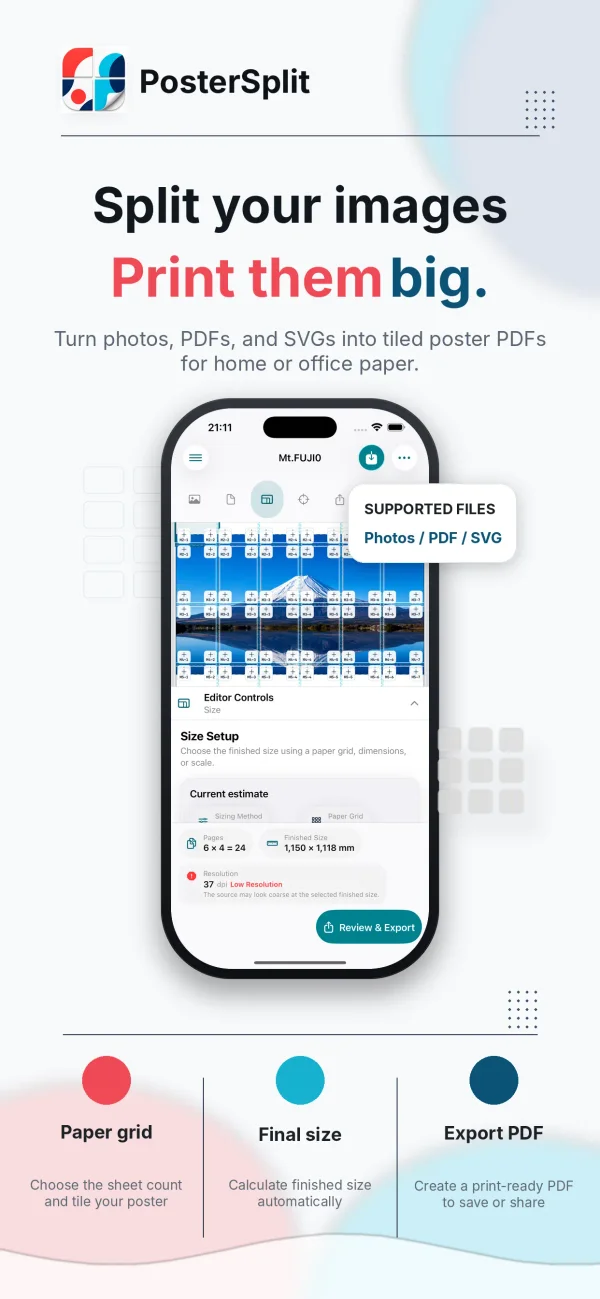
PosterSplit is an iPhone and iPad app that splits photos, PDFs, and SVG files across multiple sheets to create poster PDFs that are ready to print and assemble.
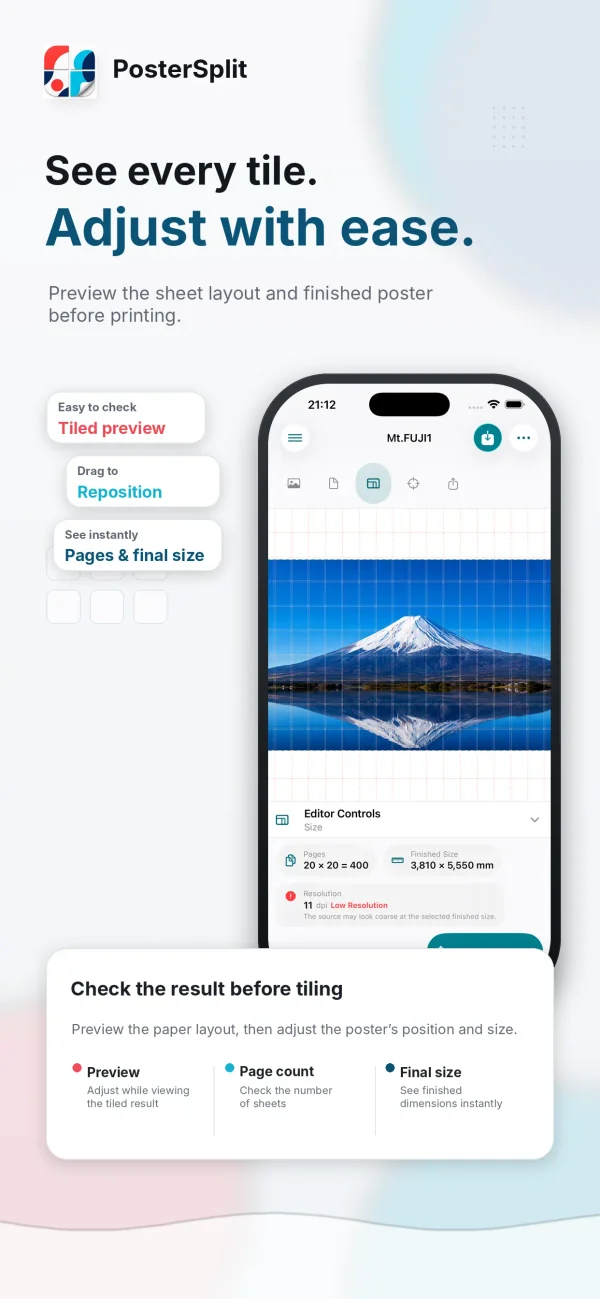
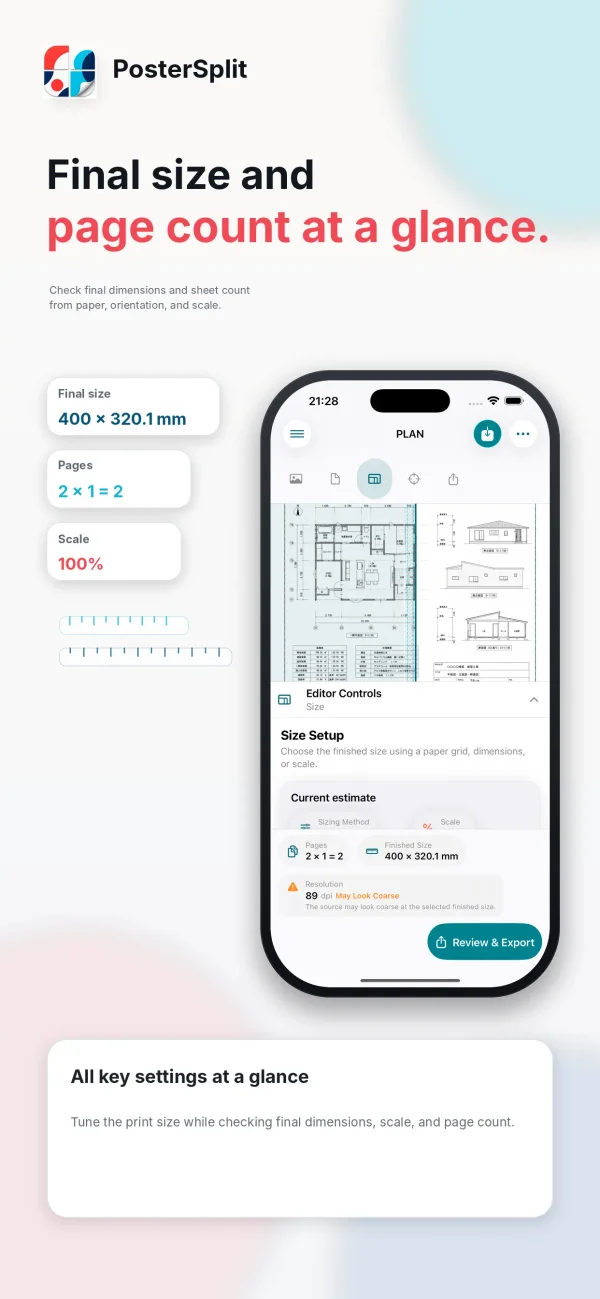
Use it for large posters, full-size patterns, drawings, life-size displays, banners, and more. Choose your source, set the paper, finished size, or scale, preview the page count and layout, then save, share, or print the PDF with AirPrint.
【Key features】
• Import photos, PDFs, SVG files, camera shots, or a built-in sample
• Support for A4, US Letter, A3, Legal, Tabloid, B4, A5, B5, A6, and B6 paper
• Set the layout by grid, finished size, or scale
• Page placement that accounts for margins and overlap
• Crop marks, page labels, check lines, and an assembly instruction sheet
• Standard and high-quality PDF output
• Modes for full-size patterns, drawing PDFs, life-size displays, and banners
• Calibration profiles to correct horizontal and vertical printer scaling
• Save, duplicate, rename, and revisit projects and export history
• Native layouts for both iPhone and iPad
• Interface available in 11 languages
【How it works】
1. Choose a photo, PDF, SVG, camera shot, or sample.
2. Select the paper, finished size, and scale.
3. Preview the page count, overlap, and guides.
4. Generate the PDF, then save it to Files, share it, or print with AirPrint.
【PosterSplit Pro】
The free version supports A4 and US Letter. PosterSplit Pro also lets you select A3, Legal, Tabloid, B4, A5, B5, A6, and B6.
PosterSplit Pro is a one-time purchase. The actual price is shown by the App Store.
【Privacy】
Source processing and PDF generation happen on your device. There are no uploads to a proprietary server, no ads, and no account registration.
Adjust the paper and size for your project, then turn an everyday printer into a way to create something much larger.
Có gì mới
Phiên bản 1.0.7 · 24/11/2026
Fixed actual-size and scaled PDF output. The 100% option now uses the selected page and page box. SVG output now handles dimensions, colors, hidden layers, and dashed lines correctly.
Projects can be saved after renaming. Large source files are stored with the project, and you can reconnect the original file if an older project loses access to it. Improved backups for projects that use printer calibration profiles.
Quyền riêng tư của ứng dụng
Những gì Kojiro Fujisaka khai báo trên App Store về cách ứng dụng này xử lý dữ liệu.
-
Dữ liệu không được thu thập
Nhà phát triển không thu thập bất kỳ dữ liệu nào từ ứng dụng này.
Phương thức đảm bảo quyền riêng tư có thể khác nhau, chẳng hạn như tuỳ theo các tính năng bạn sử dụng hoặc độ tuổi của bạn.
Thông tin
- Người bán
- Kojiro Fujisaka
- Danh mục
- Đồ Họa & Thiết Kế
- Phiên bản
- 1.0.7
- Cập nhật
- 24/11/2026
- Phát hành
- 13/08/2026
- Kích thước
- 18,0 MB
- Yêu cầu
- iOS 18.0 trở lên
- Độ tuổi
- 4+
- Giá
- Miễn phí
- Mua hàng trong ứng dụng
- Có
- Ngôn ngữ
- Tiếng Anh, Tiếng Pháp, Tiếng Đức, Tiếng Ý, Tiếng Nhật, Tiếng Hàn, Tiếng Bồ Đào Nha, Tiếng Nga, Tiếng Trung Giản thể, Tiếng Tây Ban Nha, Tiếng Trung Phồn thể
- Bản quyền
- © 2026 ZeroPeaks
Có thể bạn cũng thích
-
 ScalePrintĐồ Họa & Thiết Kế
-
 Tileray: Poster PrintingĐồ Họa & Thiết Kế
-
 Tattoo Print SystemĐồ Họa & Thiết Kế
-
 Docuslice - In PosterIn dạng lưới | Poster khối
-
 ImgSplitter -Image Split-Đồ Họa & Thiết Kế
-
 SiluetteĐồ Họa & Thiết Kế
-
 TraceIt: ảnh thành nét vẽẢnh của bạn thành nét vẽ
-
 CutContourĐồ Họa & Thiết Kế
-
 もじる / MOJIRUĐồ Họa & Thiết Kế
-
 Grid Drawing Tool - ArtGrideĐồ Họa & Thiết Kế