PrismOwn
Your client for PhotoPrism
iPhone, iPad, iPod touch için tasarlandı
Ücretsiz · Uygulama içi satın alma
- Yaş sınırı4+
- KategoriFotoğraf ve Video
- GeliştiriciJoerg Staege
- Dillerİngilizce+ 3 dil daha
- Boyut48,6 MB
Resmi App Store sayfasına bağlanır
Download.org, PrismOwn için hiçbir dosya barındırmaz. Düğme, uygulamanın App Store üzerindeki sayfasını açar; uygulamayı orada Joerg Staege yayınlar. Sayfanın son kontrolü: 23.11.2026.
Ekran görüntüleri




Hakkında
Geliştirici bu metni dilinizde sunmamış.
Your photos. Your server.
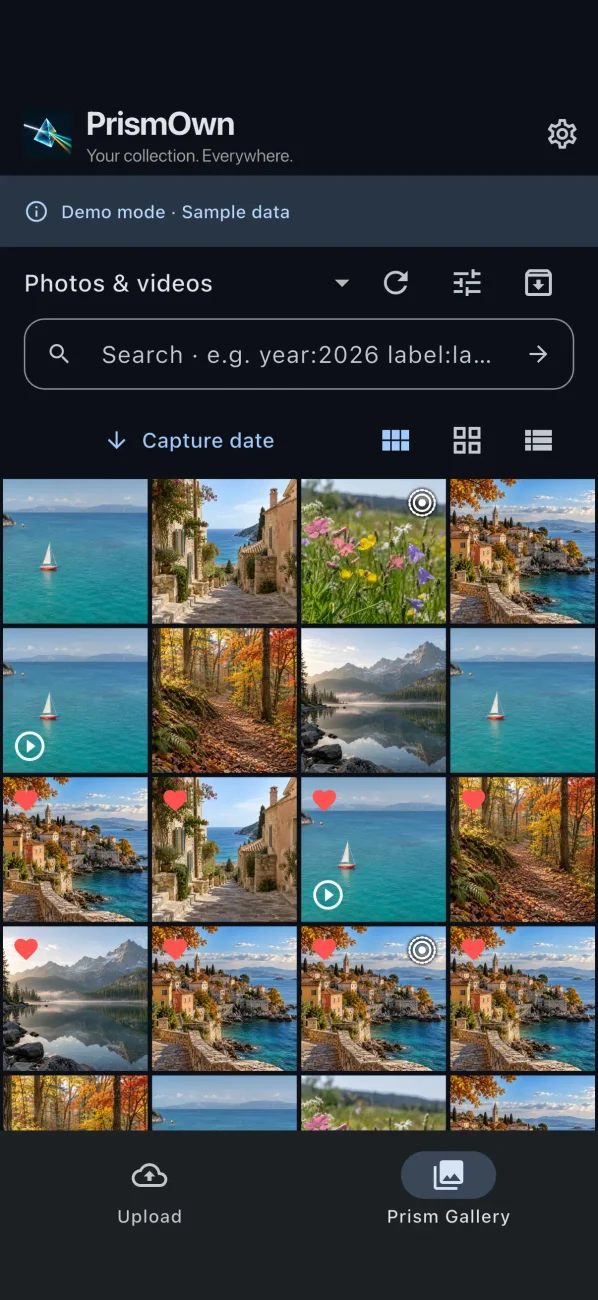
PrismOwn puts your own PhotoPrism server on your iPhone and iPad: back up the photos and videos you choose, explore your library.
ROTATE AND CROP PHOTOS
In Upload, open a photo and tap Edit: rotate by 90°, straighten by up to ±45°, crop freely or to 1:1, 4:3, 16:9 … in portrait or landscape – for all common photo formats, RAW and Live Photos with their motion. The edit is saved in Apple Photos, and “Revert to original” undoes it. Upload a photo you backed up before, and PrismOwn replaces the old version on your server without deleting anything.
PLACES ON A GLOBE
In Places, your photos appear with a preview and a count on a globe you can turn, with Apple Maps satellite imagery down to street level; tap a place to open its photos.
AUTOMATIC BACKUP
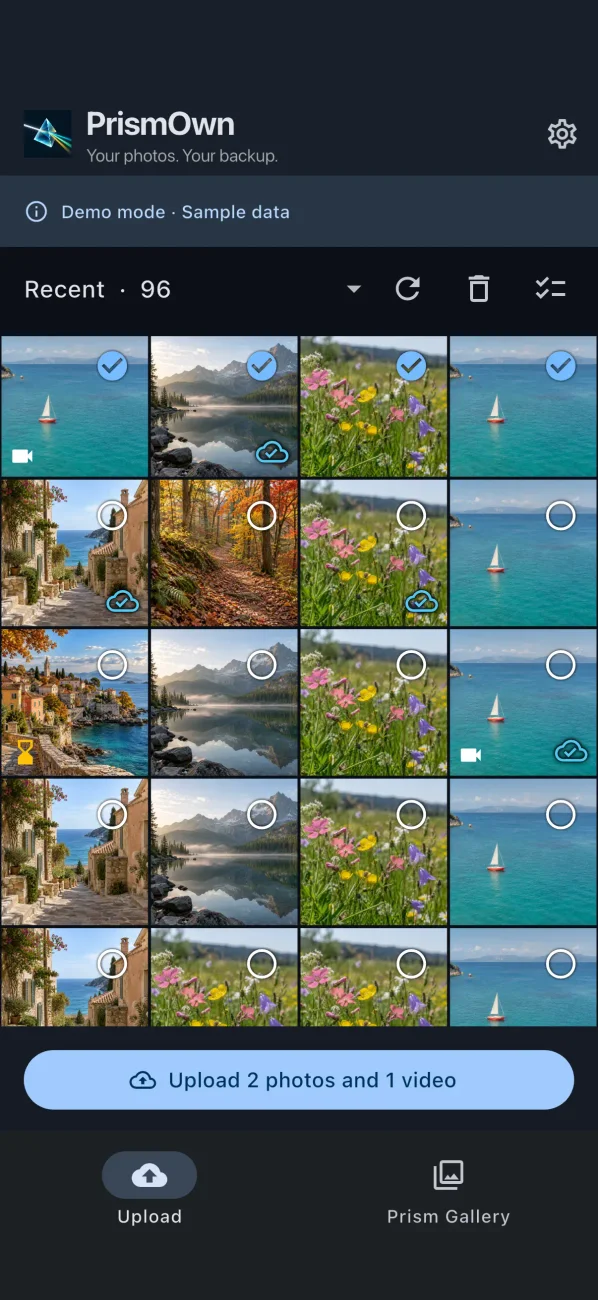
Optionally, PrismOwn backs up new photos in the background whenever iOS starts the transfer; it is confirmed the next time you open the app. Off by default; iOS 26.1 or later; only unedited photos (including Live Photos) taken after you turn it on; no videos, RAW or portrait shots; no deletion prompt.
BACK UP FIRST, THEN DELETE
The cloud mark appears only once your server has confirmed complete and correct receipt. The trash can atop Upload opens the delete view: confirmed items still on your device. Nothing is deleted unless you request it and approve it in iOS; files on PhotoPrism are kept. Deletion removes the entire item, including originals and raw data that were not backed up – with iCloud Photos, also from iCloud and connected devices.
YOUR WHOLE LIBRARY
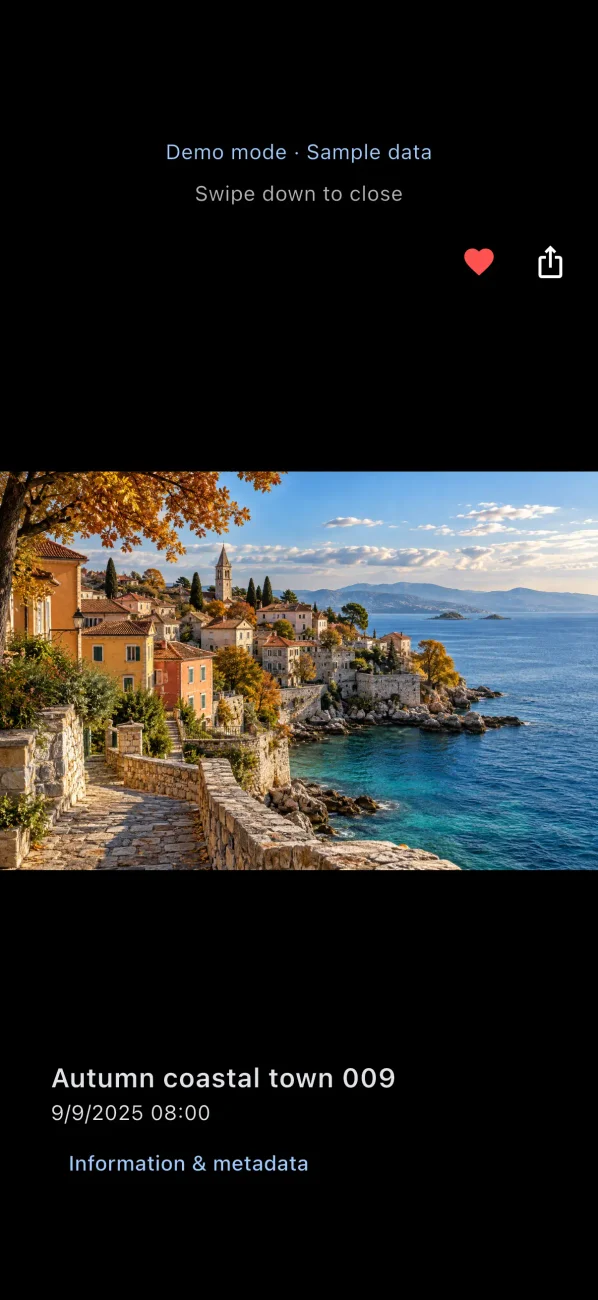
Albums, folders, calendar, moments, people, places, labels, Media (videos, Live Photos, animated items) and Private (marked private on your server), depending on server and rights, sortable. Tap the search field for advanced search: country, category, camera and lens from lists on your server, plus date taken, color, Videos only and PhotoPrism filters. Favorites; share via iOS, also up to 50 items at once. Archive several items without deleting: Undo brings them back, later the PhotoPrism archive.
AS YOU SEE IT
PrismOwn backs up the current version you see in Apple Photos: for edited photos, Live Photos, portraits and RAW photos, without the originals and raw data from before editing; for slow motion without a finished version, one PrismOwn computes itself, without the high-frame-rate original. Unedited items are backed up completely. Anything that cannot yet be backed up reliably is not uploaded, is marked with a no-entry symbol and is never offered for deletion.
YOUR PHOTOS STAY YOURS
Photos and videos go only to your own server over HTTPS; there is no PrismOwn cloud. Map imagery comes from Apple, and PrismOwn never asks for your location. Diagnostics: optional, off by default.
FULL VERSION
The download is free. New uploads, editing and the server gallery require the full version – as an annual auto-renewing subscription or a one-time purchase, both shareable with up to five family members via Family Sharing. The App Store shows prices and any trial offer before you buy.
REQUIREMENTS
You need your own compatible PhotoPrism server, sign-in credentials, network access and iOS permissions; hosting and server storage are not included. iOS decides whether and how long background tasks run. PrismOwn is an independent client compatible with PhotoPrism, not an official PhotoPrism app.
SUPPORT AND BUG REPORTS
There is no personal support and no help with PhotoPrism, hosting, networks or other third-party software. You can report app bugs and accessibility barriers, without an individual reply. Reports may be reviewed at our sole discretion; no reply, fix or timeframe is promised. Statutory rights and the communication they require remain unaffected.
TERMS OF USE AND PRIVACY
Terms of Use (Apple Standard EULA): https://www.apple.com/legal/internet-services/itunes/dev/stdeula/
Privacy Policy: https://techluminai.de/prismown/datenschutz
Yenilikler
Sürüm 1.3.5 · 22.11.2026
New in 1.3.5:
• Server gallery: now keeps loading by itself until the screen is filled. Before, it sometimes showed only a few items after opening until you tapped one
Since 1.3.4:
• Delete view: now lists all confirmed backups, no matter how far you have scrolled
• Upload: items whose name has no file extension are transferred correctly
• An interrupted backup check resumes by itself when you open the app; the display says how many items the server has confirmed
• If the server does not take a file, the app says so instead of waiting
• Items that iOS reports as changed after the backup keep their cloud if the content is the same; only items that really changed carry their own mark
• “Recents” in the upload view now shows the most recently added items first, like Apple Photos
• The app now recognises photos that are already on your server: automatically after “Save to Photos” and via “Reconcile library with server” in Settings. They count as backed up and are not uploaded again
• Checking existing transfers now names items that are not on the server and offers to transfer them again
• Album picker: “Recents” no longer appears twice in the menu
• Live Photos uploaded a second time keep their preview in the server gallery
Since 1.3.3:
• Gallery: new sort option “Date added” – the items most recently added to your server come first, or last if you prefer
• The optional diagnostics use a current Sentry library; consent and the data sent stay the same
Uygulama gizliliği
Bu uygulamanın verileri nasıl işlediği hakkında Joerg Staege tarafından App Store üzerinde yapılan beyan.
-
Sizinle ilişkilendirilen veriler
Toplanabilir ve kimliğinizle ilişkilendirilebilir.
- Satın alımlar
- Kullanım verileri
- Tanılama
Gizlilik uygulamaları, örneğin kullandığınız özelliklere veya yaşınıza göre değişiklik gösterebilir.
Bilgiler
- Satıcı
- Joerg Staege
- Kategori
- Fotoğraf ve Video
- Sürüm
- 1.3.5
- Güncellendi
- 22.11.2026
- Yayın tarihi
- 18.10.2026
- Boyut
- 48,6 MB
- Gereksinim
- iOS 15.0 veya sonrası
- Yaş sınırı
- 4+
- Fiyat
- Ücretsiz
- Uygulama içi satın alma
- Evet
- Diller
- İngilizce, Fransızca, Almanca, İspanyolca
- Telif hakkı
- © 2026 Jörg Staege (TechLuminAI)
Bunları da beğenebilirsiniz
-
 Photo SpectraFotoğraf ve Video
-
 OrangePicFotoğraf ve Video
-
 Photo Collage Maker - PictureFotoğraf ve Video
-
 Prismatic: A PhotoPrism ClientFotoğraf ve Video
-
 Sync Photo - SmugMugFotoğraf ve Video
-
 Stream - Manage & Find PhotosFotoğraf ve Video
-
 Video Editör: Müzik & EfektReels, TikTok Video Düzenle
-
 Pic Kolaj Oluşturucu ve editörResim birleştirme düzenleme
-
 ContentCam: Dikey Yatay KameraTek çekim, aynı anda iki kayıt
-
 Radiant: AI Photo&Video EditorFotoğraf ve Video