QAudioEditor
Lossless MP3, AAC, M4A editor
iPhone, iPad, Mac için tasarlandı
Ücretsiz · Uygulama içi satın alma
- Yaş sınırı4+
- KategoriMüzik
- GeliştiriciJAKUB KAPRZYK
- Dillerİngilizce+ 4 dil daha
- Boyut10,0 MB
Resmi App Store sayfasına bağlanır
Download.org, QAudioEditor için hiçbir dosya barındırmaz. Düğme, uygulamanın App Store üzerindeki sayfasını açar; uygulamayı orada JAKUB KAPRZYK yayınlar. Sayfanın son kontrolü: 23.11.2026.
Ekran görüntüleri
Hakkında
Geliştirici bu metni dilinizde sunmamış.
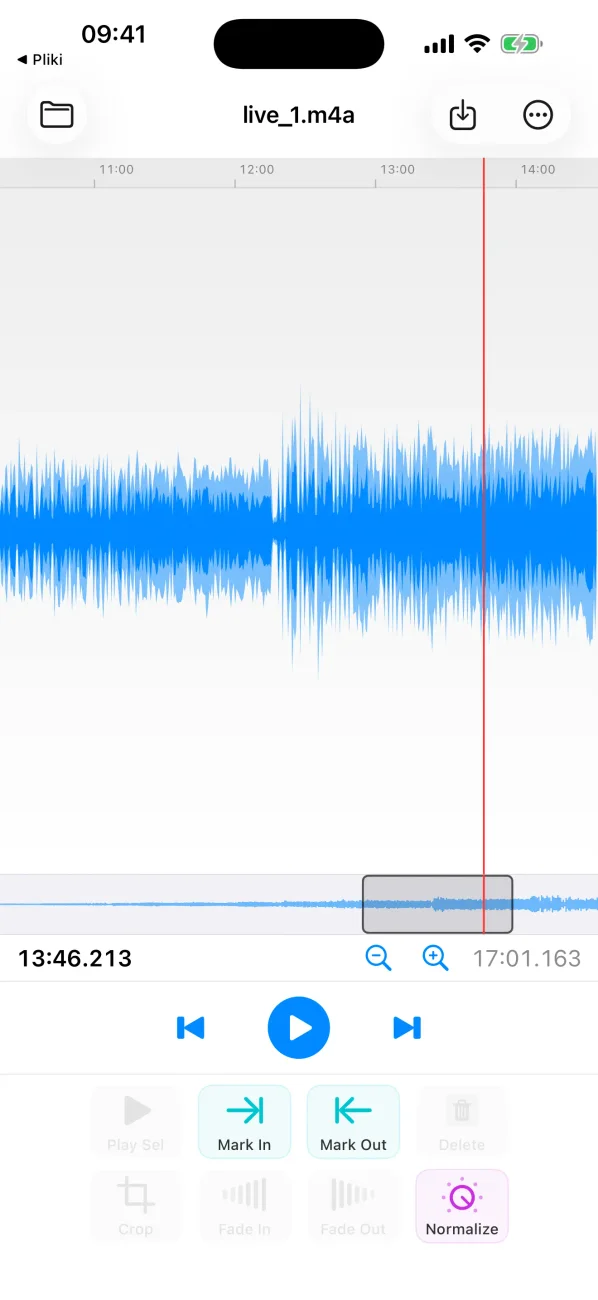
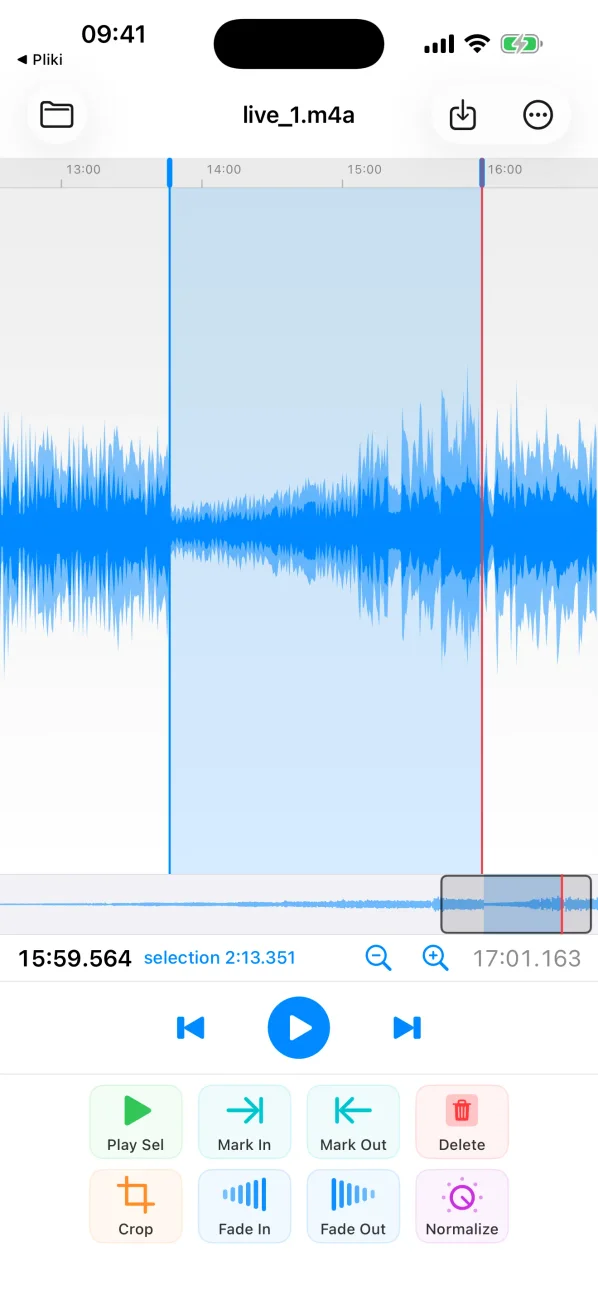
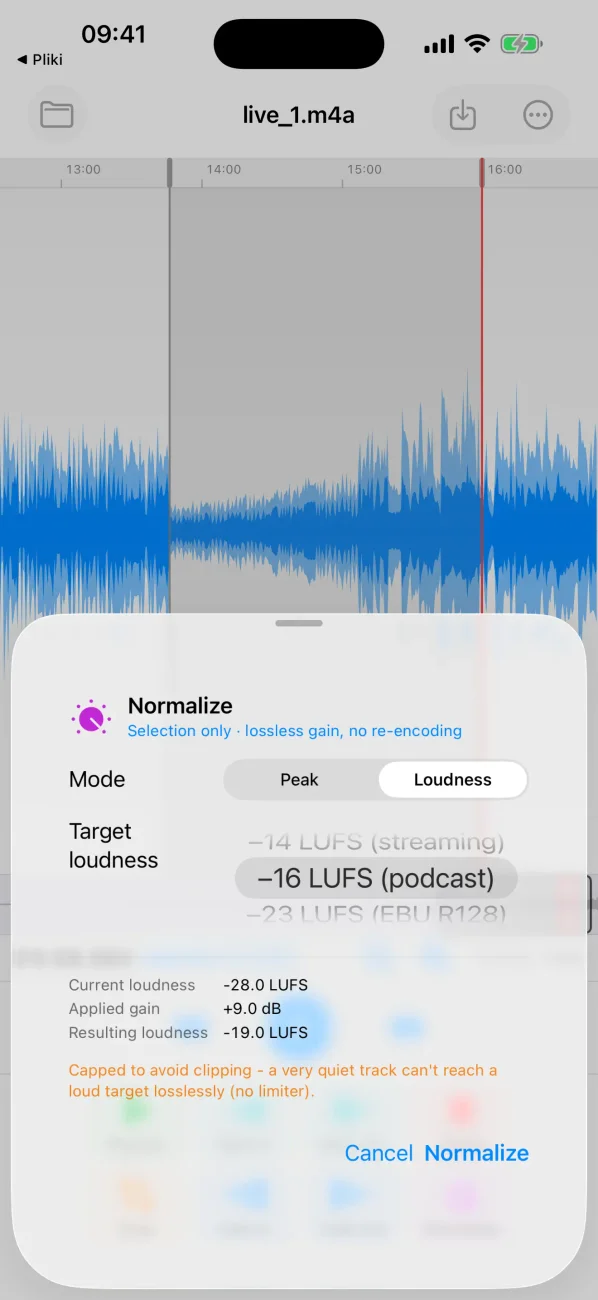
QAudioEditor is a lossless audio editor for iPhone (including iPhone Duo) and iPad. Open an MP3, AAC (.aac), M4A (.m4a), Apple Lossless, FLAC, or WAV file - or a video (MP4, MOV, M4V) to edit just its audio - see its waveform, and cut, crop, fade, normalize, copy/paste, or append audio - then save without re-encoding. Untouched audio is preserved byte-for-byte; only faded or normalized regions are adjusted, and always losslessly - MP3 and AAC by rewriting the codec's gain fields, and WAV, ALAC and FLAC in the sample domain - so there is no generation loss.
SUPPORTED FORMATS
- MP3 (MPEG-1/2 Layer III, constant or variable bitrate)
- AAC - AAC-LC, HE-AAC and HE-AAC v2 - in ADTS (.aac)
- AAC in MP4 (.m4a)
- Apple Lossless / ALAC in M4A (.m4a)
- FLAC (.flac), 16- and 24-bit
- WAV / PCM (.wav), 8- to 32-bit and 32-bit float
- Video (.mp4, .mov, .m4v) - the audio track is extracted losslessly for editing
FEATURES
- Batch Process - the same steps for many files at once: trim silence, peak or LUFS level, fades, split at silences, ReplayGain, tags (artist, album, year, genre, cover art, track numbers, titles from file names); videos become lossless .m4a; saved presets (free for up to 3 files at a time)
- Join Files - join files of the same format into one without re-encoding, with a chapter for each file; AAC and ALAC can be saved as an .m4b audiobook (free for up to 3 files at a time)
- Frame-accurate cut, crop, and trim
- Split markers - drop markers anywhere, drag them to fine-tune, and name them; split a long recording into files in one step, each named and tagged after its marker (Pro)
- Markers at Silences - finds the pauses between the tracks of a recording, such as an album saved as one file, and drops a marker in each, ready to split (Pro)
- Chapters (Pro) - save markers as chapters in MP3 and M4A/M4B, for podcasts and audiobooks; chapters in a file you open become named markers
- ReplayGain tags - measure the loudness and tag the file so players level the volume, with no change to the audio (MP3, M4A, FLAC)
- CUE sheets - import a .cue file as markers, or export your markers as .cue
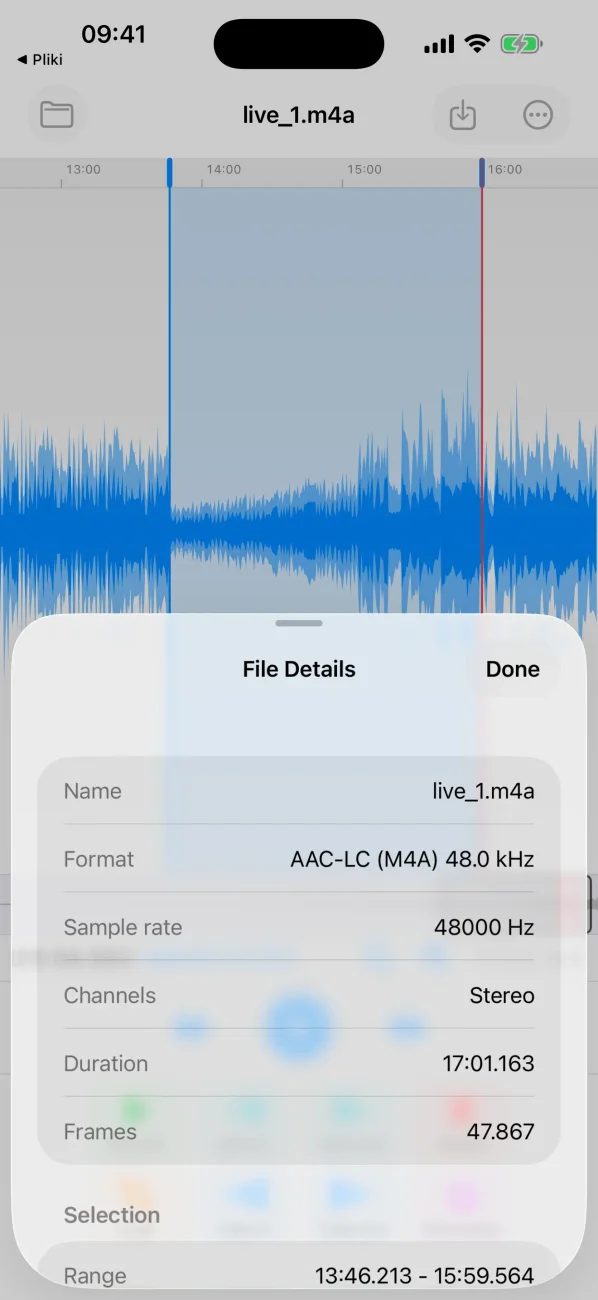
- Loudness - LUFS, peak and loudness range in File Details
- Trim Silence (Pro) - cut the silence at the start and end in one step
- Export Selection - save just the selected part as a new file
- Very large recordings - multi-gigabyte WAV and FLAC files open, edit and save smoothly; the audio is kept on disk instead of in memory
- Lossless fades and one-tap normalize
- Pull the audio out of a video (MP4, MOV, M4V) - open it, or insert it at the playhead; AAC and ALAC tracks are extracted with no re-encoding
- Cut, copy, paste, and insert or append other files of the same format
- Hardware-keyboard shortcuts on iPad
- Playback follows the view - scroll to another part while playing and it plays from there
- Rich waveform with peak + RMS view, zoom that stays centered on the playhead, and an overview navigator
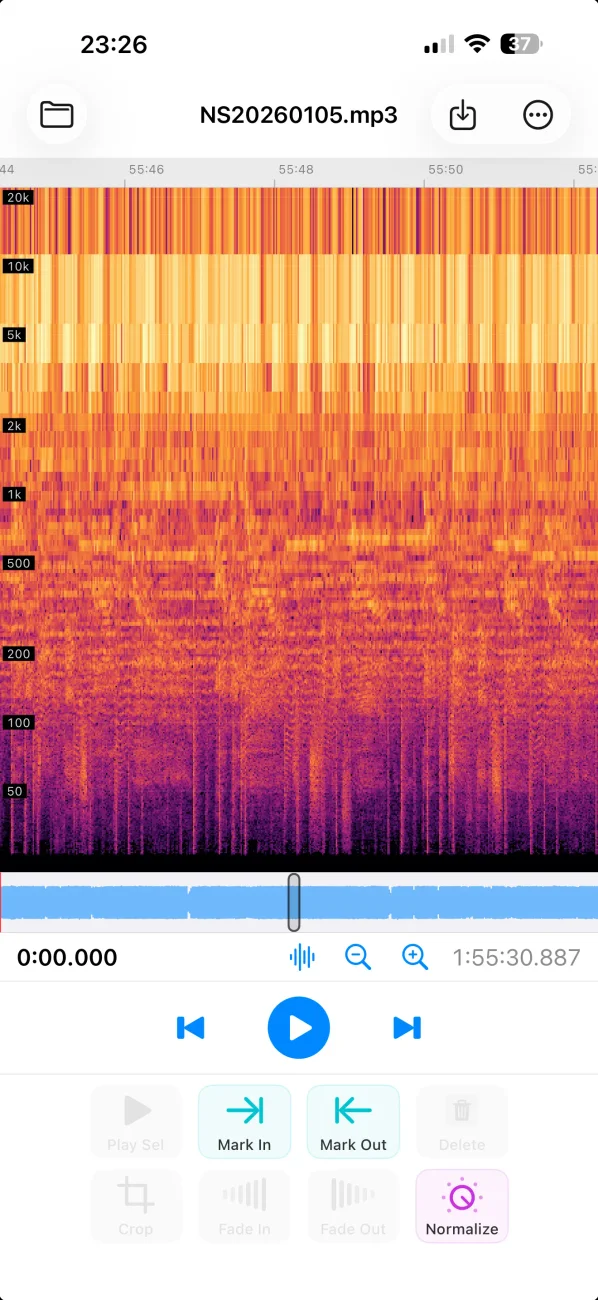
- Spectrogram view - see the frequency content over time on a log scale; toggle it with the waveform
- File details, unlimited undo, and crash-safe session restore
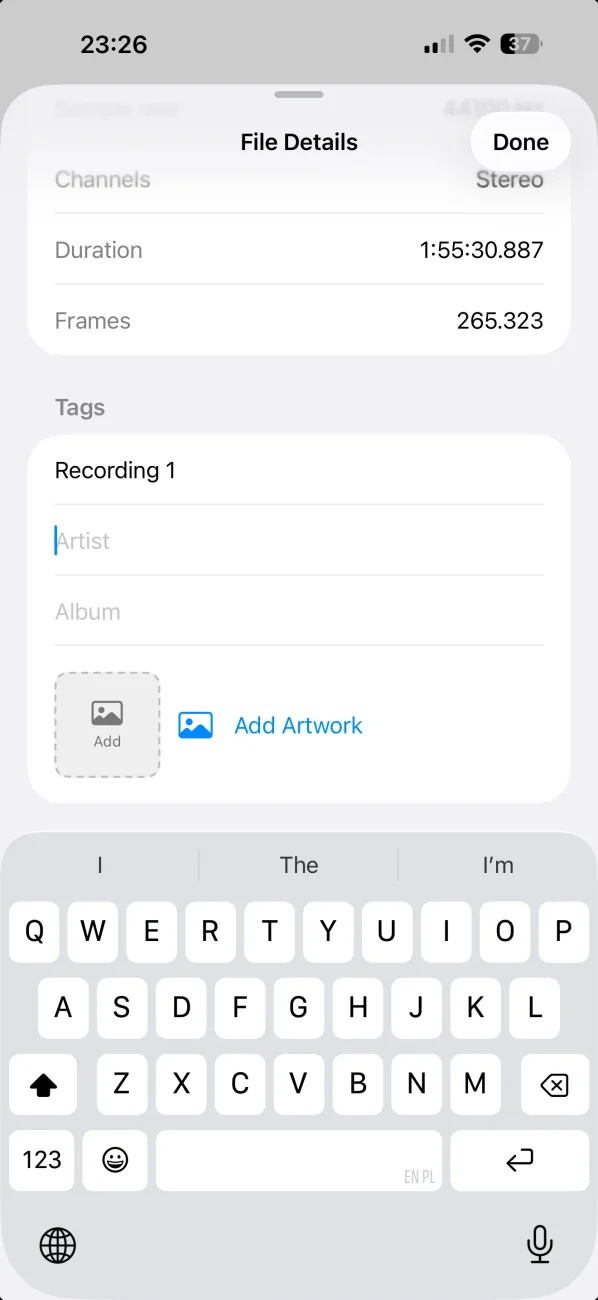
- Edit tags - title, artist, album and cover artwork - saved losslessly (MP3, M4A/AAC, FLAC)
- Export raw AAC as a seekable .m4a
- Record Stream (Pro) - record an internet audio stream (Icecast, SHOUTcast or HLS; MP3, AAC or FLAC) without re-encoding, until you stop it or for a set time, then edit the recording, with a marker named after each song - it keeps recording with the screen locked
- Shortcuts actions - Process Audio Files, Join Audio Files, Normalize, Write ReplayGain Tags, Trim Silence, Split at Silences and Record Stream
Free to edit and to save results up to 5 minutes long. QAudioEditor Pro (a one-time purchase) removes the length limit so you can save recordings of any length, and adds Split at Markers, Markers at Silences, Chapters, Trim Silence and Record Stream - and one purchase unlocks Pro on iPhone, iPad and Mac.
Yenilikler
Sürüm 5.3.0 · 17.11.2026
- Join Files: join several files of the same format into one, without re-encoding - with a chapter for each file, and AAC or ALAC saved as an .m4b audiobook. Free for up to 3 files at a time.
- Batch Process can now set tags - artist, album, album artist, year, genre, cover art, track numbers in list order and titles from file names.
- Batch Process takes videos (MP4, MOV, M4V) too and saves their audio as lossless .m4a.
- New Shortcuts action: Join Audio Files
- Smoother playhead and waveform on ProMotion iPhones (120 Hz)
- Bug fixes and improvements
Uygulama gizliliği
Bu uygulamanın verileri nasıl işlediği hakkında JAKUB KAPRZYK tarafından App Store üzerinde yapılan beyan.
-
Veri toplanmıyor
Geliştirici bu uygulamadan hiçbir veri toplamıyor.
Gizlilik uygulamaları, örneğin kullandığınız özelliklere veya yaşınıza göre değişiklik gösterebilir.
Bilgiler
- Satıcı
- JAKUB KAPRZYK
- Kategori
- Müzik
- Sürüm
- 5.3.0
- Güncellendi
- 17.11.2026
- Yayın tarihi
- 27.07.2026
- Boyut
- 10,0 MB
- Gereksinim
- iOS 17.0 veya sonrası
- Yaş sınırı
- 4+
- Fiyat
- Ücretsiz
- Uygulama içi satın alma
- Evet
- Diller
- İngilizce, Fransızca, Almanca, İtalyanca, Lehçe
- Telif hakkı
- © 2026 Qbus Systems
Bunları da beğenebilirsiniz
-
 MP3Gain - Audio NormalizationMüzik
-
 Audio Editor & ToolMüzik
-
 Ferrite Recording StudioMüzik
-
 Audio Editor : AudiolabMüzik
-
 EZAudioCut - Audio Editor LiteMüzik
-
 WavePad Music and Audio EditorMüzik
-
 ElevenMusic: AI Music StudioMüzik
-
 Evertag: meta veri düzenleyicises etiketlerini düzenle
-
 foobar2000Müzik
-
 Müzik Editörü, Ses EditörüSes Düzenleyici