
- Yaş sınırı17+
- KategoriGrafik ve Tasarım
- GeliştiriciMicrocad Software SL
- Dillerİngilizce
- Boyut34,3 MB
Resmi App Store sayfasına bağlanır
Download.org, Quick3DPlan Studio için hiçbir dosya barındırmaz. Düğme, uygulamanın App Store üzerindeki sayfasını açar; uygulamayı orada Microcad Software SL yayınlar. Sayfanın son kontrolü: 12.11.2026.
Ekran görüntüleri
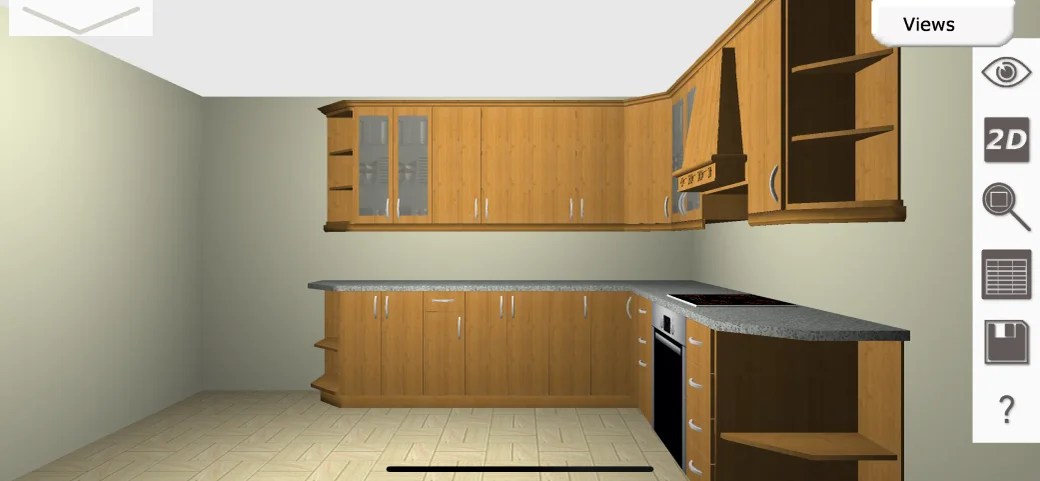
Hakkında
Geliştirici bu metni dilinizde sunmamış.
It is the easiest 3D kitchen design software for professional or amateur designers.
You can see your design in 3D with different door styles, handles and finishes.
It includes two universal cabinet catalogs, one in inches and another in centimeters, and more than one hundred cabinets, appliances and accessories.
You can design a kitchen with your iPad or iPhone, drawing the room and inserting cabinets, appliances and accessories. Next you can change door styles, handle models and select materials and finishes among woods, colors, marble, granite, artificial stone, tiles… Then you can save your designs in your device or email them.
You can design a kitchen in three easy steps:
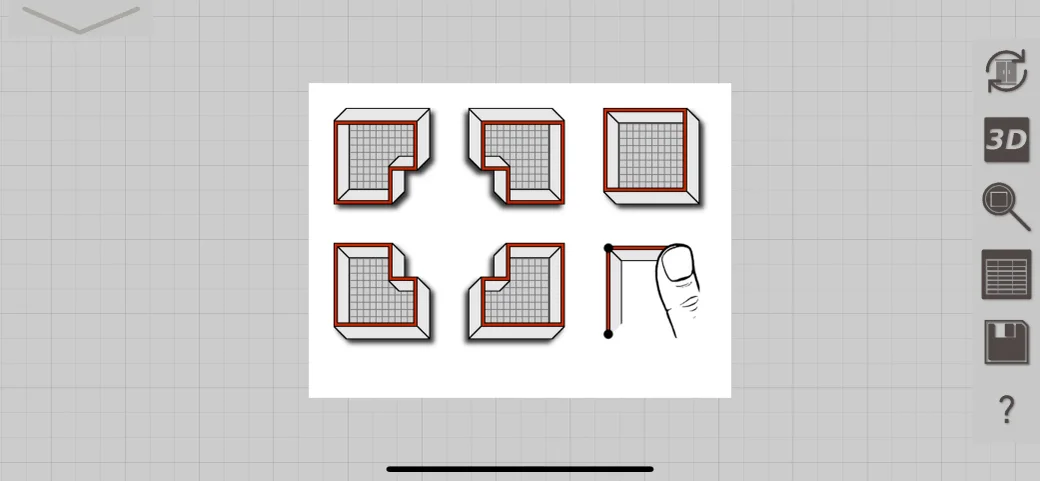
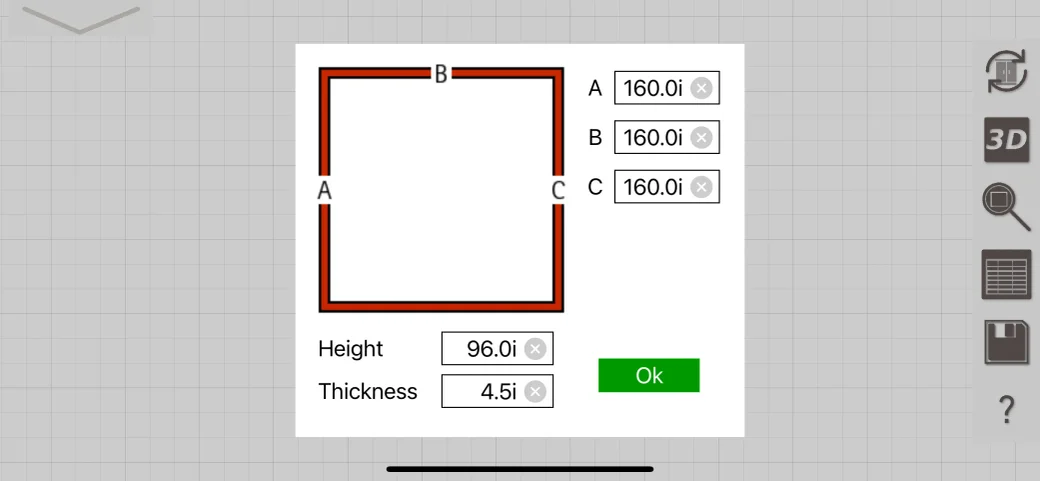
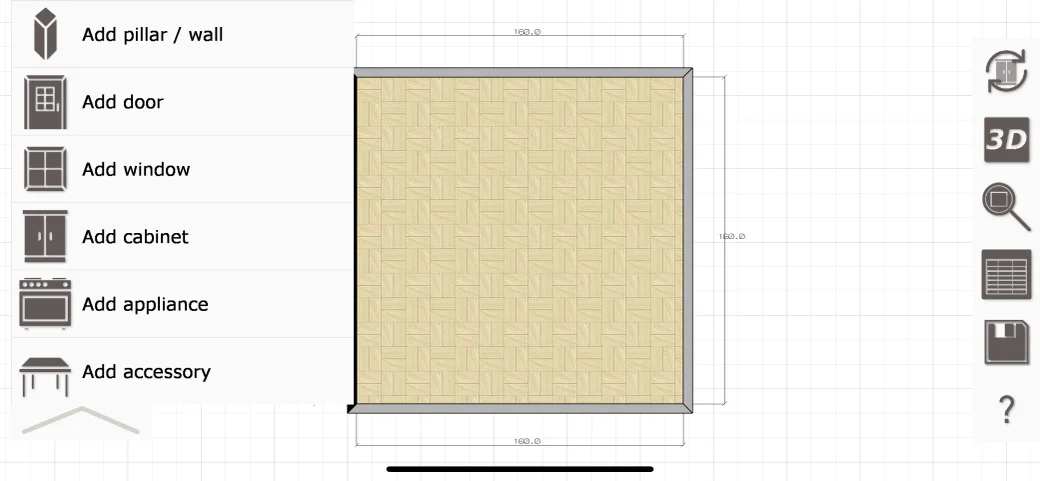
Step 1: Select the room layout from a list and change the dimensions or draw your own walls of any length and angle and add doors and windows.
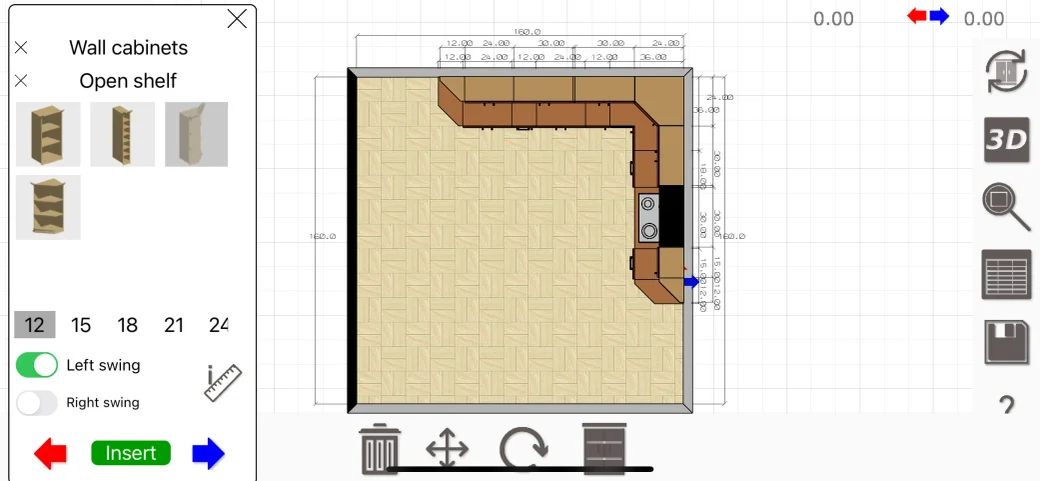
Step 2: Drag and drop cabinets, appliances and accessories in the design. Items will automatically rotate when touching a wall and will stick to other inserted items when you move them.
Step 3: Select styles, materials and finishes for doors, carcasses, countertops, accessories, walls and floors, to give your design the final touch.
OTHER FEATURES
- Design in centimeters with a European catalog or in inches with an American frameless catalog.
- Design in a 2D or 3D view swapping them whenever you want to.
- Generate a color floor plan with dimensions and 3D photorealistic perspectives with finishes and lighting.
- Hide any walls to design open kitchens.
- Select from more than 25 doors and windows and change their width and height.
- Modify cabinets, appliances and accessories changing their elevation, width, height and depth.
- Before inserting a sink cabinet, tall oven cabinet or base cooktop, you can select the sink, faucet, oven, micro oven or cooktop model.
- It automatically generates a list of items in the design and takes a snapshot of each wall. This information can be emailed.
- It includes a file manager to save, open, copy, rename, email and delete designs in your device.
- Once your kitchen design is finished, you can email a picture in JPG and a detailed list of items that includes cabinets, appliances and accessories with their description and dimensions.
Yenilikler
Sürüm 1.08 · 10.05.2024
New iOS and iPadOS versions support.
Uygulama gizliliği
Bu uygulamanın verileri nasıl işlediği hakkında Microcad Software SL tarafından App Store üzerinde yapılan beyan.
-
Veri toplanmıyor
Geliştirici bu uygulamadan hiçbir veri toplamıyor.
Gizlilik uygulamaları, örneğin kullandığınız özelliklere veya yaşınıza göre değişiklik gösterebilir.
Bilgiler
- Satıcı
- Microcad Software S.L.
- Kategori
- Grafik ve Tasarım
- Sürüm
- 1.08
- Güncellendi
- 10.05.2024
- Yayın tarihi
- 05.11.2022
- Boyut
- 34,3 MB
- Gereksinim
- iOS 12.4 veya sonrası
- Yaş sınırı
- 17+
- Fiyat
- ₺699,99
- Diller
- İngilizce
- Telif hakkı
- © Microcad Software S.L.
Bunları da beğenebilirsiniz
-
 GeoArt CreatorGrafik ve Tasarım
-
 ArchKit - Kitchen DesignGrafik ve Tasarım
-
 Kitchen Editor 3D: Design AppGrafik ve Tasarım
-
 Ai Kitchen - Room Landscape AiGrafik ve Tasarım
-
 AI Kitchen : Design with AIGrafik ve Tasarım
-
 Blueprint: Cabinet DesignGrafik ve Tasarım
-
 Kitchen Editor Line: PlannerGrafik ve Tasarım
-
 Wardrobe Designer: Closet 3DGrafik ve Tasarım
-
 Kitchen Design AppGrafik ve Tasarım
-
 Sketch Drawing App – Paint PadGrafik ve Tasarım