
- Độ tuổi17+
- Danh mụcĐồ Họa & Thiết Kế
- Nhà phát triểnMicrocad Software SL
- Ngôn ngữTiếng Anh
- Kích thước34,3 MB
Liên kết đến trang App Store chính thức
Download.org không lưu trữ tệp nào của Quick3DPlan Studio. Nút này mở trang ứng dụng trên App Store, nơi Microcad Software SL phát hành ứng dụng. Trang được kiểm tra lần cuối: 12/11/2026.
Ảnh chụp màn hình
Giới thiệu
Nhà phát triển chưa cung cấp nội dung này bằng ngôn ngữ của bạn.
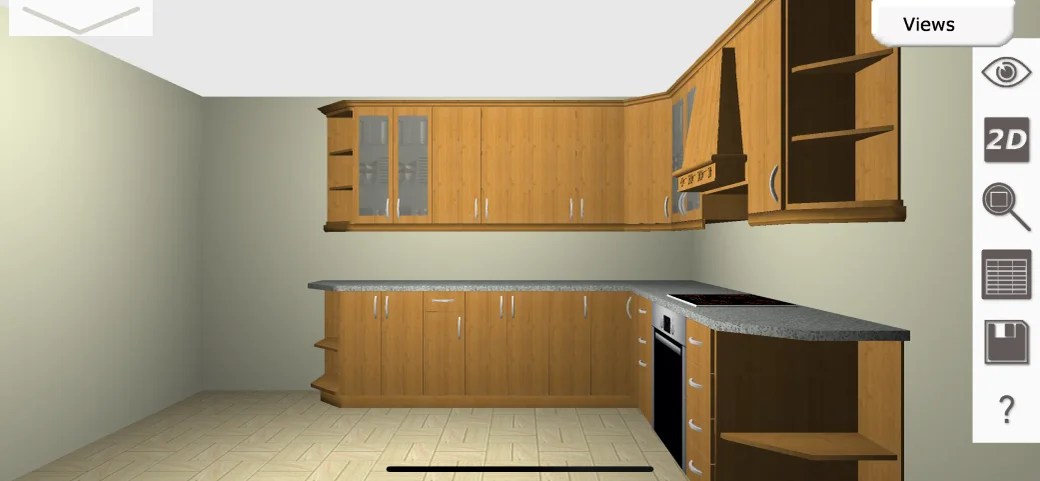
It is the easiest 3D kitchen design software for professional or amateur designers.
You can see your design in 3D with different door styles, handles and finishes.
It includes two universal cabinet catalogs, one in inches and another in centimeters, and more than one hundred cabinets, appliances and accessories.
You can design a kitchen with your iPad or iPhone, drawing the room and inserting cabinets, appliances and accessories. Next you can change door styles, handle models and select materials and finishes among woods, colors, marble, granite, artificial stone, tiles… Then you can save your designs in your device or email them.
You can design a kitchen in three easy steps:
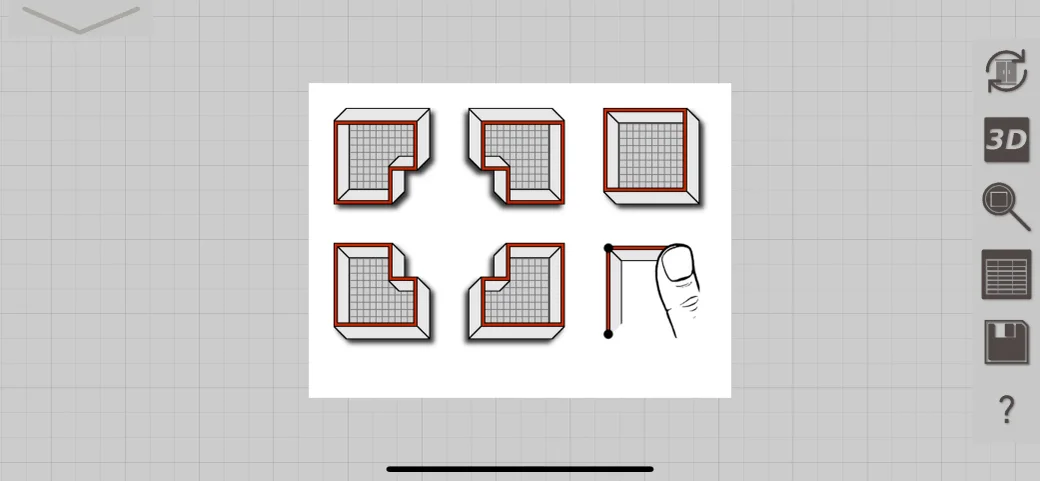
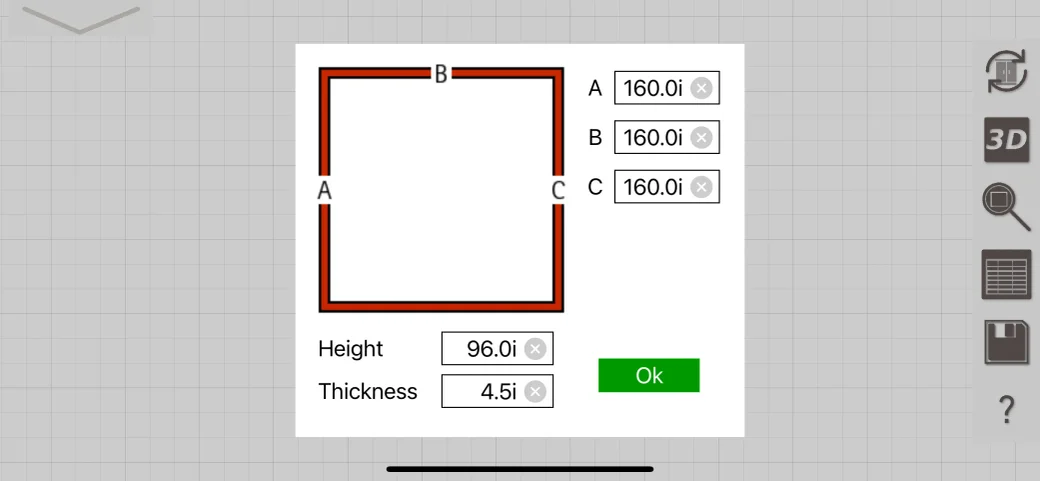
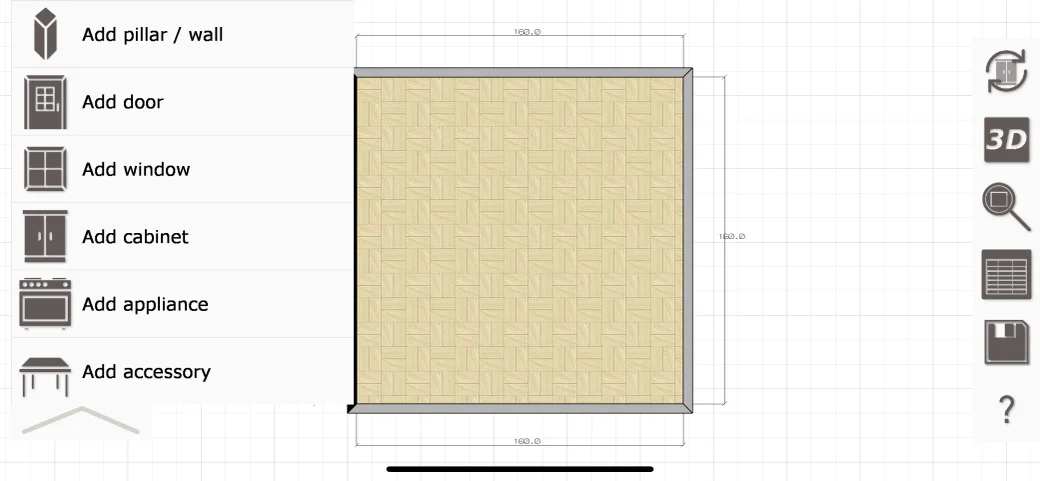
Step 1: Select the room layout from a list and change the dimensions or draw your own walls of any length and angle and add doors and windows.
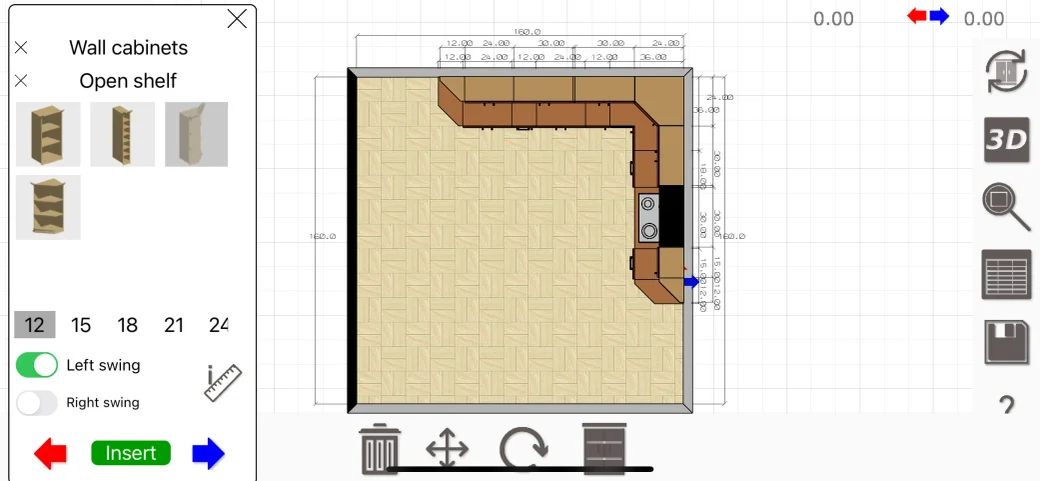
Step 2: Drag and drop cabinets, appliances and accessories in the design. Items will automatically rotate when touching a wall and will stick to other inserted items when you move them.
Step 3: Select styles, materials and finishes for doors, carcasses, countertops, accessories, walls and floors, to give your design the final touch.
OTHER FEATURES
- Design in centimeters with a European catalog or in inches with an American frameless catalog.
- Design in a 2D or 3D view swapping them whenever you want to.
- Generate a color floor plan with dimensions and 3D photorealistic perspectives with finishes and lighting.
- Hide any walls to design open kitchens.
- Select from more than 25 doors and windows and change their width and height.
- Modify cabinets, appliances and accessories changing their elevation, width, height and depth.
- Before inserting a sink cabinet, tall oven cabinet or base cooktop, you can select the sink, faucet, oven, micro oven or cooktop model.
- It automatically generates a list of items in the design and takes a snapshot of each wall. This information can be emailed.
- It includes a file manager to save, open, copy, rename, email and delete designs in your device.
- Once your kitchen design is finished, you can email a picture in JPG and a detailed list of items that includes cabinets, appliances and accessories with their description and dimensions.
Có gì mới
Phiên bản 1.08 · 10/05/2024
New iOS and iPadOS versions support.
Quyền riêng tư của ứng dụng
Những gì Microcad Software SL khai báo trên App Store về cách ứng dụng này xử lý dữ liệu.
-
Dữ liệu không được thu thập
Nhà phát triển không thu thập bất kỳ dữ liệu nào từ ứng dụng này.
Phương thức đảm bảo quyền riêng tư có thể khác nhau, chẳng hạn như tuỳ theo các tính năng bạn sử dụng hoặc độ tuổi của bạn.
Thông tin
- Người bán
- Microcad Software S.L.
- Danh mục
- Đồ Họa & Thiết Kế
- Phiên bản
- 1.08
- Cập nhật
- 10/05/2024
- Phát hành
- 05/11/2022
- Kích thước
- 34,3 MB
- Yêu cầu
- iOS 12.4 trở lên
- Độ tuổi
- 17+
- Giá
- 399.000đ
- Ngôn ngữ
- Tiếng Anh
- Bản quyền
- © Microcad Software S.L.
Có thể bạn cũng thích
-
 GeoArt CreatorĐồ Họa & Thiết Kế
-
 ArchKit - Kitchen DesignĐồ Họa & Thiết Kế
-
 Kitchen Editor 3D: Design AppĐồ Họa & Thiết Kế
-
 Ai Kitchen - Room Landscape AiĐồ Họa & Thiết Kế
-
 AI Kitchen : Design with AIĐồ Họa & Thiết Kế
-
 Blueprint: Cabinet DesignĐồ Họa & Thiết Kế
-
 Kitchen Editor Line: PlannerĐồ Họa & Thiết Kế
-
 Wardrobe Designer: Closet 3DĐồ Họa & Thiết Kế
-
 Kitchen Design AppĐồ Họa & Thiết Kế
-
 Sketch Drawing App – Paint PadĐồ Họa & Thiết Kế