
ReadySnap
Fix files that will not upload
iPhone, iPad, iPod touch için tasarlandı
Ücretsiz · Uygulama içi satın alma
- Yaş sınırı4+
- KategoriYardımcılar
- GeliştiriciSuzhou Totoro Network Technology Co., Ltd.
- Dillerİngilizce
- Boyut22,1 MB
Resmi App Store sayfasına bağlanır
Download.org, ReadySnap için hiçbir dosya barındırmaz. Düğme, uygulamanın App Store üzerindeki sayfasını açar; uygulamayı orada Suzhou Totoro Network Technology Co., Ltd. yayınlar. Sayfanın son kontrolü: 17.11.2026.
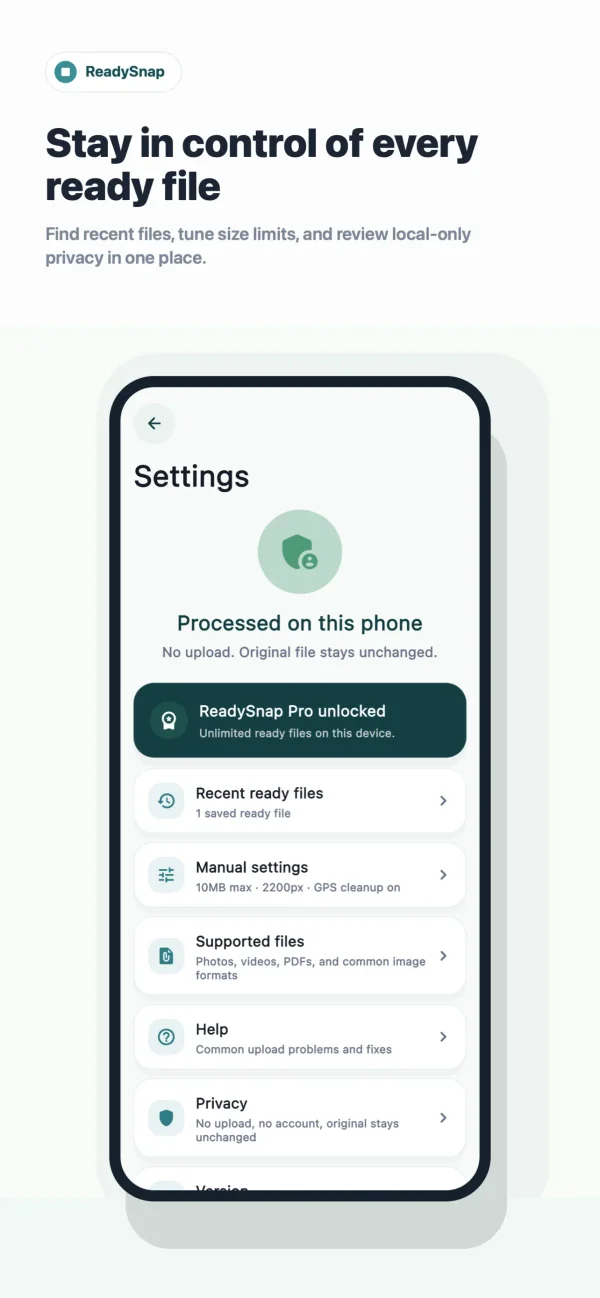
Ekran görüntüleri



Hakkında
Geliştirici bu metni dilinizde sunmamış.
ReadySnap helps when a file is too large or unsupported and a website, email, job application, school portal, medical form, government form, marketplace, or online upload page rejects it.
Use ReadySnap when you see problems like:
- File is too large to upload
- Website says file type is unsupported
- Online form needs a file under 5MB
- Strict portal needs a file under 2MB
- iPhone HEIC photo will not upload
- PDF scan is too big for a form
- Profile photo needs JPG
- Passport or visa photo needs a square JPG
- Email attachment is over the limit
- Video needs to be smaller before sending
- Photo should be shared without location data
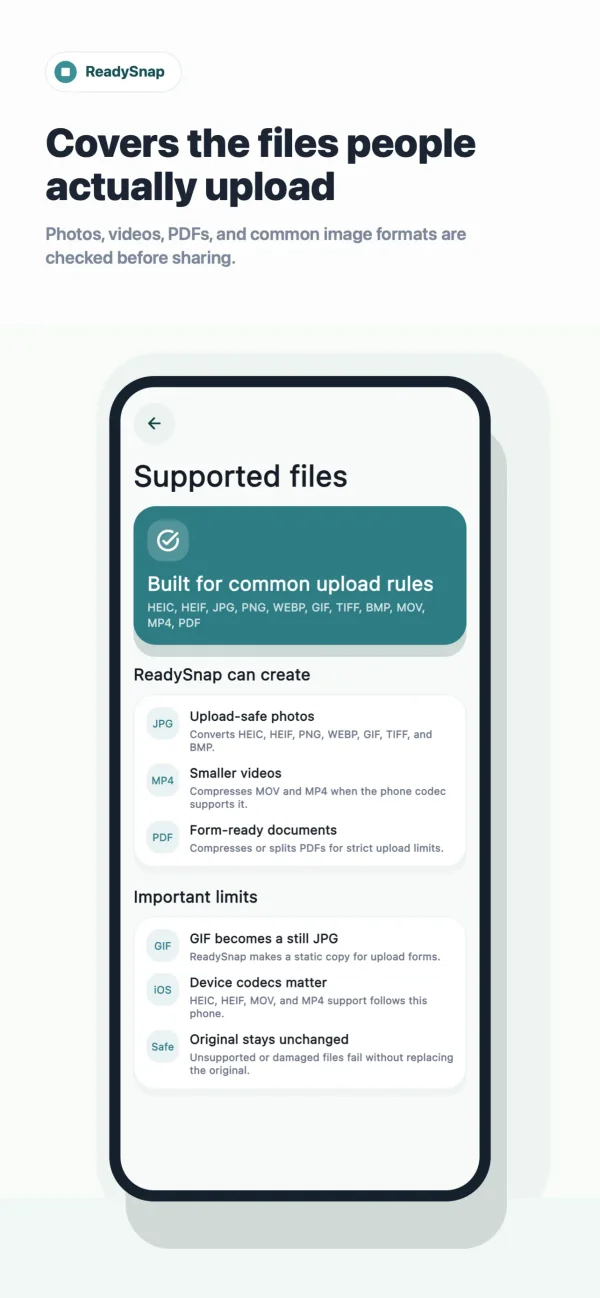
ReadySnap creates local ready-copy files from photos, videos, PDFs, and common image formats. Your original file stays unchanged.
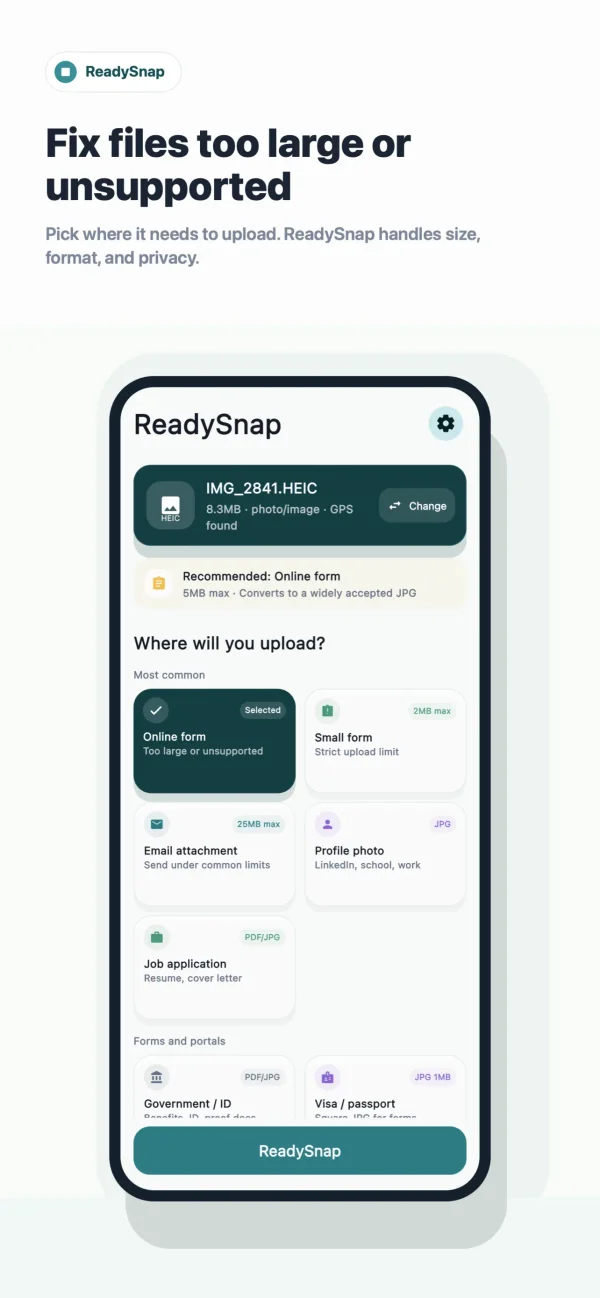
Pick a file first. ReadySnap suggests a sensible upload target for photos, PDFs, or videos, then shows clear file-type hints before making the ready copy.
Choose what you need:
- Online form rejected it
- Strict 2MB form uploads
- Email attachments
- Profile photo uploads
- Job application upload
- Benefits, ID, and government forms
- Visa and passport photos
- Medical and insurance uploads
- School portal files
- Marketplace listings
- WhatsApp video
- Files with location data removed before sharing
- Custom size and cleanup settings
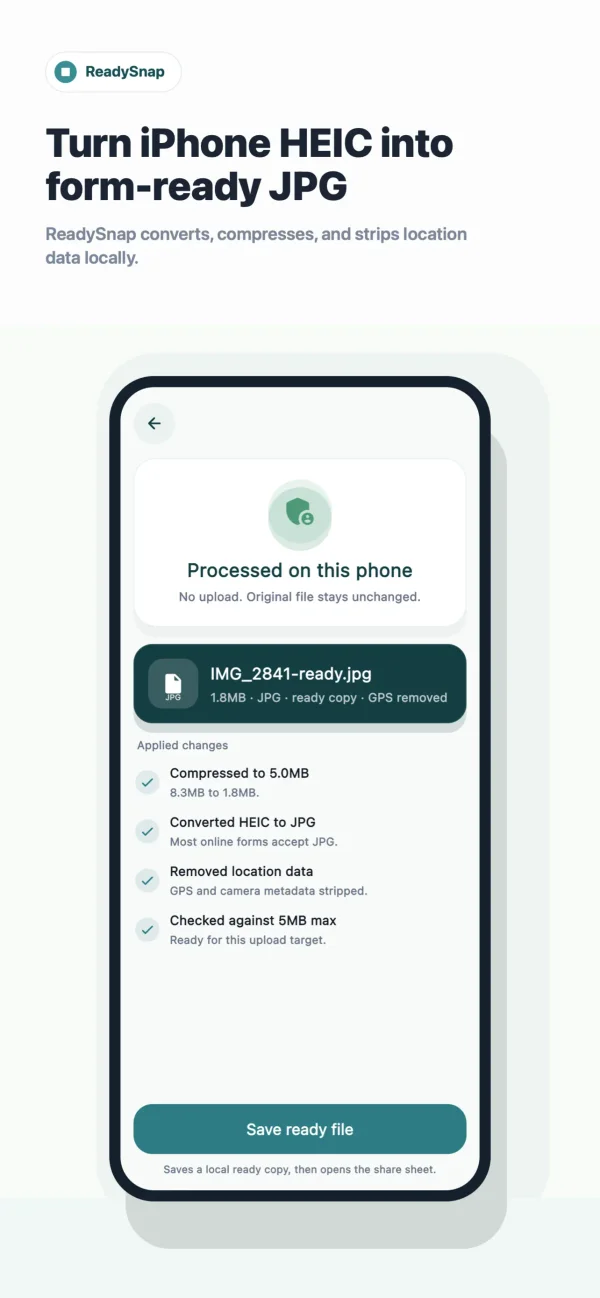
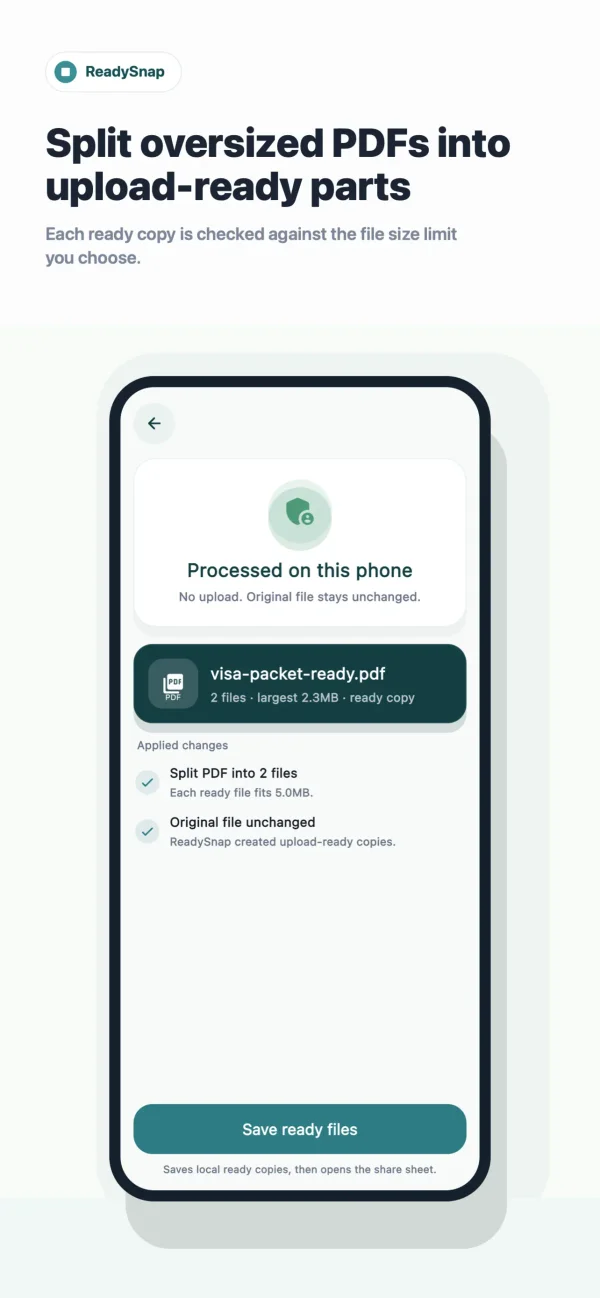
ReadySnap can convert iPhone HEIC/HEIF photos plus WEBP, GIF, TIFF, and BMP images to JPG, compress images for 5MB and stricter 2MB form limits, create square profile-photo copies from supported JPG/PNG/WEBP/GIF/TIFF/BMP files, prepare PDFs, split oversized PDFs into smaller parts, and remove photo location metadata. Animated GIFs are saved as static JPG copies for form uploads. Supported videos can be prepared as MP4 files when the device can export a smaller copy. Saved ready files appear in Recent files for quick sharing later, and old entries can be removed one by one or cleared from the list.
If you are looking for an app to compress a file for an online form, convert HEIC to JPG for upload, reduce a PDF under a size limit, make an email attachment smaller, or remove GPS data before sharing a photo, ReadySnap is built for that upload-before-submit moment.
Your original file stays unchanged. No uploads. Processing happens on your device whenever the selected file type is supported locally.
ReadySnap is an independent utility and is not affiliated with any government agency, school, employer, email provider, or online service.
ReadySnap includes an optional one-time in-app purchase, ReadySnap Pro, for unlimited ready-file saves after the free starter allowance.
Uygulama gizliliği
Bu uygulamanın verileri nasıl işlediği hakkında Suzhou Totoro Network Technology Co., Ltd. tarafından App Store üzerinde yapılan beyan.
-
Veri toplanmıyor
Geliştirici bu uygulamadan hiçbir veri toplamıyor.
Gizlilik uygulamaları, örneğin kullandığınız özelliklere veya yaşınıza göre değişiklik gösterebilir.
Bilgiler
- Satıcı
- Suzhou Totoro Network Technology Co., Ltd.
- Kategori
- Yardımcılar
- Sürüm
- 1.0
- Güncellendi
- 06.07.2026
- Yayın tarihi
- 06.07.2026
- Boyut
- 22,1 MB
- Gereksinim
- iOS 13.0 veya sonrası
- Yaş sınırı
- 4+
- Fiyat
- Ücretsiz
- Uygulama içi satın alma
- Evet
- Diller
- İngilizce
- Telif hakkı
- © 2026 Olimsoft
Bunları da beğenebilirsiniz
-
 Flow Audio CompressorYardımcılar
-
 Sesi KesKırpın, sessize alın ve dışa a
-
 Keylish: Pinyin & LanguagesYardımcılar
-
 DRINYardımcılar
-
 AirBox-Your File ManagerYardımcılar
-
 Iridium SatFinderYardımcılar
-
 SafetyUkraineYardımcılar
-
 Kişileri Excel, CSV’ye aktarXLSX, PDF, VCF’ye dönüştür
-
 StriletsYardımcılar
-
 Smart QR & Barkod OluşturucuBarkod tara, oluştur ve paylaş