
RefTake — Animation Reference
Record Acting for Animators
iPhone, iPad için tasarlandı
Uygulama içi satın alma
- Yaş sınırı4+
- KategoriFotoğraf ve Video
- GeliştiriciSYUAN-RU WU
- Dillerİngilizce
- Boyut129,3 MB
RefTake — Animation Reference şu anda App Store üzerinde mevcut olmayabilir
Son kontrolümüzde mağaza sayfasına ulaşılamadı. Bağlantı yine de resmi App Store sayfasına gider.
Ekran görüntüleri
Hakkında
Geliştirici bu metni dilinizde sunmamış.
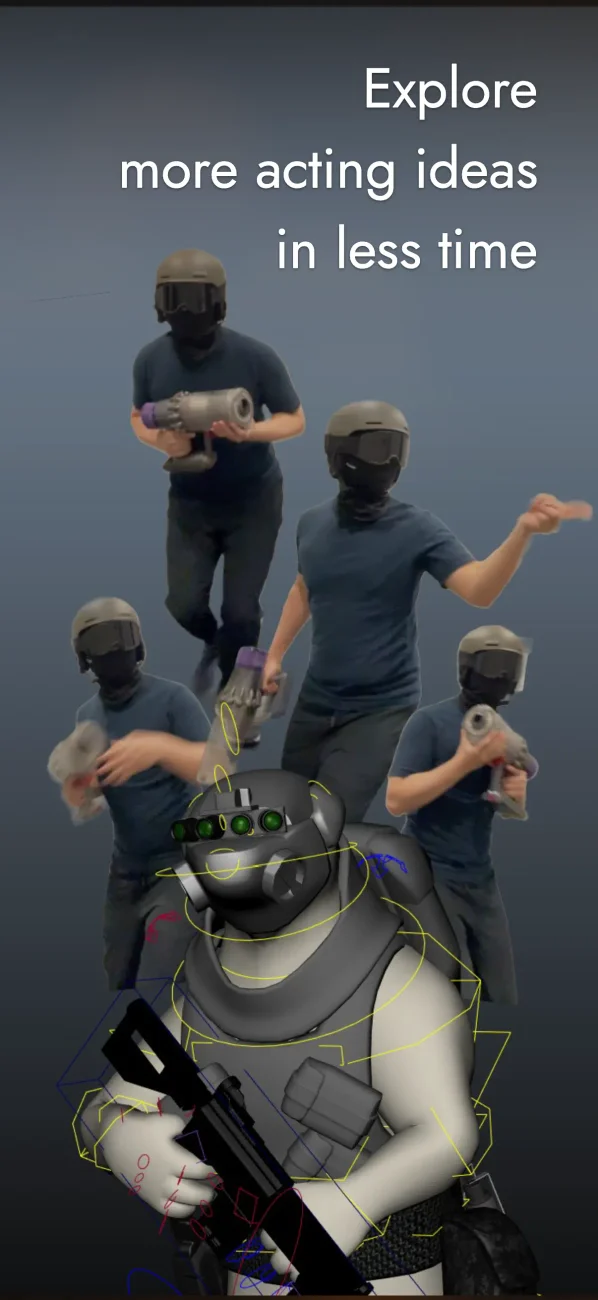
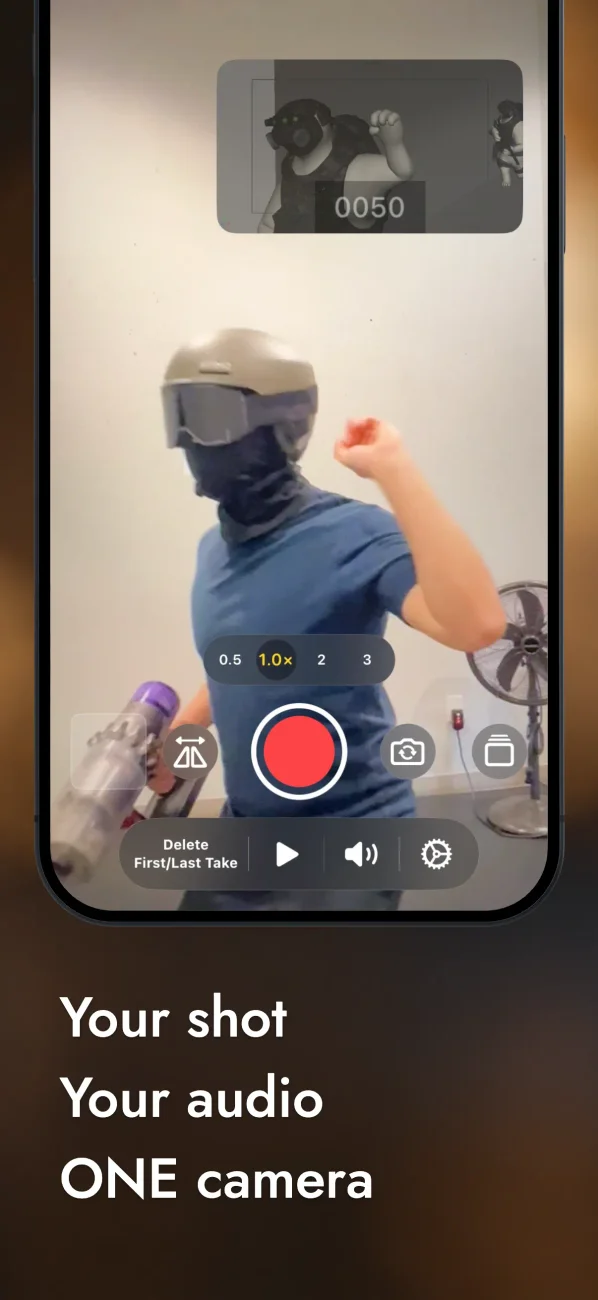
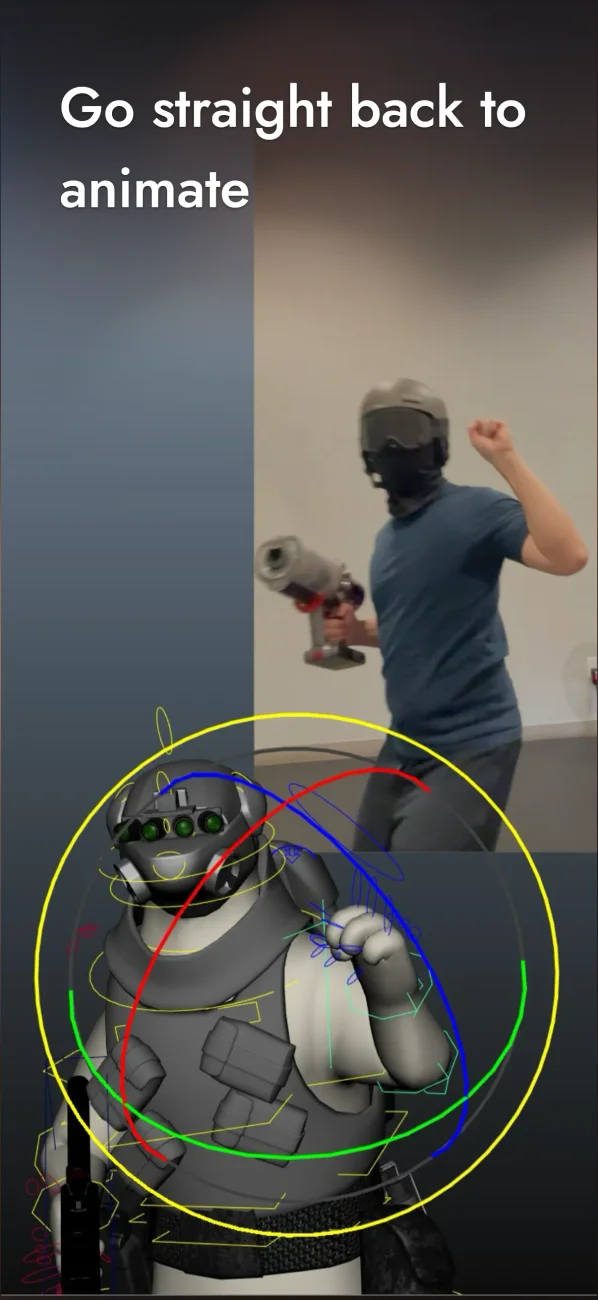
Play your voice recording and film yourself acting it out — all on one iPhone.
RefTake is made for animators who act out their shots — record your reference, auto-split it into takes, review, and export.
You know how shooting reference usually goes: your computer plays the voice recording while your phone films you, so you're stuck juggling two devices. Then comes the hunt for the take you actually want — back and forth through that one long recording, or endless digging through millions of short ones. And before it's any use, you're bouncing through another app just to get a format your 3D software will accept. RefTake pulls all of it into one workflow — just shoot, review, and export, all on the same device.
CAPTURE
- Drop your storyboard on screen while you film, and drag it wherever it's easiest to work from as a guide.
- Play your audio through the speaker or your headphones so you can hit your timing, blocking, and movement.
ORGANIZE
- Lay things out like a real production: project, sequence, shot.
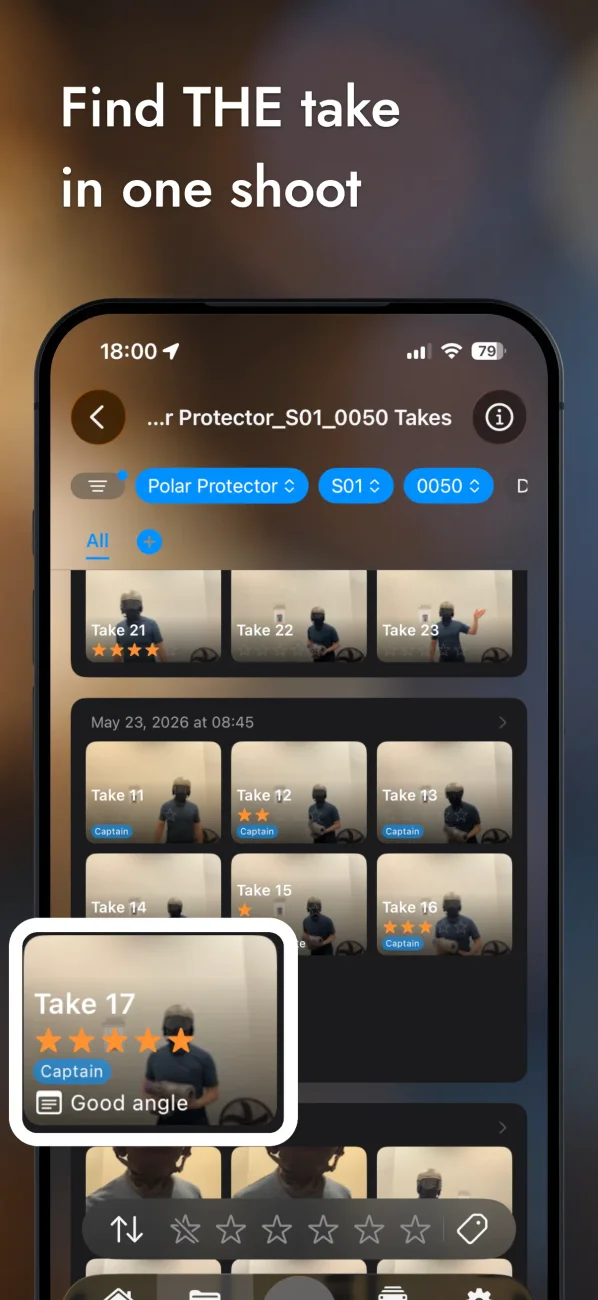
- Tag and note your takes so you actually remember which was which.
- Keep your reference footage out of your camera roll — it lives in RefTake, separate from your family photos and videos.
- Select exactly the takes you want, then export, delete, or compare them in one go.
REVIEW & RATE
- Auto-split one long recording into separate takes so you can flip through and find the keeper faster.
- Give each take 1 to 5 stars, and swipe or tap through them as you review — star the good ones and filter out the rest.
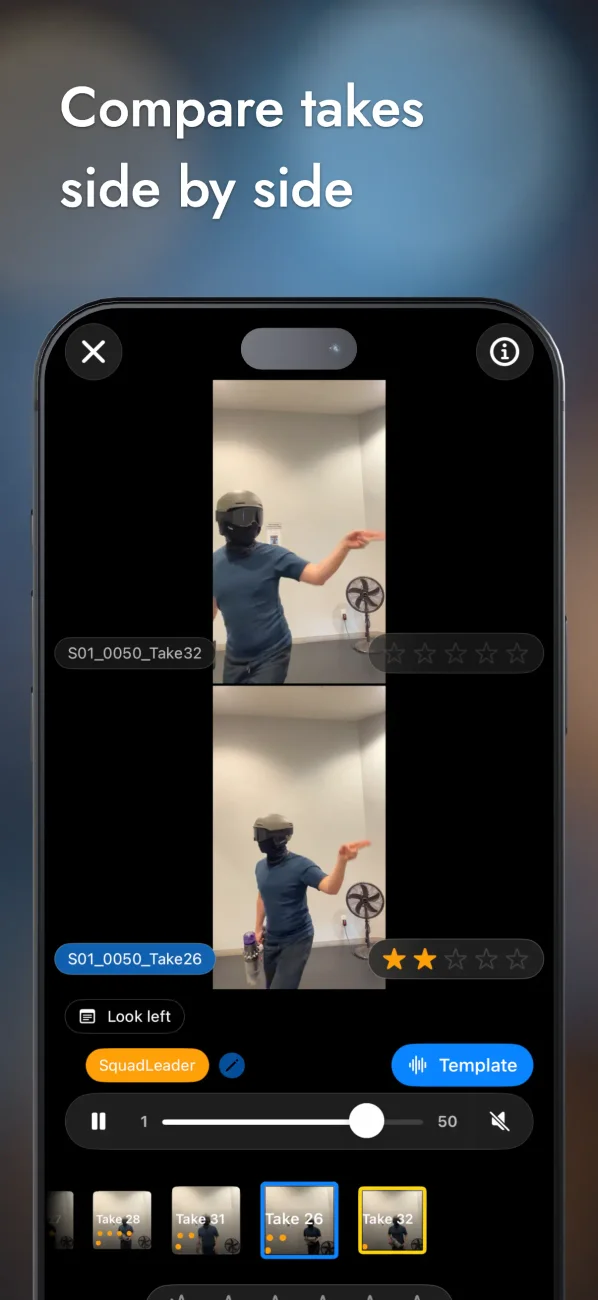
- Compare two takes of a shot on one screen, frame-locked on a single transport. Pinch to zoom in on both at once, or on each pane alone.
EXPORT & SHARE
- Export takes as MOV video or JPEG image sequences — any shot, any project, as often as you like, at full quality with no watermark.
- Name your exports however you work: project, sequence, shot, take, tag, and note — no more "IMG_####.mov" clips.
- Send them out through the share sheet, or save them straight to Files.
PRO — SPEED UP YOUR REFERENCE WORKFLOW EVEN MORE
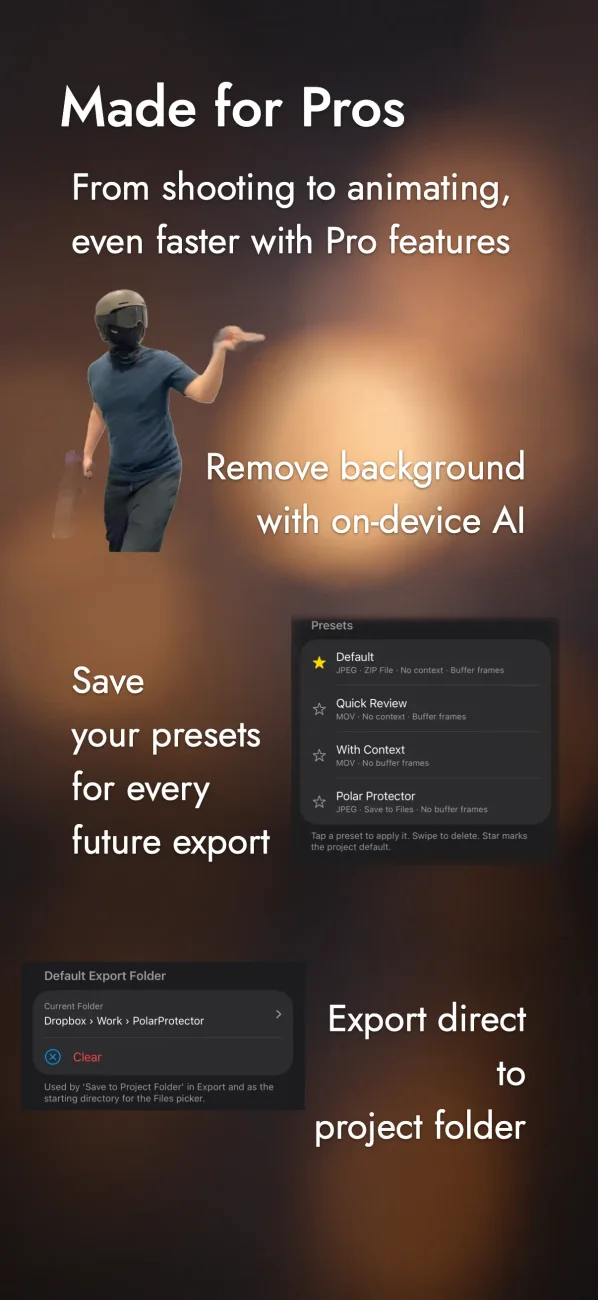
- Remove the background and export PNG image sequences with an alpha channel — keep your reference simple and clear.
- Save your export settings as presets — set your format, delivery, and options once, and every export after that is one tap.
- Save to Project Folder: skip the share sheet and land every export in your production folder with one tap, correctly named.
PRIVACY & SECURITY
- Background removal happens right on your device — your footage never leaves your phone.
- Your projects and footage stay on your device. We don't track you or collect your personal data.
RefTake is free to download, and the free plan is the whole creative app, not a demo. Record, auto-split, rate, tag, organize, compare, and review without limits — and export MOV or JPEG sequences from any shot in any project, as often as you like.
RefTake Pro speeds up your workflow: PNG sequences with alpha, saved export presets, and delivery straight into your project folder. Monthly, annual, or a one-time buy.
Built for animators — and anyone who works from reference.
Terms of Use (EULA): https://www.apple.com/legal/internet-services/itunes/dev/stdeula/
Yenilikler
Sürüm 1.6.0 · 09.11.2026
What's New — RefTake 1.6.0
Report a problem or send feedback right from Settings, a tidier Settings screen, and Help is now the User Guide.
Report a Problem, Send Feedback
RefTake doesn't track you or collect any usage analytics, and I intend to keep it that way. But that also means I only find out what's working, and what isn't, when you tell me. So Settings now has a Support section with Report a Problem and Send Feedback. Both open a short form that fills in your device and app version for you. Add up to three screenshots and, if you switch them on, the app log and any crash reports (Report a Problem turns the log on for you).
Nothing leaves your phone until you send it. With a Mail account, Preview opens Mail with everything attached. Without one, Share opens the share sheet so you can send it from Gmail, Outlook, Messages or AirDrop. Rate RefTake opens the App Store review page, and Export Diagnostics has moved here too. I'd love to hear from you!
Help when you're stuck
Help is now the User Guide. Its last row, Still stuck?, opens the form ready for your question. When an export fails, the error now comes with a Report a Problem link that writes the error in and attaches the app log for you.
Settings, regrouped
The settings you reach for while shooting now come first, in the order a session runs: Capture, Take Viewer, Playback and Export. Then Privacy & Security, Help, Support, Subscription and Data, with Reset and Clear All Data on its own at the very bottom. Tap the Capture, Take Viewer, Playback or Export title for a short card on what those settings do. Three toggles have shorter names: Start in Selfie Mode, Start Muted and Tag the Whole Group.
Fixes
• An export that saved but had to skip takes with missing source files now shows a warning instead of a red export error.
Uygulama gizliliği
Bu uygulamanın verileri nasıl işlediği hakkında SYUAN-RU WU tarafından App Store üzerinde yapılan beyan.
-
Veri toplanmıyor
Geliştirici bu uygulamadan hiçbir veri toplamıyor.
Gizlilik uygulamaları, örneğin kullandığınız özelliklere veya yaşınıza göre değişiklik gösterebilir.
Bilgiler
- Satıcı
- SYUAN-RU WU
- Kategori
- Fotoğraf ve Video
- Sürüm
- 1.6.0
- Güncellendi
- 09.11.2026
- Yayın tarihi
- 23.07.2026
- Boyut
- 129,3 MB
- Gereksinim
- iOS 17.0 veya sonrası
- Yaş sınırı
- 4+
- Uygulama içi satın alma
- Evet
- Diller
- İngilizce
- Telif hakkı
- © 2026 Syuan-Ru Wu
Bunları da beğenebilirsiniz
-
 CycleDash GoFotoğraf ve Video
-
 LayerCam - Overlay CameraFotoğraf ve Video
-
 Multi-Track CameraFotoğraf ve Video
-
 Dot Style - Convert to Pixel!Fotoğraf ve Video
-
 MultiRecsFotoğraf ve Video
-
 Bitcut - AI Video EditorFotoğraf ve Video
-
 Reeliva: Reels & Story MakerFotoğraf ve Video
-
 AlignShot: hassas fotoReferans kılavuzu ve katmanlar
-
 OverCam – Overlay KameraAynı poz, aynı açı
-
 Video Kare KareFotoğraf ve Video