
RefTake — Animation Reference
Record Acting for Animators
Designed for iPhone, iPad
Free · In-app purchases
- Age rating4+
- CategoryPhoto & Video
- DeveloperSYUAN-RU WU
- LanguagesEnglish
- Size129.3 MB
Links to the official App Store page
Download.org hosts no file of RefTake — Animation Reference. The button opens its official App Store page, published by SYUAN-RU WU. Listing last checked on Nov 18, 2026.
Screenshots

About
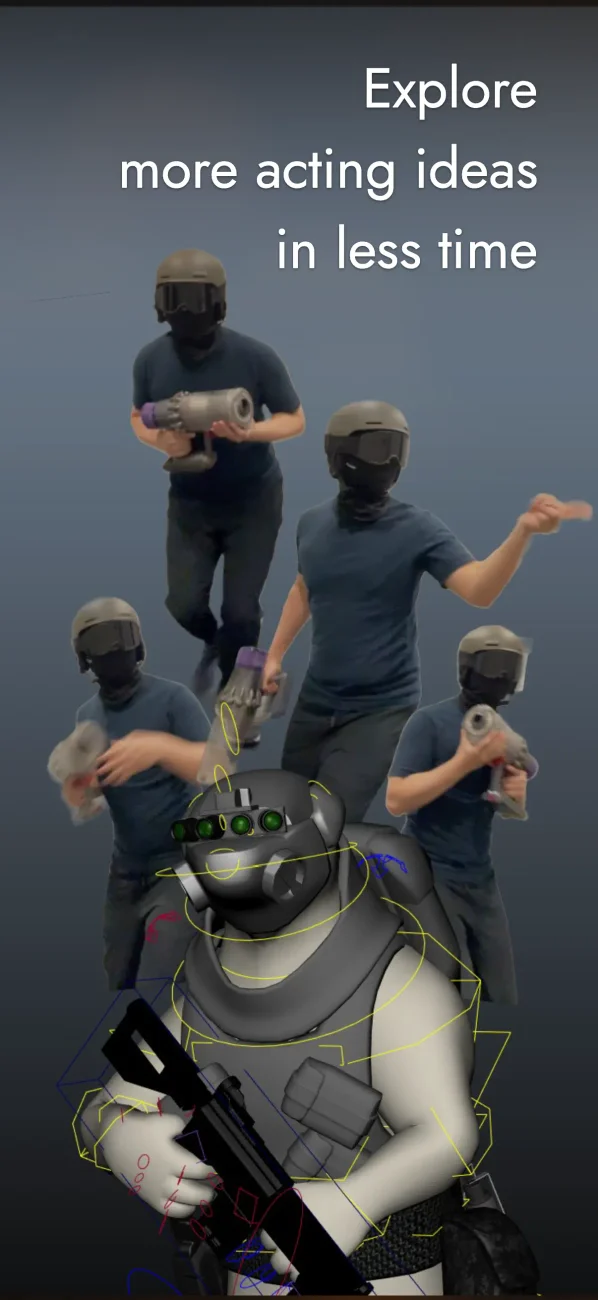
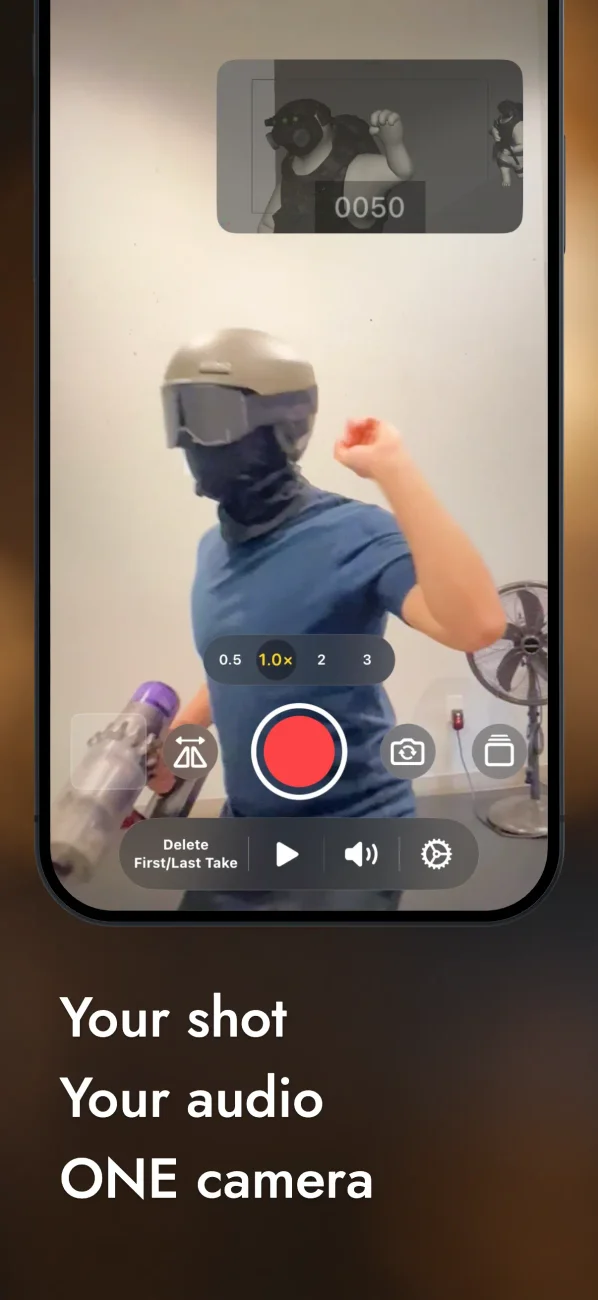
Play your voice recording and film yourself acting it out — all on one iPhone.
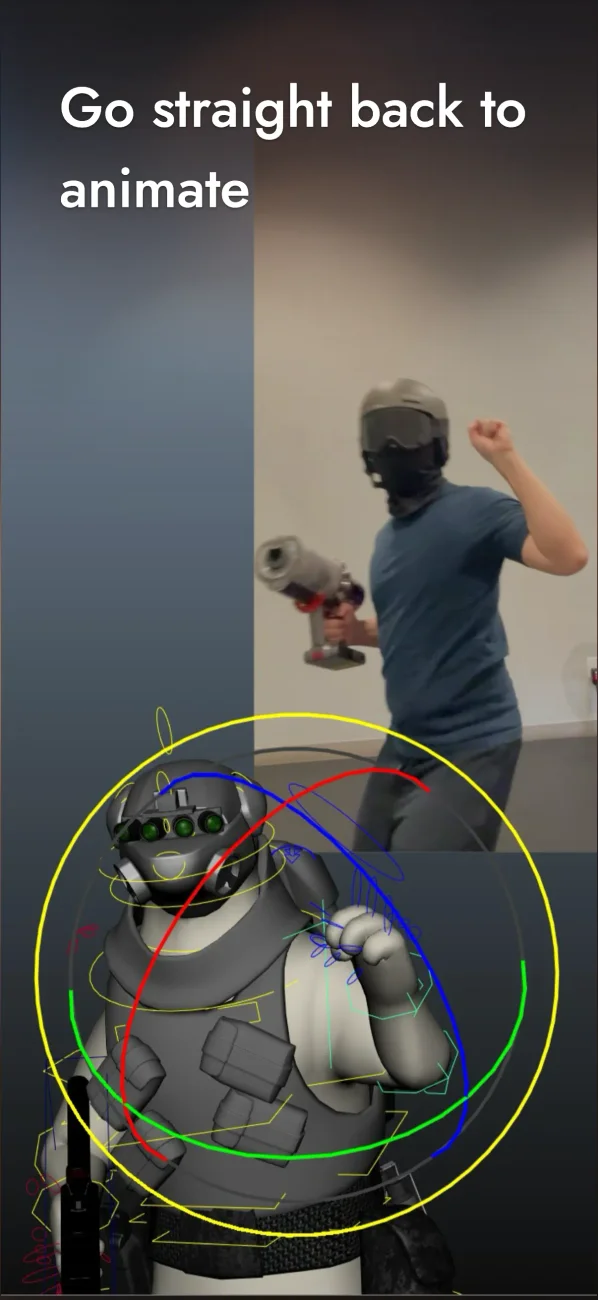
RefTake is made for animators who act out their shots — record your reference, auto-split it into takes, review, and export.
You know how shooting reference usually goes: your computer plays the voice recording while your phone films you, so you're stuck juggling two devices. Then comes the hunt for the take you actually want — back and forth through that one long recording, or endless digging through millions of short ones. And before it's any use, you're bouncing through another app just to get a format your 3D software will accept. RefTake pulls all of it into one workflow — just shoot, review, and export, all on the same device.
CAPTURE
- Drop your storyboard on screen while you film, and drag it wherever it's easiest to work from as a guide.
- Play your audio through the speaker or your headphones so you can hit your timing, blocking, and movement.
ORGANIZE
- Lay things out like a real production: project, sequence, shot.
- Tag and note your takes so you actually remember which was which.
- Keep your reference footage out of your camera roll — it lives in RefTake, separate from your family photos and videos.
- Select exactly the takes you want, then export, delete, or compare them in one go.
REVIEW & RATE
- Auto-split one long recording into separate takes so you can flip through and find the keeper faster.
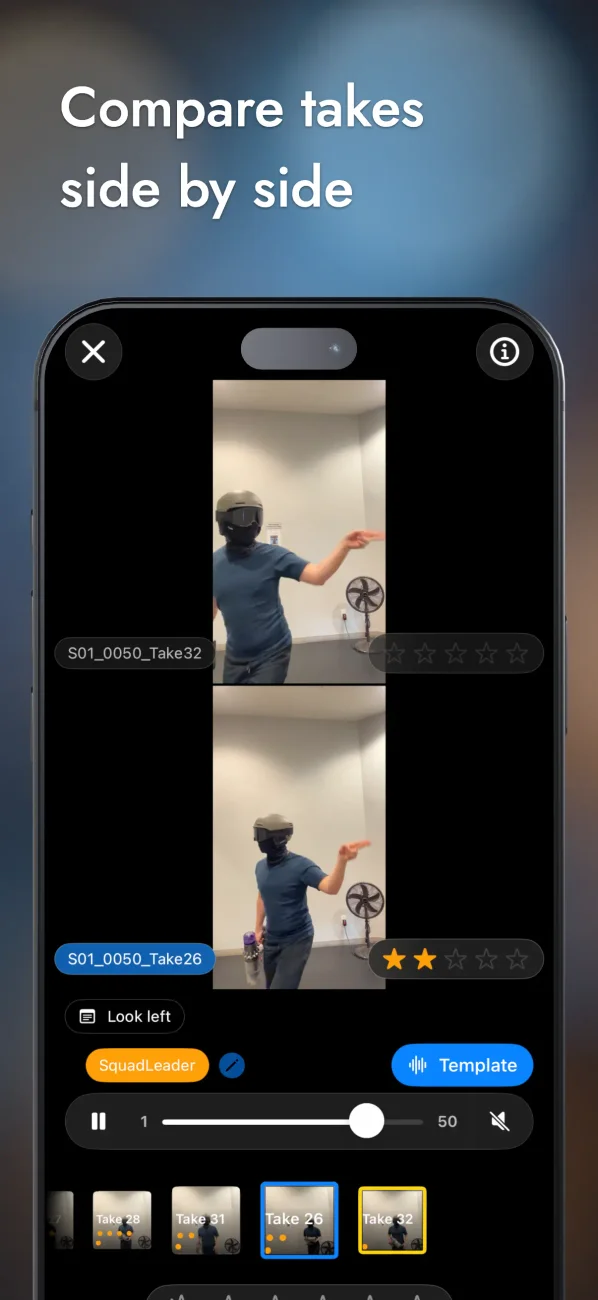
- Give each take 1 to 5 stars, and swipe or tap through them as you review — star the good ones and filter out the rest.
- Compare two takes of a shot on one screen, frame-locked on a single transport. Pinch to zoom in on both at once, or on each pane alone.
EXPORT & SHARE
- Export takes as MOV video or JPEG image sequences — any shot, any project, as often as you like, at full quality with no watermark.
- Name your exports however you work: project, sequence, shot, take, tag, and note — no more "IMG_####.mov" clips.
- Send them out through the share sheet, or save them straight to Files.
PRO — SPEED UP YOUR REFERENCE WORKFLOW EVEN MORE
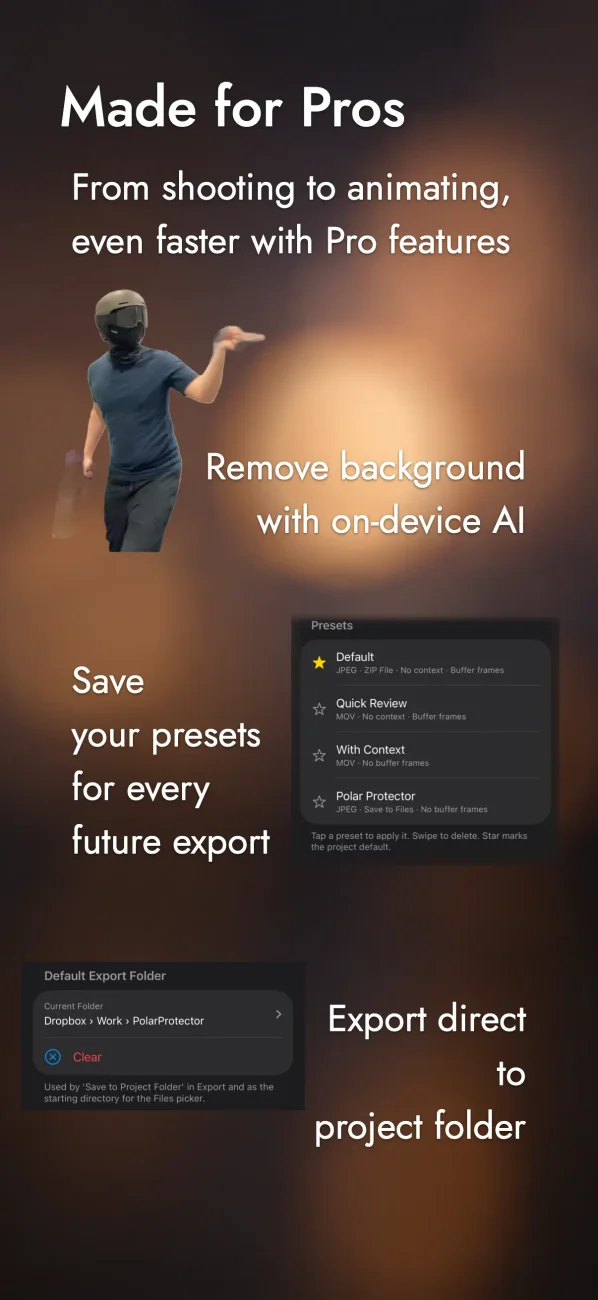
- Remove the background and export PNG image sequences with an alpha channel — keep your reference simple and clear.
- Save your export settings as presets — set your format, delivery, and options once, and every export after that is one tap.
- Save to Project Folder: skip the share sheet and land every export in your production folder with one tap, correctly named.
PRIVACY & SECURITY
- Background removal happens right on your device — your footage never leaves your phone.
- Your projects and footage stay on your device. We don't track you or collect your personal data.
RefTake is free to download, and the free plan is the whole creative app, not a demo. Record, auto-split, rate, tag, organize, compare, and review without limits — and export MOV or JPEG sequences from any shot in any project, as often as you like.
RefTake Pro speeds up your workflow: PNG sequences with alpha, saved export presets, and delivery straight into your project folder. Monthly, annual, or a one-time buy.
Built for animators — and anyone who works from reference.
Terms of Use (EULA): https://www.apple.com/legal/internet-services/itunes/dev/stdeula/
What’s new
Version 1.6.0 · Nov 9, 2026
What's New — RefTake 1.6.0
Report a problem or send feedback right from Settings, a tidier Settings screen, and Help is now the User Guide.
Report a Problem, Send Feedback
RefTake doesn't track you or collect any usage analytics, and I intend to keep it that way. But that also means I only find out what's working, and what isn't, when you tell me. So Settings now has a Support section with Report a Problem and Send Feedback. Both open a short form that fills in your device and app version for you. Add up to three screenshots and, if you switch them on, the app log and any crash reports (Report a Problem turns the log on for you).
Nothing leaves your phone until you send it. With a Mail account, Preview opens Mail with everything attached. Without one, Share opens the share sheet so you can send it from Gmail, Outlook, Messages or AirDrop. Rate RefTake opens the App Store review page, and Export Diagnostics has moved here too. I'd love to hear from you!
Help when you're stuck
Help is now the User Guide. Its last row, Still stuck?, opens the form ready for your question. When an export fails, the error now comes with a Report a Problem link that writes the error in and attaches the app log for you.
Settings, regrouped
The settings you reach for while shooting now come first, in the order a session runs: Capture, Take Viewer, Playback and Export. Then Privacy & Security, Help, Support, Subscription and Data, with Reset and Clear All Data on its own at the very bottom. Tap the Capture, Take Viewer, Playback or Export title for a short card on what those settings do. Three toggles have shorter names: Start in Selfie Mode, Start Muted and Tag the Whole Group.
Fixes
• An export that saved but had to skip takes with missing source files now shows a warning instead of a red export error.
App privacy
What SYUAN-RU WU declares on the App Store about how this app handles data.
-
Data not collected
The developer does not collect any data from this app.
Privacy practices may vary, for example with the features you use or your age.
Information
- Seller
- SYUAN-RU WU
- Category
- Photo & Video
- Version
- 1.6.0
- Updated
- Nov 9, 2026
- Released
- Jul 23, 2026
- Size
- 129.3 MB
- Requires
- iOS 17.0 or later
- Age rating
- 4+
- Price
- Free
- In-app purchases
- Yes
- Languages
- English
- Copyright
- © 2026 Syuan-Ru Wu
You might also like
-
 CycleDash GoCycling Video Overlay & AI Cam
-
 LayerCam - Overlay CameraSame angle photos & videos
-
 Multi-Track CameraMulti Camera Video Recording
-
 Dot Style - Convert to Pixel!Make a retro photo!
-
 MultiRecsDouble and Triple Recording
-
 Bitcut - AI Video EditorAI Shorts from Long Videos
-
 Reeliva: Reels & Story MakerCollage Templates Video Editor
-
 AlignShot – Overlay CameraSuperimpose, Align & Blend
-
 OverCam – Photo Overlay CameraAlign & Recreate: Pose Guide
-
 Video Frame By FramePhoto & Video