
Remote Control: Mouse & Media
Wireless trackpad & controller
iPhone için tasarlandı
Ücretsiz · Uygulama içi satın alma
- Yaş sınırı4+
- KategoriÜretkenlik
- GeliştiriciAnton Bindovskyi
- Dillerİngilizce+ 7 dil daha
- Boyut3,0 MB
Resmi App Store sayfasına bağlanır
Download.org, Remote Control: Mouse & Media için hiçbir dosya barındırmaz. Düğme, uygulamanın App Store üzerindeki sayfasını açar; uygulamayı orada Anton Bindovskyi yayınlar. Sayfanın son kontrolü: 25.11.2026.
Ekran görüntüleri
Hakkında
Geliştirici bu metni dilinizde sunmamış.
Turn your iPhone into the ultimate wireless remote control for your computer! Whether you are watching movies from the couch, giving a presentation, or listening to music across the room, RemoteControl makes managing your computer completely effortless. Say goodbye to getting out of bed just to pause a video or turn down the volume.
FREE FEATURES
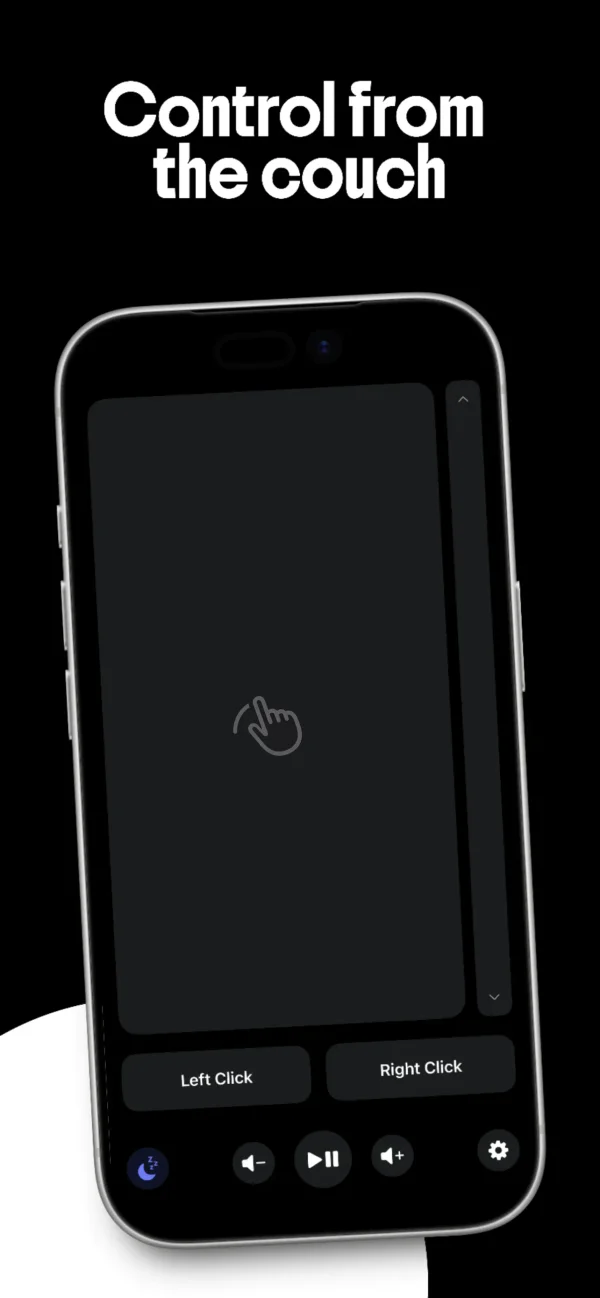
* Wireless Trackpad: Smooth cursor movement, scrolling, and clicking. Acts just like a native computer trackpad.
* Media Controls: Instantly play, pause, and skip tracks.
* Hardware Volume Control: Adjust your computer’s volume using the physical volume buttons on your iPhone!
* Secure Connection: PIN-code authorization ensures that only you have access to your computer.
PRO FEATURES (Unlock with Subscription) Take your remote experience to the next level:
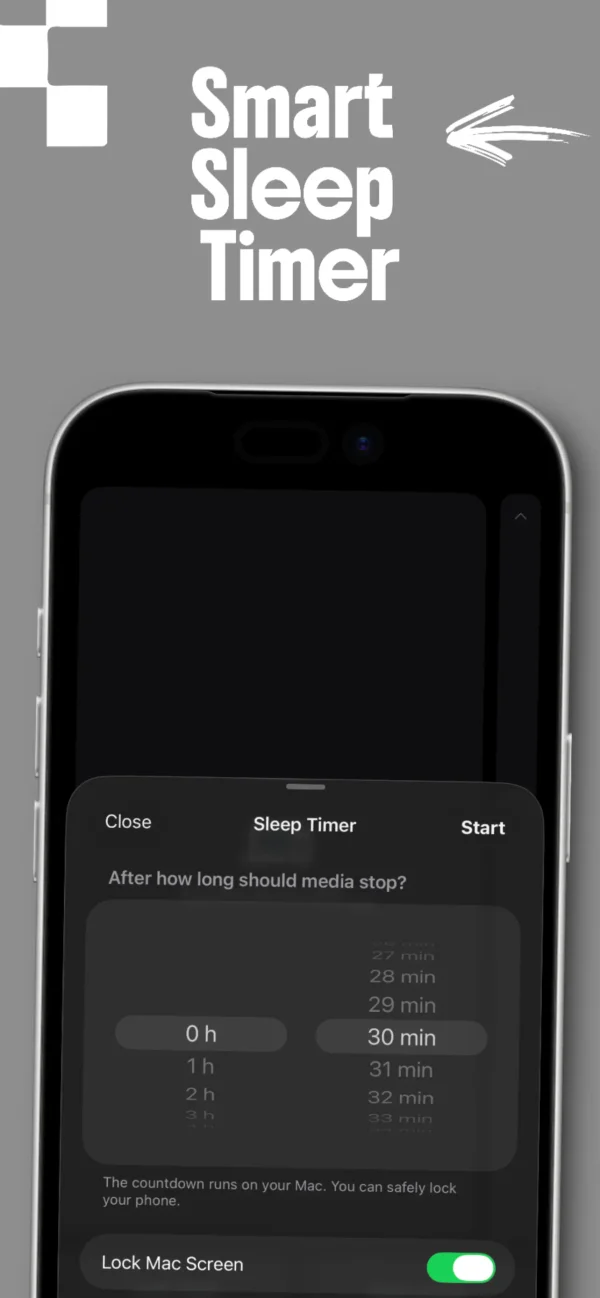
* Smart Sleep Timer: Fall asleep to your favorite movies. Set a timer, and the app will automatically pause the media and lock your computer's screen when the time is up.
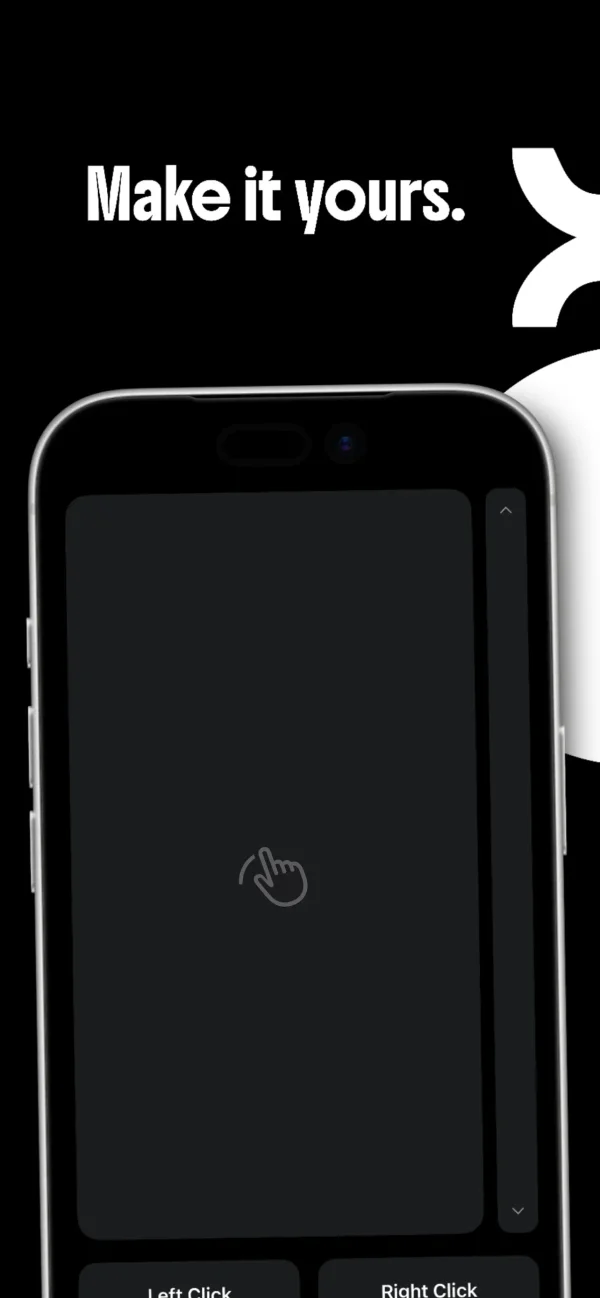
* Customizable Interface: Enable Minimalist Mode to hide media buttons, or hide mouse clicks for a pure trackpad experience.
* Adjustable Speed: Fine-tune the cursor and scrolling speed multipliers to match your workflow perfectly.
IMPORTANT SETUP INSTRUCTIONS To use this app, you need to install the free helper server on your computer.
1. Visit the official Dhampiree Software website: [https://dhampiree-apps.com]
2. Download and launch the free desktop app.
3. Ensure both your iPhone and computer are connected to the same Wi-Fi network.
4. Enter the PIN code displayed on your computer to connect securely.
Download now and take full control of your computer!
Terms of Use: https://www.apple.com/legal/internet-services/itunes/dev/stdeula/
Yenilikler
Sürüm 1.1.4 · 24.11.2026
• More reliable connection when several Macs are on the same network
• Fewer false “PIN may have changed” warnings after reconnecting
• New: send yourself the Mac app link right from your iPhone or iPad
• Fixed the Mac app download link in Settings
Uygulama gizliliği
Bu uygulamanın verileri nasıl işlediği hakkında Anton Bindovskyi tarafından App Store üzerinde yapılan beyan.
-
Veri toplanmıyor
Geliştirici bu uygulamadan hiçbir veri toplamıyor.
Gizlilik uygulamaları, örneğin kullandığınız özelliklere veya yaşınıza göre değişiklik gösterebilir.
Bilgiler
- Satıcı
- Anton Bindovskyi
- Kategori
- Üretkenlik
- Sürüm
- 1.1.4
- Güncellendi
- 24.11.2026
- Yayın tarihi
- 03.07.2026
- Boyut
- 3,0 MB
- Gereksinim
- iOS 18 veya sonrası
- Yaş sınırı
- 4+
- Fiyat
- Ücretsiz
- Uygulama içi satın alma
- Evet
- Diller
- İngilizce, Fransızca, Almanca, Japonca, Lehçe, Basitleştirilmiş Çince, İspanyolca, Ukraynaca
- Telif hakkı
- © 2026 Dhampiree Software
Bunları da beğenebilirsiniz
-
 Remote TrackpadÜretkenlik
-
 UnyxÜretkenlik
-
 Remote Mouse, keyboard, moreÜretkenlik
-
 Control My Mac: Uzaktan FareTrackpad ve klavye: Mac ve PC
-
 Mouse@WorkÜretkenlik
-
 Wireless PresenterÜretkenlik
-
 ScreenPact: Your Focus PartnerÜretkenlik
-
 Emly: EML ViewerÜretkenlik
-
 LitePhotoÜretkenlik
-
 Slate: Second MonitorÜretkenlik