Remote Keyboard & Mouse
For PC, Mac & LG TV
iPhone, iPad, iPod touch için tasarlandı
Ücretsiz · Uygulama içi satın alma
- Yaş sınırı4+
- KategoriÜretkenlik
- GeliştiriciJIE WANG
- Dillerİngilizce+ 13 dil daha
- Boyut58,6 MB
Resmi App Store sayfasına bağlanır
Download.org, Remote Keyboard & Mouse için hiçbir dosya barındırmaz. Düğme, uygulamanın App Store üzerindeki sayfasını açar; uygulamayı orada JIE WANG yayınlar. Sayfanın son kontrolü: 20.11.2026.
Ekran görüntüleri



Hakkında
Geliştirici bu metni dilinizde sunmamış.
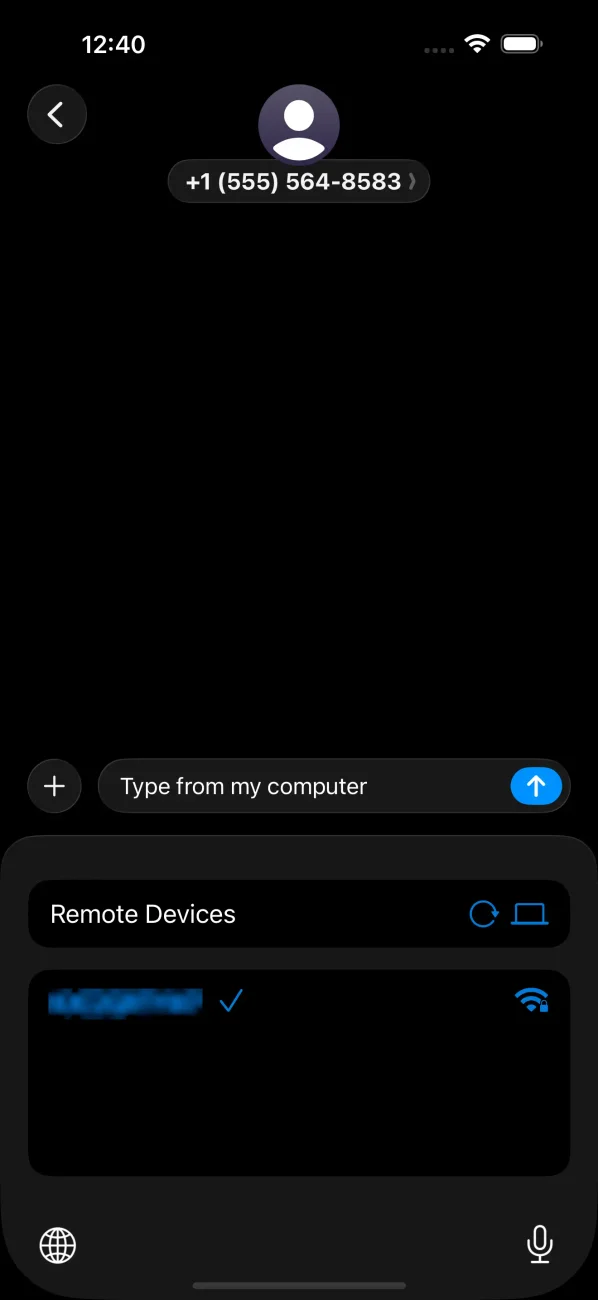
Remote Keyboard – Control Your Computer & LG TV from iPhone
Remote Keyboard turns your iPhone into a wireless keyboard, mouse, trackpad, numeric keypad, media controller, and LG TV remote. Whether you’re presenting, watching movies, entering data, or controlling your computer from the couch, Remote Keyboard gives you flexible control right from your phone.
Pair your iPhone with the companion desktop app for Mac or Windows, connect over Wi‑Fi or QR code, and start typing, clicking, scrolling, dragging, and controlling media instantly.
Key Features
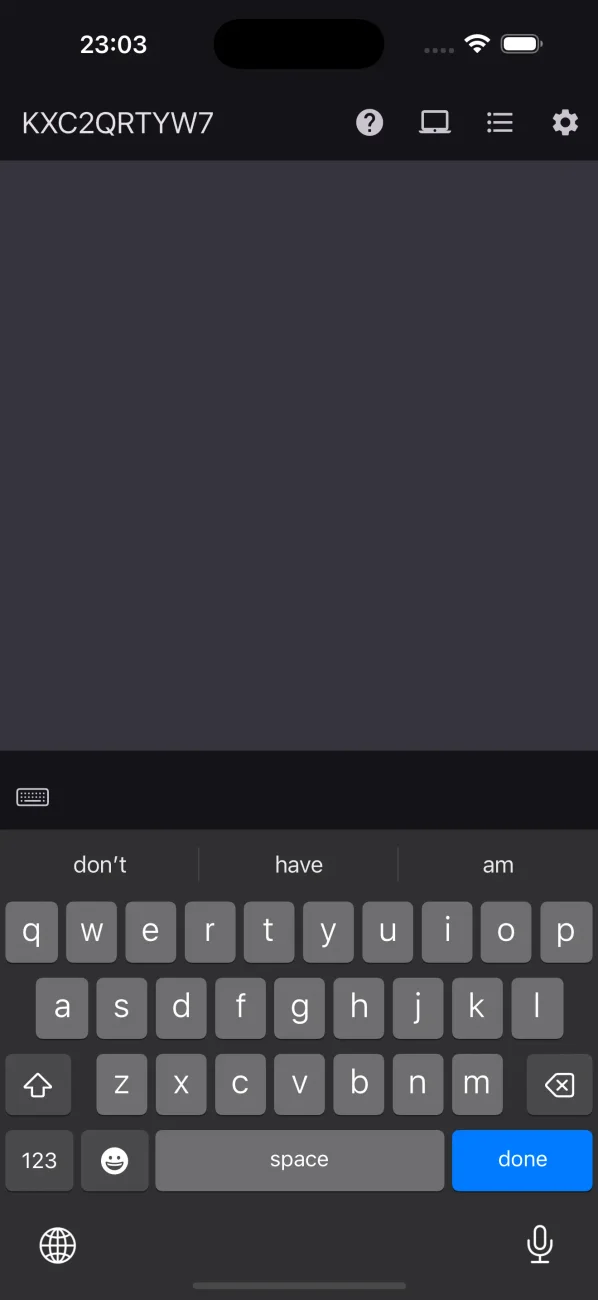
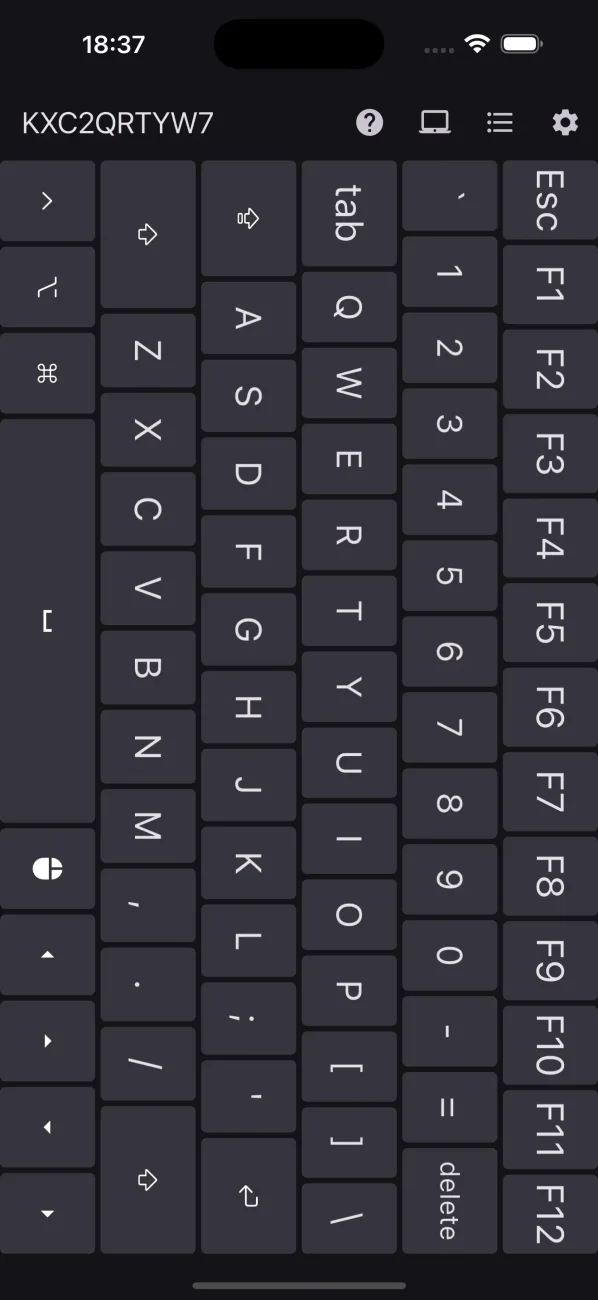
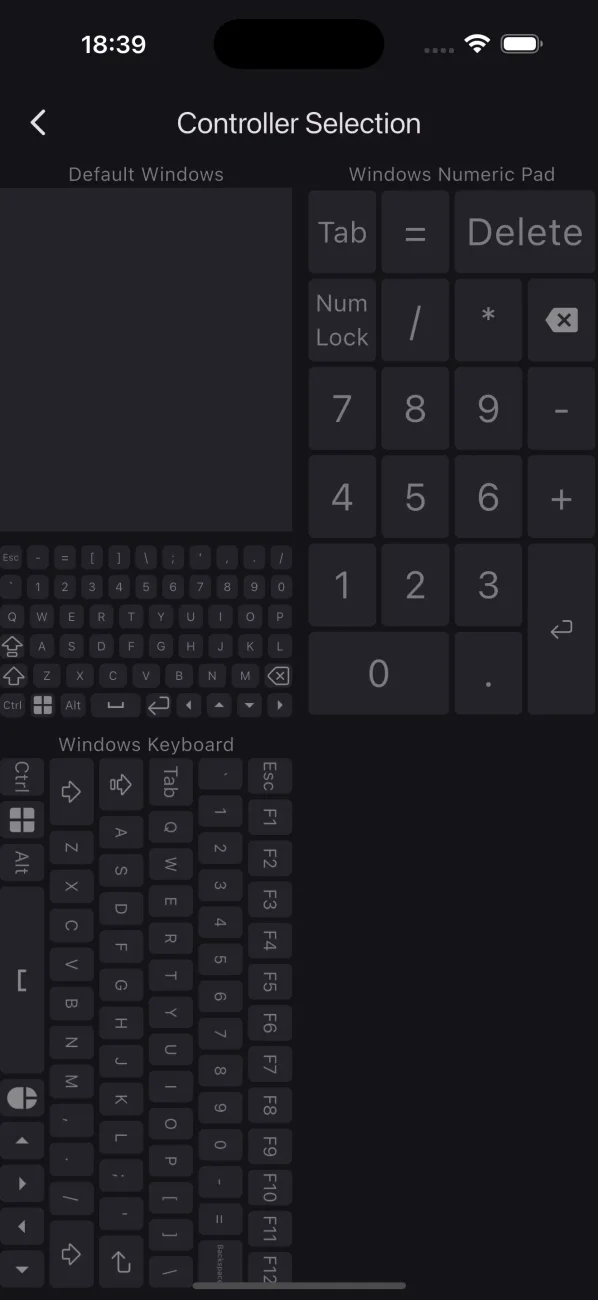
• Wireless Keyboard – Type on your Mac or Windows PC using full keyboard, native keyboard, and platform-specific layouts.
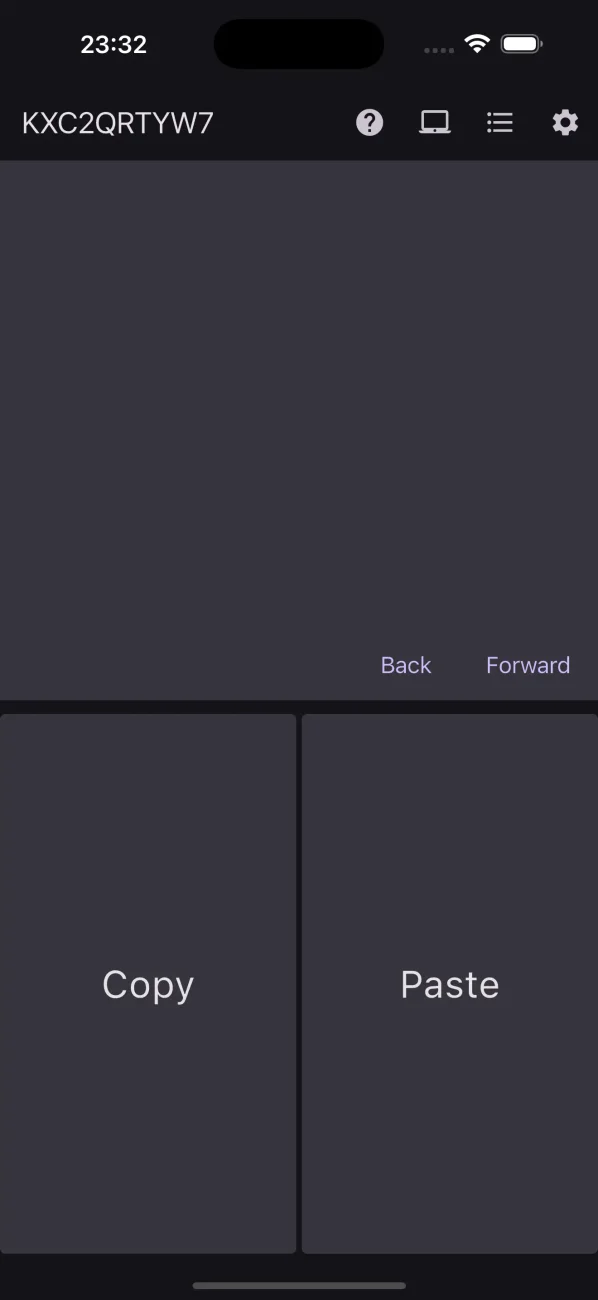
• Touchpad-Style Mouse Control – Move the cursor, tap to click, right-click, scroll, and drag with intuitive trackpad gestures.
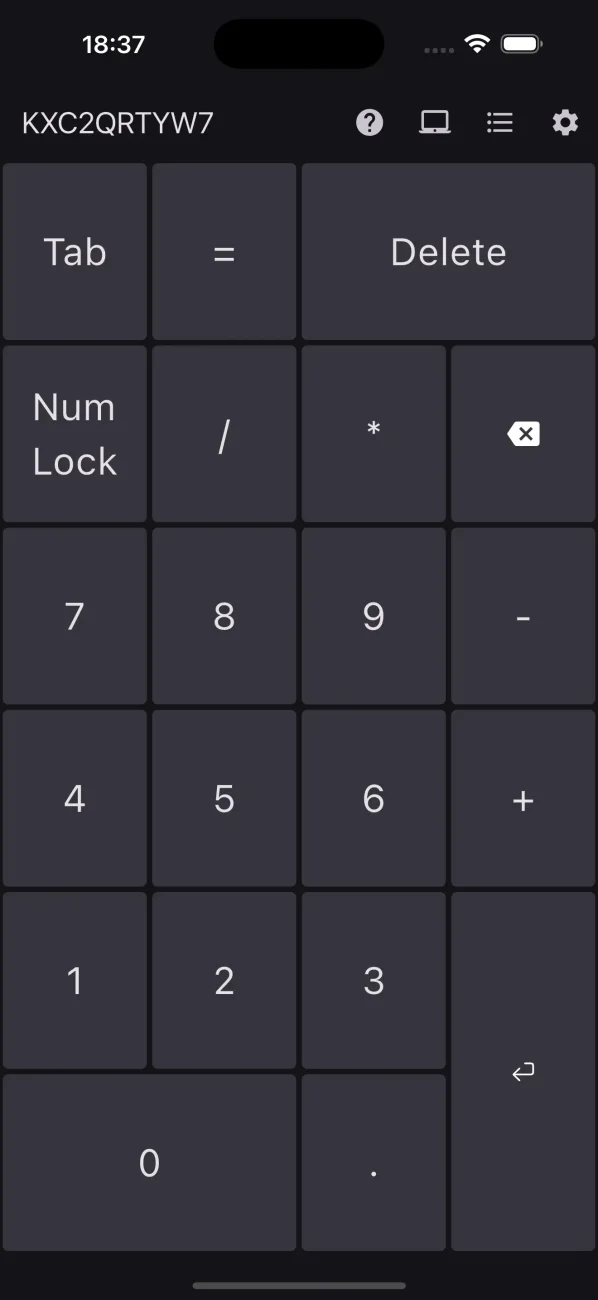
• Numeric Keypad Support – Enter numbers quickly with dedicated Mac and Windows number pad layouts, ideal for spreadsheets, finance, and data entry.
• Media Controls – Control playback, volume, arrow keys, and media shortcuts from your phone.
• LG WebOS TV Remote – Navigate your TV, adjust volume, change channels, control playback, and access supported TV shortcuts.
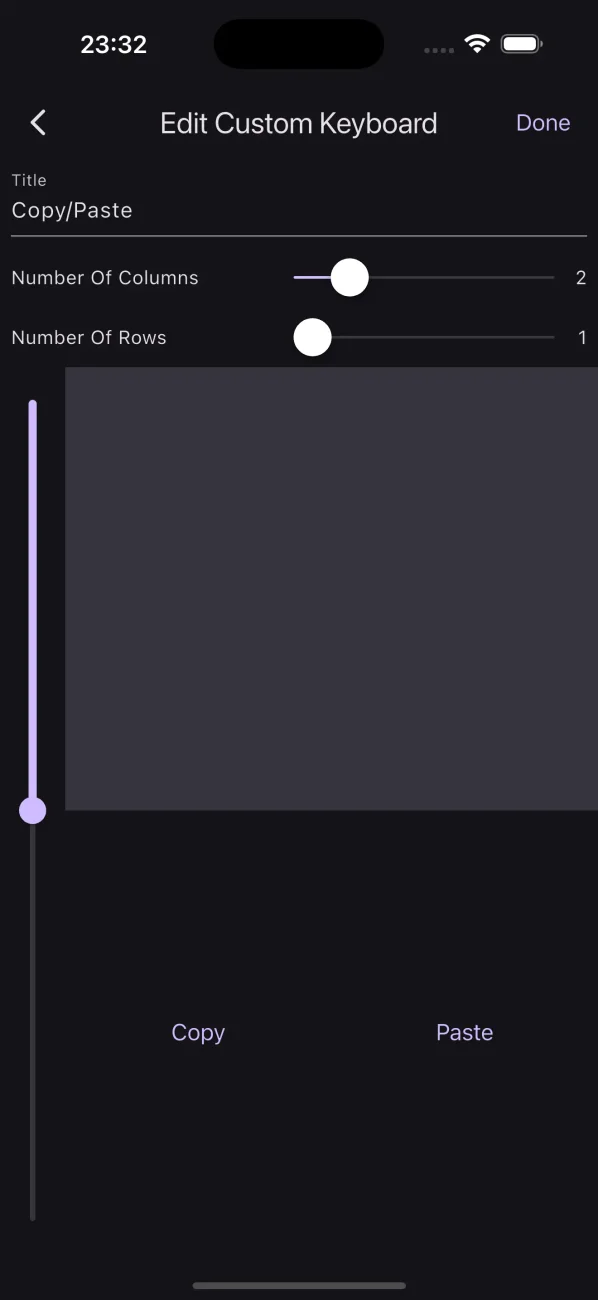
• Custom Keyboards – Create your own keyboard layouts with shortcuts, text input, trackpad actions, and delays.
• Quick Keyboard Switching – Save favorite keyboards and swipe between layouts quickly.
• Flexible Connection Options – Connect over local Wi‑Fi, scan a QR code from the desktop app, or use Premium remote connection when supported.
• Works Across Platforms – Control macOS, Windows, and LG WebOS devices from one app.
Use It For
• Home Theater Control – Control your Mac or PC as a smart TV from the couch.
• Presentations – Advance slides, control the cursor, and type notes during meetings.
• Productivity Anywhere – Work from across the room or from a standing desk without extra hardware.
• Efficient Number Input – Speed up Excel, accounting, and data-entry workflows with a dedicated numeric keypad.
• Media Playback – Adjust volume, pause, play, skip tracks, and browse comfortably.
• Accessible Remote Control – Helpful for users who prefer touchscreen input or need flexible assistive control options.
Requires the companion Remote Keyboard Desktop app for Mac/Windows computer control.
In-App Purchase Terms
• Payment will be charged to your iTunes account at purchase.
• Auto-renewable subscriptions will be charged for renewal within 24 hours before the end of the current subscription period unless auto-renew is turned off at least 24 hours before the end of the current period.
• Subscriptions may be managed and auto-renewal may be turned off in your iTunes Account Settings after purchase.
See https://remotecontrolio.web.app/eula.html for more details.
Yenilikler
Sürüm 3.4.1 · 11.10.2026
New: Transfer files between your phone and computer! Send files and photos from the trackpad, including files copied to your clipboard. Receive files from your computer in the app or keyboard. File transfers require Premium and Remote Keyboard Desktop 3.4.0 or later.
We've also improved transfer progress and updated the in-app help.
Uygulama gizliliği
Bu uygulamanın verileri nasıl işlediği hakkında JIE WANG tarafından App Store üzerinde yapılan beyan.
-
Sizi izlemek için kullanılan veriler
Başka şirketlere ait uygulamalarda ve web sitelerinde sizi izlemek için kullanılabilir.
- Tanımlayıcılar
-
Sizinle ilişkilendirilen veriler
Toplanabilir ve kimliğinizle ilişkilendirilebilir.
- İletişim bilgileri
- Tanımlayıcılar
-
Sizinle ilişkilendirilmeyen veriler
Toplanabilir ancak kimliğinizle ilişkilendirilmez.
- Tanımlayıcılar
- Kullanım verileri
- Tanılama
Gizlilik uygulamaları, örneğin kullandığınız özelliklere veya yaşınıza göre değişiklik gösterebilir.
Bilgiler
- Satıcı
- JIE WANG
- Kategori
- Üretkenlik
- Sürüm
- 3.4.1
- Güncellendi
- 11.10.2026
- Yayın tarihi
- 11.05.2025
- Boyut
- 58,6 MB
- Gereksinim
- iOS 15.0 veya sonrası
- Yaş sınırı
- 4+
- Fiyat
- Ücretsiz
- Uygulama içi satın alma
- Evet
- Diller
- İngilizce, Fransızca, Almanca, Endonezce, İtalyanca, Japonca, Korece, Portekizce, Rusça, Basitleştirilmiş Çince, İspanyolca, Tayca + 2 dil daha
- Telif hakkı
- Copyright © 2025 WANGJIE
Bunları da beğenebilirsiniz
-
 Uzaktan Fare ve KlavyeTelefondan Bilgisayar Kontrolü
-
 Fare · KlavyeMac veya PC için
-
 VMouse - VNC Remote MouseÜretkenlik
-
 Smart Projector ControlÜretkenlik
-
 Remote Mouse, keyboard, moreÜretkenlik
-
 Game Emulator: Console GamepadÜretkenlik
-
 KDE ConnectÜretkenlik
-
 Mouse Jiggler UndetectableÜretkenlik
-
 UTM Remote Virtual MachinesÜretkenlik
-
 Remote KeyboardÜretkenlik