
SBL Cue Timer: Stage Timer
Show Countdown & Run Sheet
iPhone, iPad, Mac, iPod touch için tasarlandı
Ücretsiz · Uygulama içi satın alma
- Yaş sınırı4+
- KategoriÜretkenlik
- GeliştiriciTakashi Funama
- Dillerİngilizce+ 4 dil daha
- Boyut51,4 MB
Resmi App Store sayfasına bağlanır
Download.org, SBL Cue Timer: Stage Timer için hiçbir dosya barındırmaz. Düğme, uygulamanın App Store üzerindeki sayfasını açar; uygulamayı orada Takashi Funama yayınlar. Sayfanın son kontrolü: 23.11.2026.
Ekran görüntüleri
Hakkında
Geliştirici bu metni dilinizde sunmamış.
SBL Cue Timer is a stage timer for concerts, recitals, weddings, talks, seminars, corporate events, streams, theater and dance.
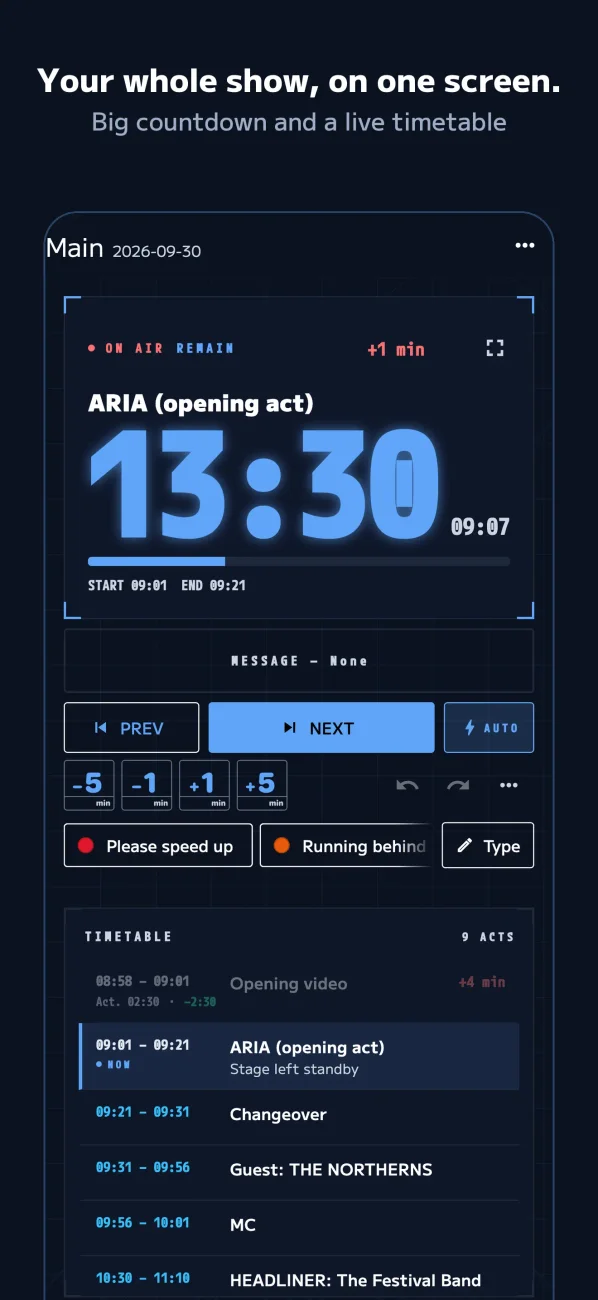
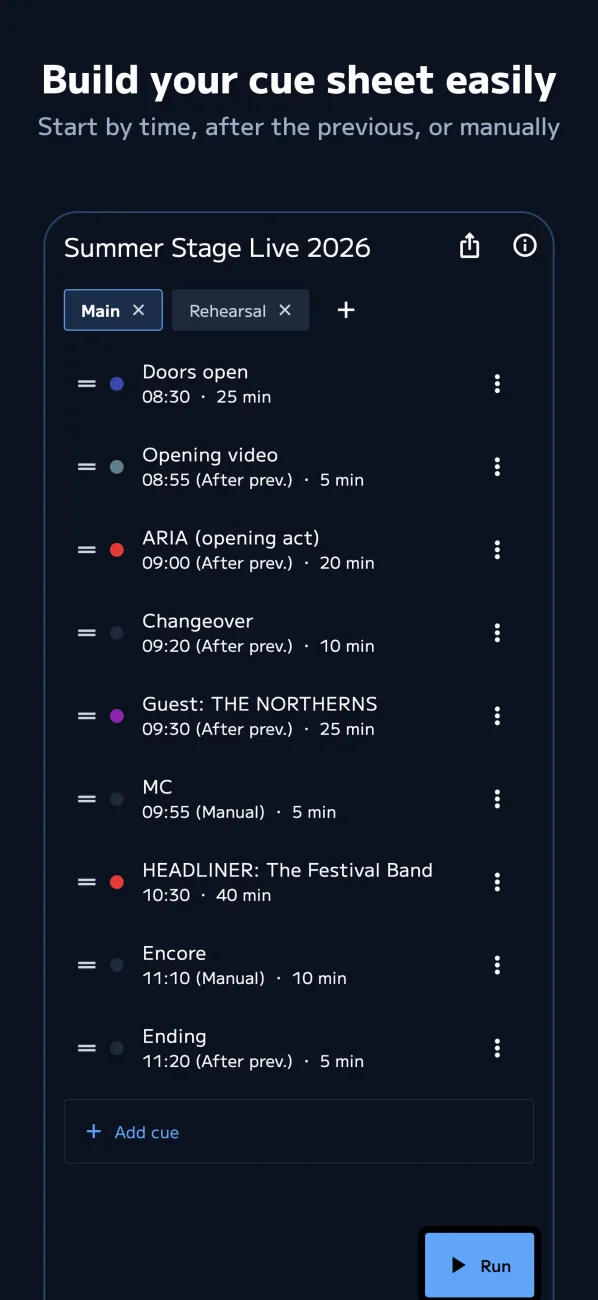
A big countdown and a timed run sheet show what is on now, what is next, and whether you are running behind or ahead. Show presenters their remaining time on a full-screen display, share the run screen with your crew, and send OSC to lights, sound and video, including GO for the matching QLab cue.
RUN TIMER
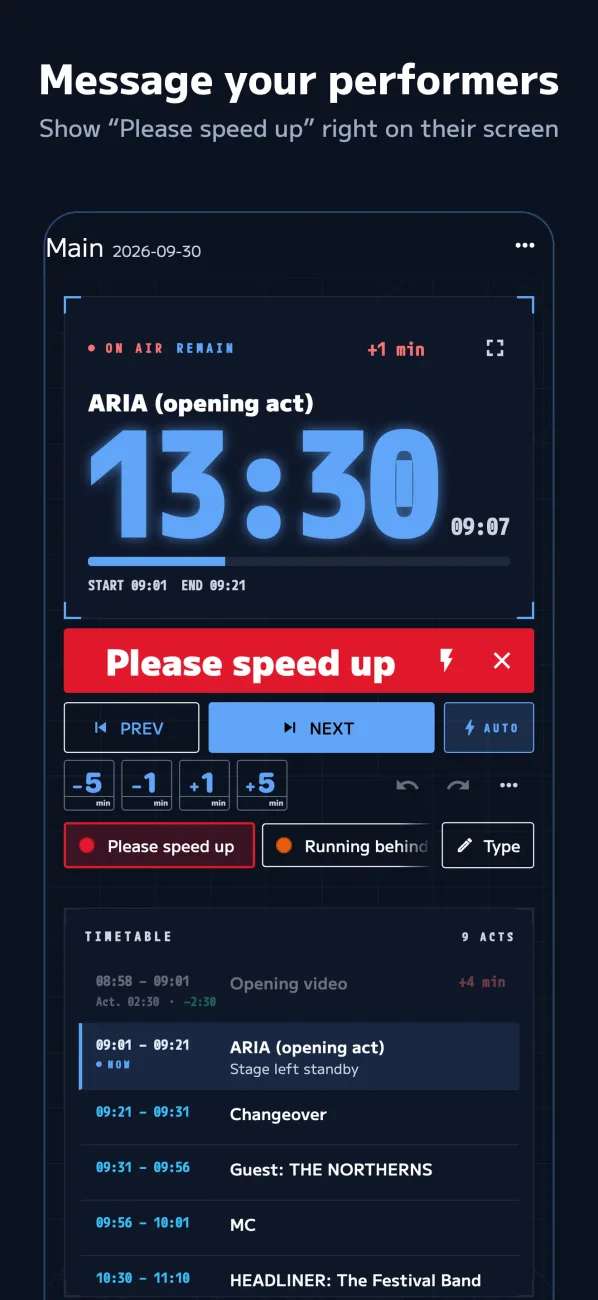
- Big remaining time. Colors warn when time is short or over
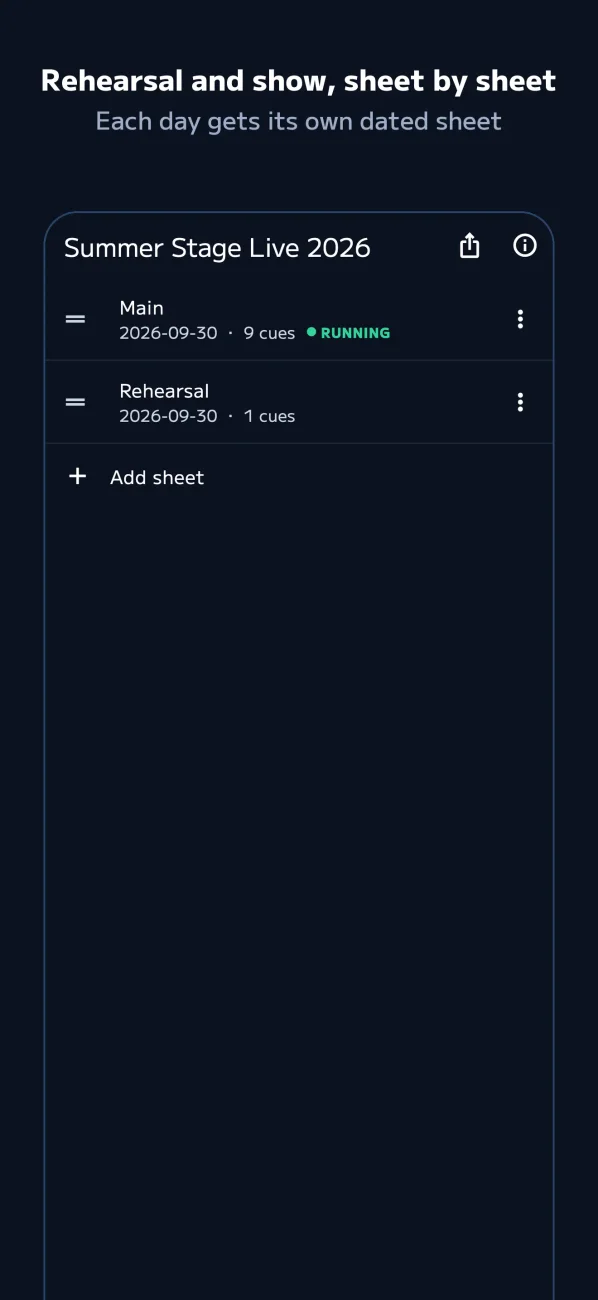
- Each cue sheet row is one act. Start by time, right after the previous act, or manually
- Turn on AUTO to move to the next act on schedule. Behind ("push") and ahead ("pull") are calculated for you
- Tap -1 / +1 minute to adjust on the spot. Undo and redo supported
- Messages: show "Please speed up" and more on performers' screens in one tap, and make them flash for 5 seconds
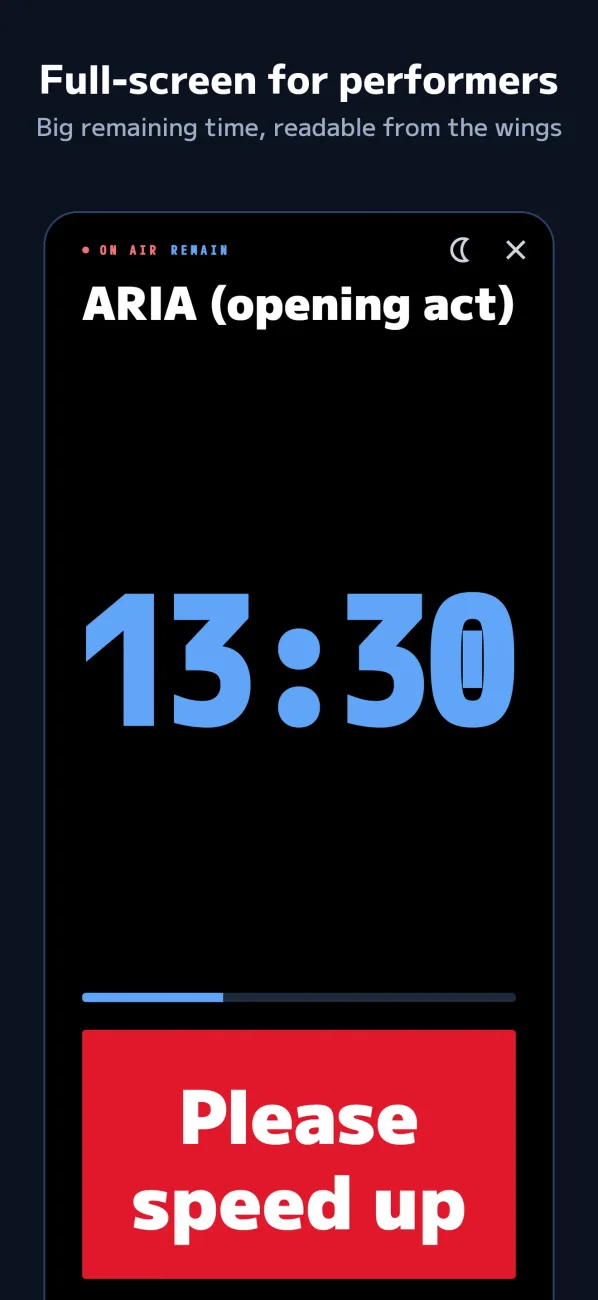
- Full-screen performer display, readable from the wings. The host can dim it to 100%, 50%, 20% or blackout
- Keyboard shortcuts (iPad, Mac, external keyboards): Space for NEXT, Cmd+. for STOP and more
- Live Activity: remaining time and the current cue on the Lock Screen and Dynamic Island, even with the app closed
- Notifications before each cue change and at its end time while the app is in the background
SHARING AND SYNC
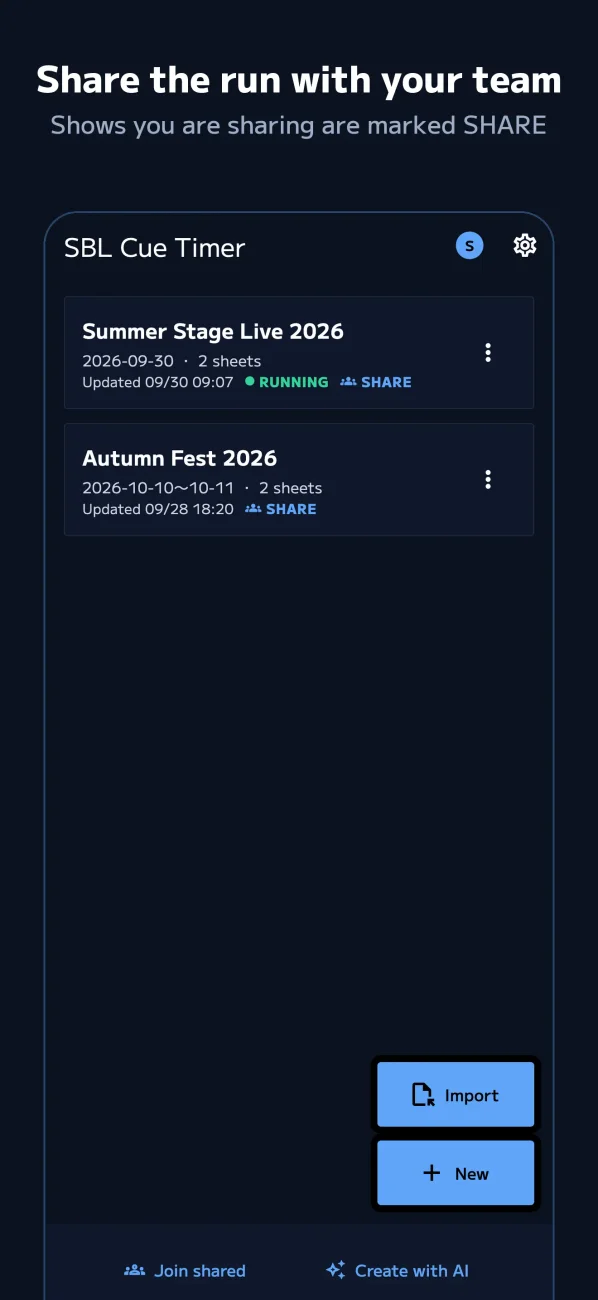
- Anyone who enters a share code sees the same run screen live
- Your iPhone, iPad and Mac signed in to the same account sync show edits and the run instantly
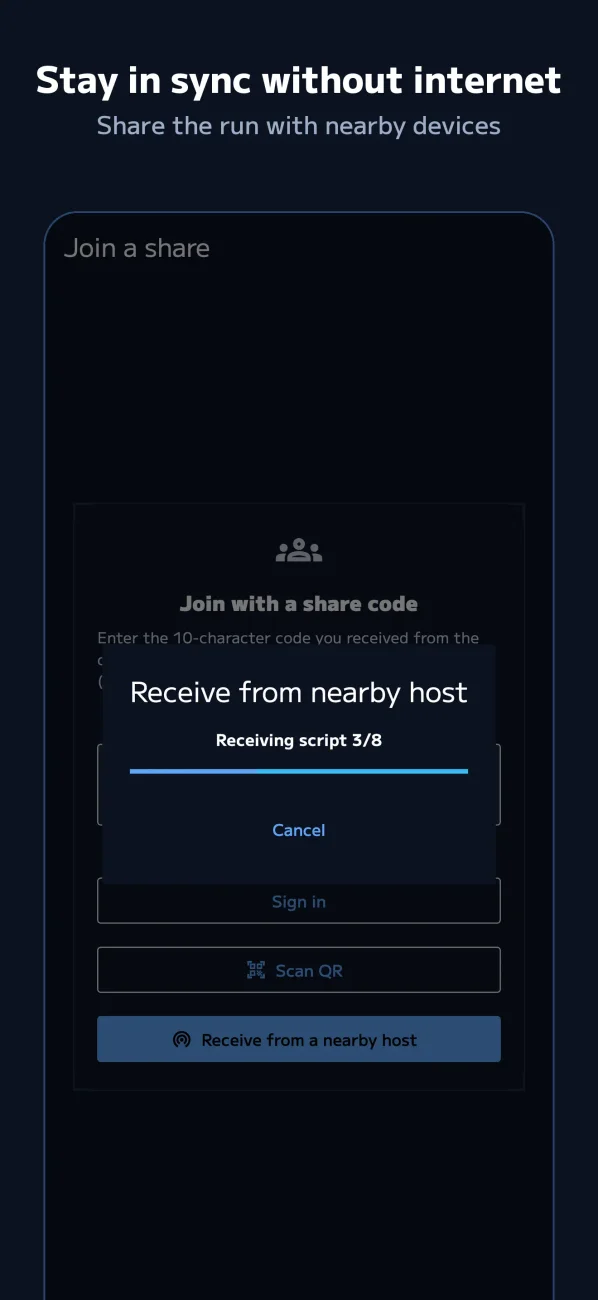
- Nearby sync: iPhone, iPad and Mac sync with each other even with weak internet (Local Network permission required)
- Shares you joined stay in your show list so you can reopen them
- Creating a share (hosting) requires Pro
CREATE RUN SHEETS WITH AI
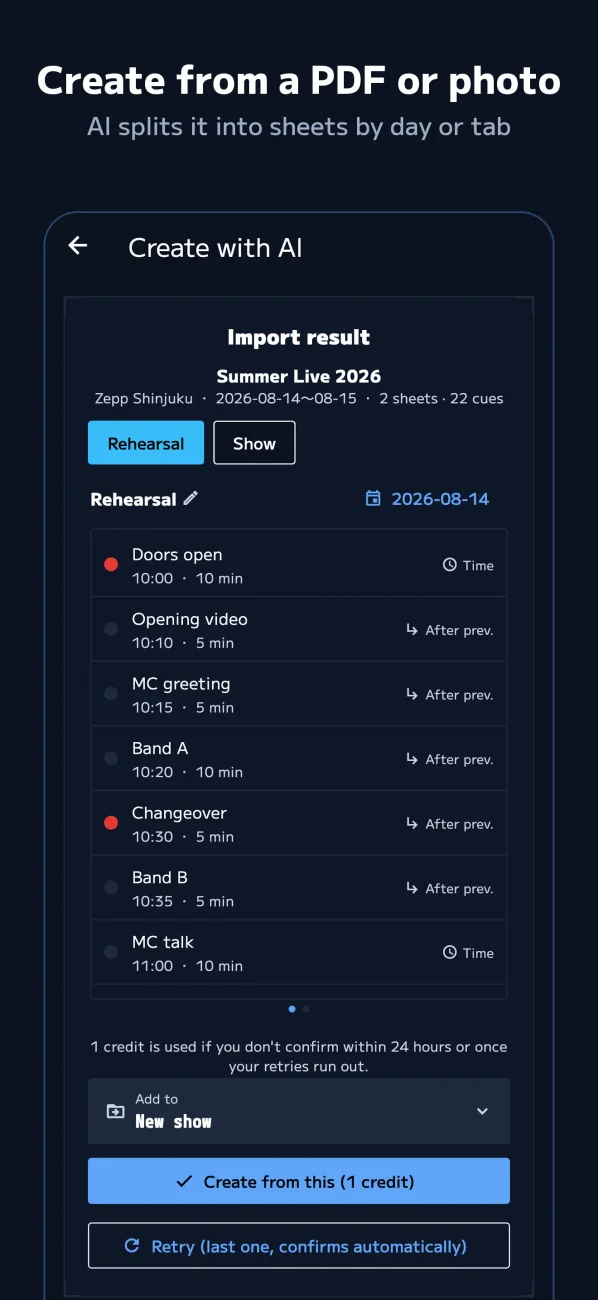
- Turns a PDF, photo, Excel, CSV or text schedule into a cue sheet with start times and durations
- Review and edit the result before you use it
LIGHTING AND SOUND SYNC (OSC)
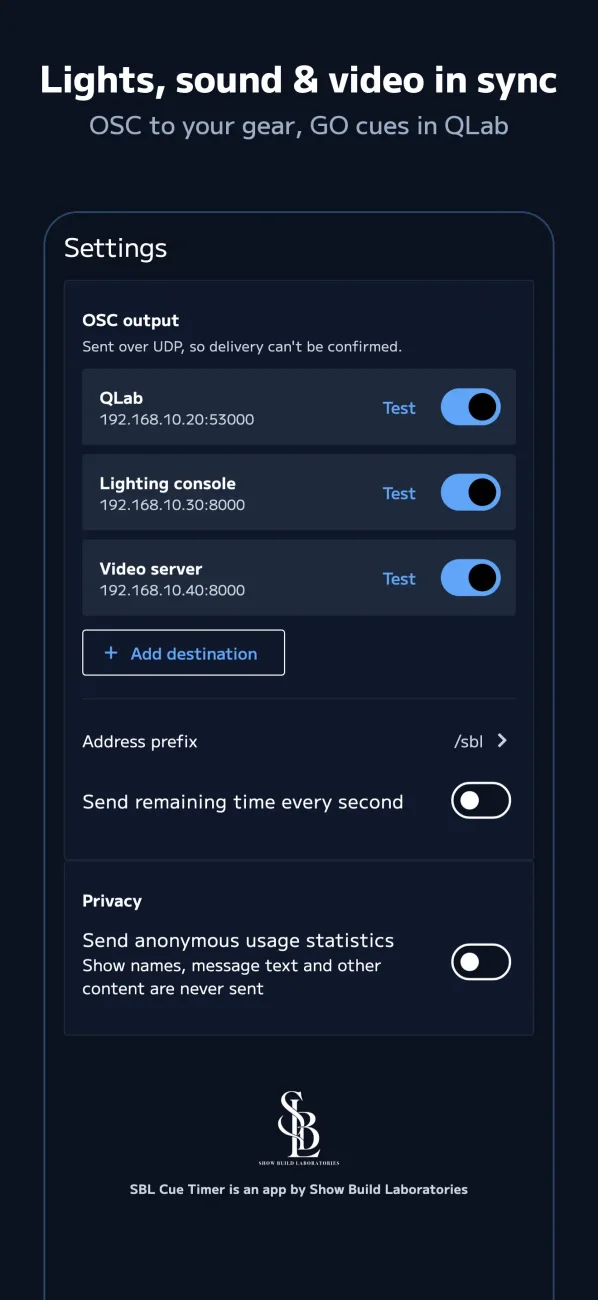
- OSC controls lighting, audio and video gear and software
- Sent when each act starts, so it works with QLab, Resolume, TouchDesigner, Bitfocus Companion and more (Pro)
- QLab mode: when a cue starts, GO the QLab cue with the same number. Optional panic on STOP. Finds QLab on your network automatically
WORKS OFFLINE
Shows are stored on your device. Edit and run offline (sharing, sync, AI and restoring purchases need a connection). Export and import .showcue files too.
FREE AND PRO
Free: up to 3 shows and 2 sheets per show / editing, running, full screen and messages / watch a show with a share code / ads shown
Pro: unlimited shows and sheets / host sharing and nearby sync / OSC output and QLab mode / CSV import and export / AI creation with a monthly allowance included / no ads
- Monthly or annual (annual costs the same as 9 months). New subscribers get a 2-week free trial
- Pro 1 Day: all Pro features for 24 hours, no auto-renewal
- Prices are in JPY, tax included. The price shown in the App Store applies
AI CREDITS
- Credits are uses for AI creation. Buy a pack of 5 or 10 in the app (also on the free plan)
- Purchased credits never expire
- Pro's monthly allowance is used first, then your credits
- One use is spent when you tap "Create from this result". Retry up to 3 times for free if you don't like it
SUBSCRIPTION INFORMATION
- Purchases and restoring purchases require sign-in (Apple, Google or email)
- Payment is charged to your Apple Account at confirmation of purchase
- Subscriptions renew automatically unless canceled at least 24 hours before the end of the current period. Your account is charged for renewal within 24 hours before the end of the period
- Manage or cancel in Settings > your name > Subscriptions after purchase
- Any unused portion of a free trial is forfeited when you purchase a subscription
- Terms of Use: https://www.apple.com/legal/internet-services/itunes/dev/stdeula/
- Privacy Policy: https://showbuildlabs.com/privacy/
- Contact: support@showbuildlabs.com
Show Build Laboratories (SBL) makes tools for people who work on the floor.
Yenilikler
Sürüm 1.3.9 · 11.11.2026
- Fixed an issue where permission prompts (camera, local network, photos) appeared in English on Chinese-language devices.
Uygulama gizliliği
Bu uygulamanın verileri nasıl işlediği hakkında Takashi Funama tarafından App Store üzerinde yapılan beyan.
-
Sizinle ilişkilendirilen veriler
Toplanabilir ve kimliğinizle ilişkilendirilebilir.
- Satın alımlar
- Konum
- İletişim bilgileri
- Kullanıcı içeriği
- Tanımlayıcılar
- Kullanım verileri
- Diğer veriler
-
Sizinle ilişkilendirilmeyen veriler
Toplanabilir ancak kimliğinizle ilişkilendirilmez.
- Tanılama
Gizlilik uygulamaları, örneğin kullandığınız özelliklere veya yaşınıza göre değişiklik gösterebilir.
Bilgiler
- Satıcı
- Takashi Funama
- Kategori
- Üretkenlik
- Sürüm
- 1.3.9
- Güncellendi
- 11.11.2026
- Yayın tarihi
- 08.10.2026
- Boyut
- 51,4 MB
- Gereksinim
- iOS 15.0 veya sonrası
- Yaş sınırı
- 4+
- Fiyat
- Ücretsiz
- Uygulama içi satın alma
- Evet
- Diller
- İngilizce, Japonca, Korece, Basitleştirilmiş Çince, Geleneksel Çince
- Telif hakkı
- © 2026 Show Build Laboratories
Bunları da beğenebilirsiniz
-
 entimer | Routine TimerÜretkenlik
-
 Soapbox: Speaker TimerÜretkenlik
-
 Burn Timer: Focus & PomodoroÜretkenlik
-
 Segue: Stage TimerÜretkenlik
-
 イベントクロックÜretkenlik
-
 OrchestrÜretkenlik
-
 CueBell: Presentation TimerÜretkenlik
-
 Tuckii - Yer İmi YöneticisiTek dokunuşla link kaydet
-
 Photon 2: DMX Light ControllerÜretkenlik
-
 GroupCom - Walkie-Talkie AppÜretkenlik