
SBL Cue Timer: Stage Timer
Show Countdown & Run Sheet
Được thiết kế cho iPhone, iPad, Mac, iPod touch
Miễn phí · Mua hàng trong ứng dụng
- Độ tuổi4+
- Danh mụcHiệu Suất
- Nhà phát triểnTakashi Funama
- Ngôn ngữTiếng Anh+ 4 ngôn ngữ khác
- Kích thước51,4 MB
Liên kết đến trang App Store chính thức
Download.org không lưu trữ tệp nào của SBL Cue Timer: Stage Timer. Nút này mở trang ứng dụng trên App Store, nơi Takashi Funama phát hành ứng dụng. Trang được kiểm tra lần cuối: 23/11/2026.
Ảnh chụp màn hình
Giới thiệu
Nhà phát triển chưa cung cấp nội dung này bằng ngôn ngữ của bạn.
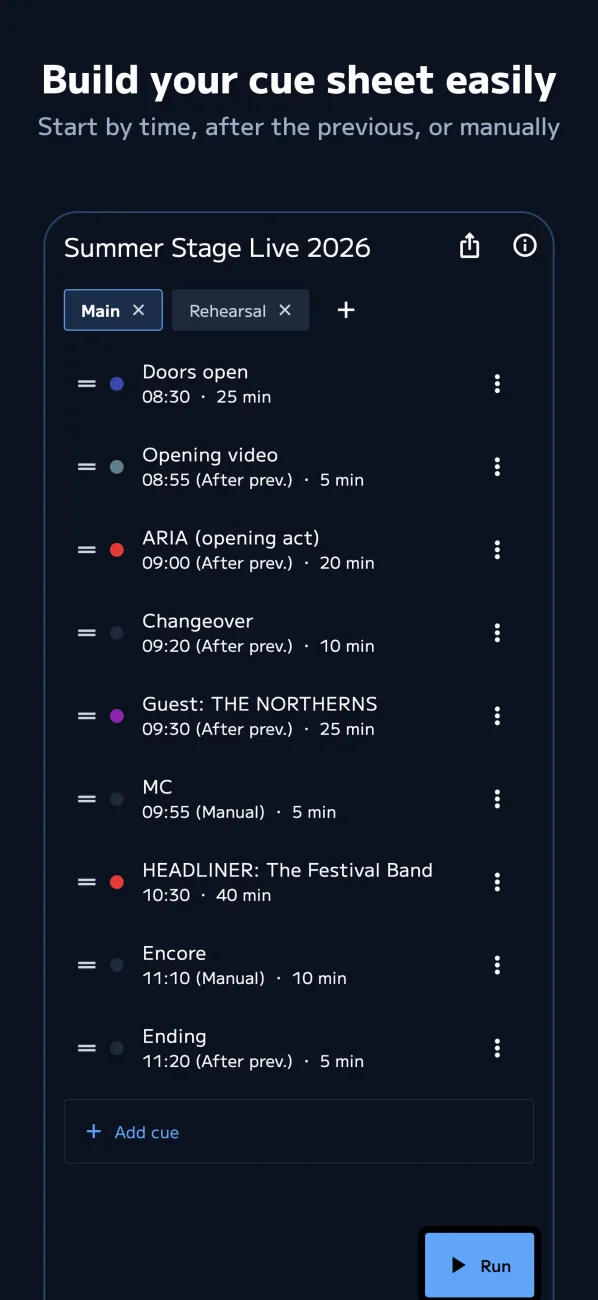
SBL Cue Timer is a stage timer for concerts, recitals, weddings, talks, seminars, corporate events, streams, theater and dance.
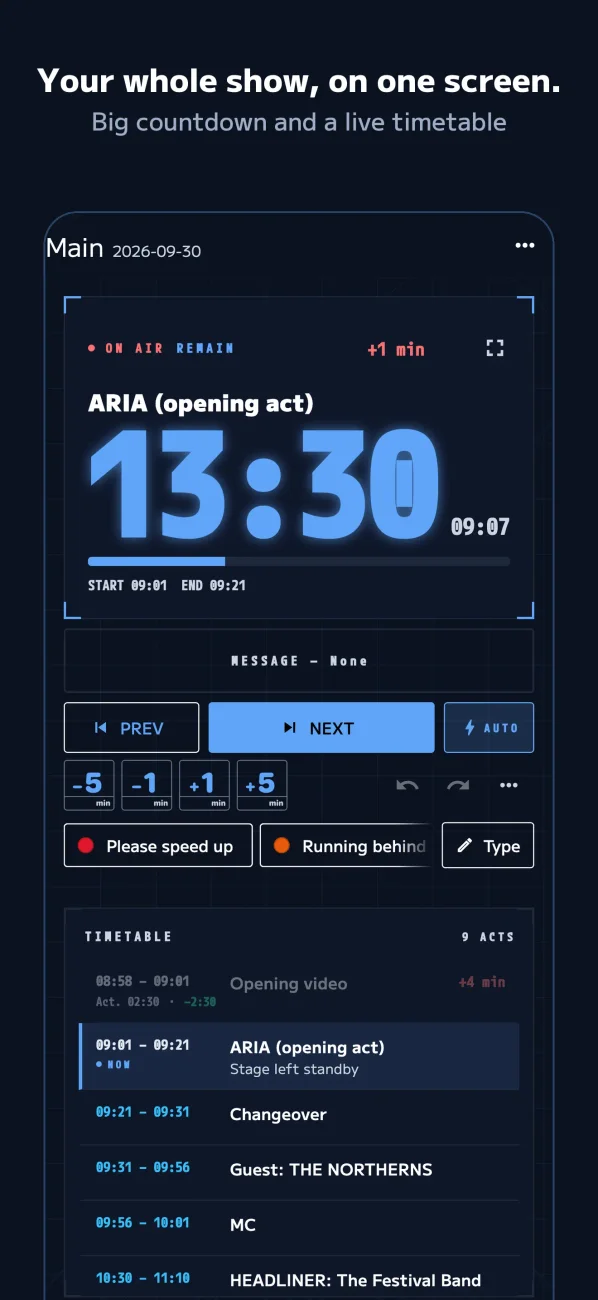
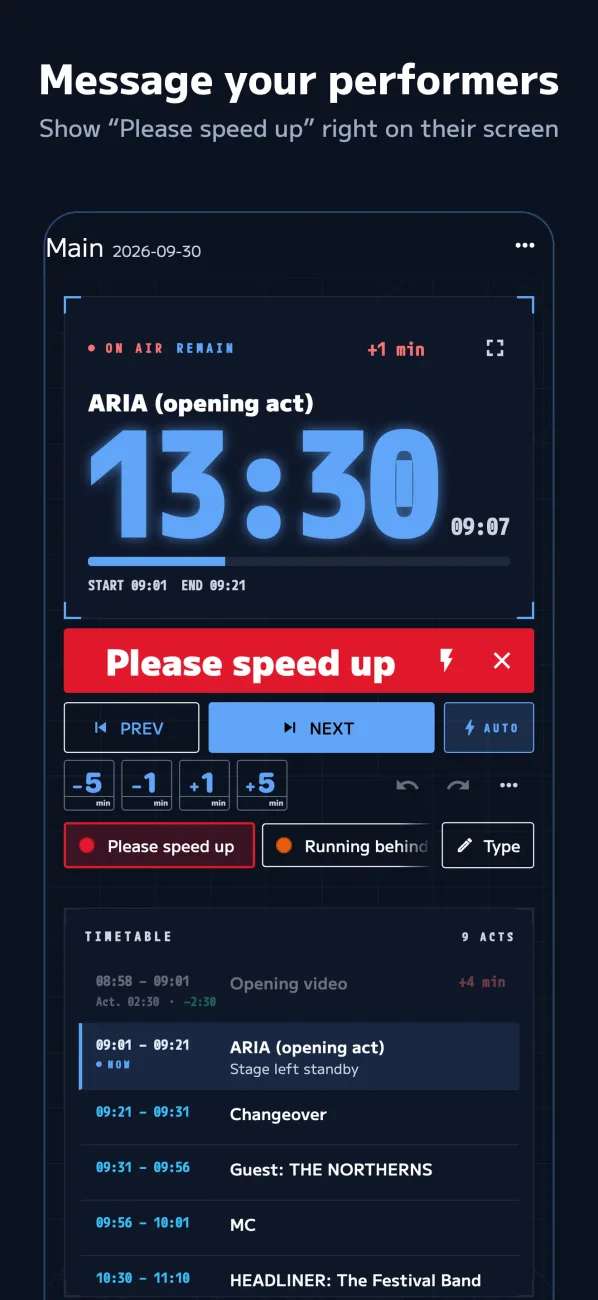
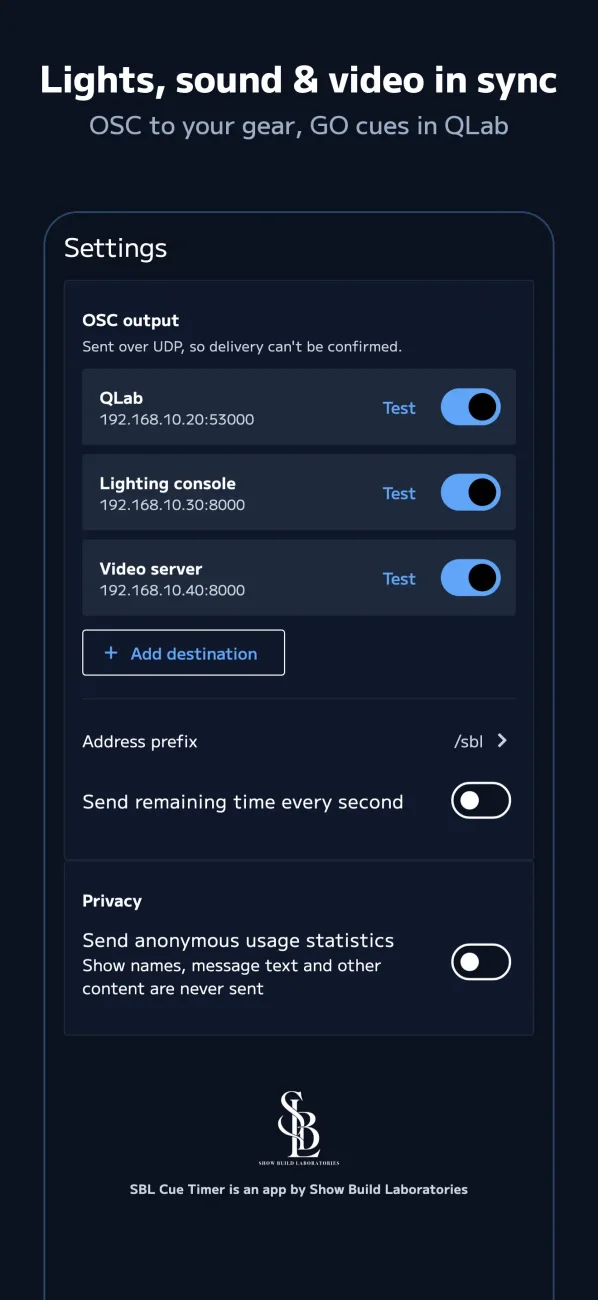
A big countdown and a timed run sheet show what is on now, what is next, and whether you are running behind or ahead. Show presenters their remaining time on a full-screen display, share the run screen with your crew, and send OSC to lights, sound and video, including GO for the matching QLab cue.
RUN TIMER
- Big remaining time. Colors warn when time is short or over
- Each cue sheet row is one act. Start by time, right after the previous act, or manually
- Turn on AUTO to move to the next act on schedule. Behind ("push") and ahead ("pull") are calculated for you
- Tap -1 / +1 minute to adjust on the spot. Undo and redo supported
- Messages: show "Please speed up" and more on performers' screens in one tap, and make them flash for 5 seconds
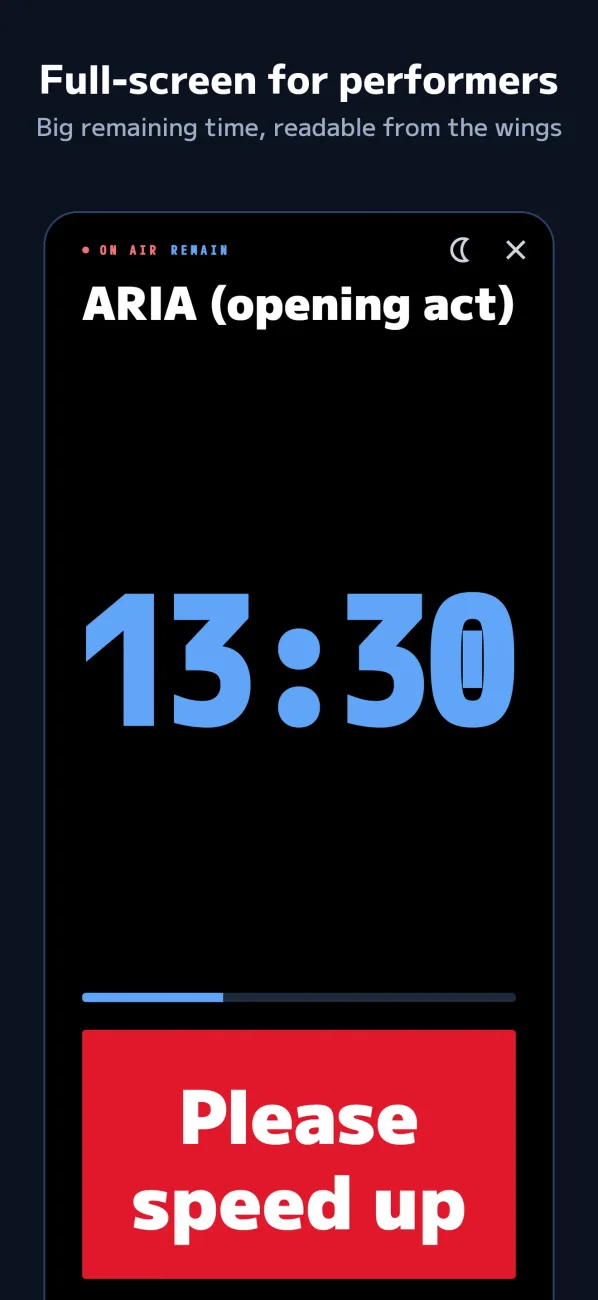
- Full-screen performer display, readable from the wings. The host can dim it to 100%, 50%, 20% or blackout
- Keyboard shortcuts (iPad, Mac, external keyboards): Space for NEXT, Cmd+. for STOP and more
- Live Activity: remaining time and the current cue on the Lock Screen and Dynamic Island, even with the app closed
- Notifications before each cue change and at its end time while the app is in the background
SHARING AND SYNC
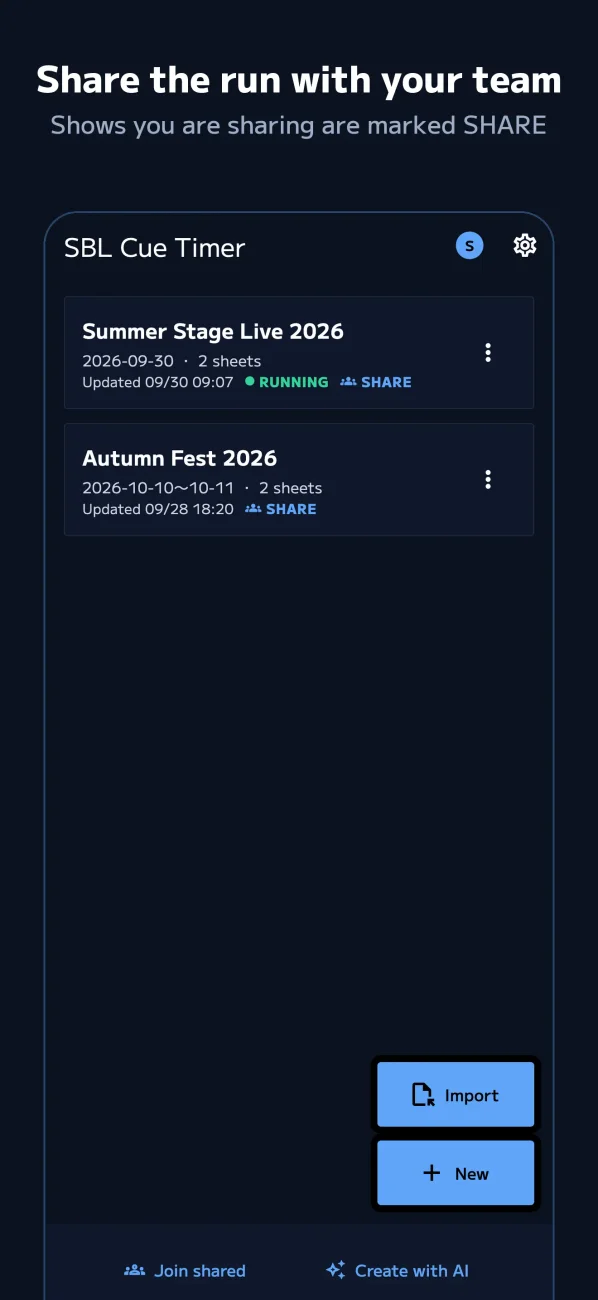
- Anyone who enters a share code sees the same run screen live
- Your iPhone, iPad and Mac signed in to the same account sync show edits and the run instantly
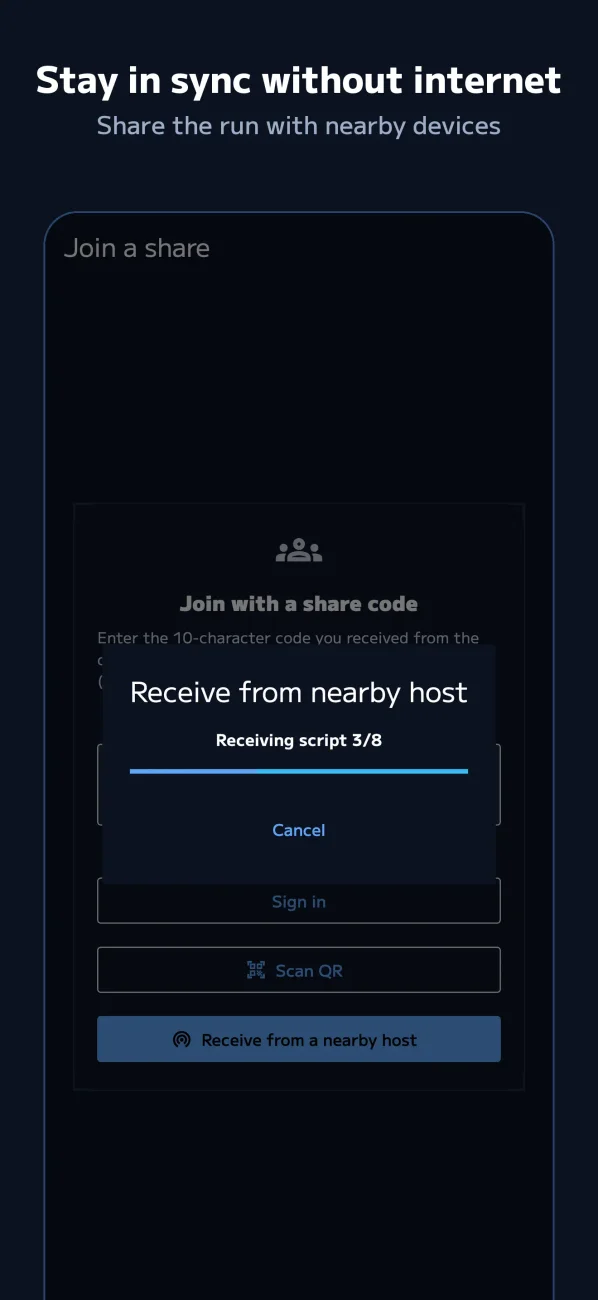
- Nearby sync: iPhone, iPad and Mac sync with each other even with weak internet (Local Network permission required)
- Shares you joined stay in your show list so you can reopen them
- Creating a share (hosting) requires Pro
CREATE RUN SHEETS WITH AI
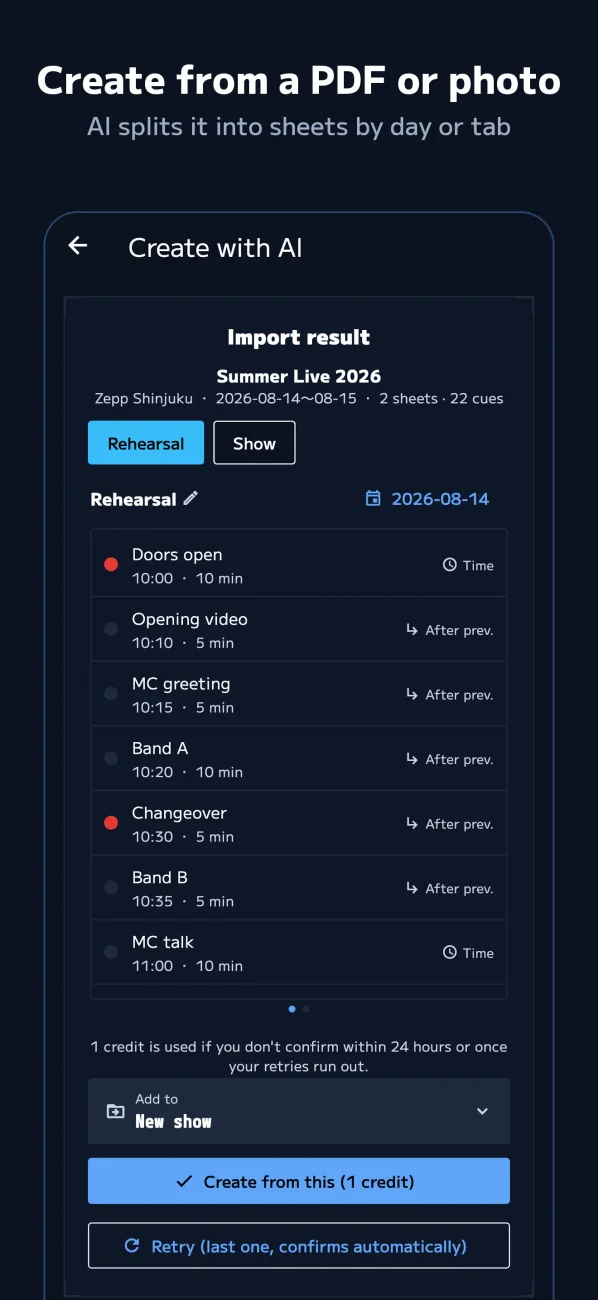
- Turns a PDF, photo, Excel, CSV or text schedule into a cue sheet with start times and durations
- Review and edit the result before you use it
LIGHTING AND SOUND SYNC (OSC)
- OSC controls lighting, audio and video gear and software
- Sent when each act starts, so it works with QLab, Resolume, TouchDesigner, Bitfocus Companion and more (Pro)
- QLab mode: when a cue starts, GO the QLab cue with the same number. Optional panic on STOP. Finds QLab on your network automatically
WORKS OFFLINE
Shows are stored on your device. Edit and run offline (sharing, sync, AI and restoring purchases need a connection). Export and import .showcue files too.
FREE AND PRO
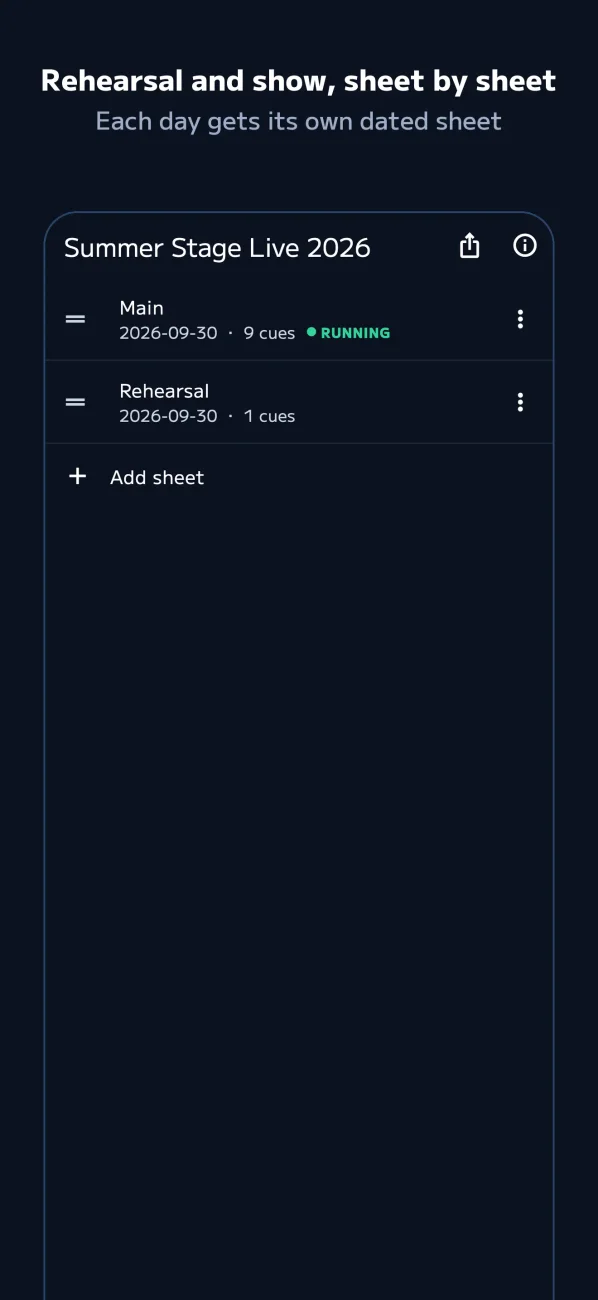
Free: up to 3 shows and 2 sheets per show / editing, running, full screen and messages / watch a show with a share code / ads shown
Pro: unlimited shows and sheets / host sharing and nearby sync / OSC output and QLab mode / CSV import and export / AI creation with a monthly allowance included / no ads
- Monthly or annual (annual costs the same as 9 months). New subscribers get a 2-week free trial
- Pro 1 Day: all Pro features for 24 hours, no auto-renewal
- Prices are in JPY, tax included. The price shown in the App Store applies
AI CREDITS
- Credits are uses for AI creation. Buy a pack of 5 or 10 in the app (also on the free plan)
- Purchased credits never expire
- Pro's monthly allowance is used first, then your credits
- One use is spent when you tap "Create from this result". Retry up to 3 times for free if you don't like it
SUBSCRIPTION INFORMATION
- Purchases and restoring purchases require sign-in (Apple, Google or email)
- Payment is charged to your Apple Account at confirmation of purchase
- Subscriptions renew automatically unless canceled at least 24 hours before the end of the current period. Your account is charged for renewal within 24 hours before the end of the period
- Manage or cancel in Settings > your name > Subscriptions after purchase
- Any unused portion of a free trial is forfeited when you purchase a subscription
- Terms of Use: https://www.apple.com/legal/internet-services/itunes/dev/stdeula/
- Privacy Policy: https://showbuildlabs.com/privacy/
- Contact: support@showbuildlabs.com
Show Build Laboratories (SBL) makes tools for people who work on the floor.
Có gì mới
Phiên bản 1.3.9 · 11/11/2026
- Fixed an issue where permission prompts (camera, local network, photos) appeared in English on Chinese-language devices.
Quyền riêng tư của ứng dụng
Những gì Takashi Funama khai báo trên App Store về cách ứng dụng này xử lý dữ liệu.
-
Dữ liệu liên kết với bạn
Có thể được thu thập và liên kết với danh tính của bạn.
- Mục mua
- Vị trí
- Thông tin liên hệ
- Nội dung của người dùng
- Mã định danh
- Dữ liệu sử dụng
- Dữ liệu khác
-
Dữ liệu không liên kết với bạn
Có thể được thu thập nhưng không liên kết với danh tính của bạn.
- Chẩn đoán
Phương thức đảm bảo quyền riêng tư có thể khác nhau, chẳng hạn như tuỳ theo các tính năng bạn sử dụng hoặc độ tuổi của bạn.
Thông tin
- Người bán
- Takashi Funama
- Danh mục
- Hiệu Suất
- Phiên bản
- 1.3.9
- Cập nhật
- 11/11/2026
- Phát hành
- 08/10/2026
- Kích thước
- 51,4 MB
- Yêu cầu
- iOS 15.0 trở lên
- Độ tuổi
- 4+
- Giá
- Miễn phí
- Mua hàng trong ứng dụng
- Có
- Ngôn ngữ
- Tiếng Anh, Tiếng Nhật, Tiếng Hàn, Tiếng Trung Giản thể, Tiếng Trung Phồn thể
- Bản quyền
- © 2026 Show Build Laboratories
Có thể bạn cũng thích
-
 entimer | Routine TimerHiệu Suất
-
 Soapbox: Speaker TimerHiệu Suất
-
 Burn Timer: Focus & PomodoroHiệu Suất
-
 Segue: Stage TimerHiệu Suất
-
 イベントクロックHiệu Suất
-
 OrchestrHiệu Suất
-
 CueBell: Presentation TimerHiệu Suất
-
 Tuckii - Lưu link & BookmarkĐọc sau, 1 chạm, không đăng ký
-
 Photon 2: DMX Light ControllerHiệu Suất
-
 GroupCom - Walkie-Talkie AppHiệu Suất