Server Dock
All-in-One Game Server Manager
iPhone, iPad için tasarlandı
Uygulama içi satın alma
- Yaş sınırı4+
- KategoriYardımcılar
- GeliştiriciYuki Katase
- Dillerİngilizce+ 5 dil daha
- Boyut19,9 MB
Server Dock şu anda App Store üzerinde mevcut olmayabilir
Son kontrolümüzde mağaza sayfasına ulaşılamadı. Bağlantı yine de resmi App Store sayfasına gider.
Ekran görüntüleri

Hakkında
Geliştirici bu metni dilinizde sunmamış.
Palworld, Minecraft Java, 7 Days to Die—and a factory that always needs one more conveyor belt.
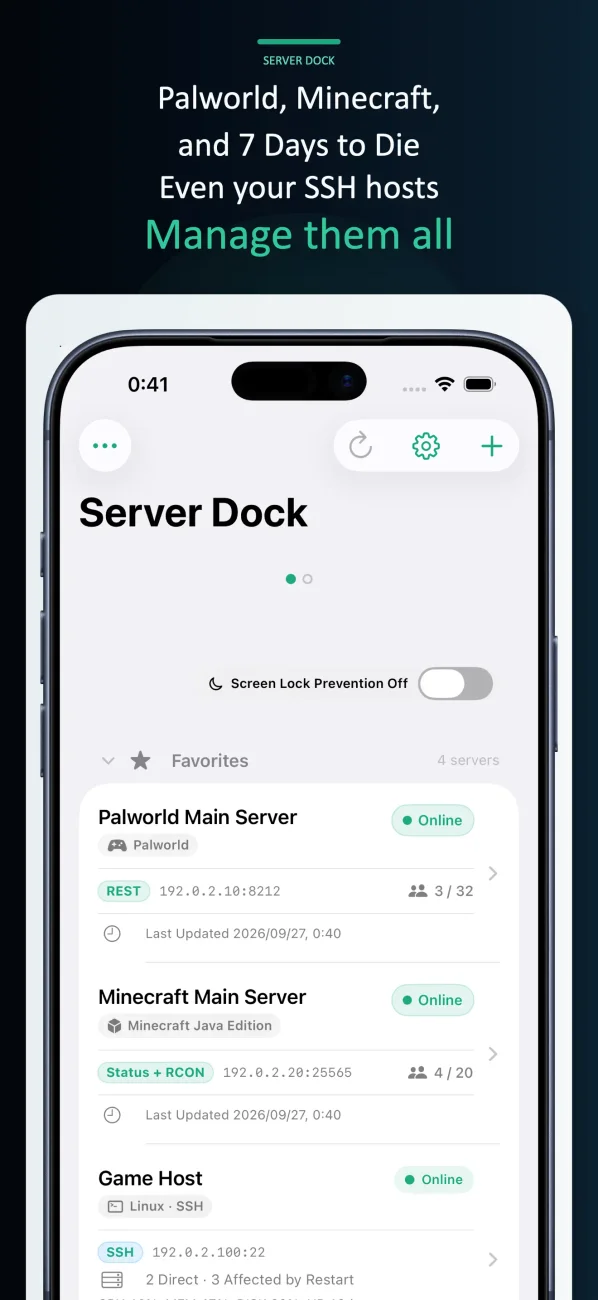
Server Dock is an unofficial iPhone and iPad app for managing Palworld, Minecraft Java Edition, 7 Days to Die, and Satisfactory dedicated servers, along with the Linux and Windows hosts that run them.
You can manage the servers. The factory, unfortunately, will keep growing.
Supported connections
• Palworld REST API
• Palworld RCON
• Minecraft Java Server List Ping
• Optional Minecraft Java RCON
• 7 Days to Die Telnet
• Satisfactory HTTPS API
• Linux and Windows SSH
Minecraft Java supports password-free status monitoring. Add RCON for player lists and management commands. Bedrock Edition is not supported.
Key features
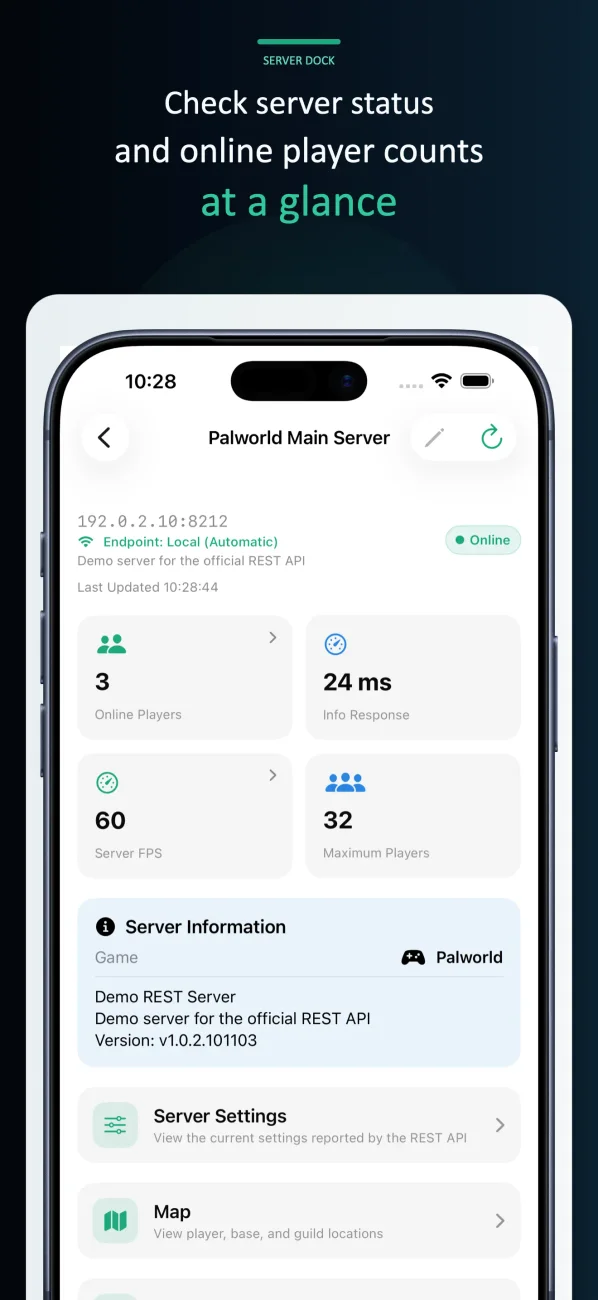
• Server availability, response time, and player counts
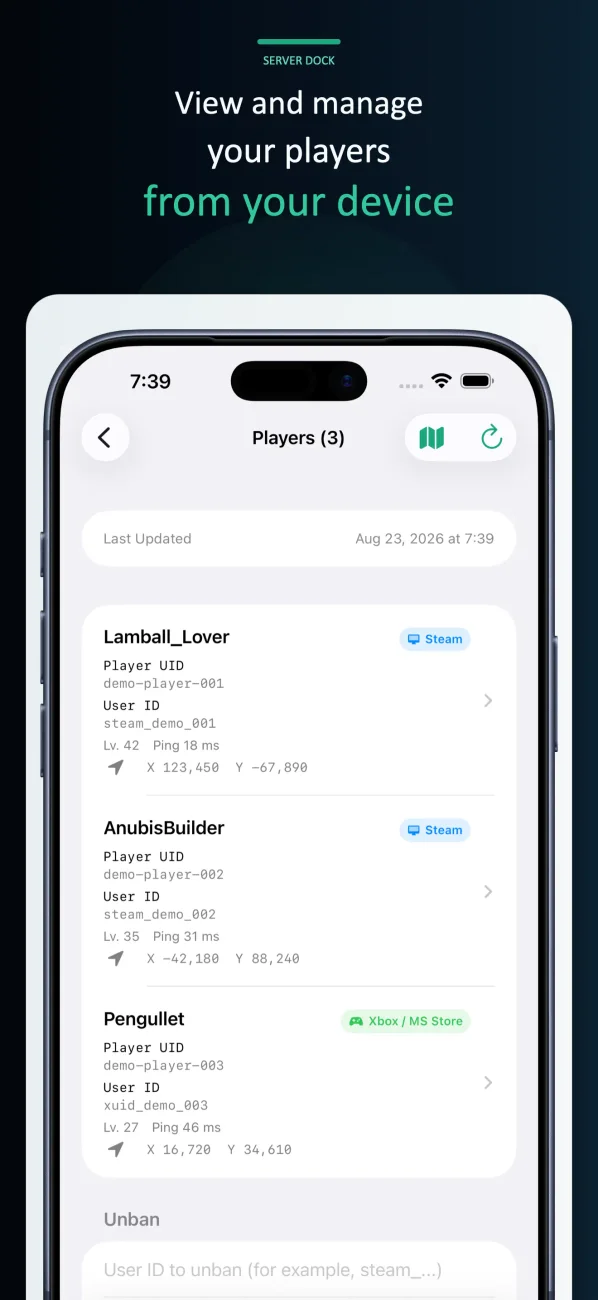
• Player lists and supported moderation actions
• Timed bans, server ban lists, unban, and moderation history
• Connection diagnostics
• Local and VPN destinations
• Multiple servers, bulk refresh, and periodic refresh while the app is visible
• Linux and Windows host management over SSH
• Host metrics, history, operating-system information, services, and logs
• Game-to-host links, hierarchy, restart impact, restart, and shutdown
• Satisfactory session information, Tick Rate, supported settings, save creation, and shutdown
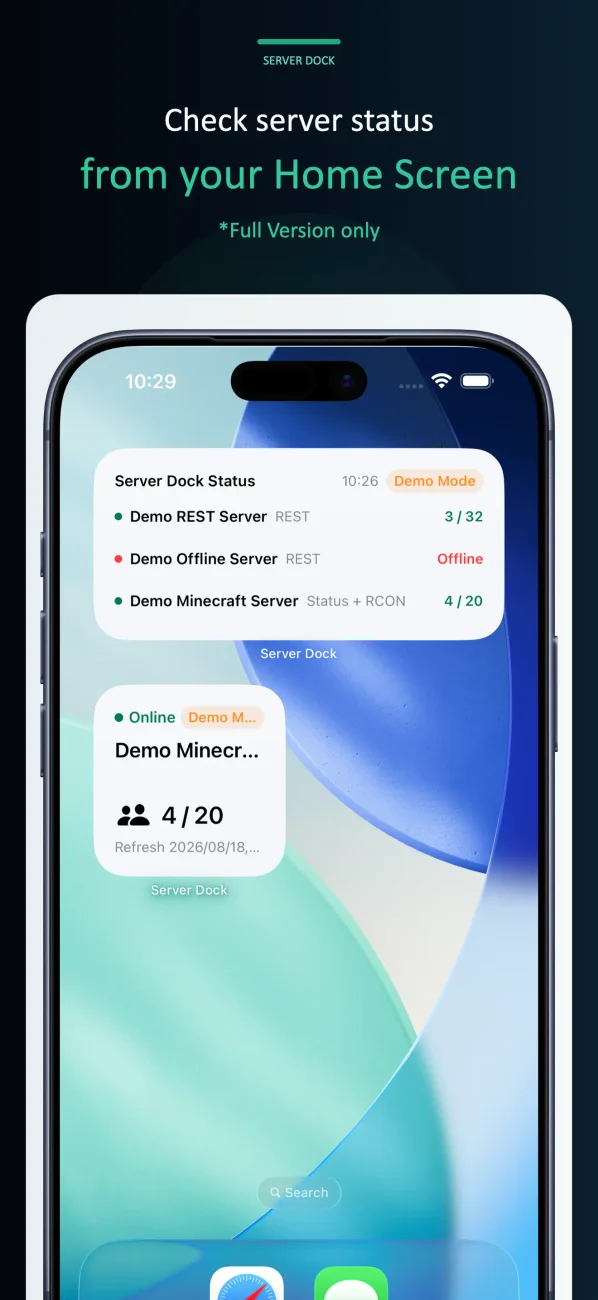
• Home Screen widgets
• Direct widget refresh for supported connections
• Player-count trends and weekday-by-hour activity charts
• iCloud backup for server, host, and app settings
• Auto-Lock prevention and an optional screen saver
Palworld
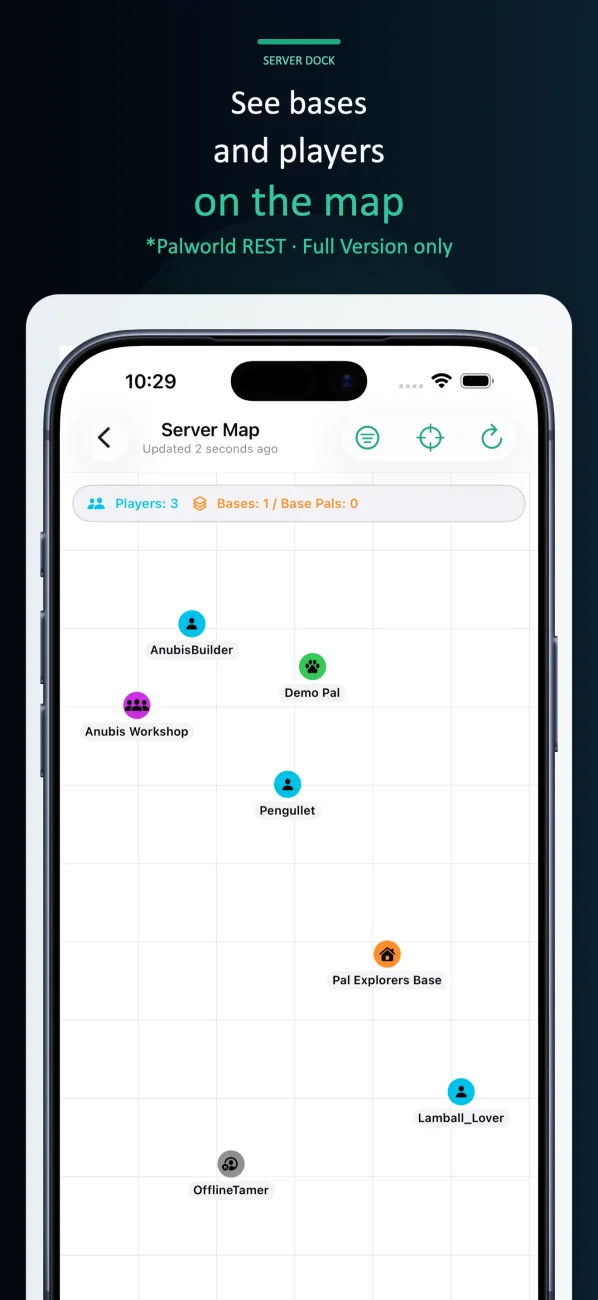
REST API provides players, supported operations, settings, metrics, Game Data, and the server map. RCON provides server and player information, messages, saves, moderation, stop, and a command console.
Minecraft Java Edition
Server List Ping provides version, MOTD, player counts, and response time. Optional RCON adds player lists and management commands.
7 Days to Die
Telnet provides version, player details, in-game time, Blood Moon information, saves, messages, moderation, normal shutdown, and commands. The live console supports search, pause, reconnect, and original or summarized views. A coordinate map shows player positions without terrain data; a separate game-query check reports UDP response.
Satisfactory
Use the standard HTTPS API to view player counts, response time, Tick Rate, session information, Tech Tier, Game Phase, and status. The API does not provide player names. Full Version adds supported settings, server name, join password, auto-load session, Creative Mode, timestamped saves, and shutdown.
Linux and Windows hosts
Connect over SSH to view CPU, memory, disk, uptime, operating-system information, and history. Monitor systemd units or Windows Services and logs, link game servers, review restart impact, and control the operating system.
The free version supports one selected server, manual refresh, available player information, and supported moderation. The one-time Full Version unlocks multiple servers, periodic refresh while the app is visible, widgets, server commands, history, Palworld Game Data and maps, player trends, iCloud backup creation, SSH host management, extended 7 Days to Die features, and Satisfactory management.
Periodic refresh runs while Server Dock is visible. Features depend on the game, connection method, and server configuration.
Palworld REST API, Server List Ping, RCON, and Telnet do not encrypt traffic. Do not expose management ports directly to the internet; use a trusted LAN or properly configured VPN. Satisfactory HTTPS API and SSH traffic are encrypted, but verify the certificate or host key shown on first connection.
Server Dock is not an official or affiliated app of Pocketpair, Inc., Microsoft, Mojang Studios, or the developers and operators of supported games. Game software and dedicated servers are not included.
Yenilikler
Sürüm 2.1.0 · 14.11.2026
Server Dock 2.1.0 adds support for Satisfactory dedicated servers through the standard HTTPS API.
The factory will keep growing. Now you can keep an eye on the server behind it.
• Add and monitor Satisfactory dedicated servers
• View server status, player counts, response time, Tick Rate, session details, Tech Tier, Game Phase, and uptime
• Track Satisfactory player activity over time
• View and change supported server settings
• Update the server name, join password, Creative Mode, and auto-load session
• Create timestamped save files and safely shut down the server
• Store Application Tokens securely in Keychain
• Verify self-signed certificate fingerprints before connecting
• Monitor Linux and Windows hosts, services, logs, and resource usage over SSH
• Search systemd and Windows Service logs
• Improved server setup, purchasing, feedback, localization, and stability
Uygulama gizliliği
Bu uygulamanın verileri nasıl işlediği hakkında Yuki Katase tarafından App Store üzerinde yapılan beyan.
-
Veri toplanmıyor
Geliştirici bu uygulamadan hiçbir veri toplamıyor.
Gizlilik uygulamaları, örneğin kullandığınız özelliklere veya yaşınıza göre değişiklik gösterebilir.
Bilgiler
- Satıcı
- Yuki Katase
- Kategori
- Yardımcılar
- Sürüm
- 2.1.0
- Güncellendi
- 14.11.2026
- Yayın tarihi
- 13.08.2026
- Boyut
- 19,9 MB
- Gereksinim
- iOS 18.0 veya sonrası
- Yaş sınırı
- 4+
- Uygulama içi satın alma
- Evet
- Diller
- İngilizce, Endonezce, Japonca, Korece, Basitleştirilmiş Çince, Geleneksel Çince
- Telif hakkı
- © 2026 Moku3.App