Server Dock
All-in-One Game Server Manager
Được thiết kế cho iPhone, iPad
Miễn phí · Mua hàng trong ứng dụng
- Độ tuổi4+
- Danh mụcTiện Ích
- Nhà phát triểnYuki Katase
- Ngôn ngữTiếng Anh+ 5 ngôn ngữ khác
- Kích thước19,9 MB
Liên kết đến trang App Store chính thức
Download.org không lưu trữ tệp nào của Server Dock. Nút này mở trang ứng dụng trên App Store, nơi Yuki Katase phát hành ứng dụng. Trang được kiểm tra lần cuối: 23/11/2026.
Ảnh chụp màn hình
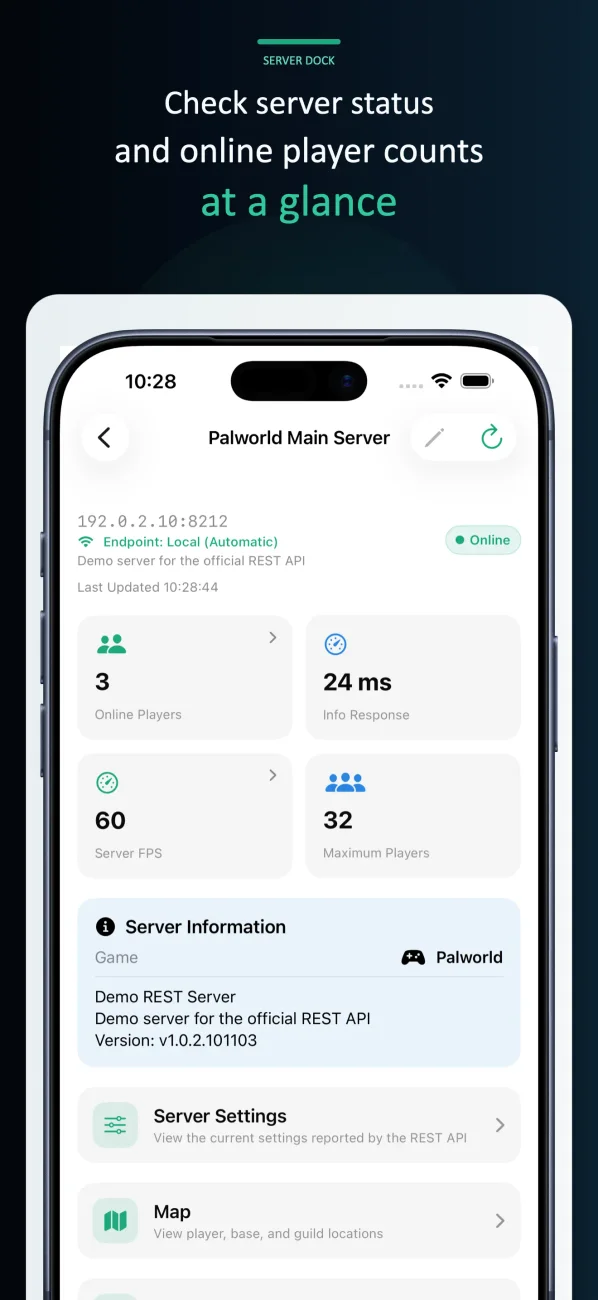
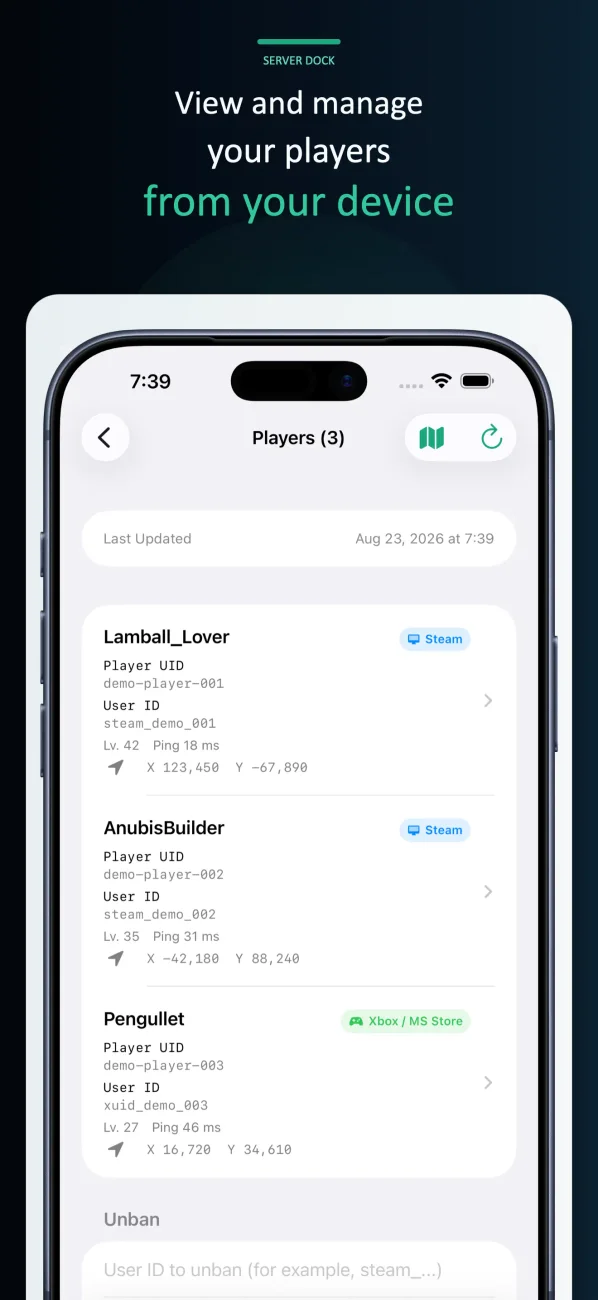
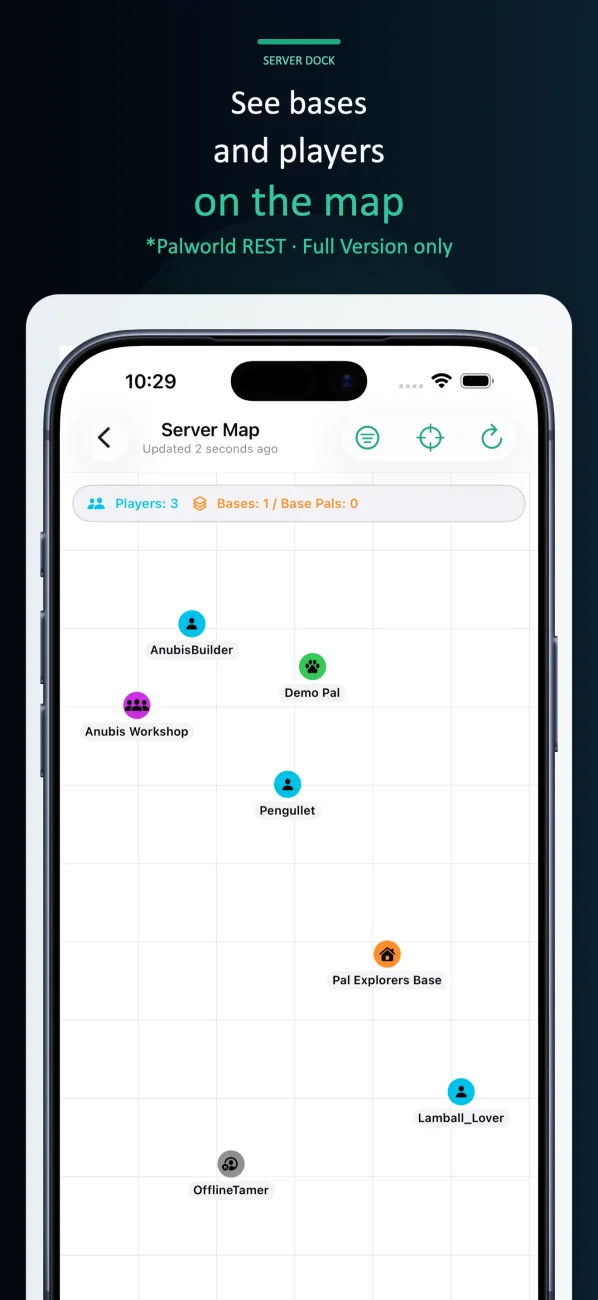

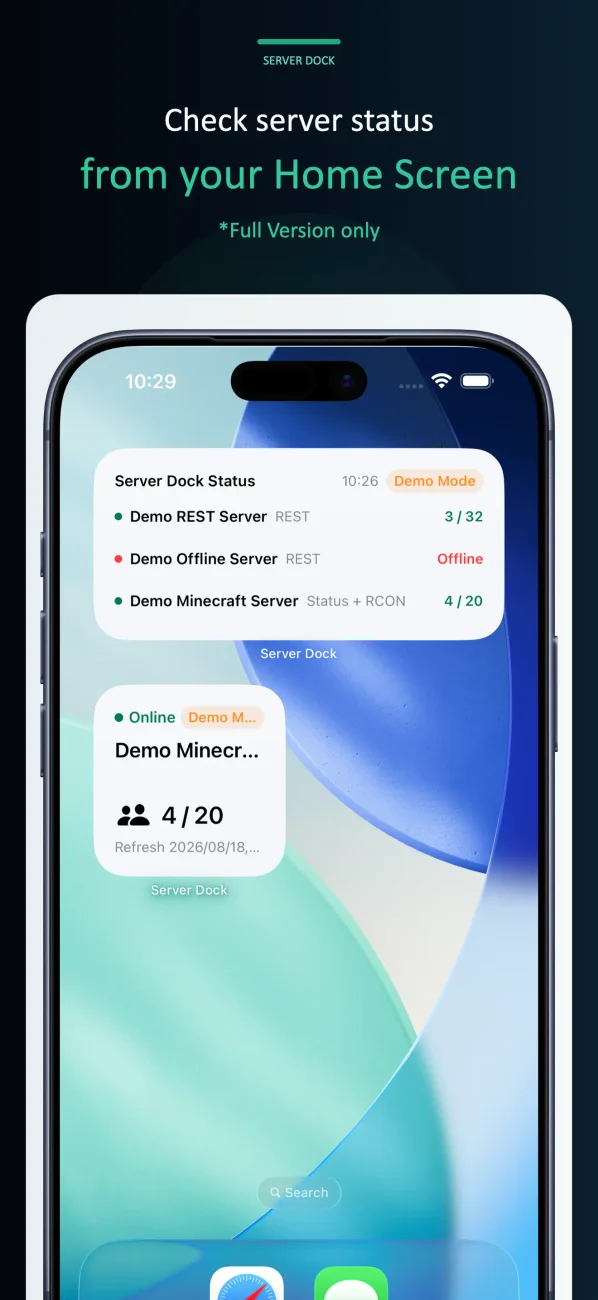
Giới thiệu
Nhà phát triển chưa cung cấp nội dung này bằng ngôn ngữ của bạn.
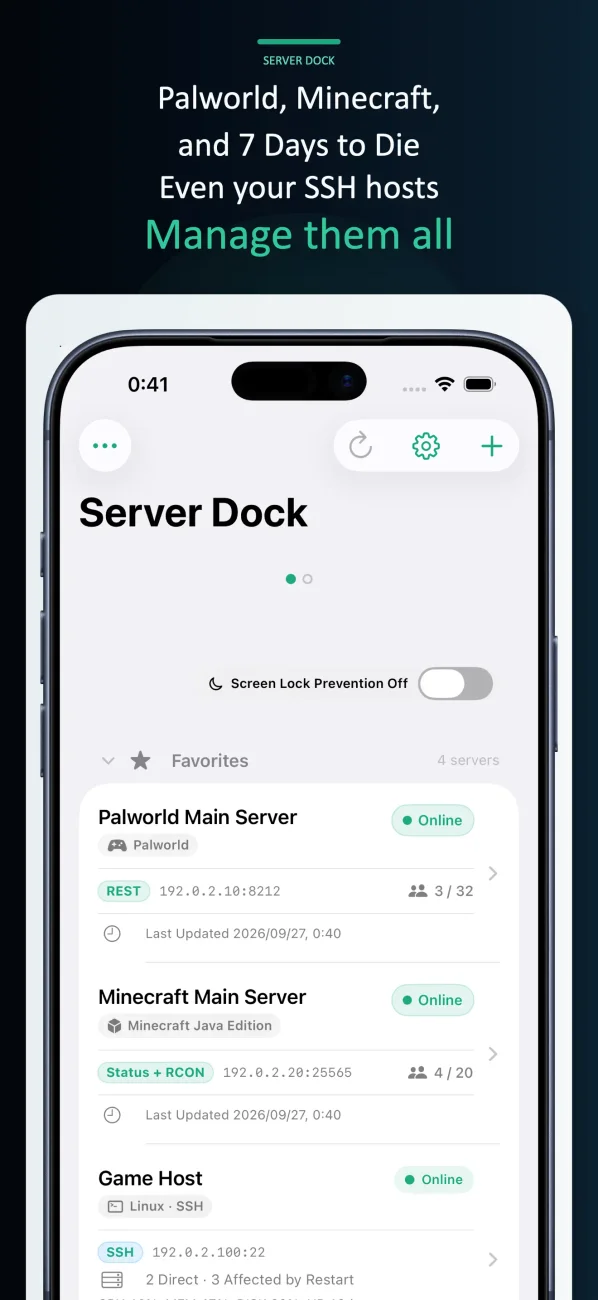
Palworld, Minecraft Java, 7 Days to Die—and a factory that always needs one more conveyor belt.
Server Dock is an unofficial iPhone and iPad app for managing Palworld, Minecraft Java Edition, 7 Days to Die, and Satisfactory dedicated servers, along with the Linux and Windows hosts that run them.
You can manage the servers. The factory, unfortunately, will keep growing.
Supported connections
• Palworld REST API
• Palworld RCON
• Minecraft Java Server List Ping
• Optional Minecraft Java RCON
• 7 Days to Die Telnet
• Satisfactory HTTPS API
• Linux and Windows SSH
Minecraft Java supports password-free status monitoring. Add RCON for player lists and management commands. Bedrock Edition is not supported.
Key features
• Server availability, response time, and player counts
• Player lists and supported moderation actions
• Timed bans, server ban lists, unban, and moderation history
• Connection diagnostics
• Local and VPN destinations
• Multiple servers, bulk refresh, and periodic refresh while the app is visible
• Linux and Windows host management over SSH
• Host metrics, history, operating-system information, services, and logs
• Game-to-host links, hierarchy, restart impact, restart, and shutdown
• Satisfactory session information, Tick Rate, supported settings, save creation, and shutdown
• Home Screen widgets
• Direct widget refresh for supported connections
• Player-count trends and weekday-by-hour activity charts
• iCloud backup for server, host, and app settings
• Auto-Lock prevention and an optional screen saver
Palworld
REST API provides players, supported operations, settings, metrics, Game Data, and the server map. RCON provides server and player information, messages, saves, moderation, stop, and a command console.
Minecraft Java Edition
Server List Ping provides version, MOTD, player counts, and response time. Optional RCON adds player lists and management commands.
7 Days to Die
Telnet provides version, player details, in-game time, Blood Moon information, saves, messages, moderation, normal shutdown, and commands. The live console supports search, pause, reconnect, and original or summarized views. A coordinate map shows player positions without terrain data; a separate game-query check reports UDP response.
Satisfactory
Use the standard HTTPS API to view player counts, response time, Tick Rate, session information, Tech Tier, Game Phase, and status. The API does not provide player names. Full Version adds supported settings, server name, join password, auto-load session, Creative Mode, timestamped saves, and shutdown.
Linux and Windows hosts
Connect over SSH to view CPU, memory, disk, uptime, operating-system information, and history. Monitor systemd units or Windows Services and logs, link game servers, review restart impact, and control the operating system.
The free version supports one selected server, manual refresh, available player information, and supported moderation. The one-time Full Version unlocks multiple servers, periodic refresh while the app is visible, widgets, server commands, history, Palworld Game Data and maps, player trends, iCloud backup creation, SSH host management, extended 7 Days to Die features, and Satisfactory management.
Periodic refresh runs while Server Dock is visible. Features depend on the game, connection method, and server configuration.
Palworld REST API, Server List Ping, RCON, and Telnet do not encrypt traffic. Do not expose management ports directly to the internet; use a trusted LAN or properly configured VPN. Satisfactory HTTPS API and SSH traffic are encrypted, but verify the certificate or host key shown on first connection.
Server Dock is not an official or affiliated app of Pocketpair, Inc., Microsoft, Mojang Studios, or the developers and operators of supported games. Game software and dedicated servers are not included.
Có gì mới
Phiên bản 2.1.0 · 14/11/2026
Server Dock 2.1.0 adds support for Satisfactory dedicated servers through the standard HTTPS API.
The factory will keep growing. Now you can keep an eye on the server behind it.
• Add and monitor Satisfactory dedicated servers
• View server status, player counts, response time, Tick Rate, session details, Tech Tier, Game Phase, and uptime
• Track Satisfactory player activity over time
• View and change supported server settings
• Update the server name, join password, Creative Mode, and auto-load session
• Create timestamped save files and safely shut down the server
• Store Application Tokens securely in Keychain
• Verify self-signed certificate fingerprints before connecting
• Monitor Linux and Windows hosts, services, logs, and resource usage over SSH
• Search systemd and Windows Service logs
• Improved server setup, purchasing, feedback, localization, and stability
Quyền riêng tư của ứng dụng
Những gì Yuki Katase khai báo trên App Store về cách ứng dụng này xử lý dữ liệu.
-
Dữ liệu không được thu thập
Nhà phát triển không thu thập bất kỳ dữ liệu nào từ ứng dụng này.
Phương thức đảm bảo quyền riêng tư có thể khác nhau, chẳng hạn như tuỳ theo các tính năng bạn sử dụng hoặc độ tuổi của bạn.
Thông tin
- Người bán
- Yuki Katase
- Danh mục
- Tiện Ích
- Phiên bản
- 2.1.0
- Cập nhật
- 14/11/2026
- Phát hành
- 13/08/2026
- Kích thước
- 19,9 MB
- Yêu cầu
- iOS 18.0 trở lên
- Độ tuổi
- 4+
- Giá
- Miễn phí
- Mua hàng trong ứng dụng
- Có
- Ngôn ngữ
- Tiếng Anh, Tiếng Indonesia, Tiếng Nhật, Tiếng Hàn, Tiếng Trung Giản thể, Tiếng Trung Phồn thể
- Bản quyền
- © 2026 Moku3.App