Shell SSH
Secure connections. Anywhere.
iPhone, iPad için tasarlandı
₺99,99
- Yaş sınırı4+
- KategoriGeliştirici Araçları
- GeliştiriciNguyen Nguyen
- Dillerİngilizce
- Boyut12,7 MB
Resmi App Store sayfasına bağlanır
Download.org, Shell SSH için hiçbir dosya barındırmaz. Düğme, uygulamanın App Store üzerindeki sayfasını açar; uygulamayı orada Nguyen Nguyen yayınlar. Sayfanın son kontrolü: 12.11.2026.
Ekran görüntüleri
Hakkında
Geliştirici bu metni dilinizde sunmamış.
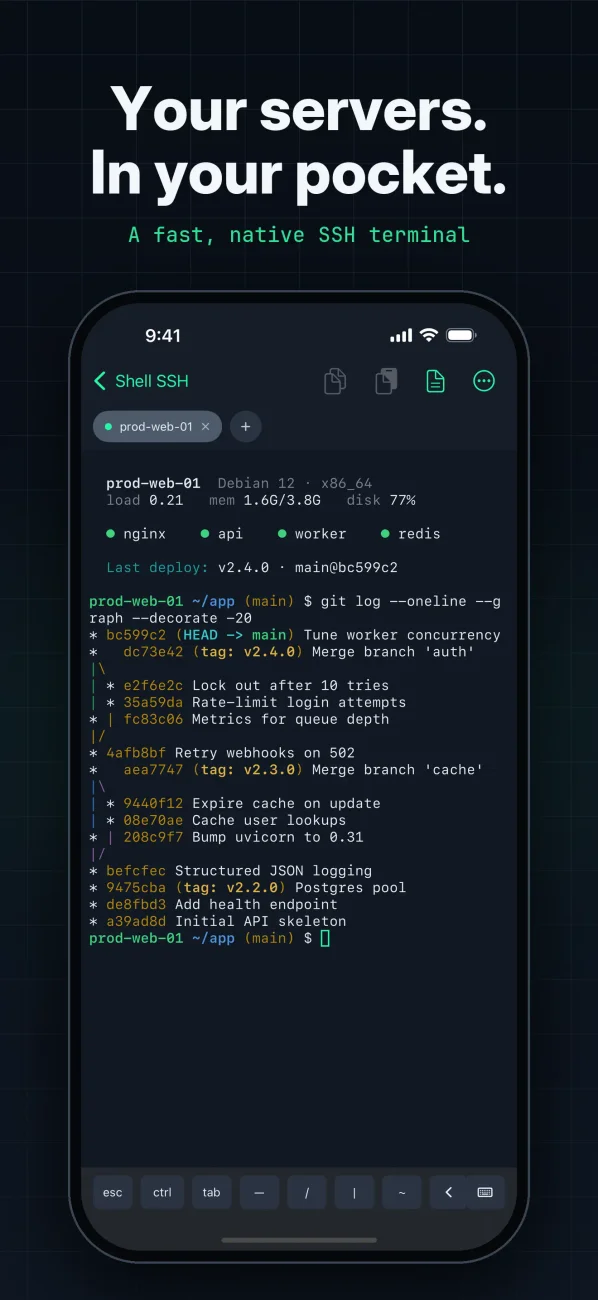
Shell SSH is a focused SSH client for iPhone, iPhone Duo, iPad and Mac. It opens a real interactive terminal to the servers you administer — not a box that runs one command at a time.
COPY WHAT YOU NEED, WHERE YOU NEED IT
• Select Text: copy output to your device even while tmux, vim or htop has the mouse. Drag to select, two fingers to scroll, then Copy
• Let a server copy to your clipboard: a yank in tmux or vim lands on your device, for the hosts you allow. Every copy is shown, and a server can never read your clipboard
• Copy the whole scrollback in one go, and paste from the toolbar or with Command-V
A KEYBOARD THAT WORKS LIKE A TERMINAL
• With a hardware keyboard, Ctrl and Option shortcuts reach the shell — Ctrl-C, Ctrl-R, Option-B — on a Mac too
• Shift+Enter starts a new line in chat-style command-line tools instead of sending
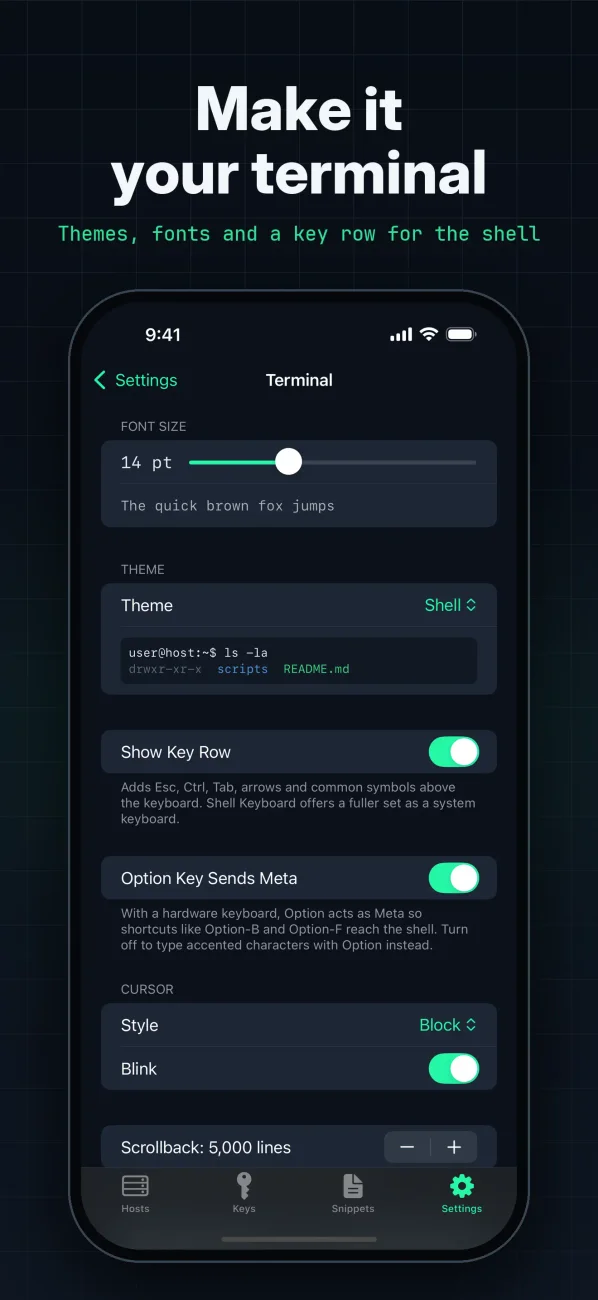
• On screen, a key row adds Esc, Ctrl, Tab, arrows and common symbols — the keys iOS doesn't give you
CONNECT
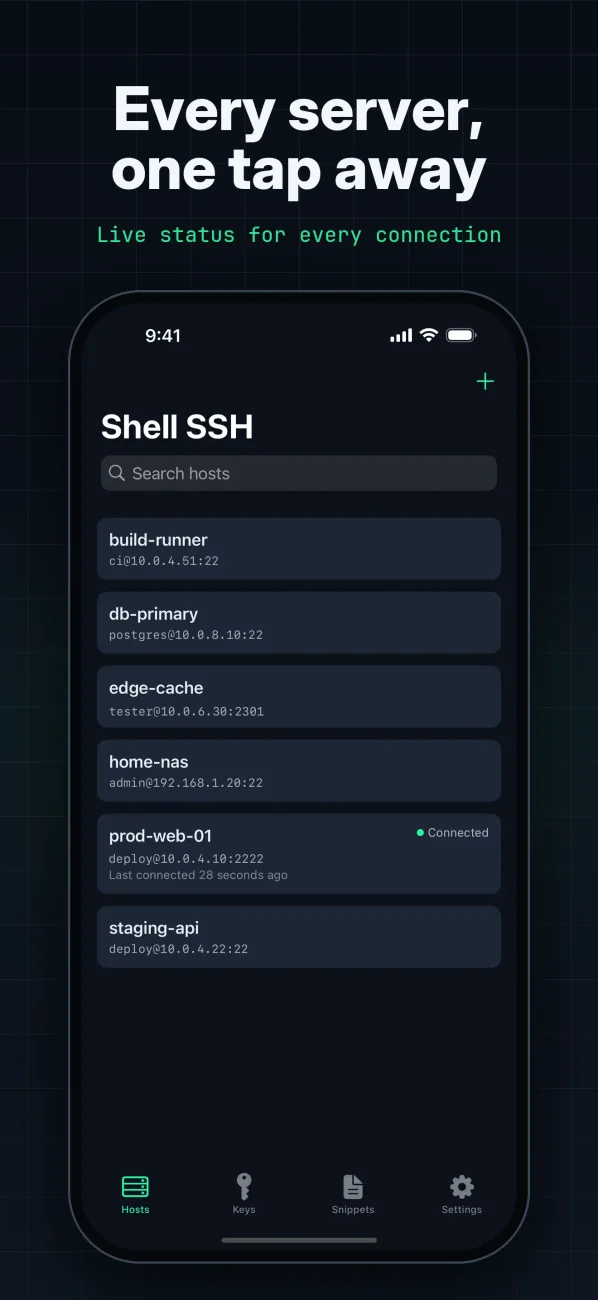
• Save hosts with a name, address, port, username and notes
• Authenticate with an SSH key or a password
• Search across names, addresses, usernames and notes
• Servers that only offer keyboard-interactive login, as some two-factor setups do, aren't supported yet
• Open several sessions as tabs, and switch without disconnecting
• On iPad and an open iPhone Duo, run two terminals side by side
• Your tabs and your split come back the way you left them
SESSIONS THAT SURVIVE A LOCKED SCREEN
• iOS suspends apps, which drops SSH connections when your device locks
• Shell SSH can run your shell inside tmux, so it keeps running on the server and picks up exactly where you left off
• It asks once, per host or as a default, and closing a tab closes its tmux session too
A REAL TERMINAL
• xterm-256color emulation with full 256-colour support and an alternate screen, so full-screen programs behave as on a desktop
• Themes: Shell, Solarized Dark and Light, Dracula, Nord, Gruvbox, One Dark and Monokai
• Adjustable font size, cursor style and scrollback
• Resizes correctly on rotation, in Split View and in Stage Manager
SNIPPETS
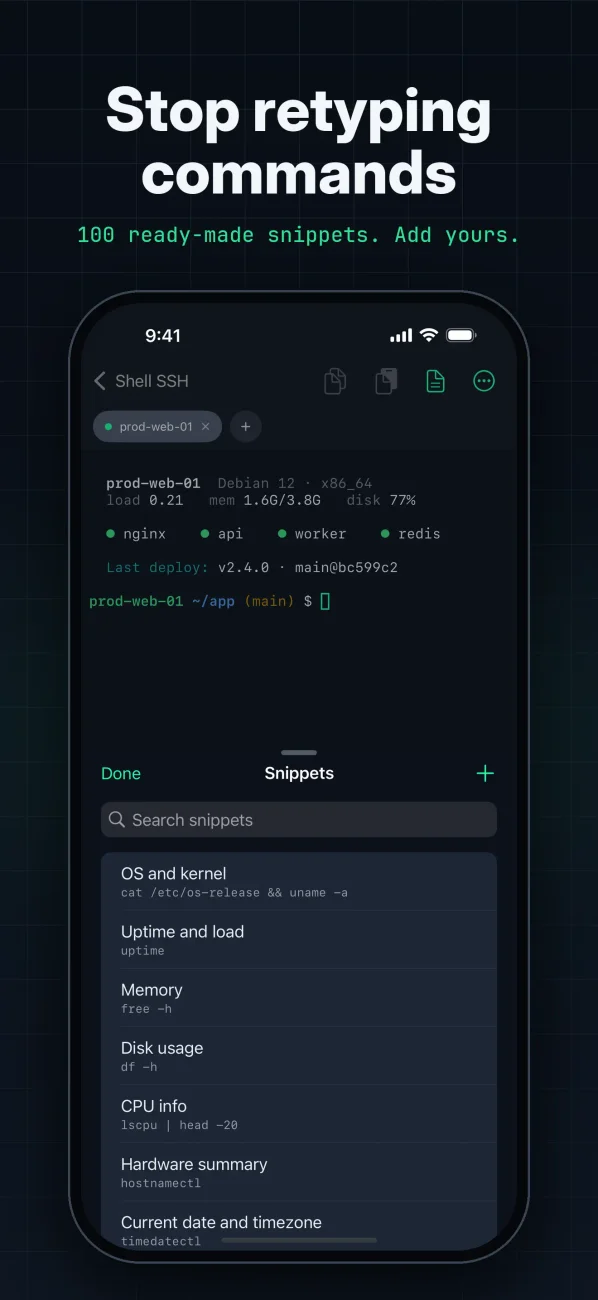
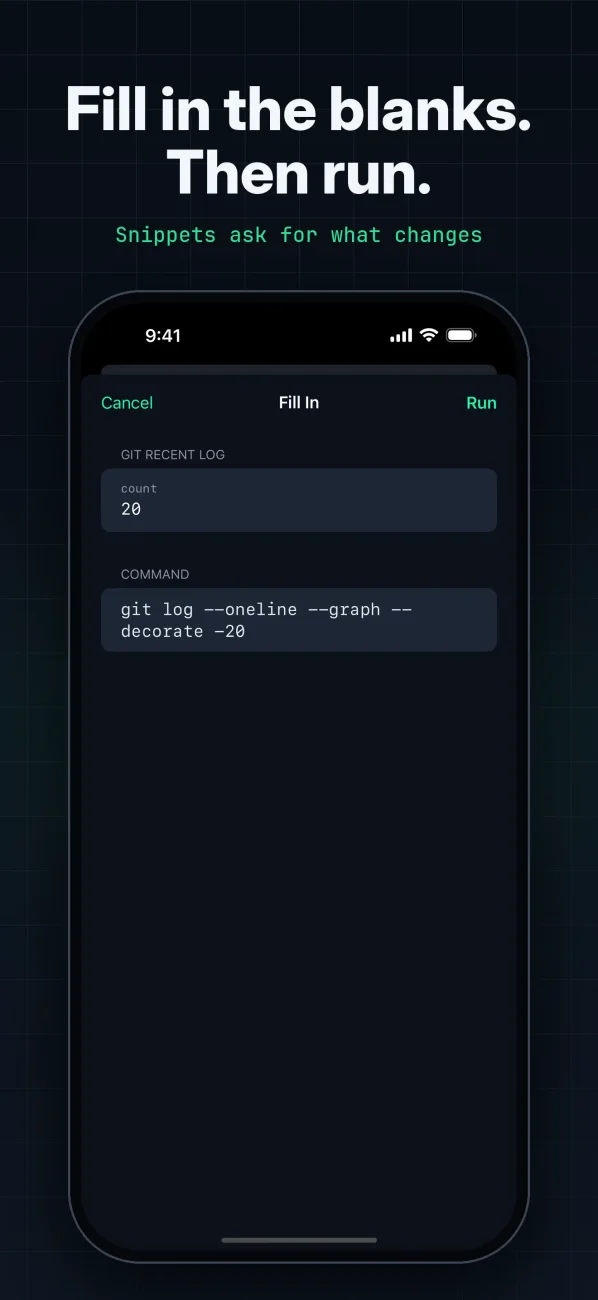
• Keep the commands you run often and insert or run them in a tap
• Placeholders: write {{service}} once and be asked for it when you use it
• Insert leaves the command at the prompt so you can read it before you send it
• 100 common commands included, from systemctl and journalctl to docker and git
SSH KEYS
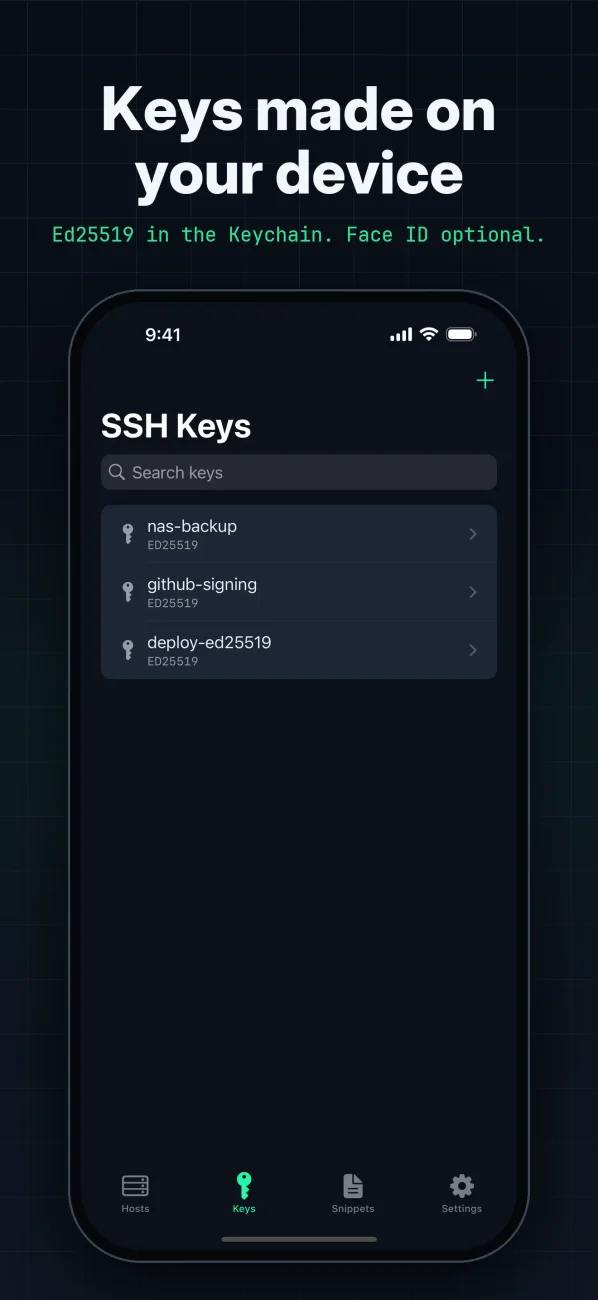
• Generate Ed25519 keys on device
• Import OpenSSH keys, including passphrase-protected ones
• Copy a public key out for authorized_keys
• Fingerprints in the same SHA-256 form as ssh-keygen
SECURITY FIRST
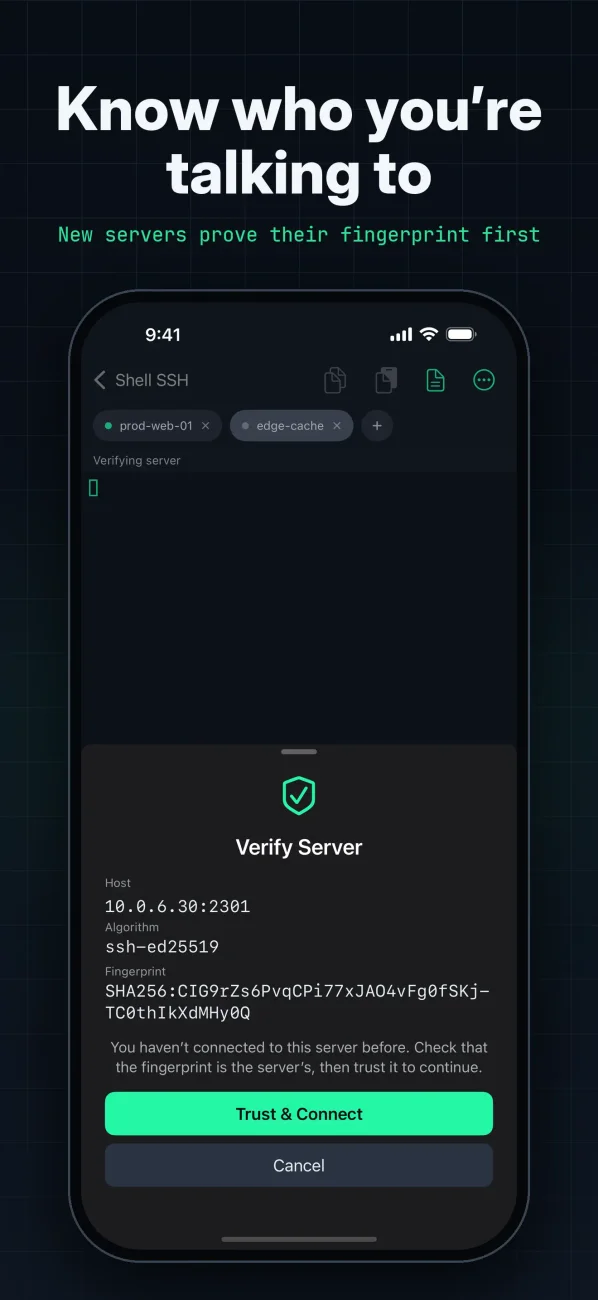
• Server identity is verified on first connection, with a clear, blocking warning if a host key ever changes
• Passwords and private keys live in the iOS Keychain. A private key leaves your device only if you export it
• Optionally require Face ID or Touch ID before a saved credential is used
• When a login is refused, Shell SSH tells you what the server would have accepted
• Warns before pasting multiple lines, which could run several commands at once
• Review and remove trusted server fingerprints whenever you want
IPHONE, IPHONE DUO AND IPAD
• On iPhone Duo, closed it's the iPhone app; open it for the iPad layout, with your hosts beside the terminal, split view and Focus mode. It switches as you fold and unfold
• On iPad, your hosts sit alongside the terminal, and Focus mode gives one session the whole screen (Command-Shift-F with a keyboard)
• Light and dark appearance, following the system or set explicitly
Shell SSH keeps its key row deliberately small. For a fuller terminal keyboard in every app, Shell Keyboard is a separate companion app.
Yenilikler
Sürüm 1.3.0 · 07.11.2026
• Select Text: copy from the terminal to your device even while tmux, vim or htop has the mouse. Tap Select Text, drag to select, two fingers to scroll, then Copy.
• Copy from your server: turn on Allow Copy to Clipboard for a host, and copying in tmux or vim lands on your device's clipboard. Shell SSH shows each copy as it happens, and a host can never read your clipboard.
• On a Mac, Ctrl and Option shortcuts now reach the shell: Ctrl-C, Ctrl-A, Option-B, Option-Backspace and the rest.
• Shift+Enter starts a new line in chat-style command-line tools instead of sending. You can turn this off in Settings → Terminal.
• iPhone Duo: Shell SSH supports Apple's foldable. Closed, it's the iPhone app you know. Open it, and you get the iPad layout: your hosts beside the terminal, two shells side by side, and Focus mode. It switches as you fold and unfold, and your open sessions carry over.
• Split view on the Duo's inner display works upright too: two terminals stacked, each the full width.
Uygulama gizliliği
Bu uygulamanın verileri nasıl işlediği hakkında Nguyen Nguyen tarafından App Store üzerinde yapılan beyan.
-
Veri toplanmıyor
Geliştirici bu uygulamadan hiçbir veri toplamıyor.
Gizlilik uygulamaları, örneğin kullandığınız özelliklere veya yaşınıza göre değişiklik gösterebilir.
Bilgiler
- Satıcı
- Nguyen Nguyen
- Kategori
- Geliştirici Araçları
- Sürüm
- 1.3.0
- Güncellendi
- 07.11.2026
- Yayın tarihi
- 24.09.2026
- Boyut
- 12,7 MB
- Gereksinim
- iOS 17.0 veya sonrası
- Yaş sınırı
- 4+
- Fiyat
- ₺99,99
- Diller
- İngilizce
- Telif hakkı
- © 2026 Nuegyn with ❤
Bunları da beğenebilirsiniz
-
 iDevToolsGeliştirici Araçları
-
 Fetch Me !Geliştirici Araçları
-
 Device Insight Dashboard ProGeliştirici Araçları
-
 systemsoundtestGeliştirici Araçları
-
 App Icon ExtractorGeliştirici Araçları
-
 eBook Studio: Create & PublishGeliştirici Araçları
-
 Void ConnectGeliştirici Araçları
-
 Device Information ToolGeliştirici Araçları
-
 Python SandboxGeliştirici Araçları
-
 Python ManualGeliştirici Araçları