- Độ tuổi4+
- Danh mụcCông Cụ Nhà Phát Triển
- Nhà phát triểnNguyen Nguyen
- Ngôn ngữTiếng Anh
- Kích thước12,7 MB
Liên kết đến trang App Store chính thức
Download.org không lưu trữ tệp nào của Shell SSH. Nút này mở trang ứng dụng trên App Store, nơi Nguyen Nguyen phát hành ứng dụng. Trang được kiểm tra lần cuối: 12/11/2026.
Ảnh chụp màn hình
Giới thiệu
Nhà phát triển chưa cung cấp nội dung này bằng ngôn ngữ của bạn.
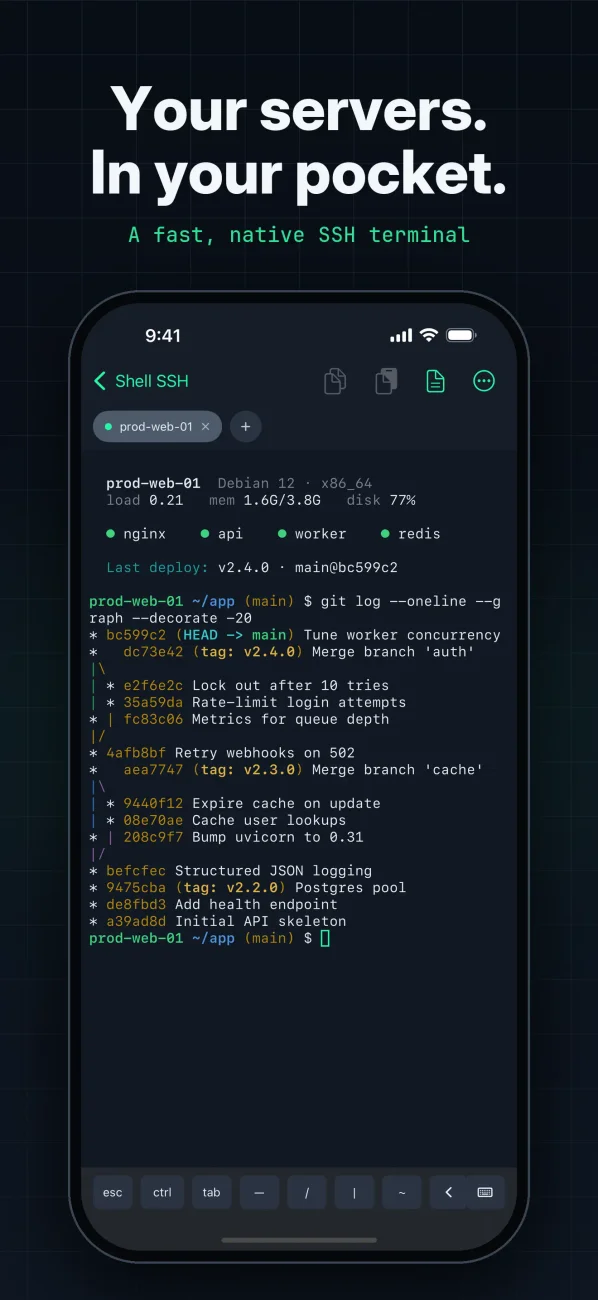
Shell SSH is a focused SSH client for iPhone, iPhone Duo, iPad and Mac. It opens a real interactive terminal to the servers you administer — not a box that runs one command at a time.
COPY WHAT YOU NEED, WHERE YOU NEED IT
• Select Text: copy output to your device even while tmux, vim or htop has the mouse. Drag to select, two fingers to scroll, then Copy
• Let a server copy to your clipboard: a yank in tmux or vim lands on your device, for the hosts you allow. Every copy is shown, and a server can never read your clipboard
• Copy the whole scrollback in one go, and paste from the toolbar or with Command-V
A KEYBOARD THAT WORKS LIKE A TERMINAL
• With a hardware keyboard, Ctrl and Option shortcuts reach the shell — Ctrl-C, Ctrl-R, Option-B — on a Mac too
• Shift+Enter starts a new line in chat-style command-line tools instead of sending
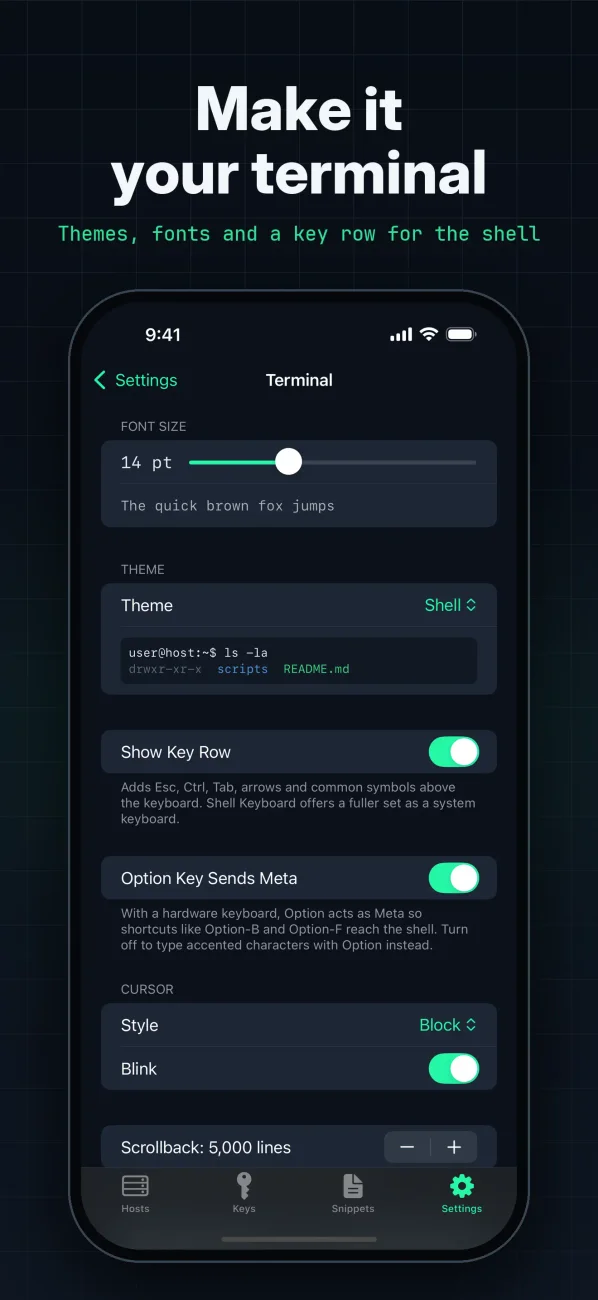
• On screen, a key row adds Esc, Ctrl, Tab, arrows and common symbols — the keys iOS doesn't give you
CONNECT
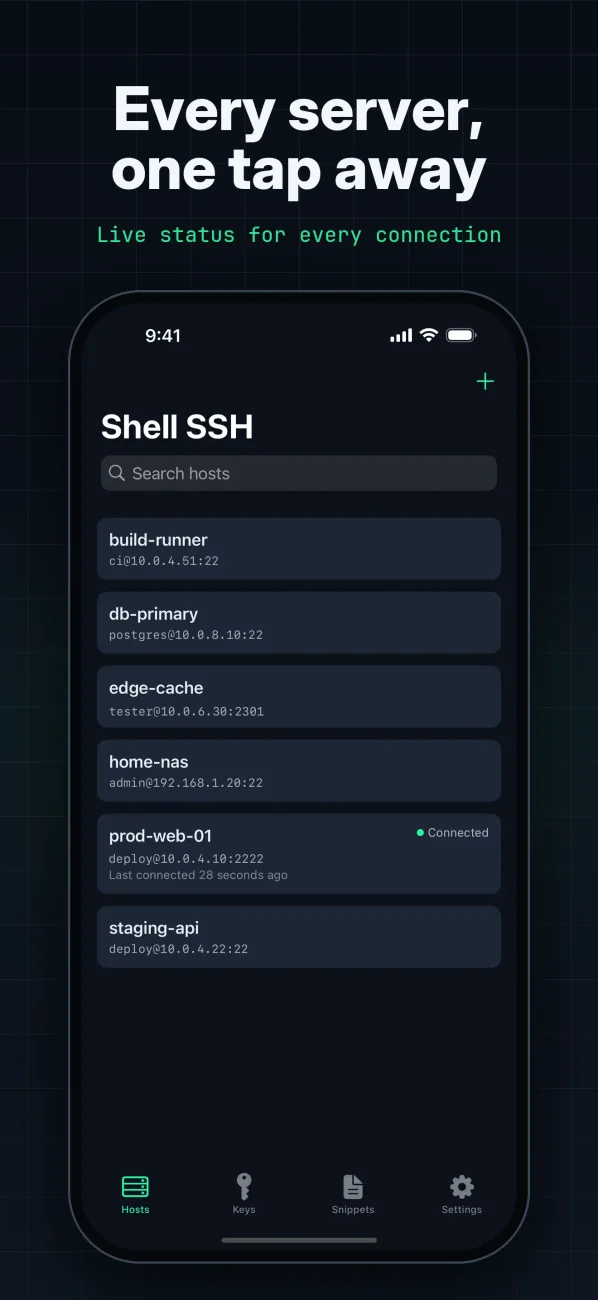
• Save hosts with a name, address, port, username and notes
• Authenticate with an SSH key or a password
• Search across names, addresses, usernames and notes
• Servers that only offer keyboard-interactive login, as some two-factor setups do, aren't supported yet
• Open several sessions as tabs, and switch without disconnecting
• On iPad and an open iPhone Duo, run two terminals side by side
• Your tabs and your split come back the way you left them
SESSIONS THAT SURVIVE A LOCKED SCREEN
• iOS suspends apps, which drops SSH connections when your device locks
• Shell SSH can run your shell inside tmux, so it keeps running on the server and picks up exactly where you left off
• It asks once, per host or as a default, and closing a tab closes its tmux session too
A REAL TERMINAL
• xterm-256color emulation with full 256-colour support and an alternate screen, so full-screen programs behave as on a desktop
• Themes: Shell, Solarized Dark and Light, Dracula, Nord, Gruvbox, One Dark and Monokai
• Adjustable font size, cursor style and scrollback
• Resizes correctly on rotation, in Split View and in Stage Manager
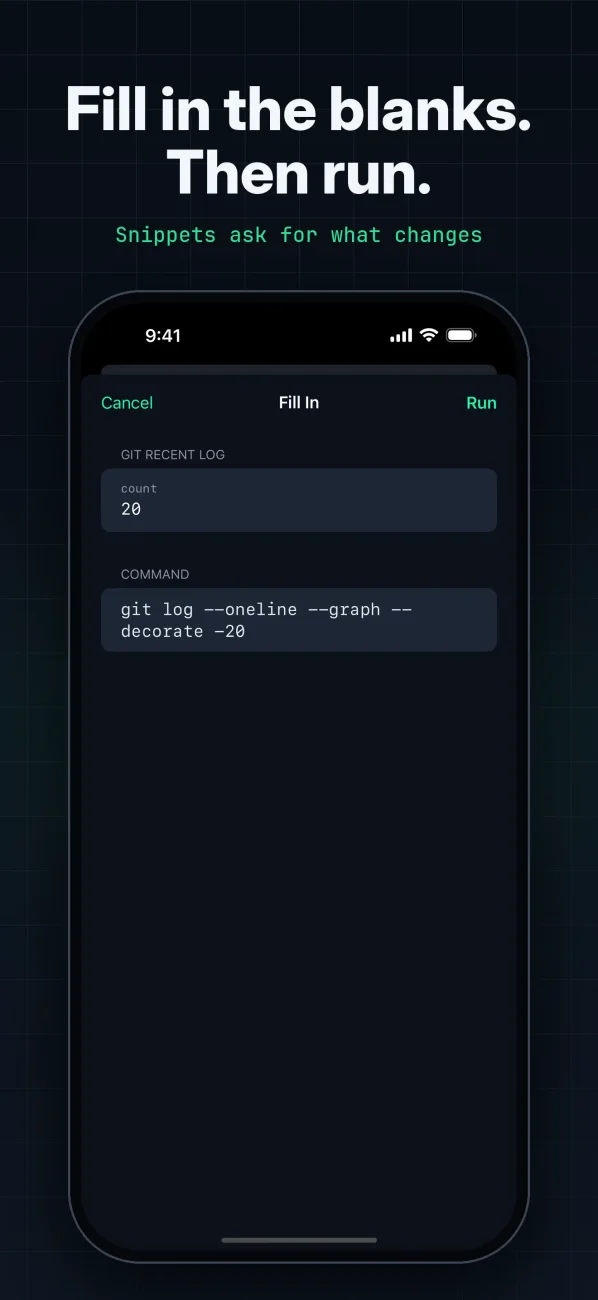
SNIPPETS
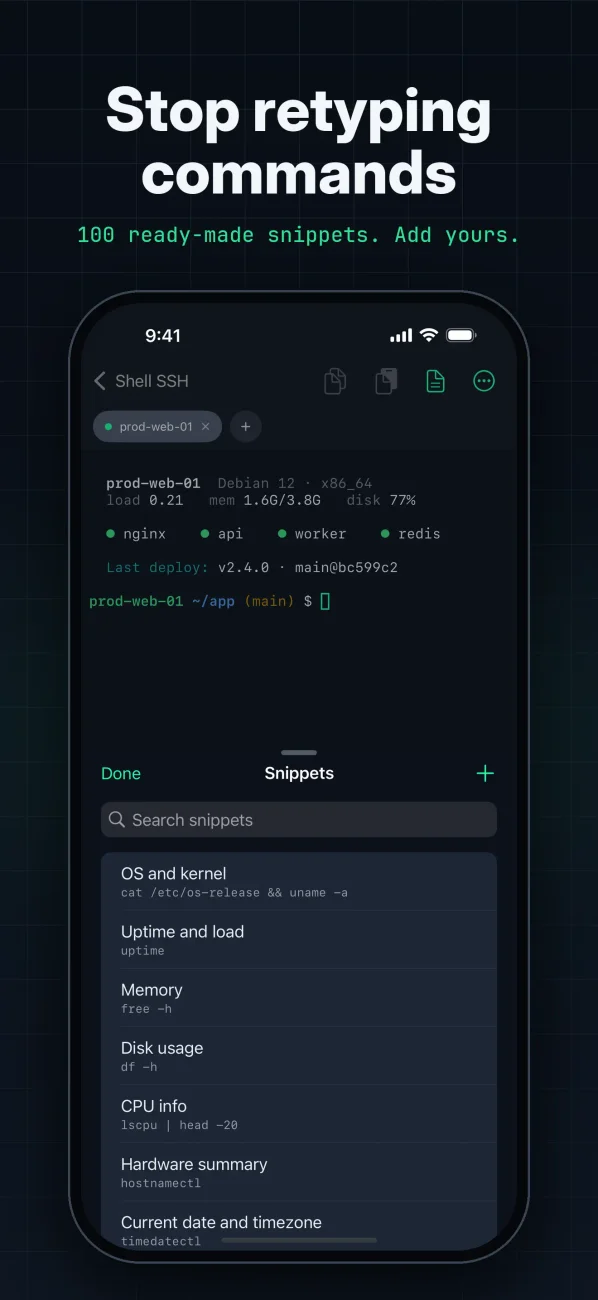
• Keep the commands you run often and insert or run them in a tap
• Placeholders: write {{service}} once and be asked for it when you use it
• Insert leaves the command at the prompt so you can read it before you send it
• 100 common commands included, from systemctl and journalctl to docker and git
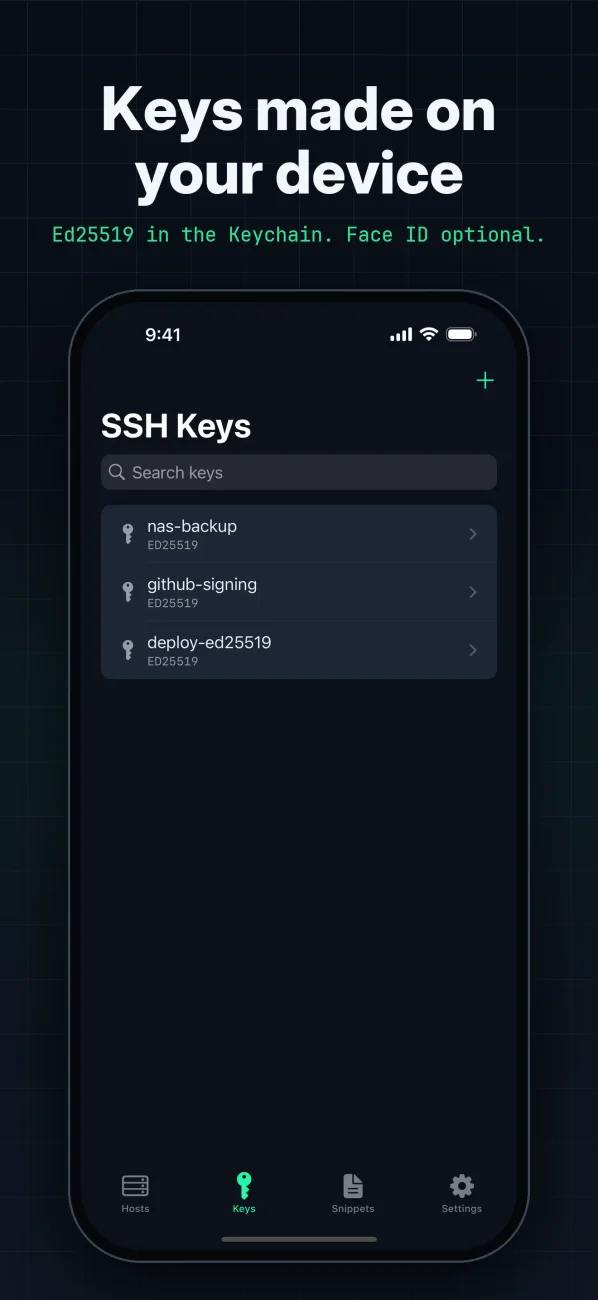
SSH KEYS
• Generate Ed25519 keys on device
• Import OpenSSH keys, including passphrase-protected ones
• Copy a public key out for authorized_keys
• Fingerprints in the same SHA-256 form as ssh-keygen
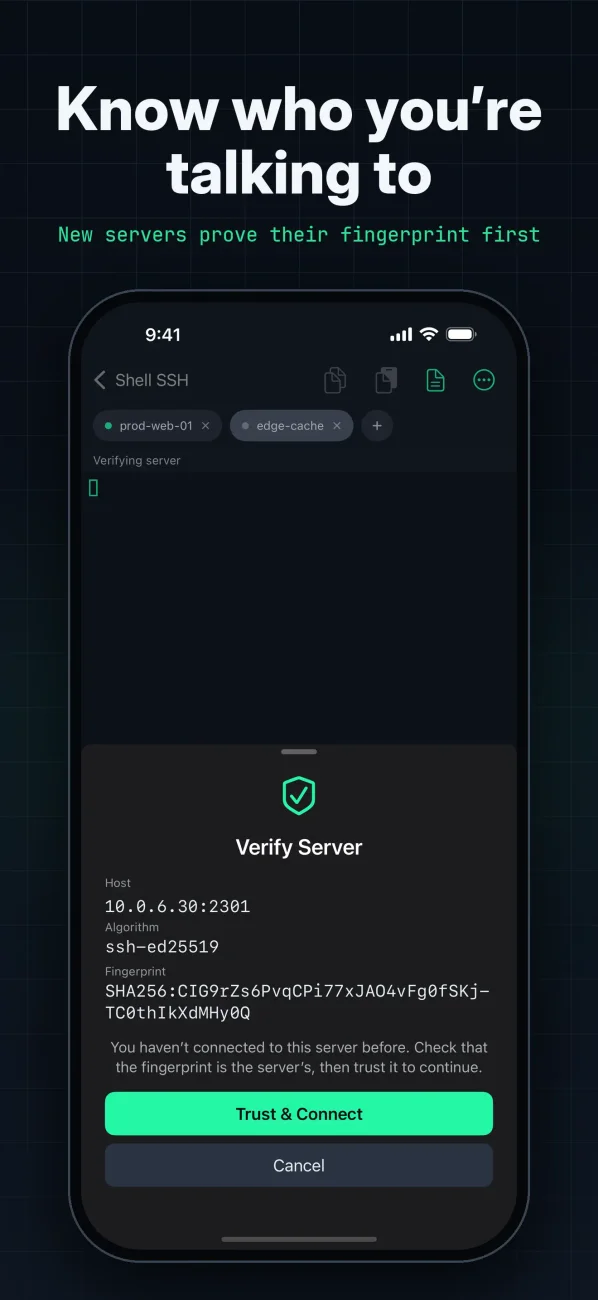
SECURITY FIRST
• Server identity is verified on first connection, with a clear, blocking warning if a host key ever changes
• Passwords and private keys live in the iOS Keychain. A private key leaves your device only if you export it
• Optionally require Face ID or Touch ID before a saved credential is used
• When a login is refused, Shell SSH tells you what the server would have accepted
• Warns before pasting multiple lines, which could run several commands at once
• Review and remove trusted server fingerprints whenever you want
IPHONE, IPHONE DUO AND IPAD
• On iPhone Duo, closed it's the iPhone app; open it for the iPad layout, with your hosts beside the terminal, split view and Focus mode. It switches as you fold and unfold
• On iPad, your hosts sit alongside the terminal, and Focus mode gives one session the whole screen (Command-Shift-F with a keyboard)
• Light and dark appearance, following the system or set explicitly
Shell SSH keeps its key row deliberately small. For a fuller terminal keyboard in every app, Shell Keyboard is a separate companion app.
Có gì mới
Phiên bản 1.3.0 · 07/11/2026
• Select Text: copy from the terminal to your device even while tmux, vim or htop has the mouse. Tap Select Text, drag to select, two fingers to scroll, then Copy.
• Copy from your server: turn on Allow Copy to Clipboard for a host, and copying in tmux or vim lands on your device's clipboard. Shell SSH shows each copy as it happens, and a host can never read your clipboard.
• On a Mac, Ctrl and Option shortcuts now reach the shell: Ctrl-C, Ctrl-A, Option-B, Option-Backspace and the rest.
• Shift+Enter starts a new line in chat-style command-line tools instead of sending. You can turn this off in Settings → Terminal.
• iPhone Duo: Shell SSH supports Apple's foldable. Closed, it's the iPhone app you know. Open it, and you get the iPad layout: your hosts beside the terminal, two shells side by side, and Focus mode. It switches as you fold and unfold, and your open sessions carry over.
• Split view on the Duo's inner display works upright too: two terminals stacked, each the full width.
Quyền riêng tư của ứng dụng
Những gì Nguyen Nguyen khai báo trên App Store về cách ứng dụng này xử lý dữ liệu.
-
Dữ liệu không được thu thập
Nhà phát triển không thu thập bất kỳ dữ liệu nào từ ứng dụng này.
Phương thức đảm bảo quyền riêng tư có thể khác nhau, chẳng hạn như tuỳ theo các tính năng bạn sử dụng hoặc độ tuổi của bạn.
Thông tin
- Người bán
- Nguyen Nguyen
- Danh mục
- Công Cụ Nhà Phát Triển
- Phiên bản
- 1.3.0
- Cập nhật
- 07/11/2026
- Phát hành
- 24/09/2026
- Kích thước
- 12,7 MB
- Yêu cầu
- iOS 17.0 trở lên
- Độ tuổi
- 4+
- Giá
- 59.000đ
- Ngôn ngữ
- Tiếng Anh
- Bản quyền
- © 2026 Nuegyn with ❤
Có thể bạn cũng thích
-
 iDevToolsCông Cụ Nhà Phát Triển
-
 Fetch Me !Công Cụ Nhà Phát Triển
-
 Device Insight Dashboard ProCông Cụ Nhà Phát Triển
-
 systemsoundtestCông Cụ Nhà Phát Triển
-
 App Icon ExtractorCông Cụ Nhà Phát Triển
-
 eBook Studio: Create & PublishCông Cụ Nhà Phát Triển
-
 Void ConnectCông Cụ Nhà Phát Triển
-
 Device Information ToolCông Cụ Nhà Phát Triển
-
 Python SandboxCông Cụ Nhà Phát Triển
-
 Python ManualCông Cụ Nhà Phát Triển