Snapdraft: Redact Screenshots
Censor text, blur faces & keys
iPhone, iPad, Mac için tasarlandı
Ücretsiz · Uygulama içi satın alma
- Yaş sınırı4+
- KategoriFotoğraf ve Video
- GeliştiriciVadym Suprun
- Dillerİngilizce
- Boyut3,7 MB
Resmi App Store sayfasına bağlanır
Download.org, Snapdraft: Redact Screenshots için hiçbir dosya barındırmaz. Düğme, uygulamanın App Store üzerindeki sayfasını açar; uygulamayı orada Vadym Suprun yayınlar. Sayfanın son kontrolü: 17.11.2026.
Ekran görüntüleri

Hakkında
Geliştirici bu metni dilinizde sunmamış.
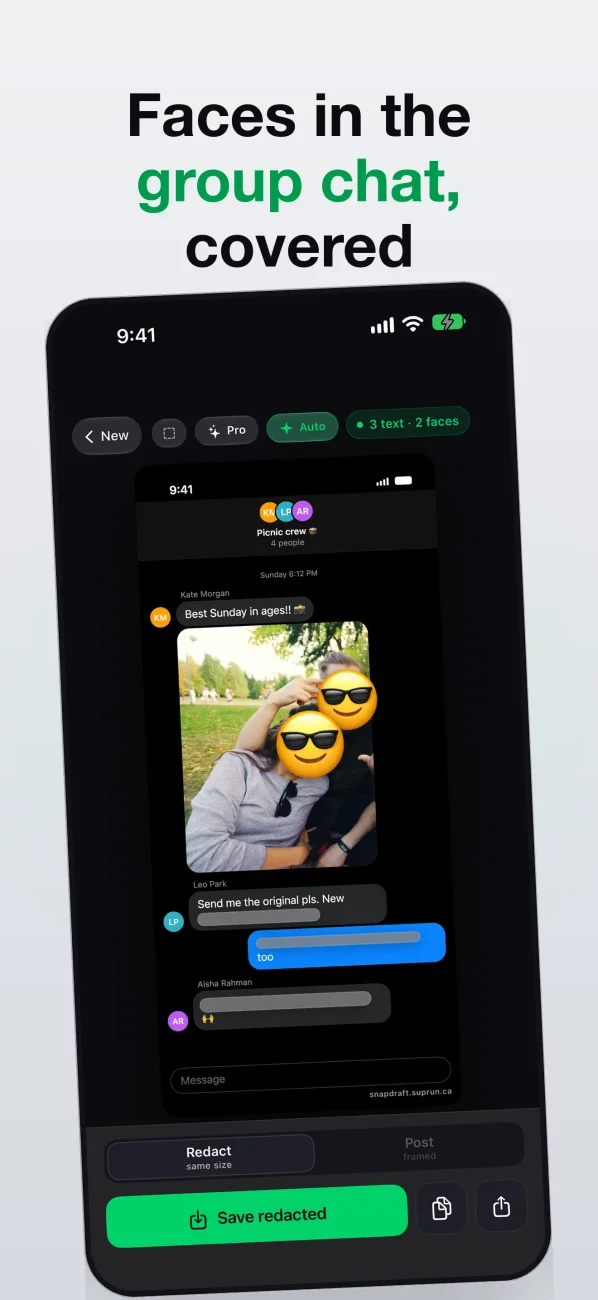
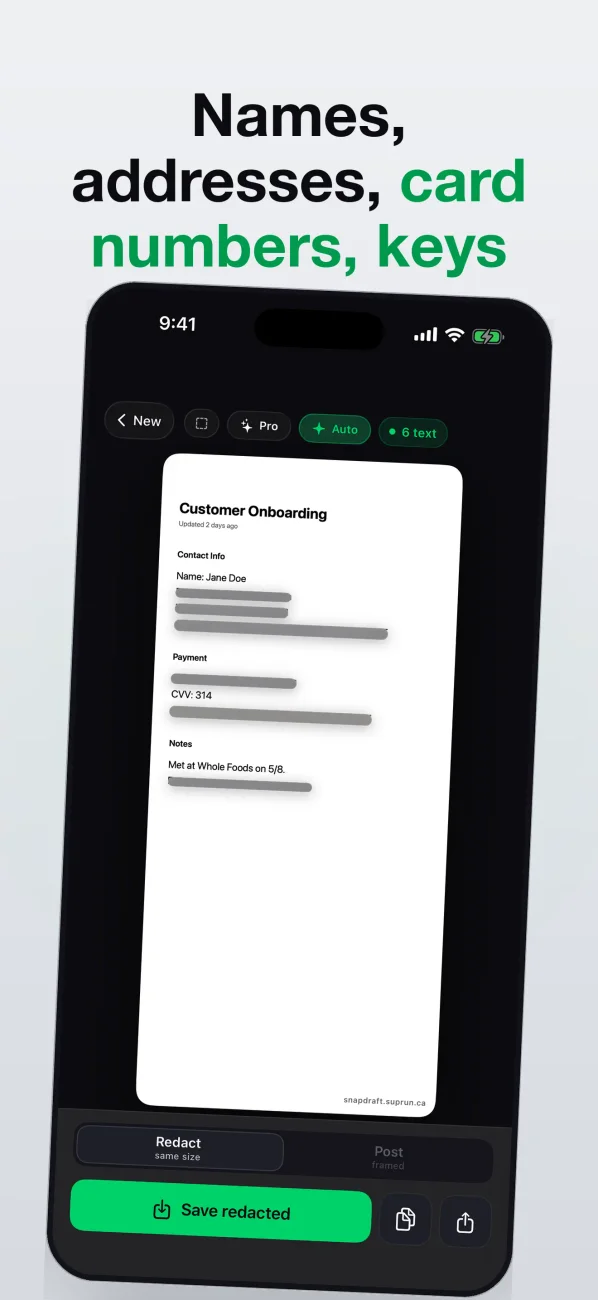
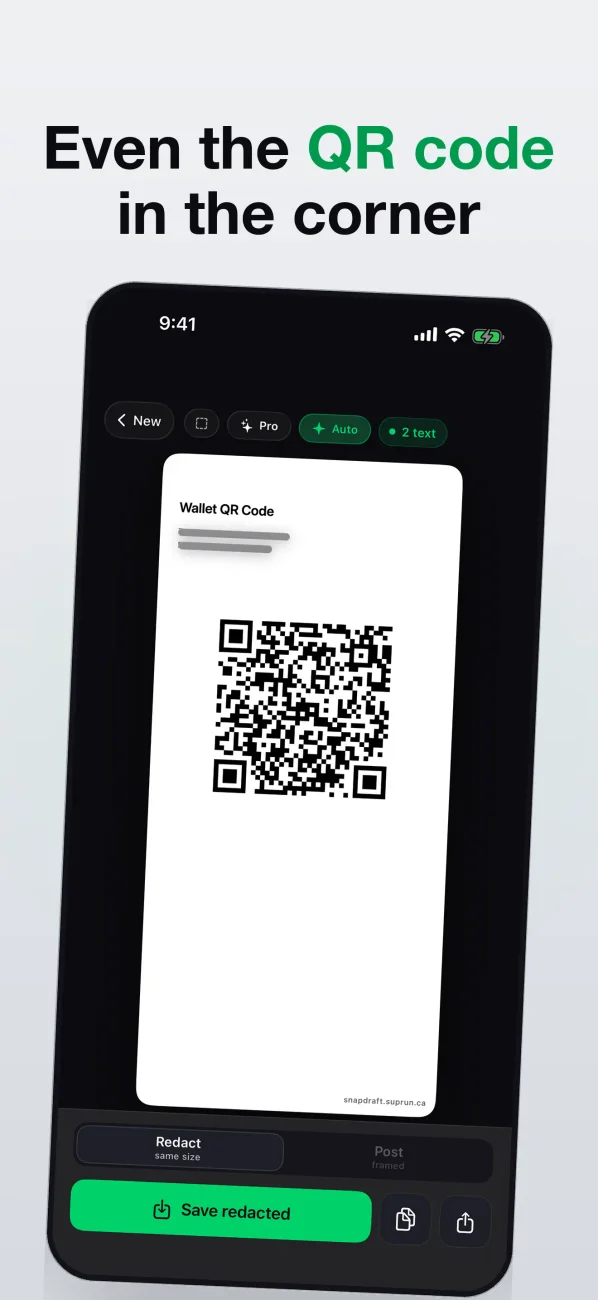
About to post a screenshot? Snapdraft finds the private details in it — phone numbers, emails, addresses, card and account numbers, API keys, faces and QR codes — and blurs them before anyone else sees them. It all happens on your iPhone, iPad or Mac. Nothing is uploaded.
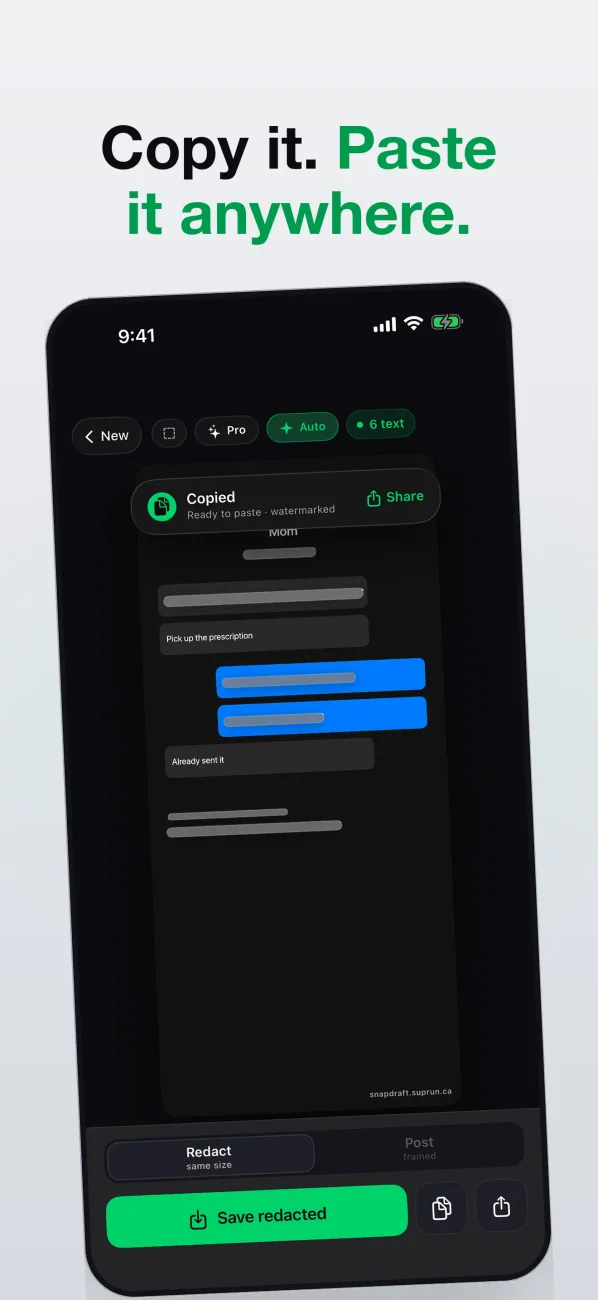
Pick a screenshot, paste one, drop one in, or open one from Files. Apple's Vision framework reads it on the device, and a second later the sensitive parts are already blurred. Tap a blur to remove a false positive, drag across anything it missed, long-press a face to change its cover. Then Copy, Share or Save — the redacted image comes out at its original size, ready to paste into Slack, Messages, Linear or an email.
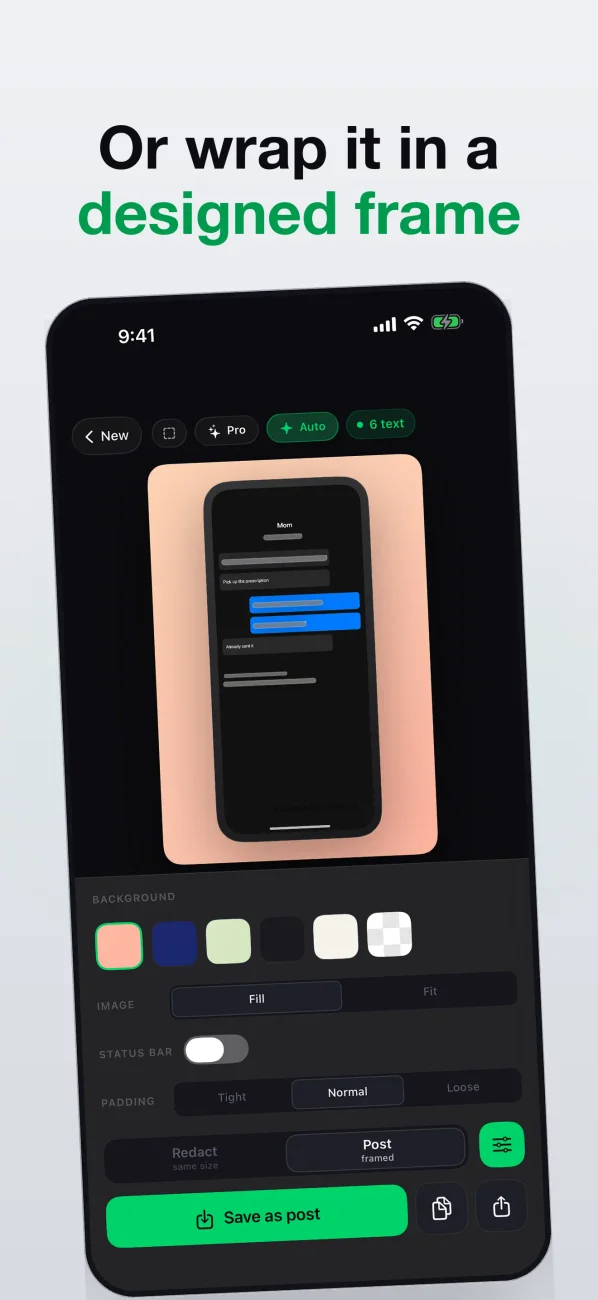
Want it to look like a designed post instead? Switch to Post mode, which wraps the screenshot in an iPhone frame on one of six backgrounds.
ON IPAD
The screenshot gets the screen and the controls sit in a column beside it, in any orientation, full screen, in Split View or in Stage Manager. Open images from Files, drag the redacted result straight into the app next to it, and use keyboard shortcuts for save, copy, new and undo.
ON THE MAC
A real Mac app, not a scaled-up iPhone screen. Paste a screenshot with ⌘V, open one from Finder or Photos, and save the redacted copy where you choose with ⌘S. The commands live in the menu bar, and you can drag the result straight into Slack or Mail. One purchase covers iPhone, iPad and Mac.
WHY NOT JUST USE MARKUP?
Markup is fine for one obvious thing. The trouble is the second thing: the phone number in the signature, the email in the header, the face in the corner of the group chat. Snapdraft looks for all of them at once, so you are checking its work instead of hunting yourself. And its blur is a real Gaussian blur baked into the pixels of the saved image, not a shape on top.
WHAT IT FINDS
• Phone numbers, emails, street addresses
• Card numbers and account numbers
• API keys and tokens — Stripe, AWS, OpenAI, GitHub, Slack, Google, JWTs, private-key headers and Bearer tokens
• Names of people, places and companies, and links
• Faces, including small ones in group photos
• QR codes and barcodes
WHAT YOU CAN DO
• Tap a blur to remove it; drag to add one; undo any change
• Cover faces with a blur circle or an emoji — sunglasses, disguise, see-no-evil or dotted-line — and change any single face with a long-press
• Pinch to zoom, and draw precise blurs while zoomed in
• Copy, Share or Save to Photos as a full-resolution PNG
• Post mode: iPhone frame, six backgrounds, three padding presets, status bar on or off, fit or fill
SHORTCUTS
The "Redact Image" action runs the same detection without opening the app and hands back the redacted image. Add it to a shortcut with "Show in Share Sheet" turned on and Snapdraft appears in every app's share sheet.
FREE, WITH ONE OPTIONAL UNLOCK
Every feature is free and unlimited: every detection, every face cover, every background, both save modes. Saved images carry a small "snapdraft.suprun.ca" mark in the corner. A one-time purchase removes it — that is the only thing it does, and there is no subscription.
PRIVATE BY DESIGN
No account, no ads, no tracking, no analytics SDKs, and no server for your screenshots to go to. Snapdraft is made by one developer, and the app works in airplane mode.
GOOD FOR
• Developers posting screenshots with keys and customer data in them
• Support teams sharing a user's screen in a ticket
• Designers showing client work without the client's names
• Anyone about to send a group-chat screenshot to someone who wasn't in the chat
Questions or a missed detection? support@suprun.ca
Yenilikler
Sürüm 1.7 · 27.10.2026
On the open iPhone Duo held upright, the screenshot now gets the full width, with the controls along the bottom.
Uygulama gizliliği
Bu uygulamanın verileri nasıl işlediği hakkında Vadym Suprun tarafından App Store üzerinde yapılan beyan.
-
Veri toplanmıyor
Geliştirici bu uygulamadan hiçbir veri toplamıyor.
Gizlilik uygulamaları, örneğin kullandığınız özelliklere veya yaşınıza göre değişiklik gösterebilir.
Bilgiler
- Satıcı
- Vadym Suprun
- Kategori
- Fotoğraf ve Video
- Sürüm
- 1.7
- Güncellendi
- 27.10.2026
- Yayın tarihi
- 16.05.2026
- Boyut
- 3,7 MB
- Gereksinim
- iOS 17.0 veya sonrası
- Yaş sınırı
- 4+
- Fiyat
- Ücretsiz
- Uygulama içi satın alma
- Evet
- Diller
- İngilizce
- Telif hakkı
- © 2026 Vadym Suprun
Bunları da beğenebilirsiniz
-
 Maskr: Auto Redact PhotosFotoğraf ve Video
-
 PictNota - Blur & Photo EditorFotoğraf ve Video
-
 HideCutFotoğraf ve Video
-
 Mosa: Blur, Pixelate & RedactFotoğraf ve Video
-
 Garim: Yüz BulanıklaştırPiksel, plaka, foto & video
-
 Rendrl: Kolaj & Carousel YapKesintisiz Panorama Paylaşım
-
 AI Tırmanış Videosu: CruxCutCihazda hızlı takip kamerası
-
 Blur TextRedact, censor photos & PDFs
-
 Çift Kamera: Dual Shot VideoDikey ve Yatay Video Kaydet
-
 AirCull: Photo CleanerFotoğraf ve Video