Snapdraft: Redact Screenshots
Censor text, blur faces & keys
iPhone, iPad, Mac向けに設計
無料 · アプリ内課金
- 対象年齢4+
- カテゴリ写真/ビデオ
- 開発元Vadym Suprun
- 言語英語
- サイズ3.7 MB
App Storeの公式ページにリンクしています
Download.orgはSnapdraft: Redact Screenshotsのファイルを一切ホストしていません。ボタンを押すと、Vadym Suprunが公開しているApp Storeのアプリページが開きます。ページの最終確認:2026/11/17。
スクリーンショット

概要
開発元はこのテキストをお使いの言語で提供していません。
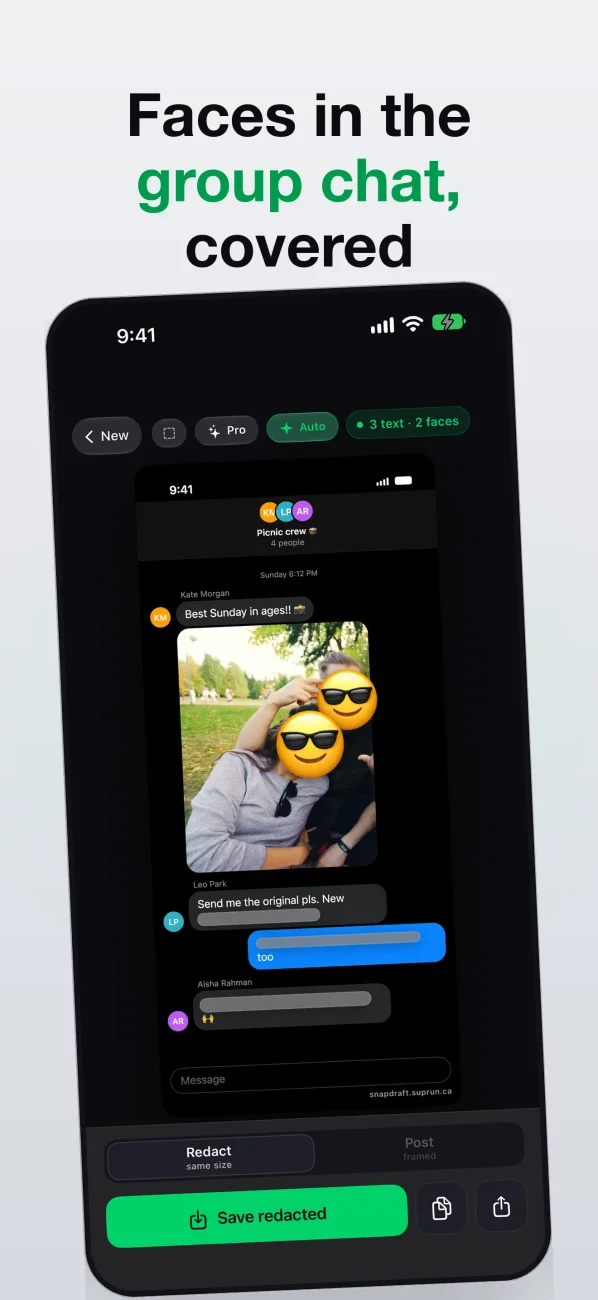
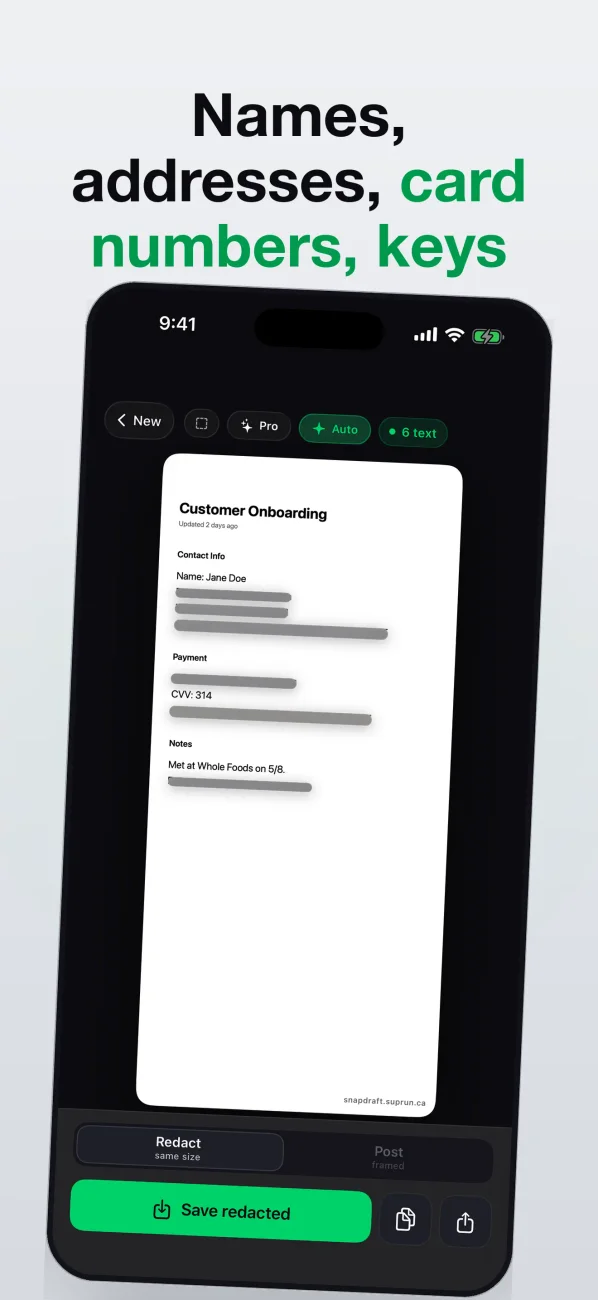
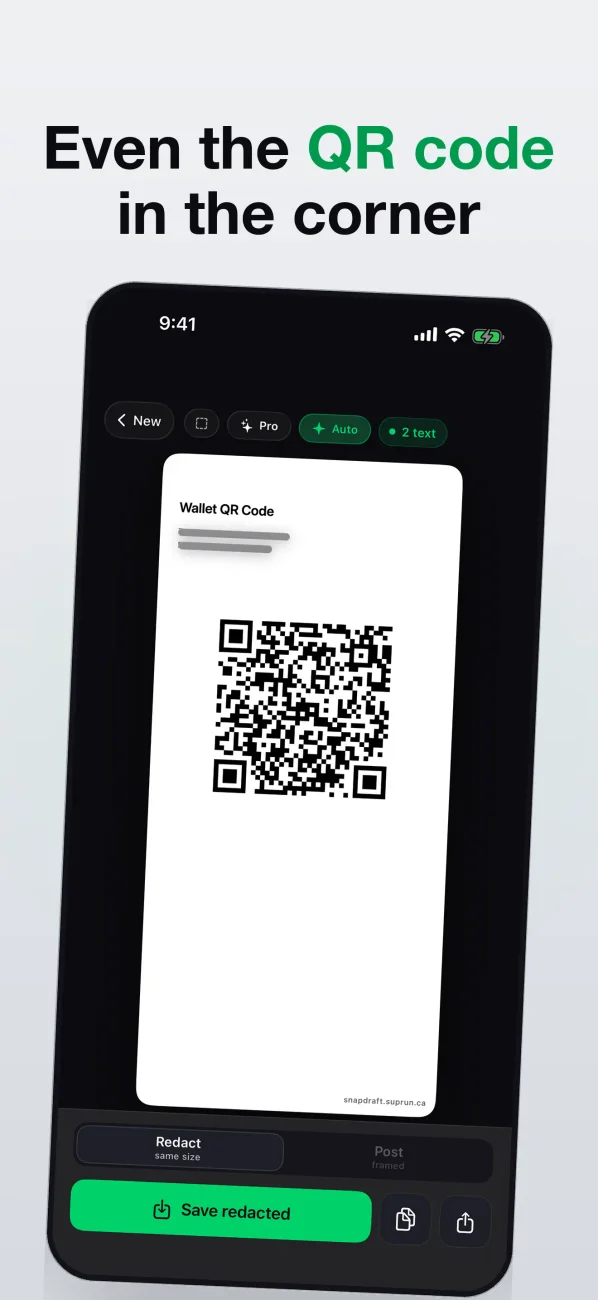
About to post a screenshot? Snapdraft finds the private details in it — phone numbers, emails, addresses, card and account numbers, API keys, faces and QR codes — and blurs them before anyone else sees them. It all happens on your iPhone, iPad or Mac. Nothing is uploaded.
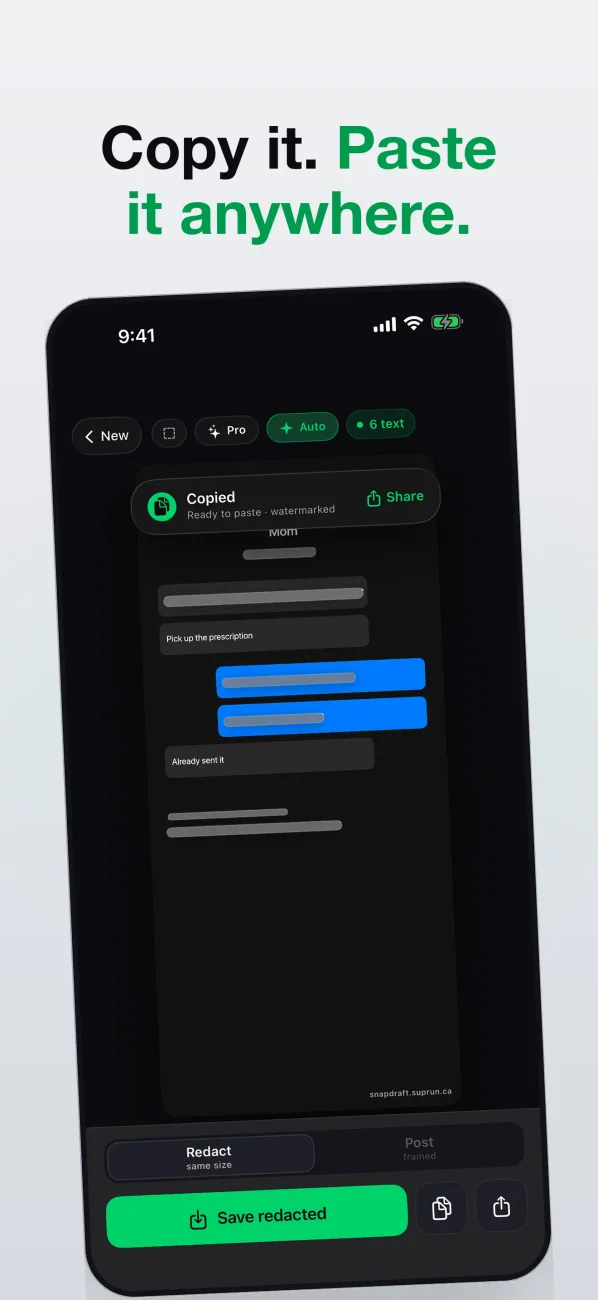
Pick a screenshot, paste one, drop one in, or open one from Files. Apple's Vision framework reads it on the device, and a second later the sensitive parts are already blurred. Tap a blur to remove a false positive, drag across anything it missed, long-press a face to change its cover. Then Copy, Share or Save — the redacted image comes out at its original size, ready to paste into Slack, Messages, Linear or an email.
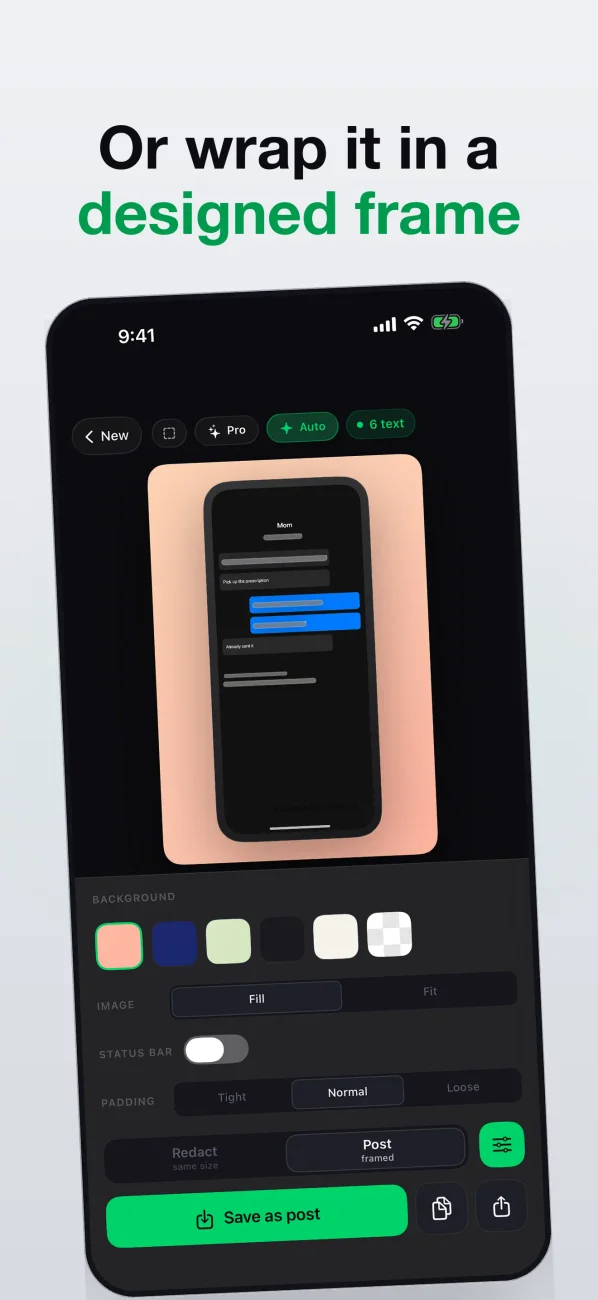
Want it to look like a designed post instead? Switch to Post mode, which wraps the screenshot in an iPhone frame on one of six backgrounds.
ON IPAD
The screenshot gets the screen and the controls sit in a column beside it, in any orientation, full screen, in Split View or in Stage Manager. Open images from Files, drag the redacted result straight into the app next to it, and use keyboard shortcuts for save, copy, new and undo.
ON THE MAC
A real Mac app, not a scaled-up iPhone screen. Paste a screenshot with ⌘V, open one from Finder or Photos, and save the redacted copy where you choose with ⌘S. The commands live in the menu bar, and you can drag the result straight into Slack or Mail. One purchase covers iPhone, iPad and Mac.
WHY NOT JUST USE MARKUP?
Markup is fine for one obvious thing. The trouble is the second thing: the phone number in the signature, the email in the header, the face in the corner of the group chat. Snapdraft looks for all of them at once, so you are checking its work instead of hunting yourself. And its blur is a real Gaussian blur baked into the pixels of the saved image, not a shape on top.
WHAT IT FINDS
• Phone numbers, emails, street addresses
• Card numbers and account numbers
• API keys and tokens — Stripe, AWS, OpenAI, GitHub, Slack, Google, JWTs, private-key headers and Bearer tokens
• Names of people, places and companies, and links
• Faces, including small ones in group photos
• QR codes and barcodes
WHAT YOU CAN DO
• Tap a blur to remove it; drag to add one; undo any change
• Cover faces with a blur circle or an emoji — sunglasses, disguise, see-no-evil or dotted-line — and change any single face with a long-press
• Pinch to zoom, and draw precise blurs while zoomed in
• Copy, Share or Save to Photos as a full-resolution PNG
• Post mode: iPhone frame, six backgrounds, three padding presets, status bar on or off, fit or fill
SHORTCUTS
The "Redact Image" action runs the same detection without opening the app and hands back the redacted image. Add it to a shortcut with "Show in Share Sheet" turned on and Snapdraft appears in every app's share sheet.
FREE, WITH ONE OPTIONAL UNLOCK
Every feature is free and unlimited: every detection, every face cover, every background, both save modes. Saved images carry a small "snapdraft.suprun.ca" mark in the corner. A one-time purchase removes it — that is the only thing it does, and there is no subscription.
PRIVATE BY DESIGN
No account, no ads, no tracking, no analytics SDKs, and no server for your screenshots to go to. Snapdraft is made by one developer, and the app works in airplane mode.
GOOD FOR
• Developers posting screenshots with keys and customer data in them
• Support teams sharing a user's screen in a ticket
• Designers showing client work without the client's names
• Anyone about to send a group-chat screenshot to someone who wasn't in the chat
Questions or a missed detection? support@suprun.ca
新機能
バージョン 1.7 · 2026/10/27
On the open iPhone Duo held upright, the screenshot now gets the full width, with the controls along the bottom.
アプリのプライバシー
このアプリのデータの取り扱いについて、Vadym SuprunがApp Storeで申告している内容です。
-
データの収集なし
開発元はこのアプリからデータを収集しません。
プライバシーの取り扱いは、ご利用の機能やお客様の年齢などに応じて異なる場合があります。
情報
- 販売元
- Vadym Suprun
- カテゴリ
- 写真/ビデオ
- バージョン
- 1.7
- 更新日
- 2026/10/27
- リリース
- 2026/5/16
- サイズ
- 3.7 MB
- 必要条件
- iOS 17.0以降
- 対象年齢
- 4+
- 価格
- 無料
- アプリ内課金
- あり
- 言語
- 英語
- 著作権
- © 2026 Vadym Suprun
こちらもおすすめ
-
 Maskr: Auto Redact Photos写真/ビデオ
-
 ピクトノータ - 写真モザイク・画像加工スクショに矢印・文字入れ・ぼかし
-
 HideCut写真/ビデオ
-
 Mosa モザイク・ぼかし加工自分で囲むから、漏れない
-
 Garim 顔モザイク・ぼかし 写真動画 自動加工写真モザイク・動画モザイクを端末内で安全に
-
 Rendrl: カルーセル&コラージュ作成つながるパノラマ投稿・スワイプ画像
-
 AIクライミング動画編集: CruxCut端末内で、あっという間にフォローカム動画へ
-
 Blur TextRedact, censor photos & PDFs
-
 デュアルショット 縦横同時撮影カメラDual Camera・2画面で前後同時録画
-
 AirCull: Photo Cleaner写真/ビデオ