
Tempo: Visual Countdown Timer
ADHD Focus & Time Blindness
iPhone, iPad için tasarlandı
Ücretsiz · Uygulama içi satın alma
- Yaş sınırı4+
- KategoriÜretkenlik
- GeliştiriciFoundry24 LLC
- Dillerİngilizce+ 6 dil daha
- Boyut16,3 MB
Resmi App Store sayfasına bağlanır
Download.org, Tempo: Visual Countdown Timer için hiçbir dosya barındırmaz. Düğme, uygulamanın App Store üzerindeki sayfasını açar; uygulamayı orada Foundry24 LLC yayınlar. Sayfanın son kontrolü: 14.11.2026.
Ekran görüntüleri

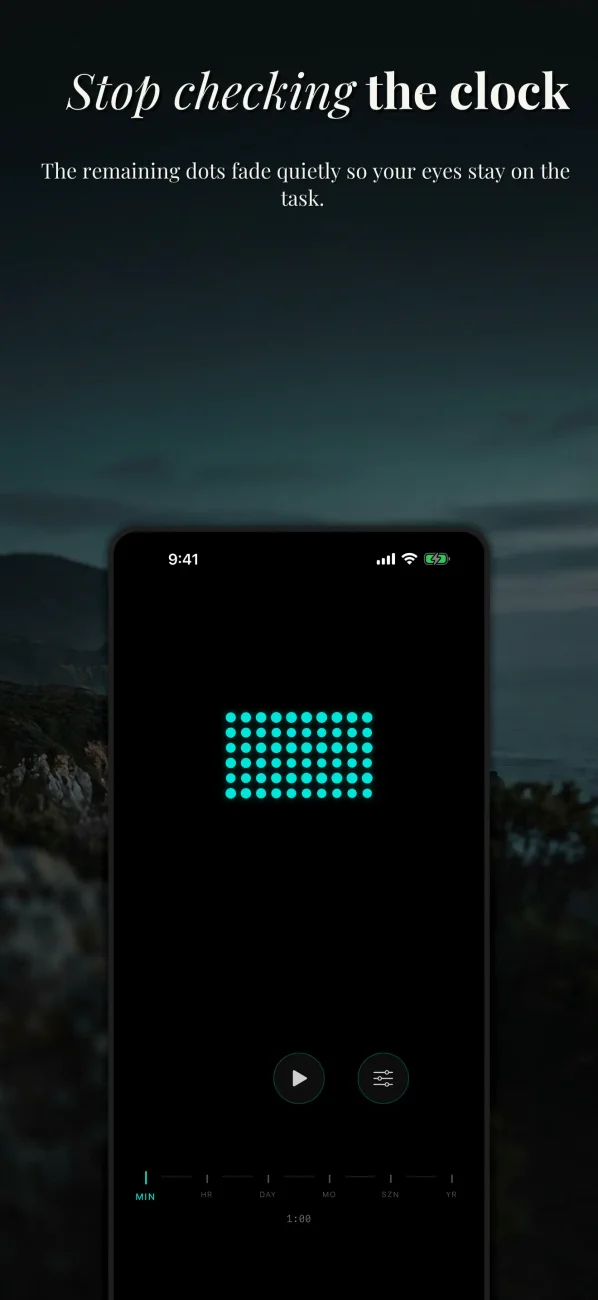
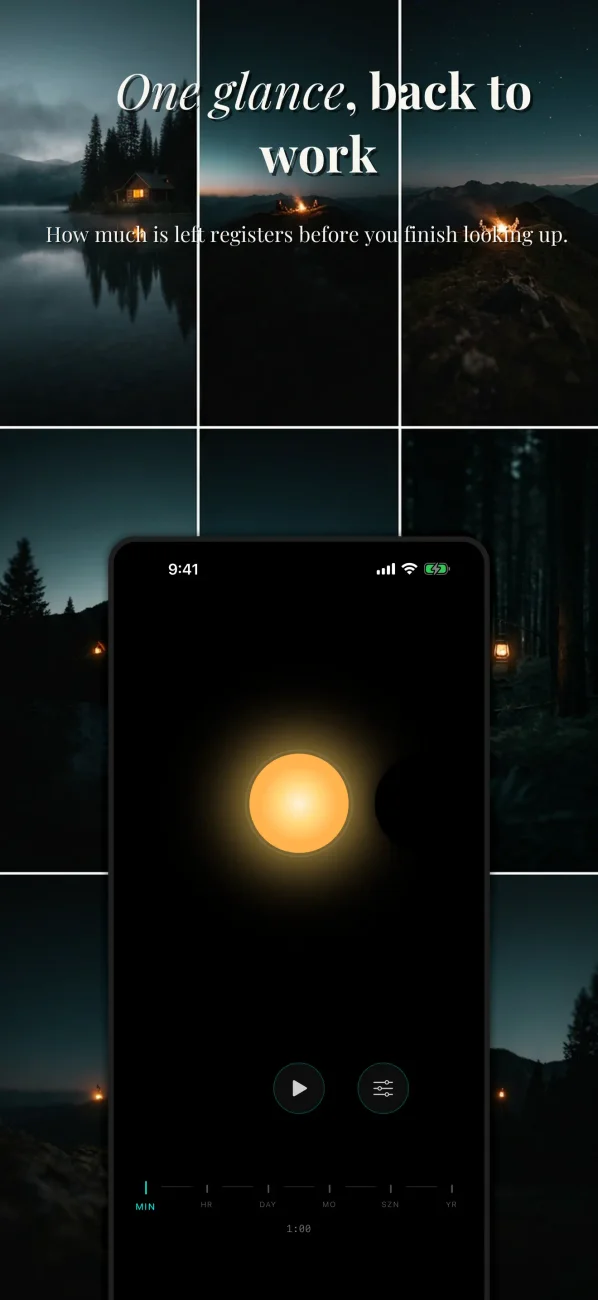
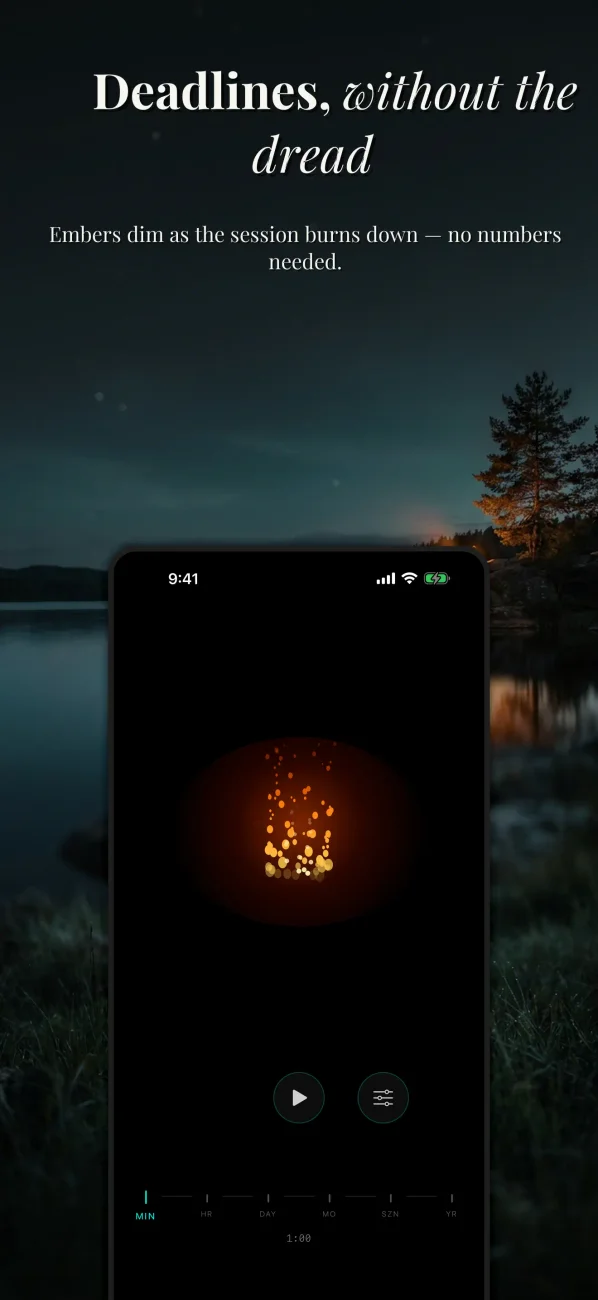
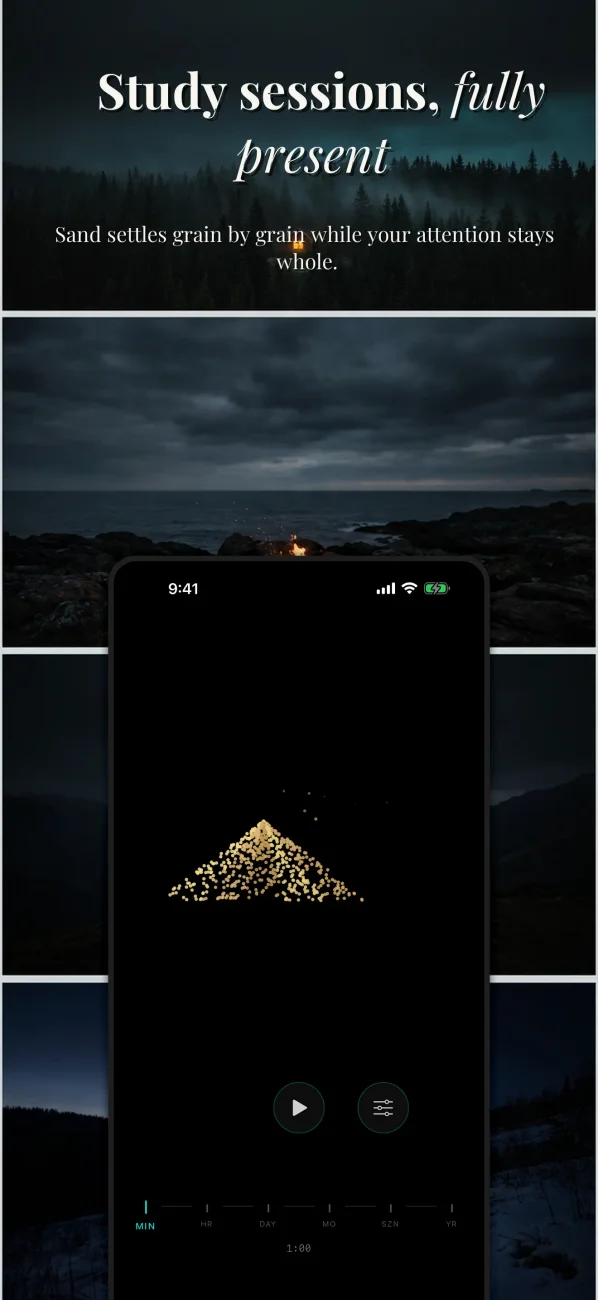


Hakkında
Geliştirici bu metni dilinizde sunmamış.
If you have ever looked up and lost an hour, you do not need another number counting down. You need to see time move.
Tempo turns time into something you can watch. A dandelion loses its seeds. An eclipse closes over. A snowman gives in to the sun. Glance at your phone from across the room and you know how much is left — no reading, no math.
BUILT FOR TIME BLINDNESS
Numbers are abstract. If your brain does not track elapsed time on its own, "20 minutes" means nothing until it is already gone. Tempo makes time spatial instead, so you feel it draining rather than having to calculate it.
FROM ONE MINUTE TO ONE YEAR
Most timers stop at an hour. Tempo has six scales:
• MINUTE — a focus sprint or a short break
• HOUR — the meeting, the work block
• DAY — how much of today is actually left
• MONTH — the deadline that still feels far away
• SEASON (Pro) — the three months you keep meaning to use
• YEAR — the one nobody shows you
The longer scales run live against the real calendar. Open Tempo in October and the year is already most of the way gone. That is not a gimmick — for anyone who loses whole weeks, seeing it is the point.
SEVEN VISUALIZATIONS
Dandelion, Dots, Eclipse, Ember, Sand, Snowman, and Thunderstorm. Pick the one your brain actually reads, and set it as your default.
ON YOUR WRIST AND LOCK SCREEN
An Apple Watch app and Lock Screen and Home Screen widgets keep your current scale in view without opening anything — so checking the time stops being the distraction.
BUILT TO STAY QUIET
• No account, no sign-up, no email
• Works entirely offline
• No streaks, no badges, no guilt mechanics
• No ads, ever
Tempo will not fix your relationship with time. It just makes time visible, so the hours stop disappearing without warning.
Free: the Dots visualization and five of the six scales — MINUTE, HOUR, DAY, MONTH, and YEAR. A one-time Pro purchase adds Dandelion, Eclipse, Ember, Sand, Snowman, Thunderstorm, and the SEASON scale. No subscription.
Yenilikler
Sürüm 2.0.2 · 08.10.2026
When Tempo asks how it's going and you say you're enjoying it, it now takes you straight to the App Store to leave a rating or a review. It used to ask iOS for its in-app rating sheet instead, which iOS shows at its own discretion and, for most people, never did.
Uygulama gizliliği
Bu uygulamanın verileri nasıl işlediği hakkında Foundry24 LLC tarafından App Store üzerinde yapılan beyan.
-
Veri toplanmıyor
Geliştirici bu uygulamadan hiçbir veri toplamıyor.
Gizlilik uygulamaları, örneğin kullandığınız özelliklere veya yaşınıza göre değişiklik gösterebilir.
Bilgiler
- Satıcı
- Foundry24 LLC
- Kategori
- Üretkenlik
- Sürüm
- 2.0.2
- Güncellendi
- 08.10.2026
- Yayın tarihi
- 13.01.2026
- Boyut
- 16,3 MB
- Gereksinim
- iOS 17.0 veya sonrası
- Yaş sınırı
- 4+
- Fiyat
- Ücretsiz
- Uygulama içi satın alma
- Evet
- Diller
- İngilizce, Fransızca, Almanca, Hindi, Japonca, Portekizce, İspanyolca
- Telif hakkı
- © Foundry24
Bunları da beğenebilirsiniz
-
 iWorkUntil: ADHD Visual TimerÜretkenlik
-
 Chromeo: Visual TimerÜretkenlik
-
 Visual Timer - Focus CountdownÜretkenlik
-
 Lily pad - visual timerÜretkenlik
-
 Piksel Geri Sayım Zamanlayıcıçalışma, antrenman, pomodoro
-
 Timer Machine ProÜretkenlik
-
 Kum Saati Görsel Geri SayımOdaklanma Çalışma Zamanlayıcı
-
 Gentle Timer: Visual CountdownÜretkenlik
-
 Pomodoro — Focus TimerÜretkenlik
-
 Ultimate Focus - ZamanlayıcıDers, İş, Odak ve Pomodoro