
VideoFrameCut-Batch VideoMaker
Extend short clips ·50 layouts
iPhone, iPod touch için tasarlandı
Ücretsiz · Uygulama içi satın alma
- Yaş sınırı4+
- KategoriFotoğraf ve Video
- GeliştiriciMuxian Chiang
- Dillerİngilizce+ 2 dil daha
- Boyut2,1 MB
Resmi App Store sayfasına bağlanır
Download.org, VideoFrameCut-Batch VideoMaker için hiçbir dosya barındırmaz. Düğme, uygulamanın App Store üzerindeki sayfasını açar; uygulamayı orada Muxian Chiang yayınlar. Sayfanın son kontrolü: 18.11.2026.
Ekran görüntüleri

Hakkında
Geliştirici bu metni dilinizde sunmamış.
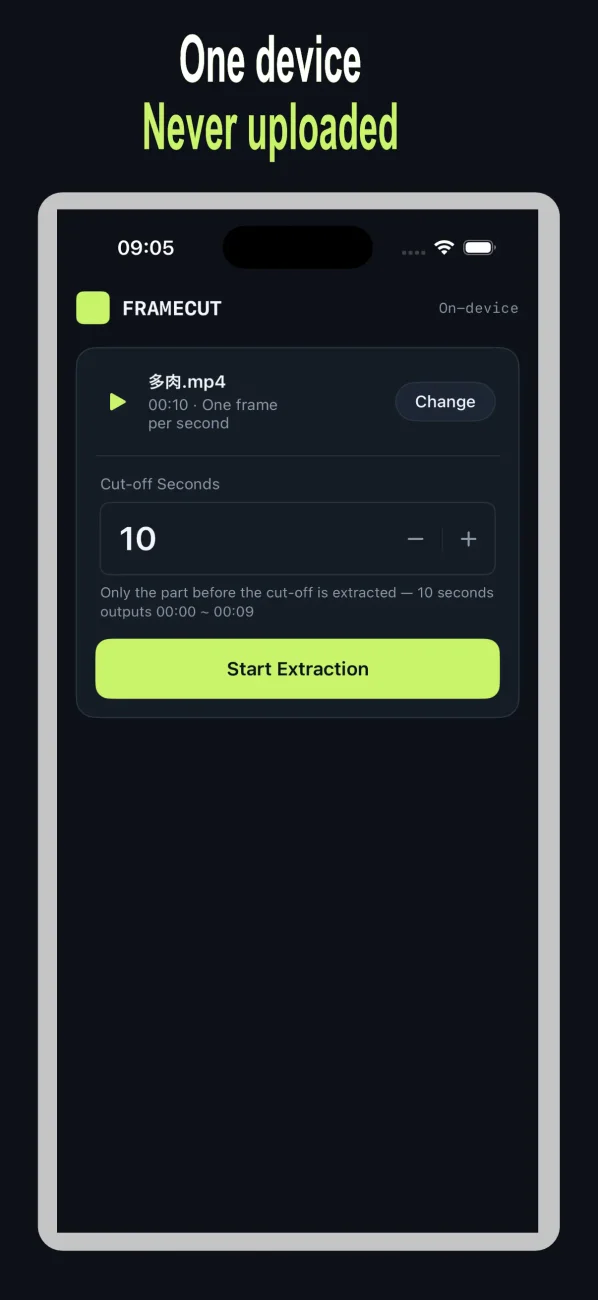
VideoFrameCut — a batch short-video production tool built for creators and sellers.
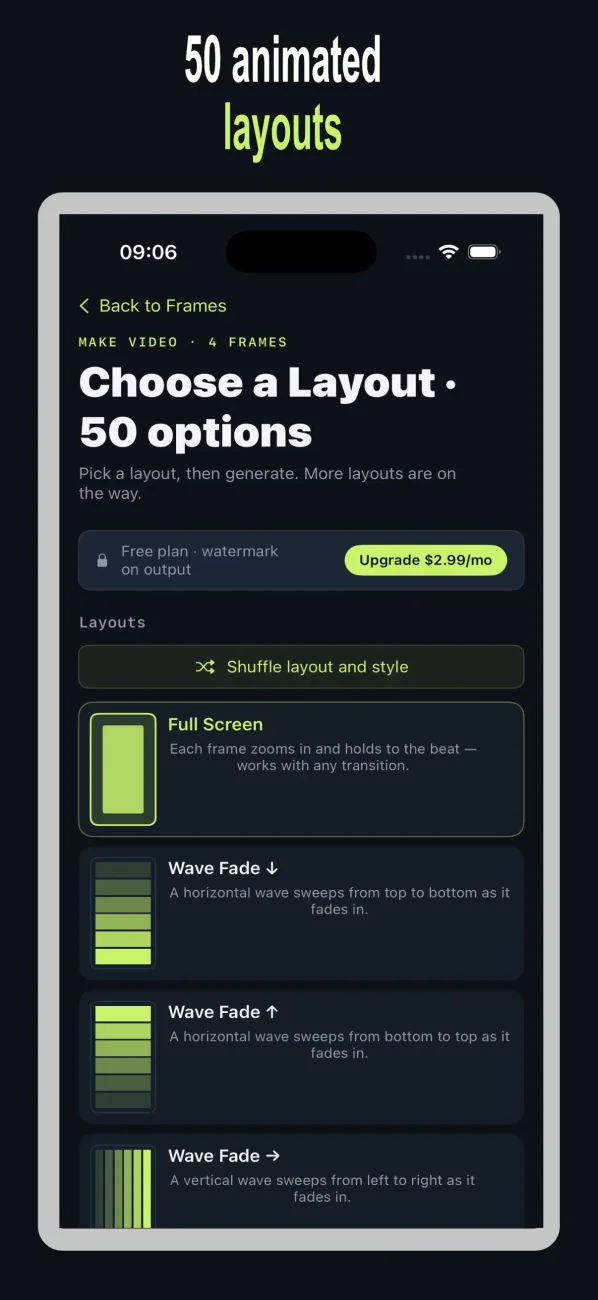
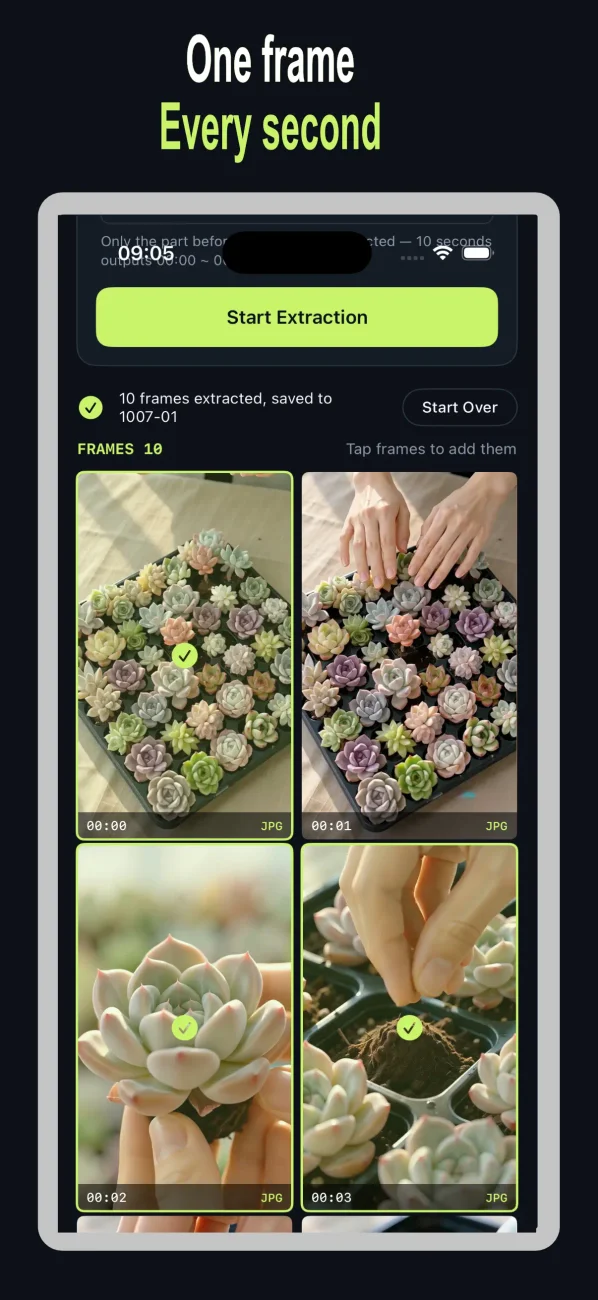
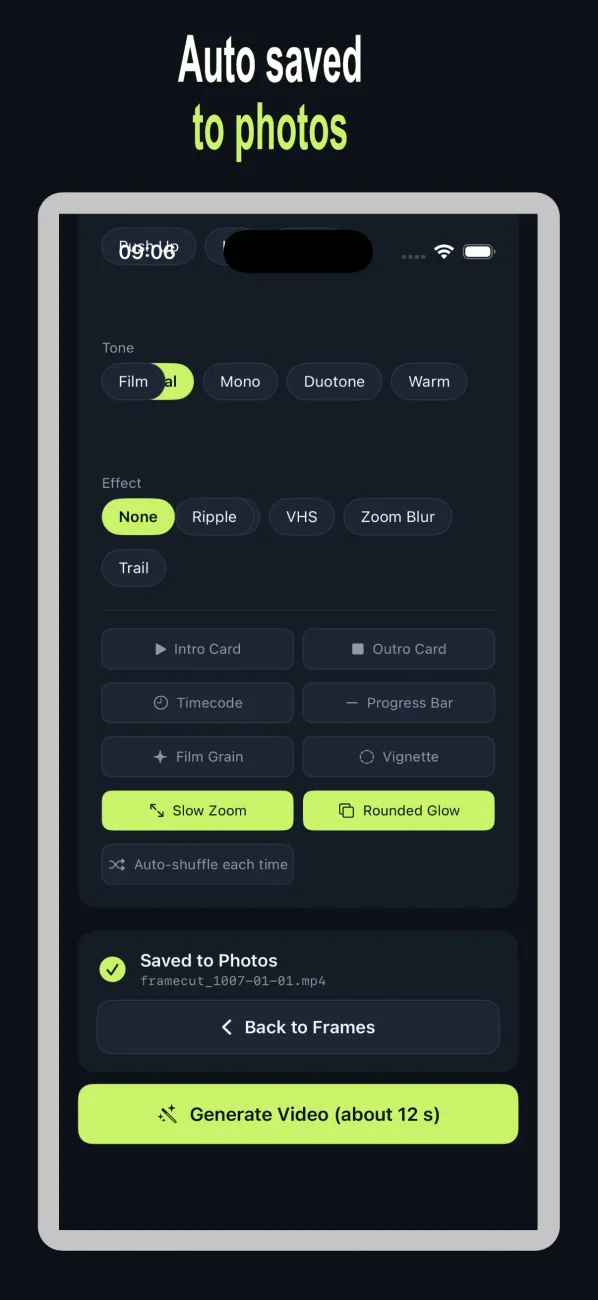
Import any video and the app automatically extracts one frame per second, so you can quickly pick the moments worth keeping. Choose from 50 animated layouts and generate a 1080×1920 vertical video in one tap — saved to your Photos library as soon as it's done.
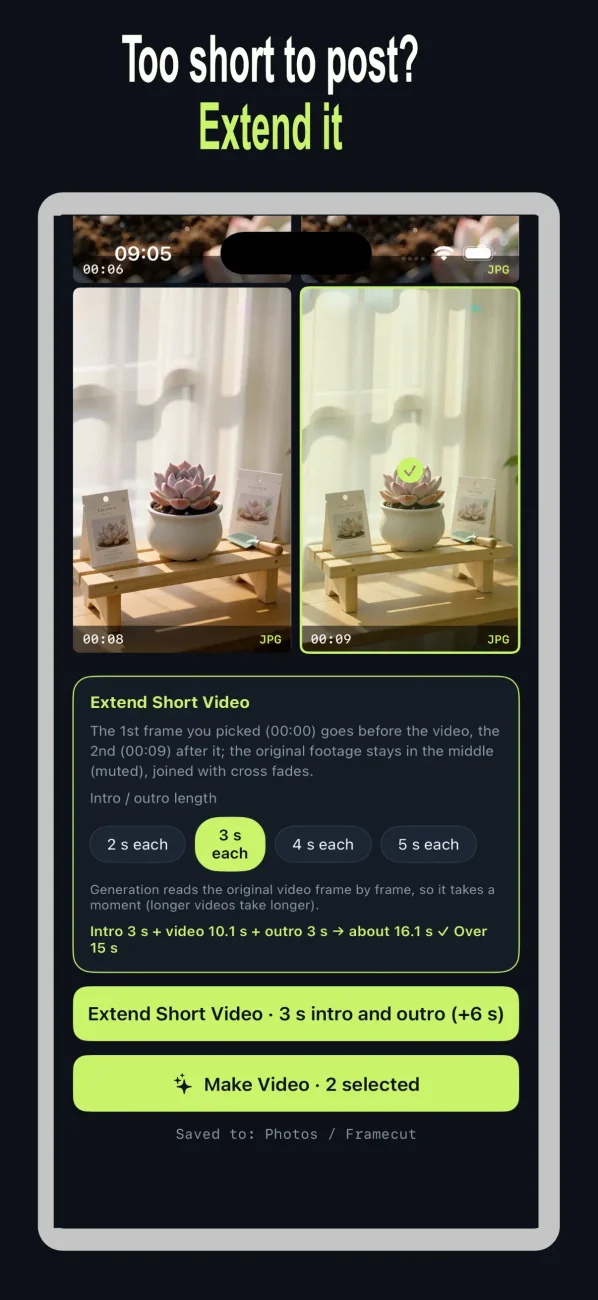
■ Extend a video that's too short (unique)
Not long enough to publish? Pick two of the extracted frames, and the app attaches the first to the head and the second to the tail of your clip, crossfading into the original footage — a 3-second source becomes 7 seconds or more, with the original motion fully preserved. No reshoot needed.
■ One clip, many styles
Generate, then switch layouts and generate again. Your selected frames are kept and the previous file is never overwritten, so you can quickly produce several different styles and compare the results.
【50 animated layouts】
Full Screen, Wave Fade, Quad Grid, Six Grid, Nine Grid, Film Strip, Page Turn, Circle Reveal, Light Sweep, Carousel, Water Reflection, Tile Reveal… Each layout has its own visual language — great for weddings, travel, events and product showcases.
【Style controls】
・Pace: Fast (2s) / Normal (3s) / Slow (4s) / Long (5s)
・Transitions: Cross Fade, Push Left, Push Up, Iris, Blinds, Flash
・Tones: Original, Mono, Duotone, Warm, Film
・Effects: Glitch, VHS, Zoom Blur, Trail, Ripple
・Overlays: Intro card, Outro card, Timecode, Watermark, Progress bar, Film grain, Vignette, Ken Burns, Rounded cells
【Output】
1080×1920 Full HD vertical video, H.264. Saved to Photos automatically when finished. Everything is processed entirely on-device — your video is never uploaded.
【Subscription】
・Monthly NT$79 / month
・Yearly NT$660 / year (save 30%)
Payment is charged to your Apple ID and renews automatically unless cancelled at least 24 hours before the end of the current period. You can cancel anytime in Settings → Apple ID → Subscriptions.
Terms of Use: https://www.apple.com/legal/internet-services/itunes/dev/stdeula/
Yenilikler
Sürüm 1.2 · 07.10.2026
・Added English and Japanese interfaces
・Improved pacing and visual detail across all 50 layouts
・Fixed layout arrangement for certain frame counts, plus overall stability improvements
Uygulama gizliliği
Bu uygulamanın verileri nasıl işlediği hakkında Muxian Chiang tarafından App Store üzerinde yapılan beyan.
-
Veri toplanmıyor
Geliştirici bu uygulamadan hiçbir veri toplamıyor.
Gizlilik uygulamaları, örneğin kullandığınız özelliklere veya yaşınıza göre değişiklik gösterebilir.
Bilgiler
- Satıcı
- Muxian Chiang
- Kategori
- Fotoğraf ve Video
- Sürüm
- 1.2
- Güncellendi
- 07.10.2026
- Yayın tarihi
- 04.10.2026
- Boyut
- 2,1 MB
- Gereksinim
- iOS 15.0 veya sonrası
- Yaş sınırı
- 4+
- Fiyat
- Ücretsiz
- Uygulama içi satın alma
- Evet
- Diller
- İngilizce, Japonca, Geleneksel Çince
- Telif hakkı
- © 2026 Muxian Chiang
Bunları da beğenebilirsiniz
-
 C-ulla: Photo CleanerFotoğraf ve Video
-
 ChronoCast AIFotoğraf ve Video
-
 PhotoView: EXIF Photo ViewerFotoğraf ve Video
-
 Hardlight: Effect & TransitionFotoğraf ve Video
-
 Sessiz Kamera: ShhCamSessiz Deklanşör
-
 Irisly: Eye Color AnalyzerFotoğraf ve Video
-
 AI Photo: Video GeneratorFotoğraf ve Video
-
 FolderCam - İş KamerasıKlasöre çek. Topluca sil.
-
 Face Blur: Mozaik & EmojiYüzleri anında gizleyin
-
 PureRaw: Camera & Film GrainFotoğraf ve Video