VideoFrameCut-Batch VideoMaker
Extend short clips ·50 layouts
Designed for iPhone, iPod touch
Free · In-app purchases
- Age rating4+
- CategoryPhoto & Video
- DeveloperMuxian Chiang
- LanguagesEnglish+ 2 more
- Size2.1 MB
Links to the official App Store page
Download.org hosts no file of VideoFrameCut-Batch VideoMaker. The button opens its official App Store page, published by Muxian Chiang. Listing last checked on Nov 18, 2026.
Screenshots

About
VideoFrameCut — a batch short-video production tool built for creators and sellers.
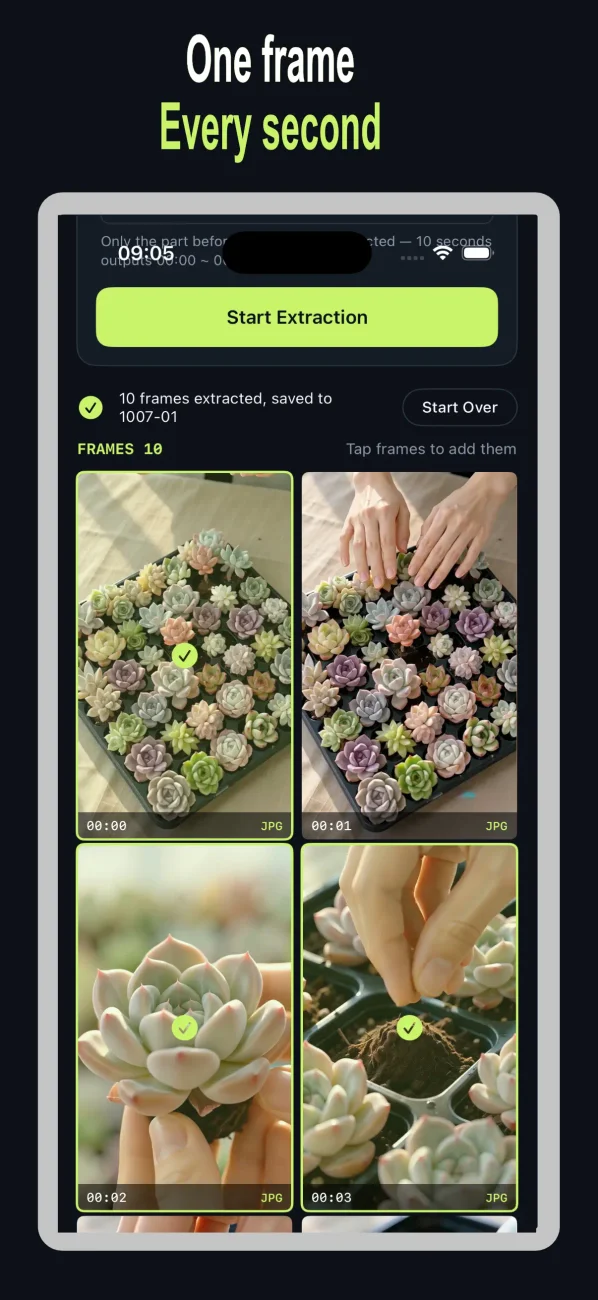
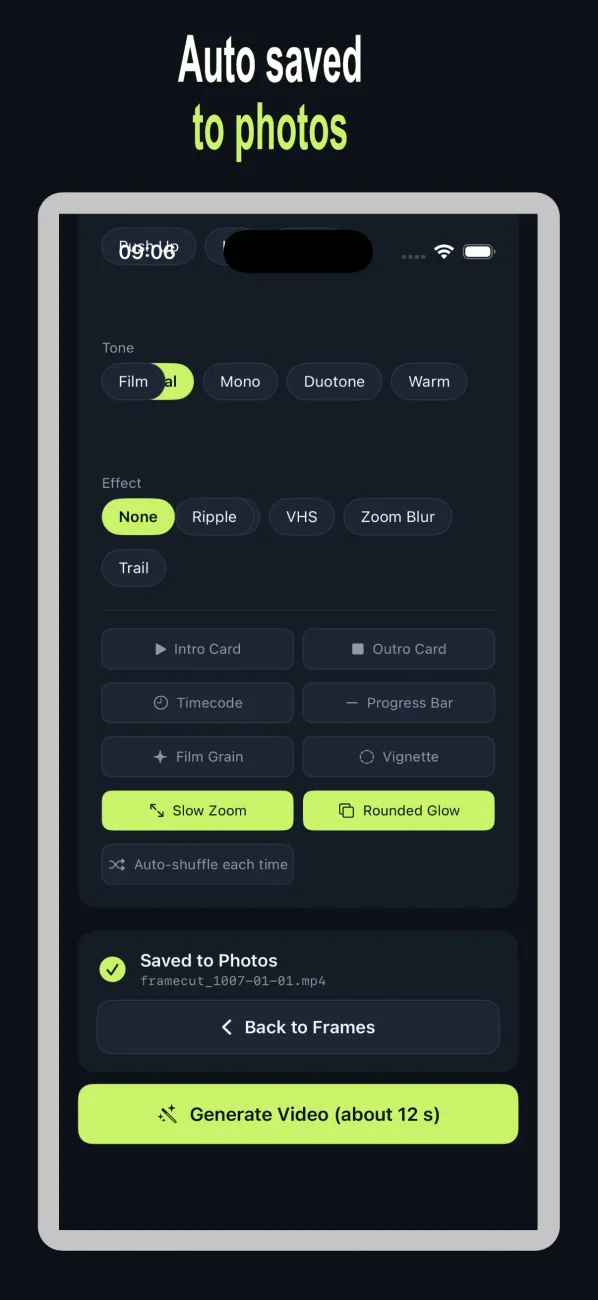
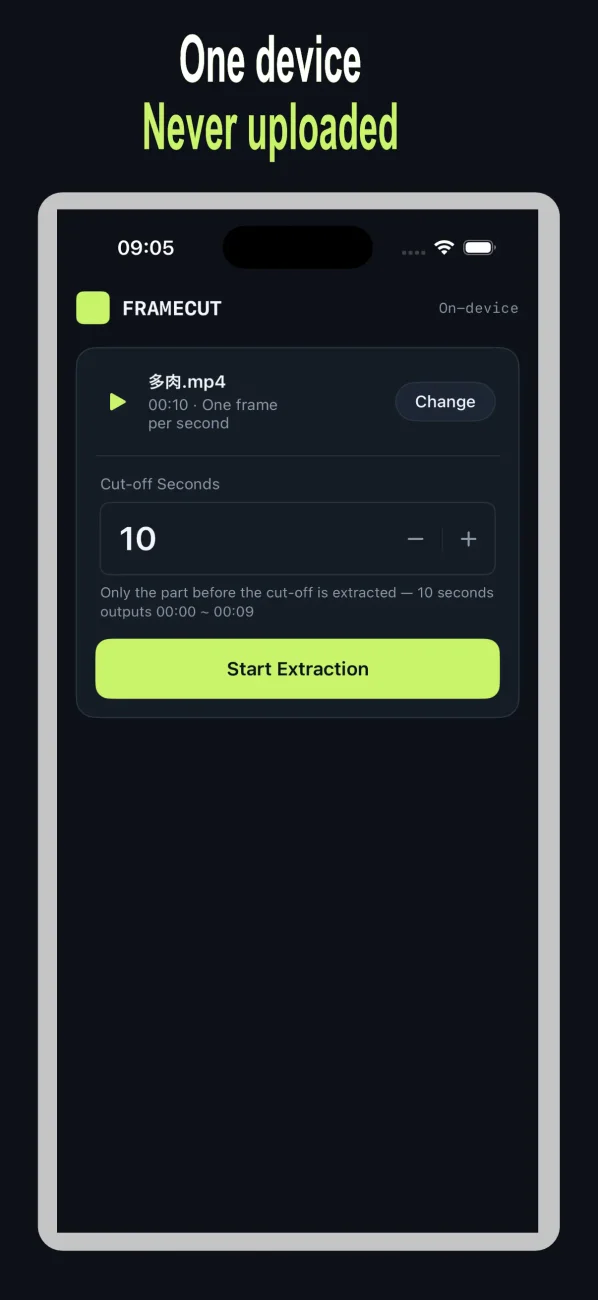
Import any video and the app automatically extracts one frame per second, so you can quickly pick the moments worth keeping. Choose from 50 animated layouts and generate a 1080×1920 vertical video in one tap — saved to your Photos library as soon as it's done.
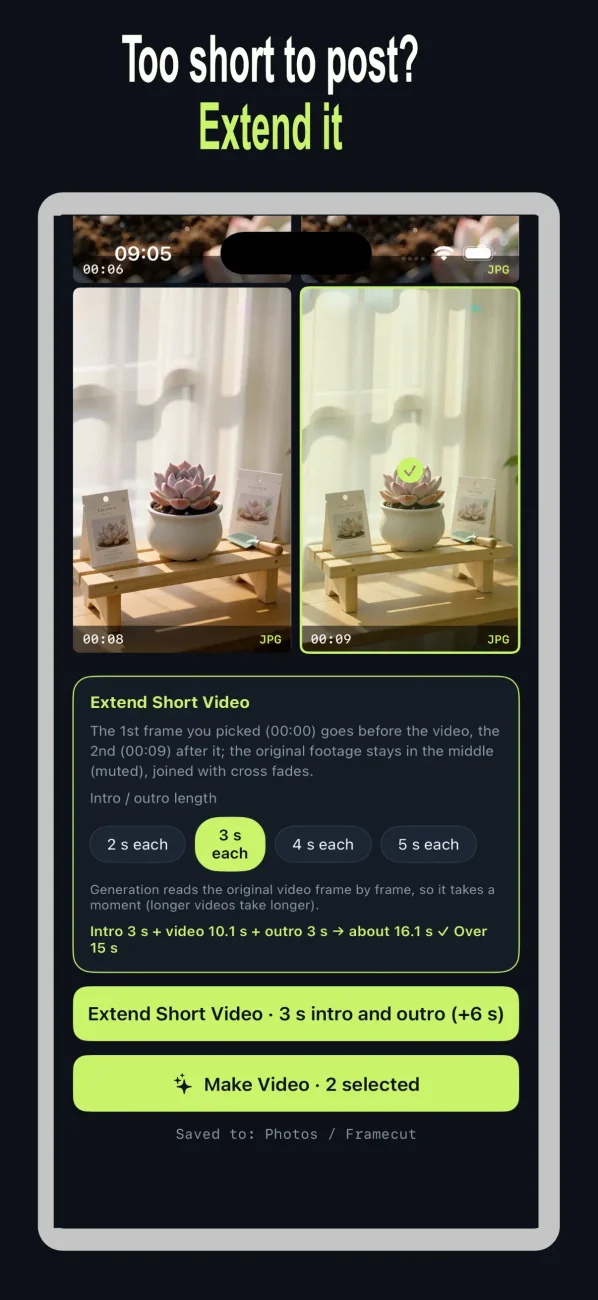
■ Extend a video that's too short (unique)
Not long enough to publish? Pick two of the extracted frames, and the app attaches the first to the head and the second to the tail of your clip, crossfading into the original footage — a 3-second source becomes 7 seconds or more, with the original motion fully preserved. No reshoot needed.
■ One clip, many styles
Generate, then switch layouts and generate again. Your selected frames are kept and the previous file is never overwritten, so you can quickly produce several different styles and compare the results.
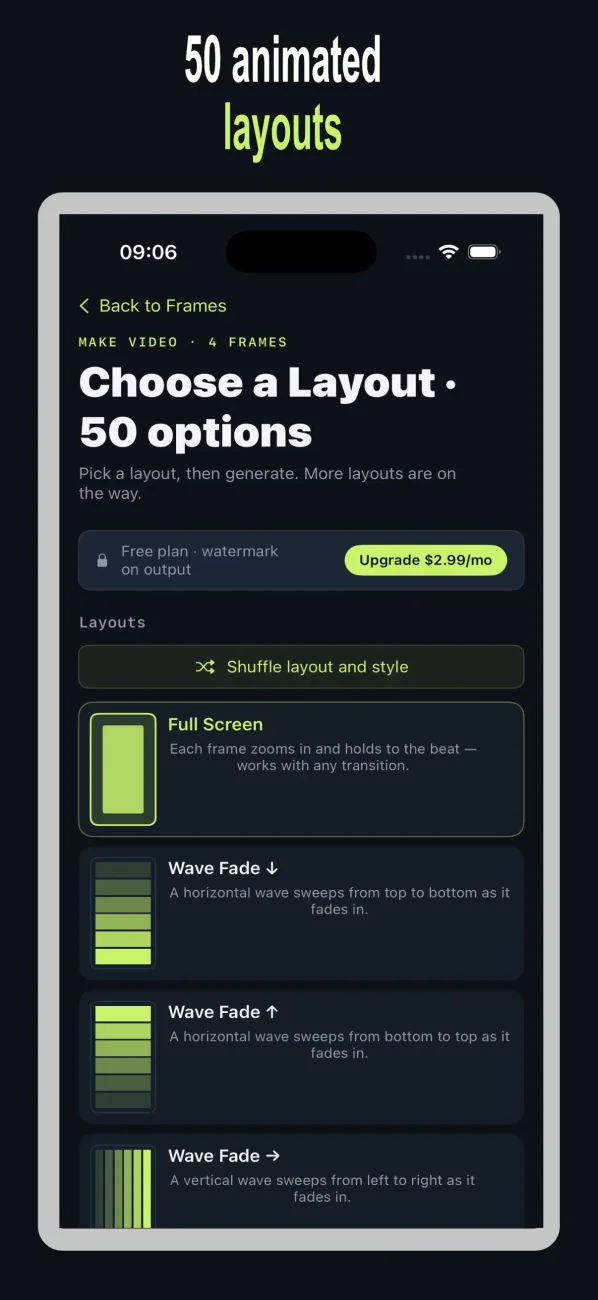
【50 animated layouts】
Full Screen, Wave Fade, Quad Grid, Six Grid, Nine Grid, Film Strip, Page Turn, Circle Reveal, Light Sweep, Carousel, Water Reflection, Tile Reveal… Each layout has its own visual language — great for weddings, travel, events and product showcases.
【Style controls】
・Pace: Fast (2s) / Normal (3s) / Slow (4s) / Long (5s)
・Transitions: Cross Fade, Push Left, Push Up, Iris, Blinds, Flash
・Tones: Original, Mono, Duotone, Warm, Film
・Effects: Glitch, VHS, Zoom Blur, Trail, Ripple
・Overlays: Intro card, Outro card, Timecode, Watermark, Progress bar, Film grain, Vignette, Ken Burns, Rounded cells
【Output】
1080×1920 Full HD vertical video, H.264. Saved to Photos automatically when finished. Everything is processed entirely on-device — your video is never uploaded.
【Subscription】
・Monthly NT$79 / month
・Yearly NT$660 / year (save 30%)
Payment is charged to your Apple ID and renews automatically unless cancelled at least 24 hours before the end of the current period. You can cancel anytime in Settings → Apple ID → Subscriptions.
Terms of Use: https://www.apple.com/legal/internet-services/itunes/dev/stdeula/
What’s new
Version 1.2 · Oct 7, 2026
・Added English and Japanese interfaces
・Improved pacing and visual detail across all 50 layouts
・Fixed layout arrangement for certain frame counts, plus overall stability improvements
App privacy
What Muxian Chiang declares on the App Store about how this app handles data.
-
Data not collected
The developer does not collect any data from this app.
Privacy practices may vary, for example with the features you use or your age.
Information
- Seller
- Muxian Chiang
- Category
- Photo & Video
- Version
- 1.2
- Updated
- Oct 7, 2026
- Released
- Oct 4, 2026
- Size
- 2.1 MB
- Requires
- iOS 15.0 or later
- Age rating
- 4+
- Price
- Free
- In-app purchases
- Yes
- Languages
- English, Japanese, Traditional Chinese
- Copyright
- © 2026 Muxian Chiang
You might also like
-
 C-ulla: Photo CleanerSwipe your camera roll clean
-
 ChronoCast AIPhotos into narrated comics
-
 PhotoView: EXIF Photo ViewerCamera, lens & GPS metadata
-
 Hardlight: Effect & TransitionFootages for video editing
-
 Silent Camera: ShhCamQuiet Shutter
-
 Irisly: Eye Color AnalyzerIris photo & AI art portrait
-
 AI Photo: Video GeneratorRetouch, Collage, BG Remover
-
 FolderCam - Work CameraShoot to folders. Bulk delete.
-
 Face Blur: Mosaic & EmojiPhoto Editor: Auto Hide Faces
-
 PureRaw: Camera & Film GrainReal-time filters and textures