- Yaş sınırı17+
- Kategoriİş
- GeliştiriciEuroSmartz Ltd
- Dillerİngilizce+ 6 dil daha
- Boyut44,6 MB
Resmi App Store sayfasına bağlanır
Download.org, WritePDF için hiçbir dosya barındırmaz. Düğme, uygulamanın App Store üzerindeki sayfasını açar; uygulamayı orada EuroSmartz Ltd yayınlar. Sayfanın son kontrolü: 17.11.2026.
Ekran görüntüleri

Hakkında
Geliştirici bu metni dilinizde sunmamış.
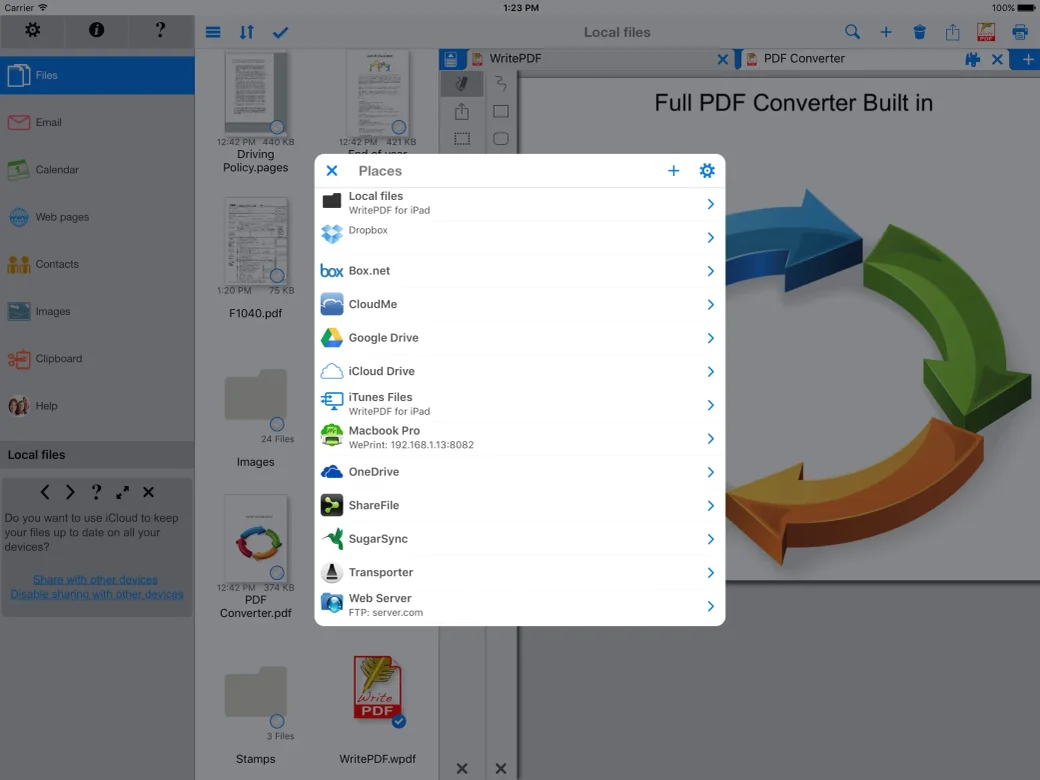
WritePDF is more than just a common annotation tool, it is a powerful PDF modification/printing tool that is usually reserved for computers. Move beyond ordinary PDF viewing, form filling, PDF modification & annotation. WritePDF is the first app that brings together both ease of use and the sophistication needed for managing PDFs, word files, spreadsheets and many other documents on the iPad. WritePDF is also the first app to be fully compatible with PDF readers on Mac & PC, any changes made to a PDF on an iPad will be reflected when opened on a computer and vice versa. With the most powerful PDF modification and viewing engine ever made, WritePDF stands heads and shoulders above the rest!
One of the most powerful and security focused features of WritePDF is the ability to read, convert and annotate PDFs in the Cloud without having to download them first. This means that you can keep all of your documents and files in the Cloud and access them on demand in a very secure environment when away from the office. It also give organisations control on documents and files.
WritePDF is created & bought to you by one of the top business app companies - with years of iOS app experience from 2008, EuroSmartz is unrivaled when it comes to apps for use in business.
- "Being able to quickly highlight text ready for revision is awesome"
- "The ability to search for a word or phrase over all of the PDFs & files I have without opening them is something I can't even do on my PC"
- "Form filling is made so easy with WritePDF, I have just applied for a new bank account using my iPad"
- "The ability to quickly access a document in the cloud and modify it is the #1 feature in my book"
- "I can now edit my PDF and print it to my old printer that is not AirPrint enabled, just magic!"
Main Features
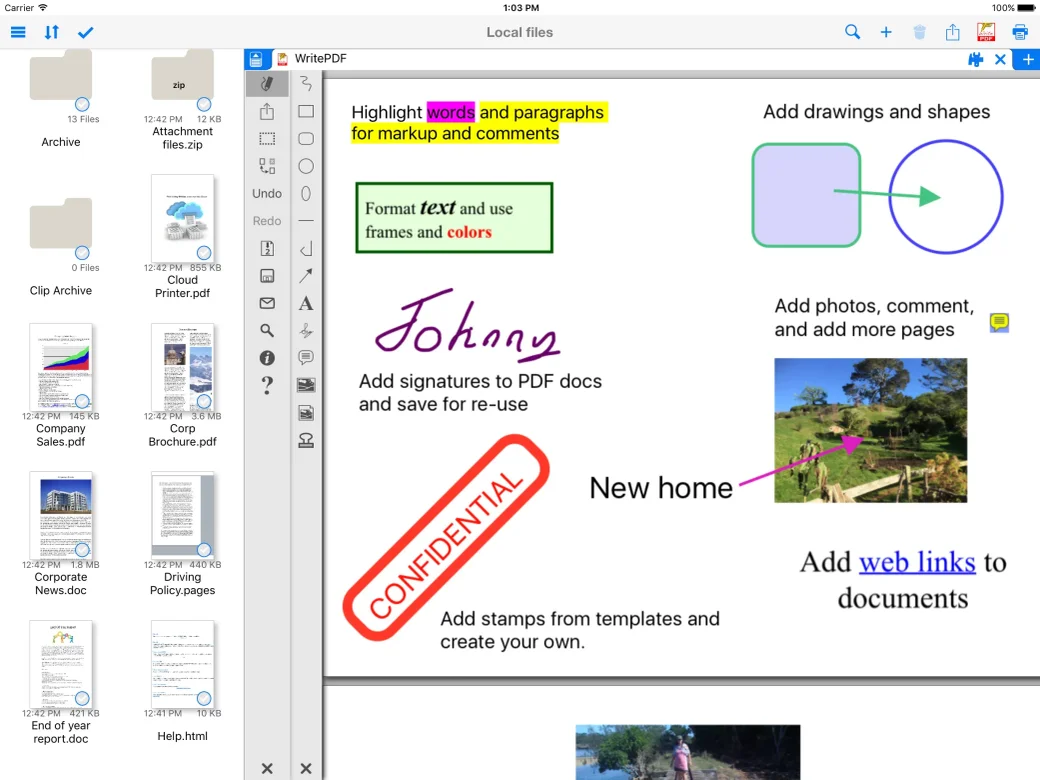
√ Modifying PDFs
> Add arrows, circles, squares and other shapes to a PDF
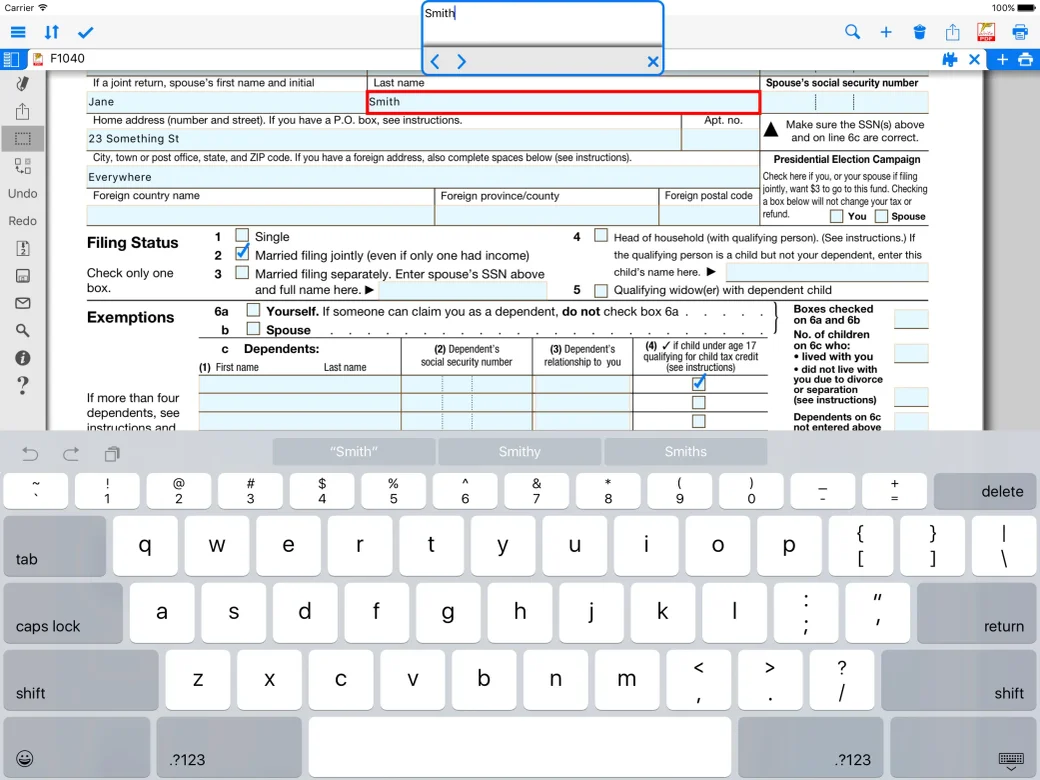
> Fill in PDF forms & add text
> Use Highlighter to highlight single words or entire sections
> Add web page links to words or sections of text
> Transfer PDFs to & from other apps using "Open in.."
> Fully compatible with most PC, Mac & iOS App PDF viewers, shows all changes
> Insert pictures to a PDF
> Quickly & seamlessly transfer PDFs or files from Pages, Numbers or Keynote using Open in
√ Global Search
> Search for keywords or phrases in ALL files stored within WPDF without opening them
> Search results displayed as tapable links
√ Cloud Services
> Annotate, read and convert files & PDFs directly in the Cloud without downloading
> Securely access documents and files and keep control of where they are stored
> CloudMe, Sharefile, Box.net, Dropbox, Google Docs, iDisk, FTP, WebDAV all supported
√ PDF Page Organization
> Move, delete or add pages
> Add, delete, rotate, copy/paste & rearrange pages
> Add selected pages to an existing PDF from docs, spreadsheets or other files
√ Form Filling
> Easily fill in PDF forms, even with multiple fields and boxes
> Save your signature in the app and reuse when needed
> Email/print completed form right from within the app
√ PDF Conversion & Merging
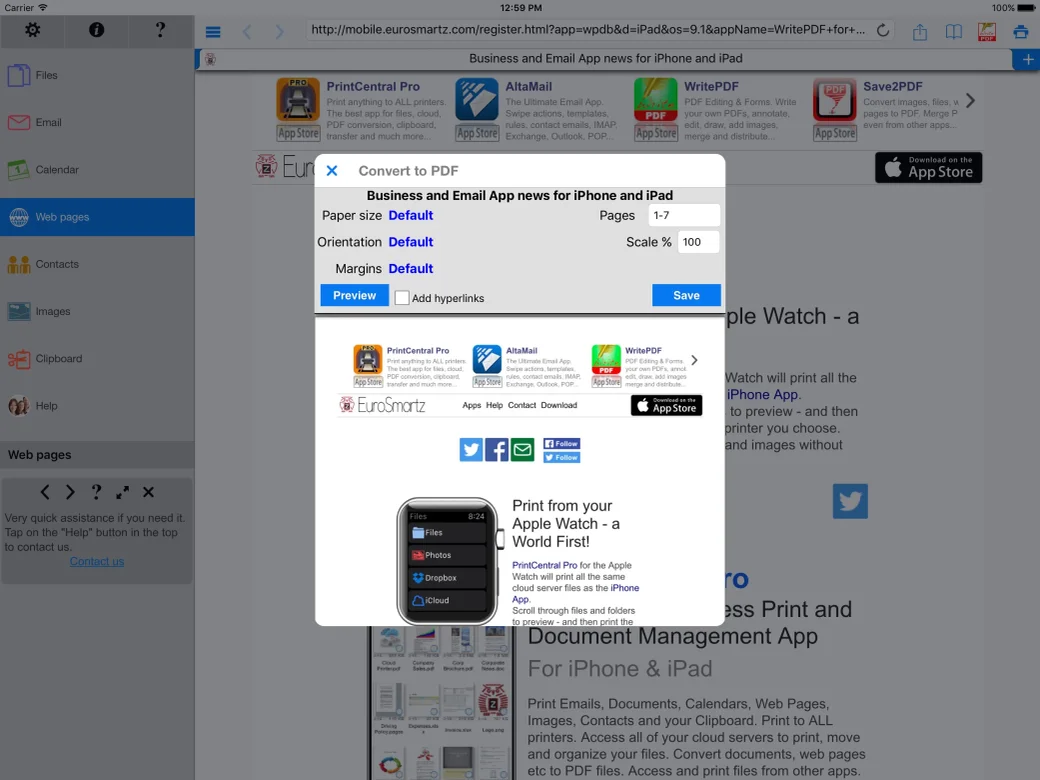
View/Convert/Merge Microsoft Office files, Photos, PDFs, Contacts, Web Pages, Email & Email attachments as well as many more file formats
> Create a single PDF from multiple files even if they are a different format (i.e. merge a Word file with a Pages document with an existing PDF etc)
> Print or convert PDFs from other apps using Open in or other methods
√ Full featured Printing
> Print direct to most existing WiFi or shared printers, or use the free printer software for ALL printers.
> Print from Pages, Numbers or Keynote extremely quickly & easily without the need for an AirPrint printer using Open in
> Print remotely via 3G/EDGE or Google Cloud Print
√ Reminders & Keywords
> Set a reminder for a file, PDF or document
> Add keywords to any file for easy searching
Yenilikler
Sürüm 4.7.1 · 09.04.2026
Improvements for iOS 26.4
Support our hard working team - support regular updates and new features with a quick review on the App Store, thanks!
Uygulama gizliliği
Bu uygulamanın verileri nasıl işlediği hakkında EuroSmartz Ltd tarafından App Store üzerinde yapılan beyan.
-
Veri toplanmıyor
Geliştirici bu uygulamadan hiçbir veri toplamıyor.
Gizlilik uygulamaları, örneğin kullandığınız özelliklere veya yaşınıza göre değişiklik gösterebilir.
Bilgiler
- Satıcı
- EuroSmartz Ltd
- Kategori
- İş
- Sürüm
- 4.7.1
- Güncellendi
- 09.04.2026
- Yayın tarihi
- 28.02.2012
- Boyut
- 44,6 MB
- Gereksinim
- iOS 12.0 veya sonrası
- Yaş sınırı
- 17+
- Fiyat
- ₺149,99
- Diller
- İngilizce, Fransızca, Almanca, İtalyanca, Japonca, Basitleştirilmiş Çince, İspanyolca
- Telif hakkı
- © 2008-2026, EuroSmartz Ltd
Bunları da beğenebilirsiniz
-
 StrataReadÜretkenlik
-
 Scanloft: Dokumenten ScannerÜretkenlik
-
 Paper Diary 2Üretkenlik
-
 Simple Bill ManagerFinans
-
 Voice Loop Reminder - On TrackÜretkenlik
-
 One Tap Voice Memo AIÜretkenlik
-
 Refund Radar: Return DeadlinesFinans
-
 Notes Lists & Task OrganizerÜretkenlik
-
 Idea Vault - Notes & JournalÜretkenlik
-
 Stilo Markdown EditorÜretkenlik