- Độ tuổi17+
- Danh mụcKinh Doanh
- Nhà phát triểnEuroSmartz Ltd
- Ngôn ngữTiếng Anh+ 6 ngôn ngữ khác
- Kích thước44,6 MB
Liên kết đến trang App Store chính thức
Download.org không lưu trữ tệp nào của WritePDF. Nút này mở trang ứng dụng trên App Store, nơi EuroSmartz Ltd phát hành ứng dụng. Trang được kiểm tra lần cuối: 17/11/2026.
Ảnh chụp màn hình

Giới thiệu
Nhà phát triển chưa cung cấp nội dung này bằng ngôn ngữ của bạn.
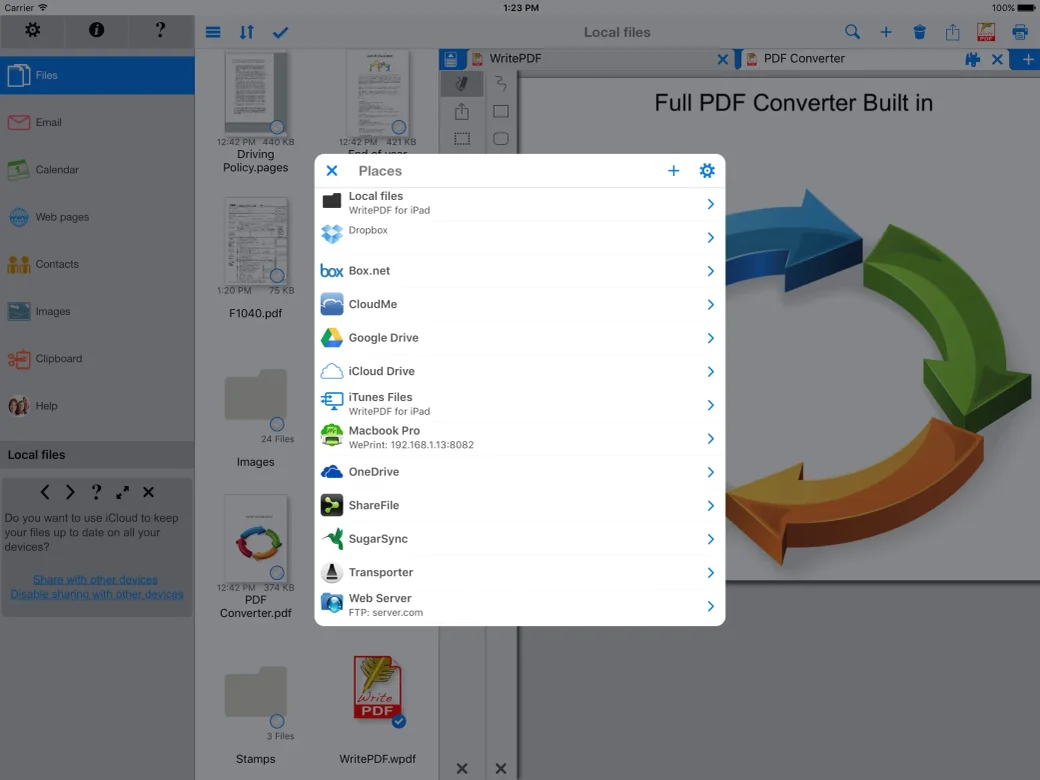
WritePDF is more than just a common annotation tool, it is a powerful PDF modification/printing tool that is usually reserved for computers. Move beyond ordinary PDF viewing, form filling, PDF modification & annotation. WritePDF is the first app that brings together both ease of use and the sophistication needed for managing PDFs, word files, spreadsheets and many other documents on the iPad. WritePDF is also the first app to be fully compatible with PDF readers on Mac & PC, any changes made to a PDF on an iPad will be reflected when opened on a computer and vice versa. With the most powerful PDF modification and viewing engine ever made, WritePDF stands heads and shoulders above the rest!
One of the most powerful and security focused features of WritePDF is the ability to read, convert and annotate PDFs in the Cloud without having to download them first. This means that you can keep all of your documents and files in the Cloud and access them on demand in a very secure environment when away from the office. It also give organisations control on documents and files.
WritePDF is created & bought to you by one of the top business app companies - with years of iOS app experience from 2008, EuroSmartz is unrivaled when it comes to apps for use in business.
- "Being able to quickly highlight text ready for revision is awesome"
- "The ability to search for a word or phrase over all of the PDFs & files I have without opening them is something I can't even do on my PC"
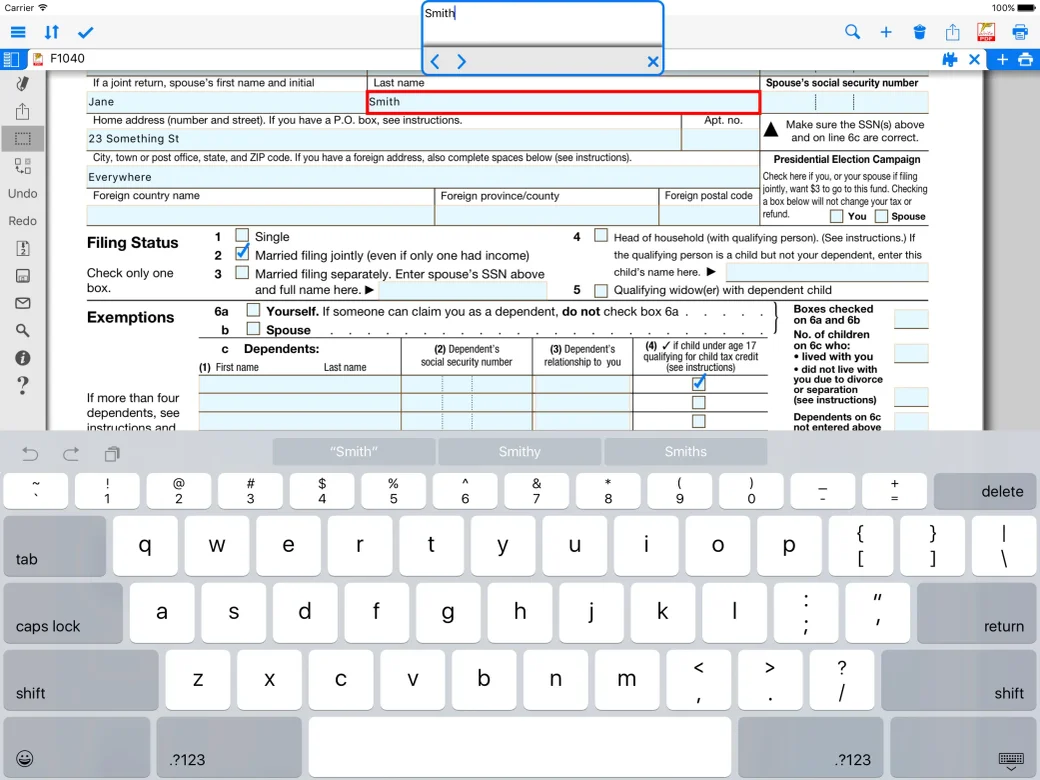
- "Form filling is made so easy with WritePDF, I have just applied for a new bank account using my iPad"
- "The ability to quickly access a document in the cloud and modify it is the #1 feature in my book"
- "I can now edit my PDF and print it to my old printer that is not AirPrint enabled, just magic!"
Main Features
√ Modifying PDFs
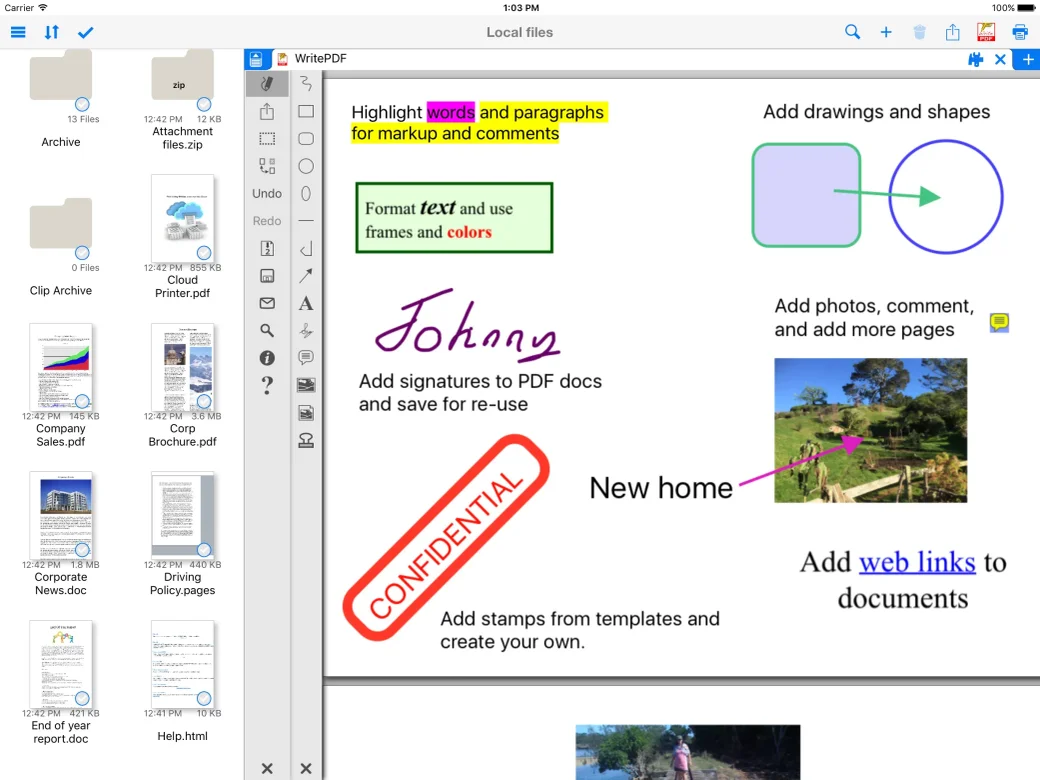
> Add arrows, circles, squares and other shapes to a PDF
> Fill in PDF forms & add text
> Use Highlighter to highlight single words or entire sections
> Add web page links to words or sections of text
> Transfer PDFs to & from other apps using "Open in.."
> Fully compatible with most PC, Mac & iOS App PDF viewers, shows all changes
> Insert pictures to a PDF
> Quickly & seamlessly transfer PDFs or files from Pages, Numbers or Keynote using Open in
√ Global Search
> Search for keywords or phrases in ALL files stored within WPDF without opening them
> Search results displayed as tapable links
√ Cloud Services
> Annotate, read and convert files & PDFs directly in the Cloud without downloading
> Securely access documents and files and keep control of where they are stored
> CloudMe, Sharefile, Box.net, Dropbox, Google Docs, iDisk, FTP, WebDAV all supported
√ PDF Page Organization
> Move, delete or add pages
> Add, delete, rotate, copy/paste & rearrange pages
> Add selected pages to an existing PDF from docs, spreadsheets or other files
√ Form Filling
> Easily fill in PDF forms, even with multiple fields and boxes
> Save your signature in the app and reuse when needed
> Email/print completed form right from within the app
√ PDF Conversion & Merging
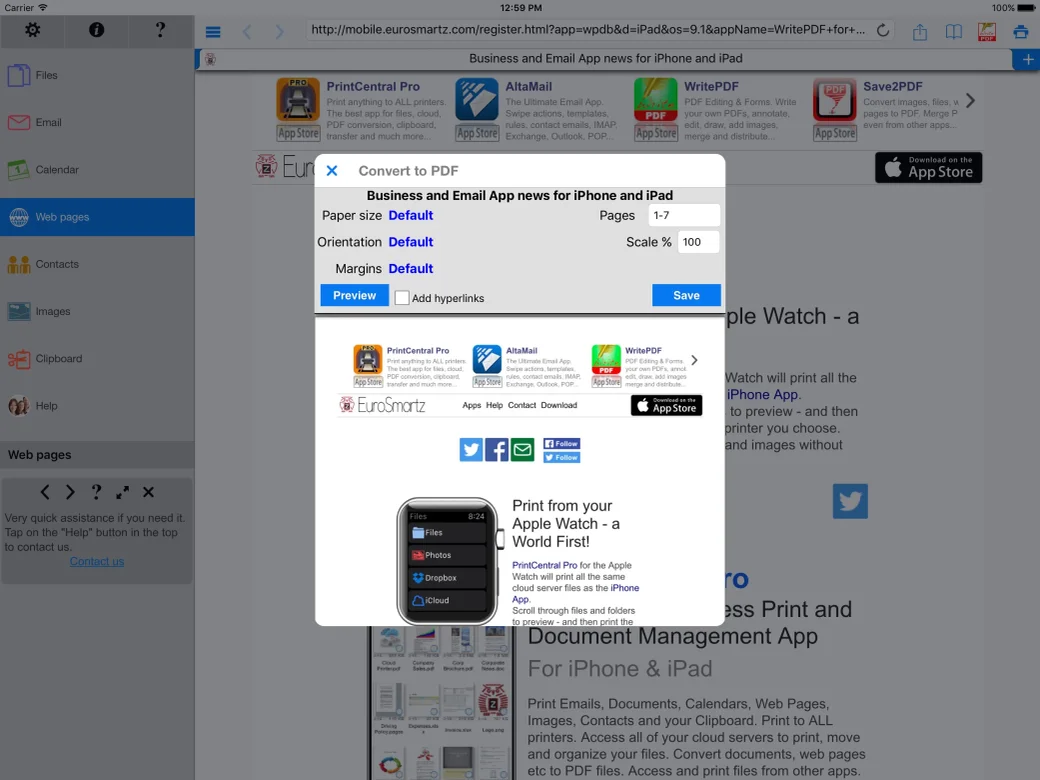
View/Convert/Merge Microsoft Office files, Photos, PDFs, Contacts, Web Pages, Email & Email attachments as well as many more file formats
> Create a single PDF from multiple files even if they are a different format (i.e. merge a Word file with a Pages document with an existing PDF etc)
> Print or convert PDFs from other apps using Open in or other methods
√ Full featured Printing
> Print direct to most existing WiFi or shared printers, or use the free printer software for ALL printers.
> Print from Pages, Numbers or Keynote extremely quickly & easily without the need for an AirPrint printer using Open in
> Print remotely via 3G/EDGE or Google Cloud Print
√ Reminders & Keywords
> Set a reminder for a file, PDF or document
> Add keywords to any file for easy searching
Có gì mới
Phiên bản 4.7.1 · 09/04/2026
Improvements for iOS 26.4
Support our hard working team - support regular updates and new features with a quick review on the App Store, thanks!
Quyền riêng tư của ứng dụng
Những gì EuroSmartz Ltd khai báo trên App Store về cách ứng dụng này xử lý dữ liệu.
-
Dữ liệu không được thu thập
Nhà phát triển không thu thập bất kỳ dữ liệu nào từ ứng dụng này.
Phương thức đảm bảo quyền riêng tư có thể khác nhau, chẳng hạn như tuỳ theo các tính năng bạn sử dụng hoặc độ tuổi của bạn.
Thông tin
- Người bán
- EuroSmartz Ltd
- Danh mục
- Kinh Doanh
- Phiên bản
- 4.7.1
- Cập nhật
- 09/04/2026
- Phát hành
- 28/02/2012
- Kích thước
- 44,6 MB
- Yêu cầu
- iOS 12.0 trở lên
- Độ tuổi
- 17+
- Giá
- 99.000đ
- Ngôn ngữ
- Tiếng Anh, Tiếng Pháp, Tiếng Đức, Tiếng Ý, Tiếng Nhật, Tiếng Trung Giản thể, Tiếng Tây Ban Nha
- Bản quyền
- © 2008-2026, EuroSmartz Ltd
Có thể bạn cũng thích
-
 StrataReadHiệu Suất
-
 Scanloft: Dokumenten ScannerHiệu Suất
-
 Paper Diary 2Hiệu Suất
-
 Simple Bill ManagerTài Chính
-
 Voice Loop Reminder - On TrackHiệu Suất
-
 One Tap Voice Memo AIHiệu Suất
-
 Refund Radar: Return DeadlinesTài Chính
-
 Notes Lists & Task OrganizerHiệu Suất
-
 Idea Vault - Notes & JournalHiệu Suất
-
 Stilo Markdown EditorHiệu Suất