XPSView
Reader for XPS & OXPS document
iPhone, iPad, iPod touch için tasarlandı
Ücretsiz · Uygulama içi satın alma
- Yaş sınırı4+
- KategoriÜretkenlik
- GeliştiriciRootRise Technologies Pvt. Ltd.
- Dillerİngilizce
- Boyut3,5 MB
Resmi App Store sayfasına bağlanır
Download.org, XPSView için hiçbir dosya barındırmaz. Düğme, uygulamanın App Store üzerindeki sayfasını açar; uygulamayı orada RootRise Technologies Pvt. Ltd. yayınlar. Sayfanın son kontrolü: 17.11.2026.
Ekran görüntüleri


Hakkında
Geliştirici bu metni dilinizde sunmamış.
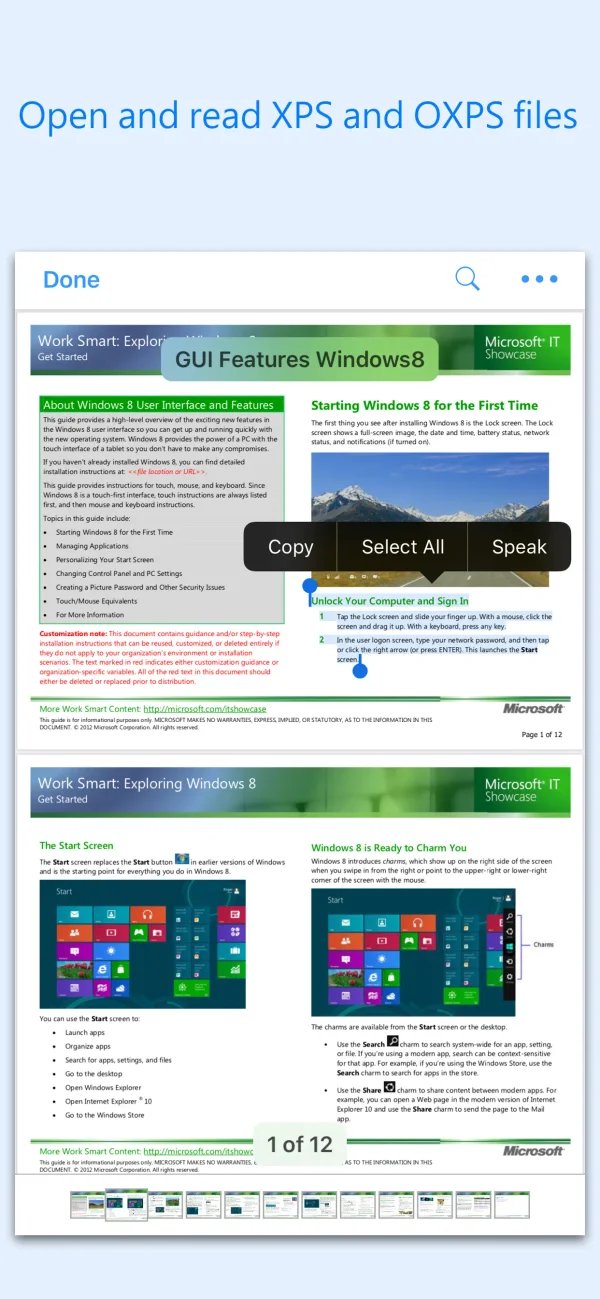
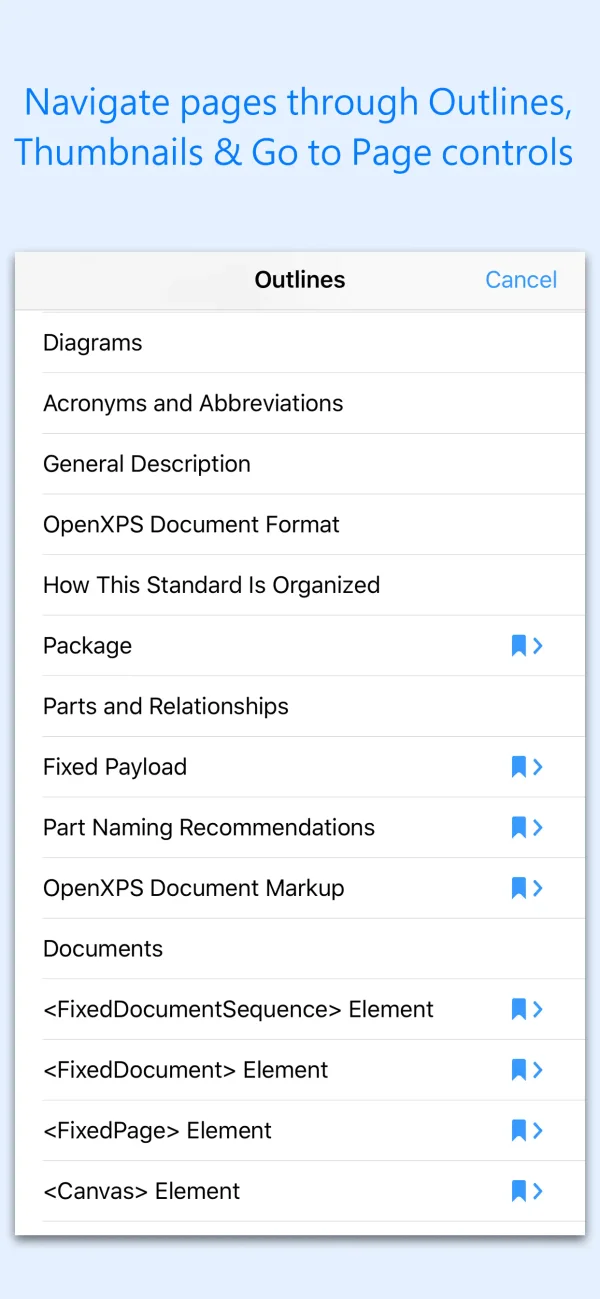
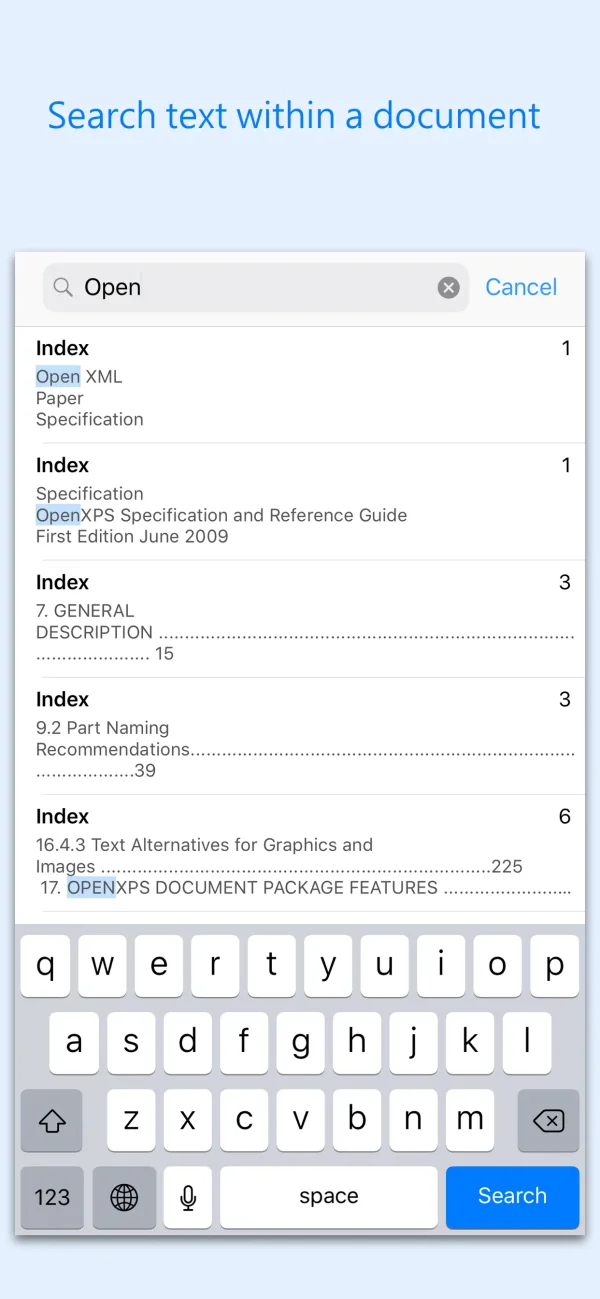
XPSView allows you to open and read XPS (XML Paper Specification, *.xps) and OpenXPS (*.oxps) documents on iOS device. It offers you fantastic reading experience using document outlines, page thumbnails and text search features. In addition, XPSView allows you to convert XPS and OXPS documents into PDF and make it available for any PDF viewing application.
Are you having plenty of XPS/OXPS files that no decent viewer available to open on your iPhone and iPad? Do you receive XPS/OXPS documents as email attachments on your iPhone and iPad? The easiest way to circumvent these problems is this XPSView app.
* * * XPSView is also available for macOS on the Mac App Store * * *
READING FEATURES:
- Fully selectable and searchable text contents. Select and copy text to clipboard for further use.
- Pinch out and Pinch in to ZoomIn and ZoomOut view.
- Navigate through topics by document outlines, if exist.
- Search text feature to find a character, word or sentence any where in a document.
- Scroll through your document by Page Thumbnails or Go to page feature.
XPS/OXPS to PDF CONVERSION FEATURES:
- Converts XPS/OXPS to fully vector-PDF documents. Preserves text, vector graphics and raster images as editable PDF contents.
- Preserves Bookmarks (Outline).
- Preserves XPS internal and external topic hyperlinks into PDF. It automatically maintains XPS topic and page navigation links into PDF compatible annotations.
- Preserves metadata properties.
DOCUMENT MANAGEMENT
- The inbuilt document browse view automatically gives you the option to share documents using the Share button or a drag-and-drop action. It also provides a standard interface for browsing and managing documents.
- Automatically handles access to iCloud for you within the app. It also provides access to documents managed by third-party storage service extensions installed on your device.
- Browse, find and sort documents to help you locate the document you want. Tap the file that you want to open.
- You can move, delete, duplicate and rename a document with document manager in browser view.
- In the document manager, you can group related documents into folders so they’re easy to find.
Note: XPSView is standalone application running natively to convert XPS and OXPS to PDF securely on your device.
You can refer User Manual for any assistance Or Contact Support.
Privacy Policy: http://rootrisetech.com/xpsview-privacy-policy
Terms of Use(EULA): https://www.apple.com/legal/internet-services/itunes/dev/stdeula/
Yenilikler
Sürüm 4.0 · 25.01.2026
- Bug fixes and UI improvements to streamline with latest iOS.
We are thankful to all users for their valuable feedback :)
Uygulama gizliliği
Bu uygulamanın verileri nasıl işlediği hakkında RootRise Technologies Pvt. Ltd. tarafından App Store üzerinde yapılan beyan.
-
Sizinle ilişkilendirilmeyen veriler
Toplanabilir ancak kimliğinizle ilişkilendirilmez.
- Tanımlayıcılar
Gizlilik uygulamaları, örneğin kullandığınız özelliklere veya yaşınıza göre değişiklik gösterebilir.
Bilgiler
- Satıcı
- RootRise Technologies Private Limited
- Kategori
- Üretkenlik
- Sürüm
- 4.0
- Güncellendi
- 25.01.2026
- Yayın tarihi
- 23.03.2014
- Boyut
- 3,5 MB
- Gereksinim
- iOS 15.6 veya sonrası
- Yaş sınırı
- 4+
- Fiyat
- Ücretsiz
- Uygulama içi satın alma
- Evet
- Diller
- İngilizce
- Telif hakkı
- © 2014-2026 RootRise Technologies Pvt. Ltd.
Bunları da beğenebilirsiniz
-
 PDF Reader - Docs ViewerÜretkenlik
-
 XPS OXPS File ViewerÜretkenlik
-
 3D Model Viewer - AR ViewÜretkenlik
-
 3D Model Viewer - AR & PrintÜretkenlik
-
 Convert to PDF, Word, PPT, DocÜretkenlik
-
 Owlfiles - File ManagerÜretkenlik
-
 Notepad ++Üretkenlik
-
 Resilio SyncÜretkenlik
-
 PRTG - MonitoringÜretkenlik
-
 Project Plan 365Üretkenlik